

Pricing reference: Make’s public 10,000-credit comparison displays Free at $0, Core at $12/month, Pro at $21/month, and Teams at $38/month; Enterprise requires a quote. Make offers annual billing as well as monthly payment, and the actual selected billing period, number of credits, region, taxes, and any discounts must be checked on the official checkout page. Official Make pricing. The figures below are reference points rather than guaranteed checkout offers.
A form arrives at 9:03. Someone copies the lead into a CRM, updates a spreadsheet, and posts a message to sales. At 9:07, another form arrives, and the process starts again. Make promises to connect those steps into one visual workflow. The interesting question for this Make review is not whether the diagram looks impressive; it is whether the workflow stays understandable, affordable, and recoverable when things go wrong.
Make is a no-code and low-code automation platform for connecting business applications through what it calls scenarios. It can react to an incoming event, retrieve information, apply conditions, reshape data, and send the result to another service. Make’s visual map is particularly helpful when a workflow involves multiple branches rather than a single “if this, then that” action. Yet a visual map alone cannot promise that a required connector supports the exact action you need, that errors will automatically recover, or that every step fits your subscription allowance.
This Make review 2026 looks at Free, Core, Pro, Teams, and Enterprise, explains Make credits, and tests the buying decision against three concrete workflow designs. We also examine cases where Zapier, n8n, or Activepieces deserve a place on the shortlist. The figures come from official Make pricing and support materials checked in October 2026. Scenario cost examples are transparent planning models, not measurements from an actual customer account.
Editorial disclosure: This is an independent, documentation-based product assessment prepared for DigiOffly under Alex Wright’s editorial byline. It is not a claim that Alex personally ran a live production workflow, purchased a Make subscription, measured uptime, or carried out penetration testing. Capabilities and prices can change. We do not use fictitious user reviews or unsupported conversion statistics.
📊 Make Review Summary: The Useful Numbers
| Plan | Published 10k-credit reference | Relevant difference |
|---|---|---|
| Free | $0 / month; up to 1,000 credits | 15-minute minimum schedule |
| Core | $12 / month displayed | Unlimited active scenarios; one-minute schedules; API |
| Pro | $21 / month displayed | Custom variables; priority execution; log search |
| Teams | $38 / month displayed | Team roles; shared templates |
| Enterprise | Quote-based | Enterprise security, support and custom needs |
Product category: visual workflow automation, app integrations, data routing, and increasingly AI-assisted processing. Best initial use case: a company that has a repeatable process spanning two or more supported services and wants to understand the flow visually. Main buying risk: underestimating monthly credits and overestimating what the first available connector can actually do.
Published Free allowance: up to 1,000 credits per month, with a 15-minute minimum scheduled polling interval. Core reference at the 10,000-credit selector: $12/month displayed, with more frequent scheduling, unlimited active scenarios, and Make API access. Pro reference: $21/month displayed, adding capabilities such as custom variables, priority processing, and deeper log search. Teams reference: $38/month displayed, with team roles and template sharing. Higher credit volumes and Enterprise terms are separate pricing decisions.
There is a significant difference between the number of scenarios you design and the number of billable actions they perform. Two scenarios may use the same monthly credit budget even if one has three modules and the other has thirty. What matters is how often they run, how many bundles move through each module, and whether their advanced AI steps are billed at a fixed or variable rate. A scenario that sits idle is a very different expense from a polling process checking every few minutes.
Assessment in brief: Make deserves a place on the shortlist for visual branching and versatile integration workflows. It is less obvious for organizations that need a self-hosted execution engine, extremely simple one-step tasks, or tightly controlled production processes without a technical owner. The right purchase follows from a mapped workflow and a measurable monthly usage forecast, not a generic “best automation platform” label.
⚡ Quick Verdict: Is Make Worth It in 2026?
Yes, for the right workflow—but Make is not automatically the cheapest automation software just because its entry-level number looks approachable. The value is in the way it lets an operator see the entire flow. A trigger can feed a lookup, a filter can discard irrelevant records, and a router can send high-priority events to a different destination. That makes complex business logic easier to explain to someone who did not build it.
The trade-off is visibility versus abstraction. Seeing each module is helpful when debugging; the same visual complexity can become intimidating when a scenario grows into dozens of branches. It is easy to underestimate maintenance: OAuth permissions expire, an external API changes fields, a form adds a new answer option, or a downstream system rejects duplicates. Make supplies tools to respond to those failures, but you must configure and monitor them.
The Free tier makes sense for learning and validating a small workflow. Core is a practical comparison point when you need more scheduling flexibility and a meaningful credit allowance. Pro becomes more interesting when organizational variables and execution-history searches matter. Teams can be relevant when multiple operators need different roles and shareable templates. None of those plan names tells you whether a particular third-party CRM connection is suitable, so verify the exact action and authentication rules before paying.
The next step is practical: sketch one real workflow, run a controlled pilot, inspect its execution history, and count credits per record before choosing monthly or annual billing. If the pilot requires credentials, personal data, or external email, test with synthetic information and get permission from the service owner. Automating an unwanted message faster is not an operational improvement.
👍 What We Love
- ✅ Visual control: Routes and filters make multi-step workflow logic easier to explain to the team.
- ✅ App connections: Official integrations cover many common CRM, spreadsheet and messaging services.
- ✅ Useful free starting point: A recurring 1,000-credit allowance lets you explore an actual process.
- ✅ Graduated paid features: Core, Pro and Teams address different scheduling, debugging and collaboration needs.
👎 Where It Falls Short
- ❌ Credit calculations: Repeated modules, bundles and AI features can complicate the final bill.
- ❌ Maintenance: Expired connections, changed API fields and retries still need monitoring.
- ❌ Not self-hosted: Teams requiring their own execution environment should compare a suitable alternative.
- ❌ Plan-dependent features: Logs, variables, collaboration and usage differ by paid tier.

Make Automation — Editorial Buying Snapshot
Good fit: visual multi-app scenarios, conditional lead routing and operational handoffs. Reconsider: strict self-hosting, very simple one-action tasks, or workflows without an owner.
Documentation-based analysis. No paid hands-on test or numerical product rating is claimed.
🧭 What Make Actually Does—and What It Doesn’t
Make sits between the applications your team already uses. Imagine an online form, a CRM, a spreadsheet and an internal messaging channel. You can configure a scenario to receive a submission, check a field, create or update a customer record, and notify the right person. For an online store, a new order might update a fulfillment record and create an internal support task. For an editorial team, an approved article might trigger a project-management update—but approval is still a human decision you need to represent explicitly.
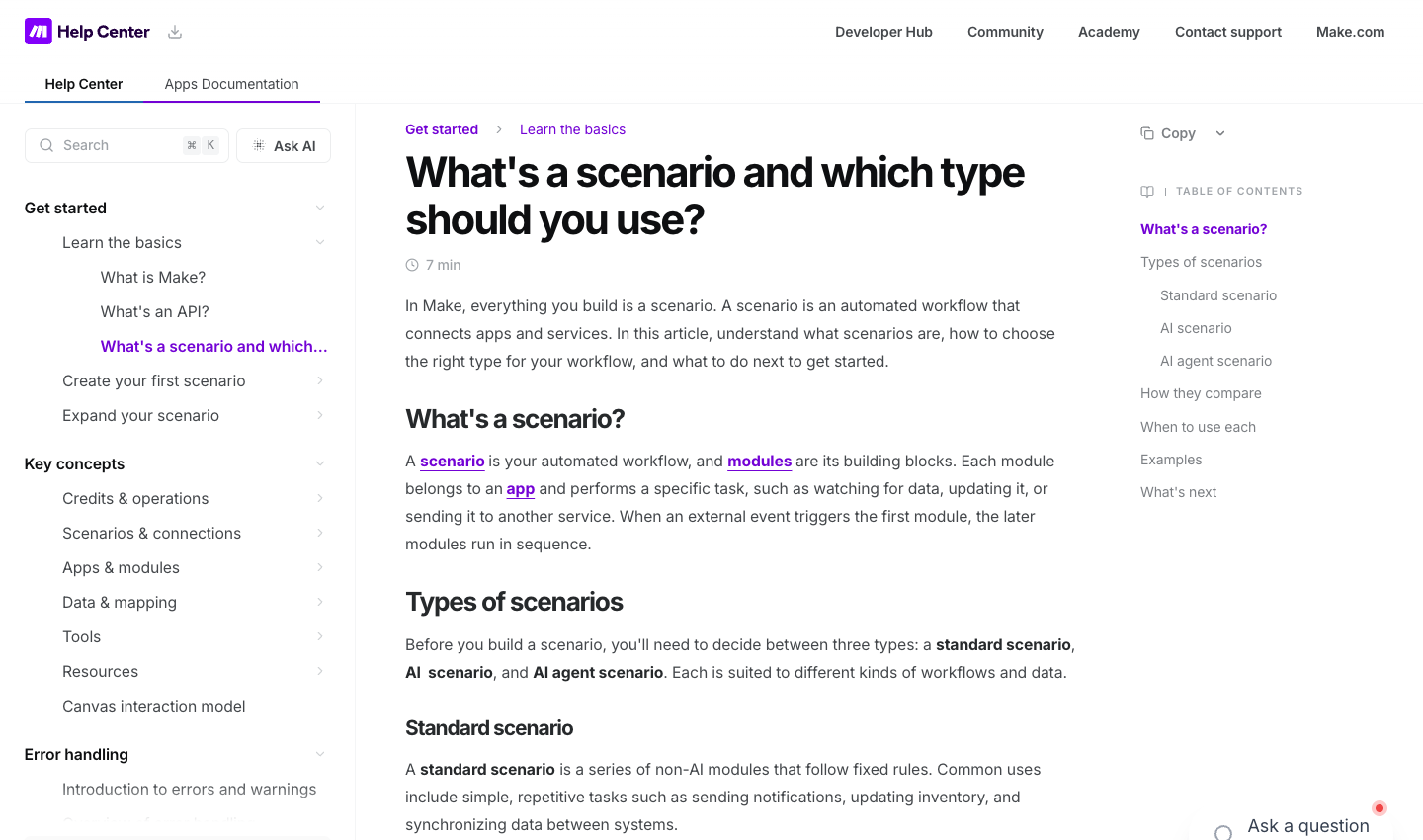
In Make’s vocabulary, a scenario is the end-to-end automation. A module is one action, search, data transformation, or trigger. A connection is the authorized link to a service. A bundle carries data through the scenario. Routers and filters split and constrain the route taken by those bundles. Those distinctions matter because a scenario run can involve several billable module operations, and each bundle may cause another downstream action.
The Make pricing page advertises thousands of app integrations, but an integration listing is not proof that every feature in the target application is available. Some apps expose only a handful of actions; others need custom API requests. Enterprise applications may require special permissions, administrators, or a different plan. If a prospective customer says, “It integrates with our CRM,” the useful follow-up is, “Does it perform the precise search, update and permission scope our workflow requires?”
Make is also not an accounting system, a marketing database, or a substitute for adequate data governance. It moves and transforms information according to rules you build. It does not independently check whether your business has a lawful reason to process customer data, whether a generated email is accurate, or whether a refund should be approved. Treat the flow as an operational system with a defined owner rather than a set-and-forget shortcut.
🧠 How the Visual Scenario Builder Works
The canvas represents an automation as connected modules, which makes the direction of information flow immediately visible. A beginning trigger waits for or checks for an event; the next module can search a record or retrieve a value; following modules apply conditions and perform writes. When there are branches, a router fans the event out to different routes. Make describes routers as non-credit-consuming control modules, but the actions they route to can still use credits.
This visual design is a meaningful advantage for cross-functional reviews. A marketing manager can point to a filter and ask why contacts from one country receive a different handoff. An operations lead can spot that a failed CRM lookup might still be followed by a notification. A developer can inspect the data mapping between the modules. But diagrams are not automatically self-documenting: ambiguous scenario names, unlabelled filters, and hidden assumptions can turn an attractive canvas into a fragile one.
A sensible team convention is to name each route by its business purpose, write down which fields are required, and identify whether the route is allowed to create external side effects. For example, “Create a support ticket if one does not exist” is a better objective than “Sync support.” Keep a separate version of the process requirements, because the business rule itself can change even if Make’s connectors remain functional.
The real distinction between a visual workflow builder and a pure scripting platform is not that one can do more. It is that different people can maintain the result. Make is strongest when an operator is willing to understand a few technical concepts—data types, triggers, conditions, and failure modes—but does not want to write and host every integration manually.
🛠️ Building Your First Make Scenario: A Responsible Walkthrough
Begin with a workflow that has a safe outcome and a clear success condition. A useful learning exercise is receiving a sample web-form submission and writing the approved fields to a test spreadsheet. Use a sandbox workspace or records that contain no real customer personal information. The objective is not to prove Make can send the data; it is to discover what happens when an optional field is missing, a record already exists, or the recipient service is temporarily unavailable.
First, choose the source and trigger. If the form provider supports an instant webhook trigger, the source can notify Make whenever a new submission arrives. Otherwise, a polling trigger may check for new data on a schedule. Check the minimum polling frequency permitted by your plan. Then connect the relevant service using only the permissions the workflow needs. Avoid sharing an administrator’s broad credentials when a narrower service account would be enough.
Next, map input fields deliberately. The field named “Company” might sometimes be empty, and a phone number should not necessarily be coerced into a numeric field that discards leading zeros. Use a filter to reject an event that does not meet the stated conditions; reserve a separate branch for cases that require human review. When writing to a spreadsheet or CRM, use a stable identifier so that a retry does not automatically create a duplicate contact.
Finally, run the example with predictable sample data, inspect each output bundle, and record its credit usage. Repeat with an invalid field, a duplicate, and an intentional failure in the destination. A successful happy-path run tells you very little about production resilience. Only after those checks should you enable a regular schedule or accept actual external events, with a monitor and owner ready to investigate anomalies.
The official Make Help Center walks through creating a connection, setting a trigger, mapping data, running once, and scheduling a scenario. Use that documentation rather than assuming a screenshot from an older editor is still accurate: Make Help Center.
🔌 Integrations, Connectors and Practical Coverage
Make advertises a wide catalog of integrations, including familiar productivity, collaboration, commerce and CRM services. You can find examples for Google Sheets, Slack, Notion, Airtable, HubSpot, WordPress and other commonly used applications. The breadth is useful, but it is the starting point of due diligence. A product can be present in the directory while the exact event, field or write operation required by your workflow is not.
Connector coverage has at least four levels. A provider may have an instant trigger for new events, only a polling trigger for watching changes, a search action for locating records, and a create or update action for writing back. Check each one. A workflow that can only create records may not be able to update them; a connector that reads a list may lack a reliable unique-key lookup. Sometimes the alternative is a generic HTTP request or a custom app, which raises the skill and maintenance requirements.
Authentication is a practical point that review roundups frequently overlook. A connection could require OAuth approval, an API token, specific account roles, or access to a paid vendor API. Make’s subscription does not grant access to paid third-party data sources. A team that buys Make but discovers its CRM charges extra for API usage has not completed the pricing comparison. Include the whole chain of service costs, not just the orchestration layer.
Test rate limits and error responses, too. A connector may be perfectly adequate for five updates a day and unsuitable for a burst of five hundred updates after a marketing campaign. Your plan for throttling, queuing and replay should be part of the design, because the ability to connect an app is only the first requirement for running it safely at scale.
⏱️ Polling Triggers, Webhooks and Scheduling
Polling and webhooks solve different problems. A polling trigger asks a service whether something changed; it can be simple to configure, but it may check repeatedly even when nothing happened. A webhook works in the other direction: the source service tells Make about a new event. Webhooks can feel more immediate, but they require the sender to support them and can generate bursts or retries that your receiving workflow must handle.
The Make Free pricing page specifies a 15-minute minimum interval for scheduled runs. Paid scheduling can offer finer intervals, down to a minute as described on the Core plan. That difference is meaningful only if the use case requires it. A daily reporting job does not need minute-by-minute polling. A time-sensitive internal alert may do better with an instant trigger, provided the sender can deliver it reliably.
Webhook queues and rate limits also matter when traffic spikes. A web form might generate five submissions on a typical day and two hundred in ten minutes after an advertisement. The correct design checks whether the queue can absorb that traffic, whether the destination’s API will accept the writes, and whether an upstream retry will duplicate an event. Make documents scheduled webhook processing and the ability to limit scenario starts; those settings are operational controls, not guarantees that a poorly designed flow will never lose data.
A practical rule: whenever a trigger starts a chain with an irreversible effect—sending money, deleting a record, dispatching an email, or publishing content—add an explicit safeguard. The safest automation is not necessarily the fastest one. It is the one that can tell you exactly what happened and safely stop when something unexpected occurs.
🔀 Routers, Filters and Data Mapping
The ability to divide one input into several logical routes is one of Make’s useful distinguishing features. Imagine a new lead arriving with a declared product interest. The first route creates a general CRM record, another sends a sales-team alert for a qualifying inquiry, and a third directs incomplete submissions to a review queue. The router expresses the branching structure, while the filters define which events pass down each path.
Be cautious with the word “branch.” A router is not necessarily a business transaction coordinator; you cannot assume that all downstream actions succeed or fail as a unit. One route might create a record successfully while a notification in another fails. The outcome can be partially complete. When business consistency matters, use durable identifiers and an audit trail so an operator can reconcile the difference.
Mappings are similarly easy to underestimate. A source system may represent dates in local time while the destination expects UTC. A checkbox can become the string “false” rather than a Boolean. A price sent as text may include a currency sign. None of this is unique to Make, but visual editors can make conversions feel safer than they are. For critical workflows, validate and normalize the fields before writing, and keep original source data available for troubleshooting.
Use routers and filters to express well-defined business rules, not to hide ambiguities. “Send to team A when the account is strategic” must become a specific condition. Otherwise different operators will interpret the logic differently and the workflow will drift away from the process it was meant to support.
🧯 Error Handling, Retries and Incomplete Executions
A production automation should be judged as much by what it does when a dependency fails as by what it does when everything works. Make includes error-handling paths and mechanisms for examining incomplete executions. Its documentation describes several handler behaviors: skipping, retrying, resuming with substitute values, committing already completed changes, and rolling back where applicable. These are not interchangeable buttons. The wrong choice can hide failed processing or cause an external side effect to run twice.
Consider a scenario that receives an order, writes it to a spreadsheet, and creates a task for fulfillment. If the task-creation API times out, you may not know whether the remote service created the task before the connection failed. Blindly retrying could create a duplicate. A useful safeguard is a durable order identifier, a lookup for existing work, and a documented policy for retrying only safe operations. When the service supports idempotency keys, understand and use them.
Make’s incomplete-execution queue can give operators another chance to inspect and continue some failures, but it has limits. The support documentation notes cases that do not create a recoverable incomplete execution, including certain first-module errors, initialization or rollback problems, and storage-limit situations. A business should not assume that switching on a generic error handler gives it guaranteed delivery. That claim would require a tested operational design and independent end-to-end monitoring.
For an important workflow, define the error classes you expect: invalid input, expired credentials, destination rate limits, duplicate data, unexpected response format, and temporary network failure. Decide which merit retry, which require human attention, and which should stop all further actions. Configure notifications so they reach a responsible person rather than disappear into an inbox nobody monitors. Review the Make error-handler documentation before enabling a process that modifies customer records.
🔎 Execution History, Logs and Debugging
Imagine discovering on Monday that Friday’s lead imports never reached sales. You need to reconstruct the path: arrival time, chosen route, transformed values, destination response, and credit usage. Make provides scenario history and visual inspection of module activity. Pro’s published benefits include full-text execution-log search, which can become valuable when a team needs to investigate patterns across many runs rather than manually inspect a single event.
History is not unlimited observability. You need to understand your plan’s retention conditions, data allowances and which values are recorded. A sensitive field appearing in a troubleshooting log may be convenient today and a privacy problem tomorrow. Logging policy should reflect the data classification of the workflow. Production teams should also have an independent record of business-critical transactions rather than rely exclusively on any automation service’s diagnostic history.
For example, a recurring failure every Monday morning may indicate upstream batch data, permission expiration, or a rate limit tied to a weekly import. If a team knows only that “Make failed,” nobody can make a targeted fix. Track the scenario, the event identifier, the category of failure, and whether a retry resolved it. If a vendor API was down, record that incident separately from an invalid data mapping you created.
Finally, decide who owns the automation after the original builder leaves. Documentation of credentials, connected services, field mappings, and emergency shutdown steps is not busywork. It makes the difference between a tool that reliably saves time and one that needs a private expert to rescue it every month.
💰 Make Credits Explained: What Actually Counts?
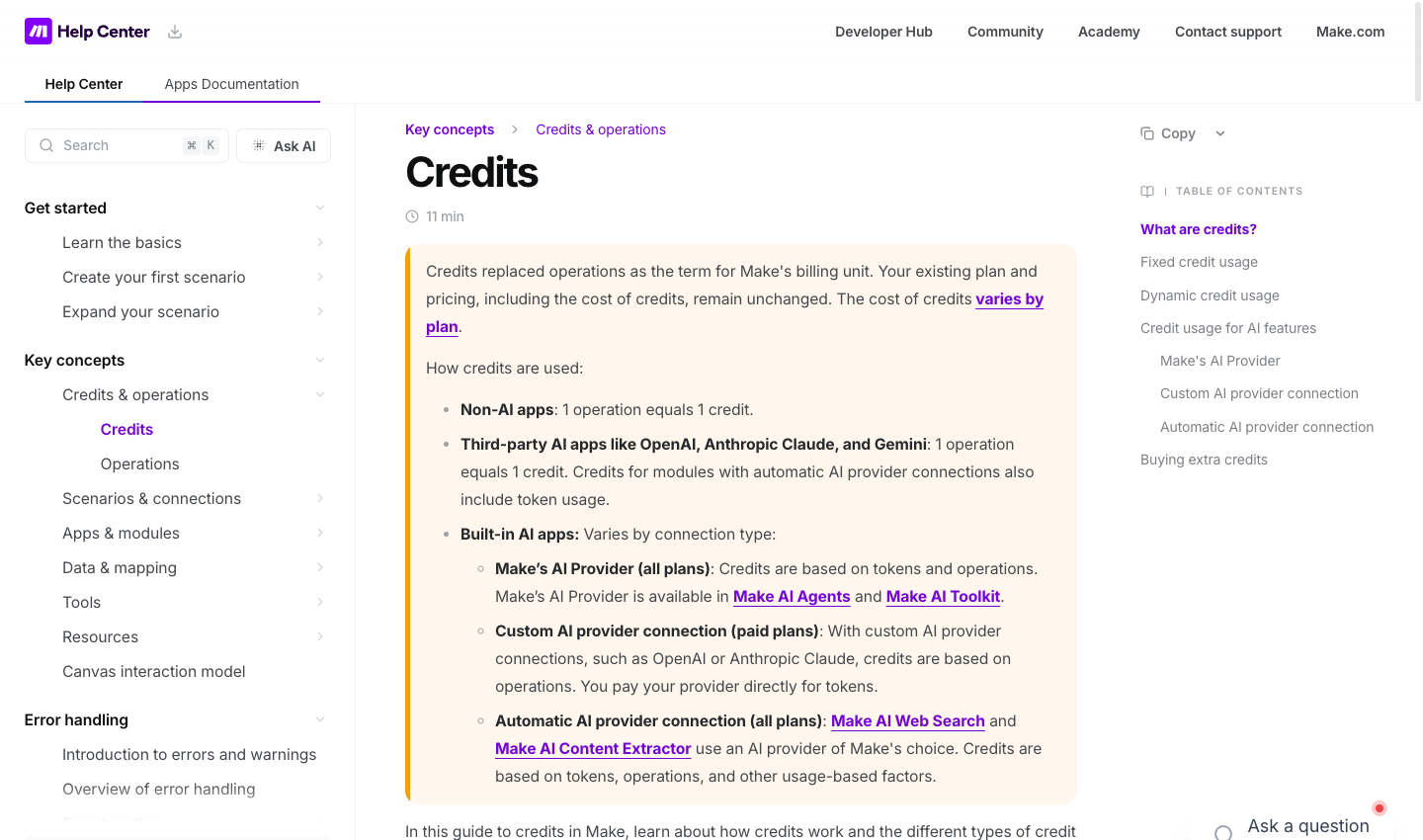
Make credits are the billing currency for scenario work; operations describe module activity. Make replaced the older operation-based billing terminology with credits. According to its Help Center, common non-AI modules typically cost one credit per operation. Routers and the listed error-handler control modules are exceptions that do not consume credits themselves. A workflow may still consume several credits when a bundle triggers searches, transformations, and writes.
The phrase “one action equals one credit” is too broad. A module that processes multiple bundles can run multiple times in one scenario. A search can produce several matches, each of which is transformed or sent downstream. The trigger style and the workflow structure matter. That is why the price of a scenario cannot be calculated reliably from the number of circles shown in one screenshot.
Make’s AI-related usage is even more nuanced. Third-party AI app modules connected using your own provider account can use Make credits for operations while the separate AI provider charges for tokens. Make’s own AI-provider paths or automatic AI connections may use a variable credit formula based on tokens or other processing factors. Longer prompts, larger documents, multiple model calls and bigger outputs can affect usage. Do not label every AI step as exactly one credit.
Make allows you to review credit use in several places, including scenario runs and the organization usage dashboard. During a pilot, calculate the average, the high-water mark, and the likely growth in activity. A one-day test with ten straightforward records is not a faithful model for a seasonal launch with uneven submissions and occasional large attachments.
A useful planning estimate is the monthly event count multiplied by average fixed credits per event, plus expected AI or dynamic usage, retries, and exception handling. This is not a promise of vendor billing. The formula produces a forecast only when its assumptions are explicit and based on modules that actually run.
An important distinction: extra credits and plan upgrades have their own terms. Make’s documentation describes additional credit purchases and automatic top-ups, and its published adjustments state that extra-credit rates can exceed the equivalent included-plan unit cost. Unused credits also have expiration conditions. Verify those terms for the actual plan before activating automatic purchases. The official credits guide explains the current usage categories.
🧮 Example 1: A Small-Business Lead Routing Workflow
Suppose a consulting firm collects 500 qualified form submissions in an average month. Each record triggers a lookup for an existing CRM contact, creates or updates a record, and sends one internal alert. For illustration, assume that the workflow performs three ordinary one-credit module operations per lead. The nominal workload is then 500 × 3 = 1,500 fixed credits. If additional searches, transformations, or retries are needed, the cost goes up.
Now imagine that 20% of submissions require one extra branch and action, another 100 credits under the same simplified assumptions. The resulting model is 1,600 fixed credits before accounting for triggers, AI usage, exceptions and implementation differences. That fits inside a hypothetical 10,000-credit allocation but not inside a 1,000-credit Free allowance. The example is arithmetic on explicitly stated assumptions; it is not a Make test, and it does not prove that each vendor module costs exactly one credit.
The decision should not end with affordability. What if the contact already exists? Is the workflow allowed to overwrite a salesperson’s notes? What if the same form is submitted twice? Where does consent for future marketing messages come from? A safe version uses a stable record key, a permission-limited connection, and separate treatment for unverified contact information. It may include a human approval branch for high-value leads.
This model also illustrates when Make’s branching is valuable. A simple form-to-CRM integration might work on several platforms. Make becomes more interesting if the same event needs conditional deduplication, owner assignment, a distinct route for exceptional records, and a reporting update. Those requirements can increase design complexity as well as usefulness.
🧾 Example 2: Invoice Processing With an Approval Gate
A small finance team receives 80 invoices a month and wants to reduce repetitive filing. An inbound email attachment is saved to controlled storage, basic metadata is extracted, and an internal reviewer is asked to approve the proposed amount before the bookkeeping record is posted. This is an appropriate workflow to consider because the automation can prepare information without pretending that software should approve spending independently.
For a simple planning model, assume four ordinary module operations per invoice before approval and two more after approved posting. If all 80 invoices complete that route, there are roughly 480 fixed operations and, in a one-credit-per-operation example, 480 credits. If document extraction uses an AI tool with dynamic consumption, the full bill could be higher and should be measured separately. If manual approval sometimes takes several days, the workflow must also keep track of state without sending repeated reminders indefinitely.
The technical checklist is more important than the small arithmetic result. Who may approve an invoice? Can an operator see the original file? Does the workflow store bank details, and if so, what retention policy applies? What happens when the extracted account number disagrees with the supplier record? If a posting action succeeded but the response timed out, the system must not create a second payable simply because a retry begins.
Make can orchestrate the handoffs if the relevant systems provide supported actions, but this is not a substitute for financial controls. Anyone evaluating it for accounts payable should involve the person responsible for compliance and the accounting platform administrator. A tutorial that skips that review is not a safe blueprint for real finances.
🤖 Example 3: AI Content Classification and Internal Review
Imagine an editorial operation categorizing 250 inbound research notes per month. A trigger receives a note, a model suggests a topic label, and a human editor checks uncertain cases before a document is added to the publishing queue. This is a much healthier automation objective than blindly having a model generate and publish articles without oversight.
The fixed orchestration portion might contain a trigger, a retrieval step, and a document update. But the model’s usage may vary dramatically with the size of each note and the response. A five-line customer query is not the same workload as a long PDF. For an AI-enabled Make workflow, include the credits attributed to its Make modules, any variable AI-provider credits, and separately billed external model tokens if using your own API connection. Do not use a flat “250 requests × one credit” formula unless you have confirmed the exact connection type.
Quality is a second cost. If an extraction model hallucinates a product price or misclassifies a legal notice, the downstream workflow may amplify that mistake. Store the original source, label machine-generated results, use validation rules, and require review for claims with commercial or regulatory consequences. Good automation should make it easier to notice uncertainty rather than conceal it.
For a purchasing decision, the best comparison may be between three designs: a deterministic rule that needs no model; a limited AI step that flags uncertain records; and a more elaborate chain of model calls. More modules do not automatically improve accuracy. The right question is how much reliable human time the automation saves after monitoring and corrections.
🆓 Make Free Plan: Who Can Really Stay on It?
Make’s Free plan is a recurring entry point rather than merely a short paid-trial teaser. The published offer includes up to 1,000 credits per month, access to the visual scenario builder, routers and filters, and a 15-minute minimum interval for scheduled polling. That is useful for learning about data mapping, seeing how trigger bundles behave, and validating the connection to a real application without committing to an annual subscription.
However, the free allocation is not proof that your intended workflow will remain free in production. A three-action process executed hundreds of times can exceed the quota. Data allowances and limits apply, and external services may have their own paid tiers. A free Make scenario connecting a paid CRM and an AI model with paid tokens is not a free end-to-end business system.
Use the Free tier to ask practical questions. Does the connector expose the correct data? Can it update an existing record rather than create duplicates? Will a webhook work for your source, or must you poll at a scheduled interval? How does the workflow react when the destination returns a rate-limit error? These tests reveal more about fit than a list of platform logos.
Keep the pilot safe and small. Work with synthetic data when possible, use the narrowest credentials available, and track credits after each sample case. If the production process will run continuously, calculate expected daily and monthly events and include a margin for duplicates, retries and unexpected branches. It may be more economical to upgrade early than to operate a business-critical workflow close to a quota limit with no plan for interruptions.
💳 Make Core, Pro, Teams and Enterprise: Pricing and Limits
On the vendor’s public 10,000-credit comparison, Core appears at $12/month, Pro at $21/month, and Teams at $38/month. The pricing selector, contract length and other regional conditions must be checked at checkout. The display is a reference for a particular usage tier, not a guarantee that all buyers can cancel a $12 annual-equivalent charge after one month.
Core adds unlimited active scenarios, finer scheduling down to a minute, higher usage allowances and Make API access. That combination makes it a natural first paid tier to evaluate when a company has validated several scenarios and needs more frequent polling or a larger workload. Not every team needs the API; the reason to buy Core should be the specific limit or capability you have already encountered.
Pro adds features Make describes as priority execution, custom variables and full-text execution-log search. Organization or team-level custom variables can help store configuration shared across scenarios, such as whether a workflow is in testing mode. They also introduce a responsibility to control who can change those values. Pro makes more sense when the workflow inventory grows and debugging or centralized configuration becomes expensive on a lower tier.
Teams adds team roles and the ability to create and share scenario templates. Those can be important when several departments own automations, but they will not replace an actual access policy or backup procedure. A team with one competent automation owner might initially get more value from documenting its processes than from paying for collaboration features it does not use.
Enterprise is customized and quoted directly. It is relevant when the procurement process requires deeper security controls, enterprise connectors, support commitments and other specialized conditions. Ask the provider to confirm those features in writing. Do not extrapolate a price from the Teams tier or assume that custom functionality is bundled without a contract.
Billing terms and extra credits
Make allows monthly and annual arrangements. Annual payment can lower the equivalent monthly rate but creates a different cash commitment. The additional-credit feature may help prevent interruptions; conversely, automatic top-ups can cause an unexpected charge if a faulty scenario repeats actions in a loop. Set usage alerts, define an owner for the billing account, and consider a maximum acceptable budget rather than treating automatic purchase as an emergency-recovery strategy.
Make’s published FAQ notes that unused credits expire at the relevant term. Its billing information also describes limits and fees for additional credit purchases. Verify the current extra-credit rate for your tier, because a plan with a smaller recurring allocation plus frequent overages can be less economical than one sized for actual usage. The lowest displayed headline price is not always the lowest practical cost.
⚖️ Make vs Zapier vs n8n and Activepieces
Make versus Zapier is frequently portrayed as a price contest, but the two vendors measure usage differently. Zapier’s task-based model and Make’s credit-based model are not a direct numerical comparison. If Make needs several module operations to process an event while Zapier has another task definition, comparing “2,000 tasks” with “10,000 credits” is like comparing kilometers with liters. Build the same workflow and map its units to each vendor’s current billing terms.
| Decision factor | Make | Zapier | n8n |
|---|---|---|---|
| Best use | Visual branching workflows and data mapping | SaaS trigger-to-action workflows | Technical workflows, webhooks and code |
| Design model | Visual scenarios with routers | Zaps with actions, filters and paths | Node-based workflows |
| Primary usage metric | Credits; workloads depend on module actions | Tasks; paid allocation varies by plan | Workflow executions on Cloud |
| Deployment | Managed cloud service | Managed cloud service | Cloud or self-hosted Community edition |
Make’s diagrammatic approach can be appealing when multiple branches, transformations or conditional updates must be visible. Zapier may be attractive for a straightforward connection using a supported trigger and a small number of actions. Both platforms depend on the actual feature support and permissions of the connected services. Check those details before ranking either as the universal easiest or cheapest option.
Make versus n8n is more clearly a decision about operating model and team skills. Make is a managed integration service. n8n offers cloud subscriptions and a self-hosted Community route for people willing to take on infrastructure. Self-hosting can improve control over a deployment, but it is not automatically free once cloud resources, monitoring, backup and engineering time are counted. Compare execution units, hosting, user permissions and data-handling needs rather than simply copying subscription prices into one table.
Activepieces also belongs in this shortlist for no-code flows and its hosted or self-hosted options. Its credits and advanced AI usage need separate verification. We do not claim a controlled benchmark of reliability, throughput or ease of maintenance across these products. A responsible comparison gives readers a set of relevant alternatives and a way to test their actual process.
If the goal is a shared database or client portal rather than coordinating APIs, a platform such as Airtable or Softr may solve a different part of the problem. Sometimes the best stack uses both an application builder and a workflow engine. That can be useful, but it may also create extra fees and more points of failure. Buy the second subscription only when the existing tools cannot do the job safely.
🔐 Reliability, Data Privacy and Security
Integration platforms often handle more sensitive information than their cheerful marketing illustrations suggest. Even a simple spreadsheet sync can move customer names, phone numbers, personal messages and business data across multiple providers. Map what data leaves each system, who can access the destination and whether the connected account has a lawful reason to perform the processing.
The quality of a connection matters as much as the quality of the workflow editor. Can an automation use a narrowly scoped service account, or does it inherit an administrator’s credentials? How are tokens revoked when an employee leaves? What appears in the execution history? Are records retained longer than the organization needs? The answer may depend on the third-party app, Make configuration and plan—not just the automation platform itself.
For business-critical work, define a response to service outages. If Make runs but the CRM is unavailable, should submissions queue, retry, go to a manual review list or stop? Do the destination’s rate limits allow the backlog to be processed when the connection returns? Is there an independent audit trail for every approved financial action? These questions should be answered before a workflow touches customer records or payments.
Use synthetic data in training, keep secrets out of hardcoded field mappings, and designate one person to review failures. Make provides useful mechanisms, but they only support good operations when somebody configures them deliberately. We did not independently audit Make’s infrastructure or security certifications for this review, so we do not present vendor assertions as penetration-test findings.
🎯 Who Should Buy Make—and Who Should Wait?
Make is worth investigating for small businesses, operations teams and marketers who use several cloud services and need predictable rules between them. It is particularly promising when there are genuine conditional branches, intermediate transformations and workflows that non-developers need to understand. The canvas can make an integration easier to explain and review than an opaque custom script.
It is a weaker purchase when the entire requirement is a single notification already supported by an existing application. Adding another service creates another dependency and another set of credentials to monitor. It may also be less suitable when the organization needs strict in-house hosting or specialized code deployment. Those buyers should compare an appropriate technical alternative before assuming a visual platform is the answer.
The best reason to upgrade is a measured limitation: your tested workflow has more events than Free supports, you require a shorter scheduling interval, or your team needs a specific higher-plan capability. “We plan to automate everything someday” is not a usage forecast. Write down the process, run a controlled pilot, and review the cost estimate again after your workflow changes.
Sometimes the right answer is to postpone automation. If the source data is inconsistent or staff disagree about what should happen after an exception, no workflow builder will make the underlying process correct. Cleaning up the process first can save more time than switching vendors.
🧪 DigiOffly Research Method and Editorial Limitations
This is a documented-feature review, not a disguised hands-on benchmark. For this article, we reviewed the Make pricing page and Help Center explanations of credits, schedules, routers, webhooks and error handling. We then designed purchasing questions and arithmetic examples that a reader can adapt to a real workflow. Source links are included with the relevant claims.
We did not buy a paid Make account for this review, measure execution latency, perform a stress test, compare real error rates or conduct a security audit. Accordingly, no “I ran 10,000 operations” story, fabricated screenshots, or five-star speed rating appears here. The cost examples are explicitly hypothetical, and their billing assumptions should be checked against the actual modules in use.
Pricing research was conducted in October 2026. Terms can change without notice. An integration card and a published pricing tier are useful evidence that a product offers a capability, but not proof that every account, region or selected plan has identical access. Final eligibility, taxes, renewal and paid third-party API requirements must be confirmed by the buyer.
Our editorial goal is to help readers avoid paying for the wrong abstraction. One freelancer wants a simple connection; one marketing team wants branching with approvals; a security-conscious organization may require custom infrastructure. A universal numerical score would disguise those differences rather than resolve them.
🏆 Final Verdict: Is Make Worth the Money?
Make merits a serious trial if the workflow involves several apps and the operator wants to see how data moves through each step. Its visual scenario builder, routers, filters and integration options give teams a structured way to automate work without maintaining their own service for every connection. A recurring Free allocation provides a practical learning environment; paid tiers introduce more flexibility and organizational features.
The drawback is that complexity does not disappear—it moves into mappings, credits, error handlers, permissions and downstream APIs. A visually impressive flow can still be unreliable, duplicate records or consume credits unexpectedly. Good documentation and monitoring remain necessary even when the workflow was built without code.
Our conditional recommendation: start with one workflow, validate exact app actions, run a safe pilot, measure consumption and choose the smallest tier that covers realistic traffic with an adequate buffer. Revisit the annual billing decision only after you understand the running costs. Compare Make pricing with the needs of your own process and explore our Automation & No-Code Software hub before committing.
Frequently Asked Questions About Make Automation
Is Make free forever, or only during a trial?
Make currently advertises a continuing Free tier with up to 1,000 credits per month. It is suitable for trying visual workflows and relatively light tasks. The allowance, scheduling interval and permitted features can constrain production use. External CRM, email and AI services may charge separately.
How much does Make cost per month in 2026?
The public 10,000-credit comparison shows Core at $12/month, Pro at $21/month and Teams at $38/month, with Enterprise quoted separately. Those are displayed reference figures, not guaranteed contract prices. Confirm the monthly-versus-annual billing selector, selected credits, country, taxes and checkout total directly on the vendor website.
What is a credit in Make?
Credits are Make’s usage currency. An ordinary non-AI module operation commonly consumes one credit; a scenario can run several modules per event and may process multiple bundles. Some AI and advanced steps can charge dynamically, so one finished automation does not automatically equal one credit.
Is Make cheaper than Zapier?
Not necessarily. Zapier tasks and Make credits are different units. Compare the same input volume, trigger, searches, updates, branching and error-handling behavior on both platforms. Also include external app subscriptions, annual commitments and additional usage charges before calling one option cheaper.
Can Make connect Google Sheets, CRM and Slack?
Make lists integrations for common spreadsheet, CRM and team-messaging platforms. However, an integration’s presence does not guarantee the exact trigger or write action you require. Examine the supported module list, authentication requirements and plan-level access before designing a critical workflow.
How fast can Make run scenarios?
It depends on the trigger and subscription. The Free plan lists a 15-minute minimum scheduled polling interval, while Core offers finer scheduling. Some source applications support instant webhooks instead of polling. End-to-end speed also depends on network latency, API limits and the connected service, none of which we have independently benchmarked.
Can I use Make with AI agents and my own API key?
Make documents AI capabilities and custom provider connections on paid plans. Usage can involve Make credits, token consumption and separate model-provider charges. Check which AI modules and connection types your selected plan includes. Avoid assuming that every AI request has a fixed one-credit price.
What happens when a Make scenario fails?
Make provides logs, error handlers and incomplete-execution mechanisms, with conditions and limits. A retry may be appropriate for a temporary service failure, but repeating a creation or payment step can produce duplicates. Use stable identifiers, an exception-handling policy and a human owner for important processes.
Should a small business start on Core or Pro?
Start with the smallest plan that satisfies a defined workload and required capability. Core may be sufficient when the main goal is more credits and flexible scheduling; Pro makes more sense if custom shared variables or advanced log-search facilities are needed. These are criteria for evaluation, not a claim that one plan fits every business.
Is Make suitable for data-sensitive finance workflows?
Potentially, but only after a security and compliance review tailored to the business. Map where data is stored and transmitted, limit the connected account’s permissions, maintain an audit trail and require human approval for sensitive or irreversible actions. A product description cannot certify that a specific organization’s compliance obligations are met.
Can Make automate tasks without programming experience?
Many Make scenarios can be built through a visual editor by connecting supported apps, configuring triggers, mapping fields, and testing routes. Complex API integration, authentication and error recovery still require technical understanding, even when the canvas does not require writing code.
🔍 More Useful Software Research on DigiOffly
A workflow builder should fit the surrounding software stack. Start with our Automation & No-Code Software guide to compare the different categories of products rather than assuming that a workflow service and an app builder are identical. Browse Growth & Marketing Software when the actual objective is CRM, outreach or campaign reporting; the workflow engine may be only one part of that purchase.
For budget planning, our Software Cost Calculator can model multiple subscriptions and seats. It cannot turn Make credits into Zapier tasks without defining equivalent sample workflows, and we will not pretend otherwise. Use Compare Software to review product features and the Software Finder to narrow a broader tool shortlist. New Automation products will join those interactive comparisons after their catalog and pricing evidence passes validation.
Finally, the DigiOffly editorial methodology explains how we distinguish official source documentation from a genuinely performed hands-on test. Check vendor conditions at the time of purchase; the figures in any October 2026 review are not permanent price promises.
EXPLORE NEXT ON DIGIOFFLY
Next: Put This Make Review to Work
Make is one part of a workflow stack. Verify connected apps, model recurring costs and explore alternatives before building your first production automation.
Explore your workflow category
- Browse the software directory — Find comparable products and published review pages.
- Match tools to your workflow — Narrow your options by functional needs before optimizing the bill.
Check total subscription costs
- Run a side-by-side comparison — Review feature differences that a monthly total cannot show.
- Check free plans and current offer references — Explore catalog-listed trials and pricing sources without assuming an unverified discount.
Compare related software
- Review ready-made software stacks — Avoid overlapping subscriptions across your team.
- Explore editorial software shortlists — See alternative categories worth considering before checkout.
- Understand our pricing research method — Learn where estimates end and vendor confirmation begins.