

A new lead reaches your website on Friday afternoon. The form works. The CRM works. The sales team is online. Yet nobody follows up until Monday because someone still has to move information between those systems. Zapier was built to close that gap: one application’s event can trigger an action in another, without somebody copying the same details by hand.
That sounds simple enough. The buying decision is less simple. The difference between a Zapier review that helps and one that reads like marketing copy comes down to understanding what a task actually costs. Zapier’s Free plan includes 100 tasks per month; its Professional and Team tiers expand both capacity and workflow capabilities. But the task count changes with successful action steps, and some AI, MCP and routing features carry multipliers. A workflow that sends one record to one destination might be comfortably cheap; a larger workflow with enrichment, conditional notifications and AI tools may not be.
This Zapier review 2026 examines the actual usage rules, baseline pricing, workflow structure, potential failure modes, and the differences between Zapier, Make and n8n. It includes practical scenarios based on explicit assumptions, not fictitious screenshots of a purchased account. The aim is to help you decide whether you need another subscription, what you would pay for it, and how to avoid a useful automation quietly becoming a recurring cost problem.
Pricing checked in October 2026. Zapier’s official pricing page displays Free at $0 with 100 tasks/month, Professional starting at $19.99/month when billed annually, and Team starting at $69/month when billed annually. Vendor-published baseline task allowances are 750 for Professional and 2,000 for Team. Enterprise requires a quotation. Confirm the selected task volume, country, billing cycle, tax, add-ons and checkout total before paying. A billed-annually monthly equivalent is not a cancel-anytime monthly payment.
Editorial disclosure: This is a source-verified DigiOffly assessment prepared under Alex Wright’s editorial byline. We researched Zapier’s published platform documentation but did not purchase a paid Zapier account, run a controlled latency benchmark, or audit its production infrastructure. Illustrative workflows below are models a reader could pilot independently. No performance scores or testimonials have been invented.
📊 Zapier at a Glance: The Numbers That Matter
Category: managed no-code automation and application integrations, with related Forms, Tables and AI orchestration tools. Best use: a clearly defined process that moves events between supported business applications. Where to start: the Free tier for a single safe trigger/action, or Professional if you need multi-step automation, premium apps or webhooks. Most common oversight: comparing task allowances with another vendor’s credits or workflow executions as though the units were identical.
At a baseline selector, the Free plan is advertised with 100 recurring tasks and two-step Zaps. Professional begins at an annually billed monthly equivalent of $19.99, with a vendor example of 750 tasks/month. Team starts at $69 equivalent with 2,000 tasks and collaboration controls such as shared connections, shared folders and SAML SSO. These are plan reference points, not an estimate of the user’s actual workload.
The important accounting rule is unusually specific: a successful ordinary action step usually counts as one task. Triggers themselves do not count. Zapier’s official task usage guide also excludes Filter and Paths control steps from task accounting, while documenting separate rates for some advanced products. That makes an accurate cost model depend on the selected action types, not merely the number of circles in an automation diagram.
Zapier’s broad integration reach can save enormous amounts of manual coordination. Nevertheless, an app listed in the directory is not proof that the exact trigger, update permission or search action exists on your connected account. A CRM provider may charge separately for its API, require an administrator to approve OAuth access, or expose fewer event types than your workflow assumes. The marketing figure for available integrations is a starting point for research, not a substitute for connector testing.
Our bottom-line buying criterion is simple: can you express the process as a clear event, a predictable result, and a manageable recovery path? If the answer is yes, Zapier is worth evaluating. If the requirement is still “automate marketing somehow,” another automation subscription is unlikely to clarify the business process.
⚡ Quick Verdict: Is Zapier Worth Paying For?
For teams needing reliable app-to-app coordination without building their own connector infrastructure, Zapier belongs on the shortlist. The editor emphasizes triggers and actions in a sequence that business operators can follow. Thousands of integrations and a library of ready-made workflow ideas lower the discovery barrier. Zapier has also brought its Forms and Tables tools into the platform, so a workflow does not necessarily require a separate spreadsheet for every piece of internal state.
A notable strength is how its task model separates control logic from regular successful actions. Filters and Paths themselves generally do not consume tasks; you can use conditional decisions without treating every condition as a billable destination write. That sounds inexpensive, but it does not make all action steps free. Searches can count differently based on settings, and AI model tiers, MCP tools and Lead Router have their own task rules. Read the current rate matrix before saying that Zapier will cost exactly one task per customer.
Another advantage is that a lightweight process can remain modest. Imagine an approved contact-form event creating one CRM record. If one successful action is all the workflow performs, the planning model is one task per new contact. By contrast, a process that creates the CRM record, updates a project record and alerts Slack has three ordinary successful actions, or roughly three tasks per event before advanced steps. The core value is saved coordination time, which must be compared with the work of monitoring exceptions.
The drawbacks are not hidden: Professional unlocks capabilities unavailable to the basic Free workflow, a high-volume process can exceed a low task allowance, and data moving through an automation platform increases the number of credentials and services a business must govern. Zapier does not magically make integrations correct or records accurate. A well-maintained one-step workflow is preferable to a neglected twenty-step chain that sends the wrong message quickly.
Conditional recommendation: start with a single measurable workflow, test with synthetic inputs, inspect task history and error behavior, and project the monthly cost at expected peak volume. Upgrade only after you know which feature or limit is blocking the job.
👍 What We Love
- ✅ Action clarity: A trigger and sequenced steps make app-to-app workflows approachable for operators.
- ✅ Integration breadth: Supports common CRM, spreadsheet, communication and marketing services.
- ✅ Free recurring tier: 100 monthly tasks let you validate a simple two-step Zap.
- ✅ Flexible tiers: Professional and Team introduce richer logic, integrations and shared administration.
👎 Where It Falls Short
- ❌ Advanced task rates: AI model tiers, MCP and special routing cost more than one ordinary action.
- ❌ Ongoing upkeep: Errors, replay safety, credentials and duplicate records still need ownership.
- ❌ Managed platform: Organizations needing full self-hosting control should compare alternatives.
- ❌ Plan constraints: Multi-step Zaps, Premium apps and governance can require upgrades.

Zapier Automation — Editorial Buying Snapshot
Good fit: trigger-to-action integrations, repeatable internal handoffs and supported SaaS connections. Reconsider: requirements for self-hosted infrastructure, unpredictable advanced-task usage or workflows without an owner.
Documentation-based analysis. No paid hands-on test or numerical product rating is claimed.
🧭 How Zapier Works: Triggers, Actions and Zaps
A Zap is an automation that begins with a trigger. A trigger can represent a new form submission, a new row, a calendar event, or another activity supported by the connected application. Once Zapier receives a matching event, it can perform an action such as creating a CRM contact, sending an approved notification, recording a document, or updating a task. Some workflows include intermediate searches, filters, formatting or branching before the final action.
That vocabulary matters when calculating costs and failure modes. A trigger is the event source; an action is an attempt to change or retrieve something downstream. A filter determines whether later actions should run. A Path chooses among different routes. A search can be configured to proceed differently when no match is found. All of these affect the flow of information, but they do not necessarily have the same billing behavior.
Suppose an online store receives a paid order. A Zap can send an internal message to fulfillment. That is the simple version. A larger process might look up the customer’s CRM record, update the purchase total, create a support task if an address is incomplete, and request a human decision for a high-risk refund. In that case, the automation is no longer a trivial connector. It is part of the organization’s operational system and requires ownership, controls and monitoring.
Zapier provides a visual editor for building the sequence. Its strength is directness: a business user can often understand the relationship between the trigger and subsequent actions. The trade-off is that complex workflows need disciplined naming, explicit data mapping and controlled testing. When many branches or special conditions appear, documenting the business rule becomes more important than the convenience of having a graphical interface.
A useful practice is to begin with a written specification that fits on half a page: triggering event, unique record identifier, required input fields, permitted output actions, duplicate policy, error response and expected monthly volume. That document makes comparison between Zapier and other platforms fairer. It also lets a colleague review whether the automation does the right thing without knowing every menu in Zapier.
🔌 Integrations: Coverage Is Not the Same as Capability
Zapier describes a broad app ecosystem spanning productivity, sales, marketing, databases and communication tools. That breadth is one of its appeals: a team may be able to connect applications that would otherwise need custom code or repetitive exporting. But an integration can expose only part of a provider’s API. The directory name alone does not guarantee every feature is available.
If your workflow needs to update an existing CRM contact, confirm the connector exposes an update action and that it can locate the intended person by a stable identifier. If it only creates new records, the flow may generate duplicates. If it searches by email alone, decide how shared or changed email addresses should be handled. Many automation problems that initially look like Zapier problems are actually data-model problems.
Also inspect the plan requirements on both sides. Zapier classifies certain apps as Premium, which need a paid Zapier plan or an eligible trial. The app provider may independently require an API-enabled subscription. A customer who buys Zapier Professional and later learns their CRM’s low-cost package disables API access has not finished the total-cost calculation. See Zapier’s explanation of Premium apps before committing.
Authentication can be similarly restrictive. An enterprise Slack workspace may require administrator consent. An email service may impose sending limits, verification or marketing-consent obligations. A payment system might allow read-only access under one connection but prohibit refunds without additional scopes. Make a small permission map: which account authorizes the connection, which records can be read, which records can be written, and who can revoke that access.
Finally, check the vendor’s rate limits. A process can work perfectly for three sample events and fail during a campaign that brings two hundred leads within minutes. A reliable workflow should have a plan for bursts, throttling and replay. It is not enough to demonstrate a green check mark on one test record.
🛠️ A Practical First Zap: Lead Capture Without Duplicate Records
An approachable pilot connects a sample form to a test CRM database. The form event is the trigger. The first working version can create a record with name, company and a contact identifier. Use synthetic entries rather than real personal data during development. Before enabling it, decide what should happen if an identical submission arrives twice.
On Free, the two-step model—one trigger and one action—makes this type of simple process a realistic starting point, provided both applications and the required actions are allowed on the chosen plans. The 100-task allowance is sufficient to observe behavior under a small trial workload but may not cover a continuously growing business. If the flow begins to require a CRM lookup, enrichment, branching and notification, investigate the Professional tier rather than attempting to hide unsupported complexity inside a basic Zap.
Set the connection up using a dedicated account or narrowly scoped credentials where possible. Check whether a changed OAuth token can interrupt the workflow and whether the staff member responsible will receive an actionable failure notification. Decide if the source form’s email field is trustworthy enough to serve as the unique key. Often a submission ID or customer ID is safer than an unvalidated email string.
Test four cases: a valid new record, an event missing a required field, the same event twice, and an intentional destination failure. Inspect which action steps succeeded and which counted as tasks. A failed attempt might not be billed as a successful action, but that does not mean it had no external side effect. A timeout could occur after the remote service has already processed a request.
Once the pilot is stable, measure real operational value. Did it reduce manual copying? Did the CRM records remain clean? Can another team member understand the handoff? An extra subscription that saves five minutes once a month may not be worthwhile; one that safely handles hundreds of repetitive events might be.
🔀 Filters, Paths, Search Actions and Data Quality
Conditional logic is where a workflow becomes an operational decision rather than a blind sequence. Zapier’s Filter tool can stop actions when the incoming data fails a test; Paths can route qualified records through different follow-up processes. Their control steps generally do not count as ordinary tasks, as described in the task usage documentation. The downstream actions that actually run may still consume tasks.
The difference between and and or is more than a syntax lesson. Suppose a company wants to notify sales only when a lead requests a demo and is in a supported territory. An incorrect OR rule could send dozens of irrelevant notifications. The appropriate condition is a business rule to validate with sample data, not an implementation detail that should be guessed by the person building the Zap.
Search actions need special attention in billing forecasts. Zapier’s task guide explains that a search configured to continue when no result is found can count as a task, while an alternative setting that stops when no match exists can behave differently. You cannot estimate usage from the phrase “search step” alone. Check the actual settings, the no-match behavior and whether it triggers additional create actions.
Field mapping adds another layer of risk. A spreadsheet might store a phone number as text with a plus sign, but a CRM field may strip the symbol or leading zeros. A date can represent the local timezone in one application and UTC in another. A human name should not automatically be treated as a unique identifier. To avoid silent mistakes, validate data formats before writing and preserve a stable original key for reconciliation.
These controls are valuable when the workflow has real conditional needs. If every record follows exactly the same route, it may be unnecessary to pay for elaborate branching. Buying advanced features because they exist is not the same as choosing a tool that helps the actual process.
⏱️ Polling, Instant Triggers and Time-Sensitive Work
Some apps can send a new event to Zapier as soon as it happens; others rely on polling, where Zapier checks for changes at a regular interval. The Free plan documentation specifies a 15-minute polling interval. That may be fine for a daily spreadsheet update and unsuitable for a support escalation expected to happen within seconds. Always confirm the trigger type available for your selected app and plan.
A polling check is not itself a billable successful action task under the cited Zapier accounting model. This is important: thousands of scheduled checks do not automatically consume thousands of tasks. Charges arise from successful actions and from the documented special products. Still, polling intervals can affect freshness, and source rate limits may create their own practical constraints.
An “instant” trigger does not make an end-to-end service-level promise. The source application has to send the event, authentication must work, the destination has to accept the request, and retries may be needed. A system can be quick on an ordinary day and slow during an outage. If a workflow affects medical, financial or other high-stakes operations, build independent monitoring and escalation instead of relying on a generic product description.
For an internal business notification, begin by asking how fast it actually must arrive. If five minutes is acceptable, an expensive or complex instant pipeline may be unnecessary. If thirty seconds genuinely matters, ensure the source app supports the required event and test the full chain at representative volume. The correct architecture follows the need, not the wish to advertise real-time automation.
💰 Zapier Pricing in 2026: Free, Professional, Team and Enterprise
| Plan | Published starting point | Buying constraint |
|---|---|---|
| Free | $0 / month; 100 tasks | One user, two-step Zaps, 15-minute polling |
| Professional | $19.99 / month equivalent (billed annually) | 750-task baseline example; paid multi-step and Premium apps |
| Team | $69 / month equivalent (billed annually) | 2,000-task baseline example; shared connections, SAML SSO |
| Enterprise | Request a custom quote | Administration, security and tailored scale |
A Zapier plan is a combination of workflow capabilities, a monthly task allowance and, on some tiers, collaboration and administration features. Treat all three as separate questions. The lowest-cost offer with enough tasks may lack a critical Premium app or webhook; the most expensive tier may include sophisticated permissions that a solo operator will never use. The actual plan selection should follow an inventory of tasks and the services involved.
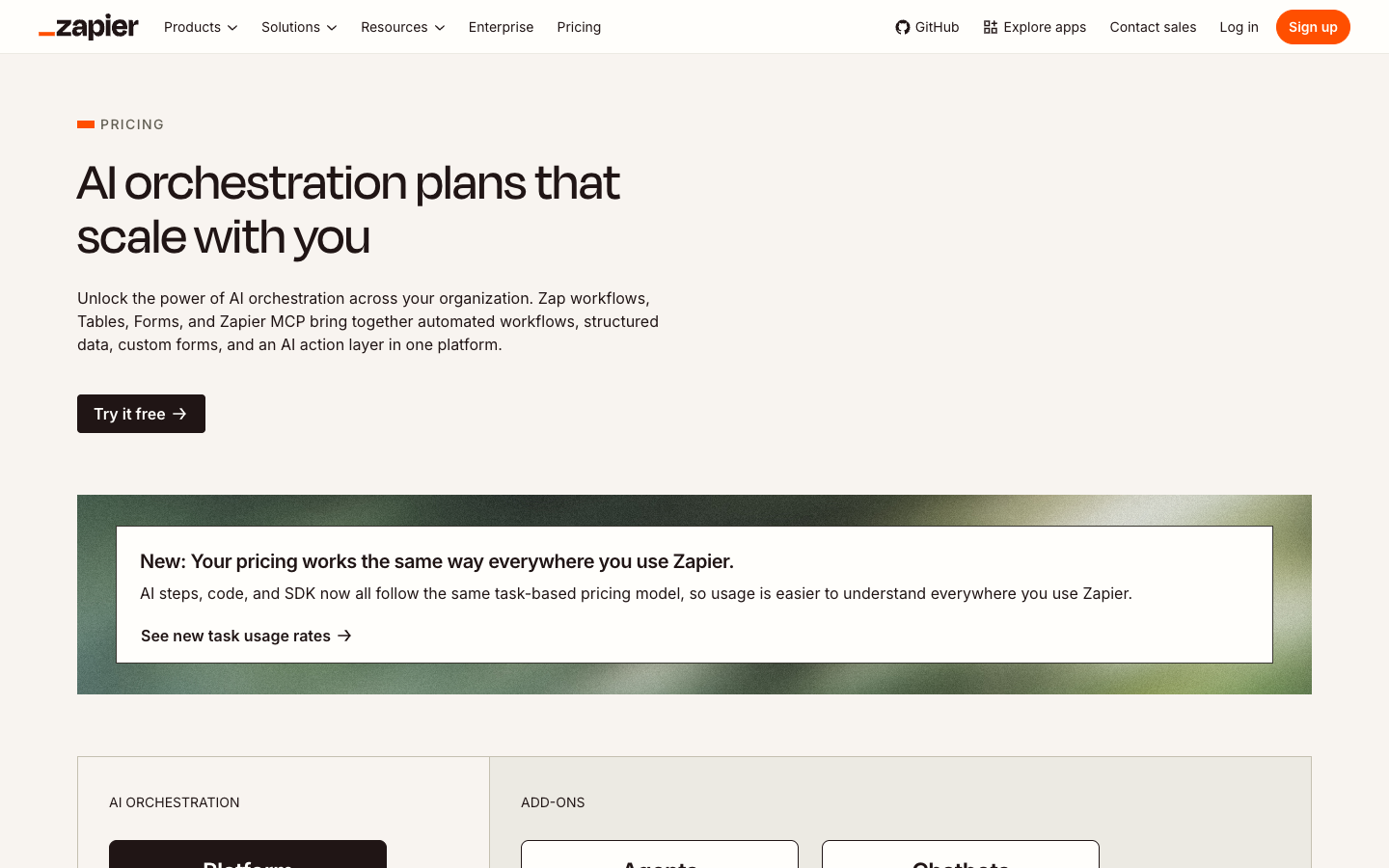
Free is listed at $0 with 100 tasks per month, unlimited Zaps, Tables and Forms subject to their respective limits, and two-step Zaps with one trigger and one action. The official Free-plan guide also details a single user, 15-minute polling interval, up to 2,500 table records and up to 10 form project pages. That makes Free suitable for light integrations and education. It is not a promise that every published automation, premium connector or advanced branch is enabled without payment.
Professional starts at $19.99/month on an annually billed basis at Zapier’s entry task selector. The vendor’s 2026 comparison gives 750 tasks/month as its baseline example. Professional adds multi-step Zaps, Premium app connections, webhooks and enhanced tooling such as conditional workflow controls. It is the natural tier to evaluate for a production process that goes beyond one app-to-app action. Buying it merely for a higher limit, without verifying all of the app and workflow requirements, can still be a mistake.
Team starts at $69/month on an annually billed basis, with the vendor’s baseline example of 2,000 tasks/month. Its purpose is not simply to make every Zap more powerful. Team adds administration and collaboration features, including shared folders and app connections, SAML SSO and support for multiple members (the current pricing page advertises up to 25 users). That matters when two departments rely on shared automations and credentials should not be tied to one employee.
Enterprise requires a vendor quote and can introduce more sophisticated administration, deployment, observability and contract support. It should be compared using written requirements: needed apps and task volume, user roles, audit expectations, retention, integration security and disaster-recovery arrangements. No credible review should invent a monthly Enterprise price by multiplying Team’s advertised amount.
The pricing page lets buyers choose task volumes, currencies and billing cycles. A team requiring more than the starting allowance should model its actual task count, not assume the baseline plan number remains the quote at every selector setting. The annually billed monthly equivalent is also not the amount you pay if you choose a separate month-to-month plan. Keep the checkout screenshot or written quote with the procurement record.
Free trial versus a permanently free plan
New accounts can receive a 14-day trial of paid features. Once that trial ends, features requiring a paid plan cease to be available if you stay on Free. That is different from the recurring 100-task Free allowance. A team should not build its production process around a Premium connection while assuming a short promotional trial grants permanent access. Review what will stop at the trial boundary, whether a workflow should be paused gracefully, and what happens to events waiting to be processed.
What the headline price leaves out
A company processing 400 customer events a month might use just 400 tasks if there is one ordinary successful action per event. The same number of events can become 1,200 tasks when each leads to three successful actions. The 750-task baseline Professional offer would cover the first scenario but not necessarily the second. That difference comes from design, not from the number of employees clicking buttons.
For teams scaling quickly, consider whether an extra-task rate could be triggered by seasonal demand, a retry loop or a newly added notification. The product’s pay-per-task option and usage limits have specific terms. Set an internal threshold for a workflow that produces more successful actions than normal; billing alerts should complement a technical monitor, not be the only indication of a malfunction.
🧮 Zapier Task Usage Explained: The Billing Rule
The official definition is that ordinary successful action steps count toward task usage. A new form submission alone does not use a task; the successful CRM update that follows generally does. If a Zap then creates a project task and sends a Slack message, those are additional ordinary successful actions. That means you can build an approximate estimate before signing up as long as you know exactly what each event causes.
Filters and Paths control steps do not count as ordinary tasks. The same applies to some built-in Zapier utilities such as Formatter, Delay, Digest and Looping, subject to the current vendor documentation and the billing behavior of surrounding steps. Do not jump from that statement to “everything except the final step is free”; a search action can count depending on its configuration, and successful actions inside an error-handler route can count.
Consider an illustrative workflow that receives 600 web leads, finds or creates a CRM record, and alerts an owner. If every lead performs two ordinary successful actions, the nominal cost is 1,200 tasks. If only 100 of those events actually need an alert, and the CRM action still runs for all 600, a simplified model is 600 + 100 = 700 tasks. The filter itself is not charged as an action, but the two possible paths create very different totals. The real value of conditional logic can include reducing unnecessary side effects, not just reducing the bill.
Zapier’s 2026 task guide identifies exceptions to the single-action shorthand. Search settings, replayed steps, Sub-Zaps, AI model tiers, Code by Zapier, MCP tool calls and Lead Router require extra attention. The exact formula is documented by the vendor, and feature behavior can change over time. Treat those details as part of the purchasing plan if the workflow uses them.
The simplest budgeting approach is to track three numbers: average successful tasks per incoming event, a conservative high-usage estimate that includes alternate branches, and the number of events in an unusually busy month. Multiply usage by the number of incoming events, then add separately rated features. It is more useful than declaring that any platform is the cheapest because its headline subscription is lower than a competitor’s.
🤖 AI by Zapier Pricing: Model Tiers Change Task Usage
AI by Zapier is not just another one-task action in every configuration. According to the model-tier pricing documentation, updated in October 2026, Standard uses a 1× task rate, Advanced 3× and Premium 5×. The calculation also applies that rate to successful tool calls made from the AI step. New paid-plan steps currently default to the Premium tier, which means an operator should inspect the model selector before treating the action as a low-cost enrichment.
Suppose the workflow categorizes one customer message with a Standard AI step that makes no tool calls. The cited model computes a task cost of 1 for that AI step. At Advanced, the corresponding no-tool step is 3; at Premium it is 5. If a Premium AI step calls two tools, the documented formula produces 5 for the step plus 10 for those calls, or 15 tasks. That is already a material difference from an assumed single action and does not include other ordinary actions before or after the AI step.
Connecting your own provider key can use the vendor’s 1× rate for the AI step and tool calls in eligible configurations. But “bring your own key” is not a zero-cost model: the AI vendor may bill separately for its API usage, tokens, model choice or storage. Add those amounts alongside the Zapier task allowance. The cheapest-looking rate inside Zapier is not necessarily the cheapest full system.
The documentation also describes per-step task limits that can stop unexpectedly costly AI calls for approval. These controls are useful, but they cannot guarantee the correctness of model output. An AI step can return plausible but wrong information. If the output drives a financial record, an external customer response or a published article, validate the result against known sources or require a human review step. AI makes it easier to automate content classification; it does not remove the need for editorial judgement.
A useful cost comparison examines three designs side by side. One applies a deterministic filter to a known field. Another uses Standard AI only on records where rules are insufficient. The third sends every record through a sophisticated tool-calling model. Those designs vary in accuracy requirements, maintenance effort and task consumption. The best design uses the least complexity necessary to achieve the process’s desired outcome.
🔧 Special Rates for MCP, Lead Router and Code Steps
Zapier now includes features whose successful operations may count more than once against task usage. Its task-accounting reference specifies two tasks for each successful Zapier MCP tool call, five tasks for a successful Lead Router lead, and variable Code by Zapier rates depending on runtime settings. Failed MCP tool calls do not count toward that product’s usage under the current published model.
These distinctions matter because product brochures can describe all of them as “AI automation.” A workflow that uses a Zapier MCP tool is not necessarily billed like one simple Zap action. A routing feature processing 200 successful leads at five tasks each would represent 1,000 tasks under the published rate, before other actions. A pilot should verify both the availability of that feature and how it appears on the account’s task history.
Code steps can be useful for transforming values that a ready-made action cannot handle. Yet code increases maintenance complexity. A script written by one employee may depend on field names or hidden data assumptions that nobody documented. If the code runs longer than the standard tier allows, the task rate can also change. Avoid presenting “add a code step” as a universal free workaround for unsupported platform features.
Zapier Agents is changing. In October 2026, Zapier documented a migration from the standalone Agents product into AI by Zapier, where agentic steps and tool calls are accounted for under the selected AI model tier. If you are using an older Agents setup, confirm its migration status and the new task billing instead of relying on a legacy activity allowance. Track Tables, Forms and external AI-provider charges separately when estimating the total cost.
This is the point at which a simple monthly plan comparison becomes a systems-design exercise. Most modest business users may never need MCP or Lead Router. But anyone recommending Zapier for an AI agent or an enterprise-wide routing engine should read the detailed rate sheet instead of applying the normal one-task shorthand.
📨 Example 1: Lead Capture, Qualification and CRM Updates
Picture a service company receiving 300 inquiries in a month. The sales team wants each inquiry stored in the CRM, but it only wants a high-priority alert when a visitor requests an urgent consultation. The original form submission is the trigger. An ordinary CRM write is one successful action for each event. A Filter can check whether the urgency condition is met before sending a second notification.
Assume 300 CRM writes succeed and only 60 qualifying inquiries generate a successful alert. A transparent estimate is 360 ordinary tasks. This is not measured account data; it is a simple model. If the workflow also performs paid enrichment, an API search or multiple conditional writes, the actual count will change. If a form sends duplicates, you could be charged for actions that process records your team did not need.
The design decision should also address what happens when the contact already exists. A create-only action can duplicate records. A search-and-update pattern may be more appropriate, but its search settings can affect task usage. The process needs a stable unique identifier, defined update permissions and a way to flag uncertain matches for human review. No task calculator can substitute for those data-quality choices.
It is also crucial not to confuse sending an operational follow-up with obtaining consent for marketing outreach. A customer submitting a service inquiry may not have opted into unrelated promotional emails. An automation should enforce the organization’s legitimate messaging rules rather than repeatedly sending the wrong communication at scale.
🧾 Example 2: Document Approval and Finance Handoffs
Consider 90 invoices a month arriving through an approved intake channel. The desired workflow saves an attachment, creates a review record, notifies the owner and waits for a human to approve the bookkeeping handoff. That is a sensible use of automation: routine preparation can move quickly, while a potentially irreversible financial decision stays with an authorized reviewer.
In an illustrative scenario where each invoice causes three ordinary successful actions before approval, the initial route uses 270 tasks. If all 90 invoices are subsequently approved and each approval performs one further write, the simplified total is 360 tasks. That forecast excludes any additional searches, error-handler actions, AI extraction or separate storage subscription. It also assumes every action is supported by the integrations in use.
What matters operationally is the audit trail. Who approved the amount? Was the attached document the same version that was reviewed? Does a failed posting create a pending item or silently disappear? If a bookkeeping write succeeded but the network response timed out, a retry may cause a duplicate. Use a stable invoice ID and compare destination state before replaying an irreversible action.
Such a workflow should be reviewed with the accounting system owner and, where relevant, the organization’s security team. Zapier can coordinate integrations; it does not determine a company’s authorization policy. A tool that makes a workflow faster but weakens approval controls has not solved the right problem.
🧠 Example 3: AI-Assisted Support Classification
An operations team gets 400 support messages a month. It wants to flag billing questions, product defects and urgent incidents for separate queues. One design uses a simple keyword rule; another uses AI to interpret free-text messages; a third sends every message to a premium model that calls external tools. Each design imposes a different cost and risk.
Assume the team chooses a Standard AI step with no tools and one successful task-creation action per message. A simplified budget would count one task for the AI classification and one for the action, or 800 tasks across 400 messages. On a Premium-tier AI step, the classification itself could consume five tasks, bringing the equivalent no-tool model to 2,400 tasks with the ordinary task-creation action included. Real tool calls or additional steps can raise it further.
The larger model may deliver features that a simpler classifier does not, but it is not automatically the best choice. Have employees review a representative sample of cases, especially urgent, ambiguous or sensitive messages. Keep the original message available and allow misclassified tickets to be corrected. AI is an assistant to triage, not a substitute for a clear escalation policy.
An underestimated cost is false confidence. A polished label on the wrong message can delay a response or send sensitive material to an inappropriate queue. A human-review fallback and a record of decisions matter more than the ability to demonstrate AI in a marketing screenshot.
🧯 Error Handling, Zap History and Replay Safety
A Zap that has completed twenty successful runs tells you very little about the twenty-first run. The receiving API could be unavailable; a field could be renamed; a record could be missing; or the Zap could reach a task limit midway through a process. A responsible automation plan starts by describing those failure conditions, not by assuming the workflow will always be green in the history panel.
Zapier documents several run statuses, including Errored, Safely halted, On hold, Handled error and Scheduled for retry. These are operationally different states. A safely halted search may simply have found no matching item. An errored run may need investigation. An on-hold run may reflect a disconnected account or exhausted task allowance. A handled error means an alternate route ran, not necessarily that the original business objective was accomplished.
The official troubleshooting guide recommends inspecting history and the actual failing step before replay. That is important because an external service might accept an update and then fail to send a response. A blind retry can create a second record or notification. Successful replays should be designed around idempotency and stable identifiers rather than a belief that every failed request is harmless.
Zapier supports manual replay and, under relevant conditions, automatic retry through Autoreplay. Its replay documentation cautions that a replay is not guaranteed to succeed. There are restrictions on how old the event may be, which workflow changes permit replay, and which statuses are eligible. A team whose automation affects customer records should know which step will be retried and whether earlier steps have already produced side effects.
An effective error-response policy identifies the owner, the severity, whether to retry automatically, and what to do if the underlying data cannot be recovered. Store enough information to reconcile a missing record without copying sensitive fields unnecessarily. If a workflow turns itself off after repeated errors, that should trigger an independent alert. Quietly losing business events is worse than an operator seeing a clear warning and taking over.
🔎 Team Collaboration, Permissions and Operational Handover
Zapier Team adds value when several people depend on shared processes and credentials. Shared Zaps and folders can give a business a central place to find automations instead of having them scattered across personal accounts. Shared app connections may reduce duplicated setup work, while access roles and SSO can support an organization’s identity policy. These are procurement considerations, not reasons every freelancer should pay the Team rate.
The problem with a “one clever employee” automation is that nobody else may know which account it uses or why certain fields are mapped. When that person leaves, a password is reset or a permission is removed, the business can lose a critical connection. Team collaboration features can help but do not replace naming conventions, handover documents and testing instructions.
Every important workflow should have a one-page runbook. Include its objective, source event, destination action, acceptable delay, billing assumptions, credentials owner, expected error alerts and how to turn it off safely. Record any required human approval. When an integration is part of payroll, refunds, account deletion or another sensitive operation, the runbook should also identify an authorized escalation contact.
Budget governance belongs here as well. Task counts are not just accounting trivia. They are a signal that the workflow may have changed behavior. If a route that normally uses 400 tasks a week suddenly consumes 4,000, the problem may be a legitimate traffic spike—or an unintended loop. It should be visible to an owner who can investigate without waiting for the next invoice.
🔐 Privacy, Security and Third-Party Connections
A basic automation often touches more personal or confidential data than its builder expects. A CRM handoff may move contact details; a support-ticket workflow can include customer conversations; a finance workflow can contain invoice amounts or payment references. Mapping those fields creates a new pathway between services, sometimes crossing data-hosting regions and access-control boundaries.
Before connecting an account, inventory what the action needs to read and write. Prefer a dedicated service identity or the narrowest available OAuth scope instead of a broad administrator account. Check which staff members can modify the Zap and whether the external connection will keep working if an employee leaves. Do not place passwords or API keys into plain data fields just because the editor permits text input.
Review the data stored in run history and troubleshooting interfaces. Diagnostic detail is useful, but a log of confidential values can become a security risk. Investigate retention, deletion and regional requirements with the vendor if your company handles regulated data. We did not independently audit Zapier’s infrastructure or certify its compliance with a particular business’s obligations; a product’s security marketing is not an alternative to a procurement review.
Other vendors in the chain matter. A Zap might run correctly while a connected AI API returns an incorrect output or a mail provider changes its authentication rules. Do not treat “connected successfully” as proof that the whole workflow is secure, accurate or lawful. Keep explicit human approval gates for actions that cannot easily be reversed.
⚖️ Zapier vs Make vs n8n and Activepieces
Zapier vs Make is not a direct task-price calculation. In Make, ordinary module operations generally consume credits and AI features can consume variable credits; in Zapier, ordinary successful actions consume tasks and selected AI or tool features carry separate rates. A flow with an identical business purpose may contain different modules, control steps and search behavior on the two systems. Comparing “750 Zapier tasks” with “10,000 Make credits” without rebuilding the scenario is not meaningful.
| Decision factor | Zapier | Make | n8n |
|---|---|---|---|
| Best use | SaaS apps and simple cross-tool processes | Visual multi-step scenarios and advanced mappings | Code-capable automation and self-hosting |
| Main interface | Trigger/action Zap builder | Visual scenario canvas | Workflow node graph |
| Paid usage | Task-based account allocation | Credit-based operation allocation | Execution-based Cloud allocation |
| Trade-off | Task consumption scales with automation | Credit accounting takes planning | Self-hosting requires infrastructure expertise |
Zapier may appeal to teams that want a straightforward trigger-to-action sequence and a vast app directory. Make may be more appealing when the visual map needs to show several branches and data routes at once. Neither editor eliminates the need for permissions, monitoring or clear business rules. Our Make review explains its credit accounting and the trade-offs in greater detail.
Zapier vs n8n raises a hosting and technical-ownership question. Zapier primarily provides a managed automation platform. n8n has both cloud offerings and a self-hosted Community option. Self-hosting may provide more control over an execution environment, but it also places security updates, monitoring, backups and uptime obligations on the operator. A company with a strong engineering team might value that control; a small organization without one may prefer a managed service even at a higher subscription price.
Activepieces is another contender for visually composed workflows, including self-hosted deployment options. Its pricing and plan allowances should be checked using its own units rather than copied into the Zapier task model. Some teams may also be better served by built-in integrations in Airtable, HubSpot or their existing suite. The smartest software stack does not add a workflow service when the current application already performs the exact job safely.
Our comparison is based on published product capabilities and purchasing criteria. It is not a blind performance shootout; we did not run equal-volume scenarios on all vendors under comparable accounts. If uptime, scale or developer ergonomics are critical, conduct a controlled proof of concept with representative events and investigate each provider’s security and support contract.
🎯 Who Should Use Zapier—and Who Should Skip It?
Zapier is a good candidate for a company that has a defined cross-application handoff, needs a broad range of service connections and prefers managed infrastructure. Common scenarios include syncing approved leads, creating project tasks from form submissions, updating spreadsheets from CRM events and routing internal notifications. The value appears when those actions are frequent, predictable and easy to verify.
It is a less obvious purchase when an existing application can already perform the action, when the task volume and AI rates make the budget unpredictable, or when a team needs a self-hosted engine. It can also be premature if the business process is poorly defined. Automating a broken process may increase its mistakes while making the result appear more polished.
For a solo operator with one lightweight action, Free may be enough to learn and perhaps operate within its allowance. Professional becomes relevant when the workload requires multi-step workflows or Premium connections. Team becomes easier to justify when shared ownership, permissions and SSO are needed. Enterprise should respond to concrete procurement requirements, not a vague preference for the most advanced tier.
A careful buyer should document one workflow, build it with safe sample data, count successful actions and separately rated AI calls, and inspect exceptions. Forecast both ordinary and unusually busy months. If the numbers make sense and the workflow saves meaningful time, the subscription may pay for itself in operational clarity.
🧪 How We Researched Zapier—and What Wasn’t Tested
This review was prepared under the Alex Wright editorial byline for DigiOffly in October 2026. We used official Zapier materials on pricing, the Free tier, billing by successful action, model-tier AI rates, special MCP and Lead Router charges, Premium apps, and replay and troubleshooting behavior. Calculations in the article use explicit hypothetical event counts so readers can understand why two workflows might consume different amounts.
We have not purchased the Professional or Team plan for the purpose of this article; we have not conducted a production load test, penetration test, high-volume reliability benchmark or personal speed comparison with Make or n8n. Nothing in this article should be read as a claim that we observed a hidden paid dashboard or processed genuine customer information.
Product pages are not fixed legal commitments. The vendor can change included tasks, add-ons, currencies, billing rules or pricing selectors. It is particularly important to distinguish a $19.99 monthly equivalent on an annual commitment from the cost of month-to-month access. External app permissions, CRM subscriptions and AI-provider bills can change the true total.
Our editorial priority is to avoid false precision. An automation scenario has value when it produces the correct outcome at a defensible cost and can be maintained. If the real question is whether your workflow is safe or economical, a short controlled trial gives more useful information than an invented star rating.
🏆 Final Verdict: Is Zapier the Right Automation Platform?
Zapier earns a place on the shortlist when you need supported application connections and want to coordinate them without hosting your own integration service. Its Free plan is useful for small learning projects; Professional opens the door to more complex handoffs, and Team provides important collaboration and governance controls. The visual workflow editor is approachable, but operational reliability still depends on the way you design, test and own the process.
The critical catch is billing. Successful ordinary actions consume tasks, Filters and Paths behave differently, and AI tiers, MCP, Code and specialized routing may have multipliers or separate quotas. A process that looks like one automation can create several billable actions for every input. Forecast the actual workload instead of buying from a headline price alone.
Start with a real process, not a vague desire to “add AI.” Review the official Zapier pricing, confirm Premium connector access, test duplicates and errors, and keep a human approval point where the stakes justify it. Then compare our Automation & No-Code Software hub and the Make review if visual routing or a different usage model may better fit your needs.
Our conclusion: Zapier can save genuine time, but the plan with the most features is not necessarily the plan with the best value. The right choice is the least complex package that reliably produces the outcome you need.
Frequently Asked Questions About Zapier
Is Zapier free forever, or does the free account expire?
Zapier advertises a continuing Free plan with 100 tasks each month, unlimited basic Zaps, Tables and Forms subject to their separate limits, and two-step Zaps. New accounts may also receive a 14-day trial of paid features. The paid trial expires; the recurring Free tier does not automatically turn into a paid subscription merely because the trial ends.
How much does Zapier Professional cost in 2026?
The official pricing page displays Professional starting at $19.99 per month when billed annually, with a baseline example of 750 monthly tasks. The selected task volume, currency, payment frequency, tax and checkout terms can change the final price. Do not treat an annual-equivalent monthly amount as a cancel-anytime monthly fee.
How many tasks are included on the Zapier Free plan?
Free currently includes 100 tasks per month. In ordinary Zap workflows, each successful action step generally uses one task; the trigger itself does not. That means 100 input events with one successful action each could use the entire recurring allowance, while a multi-action workflow can reach the limit with fewer events.
What counts as one task in Zapier?
A successful ordinary action step typically counts as one. Trigger steps, Filters and Paths do not count under the published usage guide. Search actions can behave differently based on settings, and some AI, code, MCP and routing products have special rates. Read the current task-accounting documentation before comparing plan limits.
Is Zapier cheaper than Make?
There is no universal answer. Zapier counts successful action tasks, whereas Make counts credits associated with module operations and some variable AI features. Recreate the same workflow on each platform, including searches, retries, filters and third-party services, before claiming a per-month saving. The two billing units are not numerically interchangeable.
Can I build multi-step Zapier workflows for free?
Zapier’s recurring Free plan supports two-step Zaps, which consist of a trigger and an action. More complex multi-step workflows and certain Premium apps require a paid plan or an eligible limited trial. Features temporarily available during the first 14 days should not be mistaken for permanent Free entitlements.
Do Zapier Filters and Paths consume tasks?
The vendor’s 2026 task usage guide states that Filter and Paths control steps do not count toward ordinary task usage. Successful action steps executed after those controls can still count. Search configurations, AI steps and advanced products must be evaluated separately.
Does AI by Zapier always cost one task?
No. As of October 2026, the vendor’s model-tier policy describes Standard at 1×, Advanced at 3× and Premium at 5×, with tool calls adding cost at the selected rate. An eligible bring-your-own-key setup has a 1× task rate, but the external AI provider may also charge separately.
What happens when a Zap reaches its task limit?
Depending on plan and the pay-per-task setting, extra successful tasks may be billed or runs may be held until the billing cycle resets or the plan changes. Zapier documents alerts and limits for additional usage. The business should monitor task consumption and test recovery instead of assuming an automation will continue free indefinitely.
Can Zapier replay a failed workflow?
Zapier has manual replay and, for eligible cases, automatic replay. The options depend on the run status, account plan, workflow changes and retention window. A replay can be unsafe when an earlier action created an external record but its success was not acknowledged, so use stable IDs and verify destination state before retrying irreversible operations.
Is Zapier suitable for confidential or regulated data?
That depends on the data flows, connected providers, permissions, legal obligations and the selected plan. Review credential scopes, storage and run history, retention, internal approvals and vendor contracts. This source-based review does not certify that a particular company can use Zapier compliantly without its own review.
🔍 Explore More Software Research on DigiOffly
Our Automation & No-Code Software guide places Zapier alongside visual workflow engines and no-code app builders. The Make Review explains a different credit-based pricing model and where a routed scenario makes sense. Neither vendor’s headline allowance should be compared without a matched workflow specification.
If your automation belongs to a sales and marketing stack, browse Growth & Marketing Software. For subscription planning, use the Software Cost Calculator to sum software products while separately recording tasks, credits, annual commitments and AI-provider costs. The Software Finder and Compare Software can help with broader requirements once supported product records are synchronized.
Alex Wright’s research methodology explains how we distinguish official documentation from actual hands-on evidence. Software features and pricing can change; check the vendor’s checkout and relevant connector documentation before making a purchase.
EXPLORE NEXT ON DIGIOFFLY
Next: Put This Zapier Review to Work
Zapier is one piece of your stack. Check task-based usage, connected apps, annual commitments and alternatives before publishing a production workflow.
Explore your workflow category
- Browse the software directory — Find comparable products and published review pages.
- Match tools to your workflow — Narrow your options by functional needs before optimizing the bill.
Check total subscription costs
- Run a side-by-side comparison — Review feature differences that a monthly total cannot show.
- Check free plans and current offer references — Explore catalog-listed trials and pricing sources without assuming an unverified discount.
Compare related software
- Review ready-made software stacks — Avoid overlapping subscriptions across your team.
- Explore editorial software shortlists — See alternative categories worth considering before checkout.
- Understand our pricing research method — Learn where estimates end and vendor confirmation begins.