

Research checked October 27, 2026: Intercom public vendor documentation and official pricing. The Intercom invoice can contain both Full seats and usage-based Fin outcomes, with additional fees for certain channels.
Intercom combines a support inbox, Messenger and Fin AI. The key buying question is whether the in-product journey justifies full seats plus metered AI outcomes. Intercom often enters the buying discussion as a friendly messenger widget, but that understates the cost and operational decisions around its modern helpdesk and Fin AI Agent. A team evaluating Intercom needs to model full support seats separately from billable AI outcomes, and to distinguish a conversation that receives an AI reply from one that is demonstrably solved.
📊 Intercom Review 2026: Summary
Verdict: Intercom makes sense where in-product customer conversations, self-service and AI-assisted routing are part of the customer experience. Its modular seat-and-outcome economics require closer monitoring than a simple all-inclusive inbox subscription.
Best for: SaaS, digital-product and online service teams combining in-app messaging, help center content, human agents and carefully governed AI resolutions.
Less suitable for: Organizations looking only for conventional email tickets at the lowest possible fixed cost or requiring zero variability in AI-related billing.
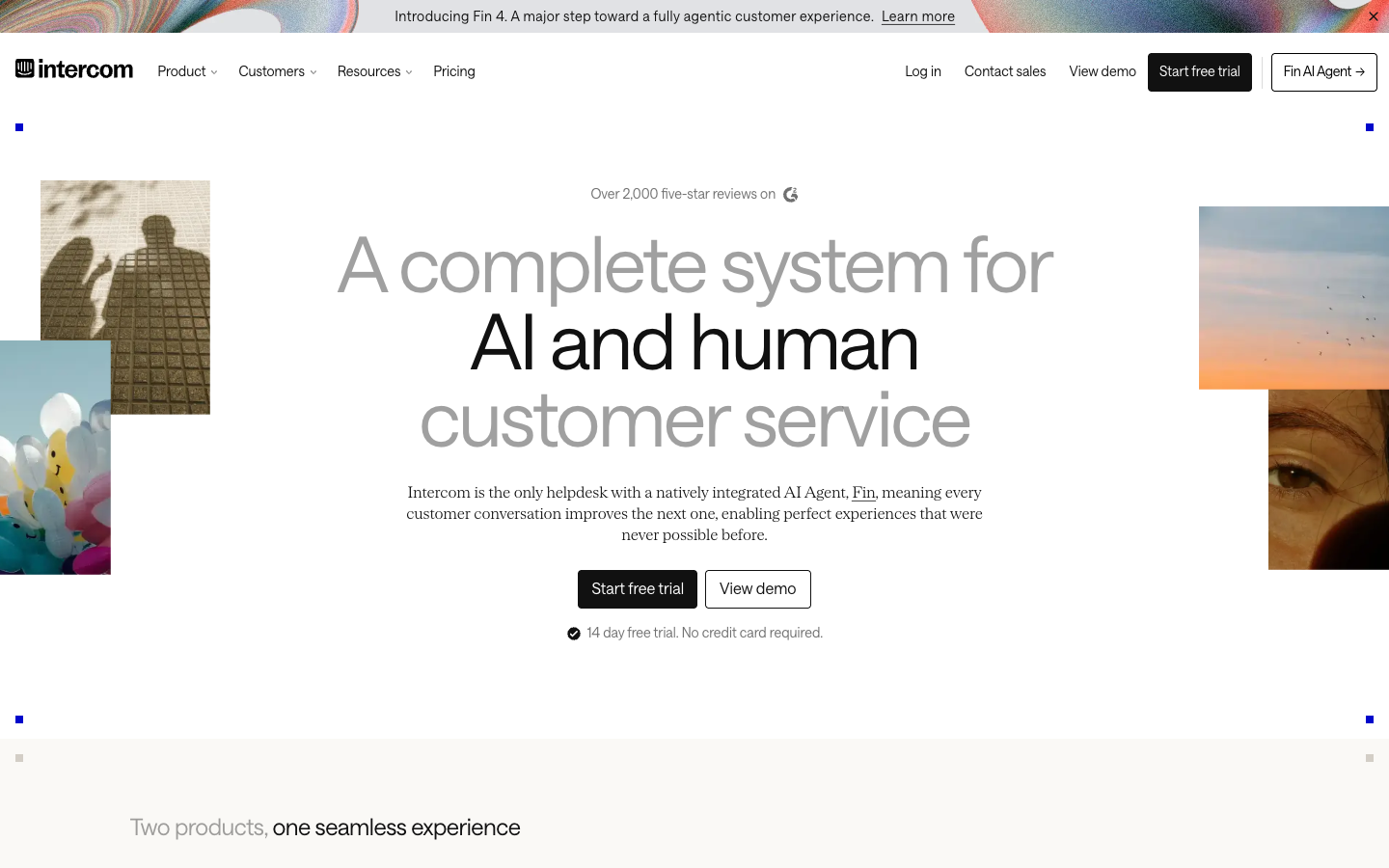
💰 Intercom Pricing, Plans and Cost Structure
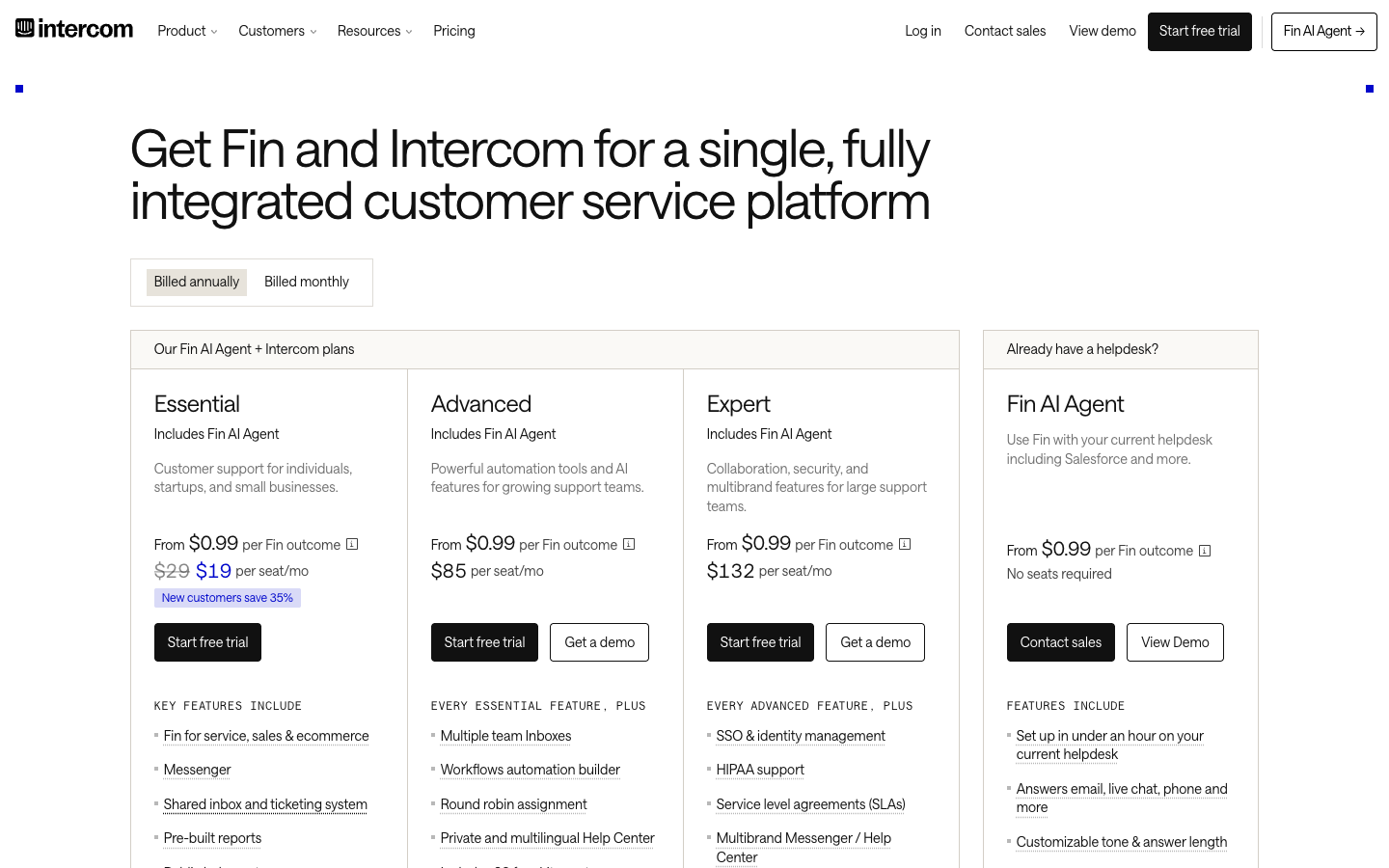
Current US pricing lists Full seats for Essential, Advanced and Expert, while Fin outcomes can be billed on top. The examples below use annual-billing monthly equivalents; messaging, taxes and differently priced qualification outcomes need their own lines. Source: official Intercom pricing.
| Plan | US pricing reference | Core focus | Important caveat |
|---|---|---|---|
| Essential | $29 / full seat / month, annual | Messenger, shared inbox, ticketing and public help center | Fin outcomes are charged in addition |
| Advanced | $85 / full seat / month, annual | Multiple team inboxes, automation workflows and 20 Lite seats | Check which team collaborators need Full seats |
| Expert | $132 / full seat / month, annual | SSO, SLAs, multibrand options and 50 Lite seats | Security/compliance scope needs contract confirmation |
| Fin on another helpdesk | From $0.99 / outcome | AI agent works with supported external desks | Minimum commitments and outcome definitions matter |
Intercom plan capabilities side by side
| Capability | Essential | Advanced | Expert |
|---|---|---|---|
| Messenger, inbox and tickets | Included | Included | Included |
| Fin AI Agent | Available, metered | Available, metered | Available, metered |
| Multiple team inboxes | Not included | Included | Included |
| Workflows builder | Not included | Included | Included |
| Private or multilingual Help Center | Not included | Included | Included |
| Formal SLAs / multibrand | Not included | Not Expert controls | Included |
| Annual USD rate per full seat/mo | $29 | $85 | $132 |
⚡ Quick Verdict: When Intercom Is Worth Considering
SaaS, digital-product and online service teams combining in-app messaging, help center content, human agents and carefully governed AI resolutions. Intercom makes sense where in-product customer conversations, self-service and AI-assisted routing are part of the customer experience. Its modular seat-and-outcome economics require closer monitoring than a simple all-inclusive inbox subscription. Before adopting Intercom Messenger as a service entry point, map which existing widget or inbox the team can actually retire.
Who should pause: Organizations looking only for conventional email tickets at the lowest possible fixed cost or requiring zero variability in AI-related billing. If the company has no staff to tune Fin knowledge and workflows, even a well-designed Messenger can create more maintenance than value.
🧭 From messenger widget to service operating model
Intercom is not merely the bubble in the corner of a product. Messenger, shared inboxes, ticketing, help centers, workflows and Fin AI contribute to a coordinated service model. Each layer changes ownership: the bot may answer, the system may route, but a person must still handle account-sensitive requests. Buyers should draw that ownership map before evaluating polished demo conversations. An Intercom Messenger support workflow should specify whether a returning user continues an authenticated conversation or starts a new one.
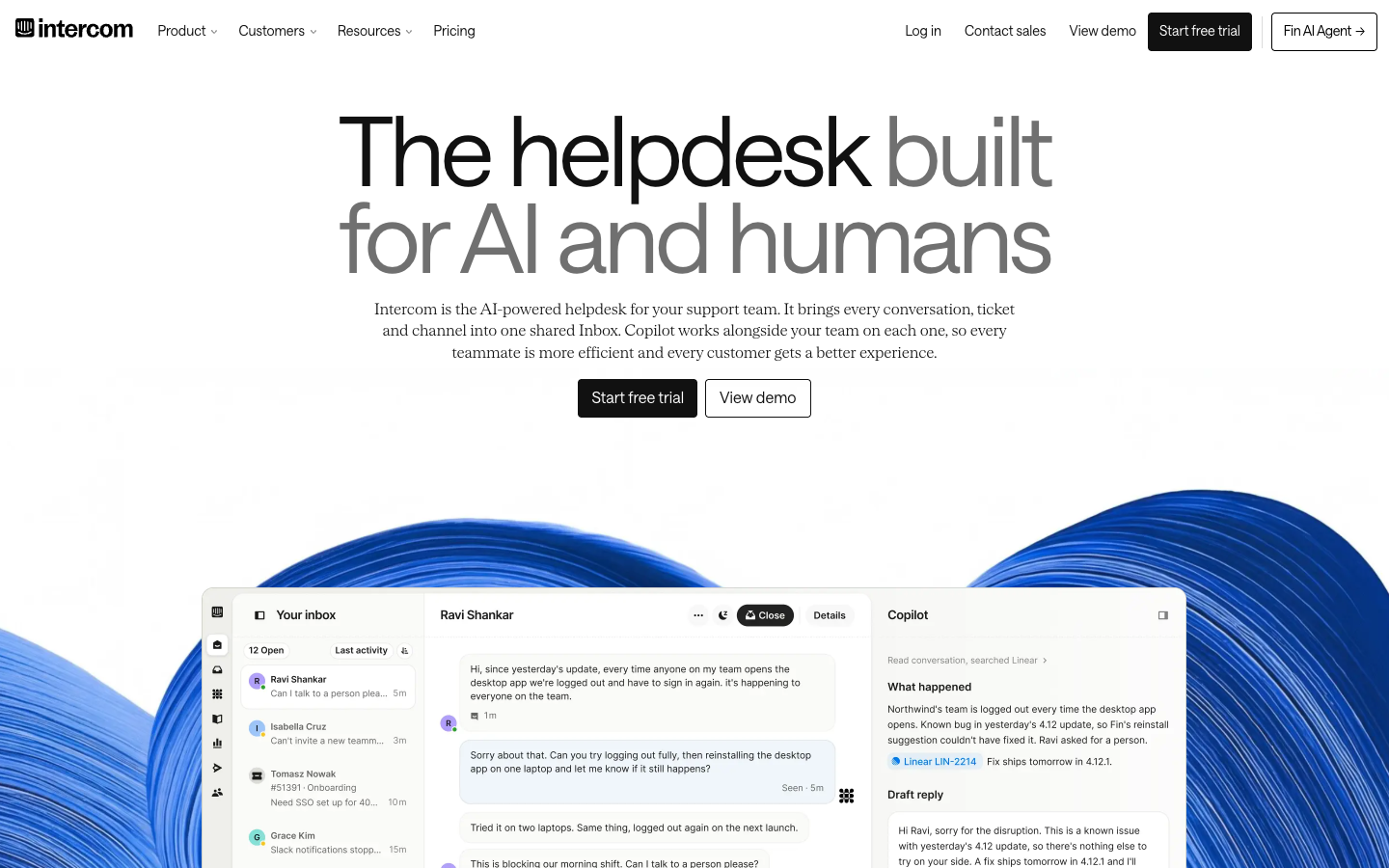
Intercom’s most revealing workflow begins before a ticket is opened. A customer might encounter an article in Messenger, ask a short question, then need a real person because the answer depends on an account setting. The evaluation should confirm that each transition preserves useful context without copying unauthorized personal data. Teams also need to choose whether Fin is supposed to finish the request or simply prepare an informed handoff. Those two outcomes have different operational value and may lead to different billing events.
🏷️ Essential, Advanced and Expert are not interchangeable
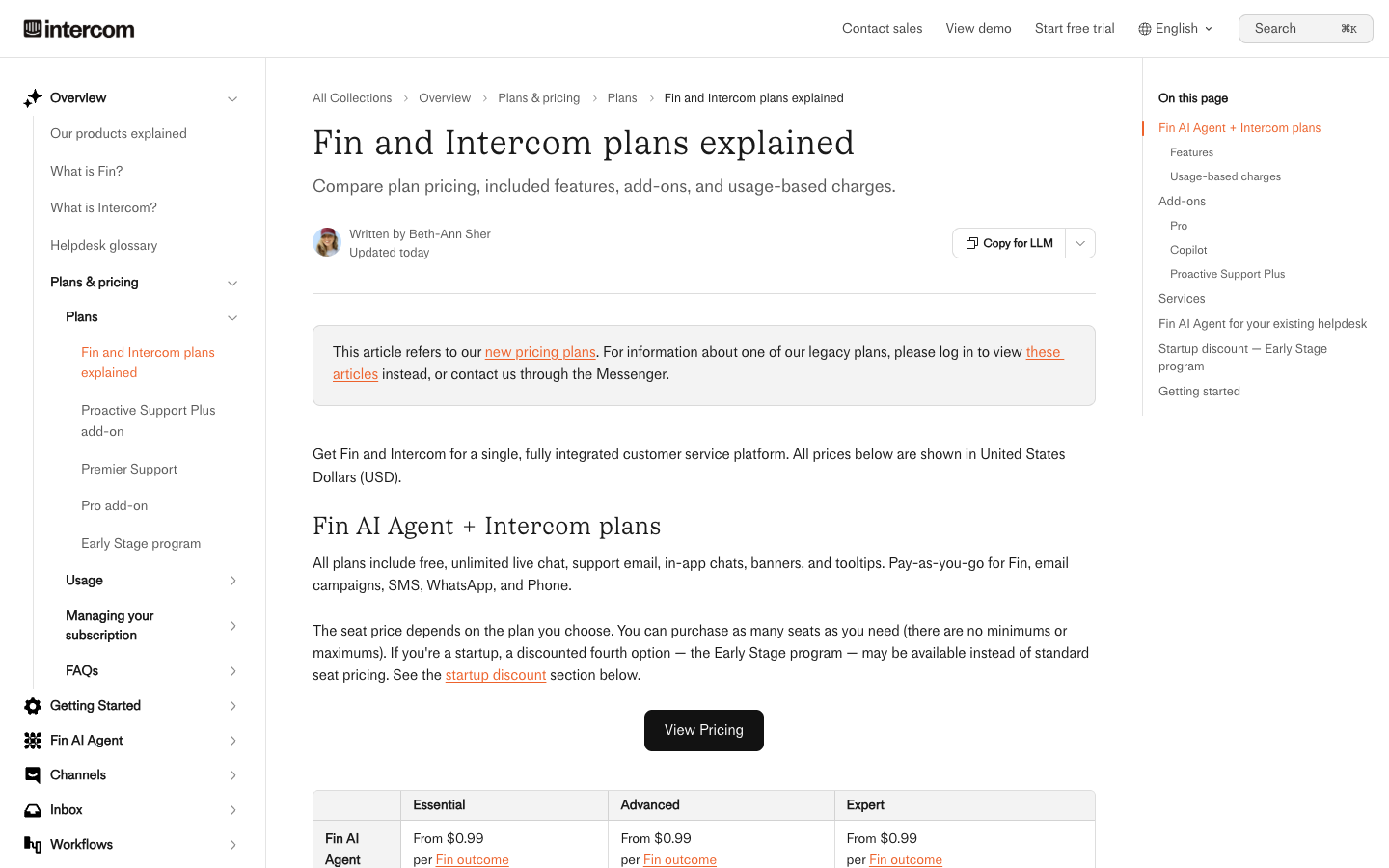
Intercom Essential is the entry to integrated customer service, whereas Advanced adds the workflow builder, team inboxes, round-robin assignment and private or multilingual help-center capabilities. Expert adds higher-end security, service-level and multibrand controls. A team that needs conditional escalation or formal SLA management should not base its budget on Essential’s lower seat price. Review Intercom Advanced plan features when multiple team inboxes or richer workflows are necessary for handoffs.
An Intercom Essential quote can be attractive if the organization sees Messenger as its core service surface. Yet the need for multiple team inboxes, richer workflows or formal response rules may push the configuration to Advanced or Expert. Compare those limits against the SaaS team’s real support roster rather than marketing examples. If the same customer must be routed between payments, product and engineering, the lowest-priced plan may not provide the level of automation needed for safe ownership.
💰 A full seat is a specific permission level
Intercom charges for Full seats used by teammates who work customer conversations and need core features. Advanced and Expert include limited Lite seats for collaborators, respectively 20 and 50 in current documentation. Lite seats are not a magic replacement for frontline support staff. Model the people who send replies, edit workflows and coordinate incidents with their actual access rights. Intercom Full seat pricing matters most for agents who actively reply, rather than colleagues who only add internal notes.
Full seats, Lite collaborators and Fin outcomes should occupy separate lines in any Intercom forecast. A customer-facing responder needs a different permission set from a product engineer who only contributes an internal observation. Advanced and Expert include Lite-seat allowances, but those do not replace paid Full seats for active agents. With AI usage on top, a lower seat count does not automatically imply a lower total invoice. Distinguish a monthly cash payment from the monthly equivalent of an annual seat commitment.
🔄 Fin AI Agent charges by defined outcome
Intercom publishes a starting Fin rate of $0.99 per outcome. Its September 2026 documentation distinguishes resolution, procedure handoff, disqualification and more expensive lead qualification outcomes. A response that receives no further customer question may count as resolution under the provider definition. Therefore, call this an outcome fee, not a guaranteed charge only for human-verified fixes.
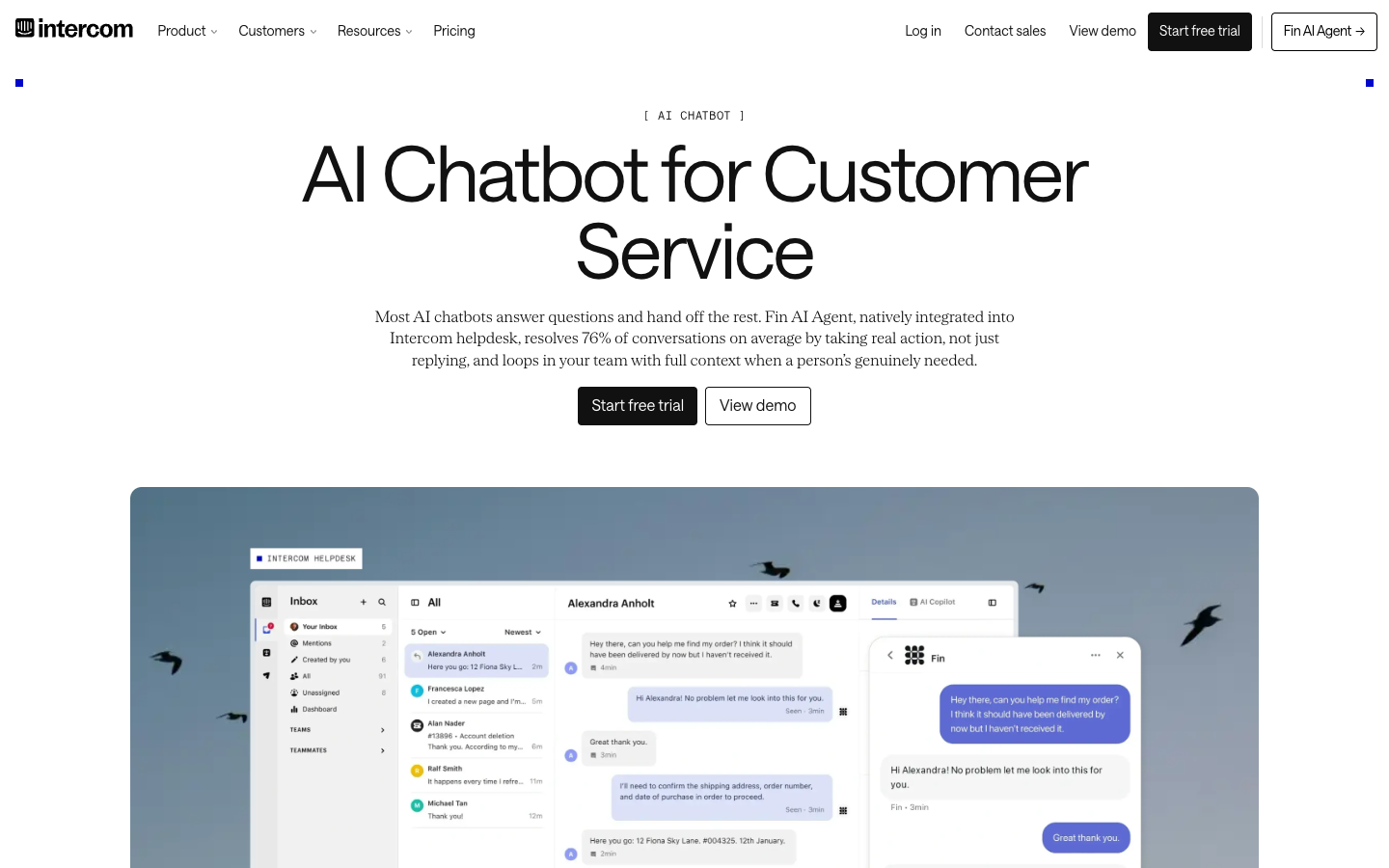
Intercom automation can route a visitor according to a meaningful condition, but a workflow should never infer permission from a customer’s self-description alone. Consider a message that says it comes from the account owner and asks for billing changes. An automated route may identify the correct team, yet a human or verified system must still authorize the action. Test alternative phrasing, abandoned conversations and returning users; the important result is a clean handoff, not a high count of automation executions.
🤖 The handoff can be both useful and billable
Intercom Fin Procedures can complete configured work and pass a conversation to a human or workflow; such handoffs can themselves qualify as billable outcomes. This is operationally different from a chatbot that must keep trying until it fully resolves an issue. Buyers should log at least 50 example conversations, label what constitutes success and estimate their real paid outcomes before relying on a projected automation ROI. For Intercom Fin outcome billing, reconcile invoice events against labeled customer conversations instead of assuming every outcome was a verified fix.
Fin can be effective on routine product questions, but outcome billing makes measurement unusually important. The documentation recognizes several outcome types, including a resolution and a configured Procedure handoff. A support manager should sample each category and record whether the end user actually received the needed help. Higher-priced lead-qualification outcomes also mean a generic assumption that every Fin event costs the same is unsafe. Set internal labels that let finance reconcile vendor charges against the team’s own success criteria.
📚 Messenger configuration matters more than colors
Intercom Messenger can host chat, targeted entry points and contextual help, but customer experience depends on identity, office hours and session continuity. A visitor may start anonymously and later sign in. Test whether the team can recognize the user, safely merge history and prevent one account holder from seeing someone else’s private conversation or billing details. Intercom help center permissions deserve testing where some articles are restricted to customers with active accounts.
Intercom’s help center plays a dual role: a place customers search directly and material Fin may consult. That makes publication governance a service risk rather than a mere content task. An article about an old plan can cause many consistent but incorrect AI responses. Separate public material from authenticated instructions and confirm the tier required for private or multilingual centers. If a customer’s language differs from an article’s original language, verify both what Fin may translate and when a person must take over.
⏱️ Shared inbox management and round-robin routing
The Advanced tier introduces stronger inbox segmentation and assignment tools useful for larger teams. A round-robin rule only improves fairness if it accounts for specialist coverage, language and response windows. Intercom buyers should test an account issue that switches between sales and support to ensure one agent still owns the next action when the team boundary is crossed. An Intercom Expert SLA setup should be tested during an after-hours incident that crosses team boundaries.
Formal SLA workflows matter most when Intercom becomes the primary home for complex incidents. A customer who reports data loss needs more than an automated greeting within a time target. The Expert-level service controls should be evaluated against the real hours and specialties available to the team. Ask what happens when an issue arrives after coverage ends, or a case moves from billing to engineering. The correct owner and next action should remain unambiguous even if the SLA timer reports that an automated response was prompt.
💬 Help centers and article permissions
Intercom’s public help-center features are available at entry, with private or multilingual knowledge options higher up. That distinction matters for SaaS businesses where some documentation applies only to paying customers. Before enabling Fin across all content, identify which articles are public, which depend on authentication, and how quickly articles are reviewed after a feature release. Intercom identity verification matters when anonymous visitor chats are associated with a later authenticated account.
A customer can open Messenger on a marketing page, later sign into an application and finally write from a corporate email address. Intercom needs trustworthy identity handling across these touchpoints to prevent one person’s details from attaching to another’s conversation. Test a transition from anonymous chat to authenticated assistance and verify how the inbox shows earlier actions. A coherent timeline makes support faster; an incorrectly merged history is a privacy incident. Channel continuity should never override identity verification.
📈 Ticketing versus conversational support
Intercom can manage ticket-like work, but a chat-first workflow has different defaults from email tickets. A bug report that needs engineering may last days, require file uploads and involve a release note. The evaluation should check linked context, internal notes, status ownership and whether a reopening message returns to the same support object instead of starting an unrelated conversation.
Intercom reports may be tempting to center on Fin’s outcomes and the share of conversations touched by automation. Those numbers are not the same as reduced customer frustration. Review samples in which users stopped asking questions, cases that returned the next day and messages escalated despite initial AI answers. Pair outcome counts with human-confirmed problem completion and actual agent time spent on handoffs. Keep separate dashboards for sales qualification and support, because their goals and pricing events may be different.
Operational test: Compare the customer’s Fin answer, the billable outcome record and the next agent’s handoff view on one authenticated request.
🔐 Campaigns, channels and the unquoted bill
Intercom states that inbound support email and basic chat channels are included, but outbound campaigns, SMS, WhatsApp and phone usage may add charges. Buyers making a fixed annual seat comparison should not treat those channels as free by association. Obtain current country rates and volume assumptions for the channels that will actually carry customer traffic. An Intercom CRM integration must not allow a messaging session to authorize unrelated changes in a billing system.
Intercom’s ability to connect user context, CRM records and actions can save repeated questions, but only if identity and permissions are modeled carefully. A procedure that looks up subscription status is very different from one that changes it. Test with accounts that share email domains, users with several workspaces and contacts whose billing relationship has ended. Revoke any integration credentials after a trial and document rate-limit behavior. A helpdesk is not a legitimate shortcut around your app’s authorization controls.
👥 Onboarding and product tours are separate from support
A SaaS company may want to use Intercom for onboarding nudges, banners and surveys in addition to support. These campaigns have different conversion goals and permissions from case handling. Keep sales messages away from password recovery or a sensitive complaint, and establish opt-in or region-appropriate communication rules before turning every customer interaction into an outbound growth opportunity.
Intercom training should teach agents when to let Fin handle a request and when to interrupt the automation. A new responder ought to recognize a poor bot answer, recover the conversation context and avoid repeating questions the user already answered. Practice a sensitive billing inquiry, an ordinary onboarding question and a frustrated returning customer. A good pilot records how quickly people identify the right action and how the customer perceives the change from assistant to human—not just the number of conversations an agent touches.
📤 The Fin knowledge base is a safety dependency
Intercom Fin depends on source material and configured procedures. Stale pricing, outdated permissions or inaccurate cancellation instructions can produce a plausible but wrong answer at scale. Before enabling broad automation, audit high-risk intents such as refunds, medical or financial data, account recovery and changes to a paid service. Design an immediate handoff rather than hoping the bot becomes cautious on its own. An Intercom migration from Zendesk needs a mapping plan for requester identities, unresolved tickets and archived transcripts.
Moving from an existing Zendesk or Freshdesk implementation to Intercom requires a clear plan for prior cases, customer profiles and reply channels. The new Messenger experience may create fresh identifiers that do not match the legacy support history without careful mapping. Consider running one product segment on Intercom while keeping the original desk as the archive of record. Verify export formats and delete test identities before switching. If Fin is deployed on an external helpdesk instead, its integration limits deserve equally serious testing.
🧾 Intercom analytics can hide a poor customer outcome
Resolution rate is not the only meaningful measure. Teams should compare repeat contacts, escalation time and complaint trends before and after AI deployment, and manually review uncertain cases. Fin may count outcomes under documented vendor definitions that do not match an internal notion of solved tickets. Preserve both definitions in reports so executives do not mistake billing events for customer satisfaction.
Intercom Expert has controls that can matter for regulated organizations, such as identity administration and service governance. But the mere presence of security terms in a plan list does not demonstrate that a proposed deployment satisfies an industry obligation. Ask for contractual and technical evidence relevant to your data, country and use case. Define who can edit Fin Procedures, publish help-center material, export messages and administer connected apps. That governance work is especially important when autonomous actions touch external systems.
🔌 API security, CRM links and retention
Intercom integrations and API-based enrichment can improve context, yet they also expand the number of systems that process customer data. An inbound message should not automatically grant a chat participant access to account balances or personal details. Test identity, deletion requests, rate limits, role permissions and what happens if a downstream system temporarily stops responding.
Intercom can use product context to address subscription questions without forcing a support agent to switch between windows. A mature implementation might tell the customer when a renewal occurs or where an invoice can be downloaded. It should not infer permission to refund, reset credentials or disclose private financial information. Build explicit service boundaries around these actions. When a connected billing provider is unavailable, the right result is a clear limitation and a safe next step rather than a confident answer from stale data.
📊 Five seats and 250 outcomes show two bills
What the team actually pays: worked examples
| Illustrative team setup | Monthly equivalent | Annual total if repeated | Additional charges |
|---|---|---|---|
| 5 Essential seats, no Fin | $145 | $1,740 | Other paid channels excluded |
| 5 Essential + 250 Fin outcomes | $392.50 | $4,710 | 250 outcomes × $0.99 |
| 5 Advanced seats, no Fin | $425 | $5,100 | Optional channel fees |
| 5 Advanced + 250 Fin outcomes | $672.50 | $8,070 | 250 outcomes × $0.99 |
On annual billing, five Essential Full seats have a $145 monthly equivalent, while five Advanced Full seats correspond to $425 per month. At $0.99 each, 250 ordinary $0.99 Fin outcomes add $247.50 before other channel charges. These are illustrative counts, not a volume prediction; the specific paid outcome types and any commitments affect actual invoices. Model Intercom AI agent costs at both ordinary traffic and a product-incident spike, separating Full seats from Fin outcomes.
For a company with five active support seats, Intercom Essential has a $145 monthly equivalent on annual billing and Advanced has a $425 equivalent. Now add an example volume of 250 ordinary $0.99 Fin outcomes and the usage portion alone becomes $247.50. Those figures are arithmetic, not a quoted business offer for every region. Repeat the sensitivity test at low and high automation volumes, and distinguish standard outcomes from differently priced qualification events. The finance team needs a predictable way to audit consumption.
⚖️ Intercom versus ticket-centric alternatives
Intercom versus Zendesk is most revealing when comparing messenger-driven product support with policy-heavy service queues. Intercom versus Freshdesk puts different AI meters beside conventional ticket features. Intercom versus Help Scout highlights how much workflow administration the team is willing to take on. A fair test uses the same ten customer stories and makes the AI handoff rules explicit.
Intercom competes differently depending on the other product. Against Zendesk, test the value of a unified in-app conversation relative to more established service desk controls. Against Freshdesk, compare Fin outcome charges with Freddy Agent sessions and Copilot seats. Against Help Scout, ask whether the workflow builder and customer-facing Messenger are worth extra administration. The most honest benchmark is a small set of real support journeys that every vendor must complete under the same staffing and response policies.
⚠️ When an AI-first stack is not the right fit
Intercom’s broad capabilities can be unnecessary for a company whose customers only email one address a handful of times each week. A second messaging product can also fragment the support history if the CRM and existing desk already route tickets well. Before adding it, decide whether Messenger and Fin solve a real bottleneck that is not already covered by the current stack.
A common Intercom implementation mistake is to enable too many campaigns, workflows and Fin answers before there is clean documentation. Customers then see conflicting prompts and duplicate questions even though each component appears technically successful. Reduce the number of active triggers, define a single owner for the Messenger experience and log any action that changes an account. If the team cannot tell whether Fin or a human owns a message, adding automation will make service less reliable rather than more scalable.
🧪 Research and implementation disclosure
This Intercom review is grounded in published Intercom pricing and help documentation as of October 2026, not a claim of access to private Fin outcome reports. Plan entitlements, outcome definitions, taxes and messaging fees change and may vary by region. A proper procurement pilot should record actual billing units alongside genuine customer handoffs and agent workload rather than borrowing a vendor demo outcome.
Public Intercom documentation supports claims about Essential, Advanced, Expert, the Messenger and Fin’s currently described outcome categories. It does not prove a privately configured Fin agent achieved a particular satisfaction score or support cost saving. A buyer should confirm actual seat permissions and channel rates for its target market, then test outcome accounting with a controlled volume of permitted customer-like cases. The adoption decision is strongest where customer education, in-app assistance and reliable human handoffs form one maintained operating workflow.
⚖️ Intercom vs Zendesk, Freshdesk, Help Scout: Competitor Comparison
Intercom vs other support platforms
| Platform | Best comparison scenario | Cost structure |
|---|---|---|
| Intercom | Messenger, authenticated in-app support, Fin | Full seats + outcome-based AI |
| Zendesk | Complex ticket governance and service routing | Per-agent licensing plus optional modules |
| Freshdesk | Conventional ticket queues and Freddy AI | Agent seats + session meter |
| Help Scout | Human-centered shared inbox and Docs | Paid users; AI resolution fees if enabled |
Intercom versus Zendesk
Zendesk is a strong benchmark for mature ticket governance, channel routing and conventional service operations. Zendesk is more relevant when case governance and formal routing matter more than in-product Messenger continuity.
Intercom versus Freshdesk
Freshdesk provides a ticketing-oriented alternative with clearly listed annual agent tiers and different Freddy AI billing. Freshdesk separates Freddy AI session allowances from agent licenses, so a shared traffic forecast is essential.
Intercom versus Help Scout
Help Scout emphasizes human email conversations and help-center simplicity, with its own contact and AI pricing model. Help Scout may cost less to administer for email-heavy teams that do not need complex Messenger workflows.
📌 The bill that makes $29 feel misleading
An Essential plan quoted as $29 per Full seat per month on annual billing becomes a different budget once Fin is deployed at volume. A burst of repetitive product questions can change Fin spending rapidly; finance should reconcile the actual outcome types instead of assuming a fixed bot fee. That calculation is a sensitivity example, not a prediction of how many customer conversations will be billed.
🧩 A product-login workflow as a safety test
Imagine a subscriber who cannot log in, then asks to change the account email address. Intercom Fin may answer setup questions from approved articles, but identity-changing actions require policy and permission checks. Test the point at which Fin offers a handoff and whether the human agent sees the exact account and message history without relying on copied personal data.
🎯 SaaS onboarding and support need distinct metrics
A tooltip that improves feature adoption should not be counted as the resolution of a security concern. Intercom’s engagement surfaces tempt teams to combine every interaction into one metric. Define separate ownership for campaigns, service messages and AI resolutions; then monitor the result by customer cohort, permission level and business hours.
💡 Intercom Fin with an existing helpdesk
Some organizations can buy Fin to work with another supported helpdesk instead of replacing the inbox. This reduces migration pressure but creates integration and contract questions, including monthly outcome commitments. Verify which triggers, identities, routing data and transcripts pass across the boundary before concluding that the AI agent can be transplanted without setup work.
🛠️ Choosing knowledge sources for a safe AI pilot
Start with a tightly scoped set of product FAQs that have explicit review dates. Exclude unpublished release plans, account-sensitive procedures and pages with conflicting refund rules. Have agents rate Fin responses for factual accuracy and for whether a user would know the next step. Add complex procedures only after the simple knowledge flows are stable.
🔍 Intercom buyer checklist at renewal
At renewal, collect seat utilization, Lite seat adoption, actual billable outcomes by type, channel expenditure and abandoned AI conversations. Ask whether the plan still matches the security and help-center needs of the company. An underused Expert contract is a different risk from an Essential team frequently paying for outsourced routing or extra workflow tools.
✅ Who should make Intercom a primary system
Choose Intercom when the same product team owns in-app interactions and can continuously tune Fin, knowledge articles and agent handoffs. Choose a simpler inbox if no one can staff those responsibilities. Intercom’s advantage is coordinated messaging and service behavior, not that AI removes accountability for customer problems.
🔎 Intercom Research Methodology, Limitations and Next Steps
DigiOffly inspected publicly available Intercom plan information and vendor help materials. We did not have access to a private Intercom Fin invoice or authenticated Messenger workspace. Validate the exact outcome classifications, Full seat rights and human handoff controls in a permitted account test; preserve sample transcripts and document which events finance expects to reconcile.
Before expanding Intercom, reconcile at least one sample invoice’s Fin outcomes with human-reviewed conversations. Test an authenticated Messenger handoff and estimate how changing outcome volume affects the real annual commitment.

Frequently Asked Questions
How much is Intercom Essential in 2026?
The published annual price is $29 per Full seat per month; monthly billing is $39. Fin outcomes and certain channels add usage fees.
How much does Fin AI Agent charge?
Intercom quotes a starting $0.99 per ordinary Fin outcome. Some qualification outcomes are differently priced; review the current outcome definitions.
Does Intercom include a helpdesk?
Intercom includes a shared inbox and ticketing capabilities across Essential, Advanced and Expert. Automation and governance features vary by plan.
Can Fin use my existing Zendesk account?
Intercom offers a Fin-only route on supported external helpdesks. Verify supported integrations, commitments and handoff behavior.
What is the difference between Full and Lite seats?
Full seats provide customer-facing core access and are paid. Advanced and Expert include limited Lite collaborator seats with restricted actions.
Is Intercom primarily live chat?
No. Modern Intercom combines Messenger, inbox, ticketing, knowledge, workflows and Fin AI alongside chat.
When does a Fin handoff become billable?
Certain successful configured Procedure handoffs count as outcomes even without complete AI-only resolution. Verify current documentation.
Does Intercom offer SLAs?
Formal service-level management appears in higher-tier offerings such as Expert. Confirm the exact workflow in your quote.
Does Intercom have an AI free trial?
Free trials are offered, but free access and credits depend on current terms. A trial is not a promise of unlimited Fin usage.
Is Intercom better than Help Scout?
Intercom is a fit for messaging and AI-led support; Help Scout is usually more inbox-centric. Compare equivalent team and automation costs.
What should we test before deploying Intercom?
Test authenticated identity, an incorrect knowledge result, a billing-sensitive request, a live handoff and the billed outcome log.
📚 Sources and Related DigiOffly Reviews
Primary vendor source: official Intercom pricing and plan information; secondary reading: DigiOffly Customer Support & Help Desk category. To model Full seats against Fin usage outside Intercom, see Software Cost Calculator, Compare Software and E-commerce & Online Selling.
EXPLORE NEXT ON DIGIOFFLY
Explore Your Customer Support Stack
Find related customer experience, collaboration and automation tools. DigiOffly links to completed reviews only; unpublished help desk drafts are not displayed as published articles.
Explore related help desk guides
- Customer Support & Help Desk — Compare team workflows and support models.
- Software Directory — Browse currently published product reviews.
- Compare Software — Evaluate comparable documented features.
- Best Software — Choose software by operational scenario.
- Tidio review — Compare chat-first automation for smaller teams.
- Crisp review — Compare website messaging and shared inbox features.
Plan your customer service budget
- Software Cost Calculator — Model annual seat commitments and subscriptions.
- Best Value Advisor — Explore product capabilities by task.
- Productivity & Collaboration — Coordinate internal service ownership.
- Automation & No-Code — Consider reliable workflow integrations.
Connect related business tools
- E-commerce & Online Selling — Understand customer order and checkout context.
- Growth & Marketing — Join customer acquisition with post-sale support.
- Hosting & Websites — Understand site reliability and customer issues.
- Tools Hub — Explore DigiOffly software tools.
- Typeform — Conversational surveys, quizzes and lead qualification