

Source check — October 28, 2026. Official Microsoft Clarity pricing and Microsoft Learn overview checked October 28, 2026. Vendor-site images below are public documentation captures. No authenticated test account, accuracy benchmark or vendor-specific performance score is claimed.
Microsoft Clarity is best judged by a decision, not by the length of its feature menu. The appeal is a genuinely free way to inspect heatmaps and recordings, with important data-governance obligations. That premise deserves scrutiny because session replay products are often compared as though one chart, one visitor and one billable event meant the same thing. They do not.
The combination of heatmaps, rage-click patterns, session recordings and Google Analytics integration gives nontechnical owners immediate leads about where to investigate. The cost barrier is low because the tool itself is free. Clarity cannot replace a mature product analytics event system or a comprehensive experimentation program. Sampling, retention, session selection and visitor segmentation determine whether an apparently dramatic recording is representative.
This microsoft clarity review evaluates the documented functions, current public subscription terms, limitations, and the questions a buyer should test. We reviewed the official public webpages on October 28, 2026. Screenshots below are captures of those sources, not evidence that DigiOffly completed an authenticated hands-on test. We distinguish verified vendor statements from our editorial assessment.
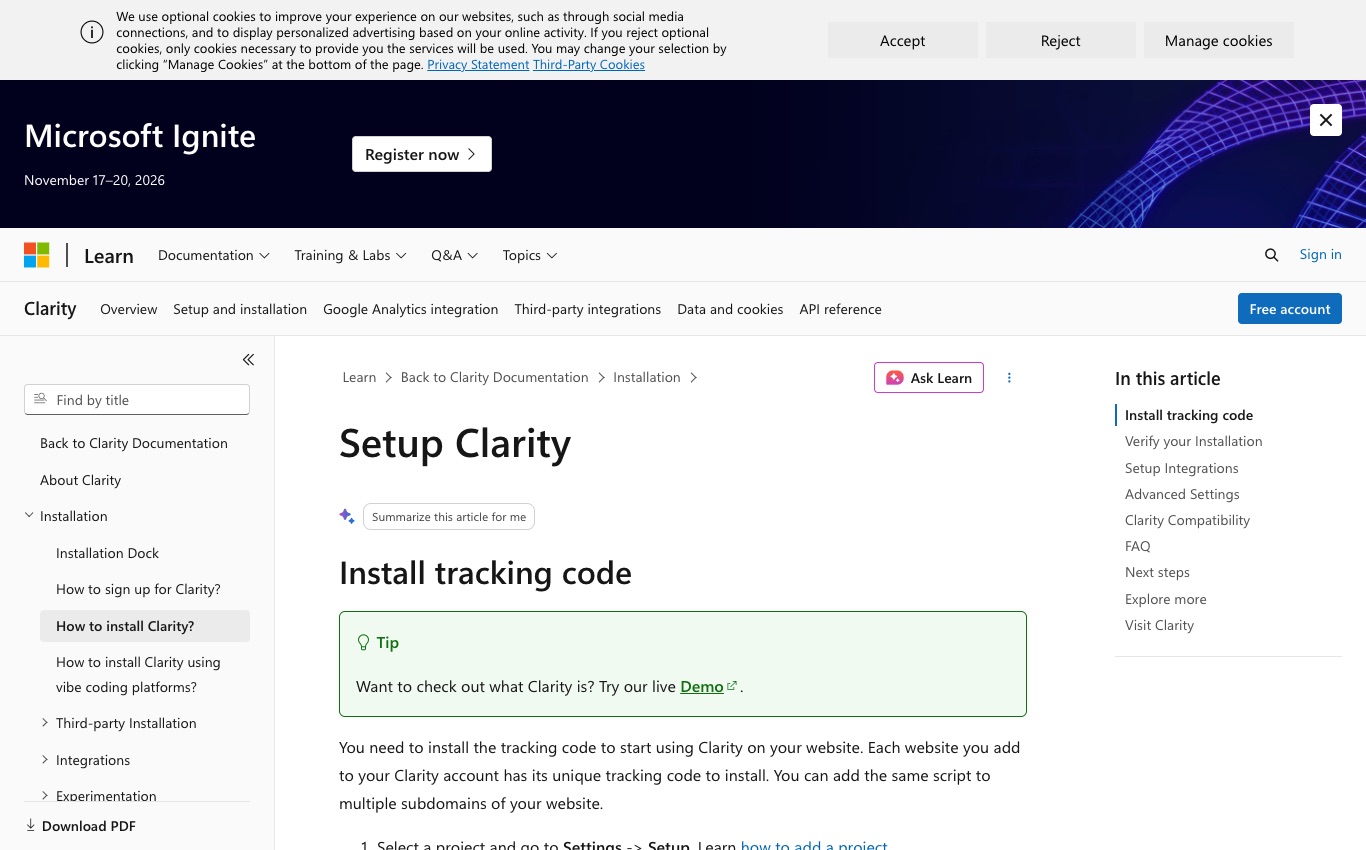
The target user is website owners, UX researchers and content teams debugging page interactions. A useful first step is to write down what you intend to learn in the next month, who owns tracking quality and which action will follow. Install through a documented tag, inspect the first live replay, check whether form fields or member-only pages appear, create suppression rules where needed and validate that heatmaps represent the correct page variants.
Pricing requires careful language. Microsoft’s public pricing states free forever, with no traffic limits or required upgrades. The vendor explains that aggregate behavioral data contributes to improvements in Microsoft products; teams should read those disclosures. The primary unit is no subscription traffic meter under the current public pricing promise; our cost analysis does not assume that an introductory figure survives a renewal or applies to a different region.
Microsoft Clarity pricing is straightforward because the vendor advertises a free product, but usage still has a privacy and implementation cost. Clarity heatmaps can expose where visitors click or scroll; Clarity session recordings can help reproduce friction on an individual page. Neither is a substitute for a controlled conversion experiment. Before installing Microsoft Clarity, test masking on forms and confirm that a recorded interaction is appropriate for your audience.
📊 Microsoft Clarity Review Summary
Microsoft Clarity offers free heatmaps and session recordings that can help identify areas of website friction. These observations need interpretation and must be deployed with appropriate masking, consent and data-governance controls.
⚡ Quick Verdict: Is Microsoft Clarity Worth It in 2026?
Our editorial view: The combination of heatmaps, rage-click patterns, session recordings and Google Analytics integration gives nontechnical owners immediate leads about where to investigate. The cost barrier is low because the tool itself is free. Clarity cannot replace a mature product analytics event system or a comprehensive experimentation program. Sampling, retention, session selection and visitor segmentation determine whether an apparently dramatic recording is representative.
The right reader is website owners, UX researchers and content teams debugging page interactions. The most important trade-off is not the number of features but whether the collection workflow produces reliable evidence while respecting the organization’s resources and privacy obligations.
| Buyer question | What current vendor documentation supports | The limit to verify |
|---|---|---|
| What does the product cover? | free heatmaps and session recordings under published service terms | Clarity cannot replace a mature product analytics event system or a comprehensive experimentation program. Sampling, retention, session selection and visitor segmentation determine whether an apparently dramatic recording is representative. |
| Is there a free option? | Microsoft states all Clarity features are free with no traffic limit | Check live terms and whether collection stops at the limit. |
| What determines the bill? | no subscription traffic meter under the current public pricing promise | Forecast actual capture, traffic and overage conditions. |
| Who should trial it? | website owners, UX researchers and content teams debugging page interactions | Choose one measurable real workflow. |
| What is the largest risk? | Free access is not a substitute for a privacy review. Recordings may reconstruct sensitive interactions if exclusions and masking are configured poorly. A heatmap is descriptive, not proof that changing button colors will increase sales. | Test this risk before paid procurement. |
🧠 What Microsoft Clarity actually shows
In Microsoft Clarity, the strongest question here is not whether a dashboard exists, but whether the team knows how to use it for what microsoft clarity actually shows. Clarity is for observing interactions, not for reconstructing every commercial fact about a user. The combination of heatmaps, rage-click patterns, session recordings and Google Analytics integration gives nontechnical owners immediate leads about where to investigate. The cost barrier is low because the tool itself is free. An ecommerce owner notices repeated clicks on a disabled checkout button and wants an investigable recording.
A useful counterexample is easy to miss: An ecommerce owner notices repeated clicks on a disabled checkout button and wants an investigable recording. Ask whether the report would change spending, onboarding, content, security or a customer-support response; if not, remove the measurement.
🧠 Understanding the free model
For teams using Microsoft Clarity, begin with a real customer or visitor question: understanding the free model deserves a report only if it changes an action. There is no purchase decision to model, but there is a data-policy and implementation decision. Microsoft’s public pricing states free forever, with no traffic limits or required upgrades. The vendor explains that aggregate behavioral data contributes to improvements in Microsoft products; teams should read those disclosures. Before trusting a recommendation for understanding the free model, ask the Microsoft Clarity owner to explain the relevant outcome using a single controlled visitor example.
A realistic team request makes the distinction clearer: Before trusting a recommendation for understanding the free model, ask the Microsoft Clarity owner to explain the relevant outcome using a single controlled visitor example. Record the exact source page and the date you checked it, then separate what the vendor promises from what your own installation proves.
⚖️ Heatmaps versus actual outcomes
When reviewing Microsoft Clarity, a feature grid can obscure a more practical issue: what does heatmaps versus actual outcomes actually require? Many clicks in one area can mean both interest and confusion; a heatmap cannot tell which. Install through a documented tag, inspect the first live replay, check whether form fields or member-only pages appear, create suppression rules where needed and validate that heatmaps represent the correct page variants. A useful Microsoft Clarity buying test is to map heatmaps versus actual outcomes to an action the business can change, and record when a different tool would be enough.
Many clicks in one area can mean both interest and confusion; a heatmap cannot tell which.
🖥️ Session replay without assumptions
A trial of Microsoft Clarity makes this concrete: in this part of the buying decision, session replay without assumptions is less about attractive charts than dependable definitions. Watch a recording alongside a customer-support report or a validated checkout error. Clarity cannot replace a mature product analytics event system or a comprehensive experimentation program. Sampling, retention, session selection and visitor segmentation determine whether an apparently dramatic recording is representative. To evaluate session replay without assumptions, compare the Microsoft Clarity report with the corresponding application record rather than judging the visual polish of a chart.
For a concrete check, work through this situation: To evaluate session replay without assumptions, compare the Microsoft Clarity report with the corresponding application record rather than judging the visual polish of a chart. If a result is ambiguous, keep that uncertainty in the final buying note rather than hiding it behind a generic product score.
🔎 Rage clicks and dead clicks
In Microsoft Clarity, how a team interprets rage clicks and dead clicks depends on its source data and the event definitions behind the interface. A frustrated click sequence might be a broken control or merely someone tapping fast. A replay and heatmap script is still a data-collection technology. Read Microsoft’s data processing conditions, consent configuration and project access controls. A site must not assume a vendor privacy badge resolves its legal duties. When interpreting rage clicks and dead clicks in Microsoft Clarity, annotate the time window, identity assumptions and any filtering that could change the number presented to managers.
In practice, start with a narrow experiment: When interpreting rage clicks and dead clicks in Microsoft Clarity, annotate the time window, identity assumptions and any filtering that could change the number presented to managers. Repeat the same exercise on mobile and desktop wherever device behavior affects the workflow, and keep an honest record of exceptions.
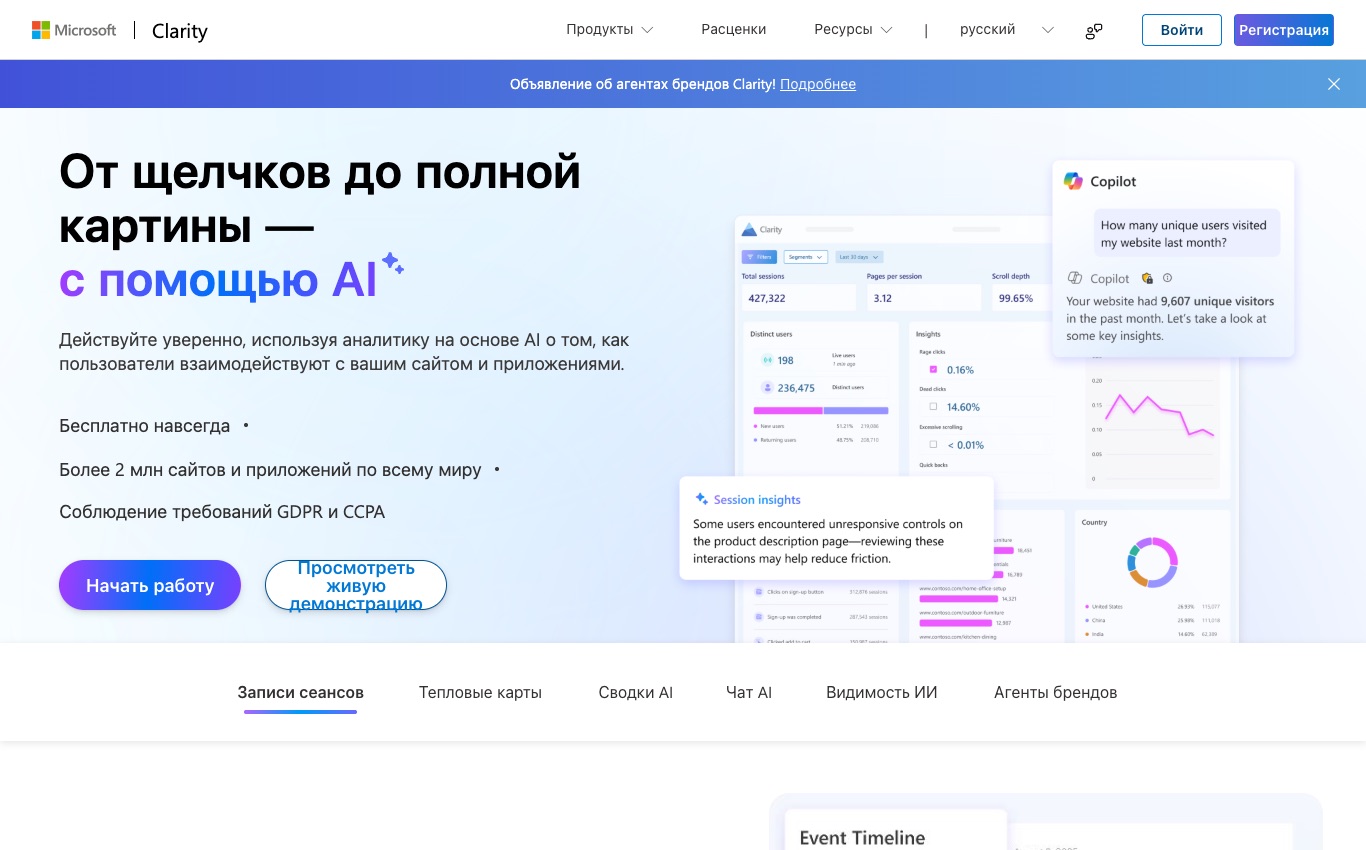
🔎 Scroll attention by device
For teams using Microsoft Clarity, the first choice around scroll attention by device is surprisingly operational, rather than purely technical. Scroll maps depend on content length and viewport; a lower fold is not automatically failure. Free access is not a substitute for a privacy review. Recordings may reconstruct sensitive interactions if exclusions and masking are configured poorly. A heatmap is descriptive, not proof that changing button colors will increase sales. A blog finds that mobile readers stop scrolling before its related-article module.
A useful counterexample is easy to miss: A blog finds that mobile readers stop scrolling before its related-article module. Ask whether the report would change spending, onboarding, content, security or a customer-support response; if not, remove the measurement.
| Plan / route | Published position | Decision note |
|---|---|---|
| Entry | Microsoft states all Clarity features are free with no traffic limit | Treat a limited trial differently from an ongoing free tier. |
| Individual / growing usage | free service, no advertised paid tier or traffic upgrade | Confirm supported features in the exact vendor tier. |
| Usage metric | no subscription traffic meter under the current public pricing promise | Costs vary with measured workload, not just time. |
| Enterprise or advanced | Microsoft’s public pricing states free forever, with no traffic limits or required upgrades. The vendor explains that aggregate behavioral data contributes to improvements in Microsoft products; teams should read those disclosures. | Confirm written scope, platform needs and renewal terms. |
| Official plans | https://clarity.microsoft.com/pricing | Source checked October 28, 2026; offers can change. |
🔎 Connecting with Google Analytics
When reviewing Microsoft Clarity, evaluate connecting with google analytics in the edition the organization would actually buy, not in a polished enterprise demo. GA integration adds context but requires reconciliation of sessions and identity definitions. free heatmaps and session recordings under published service terms Check whether Microsoft Clarity includes the exact connecting with google analytics capability in the selected subscription; a demonstration environment can show features outside the buyer's tier.
A realistic team request makes the distinction clearer: Check whether Microsoft Clarity includes the exact connecting with google analytics capability in the selected subscription; a demonstration environment can show features outside the buyer's tier. Record the exact source page and the date you checked it, then separate what the vendor promises from what your own installation proves.
🧭 Installation and first audit
A trial of Microsoft Clarity makes this concrete: an apparently simple issue in installation and first audit can become a tracking and data-quality task. Check staging domains, conditional scripts and a consent-controlled setup before launch. a genuinely free way to inspect heatmaps and recordings, with important data-governance obligations The first installation and first audit trial in Microsoft Clarity should include a deliberately failed event or page flow so that the team can see what is silently omitted.
Consider what happens during a normal working week: The first installation and first audit trial in Microsoft Clarity should include a deliberately failed event or page flow so that the team can see what is silently omitted. A good review should make that trade-off visible before the reader clicks a paid checkout button.

🔐 Masking and sensitive fields
In Microsoft Clarity, sensitive information can appear unexpectedly when teams configure masking and sensitive fields without a review. Inspect a test session containing form input to ensure secrets cannot appear. The combination of heatmaps, rage-click patterns, session recordings and Google Analytics integration gives nontechnical owners immediate leads about where to investigate. The cost barrier is low because the tool itself is free. Treat masking and sensitive fields within Microsoft Clarity as a data-governance decision: define which free heatmaps and session recordings under published service terms information is collected, masked or made available for export.
For a concrete check, work through this situation: Treat masking and sensitive fields within Microsoft Clarity as a data-governance decision: define which free heatmaps and session recordings under published service terms information is collected, masked or made available for export. If a result is ambiguous, keep that uncertainty in the final buying note rather than hiding it behind a generic product score.
🔐 Consent and visitor privacy
For teams using Microsoft Clarity, do not assume two reporting systems measure consent and visitor privacy in an identical way. Document lawful collection and data processing rather than copying a vendor’s compliance slogan. Microsoft’s public pricing states free forever, with no traffic limits or required upgrades. The vendor explains that aggregate behavioral data contributes to improvements in Microsoft products; teams should read those disclosures. Run a parallel consent and visitor privacy report during a small window and explain any difference between Microsoft Clarity and the source system before switching dashboards.
Document lawful collection and data processing rather than copying a vendor’s compliance slogan.
🔎 Using filters to prioritize findings
When reviewing Microsoft Clarity, the difficult part of using filters to prioritize findings is choosing the right denominator and reporting window. Filter for pages or devices tied to an observed business issue, not entertaining clips. Install through a documented tag, inspect the first live replay, check whether form fields or member-only pages appear, create suppression rules where needed and validate that heatmaps represent the correct page variants. A regulated website cannot allow uncontrolled replay of account or payment fields.
A useful counterexample is easy to miss: A regulated website cannot allow uncontrolled replay of account or payment fields. Ask whether the report would change spending, onboarding, content, security or a customer-support response; if not, remove the measurement.
| Controlled test | Expected evidence | Possible false conclusion |
|---|---|---|
| First page or launch | One correctly attributed visit or event | A broken tag looks like a traffic collapse. |
| Signup or goal | One completed outcome with exact definition | A submit click is counted even if the service failed. |
| Repeat use | Consistent return window and identity | An anonymous cookie is mistaken for a retained customer. |
| Mobile check | Same event schema across devices | A mobile-only failure hides in a desktop total. |
| Privacy test | Sensitive values suppressed before collection | A replay or export exposes private fields. |
⚖️ Reading mobile versus desktop
A trial of Microsoft Clarity makes this concrete: a report about reading mobile versus desktop is useful when someone is accountable for checking and acting on it. A sticky header can conceal content only on a small screen, so compare viewports. Clarity cannot replace a mature product analytics event system or a comprehensive experimentation program. Sampling, retention, session selection and visitor segmentation determine whether an apparently dramatic recording is representative. If reading mobile versus desktop is useful to the organization, assign a named owner for the Microsoft Clarity report and specify which weekly decision will respond to a change.
A realistic team request makes the distinction clearer: If reading mobile versus desktop is useful to the organization, assign a named owner for the Microsoft Clarity report and specify which weekly decision will respond to a change. Record the exact source page and the date you checked it, then separate what the vendor promises from what your own installation proves.
🔎 Sampling and selection bias
In Microsoft Clarity, collaboration matters in sampling and selection bias because sharing can reveal far more information than intended. Do not infer a website-wide conclusion from an unusually frustrated session. A replay and heatmap script is still a data-collection technology. Read Microsoft’s data processing conditions, consent configuration and project access controls. A site must not assume a vendor privacy badge resolves its legal duties. Before sharing sampling and selection bias in Microsoft Clarity, review the audience's access to raw records and whether links could expose another customer's data.
Consider what happens during a normal working week: Before sharing sampling and selection bias in Microsoft Clarity, review the audience's access to raw records and whether links could expose another customer's data. A good review should make that trade-off visible before the reader clicks a paid checkout button.

🎯 Attributing a conversion problem
For teams using Microsoft Clarity, data migration makes attributing a conversion problem a question about ownership as well as features. Reconcile replay observations with the actual number of completed customer actions. Free access is not a substitute for a privacy review. Recordings may reconstruct sensitive interactions if exclusions and masking are configured poorly. A heatmap is descriptive, not proof that changing button colors will increase sales. Test a small historical export involving attributing a conversion problem from Microsoft Clarity, including the dimensions that would matter when moving to another reporting platform.
For a concrete check, work through this situation: Test a small historical export involving attributing a conversion problem from Microsoft Clarity, including the dimensions that would matter when moving to another reporting platform. If a result is ambiguous, keep that uncertainty in the final buying note rather than hiding it behind a generic product score.
🔎 Working with designers
When reviewing Microsoft Clarity, treat working with designers as something to validate against a known record, not a claim to take at face value. A recording is evidence for a design hypothesis, not proof of an effect. free heatmaps and session recordings under published service terms Use one deliberate positive and negative test for working with designers in Microsoft Clarity; those checks reveal whether a free heatmaps and session recordings under published service terms event is counted as intended.
A recording is evidence for a design hypothesis, not proof of an effect.
💰 When free is still too costly
A trial of Microsoft Clarity makes this concrete: attribution debates become more productive when when free is still too costly is clearly defined. A completely free price does not eliminate legal, performance and analysis workload. a genuinely free way to inspect heatmaps and recordings, with important data-governance obligations A product lead sees a few rage clicks and incorrectly assumes a sitewide conversion problem.
A useful counterexample is easy to miss: A product lead sees a few rage clicks and incorrectly assumes a sitewide conversion problem. Ask whether the report would change spending, onboarding, content, security or a customer-support response; if not, remove the measurement.
🔎 Site performance checks
In Microsoft Clarity, an evaluation of site performance checks should start from a testable workflow rather than a guided product tour. Measure page loading and script execution under realistic client conditions. The combination of heatmaps, rage-click patterns, session recordings and Google Analytics integration gives nontechnical owners immediate leads about where to investigate. The cost barrier is low because the tool itself is free. Write a short evaluation script for site performance checks with Microsoft Clarity: specify an expected report, the input activity and the conditions that would disprove the purchase case.
A realistic team request makes the distinction clearer: Write a short evaluation script for site performance checks with Microsoft Clarity: specify an expected report, the input activity and the conditions that would disprove the purchase case. Record the exact source page and the date you checked it, then separate what the vendor promises from what your own installation proves.
🔎 Comparing Clarity with paid DEX
The financial case for comparing clarity with paid dex is about predictable usage and operating effort together. FullStory adds organizational workflows and paid analytics depth; Clarity remains narrower. Microsoft’s public pricing states free forever, with no traffic limits or required upgrades. The vendor explains that aggregate behavioral data contributes to improvements in Microsoft products; teams should read those disclosures. Forecast comparing clarity with paid dex over an ordinary month and a campaign peak using Microsoft Clarity's no subscription traffic meter under the current public pricing promise unit; do not confuse that with a simple customer count.
Consider what happens during a normal working week: Forecast comparing clarity with paid dex over an ordinary month and a campaign peak using Microsoft Clarity's no subscription traffic meter under the current public pricing promise unit; do not confuse that with a simple customer count. A good review should make that trade-off visible before the reader clicks a paid checkout button.
| Practical buyer situation | Why it matters | What to validate |
|---|---|---|
| An ecommerce owner notices repeated clicks on a disabled checkout button and wants an investigable recording. | Shows ordinary recurring value | A saved report, a relevant action and a documented owner. |
| A blog finds that mobile readers stop scrolling before its related-article module. | Changes team or plan requirements | Permissions and the appropriate usage tier. |
| A regulated website cannot allow uncontrolled replay of account or payment fields. | Tests a poor-fit assumption | Features the platform does not promise. |
| A product lead sees a few rage clicks and incorrectly assumes a sitewide conversion problem. | Exposes cost or data-quality risk | Metering, identity and source reconciliation. |
🖥️ A practical UX inspection routine
When reviewing Microsoft Clarity, to compare alternatives, give each tool the same task involving a practical ux inspection routine. Review a sample of failed conversions and annotate reproducible interface failures. Install through a documented tag, inspect the first live replay, check whether form fields or member-only pages appear, create suppression rules where needed and validate that heatmaps represent the correct page variants. To compare a practical ux inspection routine fairly, give Microsoft Clarity and a shortlisted alternative equivalent inputs, a fixed date window and the same success definition.
Review a sample of failed conversions and annotate reproducible interface failures.
🏆 Final verdict: free, not effortless
A trial of Microsoft Clarity makes this concrete: the final verdict about final verdict: free, not effortless ought to include the situation in which this product is the wrong fit. Use it where a person will act on behavioral clues and protect visitor information. Clarity cannot replace a mature product analytics event system or a comprehensive experimentation program. Sampling, retention, session selection and visitor segmentation determine whether an apparently dramatic recording is representative. End the final verdict: free, not effortless assessment by naming one realistic situation where Microsoft Clarity is too complicated, too expensive or unsuitable for the data involved.
In practice, start with a narrow experiment: End the final verdict: free, not effortless assessment by naming one realistic situation where Microsoft Clarity is too complicated, too expensive or unsuitable for the data involved. Repeat the same exercise on mobile and desktop wherever device behavior affects the workflow, and keep an honest record of exceptions.
🎯 Advantages, drawbacks and editorial fit
What works: The combination of heatmaps, rage-click patterns, session recordings and Google Analytics integration gives nontechnical owners immediate leads about where to investigate. The cost barrier is low because the tool itself is free. Install through a documented tag, inspect the first live replay, check whether form fields or member-only pages appear, create suppression rules where needed and validate that heatmaps represent the correct page variants.
What needs attention: Free access is not a substitute for a privacy review. Recordings may reconstruct sensitive interactions if exclusions and masking are configured poorly. A heatmap is descriptive, not proof that changing button colors will increase sales. A replay and heatmap script is still a data-collection technology. Read Microsoft’s data processing conditions, consent configuration and project access controls. A site must not assume a vendor privacy badge resolves its legal duties.
Editorial fit — Microsoft Clarity
Good fit: website owners, UX researchers and content teams debugging page interactions.
Less suitable: Clarity cannot replace a mature product analytics event system or a comprehensive experimentation program. Sampling, retention, session selection and visitor segmentation determine whether an apparently dramatic recording is representative.
Review official pricing and eligibility before deciding. This is a vendor information link, not a verified promotional discount.
🧪 Sources and review methodology
Public primary sources checked October 28, 2026. These links allow readers to recheck prices, terms and feature limits. Screenshots are vendor website captures, not evidence of independent usage:

Frequently Asked Questions
Is Microsoft Clarity completely free?
Yes. Microsoft’s current pricing page says Clarity is free forever, with no paid upgrade requirement. The implementation still creates responsibilities around privacy, performance and analysis.
Are Clarity heatmaps unlimited?
The vendor advertises unlimited heatmaps, websites and team members. Unlimited access should not be confused with a promise that every session or data field is available without eligibility or retention rules.
Does Clarity capture session recordings?
Yes. Clarity includes recordings that help inspect where a visitor interacted or encountered friction. A recording is observational evidence, not proof that the person had a particular intention.
Can I connect Clarity with Google Analytics?
Yes. Microsoft documents integration with Google Analytics. Verify that the two properties are connected correctly and remember that their visitor and session definitions may differ.
Does Clarity reveal names or passwords?
Fields and other sensitive values require explicit masking and collection review. Never assume an ordinary recording tool automatically prevents every identifier from being exposed in every implementation.
Is Clarity automatically GDPR compliant?
No. Clarity includes privacy-related controls, but the website operator must review lawful basis, disclosures, cookie or consent requirements and processing agreements for its audience.
Can Clarity measure conversion funnels?
Clarity shows behavioral and conversion-oriented insights. It is not a full replacement for a carefully designed product analytics taxonomy, cohort analysis and experimentation platform.
What is a rage click?
A rage click is a pattern of rapid repeated clicks that may indicate frustration or an unresponsive control. It is a clue to inspect, not a certain diagnosis of a UX defect.
Does Clarity slow down my website?
Any additional script should be assessed on actual pages and devices. Measure load timing and network behavior with and without Clarity; do not assume a universal zero impact.
How is Clarity different from FullStory?
Clarity focuses on free heatmaps and replay observations. FullStory provides a broader digital experience platform, sales-led advanced plans and workflow capabilities. Scope, price and privacy settings determine the right fit.
Should every website install Clarity?
No. A site without an owner to review UX findings, or one with sensitive workflows that cannot be safely recorded, may have little reason to install a replay script.
Explore More on DigiOffly
Analytics research
- Growth & Marketing
- E-commerce & Online Selling
- Security & Privacy
- Analytics software comparisons — Browse replay and product analytics choices.
- FullStory review — Compare deeper digital experience analytics.
- PostHog review — Combine replay with event funnels.
Software tools
Planning and savings
Want an update when our next analytics comparisons are published? Subscribe to DigiOffly Deal Alerts for relevant category updates.