

Research checked 19 October 2026. This Xero review covers the United States edition and the public pricing and feature pages available on that date. We evaluated documented capabilities and realistic bookkeeping scenarios; we did not create a paid Xero organization, connect a real bank feed, file taxes, or measure a private account’s support times. Product screenshots show official public pages. Prices and promotions can change.
A consulting agency sends fifteen invoices in a busy month. Five clients pay quickly; four need a reminder; one invoice is paid twice by accident; and the bookkeeper has to work out why the bank statement never agrees with the sales report. None of this is unusual. The problem is that an invoice, a bank deposit, and a recorded sale are three related but different things.
That is the problem Xero accounting software tries to make manageable. It puts invoices, supplier bills, bank feeds, reconciliation, and accounting reports in one cloud ledger. The promise is not that numbers will magically become correct. It is that an owner and their accountant can see the same transactions, document decisions and spend less time moving data between systems.
This Xero review 2026 looks beyond the familiar dashboard screenshots. We examine the unusually important October 2026 US price increase, the strict Early-plan limits, what the newer JAX auto-reconciliation features actually do, and the difference between bookkeeping software and a place to hold your money. We also compare Xero with QuickBooks Online, FreshBooks, Zoho Books and Mercury — products that solve overlapping but not identical problems.
📊 Xero Review Summary
What Xero does well
Unified financial records, invoicing and bills, bank reconciliation and collaboration with an accountant.
Where to be careful
Early limits, paid add-ons, multi-currency plan requirements and the need to review accounting entries.
Best for: Small companies that need an organized accounting ledger, repeatable invoices and bills, bank reconciliation and the ability to collaborate with a bookkeeper or accountant.
What stands out: The core ledger sits alongside invoicing, bank feeds, financial reports and an extensive integration ecosystem. Xero charges for a business subscription rather than a separate license for each invited user under the published US pricing model. Growing provides a meaningful step up from Early for businesses that issue invoices frequently.
Watch-outs: Early caps invoice and bill volumes. Foreign-currency accounting belongs to Established in the US. Payroll powered by Gusto, payment processing and certain add-ons carry separate charges. The 2026 price increase means screenshots from earlier in the year may seriously understate today’s recurring cost.
Editorial assessment: Xero suits businesses that need consistent bookkeeping, but the Early plan can become restrictive as invoices and supplier bills accumulate. A good fit depends on the transactions that occur every month, not on a promotional headline or the number of colorful charts.
⚡ Quick Verdict: Is Xero Worth It in 2026?
For an owner who has outgrown a spreadsheet and needs the accountant to work from the same set of records, yes — Xero can be worth the subscription. The crucial decision is usually not whether Xero can issue invoices, but which plan will remove bottlenecks without charging for features you do not use.
If your operation is still a one-person side project with just a few invoices, Early may be enough. If you send invoices throughout the week, the 20-invoice and five-bill limits are a strong reason to start with Growing instead. If the business receives revenue in euros, pays overseas contractors in their local currency and needs those balances correctly represented in the books, check Established before selecting a plan.
The verdict has limits. We reviewed official documentation and comparable workflows, not a private Xero account. This is an independent editorial evaluation, not a claim that we processed actual receipts, bank feeds or Gusto payroll on the user’s behalf.
🧠 What Is Xero Accounting Software?
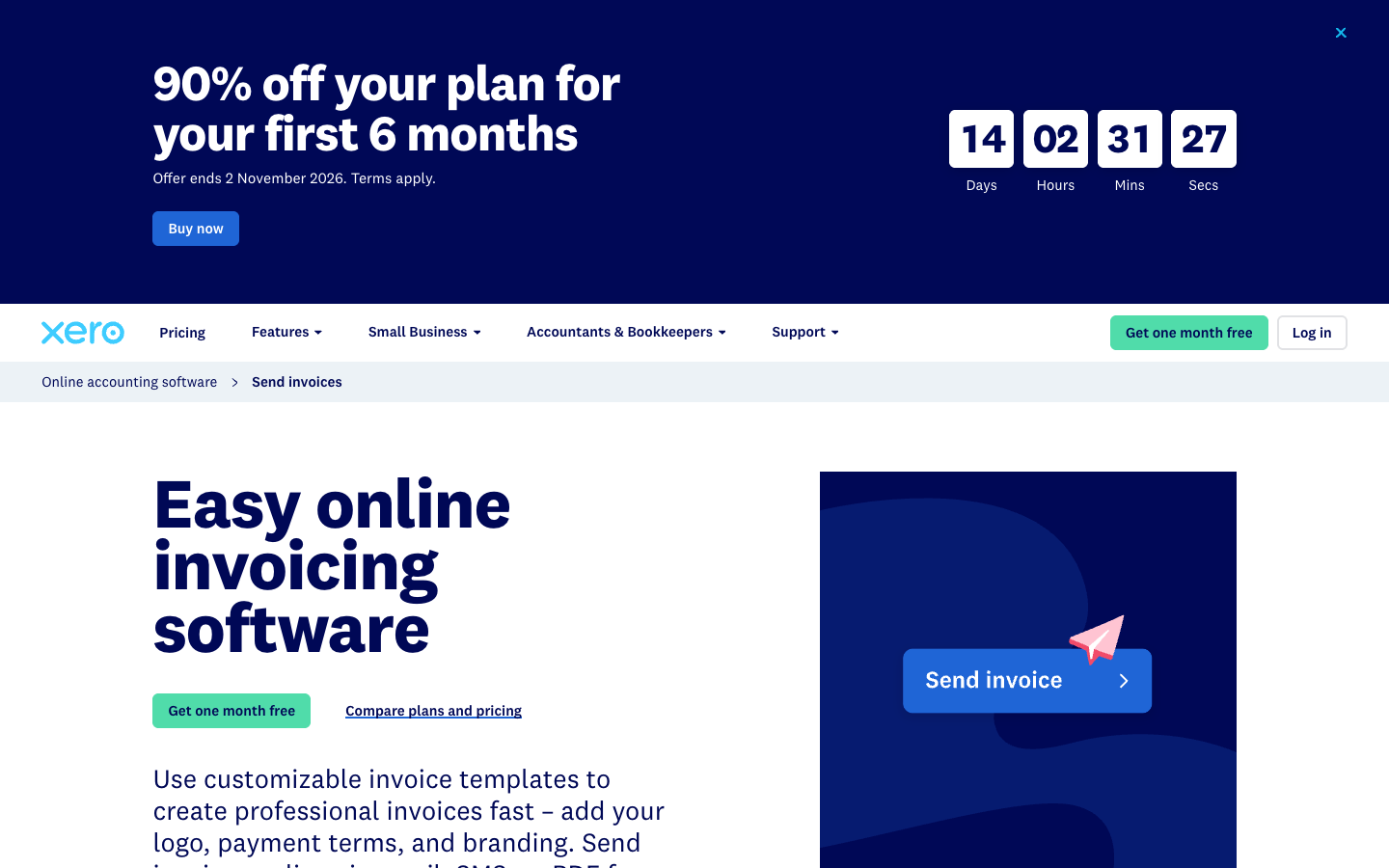
Xero accounting software is a cloud-based platform used to keep the underlying financial records of a business. It supports sales invoicing, accounts payable, reconciliation, expense recording, reporting and connections to other applications. Instead of maintaining one set of numbers in a bank portal and another in a spreadsheet, you work with a ledger in which the same transaction can appear in cash-flow reports, unpaid-invoice lists and accounting statements.
That distinction matters. Xero accounting software does not replace a bank account: it records activity that originates from a bank, card, payment processor or sales system. Nor does it replace the responsibility of an accountant to choose tax treatments, review unusual entries or close the books. Accounting automation helps move data and suggest classifications; it cannot know why a founder mixed a personal purchase with a business payment unless someone documents that context.
For example, imagine an invoice for $2,400. Creating the invoice increases the amount customers owe. When the customer pays by card, the payment processor may deduct its fee before sending the deposit. The final bank credit might therefore be smaller than $2,400. A reliable bookkeeping process must record the full sale, the processing fee and the net cash received without counting the revenue twice.
This is where the accounting ledger earns its cost. For Xero bookkeeping, the real value lies less in invoice templates and more in how invoices, payment fees, bank statement entries and reports fit together. The software can present the relationships, while the business still needs policies for the transactions it accepts.
Who is Xero designed for?
Think of three typical customers. The first is a solo consultant billing two or three clients a month; for them, a clean invoice and an end-of-month reconciliation may be sufficient. The second is a small agency with subscriptions, freelancers, multiple projects and an outside accountant; they need consistent approval and reporting workflows. The third sells services in several countries; foreign-currency accounting and payment-provider integrations become more important than the invoice designer.
None of those profiles says anything about the owner’s technical skill. Xero bookkeeping can be approachable to a non-accountant, but understanding sales tax, chart-of-accounts categories, accounts payable and reconciliation still takes some learning. If you have never closed a set of books before, it may be better to schedule an onboarding session with an accountant than to rely on the default chart of accounts indefinitely.
🛠️ Xero Features That Matter in Daily Work
Rather than treating every feature in the marketing menu as equal, we focus on what a small company repeatedly uses: collecting income, recording supplier costs, matching transactions and understanding the money that remains.
Invoicing, reminders and getting paid
Xero accounting software lets users create and send branded invoices, issue quotes, see whether clients have paid and send payment reminders. Online payment acceptance depends on a connected payment provider and its own processing charges. Those provider fees are separate from the Xero subscription. An invoice marked as sent should not be confused with money received, and accepting a card payment does not eliminate reconciliation.
A useful Xero invoicing software review therefore begins with practical questions: can you find overdue invoices without manually sorting a spreadsheet, can the team identify a credit note, and can the accountant trace a deposit back to the original sale? Xero describes these workflows on its official invoicing page.
Early includes up to twenty invoices and quotes as described in Xero’s published US matrix; verify the terms of those limits for your organization. Growing and Established are designed for more regular invoicing needs. Avoid picking Early simply because a temporary signup discount makes it look inexpensive.
Bank feeds and bank reconciliation
A bank feed brings transaction data into the accounting system. Reconciliation means checking whether those bank transactions match the invoices, payments and other records already in your books. It is a control, not just a productivity feature: a duplicated vendor payment or an omitted processing fee can make financial statements wrong even when all the dates and amounts look familiar.
Consider two deposits: one is a client paying an invoice, and the other is the founder transferring capital into the company. Both increase the balance at the bank. Only the first is customer revenue. If the software suggests the wrong classification, the reviewer needs to correct it. That is why Xero bank reconciliation should be reviewed against actual statement lines, not measured solely by the number of suggestions the software makes.
Xero’s bank reconciliation guide recommends comparing bank records and internal records regularly, investigating discrepancies and keeping evidence for unusual transactions. Regular reconciliation generally reduces the difficulty of figuring out an error months later.
JAX and automated bank reconciliation
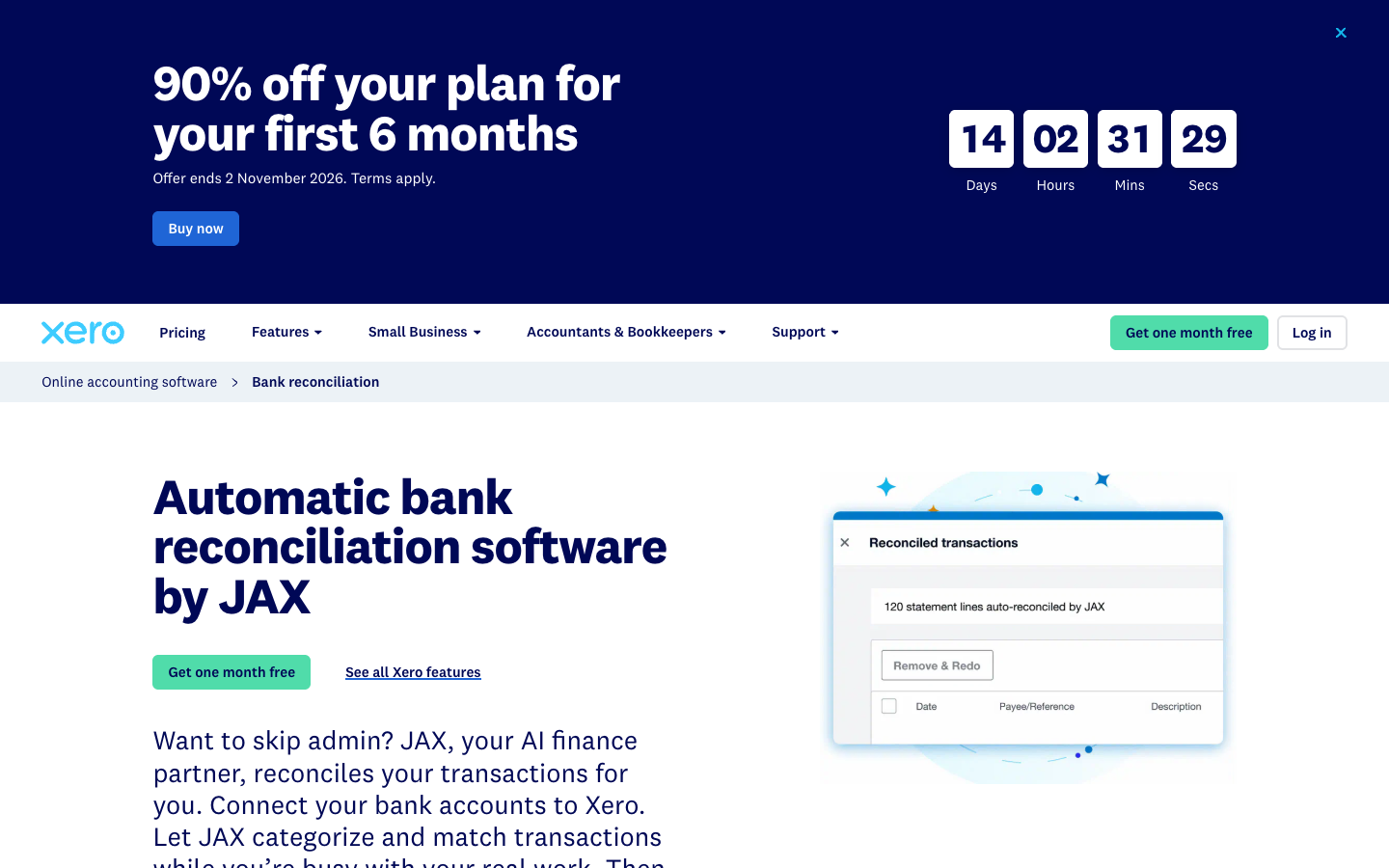
The newer JAX features are a significant part of Xero bookkeeping in 2026. Xero accounting software describes JAX as an AI-powered assistant that uses rules, exact matching, memory and predictions to suggest or automatically reconcile transactions. The important operational safeguard is confidence: for uncertain entries, the system can defer to a person rather than quietly post the wrong result. Growing and higher US plans are presented as supporting the automatic reconciliation capability.
A search for Xero automatic bank reconciliation JAX may sound as though every bank transaction is safely handled without review. That is not the right assumption. A human should still inspect exceptions, changes in vendors, unusual payroll entries and transfers between bank accounts. Before making JAX the standard workflow, reconcile a sample of previously checked transactions and verify both the suggested account codes and the supporting documents.
We cannot independently reproduce the feature’s accuracy in a real organization’s books without a connected account and representative transaction history. Our assessment is therefore about the published control model and where it might fit, not a fabricated accuracy benchmark. The official reconciliation feature page explains JAX’s options and review controls.
Supplier bills, purchase orders and approvals
A bill is money the business owes. If you receive a $3,000 subcontractor invoice today with a due date next month, recording it gives the business a clearer picture of its upcoming obligations even though no money has left the bank yet. That is a different event from paying the bill.
Xero bookkeeping also includes bill capture and bill tracking. The Growing tier expands automation beyond Early’s five-bill allowance, and the published 2026 US plan matrix now includes standard domestic ACH bill payments on business plans, subject to Xero’s terms. That does not mean every payment method, overseas transaction or expedited transfer will be free.
The administrative risk is rarely that the system cannot recognize an amount on an invoice. It is that someone pays a duplicate invoice, attaches the wrong expense account, or approves payment to a new bank account without verification. Owners should agree on approval roles, document changes to beneficiary details and review vendor statements instead of trusting every imported document.
When evaluating Xero bill payments for small business, test three examples: a recurring software charge, a one-time contractor bill and an invoice that must be credited or corrected. The outcome you want is a traceable document and payment history, not merely fewer mouse clicks.
Expenses, receipts and project tracking
Teams that buy travel, office equipment or client materials need evidence of what was purchased and why. Xero accounting software includes document capture options; more advanced employee expenses, mileage claims and project-cost workflows are associated with Established in its current US plan comparison. Those differences should shape your plan decision if staff routinely submit reimbursements.
Project tracking is especially relevant to agencies. If a contract pays $12,000 but design labor, advertising and outsourced research consume $9,500, the project’s contribution is not the same as the cash available in the bank. Time and cost tracking can make that margin more visible. It also introduces the need to choose how people record time: an accurate ledger fed by poor timesheets still leads to a misleading project analysis.
Look at the full workflow rather than the feature checkbox. A receipt needs a clear owner, a category and a review decision. A project needs consistent attribution of hours and vendor expenses. A report should let the project manager spot overruns before invoicing the client rather than after the contract closes.
Reports, cash flow forecasts and financial health
The Xero pricing matrix differentiates simple graphs and a 30-day cash flow forecast in Early from Growing’s more configurable dashboards and a 60-day forecast. Established extends the stated horizon to 180 days and adds more advanced KPIs, ratios and industry benchmarking.
A Xero cash flow forecast is helpful for asking whether expected deposits will cover upcoming bills. But a forecast is not an actual balance, and its usefulness depends on the quality of invoice due dates, payment behavior and complete supplier records. If a client routinely pays sixty days late, a default expectation of timely payment can make a forecast dangerously optimistic.
Use forecasting as a review conversation. Suppose payroll is due on the fifteenth and two major customer invoices are due on the twentieth. A forecast that notices a cash shortage before payroll is useful. A forecast that confidently assumes every overdue customer will pay immediately is not. Ask which assumptions the software is using and compare projected cash with realized cash month after month.
💰 Xero Pricing 2026: Early, Growing and Established
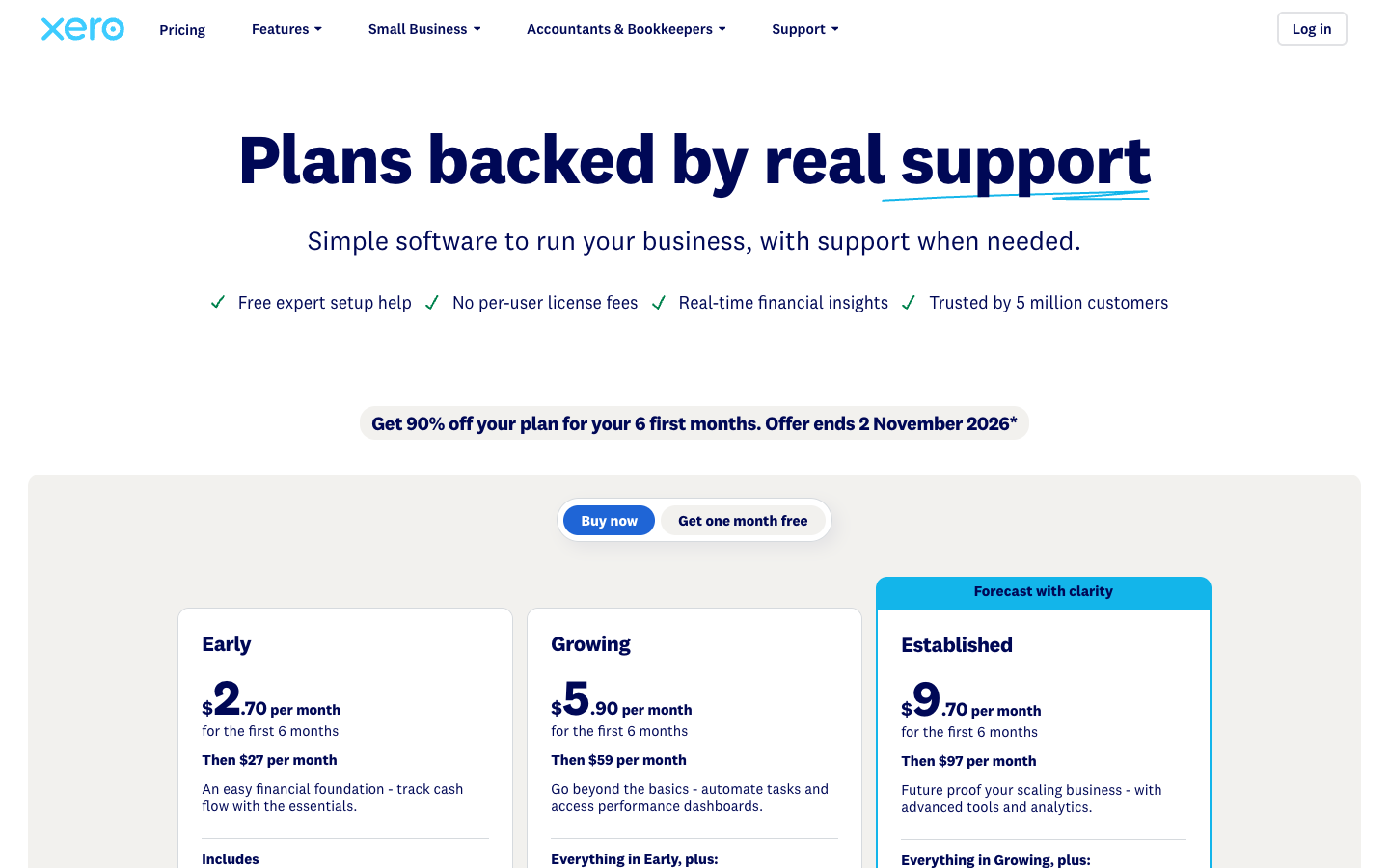
This section uses standard US list prices effective 1 October 2026, not the old September rates and not a temporary introductory coupon. Xero explicitly announced the change from $25 to $27 for Early, $55 to $59 for Growing and $90 to $97 for Established. Its official price update applies to both new and existing US subscribers from that date, subject to applicable discounts.
At the time of our October check, the Xero pricing page also displayed an 80% introductory discount for three months, yielding $5.40, $11.80 and $19.40 per month respectively during the qualifying introductory period. Those are conditional promotional amounts, not the permanent subscription fees; eligibility, tax and promotion dates must be verified at checkout. Xero can change offers without updating every comparison article on the internet.
For anyone comparing Xero Early vs Growing vs Established, the operational differences matter more than the plan names.
| US plan | Standard monthly price after October 1, 2026 | Published feature distinctions | Watch before choosing |
|---|---|---|---|
| Early | $27 | Up to 20 invoices and five bills, bank reconciliation, basic graphs and 30-day forecast | Small volume limits can be restrictive surprisingly quickly |
| Growing | $59 | More invoicing and bill automation, customizable dashboards, 60-day forecast and JAX auto-reconciliation | Payroll, payment processing and optional tools may cost extra |
| Established | $97 | Growing features plus multi-currency accounting, project and expense workflows, advanced analytics and 180-day forecast | Not necessary for a domestic business with simple financial processes |
Prices shown are before sales tax and optional add-ons and describe the US version of Xero. Other countries have different plan names, tax rules and feature packaging. This is why a screenshot from a UK or Australian Xero accounting software page should not be pasted into a US comparison as if it described the same subscription.
Xero plan fit by business scenario — editorial examples
| Monthly workflow | Plan to evaluate first | Reason to investigate |
|---|---|---|
| Solo consultant with 8 invoices and 2 supplier bills | Early ($27 standard) | Volume may fit Early if no advanced controls are needed |
| Agency with 40 invoices, recurring bills and outside accountant | Growing ($59 standard) | Early’s invoice and bill caps would be restrictive |
| International studio with EUR revenue and USD books | Established ($97 standard) | Multi-currency bookkeeping is a listed Established capability |
| Business seeking only a new bank account | Neither Xero plan replaces a bank | Choose a banking provider separately, then connect bank feeds |
The scenarios illustrate fit rather than automatic eligibility or accountant-approved plan advice. Check the actual feature matrix for your location and business.
The hidden cost of picking a plan by its headline
Xero pricing at $27 a month looks appealing, but it is only a bargain if the invoice and bill limits fit the business. If a small studio expects forty client invoices a month, it should evaluate Growing before investing time in an Early setup that will not support its workflow.
Conversely, Established can be a poor deal for a domestic service provider that does not require multi-currency accounting, employee expense workflows or project tracking. Paying for an expensive forecast does not automatically improve cash flow if the underlying records are incomplete.
A simple example demonstrates the difference. At normal list prices, Early costs $324 for twelve months, Growing $708 and Established $1,164 before tax and add-ons. These annual amounts are arithmetic illustrations based on twelve full-price months; a promotional period changes the first-year cash paid, while separate payment-provider, payroll and app fees may increase it. Treat any promotional quote as a time-limited pricing scenario rather than the long-term budget.
Payroll powered by Gusto is not included for free
In the United States, Xero markets payroll through an integration powered by Gusto. Its current pricing comparison lists an optional payroll subscription at $36 per month plus $6 per employee or contractor for the referenced offer. The official page states that the service is available across US business tiers as an add-on. The precise payroll product, coverage and checkout terms still need direct verification.
An owner asking does Xero include payroll in the US needs to distinguish integration from inclusion. A payroll button inside an accounting platform does not mean the accounting plan price includes wage calculations, filings, state registrations and contractor payments. The payroll system handles payroll functions; Xero records the financial outcomes and connects supporting data.
For a company with ten employees, the illustrative listed payroll add-on would start at $96 per month before taxes and any other service-specific costs, on top of the bookkeeping subscription. That can be a rational expense if it reduces compliance risk and duplicate data entry, but it should be on the software budget from day one.
Free trial, annual budgeting and optional integrations
Xero advertises ways for new customers to evaluate the product, including a one-month free offer and time-limited signup promotions. Availability is subject to customer eligibility and the vendor’s current terms. We cannot claim a trial was opened or that a specific offer will still exist when you read this.
Xero pricing for US business subscriptions does not impose a per-user license fee. That is useful for an owner who invites an outside accountant and several internal reviewers. It does not make premium connected apps free. Inventory tools, card payment processing, payroll and paid marketplace integrations can change the actual cost.
Before subscribing, write down your anticipated invoices, supplier bills, currencies, number of legal entities and the roles that need access. The most expensive migration is the one that happens six weeks after buying the wrong plan and discovering that essential work sits behind the next tier.
🌍 Multi-Currency Accounting: The Expensive Feature That Might Be Essential
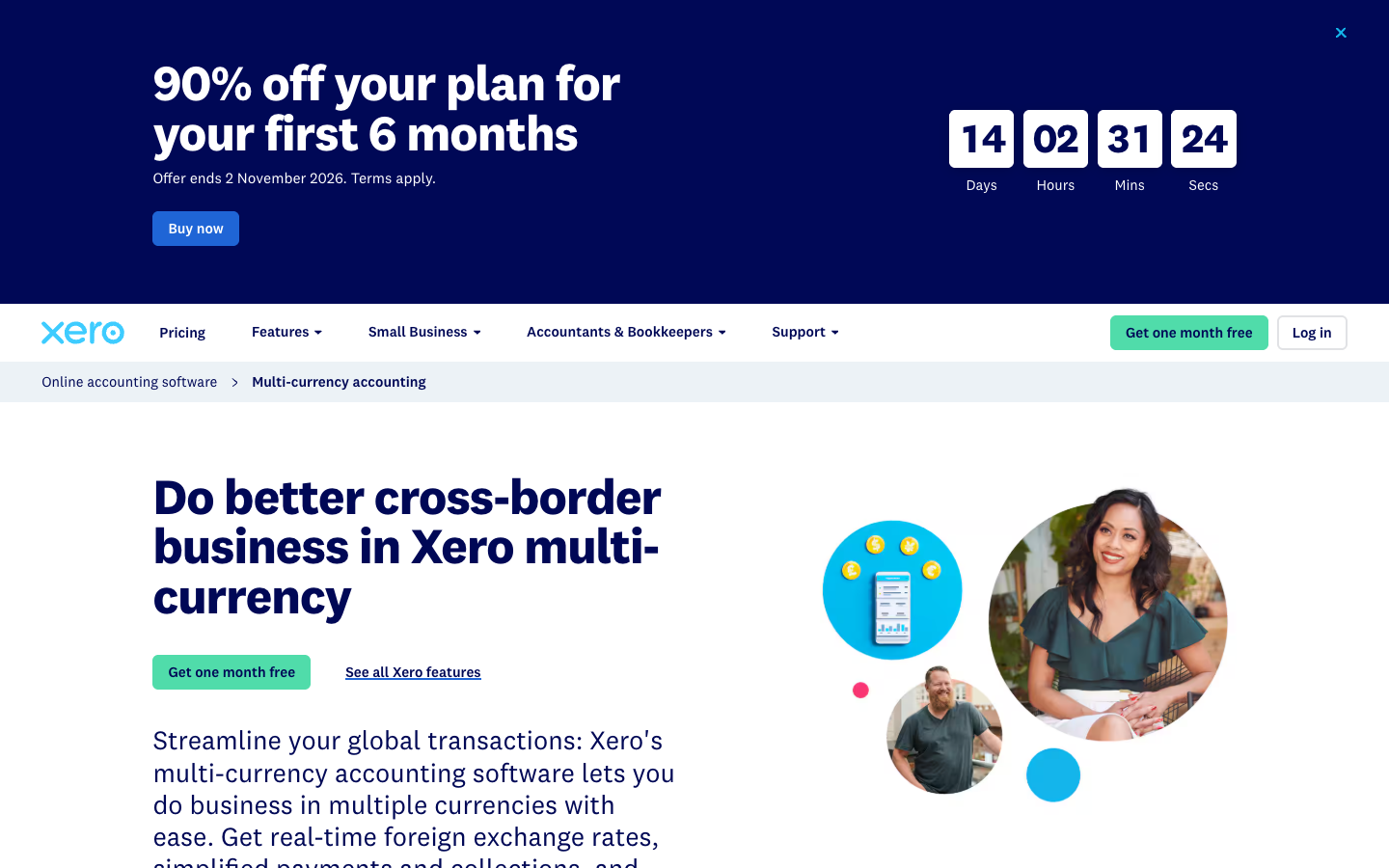
When a US-based creative agency invoices a client in euros, it has at least two distinct numbers to understand: the EUR amount on the invoice and the USD value recorded in its financial statements. Exchange rates can move between the invoice date and the settlement date. That difference may create a currency gain or loss, even if everyone paid exactly what the contract required.
Xero’s multi-currency documentation states that multi-currency accounting is included in Established for US customers, not in Early or Growing. The platform can record foreign-currency invoices and bills, exchange rates and related accounting adjustments. None of that makes Xero itself a bank or an international payment processor.
The search phrase Xero multi currency accounting plan has a practical answer for a US buyer: the appropriate tier is Established under the current public plan matrix. The practical follow-up is to verify your payment rails. A foreign-currency invoice may still be paid via an external processor with its own fees and settlement policy.
For a company that invoices exclusively in USD, the feature may not justify a higher tier. For a company with regular GBP revenue and EUR expenses, it can be difficult to keep clean financial statements without consistent multi-currency records. Ask the accountant whether you need full foreign-currency accounting or simply a way to receive a converted payment.
⚖️ Xero vs QuickBooks Online, FreshBooks, Zoho Books and Mercury
Comparisons become misleading when the reader forgets what the products are primarily designed to do. Xero accounting software and QuickBooks Online are broad accounting systems. FreshBooks emphasizes the working life of a service-based small business. Zoho Books becomes interesting when the rest of the company already uses Zoho applications. Mercury primarily offers US business banking and a collection of operational finance tools; it is not a replacement for a complete accounting ledger.
A useful Xero vs QuickBooks for small business comparison is less about claiming one app has every feature and more about how your accountant works. If the person who closes your books every month has standardized on QuickBooks, the price of retraining and migration can outweigh a small subscription saving. If your firm runs a multi-client accounting practice that already works in Xero, collaboration and repeatable client setups may matter more.
| Product | Main financial job | Strong candidate when | Important qualification |
|---|---|---|---|
| Xero | Cloud bookkeeping, invoicing, bank feeds, reporting | Owner and accountant want one collaborative ledger | Price tiers, bill limits and add-ons need careful review |
| QuickBooks Online | Broad small-business accounting and reporting | Accountant and payroll workflows are already centered on QuickBooks | Compare equivalent plan features, not unlike promotional prices |
| FreshBooks | Invoicing and service-business administration with accounting | Consultant prioritizes client billing and project-oriented work | Confirm the depth of accounting and the plan’s limits |
| Zoho Books | Accounting within the wider Zoho application ecosystem | Company wants strong connections across existing Zoho tools | Integration value depends on which Zoho apps are in use |
| Mercury | Business banking and payment operations for eligible US businesses | Founder needs accounts, cards and payment rails rather than only a ledger | A bank-like fintech platform is not a substitute for accounting software |
Xero vs QuickBooks Online: choose the accounting workflow, not the logo
For most businesses, the differences show up in routine accounting work: how the chart of accounts is structured, how invoices and bills are handled, what a reconciliation screen looks like and how easily the accountant can review adjustments. The accountant’s preference can be a legitimate factor, especially if the business has complex revenue recognition, inventory or multi-location reporting.
A prospective buyer looking for Xero vs QuickBooks Online pricing 2026 should first map the exact features required and then compare the normal renewal amounts in their own country. Do not compare a discounted introductory Xero tier with a standard QuickBooks tier, or vice versa. Both providers can change promotions, and the lowest tier of either product may lack the needed workflows.
Test a representative month before committing to a migration. Ask the accountant to reproduce one actual month: invoices, fees, supplier payments, reconciliations and a profit-and-loss report. If the numbers agree and the staff can explain exceptions, you have meaningful evidence.
Xero vs FreshBooks: is the client invoice the center of the workflow?
A self-employed designer may spend more time quoting, billing and following up with clients than producing formal management statements. FreshBooks might fit that workflow. A retailer with inventory, many supplier bills and a part-time accountant may need a stronger emphasis on a consistent general ledger.
Xero accounting software can handle client invoices and payments too, but its broader bookkeeping model is part of the value. For a service firm, the better fit is the product that handles invoice corrections, contractor bills and reconciliations without extra spreadsheets.
Xero and Mercury: integration is more relevant than rivalry
An eligible US company considering Xero bookkeeping may use Mercury to hold business deposits and initiate payments, and Xero to account for those transactions, reconcile the bank feed and prepare financial statements. This is not redundant; it is a separation between financial infrastructure and financial records.
The cost of the pair depends on which Mercury workflows are free, whether Xero Growing or Established is required, and whether outside payroll or currency services are needed. Always test the integration with a few representative transaction types, including a card fee, a refund and a transfer between company accounts. A neat bank feed is only valuable if its underlying entries reconcile correctly.
✅ Xero Pros and Cons
Pros
Bank feeds, consistent accounting records, cloud reports and no per-user license fees on the published US plans.
Cons
Early invoice and bill limits; Established required for multi-currency; optional payroll and payment charges.
The strongest case for Xero bookkeeping is operational consistency: one place for bills, invoices, reconciliations and shared accounting records. Bank feed automation and the accountant’s ability to review the same ledger can make month-end less chaotic. The absence of a per-user license fee on published US business subscriptions is also useful for collaboration.
The biggest weakness is less glamorous than a missing feature. A plan can look complete on a pricing screen and still be wrong for the transaction volume of a real business. Early’s caps are an obvious example. The step from $59 Growing to $97 Established can also be substantial if the only required advanced function is multi-currency, but a business may have no practical alternative within Xero’s US tiers.
Another limitation is that accounting does not become self-correcting through automation. Wrongly categorized transfers, missing receipts and assumptions about tax rules still require human attention. The platform can make those issues visible; it cannot take legal responsibility for a filing or know the commercial reason behind an unusual transaction.
🎯 Who Should Use Xero?
Shortlist Xero if you are a US small-business owner who needs a shared ledger with an accountant, regular invoicing and supplier bill management, or clear statements rather than scattered spreadsheets. Growing may be the sensible starting point for an agency or consultancy with ongoing client work and frequent payments.
Consider Established if multi-currency accounting, advanced employee expense and project functionality or a longer forecasting horizon is essential. A company that invoices both USD and EUR, has regular overseas bills and needs accurate end-of-period revaluation should not choose Early just to save money on the initial subscription.
Consider alternatives if the business already has a well-functioning accounting setup that its accountant supports, the only requirement is to issue a handful of basic invoices, or the company needs specialist inventory and tax workflows that must be verified in a live product trial before changing systems.
An owner looking for Xero accounting software for freelancers may be surprised that bookkeeping, not invoice generation alone, drives the value. A freelancer with two monthly invoices and no staff may not need the same package as an agency with thirty supplier bills and separate approvals. Define the workflow before accepting a plan recommendation.
🧪 How We Reviewed Xero: Sources, Limits and What We Did Not Test
We reviewed Xero’s current US pricing, its October 2026 price increase notice, the published feature list, the JAX reconciliation description and the multi-currency documentation. We compared those requirements against typical transaction patterns for a small service company and reviewed how the plans would affect the costs and tasks of a bookkeeper.
The research included browser screenshots of official Xero public pages, not a generated pretend dashboard. We did not open a customer organization, connect live financial institutions, issue real sales invoices, migrate historical ledgers or test accountant permissions inside a private account. Consequently we do not assign a numerical accuracy score to JAX or claim to have measured vendor support times.
For an owner who wants a defensible decision, there is a practical approach: ask the accountant to specify five real business transactions, test how they would be recorded during an eligible trial and compare the reconciliation result to the source bank statement. The practical test should also consider exceptional cases such as refunded invoices, payment processor fees and owner contributions.
If you are comparing Xero on behalf of a client, be precise about the country of subscription. An Australian or UK feature page may refer to different plans than Xero US. Most confusion about pricing starts with mixing regions and promotional windows.
🏆 Final Verdict: Is Xero Worth the Money in 2026?
Xero accounting software remains an appealing cloud accounting choice for businesses that want clear books and a workflow their accountant can follow. Invoice management, bank feeds, reporting and growing automation can reduce repetitive finance administration, provided someone still owns the reconciliation and exception process.
The October 2026 Xero pricing change is not a detail to bury in a footnote: the permanent monthly prices are $27, $59 and $97 for Early, Growing and Established. Your actual bill can differ because of qualifying promotions, tax, payroll, payment processing and connected apps. Compare the ongoing price, not a temporary discount.
Our editorial verdict: Growing is the plan most worth comparing for an active service business, while Early can fit a very small invoice volume and Established becomes relevant for multi-currency or advanced workflows. That is not universal financial or tax advice. It is a practical shortlist based on the current published feature matrix and the operating constraints described above.
With a disciplined review process, Xero can keep invoice adjustments, bank fees and reconciliation decisions together instead of scattering them across email threads and spreadsheets. Start with the current official Xero pricing and terms, include any payroll and payment processing charges in the budget, and verify your actual workflow before migrating the records.
Xero Review: Frequently Asked Questions
Is Xero free to use?
Xero is paid accounting software. It may offer a limited trial or temporary introductory discounts, but regular US plans currently have recurring subscription fees.
What is the cheapest Xero plan in the United States?
From 1 October 2026, the US Early plan lists at $27 per month before tax and optional services. Its published invoice and bill limits are important.
How much do Xero Growing and Established cost?
Normal US list prices are $59 per month for Growing and $97 per month for Established from October 2026, before tax and add-ons.
Does Xero include payroll?
US payroll through Gusto is a paid optional integration. The referenced published offer starts at $36 per month plus $6 per employee or contractor, subject to current terms.
Does Xero automatically reconcile bank transactions?
Xero describes JAX-assisted automatic reconciliation on Growing and higher tiers, with confidence-based matching and review tools. Unusual items still need human verification.
How many invoices can Xero Early send?
The US Early plan describes an allowance of up to 20 invoices and five supplier bills. Check exact plan terms and consider Growing for higher volumes.
Which Xero plan supports multiple currencies?
For US subscribers, the current plan matrix lists multi-currency accounting under Established, not Early or Growing.
Is Xero a business bank account?
No. Xero is an accounting platform and does not replace a bank that holds deposits. It can connect to supported banking and payment providers.
What is the difference between Xero and QuickBooks Online?
Both offer broad bookkeeping and reporting. The better choice depends on required functions, current pricing, the accountant’s workflow and migration needs.
Can small businesses invite an accountant to Xero?
Xero promotes collaboration and US business subscriptions without per-user license fees. Verify actual access permissions and organization terms during setup.
EXPLORE NEXT ON DIGIOFFLY
What to explore after Xero
Keep researching the whole finance workflow, not just one accounting subscription.
Finance comparisons
- Explore our Finance software hub — Review banking, accounting, payroll and expense platforms.
- Browse the full software directory — See the wider catalog and existing reviews.
- QuickBooks Online review — Compare accounting ledgers and integrations.
- Bench Accounting review — See when managed bookkeeping fits better.
Compare total ownership costs
- Estimate recurring software costs — Separate monthly fees from annual commitments and transaction charges.
- Compare software side by side — Check capabilities and the unknowns before subscribing.
Keep researching
- Find software for your workflow — Shortlist tools by concrete business needs.
- Read our research methodology — See how public vendor documentation is interpreted.