

Pricing reference: Official Integrately pricing and help documentation inspected 14 October 2026. Prices here are in USD and refer to per-month equivalents billed annually where the plan table states so. Monthly checkout rates, temporary promotions, taxes and contract conditions need independent confirmation before purchasing.
Editorial disclosure: This review evaluates vendor documentation, realistic workflow designs and explainable cost examples. DigiOffly has not purchased a subscription, run a customer workload, audited security, measured support performance or verified the vendor’s comparative savings figures. We neither invent test results nor assign an unsupported numerical product rating.
A promise of “one-click automation” is appealing because routine work has a way of swallowing an afternoon. New leads need to reach a CRM, bookings belong on a shared calendar and a support request should not disappear between an inbox and a project board. But an automation is only useful if it moves the right information, avoids duplicates, and gives somebody a reliable way to investigate a failure. Those are the standards behind this Integrately review.
Integrately offers ready-made connections and an editor for building more involved workflows across familiar business applications. Its strongest commercial proposition is a task-based model that looks generous compared with some advertised alternatives. The catch is that a task is not always the same thing as a completed customer event: successful checks, searches and inline field modifications can count too. That changes the economics of real workflows.
We examine the Free, Starter, Professional, Growth and Business tiers; explain how to count tasks; distinguish polling from event triggers; and walk through a lead-intake process with exception handling. The objective is not to declare a universal winner among automation platforms. It is to identify when Integrately is a sensible purchase and where a quick setup can hide long-term operational work.
🎯 Integrately at a Glance
Best for: Freelancers and small businesses linking common cloud tools; agencies coordinating CRM, forms, email and scheduling; small operations teams that prefer ready-to-use integrations and do not want to maintain a full custom orchestration stack.
Less appropriate for: Organizations that require full infrastructure control, extensive source-code customization, unusually strict audit and security arrangements, extremely low-latency guarantees, or advanced workflow controls that the chosen subscription or app connector does not support.
Pricing structure: Five listed plans. Free allows 100 tasks. Starter is listed at $19.99/month billed annually for 2,000 tasks; Professional at $39 for 10,000; Growth at $99 for 30,000; Business at $239 for 150,000. Plan entitlements, update intervals and collaboration rights differ.
Main differentiator: A searchable directory of common app combinations and a no-code setup path. This shortens initial configuration when the exact trigger and destination action both exist.
Biggest buying risk: Underestimating the cost of successful conditions, searches and data modifications, or assuming that a visual template already handles duplicates, consent, retries and partial failures.
Our verdict: Integrately merits a shortlist for straightforward connections with predictable volume. Validate a representative workflow and its real task count before replacing an established automation service.
🧭 How Integrately Works: Triggers, Actions and Automations
An automation starts with a trigger, such as a new form response, booking, order or contact. It then performs one or more actions, for example creating a CRM record or posting an internal notification. Integrately’s help center explains this model and describes templates, an AI Automation Builder and manual configuration paths.
Those three nouns seem basic until somebody says, “Every order should create a task.” Does an updated order create a second task? Is a canceled order eligible? What happens if an order contains four products but the task connector supports only one text field? The source event and the desired business outcome must be defined precisely before a workflow is enabled.
A trigger may be received through a push mechanism, such as a webhook, or discovered through periodic checks. That affects timing and error recovery. An action might represent a single destination API call, while field searches and transformations can represent additional chargeable work. Naming the automation does not answer either question.
For simple requests, preconfigured connections remove tedious setup. A calendar appointment can generate a project task or a new sheet row can create a CRM contact. As soon as the process includes conditional routing, duplicates or several destinations, the operator needs to inspect the entire flow rather than assume the template is complete.
The important distinction is between setup convenience and operational assurance. The platform can simplify configuration, but a team still owns its business rules, credential lifecycle, data permissions, and recovery process. A good workflow remains understandable after the employee who created it has left.
🔌 App Integrations: Check the Exact Trigger and Action
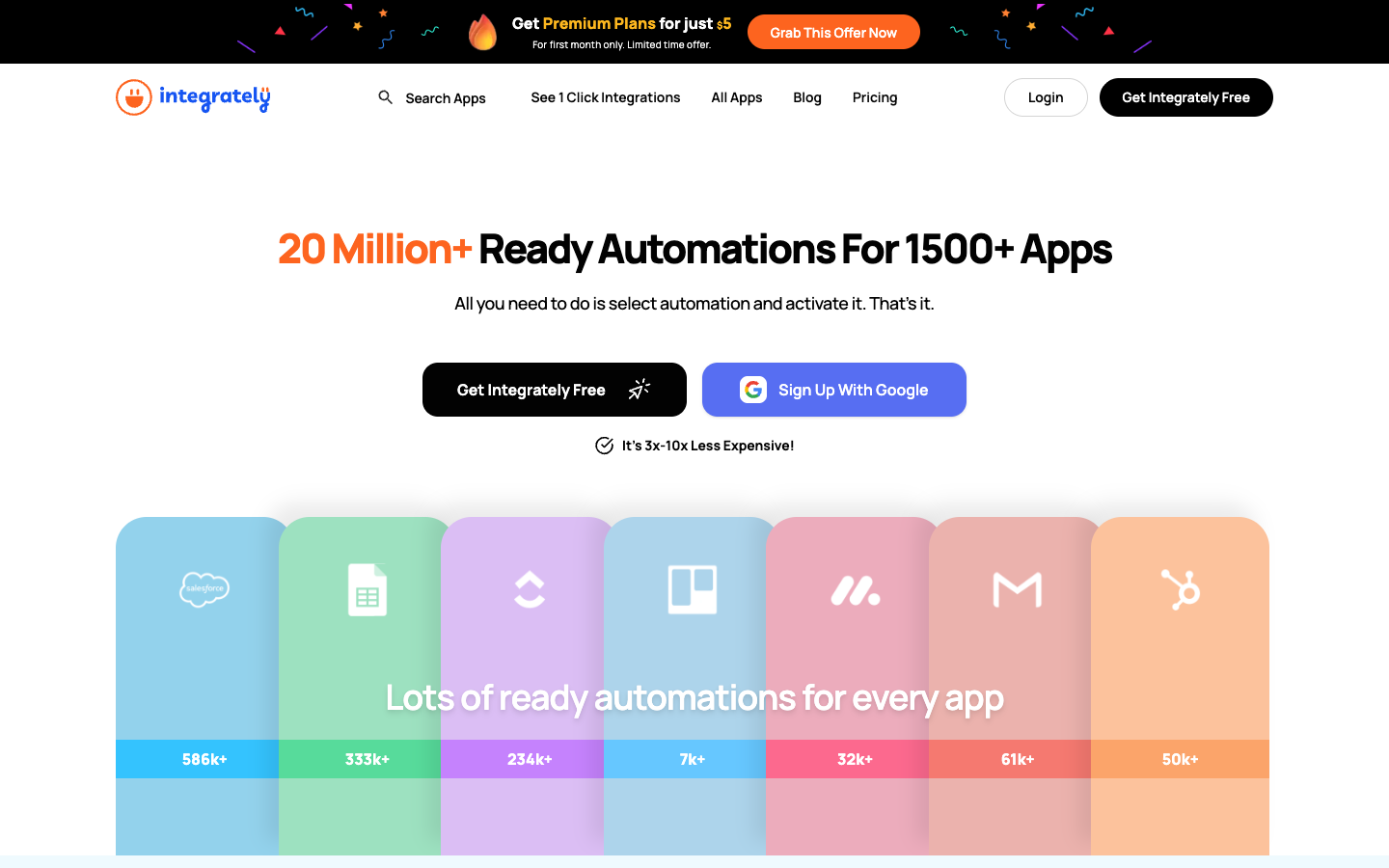
Integrately advertises integrations spanning more than 1,500 apps and a large library of ready-made workflows. Its integrations directory and popular combinations include familiar services such as Google Sheets, Gmail, Airtable, HubSpot, Slack, Trello and multiple marketing and commerce tools. These are vendor-reported catalog figures, not our independent count of distinct API capabilities.
A logo in a directory proves very little about the exact operation you need. One connector might create a contact but not search for an existing one. Another may update a ticket but omit the custom field where your team stores its internal ID. A trigger called “new record” may not react to updates; an action called “send email” may rely on the sender’s own provider quota.
Write down the intended workflow in plain language, then verify each step against the live connector interface. Look for the actual trigger, supported action, fields available for mapping and the kind of authentication required. Where the destination needs a stable record ID, confirm that the source or an earlier search can provide it.
A common failure is treating display names as identities. Two customers can share a name, while one customer may change theirs. If the destination offers a unique external ID, retain it and update that record on subsequent events. If not, build a careful matching and human-review procedure rather than guessing which result is correct.
An integration catalog is a useful starting point. It is not a substitute for a controlled test with representative data, including blank fields, duplicate events and source changes. For a team connecting just three essential tools, depth of support is more valuable than the headline size of the library.
🪄 Ready-Made Workflows and the AI Automation Builder
Integrately’s sales proposition centers on quick setup. A ready-made template can select common source and destination apps and establish an understandable trigger/action path. That is valuable when the task is conventional and the operator doesn’t want to learn an entire integration design environment for a two-step job.
The documented AI Automation Builder offers another entry point. A user can describe the desired outcome in natural language and work from a suggested workflow. The useful role for AI is generating a plausible starting structure; it should not silently decide business policies such as consent, uniqueness, payment authorization or client access.
Consider the instruction “When we receive a new lead, add it to our mailing list.” That is incomplete. Has the person opted in? Do we already have their address? What if the email service rejects the record? Should the automation retry, or create a support ticket? A generated flow cannot resolve those questions from the sentence alone.
Review every selected application, event type and mapping before activating. A form field called “Company” may contain a legal entity, product name or free-text response. If it is mapped directly to the CRM’s account owner, the workflow may execute successfully while corrupting the destination information.
The manual editor remains valuable for processes with more than one action or a filter. It exposes the logic that somebody must maintain later. Use templates for speed, AI for exploring possible structures and manual configuration for decisions that need explicit controls. No approach eliminates the need to verify results.
🔢 What Counts as an Integrately Task?
Integrately’s official pricing FAQ has an unusually important detail. Successful executions of actions, conditions or branches, searches and modifications can each consume tasks. Searches and modifications may be embedded inside another apparent action. Triggers are not counted, and the FAQ says failed actions are not counted.
This undermines the simple assumption that one customer processed equals one task. An automation that checks a condition, finds an existing CRM contact, cleans two fields and updates a record may execute multiple chargeable operations for a single customer. The number of visible boxes in the editor may also be smaller than the billable operation count.
The vendor gives a concrete illustration: a Facebook lead triggers a flow, one successful condition is evaluated, a Mailchimp contact action runs, and two fields are modified inline. According to the FAQ, that consumes four tasks: one condition, one contact action and two modifications. The trigger consumes zero.
This billing model is not interchangeable with the quota units of Make, Zapier, n8n or Airtable. Each system defines chargeable events differently. A direct comparison of “10,000 tasks” with “10,000 credits” can be misleading without an actual workflow model.
Treat successful intermediate work as part of your estimate. For every input class, describe which conditions execute, which searches occur, how many fields are transformed, and which destination actions succeed. Some rejected events may still incur task charges for successful checks. Conversely, a failed action does not automatically consume a task under the stated definition, but it still needs diagnosis and potentially a retry.
A sensible design uses required checks to protect data quality while avoiding unnecessary operations. Never remove a consent validation or duplicate search merely to make a pricing spreadsheet look better. The cost of corrupting customer records is usually harder to recover than a few additional tasks.
🧮 Task Math: Three Realistic Workflow Shapes
Scenario A — calendar to project board. Assume one incoming booking leads to one successful project-task creation and no chargeable search or modification. With 900 monthly bookings, usage would be about 900 tasks. This is an illustrative calculation; the actual connector’s behavior should be confirmed in execution history.
Scenario B — qualified leads. Suppose 500 submissions each pass a successful condition, trigger one customer search, require one create-or-update action and use one field modification. The assumed rate is four tasks per event, so 500 × 4 = 2,000 tasks. That exhausts the displayed Starter allowance before extra notifications, retries or unusual events.
Scenario C — rejected and accepted inquiries. Suppose 700 form submissions arrive, 100 fail qualification after one successful check, and 600 continue through four counted operations each. On those assumptions the month totals 100 + 600 × 4 = 2,500 tasks. The rejected inquiries are not free simply because no CRM contact was created.
These are not measured Integrately benchmarks; they are arithmetic examples applying the vendor’s published task definition. The goal is to show why the destination actions are not the only meaningful meter. If your workflow takes different branches, calculate the task usage of each branch rather than applying one average to all records.
Add headroom for seasonal spikes and exceptional cases. A misconfigured webhook can send duplicate events. A large CRM import may appear as a stream of new records. A change in a field’s meaning can cause an unexpected increase in searches. A plan that fits an ideal month exactly may be a poor operating choice.
Optimization starts with correct business rules, then removes redundant work. If an incoming event already carries a stable destination ID, a search might be unnecessary. If a source value is already standardized, two transformations may add no benefit. Verify behavior and only then reduce steps; otherwise a small theoretical saving can create an expensive reconciliation problem.
💰 Integrately Pricing 2026: All Five Plans
| Plan | Published annual-billing monthly equivalent | Task allowance / update interval |
|---|---|---|
| Free | $0 | 100 tasks; up to 5 automations; 15 minutes; single step |
| Starter | $19.99/month billed annually | 2,000 tasks; up to 20 automations; 5 minutes |
| Professional | $39/month billed annually | 10,000 tasks; unlimited automations; 2 minutes |
| Growth | $99/month billed annually | 30,000 tasks; 2 minutes; larger collaboration entitlement |
| Business | $239/month billed annually | 150,000 tasks; 2 minutes; advanced administration |
The official Integrately pricing table currently lists five tiers. The rates below are the monthly-equivalent prices billed annually, not confirmed month-to-month prices. The site also displays short-lived promotions; we exclude those from the ordinary recurring budget.
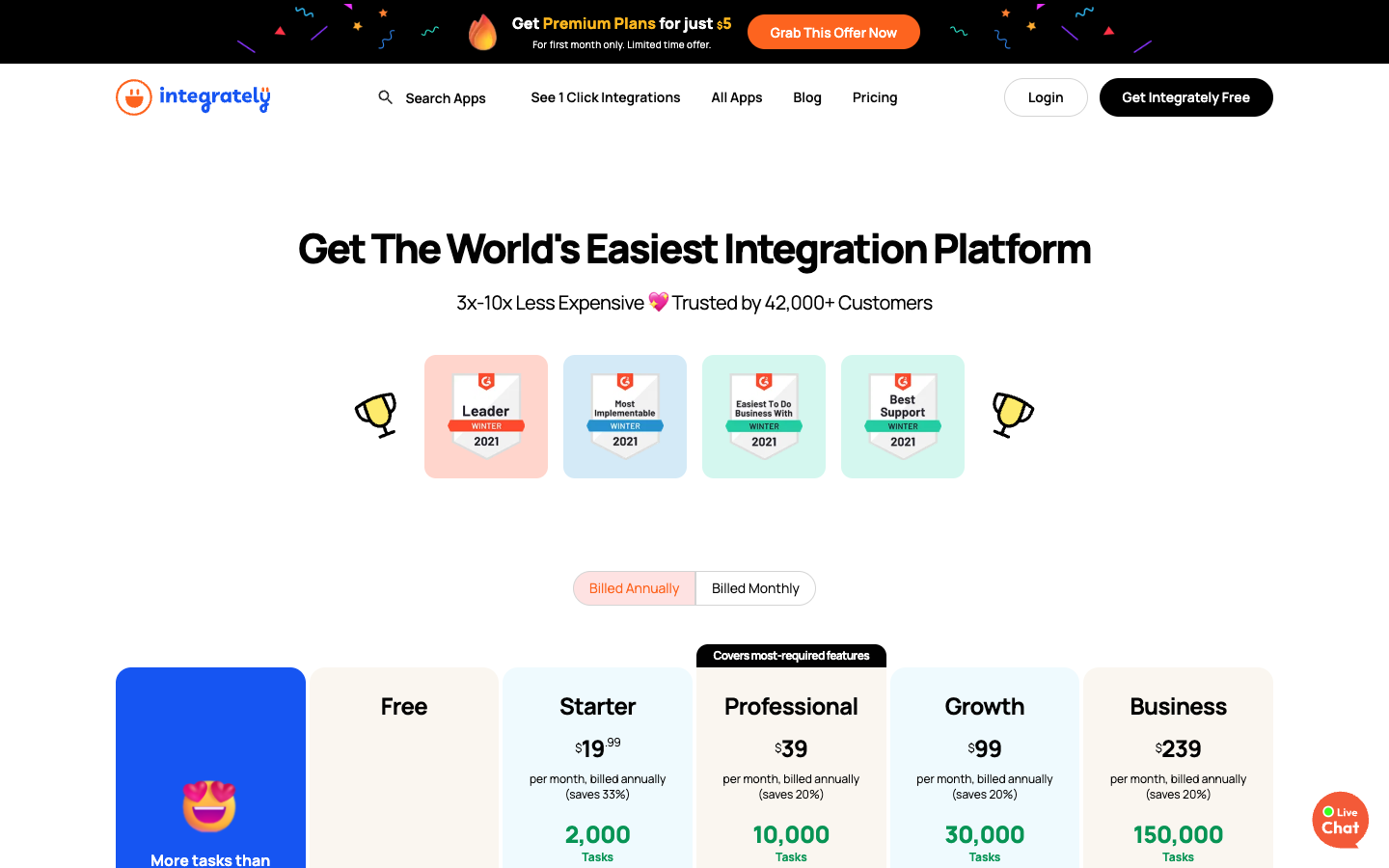
Free — $0. The table lists 100 tasks, a 15-minute update time, up to five automations and single-step workflows. It does not include all paid controls: for example, the comparison marks webhooks and branching unavailable on Free. A basic proof of concept may fit; an advanced multi-app process may not.
Starter — $19.99/month billed annually. Includes 2,000 tasks, a five-minute update interval and up to 20 automations according to the current table. Some capabilities expand over Free, but advanced routing differs from Professional and above. Twelve months at the unchanged published monthly equivalent amount to $239.88, before tax or promotions.
Professional — $39/month billed annually. Lists 10,000 tasks, a two-minute update interval, unlimited automations and broader branching and data-operation features. It is relevant when a process needs conditional paths rather than just more executions. The illustrative twelve-month list total is $468.
Growth — $99/month billed annually. Lists 30,000 tasks, a two-minute interval and higher-tier collaboration and advanced workflow features. Its table indicates unlimited users for the tier. The annual-equivalent list total is $1,188, assuming unchanged published pricing.
Business — $239/month billed annually. Lists 150,000 tasks, a two-minute interval and further administration options. The corresponding twelve-month list-rate example is $2,868. Businesses should still verify permissions, connector support and support commitments for their own agreement.
The vendor’s table has a toggle for monthly billing, but its accessible text prominently shows annual-billing prices. We do not invent monthly checkout figures. Use the vendor’s interactive quote and checkout flow for the exact term, currency, taxes and any first-month offer. An advertised “$5 first month” promotion is not the recurring price of the plan.
🕑 Trigger Timing: Polling Intervals and Webhooks
Automation timing is important because the trigger may be discovered periodically rather than pushed immediately. The public pricing comparison lists update intervals of 15 minutes Free, five minutes Starter and two minutes for Professional, Growth and Business. These are plan references, not independent guarantees of end-to-end delivery time.
A weekly internal report doesn’t usually need second-level responsiveness. A sales lead waiting for a callback might. The business should set an acceptable delay and check whether the specific source connector supports a webhook or uses polling. The plan’s nominal interval is only one part of the time from source event to successful destination action.
Integrately says trigger checks do not count as tasks. That can be attractive for a frequently polled source with few qualifying events. It doesn’t mean the source application’s API usage, rate limits or technical availability are unlimited. An external service might enforce quotas independently of Integrately’s task definition.
For important workflows, test several timestamped events, including one submitted just after a polling cycle. Observe when each appears in history and when the destination confirms the action. Record actual latency for your connector rather than assuming every setup will have the platform’s shortest advertised delay.
If an action arrives late, decide what happens. A stale inventory event might no longer be safe to apply. A calendar update could require checking whether the meeting still exists. An automation can execute accurately according to its trigger and still deliver the wrong business outcome if nobody accounts for time.
🌿 Filters, Paths and Branching
Most business events don’t all deserve the same treatment. A lead with verified consent can proceed to marketing; a lead without consent must not. Orders from an existing client may update an account while orders from new clients create one. A support request involving a security incident needs a different route from a routine question.
Integrately’s help material describes branching and filters with string comparisons, existence checks and numeric comparisons. The pricing table makes clear that the full set of controls is not available on every plan. Check entitlement before assuming a complex routing design will fit Starter or Free.
The danger is ambiguity. A field may be missing, set to the literal string “unknown” or contain a malformed value. An if/else rule should define behavior for each. Sending ambiguous items to a human queue is often safer than inventing a default that changes customer data automatically.
Filters can also incur charges. A successful condition is counted as a task according to the vendor’s FAQ, even if the event ultimately does not proceed to the final action. A cost estimate should therefore include checks in rejected paths, not just fully processed records.
Do not optimize away important checks. Confirming explicit consent, validating an amount or preventing duplicates is operationally necessary. Cost control is better achieved by avoiding needless transformations and repeated queries that add no business value.
🔎 Search and Data Transformation: Useful but Billable
A practical workflow often needs to look something up before acting. Searching for a CRM contact by stable ID, finding the correct project or checking whether an order is already present can prevent duplicates. Integrately charges for successful searches under the task definition, including when the search appears inline within another action.
Data modification can involve extracting first and last names, changing date formats, normalizing a country code or preparing a destination-specific field. These modifications can also consume tasks individually when executed successfully. A clean-looking single action in the builder is not proof of one billable unit.
The appropriate response is not to avoid searching. Instead, determine when a search is redundant. If a previous stage already supplies the destination record ID, preserve it for future events. If the source can send normalized fields, you may not need to repeat that work inside the automation.
When a search finds two plausible matches, do not silently choose the first. A real person can share a name with someone else, and email addresses sometimes change. Define a policy for ambiguous results and record enough identifiers to investigate later.
If a workflow creates a contact and then sends a message, store the new contact’s external ID before the notification step. That allows a recovery process to distinguish “contact created, notification failed” from “nothing happened.” Without such bookkeeping, automatic retry can multiply records.
🧪 Case Study Design: A Lead Intake Workflow That Can Recover
Imagine a consultancy receiving website inquiries through a form. The destination systems are a CRM, a team task board and an internal notification channel. An administrator wants the process to be mostly automatic but must avoid contacting people without appropriate permission. This is an illustrative workflow design, not a claim that DigiOffly deployed it.
First, define a unique submission identifier. Every event should preserve it across systems. The trigger receives contact details, service request, source and consent status. If an essential field is missing, the automation should leave a reviewable exception instead of manufacturing a placeholder contact.
Second, verify the conditions that make an event eligible. The most important are contact quality and permitted use of data. The business decides which checks are legally and operationally required. An automation executes rules; it does not determine those rules correctly without input.
Third, search for an existing CRM record. Use a reliable external ID if available. If one matching record exists, update it. If none exists, create one. If several plausible matches exist, assign a human reviewer. A single wrong merge can be more costly than a temporary delay.
Fourth, create a task for the responsible consultant. Include the CRM ID and the submission ID in the task metadata so future runs can detect prior completion. If the task-board API fails, leave the CRM record intact and mark the downstream action for reconciliation.
Fifth, send a targeted notification after the task has been acknowledged. Do not confuse “API accepted the message” with “human acted on the request.” The business state should include owner assignment and follow-up status; chat is only a notification channel.
Finally, prepare an exception view: records lacking consent, duplicate matches requiring judgment, destination failures and requests with no assigned owner. This operational queue is more useful than a dashboard showing only successful executions. Count its processing and recovery costs in the full workflow estimate.
🛠️ Failures, History and Auto-Retry
Integrately’s pricing FAQ says that when monthly task allowances are exhausted, automations may continue gathering records while actions stop. After upgrading or receiving a fresh allowance, operators can resume work from History. This description should not be interpreted as guaranteed indefinite recovery for every external event.
The vendor also documents Auto-Retry. The FAQ says that after certain corrections to an automation, failed records from the prior 24 hours can be retried when the updated flow is made live. For outages affecting connected apps, it describes repeated attempts over roughly ten and a half hours if Auto-Retry is enabled. Verify availability for the selected tier and exact behavior in the account.
The toughest failure is partial success. A CRM contact might be created, but the task board rejects the next action. If a retry simply repeats the whole chain, another contact could be created unless the automation checks an external identifier. Recovery therefore depends on idempotency and state tracking as much as on the retry feature itself.
Test this deliberately on disposable records. Cause a harmless destination error, inspect the history entry and determine what can be retried. Check which actions already completed, whether they would repeat and how the operator can identify the original event. The test should be performed in the buyer’s own environment, not assumed from documentation.
Keep an accountable person on call for exceptions during the hours when the workflow matters. No-code should reduce routine labor without obscuring responsibility when something breaks.
🔐 Security and Access to Connected Accounts
Automations often connect systems that hold customer information, so they inherit substantial permissions. A CRM contact list, support mailbox and billing system may expose different categories of sensitive data. Before connecting them, determine which identity owns each connection and what scopes the workflow genuinely requires.
Avoid attaching everything to one employee’s personal account. If that employee leaves or changes their password, critical processes may stop. Where providers support organization-owned integration credentials or service accounts, consider those options with least privilege and a documented reauthorization procedure.
Treat permissions as a design constraint. A connector allowed to read an entire mailbox may be inappropriate for a workflow that only needs one folder. A webhook URL or API key should not be pasted into a public task, shared document or normal database field. Use the approved credential storage and revoke obsolete integrations.
Plan for personnel changes. Another authorized team member should be able to identify the affected flows and reconnect safely without guessing which credentials were used. The repair procedure must also account for events missed during the disconnection.
We have not performed a penetration test or reviewed Integrately’s internal controls. Organizations with privacy, security or procurement obligations should obtain and evaluate the relevant contractual and technical materials before storing production customer data.
🤝 Strengths and Trade-offs in Practice
👍 What We Love
- ✅ Ready integrations: Discover common cloud-app connections with less initial configuration.
- ✅ Published task allowances: The charging model is documented with concrete FAQ examples.
- ✅ Fast configuration: Templates, AI-assisted setup and manual workflows serve different skill levels.
- ✅ Useful error handling: History and plan-dependent Auto-Retry create recovery options.
👎 Where It Falls Short
- ❌ Hidden work counts: Successful conditions, searches and field edits can each use tasks.
- ❌ Tier restrictions: Free and Starter do not include all webhook or branching capabilities.
- ❌ Connector gaps: A directory entry does not guarantee every needed action or field.
- ❌ Operational ownership: Data correctness, duplicate prevention and retries remain the customer’s job.

Integrately — Editorial Buying Snapshot
Good fit: ready-made app connections, practical lead routing and task-based subscription planning. Reconsider: unsupported connector actions, advanced routing on a restricted tier or a business process without error ownership.
Documentation-based analysis. No paid hands-on test or unsupported numerical rating is claimed.
The platform’s strongest appeal is the ability to discover and assemble familiar app connections without building custom software. The official task accounting can make some conventional workflows economically attractive. But task budgets require more care than “one lead equals one task,” and a visual editor does not remove responsibility for duplicates, permissions, partial failures and monitoring.
Whether the subscription is worth paying depends on connector depth, workflow volume and the operator’s ability to maintain reliable processes. A small, well-documented flow can be more valuable than a complicated diagram that nobody wants to troubleshoot.
📊 Cost Planning: Annual Price Versus Actual Workflow Expense
The annual-equivalent subscription is only one cost line. A buyer should also account for time spent mapping fields, checking a destination’s API permissions, responding to failures and reprocessing records. Those activities rarely appear in the pricing table, but they determine whether automation saves money.
Start with the current month’s volume and its variability. How many leads, orders, bookings or status events must move? Which portion is rejected after a filter? How many searches and transformations are actually required? Use the vendor’s billing definitions, not an assumed one-task-per-record ratio.
Next, add a growth case. A small company processing 400 eligible records each month might quickly reach 1,200 during a successful campaign. At four counted operations per event, that change means moving from roughly 1,600 tasks to 4,800. Starter’s headline capacity may be adequate today but not later. A switch to Professional may be justified by volume, branching capability or both.
Separate the cost of connected apps. An email platform might charge for contacts, while a CRM charges for users and a database charges for storage. Integrately’s plan does not eliminate those bills. A workflow that reduces manual entry but forces an unexpected upgrade on another service should be assessed as a combined operating decision.
For sensitive or customer-visible work, add a value for mistakes. A duplicate invoice, accidental newsletter subscription or missing support escalation can cost more than the annual difference between plans. Sometimes the best economy is one extra validation step and a human review queue.
Use DigiOffly’s Software Cost Calculator as a starting worksheet for broader stack costs, but compute Integrately’s task consumption from your particular flow. Do not compare subscription prices alone when products define “operations” differently.
🧑🤝🧑 Collaboration, Seats and Operating Ownership
The pricing table displays a single-user limitation on Starter and Professional, while higher levels permit broader collaboration according to the published comparison. That matters when an agency wants several staff members to inspect workflows or a company needs operational coverage outside the original creator’s work hours.
A single-user subscription may be adequate for an individual running noncritical personal workflows. It becomes a governance problem when several departments rely on a connection yet only one person understands or controls it. Credential management, troubleshooting and change approval become bottlenecks.
If several people need access, list what each person must actually do: view history, change a mapping, authorize a new connection or alter billing. Do not assume “unlimited users” also means unlimited administrative permissions, unlimited support capacity or separate environments. Inspect role controls and the exact tier.
A simple handover document can be more valuable than an additional shared login. Write down the source, trigger, destination, intended result, expected frequency and what to do when a record fails. Include the person authorized to approve changes. This makes an otherwise fragile low-code setup maintainable.
Avoid sharing an administrator password between staff to work around a seat limit. Besides the obvious access risk, a shared login makes it harder to identify who changed a critical automation. Compare the genuine cost of a suitable collaboration plan against the risk of unclear ownership.
🛒 E-commerce, Agencies and Internal Operations: Where It Fits
E-commerce. A merchant may want a confirmed order to create a packing task, update inventory records and notify a fulfillment team. The design needs to distinguish payment completion from order creation, refunds from cancellations, and repeated updates from new events. Sending every order change through the same “new order” action can create duplicate work. Integrately may be suitable if the precise commerce and destination connector actions are available.
Agencies. Client intake, meeting booking and project assignment offer familiar automation opportunities. A form response can be examined, matched to a CRM account and turned into an assigned task. The agency should keep a source identifier and a visible exception queue so ambiguous customer matches receive human attention rather than an automatic guess.
Marketing operations. A webinar signup might update a CRM campaign and add the attendee to a permitted mailing segment. Consent and unsubscribes must be handled by the appropriate systems. A successful API call is not proof of legally valid marketing permission. If the workflow replays events, the destination should not accidentally re-subscribe people who opted out.
Internal administration. Calendar scheduling, spreadsheet updates and team notifications are good candidates for small trials. Because the downside of a failed update can be modest, these workflows provide a way to learn the platform before automating a payment or access-granting process.
Across all four settings, the same rule holds: evaluate the workflow’s failure mode, not only its happy path. A tool that moves routine information smoothly may still be inappropriate for tasks requiring a formal transaction system, guaranteed acknowledgment or independent audit trail.
⚖️ Integrately vs Zapier, Make, n8n and Activepieces
Integrately vs Zapier. Both offer ways to connect common applications through trigger-and-action flows. Integrately emphasizes ready-made recipes and published task allowances; Zapier has its own extensive ecosystem and task-accounting rules. A comparison should start with the exact app actions and a workflow-level cost calculation rather than a vendor’s claim that one plan is several times cheaper. See our Zapier review for a separate breakdown.
| Decision factor | Integrately | Zapier | Make |
|---|---|---|---|
| Best for | Quick setup with prepared automation recipes | Managed Zaps across SaaS apps | Deep visual scenario routing |
| Workflow interface | Ready-made 1-click automations | Trigger/action Zap editor | Module-based scenario canvas |
| Usage metric | Task allowance by plan | Task allowance by plan | Credits by module execution |
| Main compromise | Advanced controls depend on tier | Consumption scales with actions | More configuration can take longer |
Integrately vs Make. Make’s visual scenario builder can expose more explicit control over routers, transformations and complex flows. Integrately’s prepared recipes may be quicker for conventional tasks. The commercial units are not the same: the Integrately FAQ says triggers are free but successful conditions and inline modifications may count, while Make uses its own credits/operations accounting. Our Make review examines those distinctions.
Integrately vs n8n. n8n often appeals to technically capable teams that need programmable steps and deployment choices, including managed cloud or permitted self-hosting. Integrately is positioned around a more immediately approachable cloud setup. If ownership of runtime infrastructure, custom code or unusual integrations is central, inspect the n8n review and license details rather than assuming Integrately is a replacement.
Integrately vs Activepieces. Activepieces combines visual flows, AI-related functionality and an open-source core with separate commercial terms for advanced features. Integrately may appeal to someone who prefers its ready-made combinations and task pricing. Activepieces might be worth examining if its deployment model or agents are strategically important. Read the Activepieces review before deciding.
Integrately plus Airtable. Airtable is primarily a structured record and interface platform. An Integrately automation can move data to or from it, but the software serves different roles. The combined budget may include Airtable billable collaborators, record limits and Integrately tasks. Our Airtable review describes the former. Combining them may be sensible, but neither subscription automatically replaces the other’s capacity limits.
The best platform is the one that handles required events with acceptable latency, clear state, manageable failure recovery and an understandable cost. A comparison matrix filled with generic ticks is not enough to settle those questions.
🚧 Where Integrately May Be the Wrong Purchase
A company expecting unrestricted control over its infrastructure should not treat a cloud integration subscription as equivalent to a self-hosted automation engine. Check what deployment controls are actually offered and whether legal or procurement requirements demand a different architecture.
A technical team with deeply customized data transformations may prefer an environment designed for code and version-controlled development. Integrately offers filters and data functions, but connector depth and advanced configuration need to fit the project. A visual builder can become frustrating if important API operations are missing.
Organizations with strict service-level commitments should examine support and contractual guarantees instead of interpreting “two-minute update” as a proven end-to-end uptime SLA. External provider outages, rate limits and expired credentials affect the system, whatever the subscription promises about its own polling cadence.
A workflow that never changes and performs a simple spreadsheet update might not justify another paid service if the existing application already handles the job reliably. Conversely, a team with frequent, repeated corrections and unknown exception volume may need to rethink its data model before purchasing any orchestration tool.
Finally, avoid switching providers solely because a marketing calculator predicts a dramatic discount. Rebuilding workflows has a cost. Compare the cost of migration, new failure modes, retraining and short-term parallel operation against documented recurring savings in your own environment.
🔍 Practical Buyer Checklist Before Signing Up
Begin with one actual process, not a generic template demonstration. Identify an event that staff currently copy between systems. Gather a small, non-sensitive test dataset with normal records, missing fields and duplicate submissions. Define the intended output for each case.
Check that both the source trigger and destination action are available on the plan under consideration. Confirm mapping of identifiers and custom fields, then add the minimum required validation and deduplication logic. If the process needs branching, verify that the chosen tier includes it.
Run several controlled events and inspect both destination results and the platform’s task history. Count successful conditions, searches, modifications and actions rather than assuming the number of events is the number of tasks. Test at least one failure and decide whether retrying could duplicate prior work.
Inspect the security of the connected accounts. Confirm which permissions the integration uses, who owns the connections and how credentials will be rotated. Decide who can edit automations and who will investigate failed records during ordinary operating hours.
Forecast a full year of costs, including subscription term, connected-app charges, staff time and growth. Compare the same workflow in at least one alternative platform, making sure to use each vendor’s actual billable definition. Only then decide whether one-click convenience justifies the switch.
The most useful buying evidence is not a perfect run with two pristine test records. It is how the system behaves when a record is malformed, a destination is slow, an owner leaves, or a monthly limit is nearly exhausted.
🧪 Review Methodology, Source Limits and Editorial Independence
This review uses Integrately’s official pricing and help pages, the public integration directory and process-oriented examples. We checked the plan table, task definition, polling intervals, high-level collaboration entitlements and vendor-described Auto-Retry behavior on 14 October 2026. Numbers from the vendor are labeled accordingly.
We have not verified claimed customer counts, thousands or millions of templates, star ratings, comparative “3x–10x” savings or third-party support quality with an independent audit. Marketing comparisons can reflect selected scenarios, older rival pricing or assumptions that do not match the reader’s own workload. We avoid repeating them as independent findings.
The cost illustrations use explicit assumptions. They do not constitute a bill for a real Integrately account. We have not purchased a subscription, processed real customer data or measured actual connector execution times. Reliability, exact feature entitlements and additional contract terms must be tested or confirmed directly before adoption.
Readers should check the vendor’s live pricing, documentation and selected app connections close to checkout. The distinction between publicly advertised prices and contractual totals is important, especially when time-limited promotional banners are visible.
✅ Final Verdict: Is Integrately Worth It in 2026?
For a freelancer or smaller company with familiar cloud applications, Integrately can make a compelling shortlist. Its ready-made recipes lower the initial configuration burden, and the published task allowances may suit conventional data-moving workflows. It is particularly attractive when the correct connector actions are available and the team needs a manageable way to eliminate repetitive copying.
The caution is what “easy” leaves out. A task may be a successful condition, search or inline modification as well as a destination action. A monthly plan can therefore run out sooner than expected if its workflow contains several checks for every event. A template that runs successfully can still create duplicate contacts if the underlying business logic is incomplete.
We recommend a controlled pilot with realistic inputs, explicit cost accounting and a recovery exercise before committing to an annual plan. If the actual flow performs accurately, stays within budget and can be maintained by more than one qualified operator, Integrately may be worth the price. If the missing connector or recovery risk forces workarounds, choose a platform better aligned with the requirement.
The goal is not to automate everything. It is to automate the repeatable parts while preserving data correctness, human judgment where needed and an unmistakable record of what happened.
Frequently Asked Questions About Integrately
Is Integrately free in 2026?
Yes. Integrately’s public pricing page lists a Free plan with 100 tasks, up to five automations and a 15-minute update interval. It is limited to single-step workflows and lacks some paid features, including webhooks and advanced branching according to the current comparison. Check exact connector and plan restrictions before designing a free production workflow.
What is an Integrately task?
According to the vendor, a task is a successful execution of an action, condition or branch, search or data modification. Inline searches and modifications can also be counted separately. Triggers are free and failed actions do not count under the published definition. This means processing one business record can consume multiple tasks.
How much does Integrately Starter cost?
The listed Starter price is $19.99 per month billed annually, including 2,000 tasks. That monthly equivalent implies $239.88 over twelve months at the published rate, before taxes or special offers. The actual monthly-billing checkout amount and introductory promotions should be verified directly rather than inferred.
What does Integrately Professional include?
The current Professional plan lists $39 per month billed annually with 10,000 tasks, a two-minute update interval, unlimited automations and broader workflow controls. The vendor’s chart should be checked for the exact branching, scheduling and data operations needed by your workflow.
Are triggers and failed actions charged as tasks?
The official FAQ says triggers are free and failed actions are not charged, while successful actions, conditions, searches and modifications can consume tasks. This differs from some other automation platforms. A failed process can still leave already-completed steps that consumed tasks and require careful recovery.
Does Integrately support webhooks?
Webhooks appear on paid tiers in the published feature comparison, while the Free column marks them unavailable. Check whether the precise source and destination application support webhook-style events and whether additional provider-side permissions or quotas apply.
How long does an Integrately automation take to run?
The vendor displays update intervals of 15 minutes on Free, five minutes on Starter and two minutes on higher listed tiers. Those are plan-level update references, not independently verified end-to-end completion times. Actual latency also depends on source and destination APIs, trigger types and errors.
What happens when monthly tasks run out?
Integrately says that actions stop when the allowance is exhausted, while records can gather for later handling in History after a plan upgrade or refreshed allocation. Do not assume indefinite recovery without checking the product’s current retention and replay behavior; plan a way to reconcile missing destination actions.
Can Integrately retry failed automations automatically?
Its pricing FAQ describes an Auto-Retry feature for eligible plans and cases, including failed records from the prior 24 hours after an automation is corrected, and repeated attempts through certain external-app outages. Verify the active tier and treat partial success carefully: retrying without an idempotency check can duplicate earlier actions.
Is Integrately cheaper than Zapier or Make?
It may be cheaper for some exact workflows, but vendor marketing comparisons are not independent guarantees. Integrately counts successful conditions, searches and modifications as well as actions; other platforms use different meters. Compare supported connectors and build a task-by-task model using the same sample workload for each platform.
Is Integrately suitable for an agency with multiple team members?
Potentially, but collaboration entitlements vary by plan. The current comparison lists single-user limitations for some entry tiers and broader collaboration on higher plans. An agency should check permission roles, ownership of connected accounts, task volume and the recovery process before relying on a shared production workflow.
🔍 Explore More Software on DigiOffly
The right workflow engine depends on your actual apps, staff responsibilities, billed operations and tolerance for failures. Compare products that solve the same process, include linked-app subscription costs and read their current pricing terms rather than choosing a platform solely from a promotional headline.
EXPLORE NEXT ON DIGIOFFLY
Next: Turn Your Integrately Shortlist into a Plan
An automation subscription is only one part of a reliable workflow. Compare usage units, linked-app costs, missing integrations and error recovery before turning a trial into production.
Understand the options
- Explore Automation & No-Code — Find related tools with different billing units.
- Browse the software directory — Review established software categories and published articles.
Model the operating cost
- Compare software — Inspect differences before optimizing the bill.
- Use the software cost calculator — Estimate the cost of your whole stack.
Research practical alternatives
- Read our Make review — Understand credits, scenario design and pricing.
- Read our Zapier review — Review task charges and automation limits.
- Read our n8n review — Investigate technical and deployment options.