

Editorial source: Crisp published plans, reviewed October 28, 2026. The scenarios below are evaluation guidance, not results from a private paid account.
Crisp packages a shared team inbox, website chat and expanding omnichannel features around a workspace subscription. The approach differs from charging per conversation or per agent, although each tier has seat, contact and AI-credit limits. That combination makes the platform attractive to mixed-channel support teams that want to consolidate communication without opening a separate dashboard for every channel.
📊 Crisp Review 2026: Summary
Verdict: A strong shortlist option for small businesses that want one collaborative inbox for chat, email and eventually messaging. The workspace model makes the base subscription easy to see. Seat allowances, the exact messaging channels and AI-credit consumption are still variables in the real invoice.
🏆 EDITORIAL FIT: A WORKSPACE-BASED CONVERSATIONAL SUPPORT SUITE WITH TIER-DEPENDENT SEAT ALLOWANCES AND AI CREDITS
Best for: Customer-facing companies that want a shared inbox and coordinated replies across website, email and messaging, with a predictable base workspace charge.
Consider another product if: Teams that need a full ticket portal and complex automation on a free tier, or that assume AI credits are unlimited on a paid plan.

💰 Crisp Pricing, Plans and Cost Structure
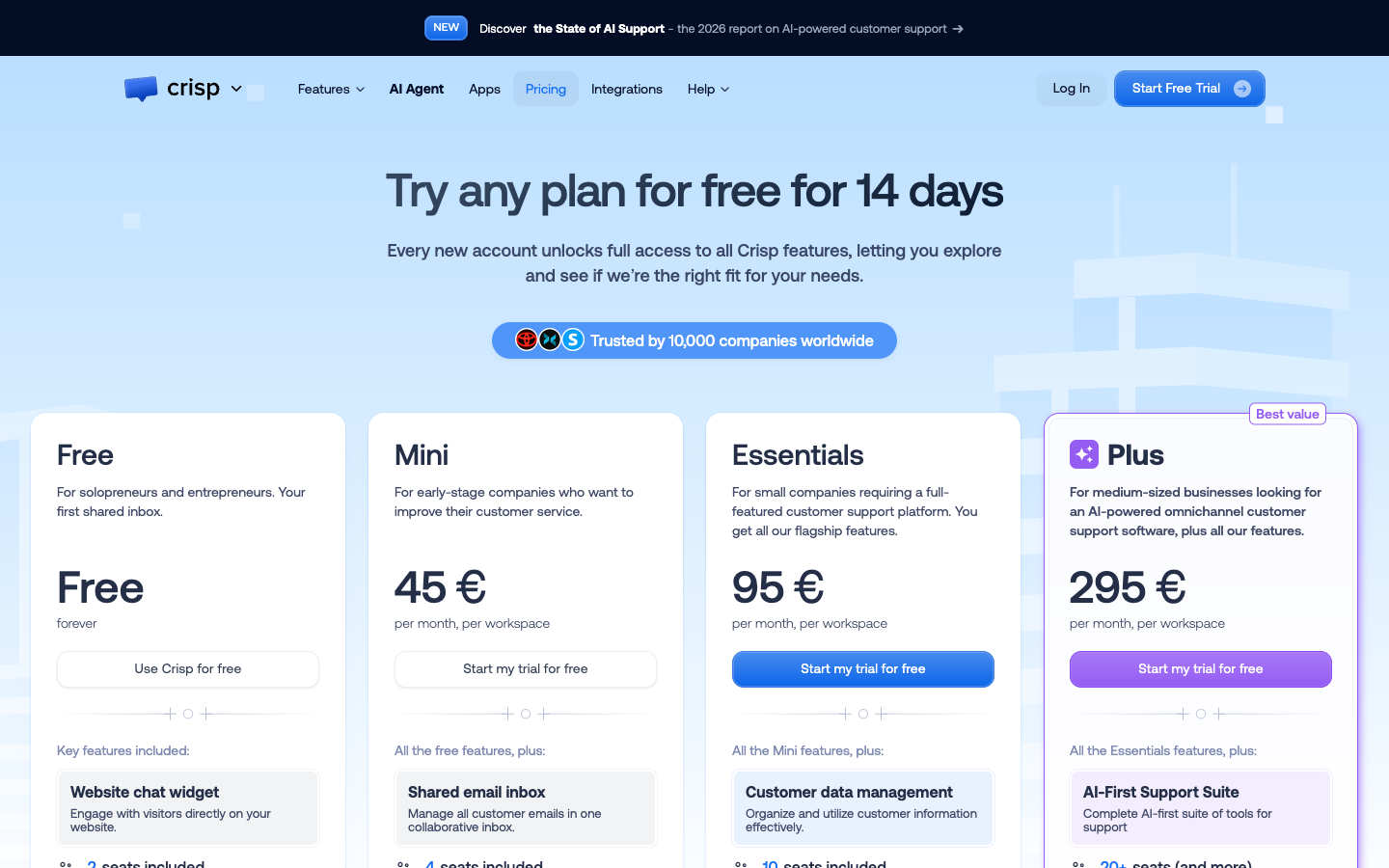
Crisp publishes subscription prices per workspace with a set number of seats on each tier. Included channels, ticket portal tools and AI credits vary, so the base workspace figure should not be mistaken for the final invoice. Source: official Crisp pricing.
| Plan | US pricing reference | Core focus | Important caveat |
|---|---|---|---|
| Free | $0/month/workspace | 2 seats and basic live chat | Limited contacts and channel scope |
| Mini | $45/month/workspace | 4 seats and shared email inbox | $5 AI credits listed; confirm quota |
| Essentials | $95/month/workspace | 10 seats, omnichannel inbox and knowledge base | $25 AI credits listed, feature limits |
| Plus | $295/month/workspace | 20+ seats, ticket portal and advanced AI suite | $75 AI credits; add-on seats and usage may cost more |
| Enterprise | Quote | Custom requirements | Sales-led quote if needed |
⚡ Quick Verdict: When Crisp Is Worth Considering
Customer-facing companies that want a shared inbox and coordinated replies across website, email and messaging, with a predictable base workspace charge. A strong shortlist option for small businesses that want one collaborative inbox for chat, email and eventually messaging. The workspace model makes the base subscription easy to see. Seat allowances, the exact messaging channels and AI-credit consumption are still variables in the real invoice. Crisp is attractive when agents need one place to coordinate email, chat and social messages. The deciding trial is not how fast the widget loads but whether private notes, ownership and customer identity remain clear across channels.
Who should pause: Teams that need a full ticket portal and complex automation on a free tier, or that assume AI credits are unlimited on a paid plan. That distinction matters when support staff need accurate message history more than an impressive chatbot demo.
🧭 Why the shared inbox matters
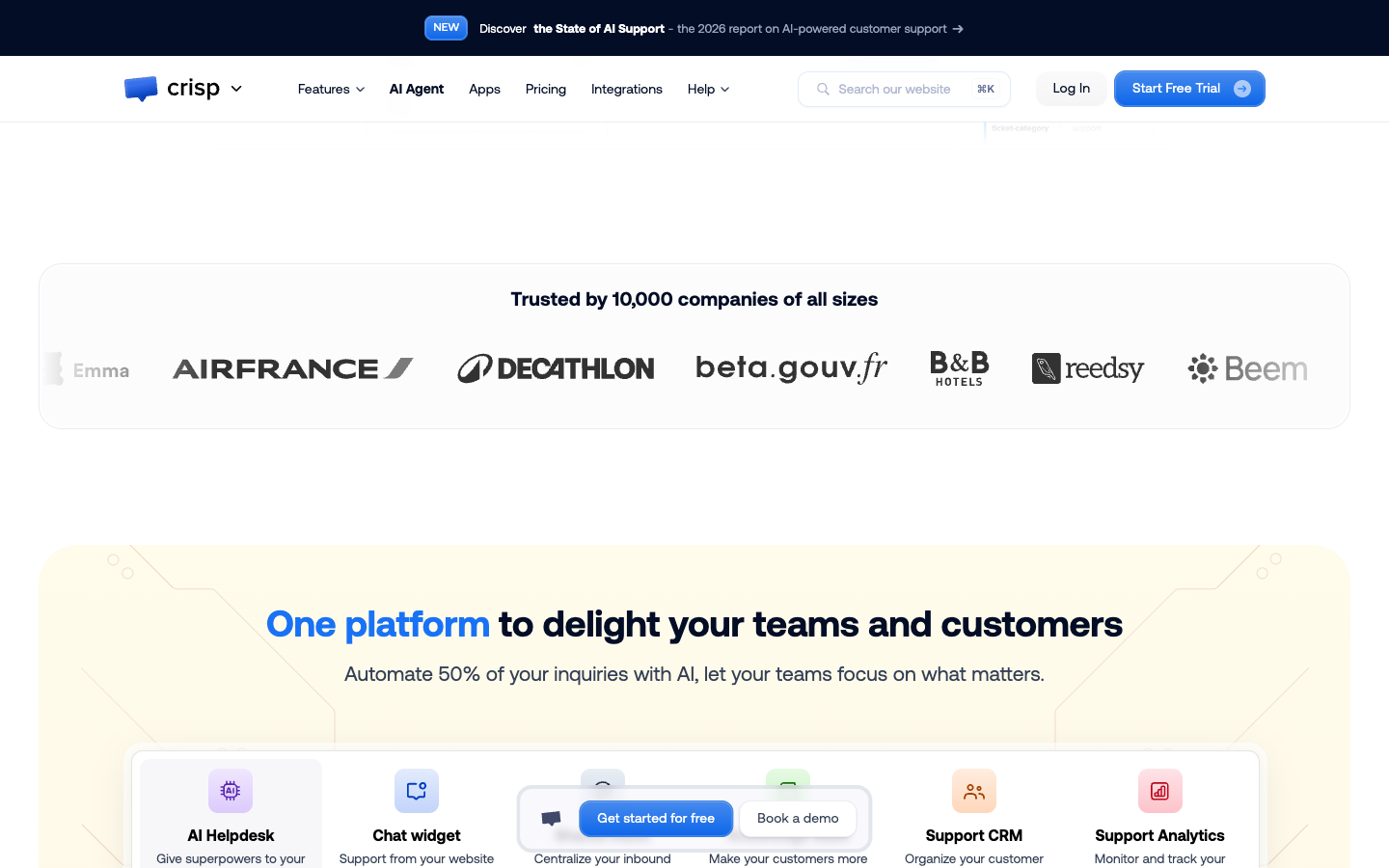
Crisp's key attraction is an operating view where multiple employees can see and manage customer conversations. A shared inbox changes service quality only if assignment, private notes and ownership are consistently used. Otherwise staff can see the same messages without knowing who is accountable for the next response.
A useful team-workflow exercise involves two agents viewing the same incoming customer email. One should take ownership and the other should be able to add internal context without sending a duplicate reply. Check what the customer sees and whether the action history identifies who promised a follow-up.
🏷️ Understanding workspace-based pricing
Crisp charges a base monthly amount per workspace on its published tiers. Free includes two seats, Mini four, Essentials ten and Plus twenty or more. Businesses with several brands or business units should not assume that one workspace with one subscription provides every desired separation of data and permissions.
Draw a map of current support inboxes and brand boundaries, including countries with separate privacy rules. Count the number of workspaces actually required and compare the cost of one expanded workspace against several smaller ones. A flat base rate is predictable only after the architecture is decided.
💰 Plan differences beyond the price
Mini includes shared email and useful collaboration tools, Essentials adds omnichannel capabilities, knowledge base, automations and more seats, while Plus offers a customer portal and wider AI tools. A headline price comparison becomes misleading when the team silently assumes Plus features exist in Mini.
List the five actual channels and two automation rules your staff needs. Mark whether each is available in the target edition, whether an external connector is required and who will maintain it. If the must-have feature is only in Plus, budget for Plus immediately instead of presenting an artificially low entry cost.
🔄 Private notes and teamwork
A good internal note should pass context to a colleague without exposing operational detail to the customer. Crisp's collaborative functions can reduce repeated questioning when staff are trained to use notes, handoffs and shortcuts consistently. The workflow still needs a clear owner when several people are tagged.
Ask one operator to investigate an account issue and leave a private note, then hand it to a second operator. Confirm that the note remains private, the second agent sees all previous steps and the customer does not receive two different promises. This is more useful than testing a basic greeting.
🤖 Crisp AI credits and automated conversations
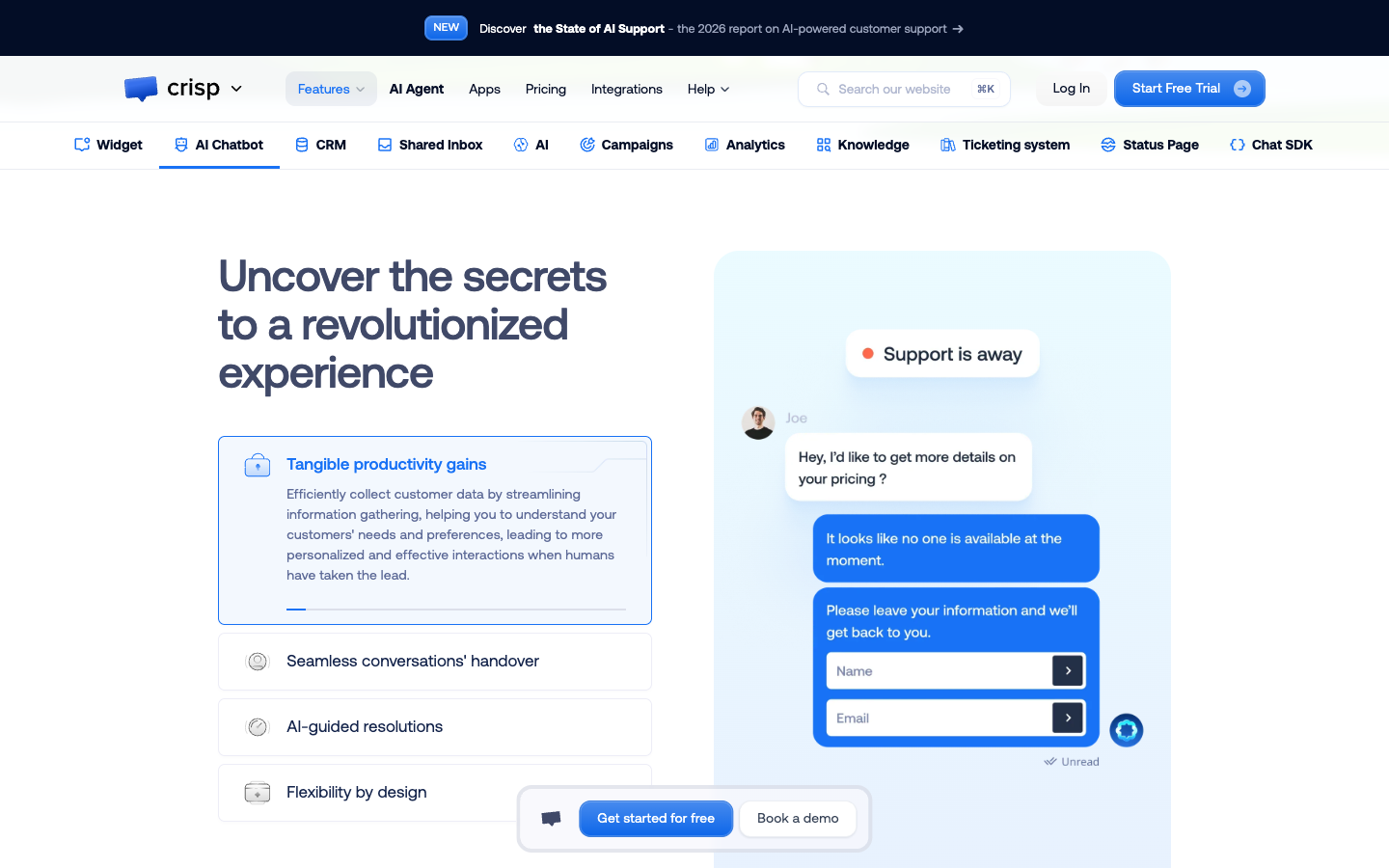
Current published plans list included AI-credit amounts, described as roughly ninety, four hundred fifty and thirteen hundred fifty automated conversations at Mini, Essentials and Plus levels. These are vendor approximations, not universal quotas for every workflow. AI task automations and higher activity may change economics.
Collect a month of representative FAQ questions and classify how many could be safely answered using approved content. Ask the vendor how credits are consumed and what happens after the included allocation. Compare claimed automation results with human-confirmed resolution, especially for payment or data-sensitive requests.
📚 The knowledge base as source of truth
Essentials and higher tiers provide knowledge-base functionality. For support teams this can become a central place to publish accurate returns, subscription and usage instructions. However, a beautiful help center will not reduce repeat contacts if its articles are stale or written in internal jargon customers never search for.
Search for one common issue using three customer phrases. Verify that the useful article appears and that an AI response reflects current policy. Introduce a deliberate old-policy conflict in staging and make sure the team can identify which source the assistant uses and how to remove outdated content.
⏱️ Routing and assignment rules
Automatic assignment can help organize channels across teams, particularly when messaging volume grows. Yet an inbox that routes every chat based only on arrival order can send billing complaints to someone without permission to act. Assignment should reflect complexity, availability and customer risk.
In a controlled trial, three contrasting cases would be a technical question, a refund request and a high-priority account-recovery message. Inspect the resulting owner, visibility and escalation path. Then repeat when the assigned agent is offline. Crisp should help the team avoid orphaned conversations, not merely distribute them quickly.
💬 Chat plus email plus social messaging
Crisp's omnichannel inbox can bring WhatsApp Business, Instagram messages and other channels into a common team view at an appropriate tier. Channel-provider accounts, permissions and possible outside charges still matter. A social-media identity must not automatically be treated as verified access to private order records.
Start with a public social message and move the issue to an authenticated support channel. Check whether Crisp can preserve a useful context trail without exposing sensitive information. Account-linking decisions should respect the vendor's supported identity mechanisms and customer consent.
📈 Analytics are not a substitute for review
Crisp reports conversational activity and customer satisfaction, but the metric definitions must fit your service model. A quick closure can hide a poor handoff, while a long technical conversation can produce a genuinely satisfied customer. Use human sampling next to automated dashboards.
Review ten closed threads from each channel and score whether the customer's original question was solved. Separate first-response time, resolution time and preventable reopenings. If one channel has strong response metrics but recurring complaints, the dashboard is showing only part of the story.
What to verify in the pilot: Crisp should let a supervisor retrieve a case history, explain why an automated rule fired and show whether the receiving agent actually solved the customer’s problem. Make this observable rather than accepting an abstract promise.
🔐 Integration and data ownership
Integrations can connect Crisp to business systems, but the company still needs to decide where customer, payment and entitlement data should live. Support operators should see enough to help without receiving unnecessary authority. External connectors can fail or change behavior independently of Crisp.
Disconnect a sandbox integration while an operator views a customer conversation. See whether the interface communicates stale or missing data and whether agents can continue safely. Document ownership of each connector and the process for revoking credentials when a vendor relationship ends.
👥 Agent onboarding and message quality
Crisp's shortcuts can make repetitive support faster, but templates should not override empathy or policy accuracy. A small team's first priority is consistent ownership, clear notes and accurate information, not having a saved answer for every possible question. The simplest playbook may be the most sustainable.
Give a new teammate five sample conversations with different urgency and ask them to choose a reply, tag the right owner and leave a summary. Check if shortcut language is precise and if another agent can take over without asking the customer to repeat everything.
📤 Moving from fragmented inboxes
An organization combining email, web chat and social accounts often carries scattered historical threads. A migration plan must decide which conversations to import, how customers will be identified and which old inboxes stay accessible during transition. Incomplete history can undo the convenience of centralization.
Test a customer who previously wrote through email and then contacts the website widget. Review how Crisp represents the relationship and which identifiers are confirmed versus inferred. Establish a cutover date and keep documented access to old records for disputes and returns.
🧾 Security and workspace boundaries
Because Crisp brings several channels together, permissions and account ownership deserve careful planning. Workspaces may contain personal information, internal notes and contact profiles. Subscription tier, seat role and external connector scope all affect who can view or export that information.
Create separate trial users for an agent, lead and admin. Attempt sensitive exports and cross-team access. Confirm deletion and retention controls and review your processing agreement. Bringing conversations into one interface does not mean every employee should be able to view every customer record.
🔌 Adding more seats and brands
Mini and Essentials include set seat counts, while Plus displays twenty or more seats and a stated extra-seat rate. A growing business should decide whether seat needs, different brand identities or AI usage are likely to drive the first costly upgrade. Do not confuse a workspace subscription with fully unlimited operation.
Forecast two scenarios: one brand with twelve operators and three brands with small separate teams. Compare workspace counts, required channels and seat entitlements. Include a line for AI credits beyond the included amount and check whether multibrand support requires account separation.
📊 Illustrative team economics
At publicly displayed pricing, Essentials is $95 per month per workspace for ten included seats, and Plus is $295 for twenty or more. The comparable cost of a per-agent competitor depends on headcount, not just a single posted rate. A fixed base can be valuable for budgeting but is not a complete invoice.
Suppose a ten-person company handles email and WhatsApp across two regions. Work out whether one Essentials workspace safely covers both operational teams and the required messaging integrations. Model added AI consumption and any second workspace before declaring the platform cheaper than a per-seat help desk.
⚖️ Comparing with Tidio and Zoho Desk
Tidio often fits a website that primarily needs live chat and limited automation; Zoho Desk fits accountable ticket queues with departments and detailed process automation. Crisp sits closer to a shared conversational operations hub. These choices have different default notions of what a customer case is.
Give each shortlisted product the same request: a customer begins in chat, escalates to email and needs a specialist decision. Inspect thread continuity and the supervisor's view. A longer feature list cannot replace a clear path from initial message to accountable resolution.
⚠️ When a workspace becomes complicated
Putting every support channel into one inbox can make communication easier, but it can also amplify clutter when tagging, departments and ownership rules are weak. Companies should establish shared naming and resolution standards before turning on every available integration or automated workflow.
Start with two channels rather than seven. Track duplicate replies, reassigned conversations and time spent finding the correct context. Only add another channel once the service team can explain who owns the resulting work and how it will be audited.
🧪 Evidence limits and the final fit test
This Crisp review relies on the vendor's public pages and published prices. It is not proof that a private workspace met service-level targets during a controlled production pilot. Companies should validate seat rights, customer-profile limits, AI credit definitions and the exact tools permitted in the purchased tier.
Crisp is worth a trial for teams seeking a cohesive shared inbox. Ask for an exact plan entitlement matrix, simulate cross-channel handoffs and verify the fully loaded workspace cost. If customer ticket governance is the main objective, compare an operations-led help desk before signing.
⚖️ Crisp vs Tidio, Help Scout, Zoho Desk: Competitor Comparison
| Platform | Main strength | Cost model | Buyer fit |
|---|---|---|---|
| Crisp | Shared inbox and broader messaging | Workspace tiers, seats and AI credits | Teams collaborating across email and chat |
| Tidio | Chat-first engagement and Lyro | Human, AI and Flows usage | Smaller websites and active chat funnels |
| Help Scout | Human-focused inbox and knowledge | Edition and usage-dependent | Email-first customer service teams |
| Zoho Desk | Structured cases and departments | Per agent by edition | Formal service operations and SLAs |
Crisp versus Tidio
Tidio starts with website live chat and Lyro usage counters. Crisp's workspace tiers place more emphasis on integrated email and channel collaboration. Compare whether the organization needs proactive chat automation or centralized multi-person inbox management first.
Crisp versus Help Scout
Help Scout is a natural option for teams centered on email and a helpful knowledge base. Crisp offers a broader conversation-centric mix, but should be tested for the depth of assignment, reporting and customer history that the company's email workflow requires.
Crisp versus Zoho Desk
Zoho Desk organizes structured tickets and costs per agent; Crisp is often more convenient for conversational support across channels. Operations with formal departmental workflows should verify whether Crisp's ticketing experience meets the same reporting and escalation requirements.
📌 The cross-channel scenario
A buyer sends an Instagram DM, follows up by email and eventually reaches an agent in live chat. The service team needs continuity without making an unsafe assumption that all three identities are verified to belong to one customer. The pilot should show a clean, consent-aware handoff.
🧩 What workspace pricing simplifies
A baseline subscription can be easier to explain to finance than variable chat counts. It does not eliminate quotas: seat allowances, customer profiles, external messaging fees and AI credits still shape the invoice. Estimate the actual number of workspaces and features, then assess the whole commitment.
🎯 A simple first-month setup
Connect one email inbox and the website widget, configure private notes and owners, publish a few verified help articles and measure resolution rates before enabling sophisticated automations. This approach minimizes configuration risk and gives the team something meaningful to compare after a month.
💡 AI rollout checks
Use a small approved knowledge base, review interactions weekly, reserve human handling for sensitive account changes and document the policy for running out of credits. The aim is reliable help, not simply maximizing the number of automated conversations printed on a dashboard.
🛠️ Reasons to upgrade to Plus
The customer ticket portal, advanced AI suite and higher seat counts may justify Plus for more established teams. But a small business should not pay for those capabilities unless it needs them, knows who will administer them and can estimate the additional workload created by new channels.
🔍 When Help Scout could be simpler
If the team mostly answers emails and values a lightweight help center, Help Scout may require fewer setup decisions. Test internal notes, shared responsibility and search in both products. The winning choice should follow the everyday agent experience rather than branding or feature abundance.
✅ Our recommendation
Crisp is best viewed as a collaboration and messaging workspace that can grow into broader customer support. Verify the exact tier for each needed channel and help center function, along with AI credit use, before purchase. Its potential value is less fragmented context, not an automatic guarantee of faster replies.
🔎 Crisp Research Methodology, Limitations and Next Steps
Our sources are Crisp public product, pricing and help pages. We have not tested a private support workspace for this article. Buyers should validate plan availability, access rights and their own handoff cases before signing a contract.
For Crisp, a realistic decision comes from testing a shared email queue, cross-channel identity and the number of workspaces the company genuinely requires. Add AI credits and any extra seats to the quote before signing.
🧠 Crisp Deeper Buying Questions, Hidden Costs and Practical Checks
How many workspaces does the business need?
The Crisp workspace monthly pricing 2026 model can be easier to forecast than a bill for every conversation, but a company with multiple brands may need separation for permissions and identity. Map those boundaries before comparing prices. The published Free, Mini, Essentials and Plus tiers include different seats and capabilities; a nominal single-workspace quote is incomplete if the deployment really requires several workspaces.
Crisp Mini vs Essentials: a channel decision
Mini covers simpler email-and-chat teamwork; Essentials is the tier to evaluate when WhatsApp, help content and automation become operational requirements. A business that uses website chat and one email address may not need the next tier immediately. A company handling WhatsApp and Instagram at scale should verify the channels and routing rules it actually needs. Ask which capabilities are included and which require external account or usage charges.
WhatsApp support needs more than a toggle
A Crisp omnichannel inbox WhatsApp integration may centralize the team's view but does not automatically solve customer identity or external platform costs. Test a conversation that starts on social media and continues through an authenticated email. Ask who can associate profiles and whether sensitive order details can be displayed. An agent should never merge records based solely on a similar name or phone-number fragment.
Knowledge base maintenance is a separate discipline
An Essentials knowledge base should start with recurring questions, written in the language customers actually use. A polished help center is not sufficient if policy updates do not reach agents and AI responses. Assign ownership to each article, review expired promotions and verify that a visitor searching for a problem gets the correct current answer. Content maintenance needs an explicit workload budget.
AI credit limits need testing
The included Crisp AI credits give finance a starting point, but the number of actual automated conversations depends on workflow and product packaging. Treat approximations shown in pricing as approximations. Review a sample of customer-facing AI outcomes and ask how credits are consumed when a conversation spans multiple messages or requires a handoff. A monthly bill can change as knowledge coverage and visitor behavior change.
What Plus's ticket portal changes
The Crisp Plus customer ticket portal is a different experience from an agent answering chats in an inbox. A portal can give customers a record of open requests, but only if statuses and ownership remain meaningful. Test a case that requires two days of specialist work and several customer follow-ups. Verify that updates, notifications and privacy controls are clear before presenting portal access as a replacement for direct service.
Seats and teams are not interchangeable
Crisp team inbox agent seats are bundled by edition. Additional users, access rights and separation of departments can matter more than the displayed subscription rate. A supervisor who only needs visibility is not necessarily the same as a person who replies to customers. Plan access based on real roles and verify whether extra seats or separate workspaces alter the effective price.
Email migration is a records project
A Crisp email shared inbox setup needs a clear decision about historical messages, sender addresses and open conversations. If staff continue to answer from their private mailboxes, the shared inbox will be incomplete from day one. Use a monitored cutover with a fallback address, migrate a small sample of attachments and verify private notes. Then document how customers should contact the company going forward.
How the AI workflow builder should be judged
Crisp AI chatbot workflow builder functionality should be assessed against cases the team can safely define. Start with routing and retrieving published knowledge before allowing any external action. A test should include a missing customer identifier, contradictory content and an unexpected follow-up question. The system must show a reasonable human handoff path when it cannot proceed, rather than hiding uncertainty behind confident wording.
The price of added agents on Plus
The Crisp extra agent price on Plus is another reason to count real operational seats, not simply compare the twenty-or-more included seats with a competitor's lowest per-agent headline. Support staff may rotate, and different brands may need separate permissions. Build a 12-month forecast with team turnover, seat increases and additional AI credits. That produces a more useful first-year figure than one monthly subscription row.
The decision in one sentence
Crisp is an appealing match when fragmented conversations and team collaboration are the main pain points. Evaluate Crisp vs Tidio ecommerce support with realistic live-chat cases, and compare Crisp against structured desks when approvals and SLAs dominate. Buy the tier that covers actual channels, workspaces and seat requirements. Avoid assuming that a single platform removes the need for clear support ownership.
✅ Crisp Practical Acceptance Criteria
| Area | Required decision | Verification |
|---|---|---|
| Workspace boundaries | Decide if each brand or service team needs its own workspace | Approve the complete workspace count |
| Agent entitlements | Match Free, Mini, Essentials or Plus to actual responder roles | Confirm price of additional seats |
| Messaging channels | Verify shared email, WhatsApp and social integrations at the target tier | Test a real cross-channel escalation |
| AI credits | Forecast consumption above the bundled credit amount | Validate an actual vendor quota calculation |
| Ticket portal | Determine whether Plus portal ownership is operationally needed | Trial a multi-day support case |
| Shared notes | Protect private internal comments while retaining context | Test with two agents and a supervisor |
| Data controls | Document access, export, deletion and regional processing | Sign off before combining existing inboxes |
Crisp should earn approval by making cross-channel history and responsibility clearer. The finance case must include the real number of workspaces and seats, while the service case should show safe handoffs without ambiguous ownership.
Purchasing Notes for a More Accurate Comparison
For a team, the inbox earns its keep when assignment, private notes and follow-up ownership are clear across channels. Agents need dependable private notes, ownership and follow-up history when an issue crosses email and chat. A small company should verify the practical handoff before committing to a larger workspace.
A Crisp chatbot can be useful for clearly bounded questions answered from approved information, but sensitive requests require identity checks and a human decision. Buyers comparing Crisp alternatives should weigh knowledge management, messaging integration and structured case reporting at the same total deployment cost.

Frequently Asked Questions
Does Crisp charge per user or workspace?
Its published core tiers have a monthly charge per workspace with a number of included agent seats. A multi-brand organization should determine whether it needs several workspaces before treating the displayed price as its total subscription.
What comes with Crisp Free?
The Free edition includes two seats and basic website chat with limits. It can help a small team evaluate the conversational experience, but a paid tier is required for richer shared email and multi-channel management.
What is the difference between Mini and Essentials?
Mini is listed at $45 per workspace per month with four seats and shared email. Essentials is $95 with ten seats, expanded omnichannel capabilities, knowledge base and workflow features. Confirm current inclusions and separate provider charges.
When does Crisp Plus make sense?
Plus is advertised at $295 per workspace per month with twenty or more seats and advanced features including a customer ticket portal. Its value depends on whether the business can maintain the portal and use the expanded AI tooling.
Are Crisp AI credits unlimited?
No. The pricing page lists included credit values for several tiers. The displayed approximate number of automated conversations depends on the vendor’s conversion and workflow assumptions, so estimate real use and test the effect of exceeding included credits.
Does Crisp include a shared inbox?
Shared team inbox functionality is central to Crisp, but the exact email and messaging channels available vary by edition. A pilot should verify who owns each conversation and whether private notes and assignment work across the required channels.
Can Crisp handle WhatsApp and Instagram?
Its Essentials and higher-tier omnichannel materials describe support for messaging services such as WhatsApp Business and Instagram. External account setup, data permissions and possible provider fees still need verification.
Does Crisp provide a help center?
Knowledge-base functionality appears in the higher listed workspace tiers, including Essentials. A support team must maintain approved article versions and ensure chatbot answers do not rely on outdated instructions or unapproved documents.
How many support operators can use Crisp?
The published Free, Mini, Essentials and Plus editions bundle different numbers of agent seats. Estimate actual responder roles, management permissions and anticipated growth; on Plus, additional seats may be charged separately.
Is Crisp a good alternative to Tidio?
Crisp often suits teams prioritizing a multi-channel collaborative inbox, whereas Tidio is a chat-first option with Lyro and Flows usage counters. Compare them using identical customer handoffs and the same first-year workload.
Can a team move email history into Crisp?
Migration should be verified rather than assumed. Test sample historical threads, attachments, private notes and sender addresses, then preserve a rollback route while customer contact channels are moved into the new workspace.
📚 Sources and Related DigiOffly Reviews
Primary vendor source: official Crisp pricing and plan information; secondary reading: DigiOffly Customer Support & Help Desk category. For cross-functional planning, see Software Cost Calculator, Compare Software and E-commerce & Online Selling.
EXPLORE NEXT ON DIGIOFFLY
Explore Your Customer Support Stack
Find related customer experience, collaboration and automation tools. DigiOffly links to completed reviews only; unpublished help desk drafts are not displayed as published articles.
Explore related help desk guides
- Customer Support & Help Desk — Compare team workflows and support models.
- Software Directory — Browse currently published product reviews.
- Compare Software — Evaluate comparable documented features.
- Best Software — Choose software by operational scenario.
- Tidio review — Compare visitor chat and automated responses.
Plan your customer service budget
- Software Cost Calculator — Model annual seat commitments and subscriptions.
- Best Value Advisor — Explore product capabilities by task.
- Productivity & Collaboration — Coordinate internal service ownership.
- Automation & No-Code — Consider reliable workflow integrations.
Connect related business tools
- E-commerce & Online Selling — Understand customer order and checkout context.
- Growth & Marketing — Join customer acquisition with post-sale support.
- Hosting & Websites — Understand site reliability and customer issues.
- Tools Hub — Explore DigiOffly software tools.
- Tally — Flexible forms, conditional intake and integrations