

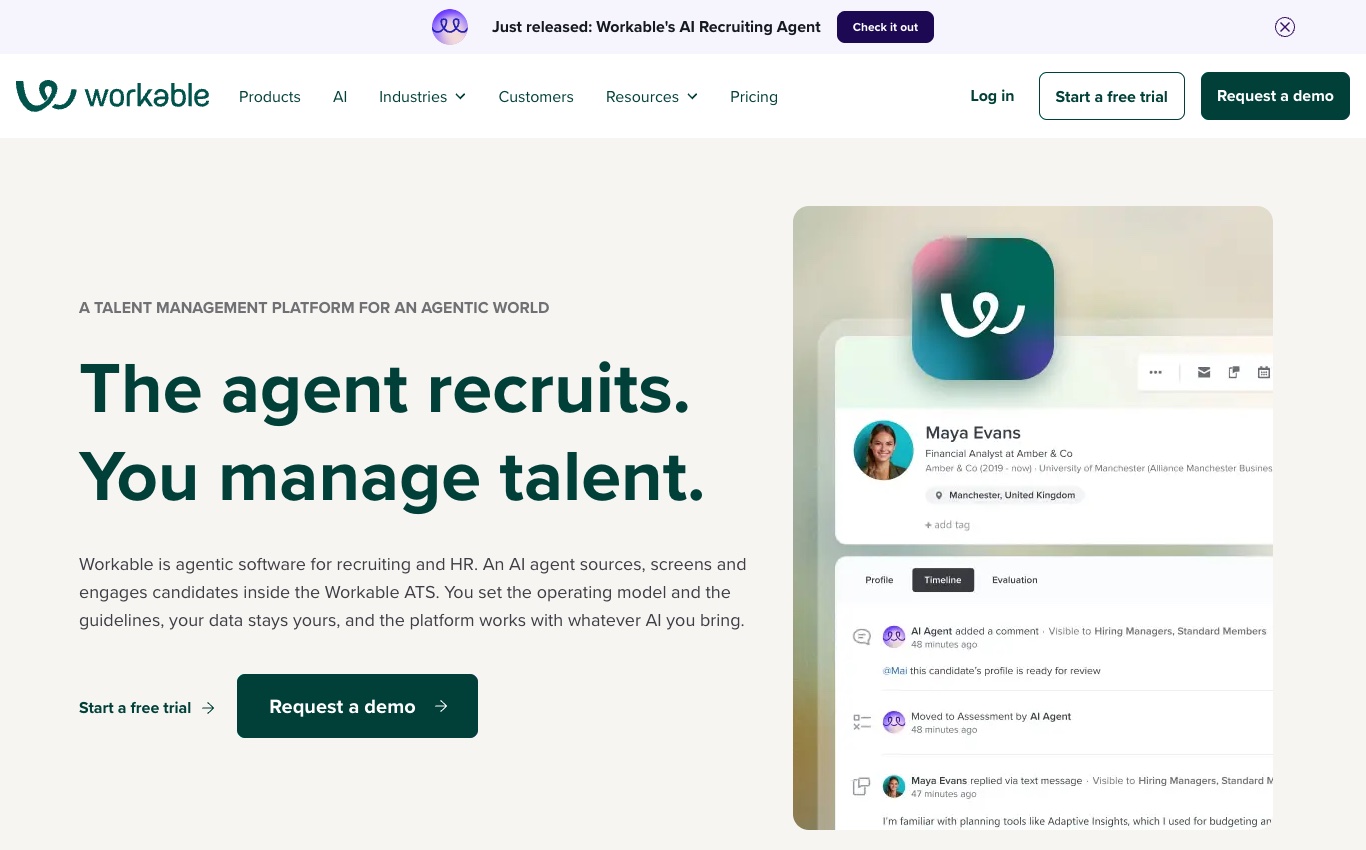
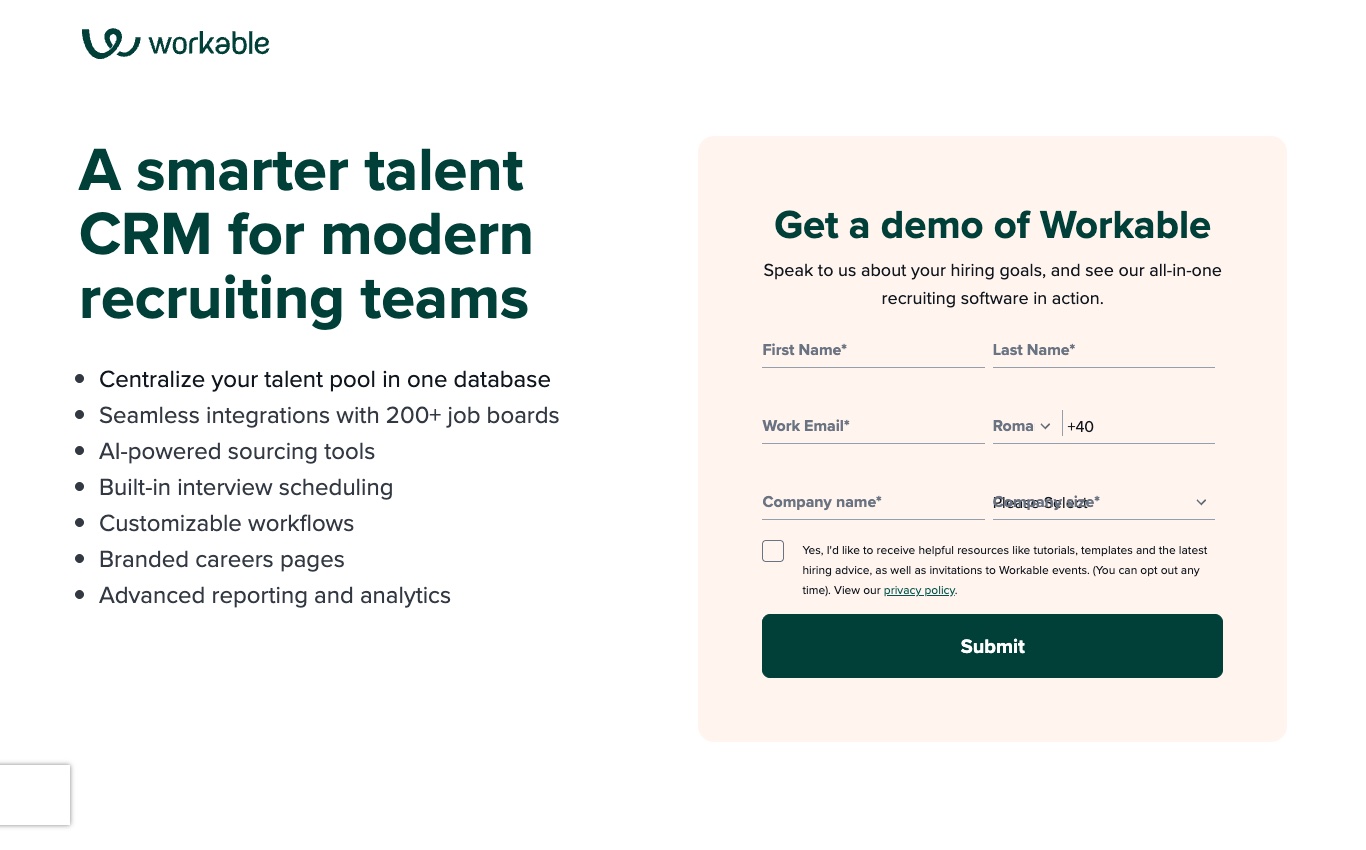
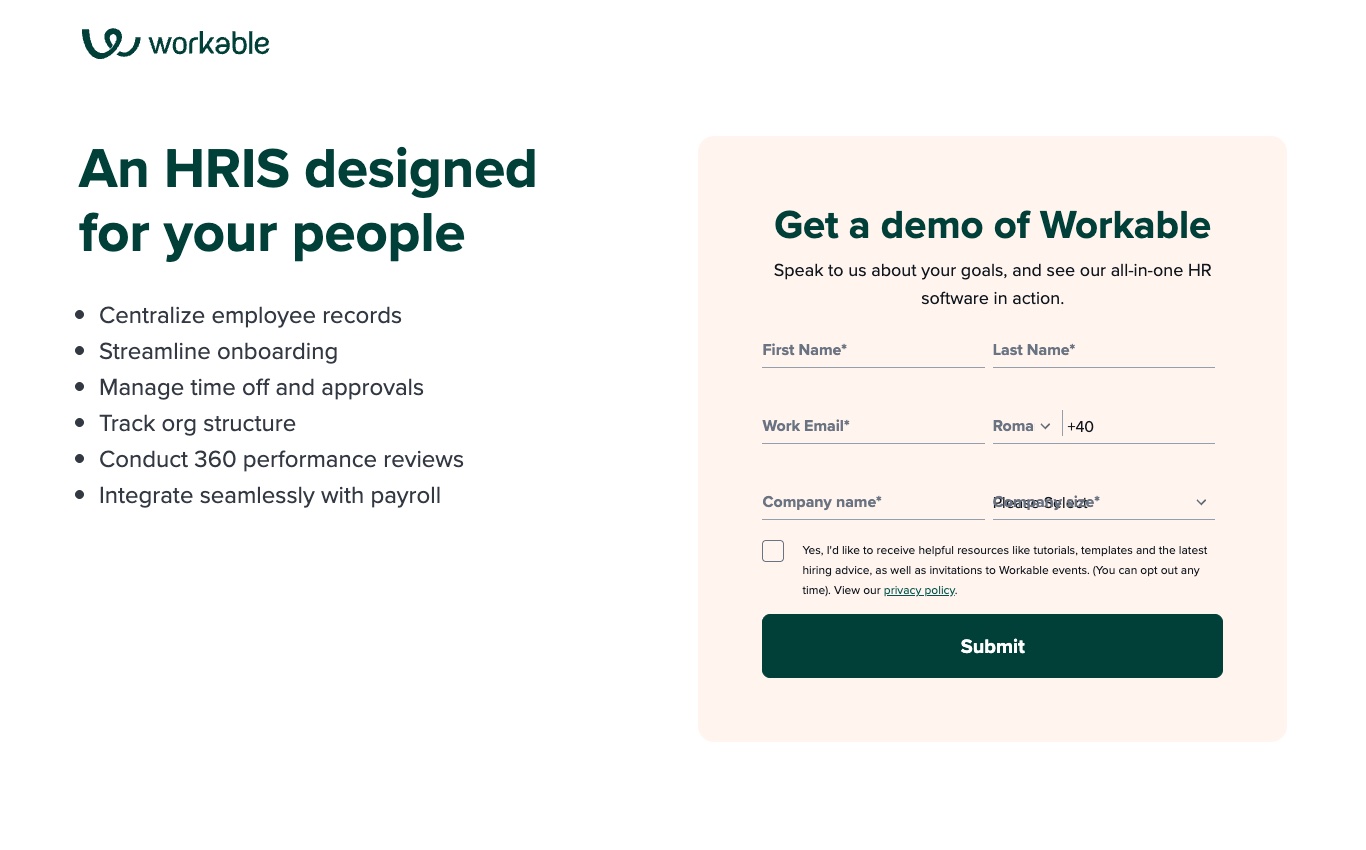
Research scope, October 29, 2026. This Workable review uses the company’s public plan selector, product explanations and documentation. The four screenshots were captured from public pages; they are not evidence of an authenticated recruiting account or a completed implementation. Prices and optional services should be confirmed in a quote before purchase.
Workable brings job advertising, candidate sourcing, interview coordination and offers into the same recruiting system. That is useful when one coordinator handles several vacancies and needs a clear interview record. But a team buying Workable faces more than a simple ATS decision. The recruiting tiers, Workable Agent credits and optional HR features address different needs; the advertised entry price does not tell you which combination will replace your current workflow.
Start with whatever regularly delays a hire: an interview that takes days to rearrange, scorecards a manager never submits, or approved vacancies that get lost in email. Workable can organize those handoffs, but the value depends on which problem the employer actually has. A team struggling to source applicants should not choose a more expensive subscription solely to improve scheduling. This review compares the published capabilities against the jobs a recruiter would need them to perform, without claiming we ran an employer account.
For a team recruiting every month, inspect the ordinary hiring sequence rather than an AI demonstration. Can the manager request headcount? Does the candidate see the correct time zone when interviews move? Can a recruiter locate an opt-out without opening unrelated applicant records? These are modest questions, but answering them reveals whether Workable’s candidate sourcing and applicant tracking tools will reduce follow-up work.
Pricing snapshot: Workable lists Standard at $299/month, Premier at $599/month and Enterprise at $719/month for the 1–20 employee bracket when billed annually. Other headcount brackets and bundle choices change the price. The Standard plan offers a 15-day trial without a credit card. We do not infer an entire enterprise subscription from a publicly advertised starting rate or substitute a competitor blog for a vendor quote. Obtain current contractual terms before making a purchase.
We may earn a commission when readers purchase through certain links. That never changes which product limitations, missing regional services or contract questions we document here.
📊 Workable Review Summary
The clearest Workable customer is a small recruiting operation with several active vacancies and no appetite for stitching together job boards, calendars and applicant spreadsheets. Its attraction is workflow continuity, from a published opening through an offer. Workable HR can extend that process into employee records and onboarding, but it is a separate purchasing consideration. A team with an established HRIS should ask whether recruiting alone does the job.
There is also an uncomfortable cost question. Workable’s headcount-based plans and credit-consuming AI features can make the budget change as hiring volume increases. Paid interview tools complicate comparisons further. Recruiters should estimate the activities they actually run and request a written module list, instead of assuming every feature shown in a demonstration is included. A cancelled interview and a candidate who opts out are worth discussing alongside the normal successful-hire sequence.
⚡ Quick Verdict: Is Workable Worth It in 2026?
Editorial assessment: Workable deserves consideration if missed handoffs are a recurring part of recruiting. It is harder to justify for a company filling two occasional vacancies that can manage without a full ATS. Compare Workable with Greenhouse when the difficulty is formal interview governance; compare its HR modules with the system already keeping employee data. The decision should come down to the work the team can stop doing manually, not a broad software ranking.
🧠 Workable and the core HR workflow
Workable Agent credit pricing matters when a small employer relies on automatic sourcing rather than a handful of personal referrals. Budget the AI screening credit allowance alongside applicant tracking system costs, and inspect how Workable recruiting software handles candidate privacy after a job closes. A company asking about a 15-day Workable trial should clarify which recruiting modules are enabled before assuming that a short demonstration represents the full subscription.
Before evaluating Workable, follow a single vacancy through the people who control it. The hiring manager requests headcount, finance approves the role, a recruiter publishes the opening and interviewers record independent scorecards. A demonstration that skips approvals is hiding part of the actual work. Ask who changes the job when the salary band moves, how an interview is rescheduled, and whether a candidate withdrawal remains visible in the audit trail. Those awkward handoffs distinguish a functioning ATS from an attractive applicant list.
Workable applicant tracking is only part of the employee lifecycle. The recruiting record has its own consent, stage and interview history; after an offer, HR takes responsibility for the worker’s legal details and new-hire tasks. Before buying a Recruiting and HR bundle, identify the point where data transfers, who checks it and which product actually contains the required step.
🛠️ Posting a vacancy across job boards
A vacancy has to be accurate before anyone sees it. Workable lets recruiting teams compose a job, put it on a career page and send it to job-board destinations. Distribution saves effort when the same coordinator handles several openings, but it can also spread a mistake quickly. For a business operating in several cities, the relevant question is whether each listing preserves the right work location, salary information and application route.
Try posting a fictional role to a limited destination and then withdrawing it. Check whether the live posting disappears, whether applications retain their original source and who can approve subsequent changes. These details matter more than the size of the advertised distribution network.
🔎 Candidate sourcing and past applicants
Suppose a technical role opens unexpectedly and a recruiter remembers an applicant who interviewed eight months earlier. Workable’s candidate search and past-applicant tools might shorten that search. It is worth distinguishing a candidate who gave permission to be contacted again from a profile that remains in the database merely because nobody deleted it. A useful talent pool does not override retention rules.
Ask the recruiter to find a fictional person who applied for two jobs and opted out of further messages. The records should show which application belongs to which vacancy, and the contact restriction should survive a new search or campaign.
⚖️ Workable Agent and AI credit economics
AI sourcing is attractive until an employer tries to budget it. Workable Agent uses credits for different interactions, with evaluations, sourcing and candidate chats consuming different amounts. A company processing hundreds of applications may face a different bill from one handling only a handful of specialist roles. This makes the credit schedule as important as the headline subscription when automated screening is part of the purchase.
Before approval, estimate a real quarter’s likely evaluations and chats. Then ask the vendor to demonstrate how a recruiter can examine and override a recommendation. Automated ranking should not become a reason that a candidate is rejected without an accountable human decision.

📈 Interview scheduling and calendar sync
A candidate in New York and an interviewer in London may both receive the right calendar invitation and still end up in different meetings after a late reschedule. Workable offers scheduling connections and interview coordination; its real value depends on what changes propagate to everyone. A recruiting lead should check the candidate-facing time zone, cancellation messages and the contact for accessibility requests. It is worth spending more time on that exception than on a flawless calendar-sync demonstration.
🔐 Interview scorecards and selection criteria
A scorecard is not an unbiased decision simply because every interviewer sees the same form. Workable provides structured interview tools, yet someone still has to decide which job-related evidence counts and how it should be recorded. A customer-support role might need a difficult-call example, while an analyst role needs a different demonstration of judgment. Recruiters should compare independent notes before the panel meets, keeping AI-produced summaries separate from observations that an interviewer can substantiate.
🧭 What a real implementation pilot should include
Picture a hiring coordinator with five vacancies, two interviewers who rarely answer emails, and an applicant who can only interview after work. That is a more revealing Workable pilot than loading six generic employee profiles. The coordinator should create one posting, move several fictional applicants between stages, rearrange the interview schedule and revoke access to a withdrawn candidate. Record which steps actually remain in Workable and which require a calendar or separate HR product. None of this requires live applicant data.
The person running that exercise should be a recruiter who handles vacancies every week. Include one hiring manager who does not know the interface and one colleague responsible for security. If the manager cannot complete a scorecard without help, the most impressive automation demo is beside the point. Keep the pilot narrow: two jobs, conflicting panel calendars and a handful of fictional applicants. The useful result is a list of broken handoffs, not a screenshot of a tidy pipeline.
🎯 Who actually benefits from this system
There are two Workable purchases hiding under one company name. Recruiting is about getting a person from application to offer; Workable HR is about what happens once they join. A business whose HR records already live comfortably in another system might want the recruiting product alone. A smaller employer relying on scattered new-hire forms may find the combined path appealing. Either way, make the salesperson show the boundary between the subscriptions rather than treating every feature on the website as part of one deal.
A hands-on evaluation needs an impatient hiring manager, not only the software champion. Give that manager ten minutes to find the candidate, read the interview plan and submit an assessment. Then change the candidate’s interview time. A recruiter can usually make those steps look easy because they know the product; the manager’s confusion is the more realistic operational cost. Also check what happens when a vacancy closes while other staff still have access to its applicant list.
💰 Pricing, modules and total cost
Workable Standard vs Premier is more useful to compare when hiring volume, recruiter access and calendar integration requirements are known. Interview scorecard templates and candidate sourcing automation serve different teams; adding them simply because a sales demonstration looked efficient can create unnecessary expense. Ask whether Workable HR onboarding includes the employee document steps you currently handle elsewhere, or whether those are separately licensed.
| Budget element | Questions for the vendor | Buyer evidence |
|---|---|---|
| Base HR license | These are website prices for the smallest published headcount bracket, not per-recruiter rates. Confirm headcount, | Signed quote and exact plan tier |
| Recruiting and ATS | Are jobs, screening, onboarding and extra recruiters included? | Current module entitlements |
| Payroll and benefits | Which countries, employment types and extra services are covered? | Written geographic scope |
| Implementation | What migration, onboarding and training services are charged? | Statement of work |
| Renewal and cancellation | What changes as employees grow or leave? | Contract and notice period |
💡 Recruiting access levels and sensitive notes
Consider a hiring manager who only recruits for the sales department. Workable can give that person access to a particular opening without sharing every vacancy or applicant record in the company. The convenience disappears if the permissions are configured as a blanket recruiter role. The interesting question is not whether roles exist, but how a manager’s view changes when a vacancy is reassigned.
An applicant may have salary expectations, private correspondence and interview feedback that different colleagues should not see together. That is where access settings need scrutiny. Contributor permissions are helpful, yet a company should still distinguish reading candidate profiles from exporting an entire list. An exported file can outlive the original permissions, a risk that is easy to miss in an ATS demonstration.
Try the awkward version of the permission scenario: assign the same manager to one vacancy as an approver and another as an interviewer. Then attempt to download candidate details from a third, unrelated opening. The expected result should be agreed beforehand. A manager who cannot see restricted records is more meaningful evidence than a slide about role-based access.
📋 Approval flow and offer handoff
By the time a candidate receives an offer, the recruiting team’s notes have become contractual details. The salary, employing entity and start date must match what the authorized people agreed to. Workable describes offer templates, approvals and digital documents, but the critical question is how a revision is handled. An old approval should not quietly remain valid when compensation changes, and a signed document should never be confused with an earlier draft.
Imagine the candidate accepts the salary but asks to start later. HR needs to know whether the contract must be reissued, who approves the date change and which onboarding tasks move with it. Check those steps under the quoted Workable modules. A smooth first offer does not tell you what happens when the second version is the one that counts.
🎯 Recruiting reporting beyond time-to-hire
A hiring dashboard can tell the wrong story very convincingly. One job board might generate hundreds of applications, most of which never reach an interview; another source supplies fewer applicants but several viable candidates. Workable’s reporting and source tracking can help distinguish those situations, provided the team records stages and origins consistently. The number of applications on its own says very little about recruiting quality.
The same caution applies to time-to-hire. Seasonal customer-service positions and senior technical searches should not be combined into a single benchmark without explanation. Before paying for extra analytics, ask the recruiter to reproduce one unusual conversion figure from individual application records and identify how withdrawn or duplicate applicants affect it. A chart that cannot be reconciled is decoration, not operational evidence.
🧩 Standard, Premier and Enterprise tiers
Workable publishes separate Standard, Premier and Enterprise tiers, with pricing tied to workforce size. Higher tiers include more recruiting tools and services, so a direct per-seat comparison can mislead.
The smallest bracket is only one part of the calculator. Before using the public figure, confirm annual billing, headcount brackets, bundled Recruiting and HR, optional texting and video tools.
Get written quotes for 18, 55 and 180 employees while keeping exactly the same required recruiting actions.
💰 Calculate the real first-year bill
An ATS budget can grow without the recruiter hiring anyone new. Workable Agent interactions consume credits; paid interviewing tools can have their own costs; adding HR may change the bundle entirely. A company considering AI sourcing should forecast approximate screenings, sourced contacts and candidate chats, using the vendor’s current credit schedule, before making the purchase. Include the human cost of configuring permissions and moving candidate histories. The vendor’s price selector is a useful starting point, but a twelve-month approval needs a written list of modules, usage allowances and renewal terms.
One procurement question deserves its own line in the Workable quote: what happens when the company grows beyond the employee bracket used in the demo? The answer matters to a business that expects a hiring surge. Ask for the exact effective date, which legal entity signs, how additional recruiting or HR modules are charged and whether the license can be reduced later. Also pin down candidate export arrangements before the old ATS is retired. Those details are easier to resolve before an annual contract starts.
🔐 Employee records and data governance
Candidate data is not simply an evergreen recruiting asset. A person who applied to a different role years earlier may no longer expect outreach. Workable’s sourcing and talent CRM tools are useful only when recruiters can explain why a record remains, who can view it and whether outreach is appropriate. The company should test a withdrawal and deletion with fictional profiles, and compare every imported applicant’s original source and retention dates before carrying historical data into a new ATS.
🛠️ Recruiting versus Workable HR
Buying Workable Recruiting does not automatically replace the employee database, leave policies or payroll provider a company already uses. Workable HR adds personnel records, onboarding tasks, documents and related employee processes, but these have their own licensing and regional boundaries. An employer with a mature HRIS may want a clean handoff after offer acceptance rather than a second source of truth. The quote should identify the precise point where candidate data becomes an employment record and who corrects it if it is wrong.
🔎 Employee documents and onboarding
Employee profiles, e-signatures and onboarding checklists create a straightforward route for collecting forms and notifying the right people before a new worker starts.
Two employees with different legal employers or countries may require different files. A neat checklist does not guarantee that the required jurisdictional contract is present.
Onboard a fictional remote hire with a delayed start date and verify all document versions and task owners after the date changes.
⚖️ Time off and attendance handoffs
Workable HR documents time-off management, attendance features, approval workflows and payroll preparation reports. For a modest team, consolidating these actions can prevent lost spreadsheet updates.
An absence rule becomes difficult when an employee changes location, works part time or has leave carried over. Manager approvals and exported balances must agree.
Approve a leave request spanning a contract change, then compare expected and exported hours without exposing real staff data.
🔐 Sensitive employee data and the permission matrix
Candidate permissions are where Workable can either simplify hiring or spread private information unnecessarily. A panel interviewer needs the assigned interview kit, not access to every applicant in the company. A recruiting manager may need exports for a legal request; an ordinary hiring manager should not inherit that permission automatically. Build the access exercise around those real roles, then withdraw a fictional candidate and inspect what remains visible. The privacy question is practical: who can still see the person and why?
🧭 Implementation and workflow design
📈 Integrations and API access
Calendar systems, job boards, video meeting services and HRIS connections offer opportunities to avoid double entry. The API matters most when a company already has an approved identity and payroll setup.
An integration name does not establish direction, sync frequency, supported fields or troubleshooting ownership. A failed transfer can create a duplicate employee record.
Identify the canonical candidate identifier and simulate an update that should move from hiring to HR exactly once.
🔐 Candidate privacy, deletion and consent
An old applicant’s details may remain useful to recruiting even after the specific vacancy closes, but there must be a reason to retain them. Workable describes candidate retention and privacy-oriented features; that is not blanket permission to keep every interview note indefinitely. The complicated case is a withdrawn candidate whose details were exported to a spreadsheet or sourcing service before the opt-out. Review who can delete or restrict those copies, not only whether the original ATS profile has a privacy setting.
💡 Implementation and recruiter adoption
A small team may be able to configure an initial recruiting pipeline quickly, but consistent job templates and hiring-manager participation determine whether staff keep it current.
A recruiter who knows the application well can conceal poor manager experience during a demo. Uneven access or unclear approvals can turn an ATS into another reporting chore.
Let a manager with no product training open a role, review a candidate and complete a scorecard without administrator assistance.
📋 Migration from spreadsheets or an ATS
Moving open jobs, accepted offers and historic candidate profiles into Workable requires mapping application stages, email history, consent and job ownership rather than importing only names.
Imported candidates without source or retention information create risk, while old interview notes may no longer be appropriate to carry forward. Keep the original records for reconciliation.
Import ten synthetic applicants, including a duplicate and an opted-out candidate; audit how the merge and deletion rules behave.
🛠️ Migrating without breaking payroll and approvals
For a Workable migration, separate candidates who are still active from historical profiles that may no longer be lawful or useful to retain. Map each live vacancy to the correct hiring manager, decision stage and location. Then import a few records with deliberately awkward details: two people sharing an email alias, a withdrawn application and a candidate who was interviewed for two roles. The result should preserve the correct application history without silently merging unrelated decisions or restoring permissions that should have expired.
| Workflow | Owner | Pilot result to document |
|---|---|---|
| Hire to employee record | Recruiter + HR | Candidate history mapped; HR status verified |
| Permission change | HR + IT | Only approved roles retain access |
| Payroll data transfer | HR + payroll | Sample totals reconcile with the source |
| Leave approval | Employee + manager | Balances, notifications and exports agree |
| Offboarding | HR + IT + payroll | Revocation and final checks have evidence |
⚖️ Alternatives and real-world fit
For a concrete Workable vs Greenhouse shortlist, run the same applicant tracking workflow in both services: approve a vacancy, reschedule a panel and inspect candidate retention settings. The buyer needs evidence of job board distribution, interview scheduling and candidate data export, not a generic feature checklist. That practical comparison makes a recruiting software decision more defensible than rankings based on home-page claims.
🎯 Workable against Greenhouse and specialist tools
Greenhouse is a natural alternative when interview structure, not candidate volume, causes most of the hiring friction. Its focus on consistent assessment has an advantage for departments with large panels and formal approvals. Workable’s sourcing tools and more visible small-bracket pricing may be easier to evaluate for a leaner team. Neither product should win simply because it has more checkboxes.
A business already happy with its HRIS may prefer Workable Recruiting without the added HR modules. Another might value moving a successful applicant into an employee record with fewer handoffs. Those buyers are solving different problems, and the distinction should appear in their budget. It is unreasonable to charge Workable for HR features nobody needs or praise it for payroll functions outside the chosen subscription.
Set up the same mock hiring process in both Workable and Greenhouse: job approval, one scheduling conflict, independent interview feedback and a candidate who withdraws. Restrict both demonstrations to the package being quoted. The recruiter should leave with notes about how much work changed, not an abstract winner. That is the evidence that can support an ATS shortlist.
🧩 Best-fit decision and the next buying step
Workable earns attention when a recruiting coordinator spends too much of the week transferring information between email, job boards and interviewers. The product’s combined pipeline can reduce that friction, but the team must use it consistently. A business with sporadic hiring may find the fixed subscription harder to justify. The buyer should forecast vacancies and consider how often the application will actually be opened.
Two costs deserve a second look before signing: premium interview tools and AI sourcing credits. Either can be reasonable at sufficient hiring volume. Neither should be approved merely because its demonstration looked faster than manual work. An applicant’s experience also matters; automated messages sent at the wrong time can undo much of the efficiency gained elsewhere.
For a lean hiring team, start with the smallest credible configuration and one realistic pilot. If the manager can complete an interview scorecard, the recruiter can correct a scheduling conflict and old candidate data follows the retention policy, the Workable review has identified a meaningful fit. If not, keep the alternative shortlist open rather than adding more modules.
⚖️ Workable vs Greenhouse: hiring workflow trade-offs
Workable’s main advantage is that a lean recruiting team can keep sourcing, applicants and interview coordination in one place. It is less convincing when that team needs only two occasional job ads or already has a well-run system for scheduling and candidate records. The cost question is not simply Standard versus Premier; it is whether the recruiting work saved can justify the headcount-based subscription and any AI or interview extras. That judgement should come from the buyer’s workflow, not a fabricated product score.
🏆 Final verdict and buyer checklist
My shortlist rule for Workable is practical: keep it if the hiring coordinator can show fewer manual handoffs after a real-looking pilot. A hiring manager should complete a scorecard without assistance, a withdrawn applicant should be handled appropriately and the recruiter should know what the AI credit allowance actually buys. If those tasks still depend on email and spreadsheets, a long feature list will not rescue the deal. Greenhouse is a useful comparator where formal interview governance matters more than sourcing convenience.
| Decision | What favors Workable | What should make you hesitate |
|---|---|---|
| Core HR | job distribution and candidate sourcing in one ATS | company-size tiers and module-dependent total price |
| Hiring and talent | hire-to-HR handoff with onboarding and employee files | separately priced interview tools or AI credits at some tiers |
| Regional payroll | Workable markets multi-language hiring and HR workflows but country-specific payroll preparation and legal obligations should be verified with local partners | Country-specific limits and quote uncertainty |
| Overall suitability | Small and midsize organizations filling recurring vacancies with limited recruiting resources | Unproven workflows or incomplete scope |
🎯 Pros, cons and editorial fit
Editorial fit — Workable
Advantages: job distribution and candidate sourcing in one ATS; interview scorecards, approvals and calendar coordination; hire-to-HR handoff with onboarding and employee files.
Trade-offs: company-size tiers and module-dependent total price; separately priced interview tools or AI credits at some tiers; candidate data access and automated screening need governance.
Best next step: Request a scoped quote and a realistic workflow demonstration. A product screenshot cannot prove implementation quality or support performance.
🧪 Sources and review methodology
The price and feature references in this article come from Workable’s publicly available website and documentation checked on October 29, 2026. The illustrations show public vendor pages, not a logged-in recruitment workspace. We have not submitted real job ads, processed candidate records or measured hiring efficiency in an employer account. The suggested pilot exercises describe how a prospective customer could verify the claims.
- www.workable.com / homepage
- www.workable.com / pricing
- help.workable.com / hc/en-us/articles/11615114447127-Recruiting-premium-tools-pricing-Video-interviews-Texting-and-Assessments
- resources.workable.com / workable-agent
- help.workable.com / hc/en-us/articles/360007609053-Choosing-the-right-recruiting-access-level
Workable’s modules and pricing can change with headcount, billing term and optional recruiting features. The assessment therefore distinguishes published product capabilities from what still needs a buyer’s demonstration. Any claim about privacy, screening quality or country coverage should be checked against the actual contract and the employer’s processes; it should not be inferred from a marketing screenshot.

Frequently Asked Questions
What is Workable best suited for?
Workable is most compelling for teams that repeatedly publish vacancies but cannot devote an entire recruiting department to scheduling, sourcing and applicant coordination. Its recruiting system and optional HR suite should be evaluated as separate purchases.
How much does Workable cost in 2026?
Workable publicly lists $299, $599 and $719 per month for Standard, Premier and Enterprise in the 1–20 employee bracket with annual billing. The workforce-size selector, bundle choice and premium tools may change that total.
Does Workable have a free plan or free trial?
Workable advertises a 15-day Standard trial without requiring a credit card. The complete paid recruiting platform is not a perpetual free plan; confirm whether AI-agent credits and any interview add-ons are enabled in the trial.
Can Workable handle recruiting and applicant tracking?
Yes. Workable combines job distribution, an applicant tracking system, candidate sourcing, scheduling, interview scorecards and offer management. Its automation is useful only when hiring managers maintain clear criteria and retain oversight of AI recommendations.
Can Workable process international payroll?
Workable HR offers payroll preparation and integrations, but that alone does not establish direct payroll calculation, statutory tax filing and salary disbursement in every country. Ask which legal entity and payroll partner will process the actual payment.
How does Workable support onboarding and offboarding?
Candidates can move toward employee profiles, document requests and task-based onboarding when the relevant HR capabilities are licensed. A buyer should test what happens when an accepted candidate changes start date or manager before joining.
How do Workable permissions and security work?
Workable supports differentiated recruiting roles rather than one shared administrator account. Verify whether a hiring manager assigned to a single vacancy can see compensation, candidate exports or interview notes belonging to another department.
Is Workable suitable for a small business?
Possibly, but the public Standard starting figure is already $299 per month for the smallest headcount bracket under annual billing. A very small business hiring only occasionally should compare that commitment with the number of openings it actually fills.
How difficult is it to move to Workable?
Start by mapping open requisitions, stage names, interview notes and applicants’ consent status. Import a small sample first, including duplicate and withdrawn candidates, before touching the historical database or changing live career-site links.
What are the main alternatives to Workable?
Greenhouse is a closer comparison when structured interview governance and complex hiring operations dominate. BambooHR or HiBob may be better for employee administration; Oyster serves international employment. Compare the workflow you need rather than the breadth of each company’s home page.
How did DigiOffly evaluate Workable?
This is a documentation-based Workable review informed by official pricing and help pages dated October 29, 2026. The screenshots depict publicly accessible pages. We did not operate a private hiring account or claim measured improvements in recruiting speed.
EXPLORE NEXT ON DIGIOFFLY
🔍 Explore More on DigiOffly
Shortlisting Workable for your team? Use these DigiOffly guides to compare recruiting workflows, explore complementary software and estimate the cost of your next hiring stack.
Explore related software
- HR & Recruiting section — Compare hiring, payroll, employee management and global workforce software.
- Greenhouse — Compare structured interviews and recruiting governance.
- BambooHR — Explore the link between applicant tracking and employee records.
Compare your shortlist
- Software Directory — Browse the growing library of independent software reviews.
- Compare Software — Evaluate competing products by capabilities and priorities.
- AI Software Finder — Narrow your options using your actual workflow requirements.
Plan costs and updates
- Software Cost Calculator — Model licenses and recurring costs for your software stack.
- Best Value Advisor — Explore practical software choices for common buying needs.
- Deal Alerts — Follow relevant offers and software category updates.
Want updates when additional HR and recruiting reviews are published? Subscribe to DigiOffly Deal Alerts for relevant category updates.