

📊 Grammarly Review 2026 Summary
A Grammarly suggestion can make a customer email easier to read—and can accidentally change what the company promised. That trade-off makes it more useful to test meaning preservation than to count green grammar markers. This review looks at spelling, style, tone and AI rewriting in real business-writing contexts, with separate attention to the updated Grammarly Pro billing options. The $12 monthly-equivalent figure requires an annual commitment; short projects can have very different economics. We use official pricing and documented functions, not invented results from an independent editing study.
⚡ Quick Verdict: Grammarly
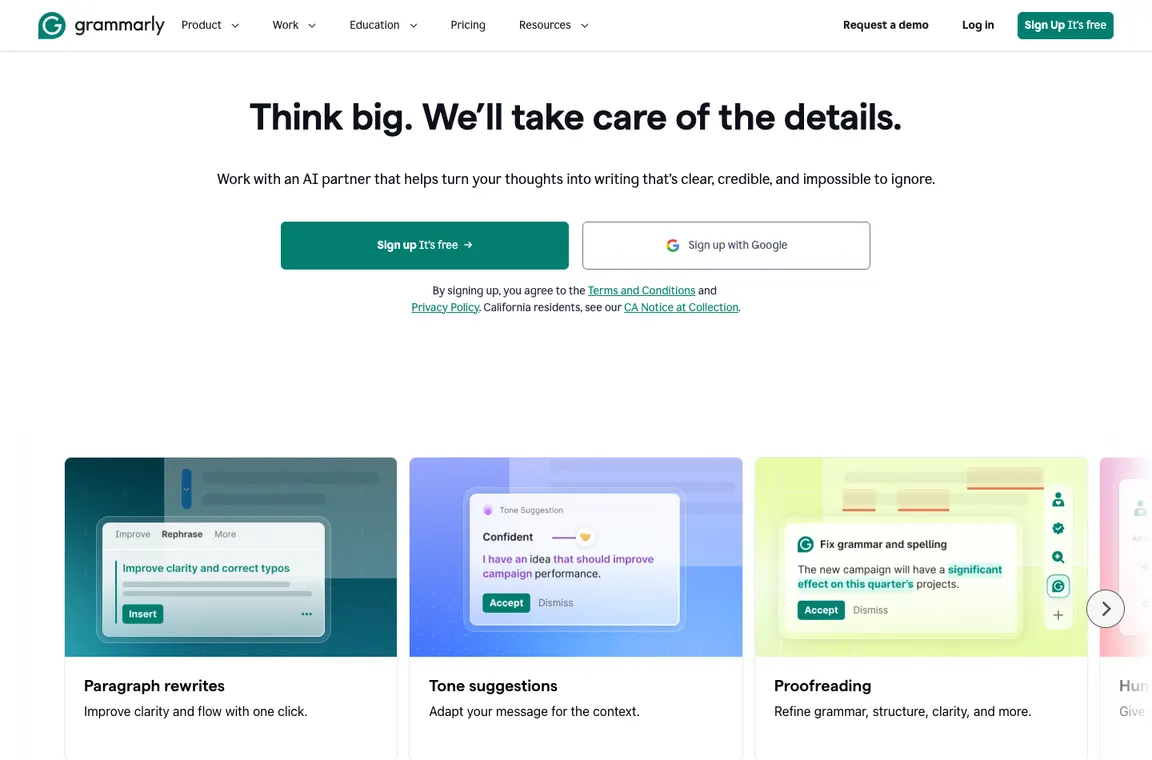
Grammarly is strongest as a selective second-pass editor for everyday communication. It catches awkward phrasing in supported apps and proposes cleaner alternatives, but fluent rewrites can erase technical qualifications or the author’s voice. A support agent should not accept a change that turns a conditional refund into an unconditional promise. Pro is attractive for frequent writers who can justify the payment term; occasional users should explore Free and tools already included with Microsoft 365. I would evaluate it with a document containing exact figures, defined terms and a tone that must remain intact.
👍 What We Love
- ✅ In-context grammar checks
- ✅ rewrite suggestions
- ✅ broad browser/app integrations
- ✅ tone feedback and structured business writing tools.
👎 Where It Falls Short
- ❌ AI rewriting can flatten distinctive prose
- ❌ proofreaders cannot fact-check citations
- ❌ tier descriptions have changed
- ❌ and sensitive text requires data-policy review.
🏆 EDITORIAL VERDICT: Grammarly
For frequent writers who want a second-pass editor without surrendering control of meaning.
💰 Grammarly Pricing 2026: Free, Pro and Enterprise after Business transition
| Plan | Reference price | Published allowance or distinction | Buyer context |
|---|---|---|---|
| Free | $0 | Grammar, tone cues and limited AI prompts | Basic proofreading |
| Pro annual | $144/year ($12/month equivalent) | Full-sentence rewrites and tone tools | Regular writers |
| Pro quarterly | $60/quarter | Quarterly subscription | Seasonal use |
| Pro monthly | $30/member/month | Flexible monthly billing | Short projects |
| Enterprise | Custom | Business governance and support | Large organizations |
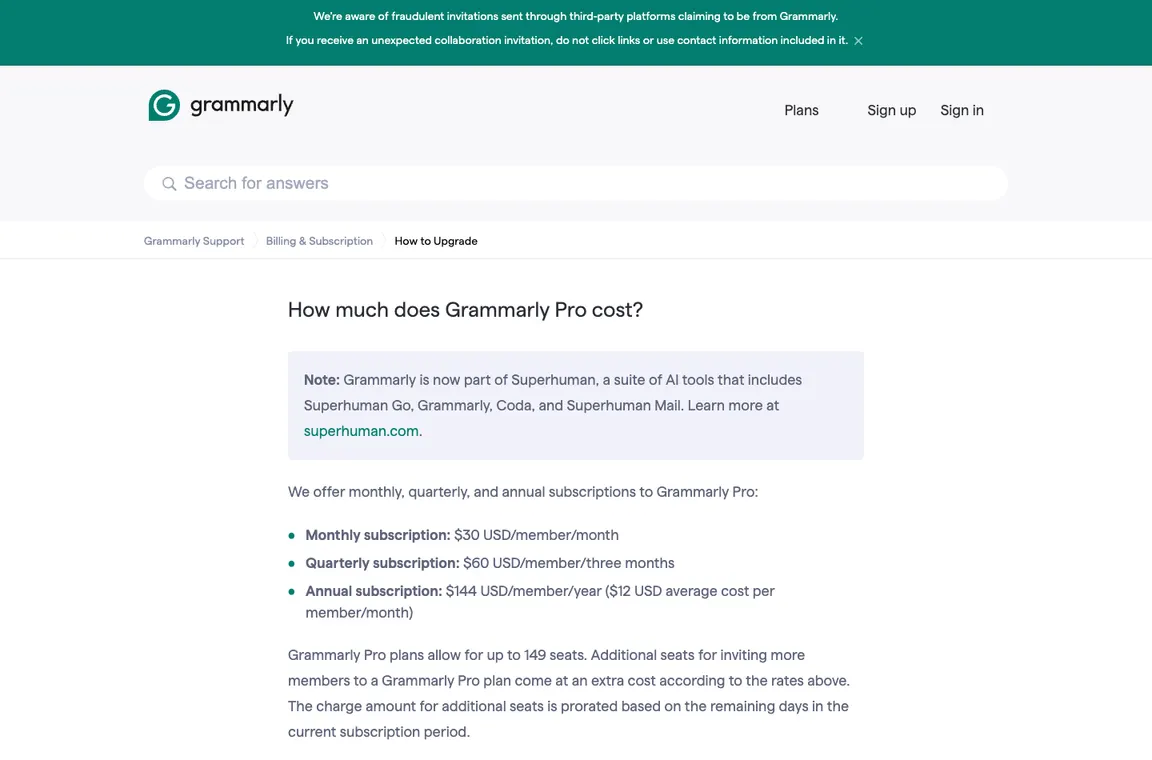
Grammarly Business has been replaced by Grammarly Pro for many customers. Its support page distinguishes $30 monthly, $60 quarterly and $144 annual payments. The $12 figure is an annual equivalent, not the price of a cancellable month. Grammarly is also part of the Superhuman suite; naming and entitlements should be checked at purchase.
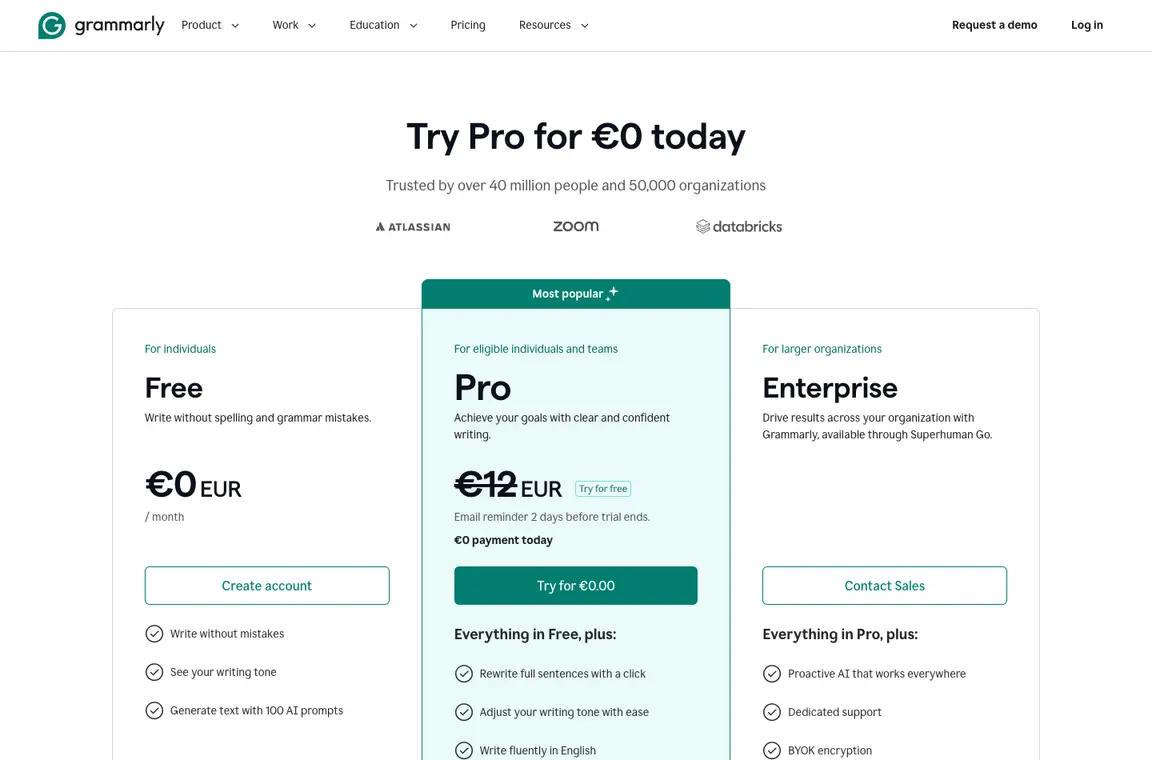
Grammarly’s support documentation lists Pro as $30 for one month, $60 for a quarterly subscription or $144 for a year. The prominent $12 monthly equivalent therefore means a year paid upfront, not a flexible $12 month. Buyers should also account for the replacement of the former Grammarly Business offering, additional seats and regional currency. For a writer who edits infrequently, a short subscription can be more economical than a discount tied to a long term. Verify the precise renewal and team controls at checkout.
🎯 Who Grammarly Is Best For
Grammarly suits people who spend substantial time refining client email, marketing drafts or routine work documents in multiple applications. It can help a support team standardize language, provided approved policy wording remains outside the model’s discretion. Technical authors and legal teams need stronger control over terminology than a generic rewrite workflow offers. A writer spending most of the day in Microsoft Word may already have usable editing tools. Compare three representative documents and judge preserved meaning, not the total number of corrections suggested.
| Buyer situation | Recommended starting point | Decision to verify |
|---|---|---|
| Support writer responding to customers | Free then Pro for frequent rewrites | Does the reply preserve refund and escalation conditions? |
| Technical documentation author | Selective proofreading, perhaps Pro | Are code literals and defined terms left unchanged? |
| Marketing/content editor | Pro with clear editorial ownership | Does tone improve without flattening the author’s voice? |
| Organization handling confidential documents | Enterprise only after legal/privacy review | Can administrators restrict where writing suggestions appear? |
🧩 Writing and rewriting functions
Grammarly writing assistant in everyday apps
Grammarly’s advantage is appearing where people draft: browser forms, documents, messages and other supported apps. That convenience also introduces a discipline requirement. Do not click every suggested change, especially in a technical, legal or product review. A seemingly smoother sentence can alter a warranty condition, replace a precise number or remove a critical limitation.
Grammarly Pro pricing 2026
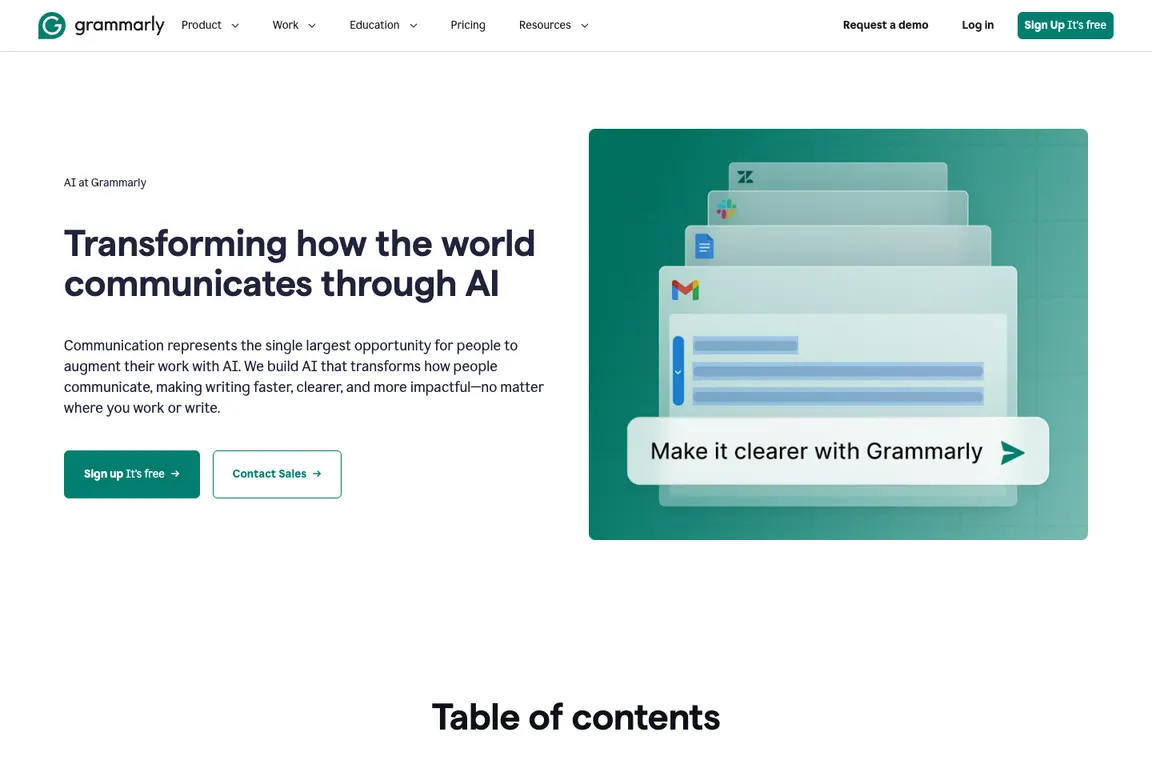
Imagine a two-person editorial team. A full year of Grammarly Pro at the official annual $144 per-member price means $288 committed to the year; buying monthly at $30 per member would total $720 over twelve months. The first option is cheaper only when both writers actually need it throughout that period. If the workload is a one-month migration or an occasional product launch, the monthly commitment can be more flexible despite the higher displayed rate. Grammarly Pro pricing should also be assessed against tools already bundled with the team’s office suite. Don’t assume that the former Grammarly Business branding describes the current contract. Check checkout currency, taxes and seat eligibility before committing, then evaluate how many useful editing suggestions survive a human review.
With Grammarly Business replaced by Pro, buyers should distinguish Grammarly Pro annual payment from its month-to-month charge. Compare an annual commitment against the actual writing volume rather than assuming that the advertised monthly equivalent is flexible.
Grammarly grammar and spelling accuracy
Surface-level spelling mistakes are comparatively easy to spot. Harder problems arise when a sentence is grammatically acceptable but communicates the wrong meaning. To assess Grammarly, prepare a ten-paragraph sample with domain terms, intentionally awkward sentences and text that must not change. Count useful corrections separately from changes the editor introduces without justification.
Tone detection and rewriting
A tone suggestion is a prediction about how wording may be received, not a psychological fact. In customer-support emails it can help remove unnecessary friction. In policy documents or investor disclosures it may turn precise language into vague promises. Accept rewrites selectively and preserve exact product names, numerical limits and citations. Teams should agree what level of stylistic editing is permitted.
Grammarly tone detection can help soften a tense email, but a Grammarly browser extension should never silently change regulatory qualifiers, quoted speech or technical vocabulary. Review the revised sentence in its complete conversation.
Grammarly AI writing features
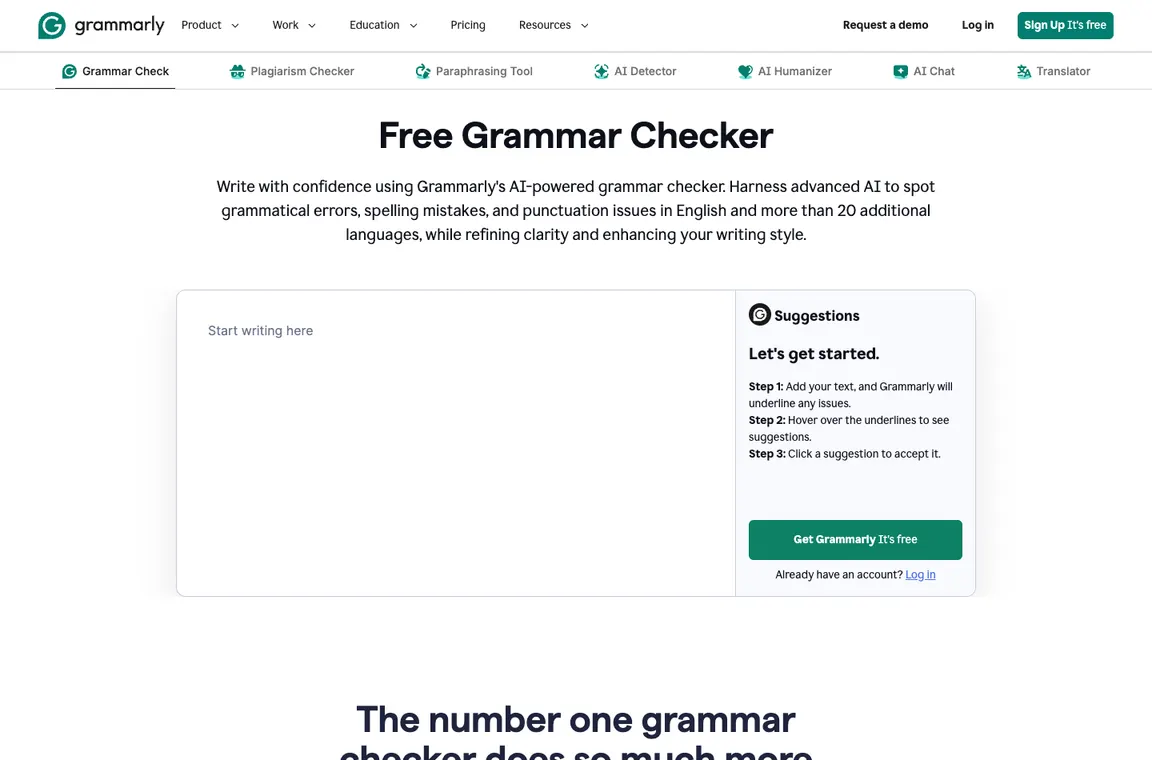
Generative drafting can accelerate first versions of messages, summaries or outlines. It is less suitable for producing unsupervised claims about financial performance, clinical recommendations or software pricing. Review every factual assertion and ensure the final text reflects the original author’s intent. The best use of Grammarly AI is often a focused transformation: shorten this passage without changing the three conditions.
Grammarly for teams and brand voice
Teams may need consistent vocabulary, compliance disclaimers and approval processes more than they need additional writing suggestions. Grammarly’s paid and Enterprise offerings provide different organizational options, but administrators should verify actual supported controls in the selected plan. A governance pilot can compare the same support reply across three writers and check whether tone consistency improves without losing accuracy.
Privacy considerations for sensitive writing
Browser extensions and writing assistants may receive text as users type or request suggestions. That is not automatically acceptable for confidential product roadmaps, personal health data or privileged legal exchanges. Inspect data processing, retention, subprocessor and admin-control documentation. Avoid pasting secrets or customer identifiers unless your organization has explicitly approved the workflow.
A Grammarly data privacy review should distinguish typing suggestions from longer generative prompts and check what administrators can manage. Grammarly proofreading is most effective when claims and citations remain independently verified.
Grammarly vs Microsoft Copilot and alternatives
Grammarly focuses on quality, rewrites and communication across supported contexts; Microsoft Copilot is more integrated into Microsoft’s document, email and workplace data ecosystems. Someone paying for Microsoft 365 should test existing writing tools before adding Pro. LanguageTool and ProWritingAid can be evaluated against the same writing sample. The correct metric is editorial time saved after reviewing suggestions.
📋 Grammarly Features: What Needs Verification
| Capability | Vendor fact or evaluation method | Evidence to collect |
|---|---|---|
| Grammar | Test against deliberate errors and correctly spelled jargon | Reviewed change log |
| Tone suggestions | Compare a support reply before/after | Preserved legal and service meaning |
| Pro billing | Monthly $30, quarterly $60, annual $144 | Checkout and renewal terms |
| Generative writing | Restrict to source-grounded rewriting and outlines | No invented claims |
🛠️ Editorial scenarios, style controls and billing
Editing a customer-facing support reply
Grammarly is easiest to evaluate where the reader already knows what must be communicated. Consider a support reply about a delayed software subscription refund. The company must state the correct window, next step and eligibility conditions without sounding dismissive. Grammarly can help simplify sentence structure and adjust tone, but it must not soften ‘eligible after approval’ into ‘your refund is approved’. That kind of small change is commercially significant. Prepare the original approved policy and compare each rewrite against its non-negotiable facts before sending the response.
Measure whether the tool reduces revision time and prevents avoidable grammar errors. Ask two reviewers to judge clarity without being told which version was AI-assisted. Track situations in which an apparently fluent rewrite altered an obligation, deadline or refund condition. This test is much more informative than accepting every green suggestion in a paragraph. It also distinguishes Grammarly’s editorial usefulness from factual research that must come from the company’s own records.
Annual, quarterly and monthly Grammarly Pro
Grammarly’s official support page currently lists Pro at $30 per member for a monthly subscription, $60 for three months, or $144 for a year. The widely displayed $12 monthly figure is an annual equivalent, not a standalone $12 month. If a freelancer only needs intensive editing for a few weeks, the flexible monthly price may still be cheaper than prepaying a full year. A team with a steady drafting workload needs to compare the number of seats, renewals and regional tax before choosing a contract.
The history of Grammarly Business being replaced by Pro is another reason to distrust old pricing roundups. An invoice from a prior plan may not match the public names. A procurement spreadsheet should show the commitment length and upfront payment rather than just a headline monthly equivalent. Confirm whether collaboration and administrator capabilities are included in the exact tier you purchase. A spelling checker and an organizational writing platform have different governance requirements.
Technical documentation and precise vocabulary
A developer writing API documentation needs technical accuracy more than conversational warmth. A suggestion that replaces ‘idempotent’ with ‘repetitive’ may read more simply but become wrong. Product names, command-line flags, parameter values, regulatory terms and code examples require special treatment. Grammarly should help with surrounding exposition while leaving these tokens intact. Build a small editorial test file that deliberately includes correctly spelled jargon, markdown tables, inline code and an existing citation trail.
Review both accepted and rejected suggestions, not just the final readability score. A successful result preserves identifiers and all stated prerequisites. For internal documentation, define a glossary and use human review to decide whether the assistant’s tone changes fit the audience. If writers spend too much time undoing apparently helpful rewrites, the product may be best used only for selected content types. Technical trust is earned by preserving meaning, not by increasing the number of edits.
Email, browser forms and extension behavior
Grammarly’s convenience comes from offering corrections near the moment of writing, including supported browser and application contexts. That can be particularly valuable for short customer emails, job descriptions and routine updates. It also means the privacy review must consider where text is typed. A salesperson might paste a confidential contract clause into a browser form, while an employee could draft sensitive personnel feedback in an app with suggestions enabled. The extension should not be treated as an invisible neutral layer.
Organizations should identify which application categories are permitted and which should exclude writing assistance. A useful first deployment tests ordinary support tickets and low-risk marketing drafts while omitting confidential customer records. Check whether the extension conflicts with accessibility tools or an existing spelling plugin, and whether proposed edits appear correctly in rich-text fields. The goal is reliable writing help without surprising interruptions, data transfer or formatting damage.
Tone feedback without losing the author’s voice
Tone predictions are an aid to judgment rather than an objective reading of emotion. A short message can sound firm to one audience and abrupt to another. Grammarly might flag a sentence as unfriendly and suggest a warmer alternative, but the revised version still needs to match the writer’s role. A security incident notice should be clear and serious; it is not made better by excessive enthusiasm. For executive correspondence, preserve purposeful brevity and the exact decision that has been made.
Construct three writing samples: a customer apology, a technical escalation and a project status update. Ask the assistant for tone changes and have a reviewer identify any lost facts or weakened instructions. Observe whether the product consistently favors generic corporate phrasing. If every writer starts sounding alike, customization may have reduced authenticity. Good editing removes unintentional friction while allowing a distinctive, appropriate human voice.
Generative drafting versus trustworthy sourcing
Grammarly AI can help turn rough notes into an outline or concise email, but the generated prose is not evidence that the underlying claim is true. This matters for software reviews with shifting subscription terms. A polished sentence about a vendor’s cancellation window must still point to an up-to-date official page. The assistant may make a statistic sound confident even when the original note was uncertain. Treat factual verification as a separate workflow with its own sources, reviewer and date.
A disciplined author first assembles verified facts, then requests a targeted transformation such as reducing length or changing reading level without changing numerical conditions. Compare the generated version line by line. If a passage gains a new assertion, either substantiate it or remove it. A high-quality final article should be more precise after Grammarly, not merely more fluent. That separation between style work and research is a useful boundary for any generative editor.
Consistent brand voice for a growing support team
A ten-person support team can develop subtle variations in terminology even when agents follow the same policy. Grammarly can help reduce unnecessary differences in phrasing, but a style guide and approval process remain necessary. Choose a representative set of real, anonymized responses with the same business rules. Define terms that must stay exact, such as cancellation date, verification requirement and escalation path. Evaluate whether the tool encourages compliant wording without flattening human empathy or adding promises that support cannot fulfill.
Before buying multiple seats, verify which brand-style and administrative controls belong to Pro or Enterprise and whether managers can configure the needed restrictions. Test onboarding and removal of users. A useful quality metric is the percentage of sampled replies that communicate the required action correctly after editorial review. Sentence-level grammar accuracy alone cannot measure whether a customer’s issue was resolved.
Data handling for contracts and regulated writing
Legal, medical and financial documents present a special risk because tiny changes in wording can affect interpretation. A writing assistant may recognize awkward sentences but cannot provide authoritative legal or clinical advice. Before processing such material, confirm the company’s approved data categories, Grammarly’s relevant processing terms and the selected plan’s controls. Do not send unredacted customer identifiers or privileged drafts through an extension merely because its suggestions are easy to accept.
Use a sanitized example for evaluation. Include numbered conditions, cross-references and defined terms, and ask a qualified subject-matter reviewer to assess the changes. Keep a version history showing which suggestions were applied and why. If the service improves readability without altering the scope of obligations, that is a meaningful advantage. If it rewrites definitions or introduces new commitments, restrict the workflow to low-risk prose where those errors are less damaging.
Comparing Grammarly with a bundled office assistant
Someone already paying for Microsoft 365 may have spelling, style or Copilot capabilities within Word or Outlook. Adding Grammarly Pro could be worthwhile for writing across multiple services, but it might also duplicate an existing feature. Compare the same three writing samples in both environments and check integration behavior on the actual apps used by the team. LanguageTool and ProWritingAid are also relevant comparators for writers with different needs, particularly longer manuscript review or multilingual grammar checks.
Include subscription commitments, extension management and correction time in the comparison. The shortest generated sentence is not always the clearest, and the tool with the most suggestions may not produce the best result. Preserve original meaning, tone fit and factual accuracy as independent criteria. A final buying decision should explain exactly which recurring writing problem Grammarly solves better than the alternatives already available to the organization.
Editing software reviews without losing sourced claims
A software review contains unusual editorial hazards: a price can refer to an annual equivalent, a feature may exist only on Enterprise, and a screenshot can become outdated. Grammarly’s sentence suggestions should be tested on paragraphs containing all three kinds of qualifiers. Highlight numbers, vendor names and linked citations before rewriting. If the tool turns ‘some eligible teams’ into ‘all teams’ or makes a refund policy sound unconditional, reject the change. Use Grammarly for readability around the verified facts, not for deciding which facts belong in the article. A final source check is still necessary after stylistic changes, especially when AI drafting has introduced new confident-sounding sentences.
Preserving individual voice across long documents
A long editorial piece should feel like the work of a consistent writer rather than a collection of interchangeable corporate sentences. Try Grammarly on several sections with different goals: an explanation, a comparison and a critical verdict. Decide whether its suggestions help each section without flattening the distinction between them. A practical edit history records examples where the original phrasing was more precise or more engaging. A professional writing tool should be able to support a deliberate style choice, including an unusual but grammatically valid sentence. Overaccepting recommendations can make every paragraph sound equally cautious and reduce the personality readers associate with a named author. An editorial team can also compare the volume of suggestions across different document styles, then decide which categories of suggestions should be turned off or ignored. The final acceptance test is whether a second editor recognizes the same authorial intent in the revised piece. This prevents a proofreading tool from becoming an unintentional voice generator.
⚖️ Grammarly vs Alternatives: Head-to-Head
| Alternative | What it emphasizes | Decision criterion |
|---|---|---|
| LanguageTool | Grammar and spelling across languages | Compare English rewriting quality |
| ProWritingAid | Long-form editorial reports | Compare workflow and integration |
| Microsoft Editor/Copilot | Bundled productivity writing | Check licensing overlap |
LanguageTool can be a useful alternative when multilingual grammar support is more important than generative English rewrites. Evaluate both on the same set of documents, including domain terminology and correctly spelled unusual names. A correction is valuable only if it preserves intended meaning. Grammarly may be more attractive where writers want feedback on tone and fluent sentence changes inside common apps. Check privacy settings and the actual supported languages, rather than assuming two products with spellcheck features provide the same editorial scope.
ProWritingAid targets writers who want to inspect longer documents, pacing and style patterns in more depth. A novelist or editorial team may care about consistency across chapters rather than immediate corrections to a browser form. Grammarly is more obviously convenient for short workplace correspondence, but the comparison depends on the writer’s routine. Test both on a representative long article and measure accepted edits, suggestions rejected for changing meaning and the time spent navigating reports. Avoid judging the products by the sheer number of recommendations they produce.
Microsoft Editor and Copilot features can already be available to somebody paying for Microsoft 365. Before purchasing Grammarly Pro, identify which sentences still require a separate tool and whether the office suite already offers acceptable grammar and rewriting support. Grammarly’s cross-app availability can be a reason to add it, particularly for browser-based work. A small organization should also consider extension management and confidentiality controls. Compare actual editing effort, not just a feature list or a generated sample paragraph.
📋 Grammarly Procurement Checklist
- Proofread one support email with a conditional service commitment.
- Proofread one technical document containing identifiers and formulas.
- Test a tone revision that must preserve exact dates and amounts.
- Compare $30 monthly, $60 quarterly and $144 annual commitment.
- Check Grammarly Pro versus tools already included in Microsoft 365.
- Confirm how the browser extension handles restricted applications.
- Require source review after any AI-generated factual statement.
- Measure accepted corrections, rejected suggestions and editorial time.
| Decision test | Evidence to retain | Pass condition |
|---|---|---|
| Meaning preservation | Original policy and rewritten email | No new promise, date or condition |
| Technical terms | Annotated software documentation | Identifiers and code remain exact |
| Voice consistency | Two versions read by an editor | Text still sounds like the author |
| Cost | Billing term and actual invoice | Expected usage justifies the commitment |
| Privacy | Approved applications and data policy | Sensitive text stays out of unsupported tools |
🏆 Final Verdict on Grammarly
The deciding question is whether Grammarly helps the author communicate more clearly without changing their obligations, facts or voice. Test a technical explanation, a sensitive customer reply and a routine announcement. Review all proposed changes against source documents and track how many needed to be reversed. Choose the Pro billing term according to sustained writing volume, not the smallest monthly equivalent displayed on an annual plan. Grammarly is a worthwhile addition when the approved edits save time; it is not a reliable fact-checker or a substitute for editorial responsibility. For a multi-author publication, pay particular attention to the factual review queue: a headline, an annual-price explanation and an accessibility disclaimer may need different editorial treatment. Test these document types separately. When a suggestion removes necessary specificity, retain the original clause and ask for a narrower correction rather than a full rewrite.

Frequently Asked Questions
Can I use Grammarly without paying?
Yes. Free covers core writing assistance including spelling, grammar and some tone features, with limits on generative prompts. It’s enough to see whether suggestions are useful on your usual emails or documents.
What does Grammarly Pro cost per billing period?
Grammarly’s support page lists $30 per member for one month, $60 for three months and $144 for a year. The advertised $12 monthly equivalent comes from paying annually; it isn’t a cancellable $12 monthly contract.
Did Grammarly Business become Grammarly Pro?
Grammarly’s support documentation says Pro replaced the former Business plan. Larger organizations can explore Enterprise, which has different security and administration options. Check the exact current entitlements for your seat count.
Does Grammarly only check spelling?
No. Depending on plan and application, it can propose sentence rewrites, tone adjustments and generative writing help. The value comes from selecting changes carefully, not accepting every recommendation.
Can Grammarly rewrite a refund email without changing its meaning?
It can suggest a clearer version, but you still have to compare conditions, dates and customer commitments with the approved policy. A smooth rewrite can accidentally turn a conditional statement into a promise.
Will Grammarly understand technical jargon?
Not always. Product names, code flags, defined legal terms and specialized vocabulary can trigger unhelpful suggestions. Keep these terms exact and use a human technical reviewer for documentation.
Is Grammarly useful for long articles?
It can help tighten sentences and reduce typos, but extensive rewriting may flatten an author’s voice or disturb carefully cited claims. For a long review, check each edited section against the original facts and editorial style.
Does Grammarly work in browser-based tools?
The supported browser and app integrations are part of the product’s appeal. However, an organization should decide where extensions may read text, particularly in applications that handle customer or confidential data.
Does Grammarly detect plagiarism and AI-generated text?
Grammarly’s current Pro feature table advertises plagiarism and AI-generated-text detection. Such detectors aren’t proof of human or machine authorship, so investigate flagged sentences rather than publishing a numeric ‘human-written’ guarantee.
Should Microsoft 365 subscribers also pay for Grammarly?
Try Word, Outlook and any existing Editor or Copilot entitlements first. Grammarly can add value when you write across more apps or need different feedback, but overlapping subscriptions should be justified by measurable editing savings.
Can a team use Grammarly on sensitive legal or medical writing?
Only after checking the organization’s permitted-data policy and the vendor’s applicable contract. Even if access is authorized, a qualified professional must verify any rewrite that changes obligations, measurements or advice.
EXPLORE NEXT ON DIGIOFFLY
🔍 Compare AI Tools & Software
Validate features, plans and workflow fit for Grammarly before committing to another subscription.
Find AI & Tech reviews
- AI & Tech Offers — Explore the full category.
- Midjourney review — Image-generation alternative.
- ChatGPT review — General-purpose AI workflows.
- Jasper AI review — Compare marketing content generation with sentence-level editing.
- Copy.ai review — Consider AI copywriting workflows beyond proofreading.
Compare verified options
- Software Directory — Find tools and plans.
- Compare — Compare products directly.
- AI Software Finder — Match features to a task.
Plan what to buy
- Cost Calculator — Work out first-year spending.
- Best Value Advisor — Explore price and capabilities.
- Deals Hub — Check verified offers and terms.
- Compare writing and collaboration software — Evaluate writing assistance alongside your team document workflow.
Pricing and product capabilities can change after publication. Confirm subscription terms, regional tax and account eligibility with the provider.