

Last fact-check: October 24, 2026. This DigiOffly review uses Wave’s official US pricing, Pro overview, invoicing pages, and published help documentation. We have not created an eligible US/Canadian business account, processed card payments, tested payroll or measured invoice-delivery performance. Vendor screenshots illustrate public product pages, not logged-in test results. All amounts are USD unless explicitly identified as CAD.
A two-person studio might start with free bookkeeping, but the workload changes as card payments, receipts and monthly bank statements accumulate. Starter covers the basic records at no subscription cost. Pro mainly buys back time spent importing transactions, scanning receipts and sending reminders.
This Wave accounting review 2026 separates subscription fees from payment fees, then explains the regional restrictions that older comparisons often omit.
Quick verdict: Wave remains one of the more accessible accounting options for eligible US and Canadian freelancers and microbusinesses. Starter has no software subscription fee and supports unlimited estimates, invoices, bills and bookkeeping records, while Pro adds bank imports, receipts and more automation. Its biggest limitations are geographic eligibility and the way payment-processing costs can outweigh the difference between free and paid subscriptions.
📊 Wave Accounting Software: Overview
| Question | Current answer |
|---|---|
| Best fit | Very small service businesses needing invoices and straightforward bookkeeping |
| Eligible new businesses | Located in the US or Canada; US territories excluded |
| Starter subscription | $0 |
| Pro subscription, US | $19 monthly or $190 prepaid annually |
| Pro subscription, Canada | CA$25 monthly or CA$250 prepaid annually |
| Receipt-only add-on, US | $8 monthly or $72 annually for qualifying Starter accounts |
| Starter US standard card fee | Published 2.9% + $0.60 per transaction |
| Pro US standard card fee | 2.9% + $0 for the first 10 eligible monthly transactions, then 2.9% + $0.60 |
| Pro advantages | Automatic bank imports, reconciliation aids, receipt scanning and reminders |
| Evidence | Wave public pricing, support guides and feature descriptions; no user-account testing |
Wave is not an all-purpose global accounting suite. In its international availability article, the vendor explicitly states that support for businesses outside the US and Canada was discontinued and new product use is geographically restricted. Existing legacy accounts may have limited continuing access, which is not the same as being able to register a new business.
🎯 Who Should Consider Wave?
A solo freelancer invoicing several clients per month can often begin with simple recurring bookkeeping, estimates and invoices. If their customers pay by ordinary bank transfer outside the software, the Starter subscription can remain $0. The work that stays manual includes receipt capture and bank reconciliation routines that Pro is meant to simplify.
A consultant receiving frequent card payments should calculate processing fees before assuming the free tier is cheapest. A $0.60 fixed cost per Starter standard-card transaction adds up when clients make many small payments. Pro removes that fixed component only for the first ten qualifying card transactions in a subscription month; thereafter the fixed fee returns. The percentage fee remains, so the advertised processing discount alone cannot cover the $19 Pro subscription.
A small incorporated business in Canada should compare Canadian-dollar pricing and processor conditions rather than converting the US table at a guessed exchange rate. CA$25 per month and CA$250 annually are the official Canadian Pro subscription amounts, but payment methods and additional fees can vary.
An international creator or agency should not assume access. Wave’s support materials say new accounts are available to US and Canadian businesses and explicitly exclude US territories. Using a VPN or another location workaround is not a substitute for being an eligible business under the terms. An alternative such as Zoho Books, Xero or a local accounting provider is more appropriate when the legal entity sits elsewhere.
💰 Wave Pricing 2026: Starter vs Pro
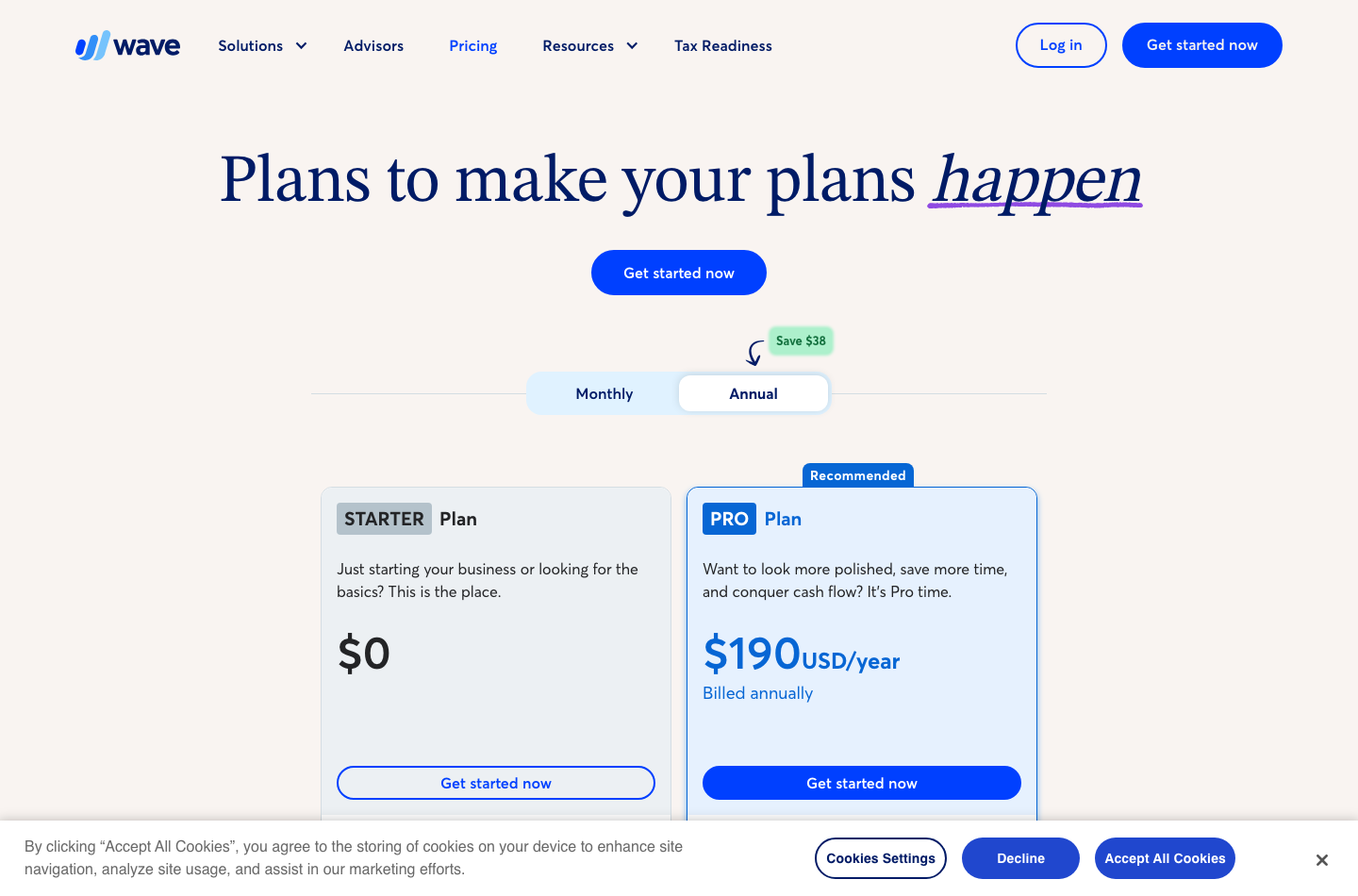
The two core editions have distinct jobs. Starter gives an eligible business a basic bookkeeping foundation. Pro invests in automating tasks an owner otherwise repeats: bank imports, receipt capture, reminders, categorization, and collaboration.
| US plan | Software subscription | First-year subscription | Notable inclusions |
|---|---|---|---|
| Starter | $0/month | $0 | Unlimited invoices, estimates, bills and bookkeeping entries |
| Pro monthly | $19/month | $228 | Bank imports, receipt scanning, reminders, accounting workflow improvements |
| Pro annual | $190/year prepaid | $190 | The same Pro feature family under annual billing |
| Starter + receipts monthly | $8/month add-on | $96 | Separate receipt scanning where available |
| Starter + receipts annual | $72/year prepaid | $72 | Receipt scanning, not a full Pro upgrade |
Annual Pro saves $38 against twelve regular $19 monthly payments. Starter’s independent receipt add-on saves $24 when paid annually rather than monthly. These calculations assume no promotional discounts, taxes or changed contract terms. See Wave’s pricing page and official Pro and receipts fee guide.
🆓 Is Wave Accounting Really Free?
For eligible new users, the Starter edition is a genuine $0 software plan rather than an expiring thirty-day trial. The free scope includes unlimited basic invoices, estimates, bills and bookkeeping records. However, using online payments, optional payroll, receipt scanning or expert bookkeeping services introduces separate charges.
An owner who sends five invoices monthly and tracks payments manually can find Starter sufficient. Another owner who imports two hundred bank transactions and keeps shoeboxes of receipts may spend enough time on data entry that Pro has better total value. Neither can be decided from the word ‘free’ alone.
💸 Wave Pro Plan Worth It? Calculate the Transaction Pattern
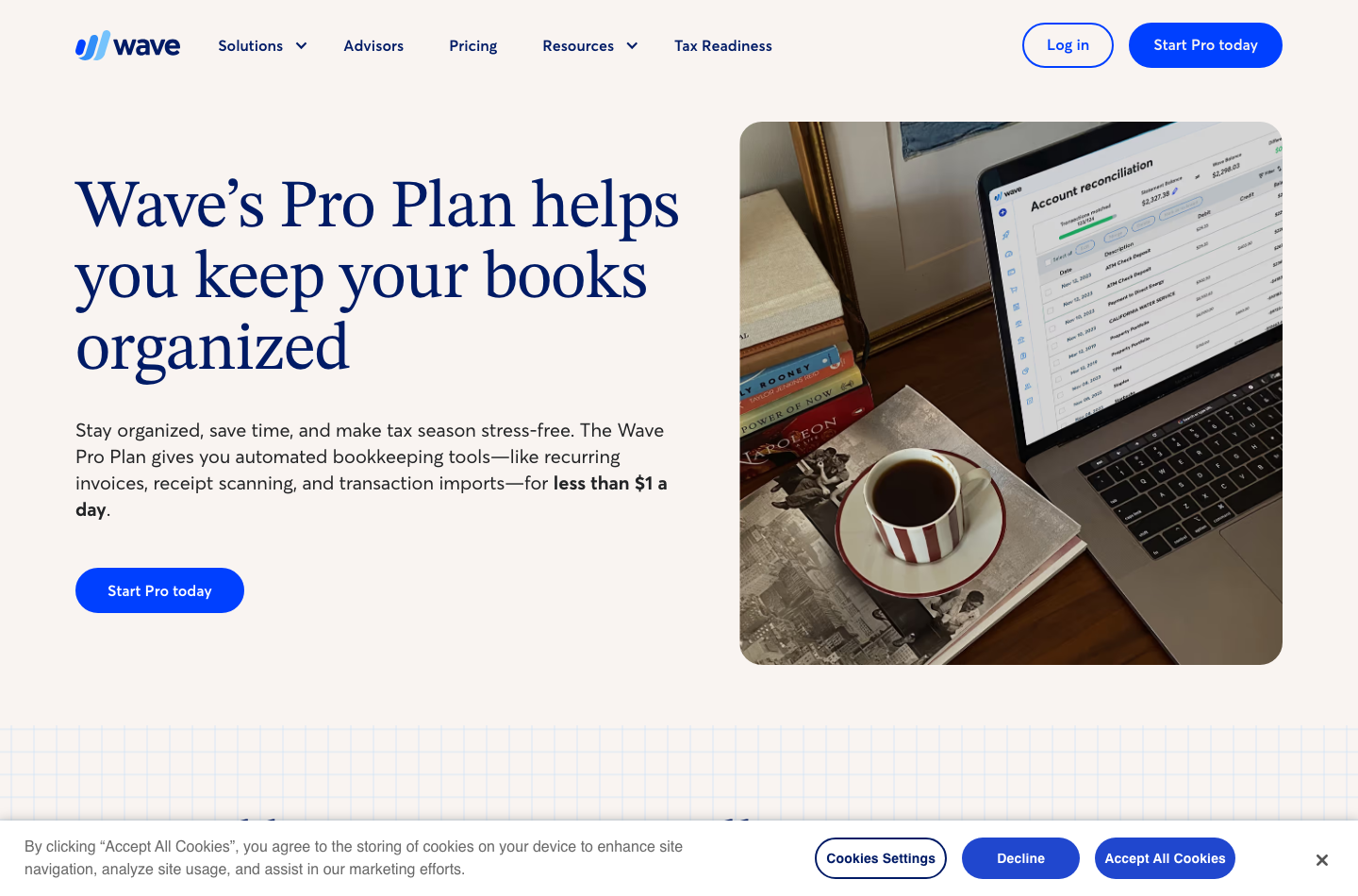
The US processing-fee footnotes are decisive: Starter lists 2.9% plus $0.60 for a standard card payment. Pro lists 2.9% plus $0 for the first ten cumulative qualifying transactions in each monthly subscription period, then 2.9% plus $0.60 thereafter. American Express has a different percentage and the same ten-transaction fixed-fee exception. The fixed-fee saving is therefore capped at $6 per month, not unlimited.
| Illustrative monthly standard-card volume | Starter fixed fees | Pro fixed fees (first 10 at $0) | Monthly fixed-fee difference |
|---|---|---|---|
| 5 payments | $3 | $0 | $3 |
| 20 payments | $12 | $6 | $6 |
| 40 payments | $24 | $18 | $6 |
| 80 payments | $48 | $42 | $6 |
Even with forty eligible standard-card transactions, the discount on fixed processing charges is only $6 that month: Starter’s fixed fees are $24 and Pro’s are $18. This cannot by itself offset the $19 Pro subscription. Pro must earn its cost through bank imports, receipt scanning, reminders or other useful automation. Confirm actual processing rates, card eligibility, settlement terms and merchant approval separately.
📅 Wave Annual vs Monthly Billing and Promotional Traps
Wave still displays a 50%-off, three-month banner, although the linked pricing terms list January 6, 2026 as the end date. That conflict makes the promotion unreliable for budgeting: use standard prices unless checkout confirms a new eligible offer. Never calculate a first-year budget using an expired banner. Compare the standard $19 monthly subscription with the $190 annual offer, then read the promotion’s duration and renewal terms separately.
Yearly prepayment saves money if the business stays in Pro all year, but it also increases commitment. A seasonal freelancer who only needs bank imports during part of the year may value monthly flexibility. If an accountant is involved, plan the review before renewal so the cost decision can reflect real workload.
💳 Wave Payment Processing Fees Explained
Wave supports invoicing and offers card or bank payment options according to eligibility and product setup. The business receiving payments should calculate the net bank settlement, not just the amount shown on the issued invoice. Even a standard 2.9% percentage fee can become meaningful for larger invoices.
| Hypothetical eligible US standard-card invoice | 2.9% amount | Starter | Pro, only within first 10 eligible payments/month |
|---|---|---|---|
| $100 | $2.90 | $3.50 | $2.90 |
| $500 | $14.50 | $15.10 | $14.50 |
| $2,000 | $58.00 | $58.60 | $58.00 |
These are illustrative calculations for a qualifying payment among the first ten in one subscription month, not transactions DigiOffly completed. On subsequent standard-card transactions that same month, the Pro fixed fee returns to $0.60; the Pro total in this table would increase accordingly. The comparison excludes ACH, tax, cross-border charges, disputes, refunds, payout speed and optional services. A processor may also retain some fees after a refunded card payment; check the current applicable agreement before offering refunds through the workflow.
🏦 Wave Credit Card Fees vs ACH Payments
Card processing and bank payments are different services with different pricing and settlement conditions. Even if the accounting application allows an ACH option, the client and recipient banks must be eligible. The payment method selected on the customer invoice should be one the company can legally support.
When evaluating the software, record one card payment, one bank payment, one processing fee and one refund in a controlled account. Compare invoice totals to bank deposits and identify how the fees appear in expense reports. If the app records the gross payment but not the processor fee, the owner still has to reconcile the missing amount.
✉️ Wave Invoicing Review: Strong Basics, Different Automation Entitlements
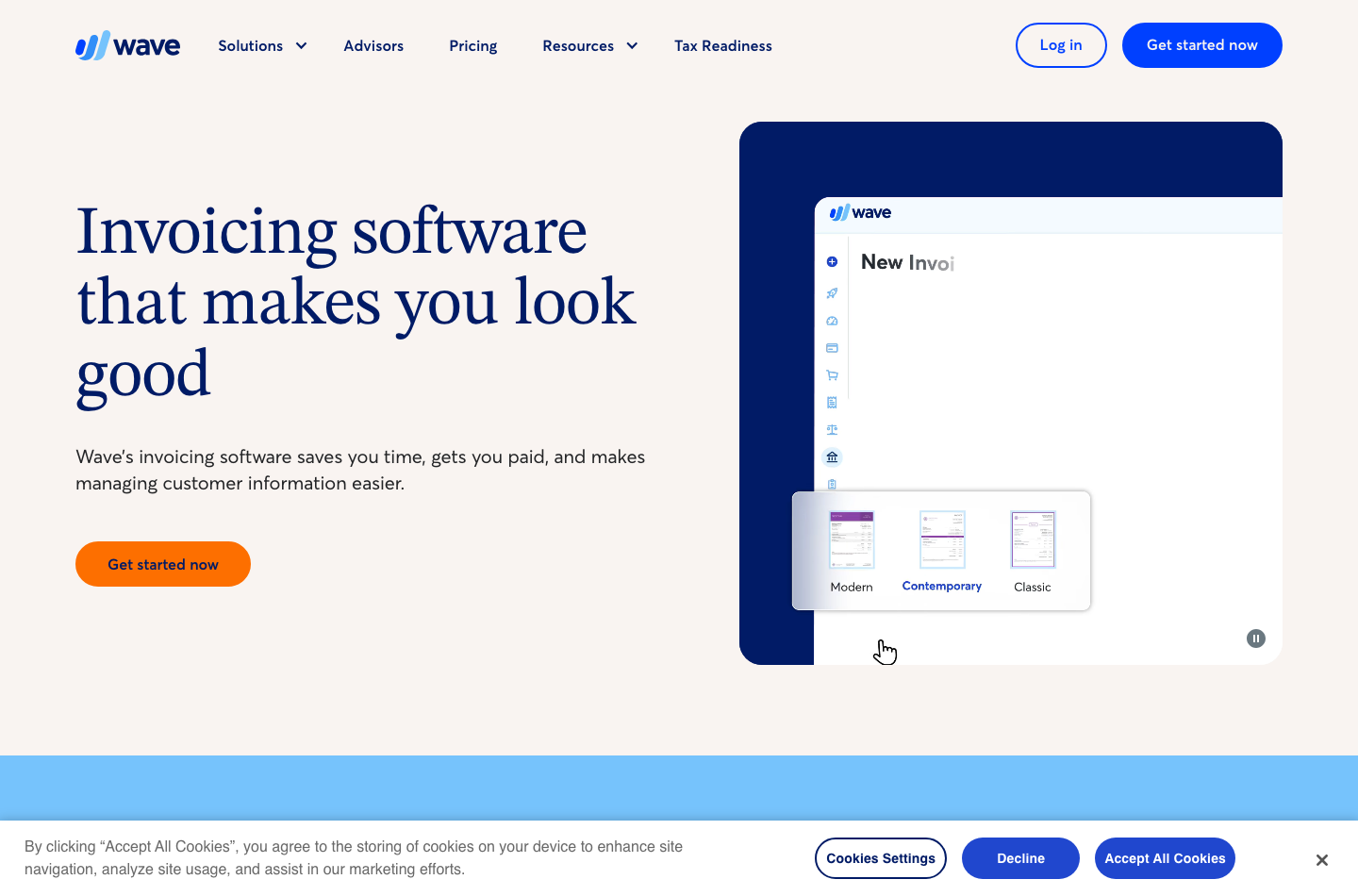
Wave’s invoicing pages promote estimates, reusable customer details, online payment options and invoice status tracking. The Starter edition can create unlimited documents, but sending reminders automatically and sending invoices directly through certain workflows are limited by plan or online-payments enablement. Always use the actual current plan matrix rather than an older screenshot that describes a ‘free invoicing app’ without qualifications.
A realistic invoice test includes an estimate, invoice, payment reminder, partial payment and credit note. If a reminder is sent after a disputed invoice, it can harm a customer relationship. The business should be able to pause the workflow and correct the record without recreating an entire invoice.
🔁 Late Payment Reminders and Recurring Work
Pro advertises automatic late reminders. They can reduce manual chasing, but only if contacts, dates and invoice statuses are accurate. Verify that the reminders apply the right local date, that they stop after payment or a dispute, and that a staff member can inspect the message that the client receives.
A recurring monthly retainer should also support the correct amount and due date after contract renewal. A schedule is not a substitute for commercial approval. The workflow should make it obvious when a client has canceled, paused or changed the scope of the work.
📱 Mobile Invoices and Receipt Scanning
Wave markets the ability to invoice on the go. It also offers digital receipt capture in Pro and via an optional receipts plan in eligible regions. Photographing receipts can help a small team capture evidence while expenses are fresh, but OCR extraction is not the same as accountant-approved expense classification.
A café receipt might be personal spending or a legitimate client expense; OCR can’t decide which account it belongs in. Establish an approval step for category, tax and project allocation before relying on automated reporting.
🏦 Wave Bookkeeping and Bank Connections
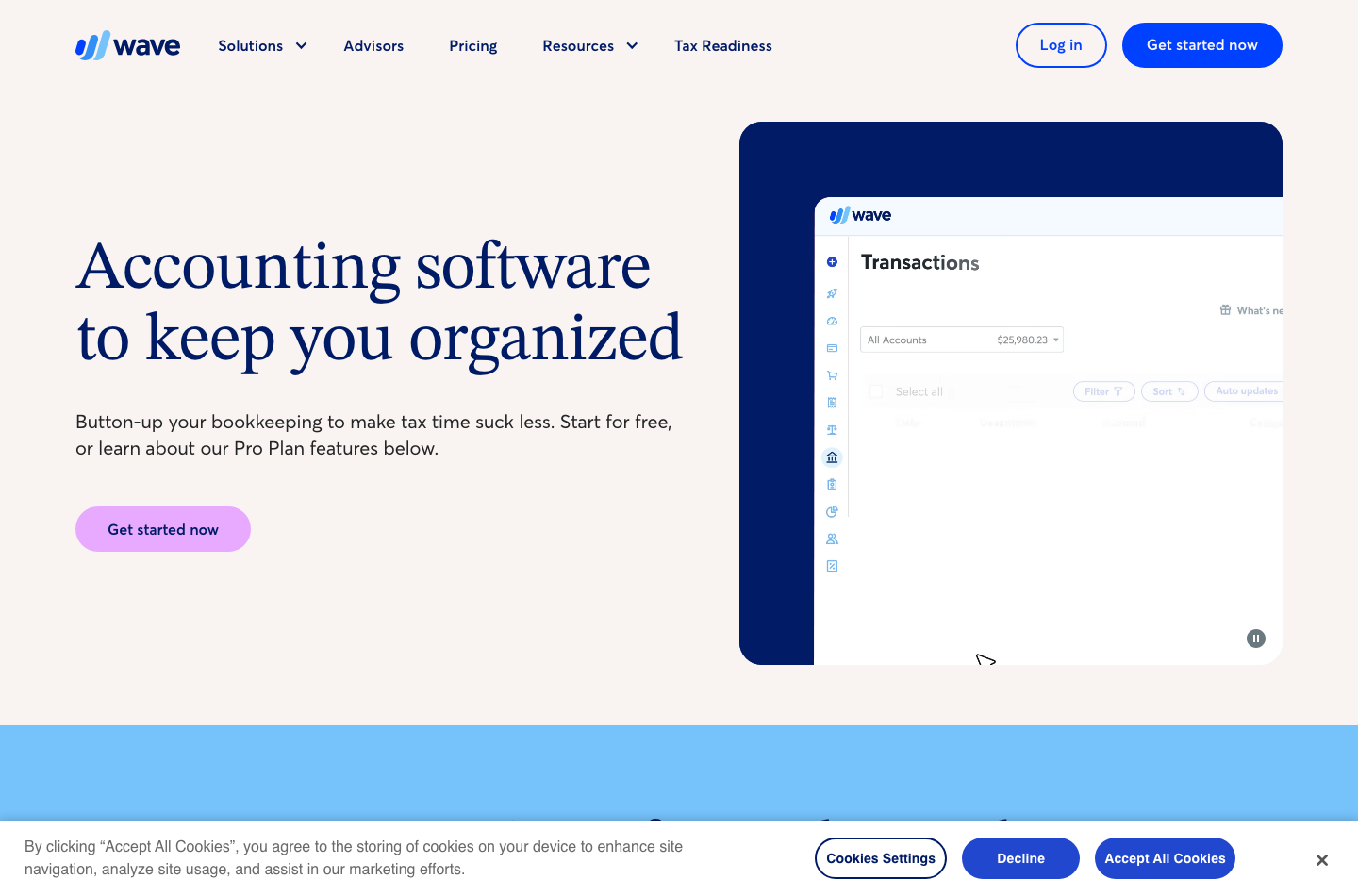
Wave’s accounting feature set includes records that small businesses use to understand receivables, expenses, cash flow and basic financial reports. Pro adds automatic imports from supported banks and categorization aids. This can reduce typing while creating new dependencies on feed reliability and matching rules.
Bank feeds are not always continuous. An expired connection or duplicated import can produce incorrect balances. A business should reconcile against its official statement at a consistent cut-off date, check outstanding transactions and resolve differences rather than treating ‘bank connected’ as proof that cash is correct.
Wave Pro’s automatic imports are valuable if the company has many routine transactions. For a microbusiness making five purchases per month, the bank-feed benefit may be too small to justify $19. For a contractor with fifty card purchases and ten customer deposits weekly, reducing manual categorization could save meaningful time.
📊 Wave Profit and Loss and Balance Sheet Reports
A profit-and-loss statement helps the owner understand revenues and expenses over time. A balance sheet helps identify assets and liabilities at a particular date. Neither is identical to the bank balance; unpaid invoices and outstanding supplier bills create timing differences.
Ensure the accounting records use a consistent chart of accounts and that bank payments are matched to the correct invoices. If a customer refund is recorded as a new expense rather than reversing appropriate revenue and cash entries, the report can look credible but become misleading.
🧾 Payroll, Advisors and Other Optional Costs
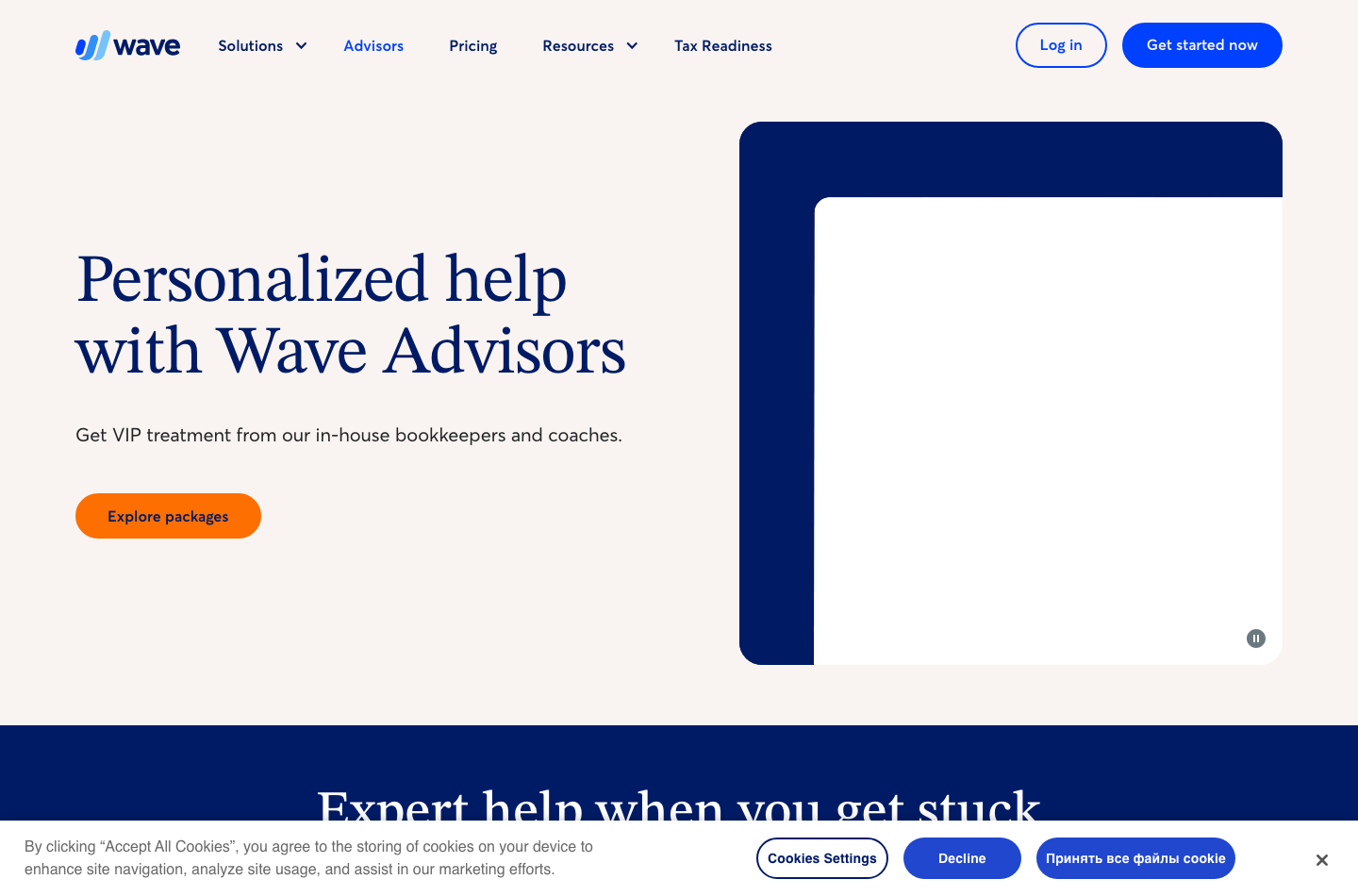
Wave’s public pricing page includes payroll and human bookkeeping services in addition to Starter and Pro. Payroll pricing can depend on the US state and whether tax services are supported; Wave advertises starting amounts rather than one universal price. Expert bookkeeping through Wave Advisors is another subscription-like service and should not be confused with software access.
| Extra | Why a business might need it | Purchase caution |
|---|---|---|
| Receipts add-on | Document capture while staying on Starter | Adds cost but does not unlock every Pro feature |
| Payroll | Employee pay and payroll tax workflows | State/province support and actual quote matter |
| Online payments | Customers pay invoices electronically | Fees, settlement timing and account eligibility |
| Wave Advisors | Human bookkeeping guidance or done-for-you work | Service fees are far higher than the basic app |
| Other integrations | Move data between accounting and sales tools | Check sync direction, reliability and extra subscriptions |
When total costs are compared, separate essential legal and operational services from conveniences. Payroll is not optional when employees must be paid correctly. A paid receipt scanner may be optional when the business keeps good digital receipt records in another approved system.
⚖️ Wave vs QuickBooks Online, FreshBooks, Zoho Books and Xero
| Alternative | Typical reason to compare | Decision point |
|---|---|---|
| Wave | A US/Canadian microbusiness wants inexpensive basic records | Do Starter’s manual workflows stay manageable? |
| QuickBooks Online | Established general-ledger and accountant workflows | Are local reports and integrations more complete? |
| FreshBooks | Time tracking and client-service invoicing are core | Is project billing worth a higher subscription? |
| Zoho Books | Workflows, inventory and global edition options are needed | Can the company qualify for the chosen local tier? |
| Xero | Accountant collaboration and connected bank feeds matter | Which bank and report needs are actually met? |
| BILL | Supplier payment approvals are the problem | Do approval and payout workflows need separate tooling? |
🔄 Wave vs QuickBooks: Simplicity or Accountant Workflow?
A sole trader who needs a few invoices and straightforward categorization may find Wave sufficient. A growing company with complex purchasing, inventory and sophisticated accountant requirements may prefer a QuickBooks edition. Neither judgment is fair without reviewing the actual reports the accountant uses.
Our QuickBooks Online review looks at that software separately. Compare the same sample financial period, not two unrelated feature lists.
⏱️ Wave vs FreshBooks: Time-Based Services vs Basic Books
Wave is especially compelling when simple bookkeeping and subscription cost dominate the decision. FreshBooks offers a stronger service-work emphasis with tracked time and project-oriented invoicing. A consultant managing projects might prefer FreshBooks; a self-employed designer sending three flat-fee invoices may prefer Wave.
Read our FreshBooks review to compare the upgrade paths and client limits.
🌍 Wave vs Zoho Books: Geography Comes First
This comparison must begin with legal availability. Zoho Books has country-specific editions across more markets; Wave limits new businesses to the United States and Canada. An ineligible company cannot make a meaningful price comparison by pretending that a VPN changes its country of incorporation.
Eligible users can compare manual workload, invoice caps, user permissions and inventory requirements. International companies should prioritize supported vendors and accountants who know their local reporting duties.
✅ Wave Pros and Cons
| Strengths | Boundaries |
|---|---|
| Genuine $0 Starter subscription for eligible businesses | New accounts restricted to US and Canada |
| Unlimited basic documents and bookkeeping entries | Starter lacks several Pro automations |
| Pro includes banking and receipt workflow improvements | Processing fees remain even with Pro |
| Transparent basic US and CAD plan pricing | Payroll, advisors and extras priced separately |
| Straightforward option for simple service companies | Advanced inventory and complex compliance needs may exceed scope |
| Can begin without yearly commitment | Annual Pro prepayment changes cancellation flexibility |
🧪 Test Wave Before Depending on It
We did not run a controlled Wave account test. For an eligible business, these checks can establish whether the accounting product is suitable.
Create a test estimate, then invoice. Confirm customer details, tax fields and any required payment instructions. Send it only to an approved test address.
Match a small ledger period. Include two bank purchases, a refund, a customer deposit and a fee. Check the closing balance against an independent control statement.
Evaluate Pro automation. If trying Pro, check a supported bank feed’s freshness and investigate how duplicates are detected. Capture a small sample receipt, then inspect the category and tax fields for mistakes.
Check payment method economics. Estimate monthly transaction count, average amount and eligible card mix. Compute total fees without attributing disputed promotional rates to every future month.
Test exports and collaboration. Invite an authorized accountant with least-privilege access and confirm usable financial exports. Review how credentials and bank connections are revoked when a staff member leaves.
🔐 Security and Geographic Eligibility
Bank and bookkeeping records involve customer identity, payment details and potentially personal information. Apply multifactor authentication where available, limit access to financial exports and review any third-party bank connection permissions. Do not use customer bank details as trial data without authorization.
Wave’s official support articles are unusually explicit that the company focuses on the United States and Canada. Legacy international users may face restricted functions and uncertain future eligibility. Businesses elsewhere should select locally supported tools rather than building critical finance operations on an unsupported account.
🧮 A Worked Wave Starter vs Pro Cost Decision
Imagine a small US photography studio issuing 35 invoices per month, receiving twenty eligible standard-card payments and recording sixty bank transactions. With Wave Starter, the base software subscription is $0. If its twenty card payments use the listed Starter fee, the fixed fee component is $12 monthly in addition to the same percentage component used in this example. Wave Pro removes the $0.60 fixed fee on only the first ten qualifying monthly transactions; the next ten payments still incur $0.60 each. The Pro subscription itself costs $19 monthly.
| Illustrative monthly cost component | Starter | Pro paid monthly |
|---|---|---|
| Base software | $0 | $19 |
| Fixed fee on 20 eligible standard-card transactions | $12 | $6 |
| Subtotal of these two items | $12 | $25 |
| Percentage processing and other costs | Not included | Not included |
Under those deliberately narrow assumptions, Starter is $13 cheaper for the two measured items. But the owner should also consider receipt scanning, bank imports and reminders; those productivity differences could justify the higher price. The example is not an actual vendor quote and excludes card percentages, payment-method variation, sales taxes and charges outside the selected scope.
Now assume forty qualifying payments per month. Starter’s fixed charges total $24; Pro’s total $18 plus the $19 subscription, or $37 before percentage fees. The $6 maximum fixed-fee saving is unchanged after the tenth qualifying payment, so payment volume alone does not make Pro cheaper under these published terms.
🧾 Wave Receipt Scanning and Manual Expense Controls
Scanning a receipt keeps the evidence handy, but somebody still needs to review the category, tax treatment and business purpose. A receipt from a coworking café could belong to client entertainment, staff meals or a personal purchase; software extracting a merchant name cannot know the authorized account code by itself.
Adopt a simple sequence: capture receipt; match it against the bank debit; assign category; add client or project attribution; review tax; approve. With Pro this may happen inside Wave’s receipt and accounting tools. With Starter it may involve more manual steps or a separate receipts add-on. The goal is a traceable record, not simply a photo gallery.
🌎 Wave International Availability: A Non-Negotiable Check
Wave’s official geography guidance distinguishes existing international users from new signups. Existing businesses outside the supported region may still have historical access to certain features, but the documentation warns of restrictions and potential future changes.
For a UK, EU or other non-North-American company, the responsible advice is to shortlist a locally supported product. Do not treat a travel VPN as proof of business eligibility, and do not create inaccurate business-location details to obtain an account. Currency conversion, bank feeds and tax treatment cannot be repaired simply by choosing US dollars in a pricing calculator.
👥 Wave Payroll and Bookkeeping Advisors
Wave’s optional payroll and expert-service offerings address quite different problems. Payroll involves paying employees and meeting reporting obligations; expert bookkeeping can involve human assistance with recording and reviewing business transactions. Neither should be presented as automatically included in Wave Starter or every Pro subscription.
Ask for a quote specific to the company’s state or province, headcount and payroll calendar. Check who files required forms and how the service handles contractor payments, changed bank details and employee termination. If bookkeeping services are included, determine how frequently financial statements are reviewed and what the owner must still prepare.
🏦 Wave Bank Connections and Accountant Exports
A reliable accounting migration should survive disconnection. If a bank feed stops for a week, can a bookkeeper import the missing transactions without creating duplicate entries when the connection returns? Test the supported file types and account mapping before moving the whole business.
An accountant should be able to export a usable trial balance and financial reports for the required periods. Verify whether archived invoices, tax details, receipts and custom fields remain accessible. Before committing, check that invoices and accountant-ready reports can be exported without rebuilding the books.
🏁 Final Verdict: Is Wave Accounting Worth It in 2026?
Wave remains worthwhile for eligible small US and Canadian businesses with straightforward finances. Starter covers essential records at $0. Pro may justify its $19 monthly or $190 annual cost when bank feeds, receipts and reminders remove meaningful manual work or when processing economics favor the eligible rate schedule.
Count monthly invoices, bank entries, receipt uploads and eligible card payments before comparing Starter with Pro. Where tasks are rare, the free tier may be sensible. Where tasks repeat daily, a paid workflow may save more than its subscription costs.
For businesses outside the US and Canada, Wave should not be presented as a straightforward new-account recommendation. Geographic eligibility is a first-order requirement, not a minor disclaimer.
🔎 Official Verification Sources
Wave pricing · Wave Pro · Wave invoicing · Wave accounting · Wave availability outside North America · Subscription fees. Vendor terms checked October 24, 2026.

Wave Frequently Asked Questions
Is Wave accounting really free in 2026?
Starter has a $0 software subscription for eligible businesses in the US and Canada and supports basic invoices and bookkeeping. Online payments and optional services can cost extra.
How much does Wave Pro cost in the US?
Wave Pro is listed at US$19 per month or US$190 prepaid annually, excluding taxes, payment processing, payroll and other optional services.
Is Wave available to businesses in Europe?
New Wave accounts are available to businesses in the United States and Canada; US territories are excluded. Existing international legacy accounts have separate restrictions.
What is included in Wave Starter vs Pro?
Starter covers unlimited basic estimates, invoices, bills and bookkeeping records. Pro adds bank transaction imports, receipt capture, automation and reminders subject to plan terms.
What are Wave payment processing fees?
The US page lists 2.9% plus $0.60 for eligible standard Starter card payments. On Pro, 2.9% plus $0 applies only to the first ten qualifying monthly transactions; subsequent payments again incur the $0.60 fixed component.
Does Wave Pro include receipt scanning?
Yes. Pro includes receipt capture and expense tracking, while eligible Starter users may purchase a receipts add-on separately.
How much is the Wave receipts add-on?
Wave lists US$8 monthly or US$72 annually for eligible US subscribers; Canadian pricing is CA$11 monthly or CA$96 annually.
Can Wave send invoice reminders automatically?
Wave promotes automated late reminders on Pro. Check current plan features and online-payment eligibility before relying on automation in Starter.
Can I invite an accountant to Wave?
Wave describes multi-user collaboration among the services available under its plans. Check roles, access rights and relevant permissions in your account.
Is Wave vs FreshBooks better for freelancers?
Wave can be suitable for basic accounting on a low budget; FreshBooks may fit clients billed by time or project. Compare an actual invoice and reconciliation workflow.
Does Wave file taxes or replace my accountant?
No general tax-filing guarantee applies. Wave reports may support bookkeeping, but payroll and local filing obligations require separate verification and professional advice.
EXPLORE NEXT ON DIGIOFFLY
Explore Small-Business Finance Alternatives
Explore region-appropriate accounting software and compare real subscription costs.
Explore finance software
- Finance Software Reviews — Compare accounting, payments and operations.
- QuickBooks Online Review — Explore general-ledger alternatives.
- Xero Review — Compare bookkeeping workflows.
- Zoho Books Review — Review free-plan limits, inventory, team roles and bookkeeping.
- BILL Review — Review vendor bill approvals, payables and supplier payments.
Find useful alternatives
- Best Software — Browse editor-selected tools.
- AI Software Finder — Filter by your business needs.
- Compare Software — Evaluate competing products.
Plan your software spend
- Software Cost Calculator — Model seats and subscriptions.
- Best Value Advisor — Compare practical value.
- Software Directory — Browse the complete product catalog.
- Sage Accounting — UK accounting, VAT and reconciliation
- Koinly review — Review a separate crypto transaction-reconciliation product