

Pricing and specifications checked 2026-11-22 against vendor primary sources. Conditions, billing cycles and regions may change.
A trading account that shows a smooth upward balance curve can still be a bad strategy. Withdrawals and deposits can alter headline growth, open losses may not appear in a closed-trade summary, and a single lucky month can conceal years of negative expectancy. Myfxbook helps traders examine the record behind the headline by importing account activity and organizing it into growth, equity, drawdown, trade and risk statistics. The important question is not whether the dashboard looks persuasive but what the underlying record actually proves. This Myfxbook review compares account tracking, broker-platform connections, Track Record and Trading Privileges verification, the economic calendar and the free manual backtesting feature. It also separates free platform use from paid Live Update, then compares Myfxbook with trade journals and statement-analysis tools. Our research uses official public documentation and vendor-published app screenshots. We did not connect a trading account, purchase an update service or personally verify a profitable account.
DigiOffly currently uses direct non-affiliate product links. Vendor claims are distinguished from independently observed tests. No investment or trading advice is provided.
📊 Myfxbook Review Summary
Myfxbook is a trading-account analytics and community platform, not a broker and not a guarantee that an account will remain profitable. The service can aggregate supported brokerage histories, display drawdown alongside gains, compare monthly behavior and help a trader verify that published records correspond to a connected account.
Most core features are described as free and supported by advertising. Some account connection modes have different update schedules: the optional Live Update method is paid, while documented MetaTrader alternatives include free server-side Auto Update or a local EA Publisher. The newer manual Backtest tool is free for registered users. Paid update subscriptions and third-party premium-account subscriptions should not be confused with a universal Myfxbook membership price.
⚡ Quick Verdict: Is Myfxbook Worth It?
Myfxbook is a strong starting point if you need external-looking account statistics, broker-history verification and public or private monitoring without immediately buying a sophisticated journal. It is particularly relevant to traders evaluating automated systems and the consistency of their own execution. However, the verification badges validate specific data and account-control checks; they do not certify risk management, account independence or future profits.
Use a free account first. Ask whether your broker, platform and update method are supported; confirm the risk statistics against your broker statement; and do not pay for rapid refresh until you have a real reason to see the data more often.
🏆 VERIFIED PRODUCT OVERVIEW — Myfxbook
Myfxbook brings trading-account statistics, track-record verification, market calendars and free manual Backtest into a research workflow.
Best for: Forex traders, automated-strategy auditors and account-performance researchers
🧠 What Is Myfxbook?
Myfxbook connects trading performance with a portfolio-style dashboard. Its public product materials describe growth and balance charts, equity tracking, period-by-period returns, drawdown measures, instrument analysis, and the ability to track several trading accounts. A trader can use these views to distinguish an account that grew steadily from one that experienced deep underwater periods before a final recovery. The company also operates a community and a search facility for published trading systems. For an investor or strategy evaluator, a system page can show historical activity and two important verification indicators. Track Record means Myfxbook has checked that the account's displayed trading history matches the history supplied by the connected broker platform. Trading Privileges concerns control of the trading account. Neither indicator proves that the broker itself is trustworthy, that execution was independent, or that a future period will look like the past. Outside performance tracking, the platform publishes a forex economic calendar, community sentiment information and general market tools. The Myfxbook calendar can help a researcher align trading activity with scheduled events, while the Myfxbook app brings portfolio and market information onto mobile devices. Those are conveniences rather than substitutes for news-risk planning. In 2026 the Myfxbook Backtest product adds manual historical market replay. Official help material describes simulated orders, several synchronized charts, more than 20 years of data for some instruments and one-minute historical resolution.
🖥️ Ease of Use & The User Interface
The public materials emphasize a familiar account-dashboard workflow: connect a broker account, arrange it into a portfolio, review performance by period and open advanced statistics to investigate a suspicious result. An established MetaTrader user may recognize many of the metrics quickly. A new user must still learn the difference between balance and equity, the effect of deposits or withdrawals, and the precise time range applied to a chart. Import methods create the main setup friction. For MetaTrader, official instructions distinguish server-based Auto Update, a separately paid Live Update and a platform-side EA Publisher. cTrader has a different authorization flow through the Spotware account. A trader should not assume all connections have identical refresh rates or operating-system requirements. We did not authenticate to the trading dashboard because automated requests to the official Myfxbook website returned a Cloudflare access challenge.
🧭 How to Use Myfxbook for Beginners
This is a research-based checklist using published Myfxbook connection guidance. It is not a record of our team connecting a private or demo broker account.
1. Start with a measurable question
Write down why you are connecting an account. A discretionary trader might want to know whether average losing trades are larger than winners, whether trading around major news increases drawdown, or whether particular hours consistently underperform. An EA developer may want to compare a forward account with a historical test. Define the time range and the account currency before opening Myfxbook; otherwise the most dramatic metric on the screen can determine the question after the fact. Preserve a broker statement covering the same dates.
2. Choose the broker connection deliberately
Check the official connection instructions for your exact platform and broker. On MetaTrader 5, documented methods include the paid Live Update, a free server-side Auto Update and a free EA Publisher that requires the terminal to remain running on Windows for frequent updates. These are not interchangeable. For cTrader, the help center describes signing in through Spotware to authorize the desired trading accounts. Review the authorization scope and any sensitive credentials carefully.
3. Verify records before publishing performance
An imported account should not immediately be treated as an audited strategy. Read the Myfxbook verification documentation and understand the difference between Track Record and Trading Privileges. A verification badge is meaningful only for the specific check described. It does not resolve whether the account had several other unsuccessful portfolios, whether a strategy was changed mid-period, or whether a broker's prices were representative. Compare trade counts, profit, deposits and large drawdown periods with your statement.
4. Break down performance and risk
Look beyond total gain. Review equity and closed-balance curves, maximum drawdown, daily and monthly returns, average win and loss, and results by symbol and trading hour. The difference between absolute gain and percentage growth can matter when deposits and withdrawals occurred. Advanced statistics can reveal a strategy that profits often but loses disproportionately on a small number of trades. For an automated system, separate data from configuration changes. A backtest, demo period and live account may use different commission models or spread conditions.
5. Use free Backtest to explore a rule without pretending it predicts
The vendor describes Myfxbook Backtest as a free manual market replay tool for registered members. Define entry, stop, exit and position-sizing rules before the test. Explore several currencies, trends, ranges and event periods without selectively excluding losing setups. Record each decision and realistic costs. Because the historical simulator uses one-minute rather than full tick-level source data, a very short-term setup can behave differently in a real market. Treat the resulting performance as hypothetical; validate any promising idea separately before exposing real money.
🛠️ Key Features That Actually Matter
A long menu of trading statistics is useful only if each metric helps answer a defined question. Myfxbook groups account-performance measures, connectivity, community verification, market information and historical replay. Those categories should not be conflated: displaying a broker's trading history, verifying a record, and simulating future orders are different processes.
Portfolio monitoring and account comparisons
Myfxbook portfolio views bring multiple connected accounts into a common place. The official feature list describes portfolio summaries, monthly performance, account watchlists and comparisons among trading systems. This can be useful for an analyst who operates more than one EA or tracks a discretionary account alongside a systematic one. The principal risk is combining unlike records. An account denominated in euros does not become directly comparable with a dollar account merely because both growth numbers are percentages. Leverage, account size, commissions, exposure and start date all affect context.
Growth, equity and drawdown analytics
Balance, growth and equity curves answer related but different questions. Balance generally reflects closed trading outcomes and account cash movements. Equity includes the impact of open positions at the current valuation. A strategy that avoids taking a loss can display a smooth closed-trade chart while an open position creates a significant drawdown. Myfxbook includes equity charts precisely because a balance-only view can miss that risk. Historical drawdown is equally important. A 30 percent drawdown requires a much larger gain to recover to the starting balance, and one painful month can overwhelm many small positive months.
Track Record and Trading Privileges verification
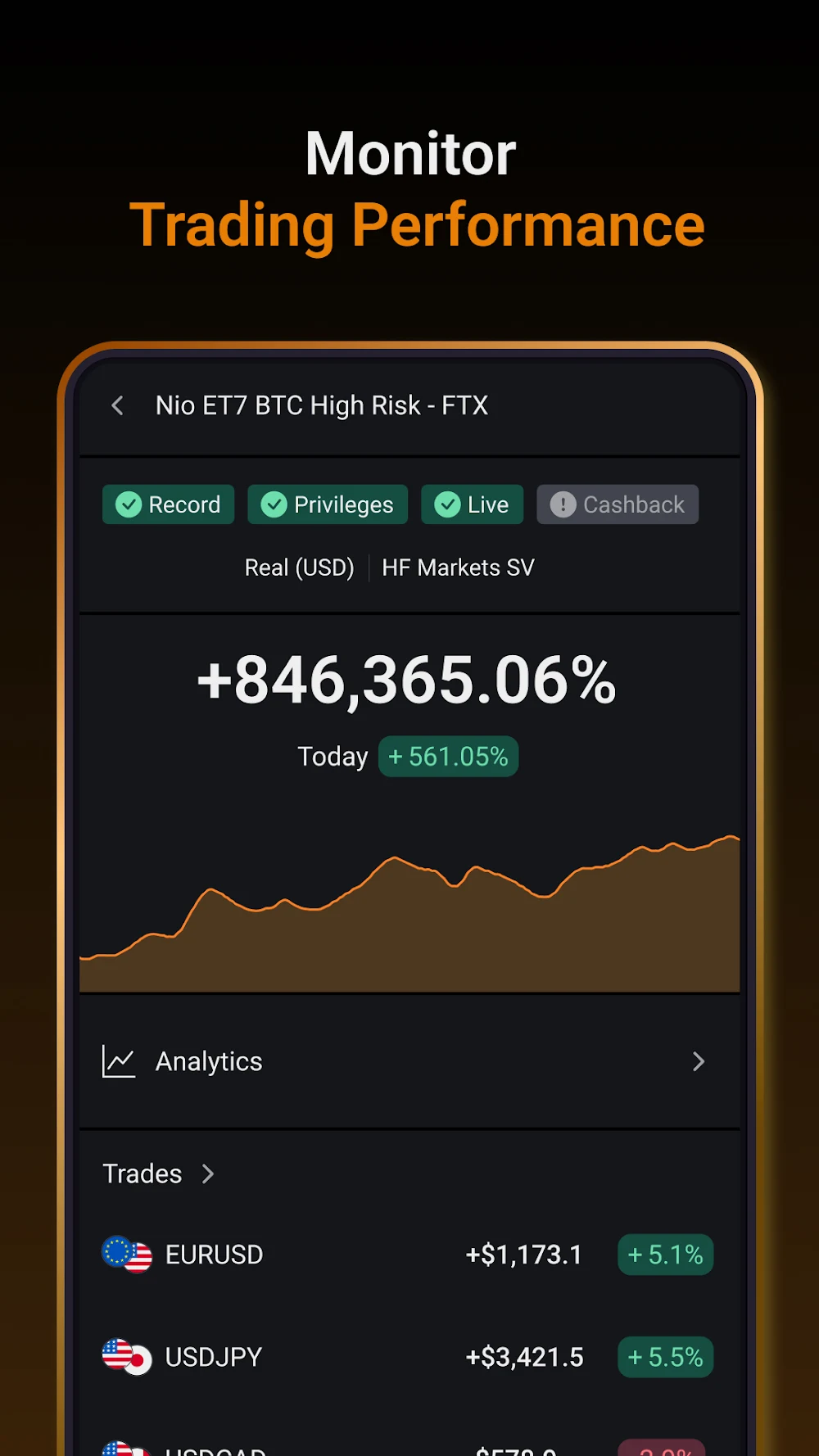
Myfxbook verification is a major reason to use the platform when evaluating a publicly promoted trading bot. The official documentation describes two checks. Track Record addresses whether the displayed transaction history matches history supplied by the broker's trading platform. Trading Privileges concerns the person adding the account being able to demonstrate account-control privileges. These checks are valuable because a static screenshot is easy to edit. Still, a verification indicator is not a financial audit. The badge does not prove that every losing account has been published, that money can be withdrawn without friction, or that the trader cannot change strategy later.
MetaTrader 4, MetaTrader 5 and cTrader connections
Myfxbook can connect to supported broker accounts using several different methods. For MT5, the vendor lists a server-based paid Live Update service, a free Auto Update path and a free EA Publisher. EA Publisher runs on Windows and typically updates while the terminal is active. Auto Update depends on a server-side process and can be materially slower than real-time; official instructions should be consulted for current timing.
cTrader follows a different flow. The official cTrader guide points users to Spotware account authorization rather than a MetaTrader expert advisor.
Advanced statistics, custom analysis and trade tagging
Myfxbook advanced statistics can show profit factor, expectancy, performance by currency and timing, average hold time and related trade distributions. Custom analysis and trade tags allow a trader to move beyond a simple win percentage. A strategy with 65 percent wins can still lose money when average losing trades are substantially larger than winners. Conversely, lower win rates may be compatible with a positive expectancy if gains outweigh losses. Useful tags might separate sessions, news conditions, trend-versus-range markets, EA versions or discretionary mistakes.
Economic calendar, Forex sentiment and market context
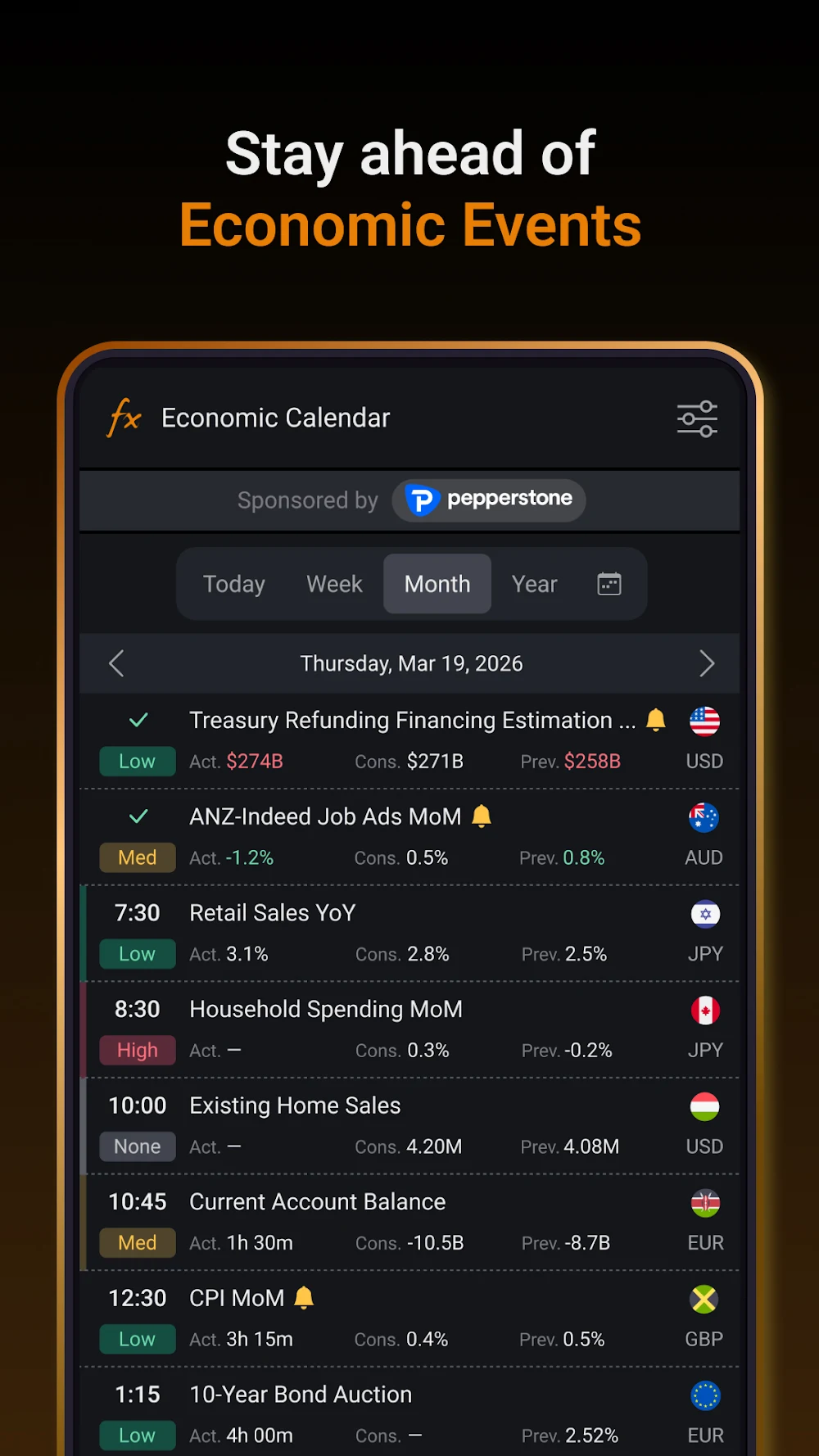
The Myfxbook economic calendar lists scheduled market events alongside relevant estimates and results. Traders often use it to identify when spreads, slippage and volatility could change abruptly. In a performance review, calendar timestamps help relate unexpected trades to the conditions under which they occurred. The Myfxbook calendar is context, not a timing signal. Community outlook and sentiment tools summarize the visible behavior of participating traders. Myfxbook sentiment should not be mistaken for a comprehensive view of institutional positioning or the entire foreign-exchange market. The sample is self-selecting, and its composition can change over time.
Free Myfxbook Backtest manual market replay
The vendor launched a separate manual Backtest workflow. It lets registered users replay historical markets, manage simulated orders, inspect several synchronized charts and review the results. Official documentation states that the tool is free and draws on more than twenty years of history for some instruments, with one-minute resolution. Specific symbols do not all begin on the same date. There is a significant technical boundary: a one-minute data stream does not reveal every tick inside that minute.
Mobile app, notifications and external reporting
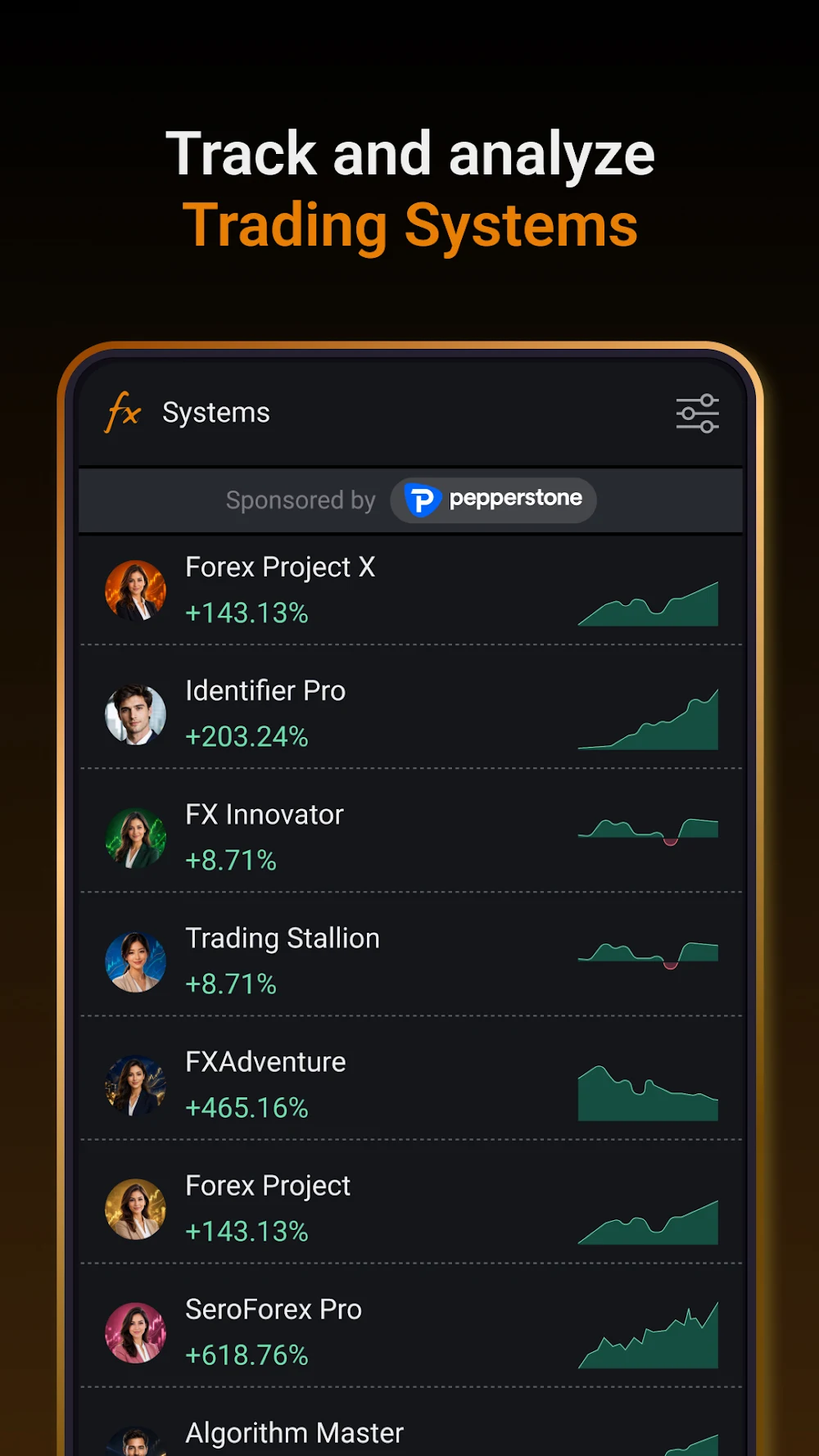
The Myfxbook app published on Google Play provides mobile views of account monitoring, economic events, markets and system performance. The developer's listing shows examples of trading-system rankings and a dashboard with verification labels. Those are promotional preview images, not evidence that a particular example account earned a credible return. The mobile app is useful when someone needs to see whether a connected account has updated or review macroeconomic events away from a desktop. It should not be mistaken for a brokerage terminal or proof that every supported broker offers all functionality on every phone.
✅ Pros & Cons of Myfxbook
Pros
- Free core account and performance dashboards for supported brokerage integrations
- Distinct Track Record and Trading Privileges checks beyond an ordinary static screenshot
- Detailed growth, equity, drawdown and trade-by-trade performance context
- MetaTrader and cTrader connection methods documented separately
- Free interactive historical Myfxbook Backtest for registered members
Cons
- Verification badges do not establish future returns, investment safety or unbiased account selection
- Connectivity, refresh rate and supported features depend on broker and update method
- Paid Live Update has a separate charge not disclosed as a standard public US price in our source check
- Public dashboard data can be stale, incomplete or affected by deposit/withdrawal interpretation
- We could not measure signed-in performance or broker reconciliation firsthand
👾 Limitations & Reality Check
The biggest limitation of any Myfxbook review is the temptation to use a documented track record as a shortcut to proving a strategy is safe. Myfxbook can make it harder to present a fabricated screenshot, but a selected and verified profitable account is still a selected account. The trader may operate several other portfolios, change methods after the published period, or hold risks outside the account being shown. A track-record check cannot demonstrate everything a professional due-diligence process would need. Source data and calculation conventions matter too. If the broker sends delayed records, the current equity view may be less current than its appearance suggests. An account with large floating losses may look better in a closed-trade breakdown. Deposits and withdrawals can confuse a casual interpretation of growth. Account resets, broker server migrations and missing trades require investigation, not automatic assumptions that the dashboard is wrong or right. The Myfxbook broker connection is another risk boundary. A person configuring a trading account should verify the exact supported method, which permissions are required and what will happen if an EA stops running or server-side update becomes unavailable.
💰 Pricing Plans & Real Costs
The vendor's published FAQ describes the main Myfxbook account service as free and supported by advertising. A user does not need to purchase a universal Myfxbook Pro plan just to begin evaluating portfolio statistics. The free manual Myfxbook Backtest feature also has an explicit no-cost statement in the official help center, subject to creating and using a registered Myfxbook account. The connection method changes the cost calculation. Official instructions for MetaTrader 5 distinguish a free Auto Update method, a free Windows EA Publisher and a paid Live Update option. Live Update processes updates on the vendor's servers and is described as real-time; the free methods have different refresh conditions. We found no independently verifiable public US dollar figure for the current Live Update subscription in the official documents available to our research environment. Consequently, the pricing table does not invent a monthly rate. The buyer should check the price shown in their own authenticated subscription flow. Another easily confused offering is Premium Account Access. This lets owners of fully verified public accounts charge followers for access to additional account information and notifications. The documentation discusses creator-selected prices between $20 and $100 a month. Those are charges for access to particular traders' accounts, not the cost of using Myfxbook's free performance dashboard.
| Plan | Cost / billing model | Region / billing period | Vendor source checked |
| Myfxbook core account | $0, vendor states ad-supported Free | US reference; confirm account-specific availability; Free access | https://www.myfxbook.com/faq (2026-11-22) |
| MT5 Auto Update | $0 for free server-based automatic updates; slower than real-time | US reference; confirm account-specific availability; Free connection option; refresh depends on broker/method | https://www.myfxbook.com/help/knowledge-base/metatrader-5-connection-methods/ (2026-11-22) |
| MT5 EA Publisher | $0 for the EA Publisher method; local Windows terminal must remain active | US reference; confirm account-specific availability; Free connection option; 5-minute updates while EA runs | https://www.myfxbook.com/help/knowledge-base/metatrader-5-connection-methods/ (2026-11-22) |
| Myfxbook Backtest | $0 for registered users; historical manual replay | US reference; confirm account-specific availability; Free manual simulator; not live order execution | https://www.myfxbook.com/help/knowledge-base/1-what-is-myfxbook-backtest/ (2026-11-22) |
| Live Update (optional paid) | Paid subscription; current numeric US price unverified in vendor public docs | US reference; confirm account-specific availability; Per connected account; checkout confirmation required | https://www.myfxbook.com/help/knowledge-base/live-update/ (2026-11-22) |
🎯 Who Should Use Myfxbook?
Myfxbook is particularly relevant to FX and CFD traders who already have account histories and want a clearer explanation of their performance. A discretionary trader can use trade distributions, results by symbol and holding time to identify process weaknesses. An automated-trading researcher can look beyond a backtest screenshot to distinguish live connected account history, drawdown, and verified account-control statements. The platform is also useful to someone studying third-party bots before considering a purchase. A Myfxbook account page can provide more context than an image in a marketing brochure. But a verified page should lead to more questions: how much history is shown, what was the maximum equity drawdown, how many losing accounts were not published, what broker was used, and what are the costs of reproducing the trades? For a strategy-development team, the free manual Backtest offers a way to practice explicit rules against historical markets without placing live orders. It may help to investigate process discipline, though it cannot replace the exact backtest method required for very fast strategies or account-specific broker execution.
⚖️ Myfxbook Alternatives
Comparable tools often solve only part of the job. A journal can improve self-analysis without providing Myfxbook-style verification badges; a statistics publisher may help share an account record without delivering the deeper diary used by a discretionary trader. The alternatives below are presented by task fit, not a paid-account performance ranking.
FX Blue vs Myfxbook
FX Blue also offers trading-account analytics, statement and performance presentation, so it is a natural alternative when the task is monitoring MetaTrader-related results. Both platforms can provide more detail than a screenshot of gross profit. The better fit depends on connection requirements, public reporting expectations, historical statistics and the specific broker account involved. A trader who wants independent-looking publication of an automated strategy should compare the exact definition of verification or reporting used by each service. Do not assume a badge or a shared report is equivalent to a full external financial audit.
TradesViz vs Myfxbook
TradesViz focuses heavily on trading journal workflows, imported activity and detailed review of execution patterns. Someone who wants to annotate decisions, classify mistakes, and examine strategy behavior may find that focus more directly useful than a public track-record page. Myfxbook, in contrast, is recognizable for connected forex account tracking, public system statistics and specific verification badges. A journaling feature is valuable only when used consistently. If a trader never records why an entry was taken, additional filters cannot recover the original reasoning from a broker order.
TradeZella vs Myfxbook
TradeZella is a trading-journal product centered on process improvement and detailed post-trade review. It may appeal to a discretionary trader who wants to understand recurring rule violations, inconsistent execution, and behavior across sessions. Myfxbook emphasizes the connected account's measurable performance, forex statistics, market tools and historical verification context. These services are not identical competitors on every feature. A journal with sophisticated tagging cannot by itself prove that a publicly marketed account history matches a broker record. On the other hand, a verified public record is not a diary of the trader's emotional or discretionary decisions.
Comparison: Myfxbook vs Alternatives
This comparison deliberately separates broker-record tracking, a personal trade journal and historical simulation. Rows describe intended uses and published capabilities; they are not claims of comparative execution speed, account accuracy or verified risk reduction.
| Consideration | Myfxbook | Alternatives |
| Broker-connected FX account performance | Myfxbook supports published account analytics and selected broker updates | FX Blue is also oriented around account statistics; journals depend on imports |
| Verification of a public strategy | Track Record and Trading Privileges are separate Myfxbook account checks | Trade journal exports are not equivalent to those checks |
| Behavioral trade journal | Myfxbook statistics and tagging can inform post-trade analysis | TradesViz and TradeZella focus on detailed journaling processes |
| Historical manual market replay | Free Myfxbook Backtest; one-minute source data rather than true ticks | Dedicated replay products may use different market data and rules |
| Economic calendar and sentiment | Built-in Myfxbook calendar and community outlook | External calendars have different event sourcing and coverage |
| Software subscription | Free main service; paid Live Update quote not independently verified | Journal vendors set their own plans; verify checkout terms |
🧾 Reading a verified trading-system page without being misled
Start by locating the period the system has been connected and whether the account is real or demo. Two successful weeks are not comparable with several years across different market environments. Note the broker, account currency, leverage and whether the history includes adverse periods. Do not assume every trader with a verified page has disclosed all of their accounts. Then inspect equity as well as closed profit. A bot that closes winners quickly and lets losers float can create an attractive win percentage while carrying substantial open risk.
🧮 Calculating trade expectancy from a broker history
The simplest useful review is the relationship among average winner, average loser and win rate. For example, a strategy winning 55 percent of trades with an average gain of one unit and losing 45 percent with an average loss of 1.5 units has an estimated before-cost expectancy below zero. That arithmetic explains why a profitable-looking strike rate can be misleading. Other statistics matter as well. Profit factor compares aggregate gains with aggregate losses over the recorded sample. It can move dramatically after one unusually large winner, so note trade count and concentration.
⚠️ Separating news context from a signal
The economic calendar myfxbook users consult is primarily a schedule of market events. It helps answer whether a trade happened near an announcement, not whether an announcement would predict a price change. Consensus forecasts, previous readings and actual releases can differ; many related markets may respond in conflicting ways. If you use the myfxbook economic calendar as part of an audit, log the exact event time, the currency affected and the spread or volatility around the entry. Compare several similar events rather than focusing on one spectacular winning trade.
🔐 Security and data hygiene for shared account reports
A public portfolio can be helpful when a strategy vendor advertises an audited-looking return. However, sharing account records is still a privacy decision. Before publishing, check what identifiers, broker details, balances, symbols, trading history and position information become visible. Some account information may be hidden through service controls, but hiding a field should not be confused with an independent guarantee of confidentiality. If a brokerage connection requires authorization, use the vendor's documented process and verify the destination domain. Do not email a master password to strangers or install unexpected files advertised as required analytics helpers.
🧪 How We Evaluated Myfxbook
DigiOffly prepared this Myfxbook review using official vendor help and feature material independently retrievable in web indexes as of November 22, 2026. Automated requests to the company website returned a Cloudflare challenge, so no private dashboard or signed-in MetaTrader/cTrader account was opened. The images shown are vendor-published Android app screenshots captured at high resolution from the verified Google Play listing.
We did not purchase Live Update, import transactions, connect a broker, verify a public trader, execute an order, confirm a third party's return or measure server uptime. The pricing information distinguishes public free features from optional fees whose checkout price is not verified. Educational examples illustrate methods, not actual performance tests or financial advice.
Method: documentation-based analysis of published vendor sources; no independent product access or benchmark is claimed.
🏆 Final Verdict: Myfxbook Review
Myfxbook remains a practical option for a trader who wants to understand connected FX account results, publish documented records or examine the performance behind a trading bot's marketing. Its free core, account verification framework and market tools make it an accessible starting point. The free manual Backtest adds value for research, subject to the important limitations of historical one-minute data.
The decisive questions are whether your broker connection works, whether the trading history reconciles with the broker statement, and whether the visible drawdown is tolerable for the stated strategy. Do not treat a badge as a promise of future profitability. Start with free access and consider paying for Live Update only when its faster refresh solves a documented monitoring problem.

Frequently Asked Questions
What is Myfxbook used for?
Myfxbook connects supported forex and CFD trading accounts to performance charts, advanced statistics, portfolio comparisons, verification checks and market tools. It can organize forex trade history and forex trading statistics, but it is not a broker or an investment guarantee.
Is Myfxbook free?
The official FAQ says the core service is free and advertising-supported. Myfxbook calculator tools may help plan trades, but they do not execute orders. Optional Live Update and third-party account access can involve separate charges.
How much does Myfxbook Live Update cost?
The vendor describes Live Update as paid for compatible account connections. A current numeric US checkout price was not verifiable in our available official documents, so confirm it directly in your account.
Does Myfxbook support MetaTrader 5 and cTrader?
The official knowledge base documents MT5 Live Update, Auto Update and EA Publisher methods. cTrader uses a separate connection flow through Spotware authorization. Myfxbook brokers listings do not replace checking a broker’s regulation or permissions.
What does Myfxbook Track Record verified mean?
It indicates that the trading history displayed by Myfxbook matches the history provided by the broker through the connected platform. It does not certify future returns or broker safety.
What does Trading Privileges verified mean?
It indicates an account-control verification described by the vendor. This is separate from checking a track record and is not proof of a trader’s legal identity or strategy quality.
Is Myfxbook Backtest free?
For forex backtesting, the official manual market replay product is free for registered users. Simulated positions do not go to a broker, and its historical source data is not tick-by-tick.
Can I use Myfxbook on my phone?
The Myfxbook app provides vendor-documented portfolio, calendar, market and community views. The screenshots here come from its official Google Play listing, not a DigiOffly logged-in account.
Does the Myfxbook calendar predict forex prices?
No. It organizes scheduled economic announcements and market context. The results of releases and subsequent price moves remain uncertain.
Is Myfxbook a better forex trading journal than TradesViz?
The products overlap but solve different tasks. Myfxbook emphasizes broker-connected FX performance and verification, while TradesViz is more focused on detailed trade journals and behavior analysis.
Did DigiOffly personally verify a Myfxbook broker account?
No. This is a documentation-based review. Myfxbook reviews based on public pages cannot prove private account performance. We did not connect a broker, purchase Live Update, benchmark updates or verify example returns.
EXPLORE NEXT ON DIGIOFFLY
🔍 Explore More on DigiOffly
FX Blue Review
Compare trade-history publication and MetaTrader account statistics
Read FX Blue reviewTradeZella review
Compare paid journal plans, AI review, trade replay and historical practice
Read TradeZella reviewPrimary sources and verification dates
- Company purpose — verified 2026-11-22
- Features — verified 2026-11-22
- FAQ and free base plan — verified 2026-11-22
- Verification — verified 2026-11-22
- MT5 connectivity — verified 2026-11-22
- MT4 connectivity — verified 2026-11-22
- cTrader connectivity — verified 2026-11-22
- Backtest free — verified 2026-11-22
- Backtest limitations — verified 2026-11-22
- Premium access distinction — verified 2026-11-22
- Live Update help — verified 2026-11-22
- Financial statistics — verified 2026-11-22
- Free manual backtest FAQ — verified 2026-11-22