

Pricing reference: Independently checked against Softr’s current pricing resources, August 2026 pricing announcement, September–October product guidance and workflow documentation on 15 October 2026. Prices in USD may exclude taxes. Annual-equivalent prices require annual billing; monthly charges and excess-user usage have different conditions. Legacy subscribers may keep plans unavailable to new buyers.
Editorial disclosure: DigiOffly analyzes published plan information and practical deployment requirements. The examples below are constructed buying scenarios, not claims of personally building and launching customer applications, benchmarking uptime or auditing Softr’s security. Product descriptions are separate from our judgment; no unverified discount or unsupported review score influences the verdict.
A Softr review in 2026 has to start with an uncomfortable truth: a perfectly attractive client portal may be a poor business system. It can look polished, load a customer’s account information and collect an approval, yet still leak unrelated records if permissions are wrong or create unexpected costs if hundreds of users log in. No-code creation removes one kind of labor. It does not remove responsibility for data, security, billing, customer experience or operations.
Softr promises more than an interface around a spreadsheet. The modern platform combines an AI-assisted app builder, a native relational database, workflows, user access and connectors for existing sources such as Airtable or Google Sheets. A small organization could build an employee dashboard, a vendor-intake portal and a basic client-facing application without commissioning separate software for each. This integrated approach makes Softr interesting, provided the team understands which components it owns and which depend on outside services.
The pricing model changed materially on August 5, 2026. Softr introduced distinct Team and Client user allowances and a pay-as-you-go path for additional users. Anyone using an old comparison that says a Free workspace includes 100 external app users, or that a Basic plan follows the pricing of several years ago, may reach a bad conclusion. We anchor the analysis in the current model and make the legacy distinction explicit.
Our verdict is favorable for focused internal applications and client portals that need authenticated views, practical business workflows and limited engineering overhead. It is cautious for high-volume public platforms, transactional systems requiring strong database guarantees, tightly regulated applications or teams unwilling to own a permissions matrix. Softr is a tool for building systems. It is not an automatic substitute for system design.
🎯 Softr in One Page: Best Uses and Buying Concerns
Best for: Agencies sharing project status with clients; operations teams replacing chaotic email spreadsheets; service businesses collecting requests and approvals; small organizations creating restricted employee directories, supplier portals, internal dashboards and business process applications.
Not ideal for: Native mobile-store distribution as a primary requirement, custom backend logic outside supported integration boundaries, highly concurrent financial transactions, deep source-code ownership, or a project that cannot accept a managed hosted application environment.
Free-plan reality: Unlimited apps, up to three builders, five app users, 5,000 Softr Database records, five monthly AI credits and 500 monthly workflow actions, subject to current plan terms. Free is useful for learning and prototyping, not evidence that a portal with hundreds of customers can operate indefinitely for nothing.
Paid entry: Basic starts at $19/month billed annually or $25 month-to-month. Pro is $99 annually equivalent or $119 monthly; Business is $329 annually equivalent or $395 monthly. These are workspace subscriptions with included users and resource budgets, not simple per-editor licenses.
Biggest commercial variable: The mix of internal Team users and external Client users, alongside database records, workflow-action executions, AI credits, app builders, and optional extras. New user excess can trigger automatic pay-as-you-go billing after a grace period.
DigiOffly verdict: Treat Softr as a candidate for the whole application layer only after confirming access rules and real total cost. If the need is merely a data table, Airtable may be simpler. If the need is cross-service orchestration, Make, Zapier or n8n may solve the narrower problem.
🧭 What Is Softr? Three Layers, Not Just a Website Builder
At first glance a Softr app resembles a small website with tables, forms, cards and buttons. The important difference is its connection to structured records and user permissions. Logged-in people can see different information, trigger actions and collaborate with colleagues or customers. The design interface is visual, but the resulting product behaves more like lightweight operational software than a static landing page.
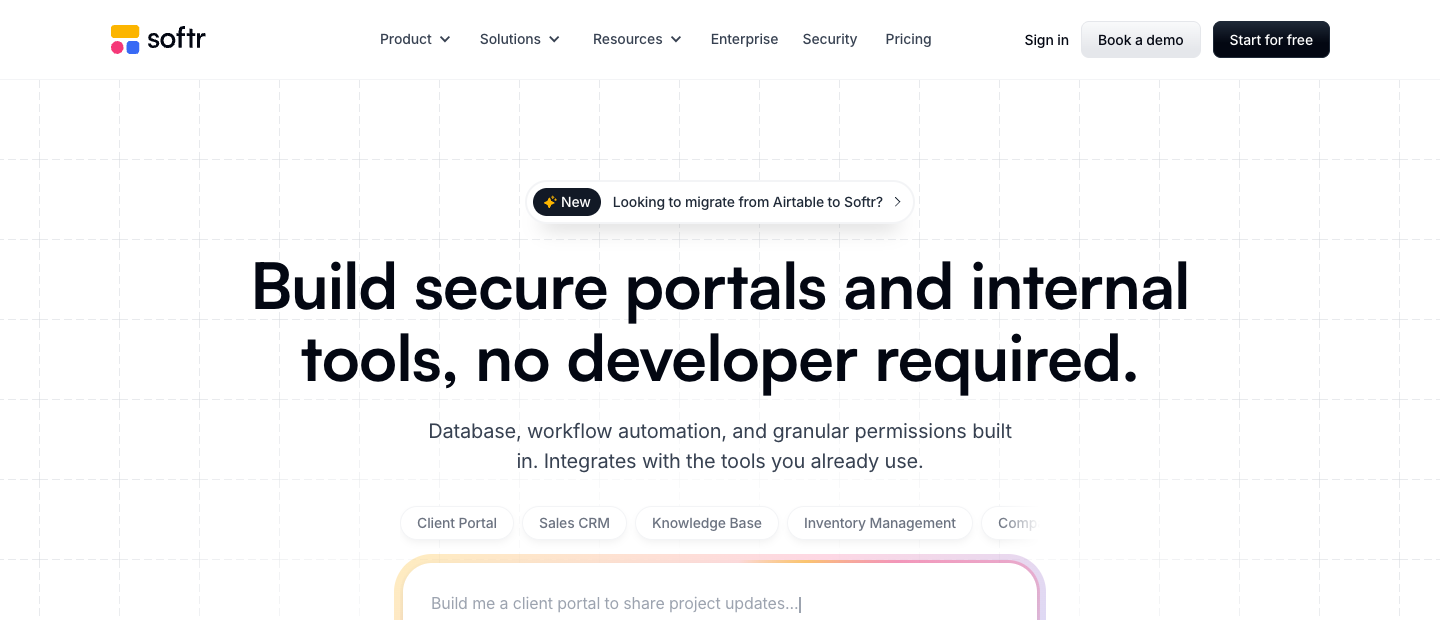
A useful mental model separates the system into three layers. The application layer presents screens and forms. The data layer stores or reads the records those screens display. The workflow layer responds to events and coordinates actions. Softr now provides all three natively while also allowing integrations with external systems. This architecture can reduce the number of subscriptions required for a small project, but also makes correct ownership of data more important.
Imagine an independent property management firm. Ten contractors complete jobs, fifty residents submit requests and three managers approve invoices. An attractive dashboard alone is not sufficient. Contractors should see only assigned work; residents must never see their neighbors’ private details; managers need an audit trail for approval; a failed notification must not result in a request being lost. Softr can provide building blocks for the interfaces and workflows, but the firm’s configuration determines whether the system is safe.
It is equally important to know what Softr does not replace. A business still needs an accounting ledger for financial truth, reliable customer identity policies, clear business processes and backups. A portal front end is not a transactional payments database because it displays a payment status field. Any platform can show a status label; making that label authoritative requires deeper design.
The platform can be valuable precisely because it limits unnecessary custom programming. A workflow that once required a developer to implement an admin panel, login form and restricted tables may be achievable through configured components. Yet the apparent speed is a benefit only when the app’s responsibilities fit the components. If a project requires deeply specialized algorithms, bespoke database transactions or contractual control of deployment, custom development may still be preferable.
🛠️ AI Co-Builder: Useful First Draft, Not an Autonomous App Architect
Softr’s AI Co-Builder can create a starter app, database, pages and portions of business logic from a description. The marketing implication is that someone can explain what they want and quickly reach an editable prototype. That is genuinely helpful for an operations manager who struggles to turn a business process into a schema and a set of screens.
The risk lies in treating generated structure as a final production design. Ask an assistant to create a client portal, and it might produce Clients, Projects and Invoices tables with a tidy dashboard. But the prompt may not explain whether an individual contact can belong to two clients, whether one project includes several invoices or how invoices are restricted by role. Missing requirements don’t become correct merely because the generated app looks plausible.
A productive workflow is to give AI a narrow specification: define the types of users, the records they may access, the approvals they may perform and the prohibited actions. Let the generator create a draft; then review the schema, relationship keys, user groups, action buttons and every screen displaying confidential data. Test with two fictional client organizations and verify that data cannot cross between them.
Softr’s visual editor remains relevant after generation. Teams can adjust fields, replace data sources, refine screens and reconfigure flows manually. A human operator should be able to explain the app without relying on the AI prompt that originally produced it. Otherwise maintenance becomes difficult when an employee leaves or business rules change.
AI credits also form a separate budget. Free lists five credits monthly, Basic ten, Pro fifty and Business one hundred in current published guidance. They are not equivalent to workflow actions or database record slots. An organization experimenting aggressively with AI-generated custom components should review consumption rather than inferring that paid access is unlimited.
The result is a good co-building model, not autonomous governance. Use AI to accelerate drafts, routine layout work and narrow assistance; keep human judgment for identities, access permissions, important approvals and irreversible actions.
🗂️ Softr Databases: When Your App Needs Its Own Records
Softr Databases gives users an integrated source of structured information instead of requiring every application to start with a third-party spreadsheet. This can simplify the deployment of straightforward business systems. An internal inventory app may keep Products, Suppliers and Purchase Requests together, allowing screens and workflows to refer to those records directly.
A relational design still needs deliberate boundaries. A customer is not a purchase request, and a purchase request is not an invoice. Put each durable business concept in an appropriate table, connect relationships with stable identifiers and decide which fields represent authority. One giant table with repeated customer contact details is quick to start but becomes expensive to correct when records grow.
Consider a service bureau coordinating translation assignments. Clients, Requests, Contractors and Deliverables are distinct entities. A request belongs to a client; several contractors may work on a request; each deliverable should retain a date and reviewer. If the app stores a contractor’s free-text name on every assignment rather than linking a record, changing their details can leave old records inconsistent.
The integrated database is not a promise that every database-style operation is supported. Before migrating from SQL or Airtable, examine import/export facilities, relationship behavior, constraints, backup methods, historical retention and API access. Confirm whether relevant plan limits count database records per app and how multiple databases or synced external sources contribute. The vendor’s published plan comparison uses an app-oriented record allowance, and usage should be modeled in that scope.
Current Softr list references show 5,000 records Free, 50,000 Basic, 500,000 Pro and 1,000,000 Business. Those ceilings are not interchangeable with Airtable’s per-base record thresholds. If you combine a directory of 10,000 contacts and 60,000 interaction logs inside an app, a 50,000-record allowance is insufficient even if the visible directory table looks small.
Data retention can dominate a portal’s growth. A system with 50 active orders a day might create hundreds of status events each week. Decide what must remain searchable, what may be archived and who can delete records. Do not discard legally required history just to fit a lower plan. Conversely, do not fill an operational app with raw analytics events better suited to a warehouse.
🔌 External Sources: Airtable, Sheets, SQL and More
Softr is not limited to its native database. It can connect to external information stores, including Airtable, Google Sheets, Notion and other supported business and database services. This is a major advantage for a company that already has credible structured data but needs a better way for employees or customers to interact with it.
The distinction between “connected” and “fully supported” matters. A source connector may offer certain read, write, filtering and authentication capabilities without granting every operation available through the source’s native interface or API. A database source may also impose its own permissions, API rate limits, record caps and subscription charges.
For example, an agency that already pays for Airtable Team could use Softr to offer clients a more purpose-built external interface. The Airtable subscription remains in the budget unless its data is migrated. Its API and record constraints also remain relevant. Our Airtable review explains why seat costs and linked-record structure need independent consideration.
A team using Google Sheets as the source should ask what happens when someone renames a column, removes a tab or changes a row identifier. A spreadsheet can be an adequate low-volume backend for an early internal tool, but a large operational application may expose concurrency and maintenance limitations. A nicer front end does not repair fragile underlying data rules.
If an SQL database holds the authoritative client records, ensure the connection can restrict access appropriately and avoid exposing arbitrary queries or excessive credentials to an application builder. Sophisticated database backends may need a controlled API layer, especially when users from unrelated organizations interact with shared data.
Design the source-of-truth relationship in writing: which service owns a customer record, which owns task status, and what happens when a sync fails? A two-way editable connection without an explicit authority rule invites conflict. Softr can connect pieces; someone must define which piece is correct.
👤 Team Users vs Client Users: The Pricing Change That Matters Most
On August 5, 2026, Softr formally separated Team Users and Client Users in its updated plan structure. This matches the different ways business applications get used: internal colleagues need operational access, while customers, suppliers or partners often access a restricted portal. Softr’s official announcement explains the change and introduces automatic additional-user billing.
The distinction creates a sensible purchasing question: how many people in each group actually need to log in? A thirty-person internal team building a scheduling application has different economics from a three-person agency with hundreds of client contacts. A plan that looks generous in aggregate may be unsuitable if it includes too few of the relevant user type.
Under the published model, Basic includes five Team users and five Client users, Pro ten Team and fifty Client, and Business thirty Team and one hundred Client. Free has five total app users. These are plan reference allowances and must be interpreted alongside actual product definitions and billing conditions.
Be careful not to equate an app user with a workspace builder. A builder configures the application; an app user logs in and interacts with the published application. Some people may play both roles, but their commercial and security classifications are not necessarily identical. The current pricing page lists included builders and additional builder charges independently of the Team/Client app-user pools.
Softr’s 2026 announcement says additional user capacity is billed automatically when allowance is exceeded, with a seven-day grace period before charges apply. That creates an operational requirement: an owner must monitor registrations and active entitlement counts. A viral signup or a bulk invitation can change the bill before someone has time to redesign the access model.
Do not infer every invited or dormant account is charged identically. Verify the vendor’s current criteria for counting app users, whether one person in multiple apps counts once within the same workspace, and any distinction between authentication states. Test the plan dashboard with example users before opening public self-registration.
🧑💻 Builders, Workspace Collaborators and the Editing Boundary
Softr’s newer plan comparisons also include limits on the people who build and manage applications. Free lists up to three builders. Basic starts with one, Pro two and Business three in current published examples, with optional extra builders at listed prices. Enterprise terms may differ.
This distinction is important for agencies. Five customer managers who occasionally approve records are not necessarily five application builders. If a client needs only to use an internal dashboard, giving them permissions to edit the app’s logic would be an unnecessary security risk and might add cost.
An application owner’s role should cover deploying changes, configuring sources, reviewing user groups and changing workflow logic. A normal app user needs only the business actions associated with their identity. Treat the separation as both cost management and change control.
One department may want autonomy to edit its own forms, while the rest of the company must not modify the schema. If the platform’s collaborator roles cannot isolate that responsibility closely enough, arrange a shared review and release process. No-code changes can alter production permissions or workflows just as code changes can.
When a contractor builds a Softr app, the company should retain ownership of the workspace, connected data sources and credentials. A beautiful portal becomes fragile if its creator’s personal account is the sole administrator. Include handoff and offboarding in the delivery scope, not as a forgotten afterthought.
Review collaborator access quarterly or after project milestones. A temporary builder seat should not remain assigned to someone who no longer maintains the application. Before removing access, ensure that app ownership, critical automation connections and payment settings will remain operational.
📊 Softr Pricing 2026: Free, Basic, Pro, Business and Enterprise
| Plan | USD monthly list price | Included users and capacity |
|---|---|---|
| Free | $0 | Up to 3 builders; 5 app users; 5,000 database records; 5 AI credits; 500 workflow actions/mo |
| Basic | $19/mo billed annually; $25 month-to-month | 1 builder; 5 Team + 5 Client users; 50,000 records; 10 AI credits; 2,500 workflow actions/mo |
| Pro | $99/mo billed annually; $119 month-to-month | 2 builders; 10 Team + 50 Client users; 500,000 records; 50 AI credits; 10,000 workflow actions/mo |
| Business | $329/mo billed annually; $395 month-to-month | 3 builders; 30 Team + 100 Client users; 1,000,000 records; 100 AI credits; 25,000 workflow actions/mo |
| Enterprise | Custom sales quote | Custom user and resource limits; enterprise governance and contractual security provisions |
The new plan structure is Free, Basic, Pro, Business and Enterprise, not the old user-count tiers still quoted in years-old reviews. Softr’s official pricing site and recent 2026 comparison articles show the current published list rates; the August 2026 announcement explains why legacy subscribers may see different offers.
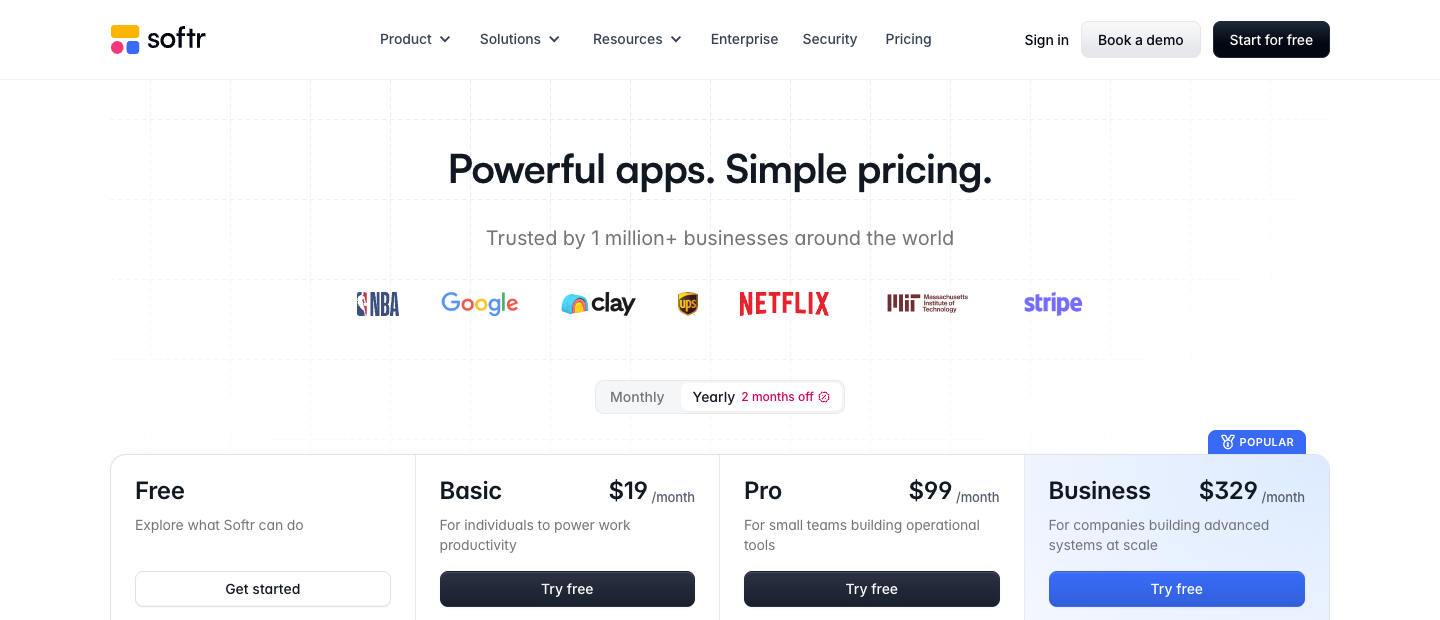
Free costs $0 and is a credible development option. Published guidance lists unlimited applications, up to three builders, five app users, 5,000 database records, five AI credits per month and 500 workflow actions per month. This does not mean unlimited production usage. Some higher-end source connectors, access controls and customizations require paid plans.
Basic costs $19/month when billed annually, or $25 on monthly billing. It includes one builder, five Team users plus five Client users, 50,000 records, ten AI credits and 2,500 workflow actions in the vendor’s current plan summaries. A custom domain and selected app-building options are included, subject to plan terms.
Pro costs $99/month billed annually, or $119 monthly. Its published model includes two builders, ten Team and fifty Client users, 500,000 records, fifty AI credits, 10,000 workflow actions, additional data integrations and more advanced permission and customization options. This is often the comparison point for an agency creating a client portal with several departments.
Business costs $329/month on an annual term, or $395 monthly. It includes three builders, thirty Team and one hundred Client users, up to one million records, one hundred AI credits and 25,000 workflow actions. Advanced access, administrative controls and integrations can be relevant, but buyers must check which specific security guarantees are contracted.
Enterprise requires a custom quote. Softr identifies features such as SSO, SCIM, audit logs, advanced governance and custom service arrangements in its plan summaries. The commercial offer and documented scope should be examined with procurement and security teams rather than inferred from a marketing bullet.
These figures require careful interpretation: the annual equivalent of Pro is $1,188/year (12 × $99), versus $1,428 at the $119 monthly rate over twelve months, assuming the plan and user counts do not change. Business works out to $3,948 annually versus $4,740 over twelve monthly payments. These are illustrative list-price comparisons before taxes or add-ons, not guaranteed checkout quotes.
🧮 Three Buying Scenarios: What Would Softr Really Cost?
Scenario A: An internal scheduling tool. A small services company has four employees using an operations dashboard and one manager configuring it. The Free plan may cover the five app users and allow a low-volume prototype, but requires confirming the features and overall data usage. Basic at $19 annual-equivalent offers a paid runway when the app needs its commercial features or larger data capacity.
Scenario B: A client portal for a boutique agency. Three internal account managers coordinate forty customer contacts. Basic’s five Client users do not cover forty, even though its five Team users would be more than sufficient. Pro includes fifty Client users and ten Team users, making the $99 annual-equivalent plan a more natural initial comparison. That is not a promise of a specific invoice; additional builders or features may affect the total.
Scenario C: A supplier and customer operations portal. Twenty internal staff members and eighty external users interact with purchasing, delivery and status workflows. Under the current allowances, Business offers thirty Team and one hundred Client users, whereas Pro’s ten Team users fall short. Its $329 annual-equivalent reference is therefore more appropriate than assuming Pro remains adequate because external users fit within an optional extension.
Consider growth beyond those allowances. A portal may go from eighty external contacts to 130. Under Softr’s new pay-as-you-go rules, the additional users can become a variable line item after the documented grace period. The correct comparison includes per-user excess charges, not simply the $329 headline.
Workflow activity is another independent meter. If two hundred customers submit a request each month and every request executes a confirmation, database update and notification, the illustrative volume is 600 workflow actions. That fits inside Basic’s 2,500 allowance, assuming those three steps are charged actions and no additional activity occurs. If twenty approval cycles happen per request instead, the picture changes quickly.
The most useful pre-purchase spreadsheet has columns for Team users, Client users, builders, record counts, workflow action executions, AI credits, connected external subscriptions and expected growth. Test the high case, not only today’s average.
⚙️ Native Workflows: What Counts as an Action?
Softr includes native Workflows for automating processes across apps, databases and selected integrations. Examples include creating a follow-up after a form submission, updating a record when an approval is granted and notifying a reviewer. Its official Workflows feature page explains that monthly usage is based on action executions, not simply the number of workflows you configured.
The accounting distinction matters. Softr’s documentation says triggers and flow-control operations such as Wait, Branch, Filter and Bulk do not count against the Workflow action limit, while executable actions do. Some integrated operations can consume more than one action depending on their implementation. For concrete cost planning, inspect the actual usage meter in a test workspace.
This differs from Integrately’s model of counting some successful conditions and inline modifications as separate tasks, and from Airtable’s native automation-run system. Labels such as “tasks,” “runs,” “credits” and “actions” are not comparable units. A sophisticated workflow may be inexpensive in one system and costly in another depending on the structure.
The published included quotas are 500 monthly workflow actions on Free, 2,500 Basic, 10,000 Pro and 25,000 Business. Enterprise limits are quoted. These values may be more meaningful than the number of apps you can create. A service business with five apps that rarely automate actions may fit on a modest plan; one app processing thousands of repeated changes may not.
Workflows can contain conditions, loops, waits and branching logic. Those tools help operators express real business rules, but a loop can magnify action volume. If one request triggers five external calls for each of fifty items, the total billable execution count deserves attention even though the user pressed one button.
Softr documents a Runs view with logs and troubleshooting details. Free includes a history window starting at seven days, while paid plans can have different retention. A company that reviews failures only at month-end may discover that evidence has already expired on a lower tier. Set an operational check that fits the plan’s actual retention.
🔁 Trigger Loops, Duplicate Requests and Recovery
An integration can appear successful while doing the wrong work twice. Suppose a portal user submits an onboarding form and an automation creates a customer record. If the browser retries and submits again, the app may receive two valid events. A polished confirmation screen does not protect against duplicate records, repeated invitations or multiple notifications.
Define stable event identifiers and check whether the intended downstream object already exists before creating another. When a workflow updates an external CRM, retain its canonical record ID alongside the portal request. A retry should be able to recognize completed steps and resume safely.
A second risk is a trigger loop. A workflow updates a field, which causes another workflow to fire, which updates a second field, which eventually changes the original record again. The problem is not unique to Softr, but low-code convenience can make it easy to create without noticing. Explicit state transitions and exclusion conditions help.
For approvals with financial consequences, use a clear review status, accountable owner and human confirmation. If a workflow sends a vendor payment instruction, separate the data preparation from the final transaction and ensure the financial system maintains its own authoritative audit trail. No-code accessibility is not a reason to waive controls.
Recovery must also account for partial completion. If a notification fails after a record change succeeded, pressing Retry without checking downstream state might send multiple messages. Test which actions are retry-safe, what the Runs history shows and whether the workflow exposes enough context to reconcile the result.
Before launching, practice a harmless failure in a sandbox and document the response. Who gets alerted? Where are errors visible? Which actions were already completed? How will the operator detect missing work after a prolonged integration outage? Answers matter more than a generic automation checkbox.
🔐 Permissions, User Groups and the Difference Between Hiding and Securing Data
Client portals succeed or fail at their access boundaries. A useful permission design has two components: which records a person can retrieve and which operations that person may perform. Hiding a button or filtering a list for convenience is not, by itself, proof that the underlying information is inaccessible through another route.
Imagine an architecture practice sharing confidential proposals. A client at Company A should see only Company A’s projects, invoices and support requests. Someone from Company B should not be able to find Company A’s records by manipulating a query or guessing an ID. The workflow designer needs to enforce the business relationship at the data layer, not merely assume the visual filter works.
Softr supports authentication and role-oriented application access. Its paid plans provide increasingly sophisticated groups and visibility controls, including granular permissions on higher tiers. But feature availability should not be confused with proper configuration. Verify the exact plan and test from a real account with no administrative access.
A worthwhile test uses two fictional organizations with overlapping names and similar record counts. Log in as a member of one organization, visit every page and follow available links. Attempt normal searches, detail views, edits and exports. Then check that the other organization’s data never appears. Do not perform testing against unrelated real customer data.
Action permissions require similar care. A customer allowed to upload a document should not necessarily be able to alter its approval status. A manager allowed to approve an expense should not be able to approve their own request in workflows requiring separation of duties. These are business policies, not inherently solved by a software subscription.
For highly sensitive applications, review the enterprise security controls, authentication providers, data processing agreement, logging and operational requirements with your security team. Even when the vendor offers features such as SSO or two-factor authentication, their availability and contractual guarantees can depend on plan level.
🧾 Forms, Intake and the Quiet Cost of Bad Data
Softr forms can turn a manual email exchange into structured intake. A customer can submit a support request; a contractor can provide onboarding documents; a resident can report a repair; an employee can request equipment. The visible form makes data collection easier, but it also creates responsibility for validation, privacy and follow-up.
The first question is what information is truly necessary. Requesting a passport image for an ordinary contact form would be excessive. Asking customers to supply passwords or payment-card details in a general text field would be unsafe. Prefer purpose-built secure services and collect only information tied to a legitimate business need.
Required fields help enforce completeness, but data quality also depends on semantics. A date field may be formatted correctly while expressing the wrong timezone; a company name may be spelled two ways; an order may contain an incorrect product identifier. A dependable workflow anticipates these cases and routes ambiguous records for review.
A practical intake process creates an initial status such as “Needs verification,” assigns an owner and records the submission source and timestamp. An automation can notify the right person, but it should not automatically escalate every entry into an irreversible action. One erroneous submission should not open a supplier account or issue a financial approval without safeguards.
If the form is public, think about spam and rate controls. If it is authenticated, test whether the platform associates each submission with the correct user identity and organization. Form submission does not prove legal consent for all possible downstream marketing uses, even when an email field is present.
After submission, show a clear confirmation and a route for corrections. A request ID helps both the customer and support team. The best form is not just the shortest one; it is the one that creates an actionable, traceable record with minimal unnecessary information.
🖼️ Blocks, Design Flexibility and Real User Experience
The visual editor offers building blocks for tables, lists, cards, charts, forms and other application surfaces. For a business team, this can cut implementation time compared with designing every component from scratch. It can also tempt a team to build a sprawling dashboard before defining what a user actually needs to do.
Start from an action, not a collection of widgets. A technician opening a field-service app may need the next appointment address, access notes and a button to report completion. A dashboard filled with weekly revenue charts is a distraction while they are standing outside the customer’s building.
Mobile responsiveness deserves careful review even when the app is described as responsive. Dense data tables, long dropdown lists, file uploads and filters can behave differently on narrow screens. A portal designed only at 1440 pixels may be unpleasant on a 390-pixel phone, especially for clients who rarely use the system.
Customize branding where it supports trust: a coherent header, readable typography, sensible button labels and clearly distinguished action states. Whether removing Softr branding or adding certain custom code is possible depends on the plan. Do not purchase an upper tier solely to reproduce an elaborate visual effect that does not change a user’s task success.
For custom interactions, Softr provides more advanced options on appropriate plans, including custom code and AI-assisted custom UI. These expand flexibility but also introduce maintenance and security considerations. A custom component still needs accessibility, error handling and responsible data access.
A user-experience test should require little explanation. Give a colleague a sample task and watch whether they can find the right record, make the intended edit and confirm completion. Ask what confused them, then simplify the screen before adding new visual features.
📱 Mobile Apps, PWA and the Store Distribution Question
A client portal accessed through a phone browser is not the same as a native Android or iOS application distributed through app stores. Softr focuses primarily on hosted web applications and provides installable mobile-app or PWA capabilities on certain tiers. The Business plan is associated with enhanced mobile-installation options in current comparisons.
For field staff, an installable web application can be sufficient when the main needs are quick access to assignments, forms and status updates. It avoids the separate development and maintenance requirements of native store packages. But buyers should confirm offline behavior, device-specific features and notification support rather than assuming parity with native apps.
A project needing deep background processing, Bluetooth device integration, native push notification guarantees, complex offline transactions or distribution through Apple and Google stores should evaluate a native app platform or custom development. An install prompt on a website is not evidence that those capabilities are available.
The user group matters. A customer who opens a monthly portal link probably does not need to install anything. An employee using the same app ten times per day might benefit from a pinned icon and mobile-optimized navigation. Keep the workflow fit at the center of the decision.
Before purchasing a tier for mobile features, test the real process on a phone with varying network conditions. Can a draft be saved if connectivity drops? Does an uploaded image remain attached? Can the person resume without producing a duplicate request? Such questions are more actionable than a generic label saying “mobile-ready.”
🤖 Softr Agents, AI Credits and MCP in Context
Softr has expanded AI beyond the Co-Builder. Its published materials describe AI agents, AI-related workflow actions and Softr MCP, which enables supported AI clients to interact with a workspace through a standardized tool interface. These capabilities have different permission and cost implications from simply displaying a generated page.
An AI agent might classify an incoming record, summarize notes or suggest next steps. It should not automatically gain the authority to approve payments, alter client access or delete information based on an ambiguous prompt. Treat model output as a proposal unless the business process explicitly allows a narrow automated decision.
The Softr Workflows guide states that database AI agents and AI workflow actions can consume AI credits according to the operation. That is distinct from ordinary monthly workflow-action allowances. Five AI credits on Free does not mean five workflow runs, and 10,000 workflow actions on Pro does not make AI model usage unlimited.
MCP connectivity is relevant for technically comfortable teams who want an assistant to assist with app configuration or data operations. It does not mean every action an AI client requests is authorized or correct. Grant minimal access, inspect tool descriptions, protect authentication and maintain an approval boundary around consequential changes.
If an internal agent processes contracts or sensitive client records, verify the vendor’s current data-processing terms and any AI-specific sharing or retention arrangements. Avoid pasting unrestricted production datasets into a prototype prompt. A successful demonstration is not an information-governance assessment.
The disciplined path is to automate a low-risk classification with a human confirmation step, count its credits and trace the result. Expand only after you understand accuracy, failure handling, logging and costs for the real workload.
🤝 Strengths and Trade-offs in Practice
👍 What We Love
- ✅ Unified app builder: Interfaces, native databases and workflows can fit in a single managed workspace.
- ✅ Client portals: Authenticated experiences and user-focused views serve external audiences.
- ✅ Visual and AI assistance: Rapid prototyping with editable pages and structured app components.
- ✅ Flexible source choices: Use Softr Databases or supported existing business data platforms.
👎 Where It Falls Short
- ❌ User-based overages: Separate Team and Client pools require close monitoring as audiences grow.
- ❌ Multiple consumption meters: Builders, records, workflows and AI credits have different allowances.
- ❌ Permission responsibility: Safe client isolation depends on careful setup, testing and governance.
- ❌ Platform boundaries: Specialized native apps and complex transactions may demand custom development.

Softr — Editorial Buying Snapshot
Good fit: secure client portals, internal applications and team workflows with relational data. Reconsider: unlimited client logins, bespoke native apps or projects without permission governance.
Documentation-based analysis. No paid hands-on test or numerical product rating is claimed.
Softr’s most persuasive capability is the combination of a visual application, structured data, authentication and native workflows. The platform can collapse several small systems into one coherent internal tool or client portal. That is particularly useful when nontechnical employees need to manage business processes but should not maintain a server or write a custom admin app.
The trade-offs are not hidden in obscure technical details. App-user allowances, builder seats, record ceilings, AI credits and workflow actions can all matter independently. A company serving many clients may pay for excess access. A team producing many automated updates can hit workflow limits. A complex application can outgrow available database operations.
The correct comparison measures the finished workflow. An inexpensive portal that requires manual exports, duplicate reconciliation and weekly support intervention may cost more than a larger subscription with fewer operational mistakes. Conversely, a custom application may be unjustifiably expensive when Softr’s standard blocks and permissions already support the process.
🧪 Practical Scenario: A Client Portal with Two Different Companies
Consider a consulting agency managing projects for forty client contacts across twelve organizations. Staff need to create milestones, upload documents and request approval. Each client should see only their own projects and be able to comment on work without exposing the agency’s internal budget.
Begin with three entity types: Organizations, Contacts and Projects. Each Contact links to one or more Organizations as appropriate; each Project belongs to an Organization and has a designated agency owner. Separate confidential internal fields from customer-visible summaries rather than expecting every screen to hide those fields perfectly.
Next, define user groups. Agency administrators can edit all records. Project managers can edit their assigned projects. Client users can read projects tied to their organization and submit approved actions. External users must not be able to edit ownership fields, grant access or see another organization’s private notes.
Build a client homepage around active tasks and pending approvals. Resist showing every database field simply because the builder makes it possible. The client needs a project name, current milestone, recent deliverables, what is waiting for their approval and a contact route for problems.
For a test dataset, create two organizations with similar project names. Log in as a sample client from each. Check lists, search, navigation, detail pages, attachments and actions. Use browser developer tools or approved staging diagnostics to confirm that records outside the permitted organization do not appear through the app’s supported interfaces.
When an agency manager sends a deliverable for approval, a workflow can change state, notify the client and record a timestamp. If the client rejects it, the system should reopen the appropriate work item rather than silently marking the full project as failed. These transitions should be explicitly modeled and reversible where appropriate.
Finally, work through the buying math. Forty client contacts fit inside Pro’s fifty-client allowance, assuming user classification follows the current plan. Agency Team users need to fit the ten-seat pool, and builders fit their separate limit. Estimate database records, workflow actions and any Airtable subscription if external data remains authoritative. All figures require confirmation in your billing workspace.
🧮 Practical Scenario: A Procurement Approval System
A fifteen-person purchasing department might request a tool that collects expenditure requests, routes them to reviewers and reports status. The tempting implementation is a form, a dashboard and one Approve button. The responsible implementation is a sequence of accountable decisions.
First define the entities. Requests are not Vendors, and approved requests are not necessarily paid invoices. A request may include multiple items, a currency, a department, an amount and a supporting document. Decide whether financial approvals need two different reviewers and how the approval chain changes above a threshold.
Second, establish permissions. The requester can see their own submissions and add clarification. A department manager can approve requests within a designated scope. A finance reviewer can confirm budget availability. Nobody should silently change the approved amount without creating a new review step.
Third, build workflow paths: submission, completeness review, departmental approval, finance review and final handoff to the accounting system. Send incomplete entries back to the requester with an explanation. If an approver is absent, assign an authorized deputy rather than giving every employee blanket approval permissions.
Fourth, preserve an audit trail. A button that changes a status field is not necessarily sufficient to demonstrate who approved what and under which version of the request. Confirm that the platform and plan offer the retention and logging your organization needs. For high-stakes payments, the financial system should remain the authoritative execution layer.
The economic model differs from a client portal. Fifteen internal Team users exceed Pro’s ordinary included ten; Business’s thirty-Team allowance may be a more straightforward fit unless an approved overage arrangement is economical. A slightly higher workspace subscription can be less costly than trying to redesign valid staff access as external Client users.
Finally, measure workflow executions under realistic volume. If each request requires four database updates and two notifications, 400 monthly submissions could generate roughly 2,400 chargeable actions assuming those six steps count individually. This remains an illustration, not a measured Softr invoice. Add retries, amendments and escalations for a defensible estimate.
🧱 Softr vs Airtable: Application Layer or Operational Database?
Airtable is a structured, collaborative database with views, interfaces and native automations. Softr is increasingly an all-in-one app-building environment with its own database and workflows. Historically, combining Airtable’s data model with Softr’s external interface was common; in 2026 the boundary can be narrower because Softr supplies an internal database option.
| Decision factor | Softr | Airtable | Make |
|---|---|---|---|
| Core job | No-code portals and operational app frontend | Collaborative database and team data | Integrating apps and automating steps |
| People model | Builder, Team and Client access limits | Billable Editor/Creator seats | Workflow execution and account limits |
| Strongest pattern | Permissions, pages and client experiences | Tables, relations, interfaces and forms | Routes, webhooks and mappings |
| Trade-off | App user limits and workflow actions matter | External portals may need an app layer | Not a native app frontend |
Choose Airtable when the central challenge is organizing linked records for a relatively small internal operations team. Its database-first working experience may be preferable to developing several application screens. Editor-seat billing also matters, as discussed in our Airtable review.
Choose Softr when the project needs restricted experiences for clients, vendors or staff members who should not navigate the full database. Its user-group and application-building features target precisely that usage pattern. However, the 2026 Team/Client pricing model must be calculated rather than assuming outside users always remain free.
Using both can be sensible if Airtable already stores the authoritative records and Softr gives authenticated users a focused portal. In that case you pay for both subscriptions and respect their respective limits. If Softr Databases can meet the data requirements, consolidating may reduce duplication, but migration has effort and risks.
The right choice follows the data architecture. Which service owns each record? What happens if a sync fails? Does a customer update propagate to one or both systems? Can the business export its data when it changes suppliers? Those are better questions than which homepage promises the fastest app creation.
⚡ Softr vs Make, Zapier, n8n, Pipedream and Integrately
Comparing Softr with a general automation engine alone misses the main point. Softr presents an application to people: login, forms, dashboards, record views and permissions. The automation engines primarily coordinate events and actions between other systems. They can complement Softr rather than displace it.
Make is designed for visual integrations. It is a useful companion if a Softr portal must synchronize with a complex collection of third-party services or requires transformations outside the built-in workflow scope. The combined setup introduces a second billing meter and another place to troubleshoot failures.
Zapier emphasizes approachable trigger-and-action workflows. It can connect form submissions or CRM updates to services used elsewhere. A Softr app using Zapier should still implement duplicate protection and track downstream identifiers; a successful Zap is not necessarily a completed customer outcome.
n8n targets more technically configurable orchestration, including approved self-hosting paths and code-oriented steps. It may appeal to teams with infrastructure capabilities, while Softr serves as a user interface. These are different responsibilities and can be combined under a clear source-of-truth model.
Pipedream provides developer-friendly integrations and its own managed connection capabilities. It can be relevant when an organization needs programmable API workflows that exceed standard no-code blocks. The Integrately review covers ready-made task-based automations for more straightforward app combinations.
Choose the narrowest reliable combination. If Softr’s built-in workflow completes the business process, adding another service may increase cost and complexity without value. If the process needs specialized branching, exotic APIs or stronger developer control, a dedicated orchestrator could be justified. Account for both the app users and the integration usage.
🧩 Softr vs Glide, Retool and Custom Development
Glide and Softr both target rapid creation of business apps, but their precise user allowances, pricing and source restrictions change over time. The strongest evaluation is not a generic winner declaration. Build the same real form, list, detail view and access model in both trials and compare the permissions available at the target subscription price.
Retool is often evaluated by engineering-heavy organizations building internal applications around databases, APIs and custom logic. Softr may be easier for business operators, while Retool can suit developers who need deeper programming and infrastructure integration. The right answer depends on who will maintain the system after launch.
Custom development gives more control over application behavior, hosting, integration architecture and long-term portability. It also requires engineering capacity, security maintenance, release practices and support. A team that needs one internal directory with approval buttons rarely benefits from reinventing authentication and CRUD screens, but a novel product with specialized logic might.
The transition cost is another criterion. If you expect the business to outgrow a visual platform, decide whether data export, API access and interface replacement are straightforward enough. Designing stable record IDs and separating core transactions from front-end presentation can improve portability.
Evaluate these options against the same test scenario: two isolated customer organizations, an approval requiring clear role permissions, a broken external connector, and 100 records added in one batch. Whichever tool handles the actual process with acceptable risk and total cost deserves the shortlist.
🛑 When Softr Is the Wrong Purchase
Softr is probably unnecessary when the problem is a spreadsheet that two people occasionally update, with no meaningful need for authentication, user-specific views or workflows. A more advanced builder introduces schema decisions, access administration and a recurring subscription that may not create enough value.
It can also be a poor match for an application requiring strict source-code ownership, highly customized backend transactions or independently controlled hosting. A no-code abstraction can make ordinary work easier while restricting access to lower-level functions. Verify essential requirements rather than assuming a generic API integration fixes every limitation.
A high-volume public membership product deserves special caution. The 2026 user-based plan model can increase cost as external registrations scale. If a project expects thousands of logins, model the excess-user pricing and permitted authentication patterns before advertising it to customers.
Regulated data warrants a formal vendor review. Check agreements, geographic processing requirements, audit retention, user provisioning and the actual tier that includes required governance features. SaaS branding around security is not evidence that every deployment meets a particular organization’s compliance duties.
Lastly, a complex process with no willing owner is a bad candidate. Someone must manage data quality, roles, backups, workflow failures, change approvals and account billing. If the organization cannot assign that responsibility, it risks replacing one fragile spreadsheet with a more sophisticated fragile application.
🔬 Our Review Method: What We Checked, and What We Did Not
This review draws from Softr pricing, its August 2026 pricing announcement, Workflows documentation and current 2026 vendor comparisons explaining the new Team/Client user model. Prices were checked on 15 October 2026 and are clearly identified as annual or monthly list references.
We independently reason through data structures, access decisions, execution accounting and realistic buying scenarios. Illustrative arithmetic follows the published plan metrics and stated assumptions. We deliberately distinguish vendor-supported features from our editorial judgments.
We did not buy an account, measure production uptime, interview actual Softr customers, conduct penetration testing or benchmark query speed. No firsthand product performance claims appear in this article. An app’s reliability depends heavily on the sources, connections and workflows the customer configures.
Our framework considers six questions: Is the intended application within the supported no-code scope? Are people and records isolated appropriately? Does the pricing model fit the correct user types? Can the business recover from partial workflow failure? Can the owner retain and export important data? Does the full software stack cost less than the alternative?
Public plans are moving targets. Legacy contracts, enterprise quotes, future overage pricing and limits may differ from this article. Verify actual checkout details and written agreements. For sensitive or commercially important deployments, test in a sandbox first.
✅ Final Verdict: Is Softr Worth It in 2026?
Softr is a strong candidate when a business needs to turn structured information into an authenticated application without staffing a dedicated development team. Its visual construction, native databases, workflow engine and permissions can reduce the effort of building internal tools or restricted portals. The benefit grows when multiple teams need different views of the same records.
The most important limitation is not visual customization. It is the obligation to maintain an accurate permissions model and a realistic cost forecast. The August 2026 shift to separate Team and Client users, automatic overage charges and distinct builder limits makes a current pricing review essential. Old product comparisons can materially mislead a buyer.
Our recommendation is to pilot one process with actual representative roles: a customer login, a record update, an approval and one deliberately failed external action. Confirm data isolation, traceability and the expected action count. Calculate the year-one and growth-year budget before putting real customers into the app.
If the pilot shows clear savings in coordination and fewer errors, Softr can be worth its subscription. If the app mainly makes an existing spreadsheet look nicer while adding seats, permissions and maintenance, hold off or choose a simpler option. Business value is measured by the workflow, not by how quickly the first screen appears.
To research alternatives, start at DigiOffly’s Automation & No-Code hub; explore the Software Directory for category context, then select requirements with our Software Finder or estimate subscriptions using the Software Cost Calculator. Use them to compare actual requirements, then check vendor terms before purchasing.
Frequently Asked Questions About Softr
Is Softr free in 2026?
Yes. The current Free tier supports unlimited apps, up to three builders, five app users, 5,000 native database records, five AI credits per month and 500 workflow actions per month. Some advanced connectors, permissions and branding or mobile features require paid plans. Free is suitable for an initial application test but cannot be assumed to cover unlimited client logins.
How much is Softr Basic in 2026?
Basic is listed at $19 per month when billed annually, or $25 on monthly billing, before taxes and extras. Current plan guidance includes one builder, five Team users, five Client users, 50,000 database records, ten AI credits and 2,500 monthly workflow actions. The $19 amount is an annual-billing equivalent, not the month-to-month price.
What changed in Softr pricing in August 2026?
On August 5, 2026, Softr introduced a more flexible system that separates Team users from Client users and supports automatic pay-as-you-go charges for excess users, with a documented seven-day grace period. Existing paid customers were allowed to retain their prior plans. Older guides showing large free external-user allowances may describe legacy arrangements rather than the current offer.
What is the difference between a Softr builder and an app user?
A builder configures and maintains applications in the workspace. An app user logs in to use a published application. These roles have different permissions and can affect different pricing metrics. Included builder counts and Team/Client app-user allowances vary by plan, so avoid inviting ordinary users into full builder roles when not needed.
How many client users are included in Softr Pro?
The current Pro allowance includes fifty Client users and ten Team users, alongside two builders in published plan comparisons. Pro’s listed subscription is $99 per month billed annually or $119 monthly. Additional users and other entitlements may affect billing, so check the exact account’s plan dashboard before opening registrations.
Does Softr charge for every workflow step?
Softr’s Workflows usage is measured by action executions. Its documentation says triggers and flow-control steps such as Wait, Branch and Filter do not count against the monthly action allowance. Other actions do, and certain integrations may consume more than one action per operation. Free lists 500 actions monthly; Basic 2,500; Pro 10,000; Business 25,000.
Can Softr replace Airtable?
Sometimes. Softr now includes Softr Databases alongside app building and workflows, so a simple application may no longer need an external database subscription. Airtable can still be useful as a richer database-centered collaboration system or as the authoritative data source behind Softr. Evaluate linked data, migration, API behavior, seats and permissions before consolidating.
Can I build a secure client portal with Softr?
Softr supports authenticated applications, roles, permissions and user-specific views. The safety of any particular portal depends on correct configuration, plan features and appropriate security review. Test isolation between sample client organizations, restrict record and action access, manage credentials and use additional enterprise controls if required. No platform makes all custom portals automatically compliant.
Is Softr an alternative to Make, Zapier or n8n?
Not a direct substitute for every use case. Softr builds user-facing applications, databases and native business workflows. Make, Zapier and n8n specialize in broader orchestration between other services. Softr may replace a simple integration when its built-in workflows suffice; more complex systems may benefit from using a dedicated integration tool alongside the application.
Does Softr offer native mobile apps?
Softr focuses on hosted web applications, with installable or PWA-style mobile experiences available under certain plans. That should not be confused with shipping independently compiled native iOS or Android store apps with unrestricted device APIs. Confirm offline behavior, push notifications, installation methods and mobile features against your actual requirements.
Are Softr AI credits unlimited on paid plans?
No. Softr documents monthly AI credit allowances such as five Free, ten Basic, fifty Pro and one hundred Business in current plan references. AI Co-Builder and certain AI agents or workflow actions can consume credits. Those credits are a separate resource from app-user allowances, database records and ordinary workflow-action usage.
🔍 Continue Your Software Research
A credible portal budget includes more than the displayed subscription. Record your internal users, external clients, builders, database growth, approvals, integration activity and the cost of repairing mistakes. A no-code app should simplify work—not merely relocate complexity from spreadsheets to a more attractive interface.
EXPLORE NEXT ON DIGIOFFLY
Explore More After This Softr Review
Before launching your Softr portal, compare Team and Client allowances, source subscriptions, workflow actions and alternative app architectures.
Choose your data and workflow tools
- Browse the software directory — Find comparable products and published review pages.
- Match tools to your workflow — Narrow your options by functional needs before optimizing the bill.
Evaluate the full operating cost
- Run a side-by-side comparison — Review feature differences that a monthly total cannot show.
- Estimate software costs and billing — Model your software subscriptions using published plan data.
Research the alternatives
- Review ready-made software stacks — Avoid overlapping subscriptions across your team.
- Explore Automation & No-Code tools — Read the automation category and compare your options.
- Understand our pricing research method — Learn where estimates end and vendor confirmation begins.