

Webflow subscription figures verified against first-party materials on October 16, 2026. Webflow’s reworked 2026 website subscriptions include Free Starter, Basic at $15/month billed yearly and Premium at $25/month billed yearly. The earlier CMS and Business Site plans are being combined into Premium; exact transitions depend on existing contracts and renewal timing. Paid Workspace subscriptions and seats are separate when needed. Official pricing · Webflow 2026 plan changes.
The hardest part of a sophisticated website isn’t getting a hero section to look expensive. It’s keeping dozens or hundreds of pages coherent when editors update content, campaigns change, designers revise components and a marketing team wants to ship something before Friday. A visual tool can help, but the software must also handle content structures, collaborators, publishing rules and costs that continue after launch.
Webflow’s proposition is unusual among website builders: it gives designers considerable control over layout, responsive behavior, animations and reusable components without asking them to write every line of frontend code. It also offers a content management system and hosted publishing. That makes it interesting for design-led marketing sites and editorial businesses, though the platform requires more layout knowledge than an entry-level template editor.
This Webflow review 2026 investigates the current Designer, CMS, Site and Workspace plans, 2026 pricing changes, AI tools, localization and export limitations. We distinguish official documented capabilities from things that would require a paid test account. Our conclusions are based on current public product materials and vendor documentation, not invented client projects or manufactured performance benchmarks.
📊 Webflow Review Summary
Webflow is a visual website development platform combining responsive design, reusable components, CMS data and hosting. Instead of assembling a separate page builder, WordPress theme and hosting account, users can work in a designer-oriented environment and publish through Webflow. The result can be powerful for teams whose websites change frequently and whose design systems need to remain consistent.
The crucial point for buyers in October 2026 is Webflow’s refreshed pricing. For new Site subscriptions, the old CMS and Business plan distinctions have effectively moved into the broader Premium tier, which can be configured for content and bandwidth needs. Free Starter offers a constrained place to experiment; Basic is for relatively simple sites without a substantial CMS requirement.
A Site plan covers what a particular published website needs. A Workspace plan governs staging capacity, people, collaboration and features such as static code export. One account can incur charges for more than one Site, a paid Workspace, added seats and optional products. A headline Site fee is therefore not always a complete agency or enterprise budget.
Our editorial verdict favors Webflow for designers, agencies and marketing teams who expect to use its CMS, responsive controls and component workflows. It may be excessive for an uncomplicated five-page brochure site whose owner simply wants to replace text once every season. The value lies in a structured workflow, not in having the largest number of animation controls.
⚡ Quick Verdict: Is Webflow Worth It in 2026?
Webflow is worth shortlisting when visual precision and reusable content systems matter enough to justify learning its interface. It offers more direct layout control than many beginner-oriented hosted builders while reducing the need to hand-code and independently host an entire frontend.
A brand’s marketing team may appreciate components that keep a family of landing pages aligned. A design studio can work from structured breakpoints and refine microinteractions. A publication may benefit from Webflow Collections for article, author and category data. Those benefits depend on planning the content architecture rather than treating every page as a one-off design.
The cautions are commercial and operational. Site and Workspace subscriptions have different jobs; team seats and optional Analyze, Optimize or Localization services can add to the invoice. Premium bandwidth can be expanded through paid add-ons, and exporting code does not recreate Webflow’s live CMS database or managed commerce operations on a different host.
We wouldn’t call Webflow universally better than Wix, Squarespace or Framer. The correct choice is the one your team can maintain without routinely needing an expensive specialist for everyday edits.
🏆 Webflow Pros and Cons
Webflow’s strongest documented advantages are designer-focused responsive controls, structured CMS Collections, reusable components, hosted publishing and a workflow that can accommodate both designers and content editors. Agencies also get Workspace choices tailored to staging and collaboration.
Its limitations deserve equal space. The editor has a steeper learning curve than a simple template tool, CMS and bandwidth quotas matter, and a published website may require Site fees in addition to team-related Workspace charges. Static code export requires an eligible paid Workspace, and the resulting files do not reproduce dynamic Collections, localized content or ecommerce databases automatically.
There are other constraints that become visible on sophisticated sites, such as collection-list limits and per-list item display caps. These aren’t reasons to avoid the platform outright. They are reasons to prototype a realistic project before making an irreversible content migration.
👍 What We Love
- ✅ Responsive designer: Visual control over layout, breakpoints and reusable components for brand sites.
- ✅ Structured CMS: Collections and dynamic templates help publish consistent articles and case studies.
- ✅ Publishing and collaboration: Workspace tiers support staging, client roles and shared design work.
- ✅ Static code export: Eligible paid Workspaces can export HTML, CSS and JavaScript assets.
👎 Where It Falls Short
- ❌ Learning curve: Advanced visual design requires knowledge of layout systems and responsive behavior.
- ❌ Separate subscriptions: Site plans, paid Workspace features, seats and add-ons can increase total cost.
- ❌ Partial platform portability: Code export does not recreate live CMS, ecommerce or localized content.
🏆 EDITORIAL VERDICT: BUILT FOR DESIGN-LED CMS SITES
Best for: design agencies, content-rich marketing sites and teams needing reusable layout systems and structured CMS content.
🧠 What Is Webflow, and Who Is It Designed For?
Webflow is a hosted visual web-development and content platform. Its Designer exposes layout, typography, responsive styles, components, interactions and content bindings in a visual interface. Unlike a beginner builder that hides most structural decisions, Webflow expects users to understand enough about page hierarchy and responsive behavior to construct robust layouts.
It is especially relevant for marketing websites, portfolios, agencies, product sites and organizations that publish repeatable content such as case studies, job listings, resources or blog posts. A team can establish Collections and then create consistent templates that draw each page’s title, content, media and metadata from those records.
For someone who has never thought about CSS layouts, Webflow may initially feel more technical than dragging images into a prearranged template. That isn’t a flaw so much as a design trade-off. Greater control gives you more ways to create something excellent—and more ways to produce inconsistent spacing if nobody owns the design system.
Webflow’s hosting and publishing are part of the product. You don’t normally take care of operating-system patches or configure a traditional WordPress database for a hosted Webflow site. You do still need to manage domains, business integrations, access permissions, analytics and the actual quality of your content.
🖥️ Webflow Designer: What the Visual Editor Can Do
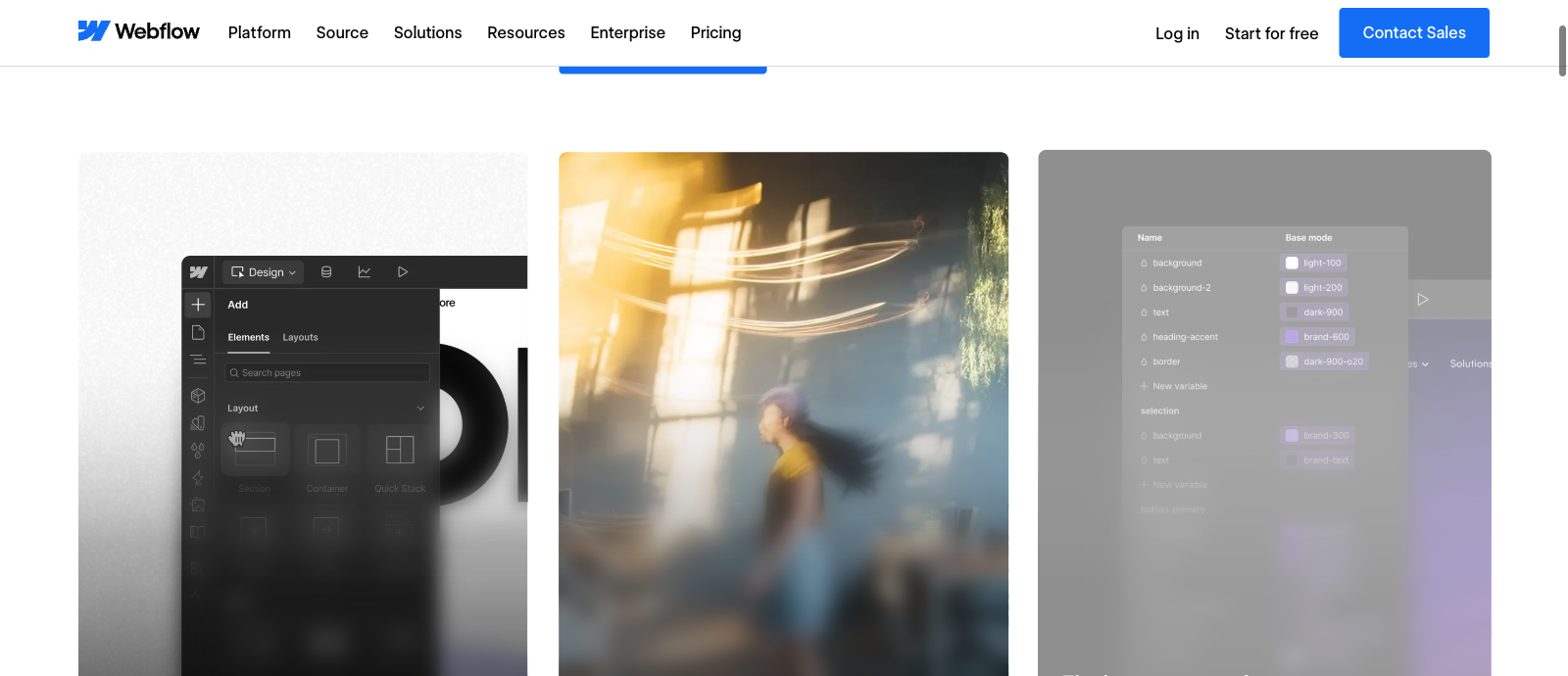
The Designer organizes site development around visible page structure and responsive styling. Users can adjust margins, padding, grid and flex layouts, typography, media, position and interactive states. The workflow rewards people who understand how layout decisions connect rather than simply tweaking every element in isolation.
A designer working on a product launch can establish reusable sections, maintain consistent spacing and build multiple landing pages from a shared set of visual primitives. Components can reduce the number of individual changes needed when a header, call-to-action design or navigation pattern evolves.
This matters after launch. Consider a business that produces twenty feature pages every quarter. Without a coherent system, small inconsistencies multiply: slightly different buttons, missing mobile space and outdated legal links. A shared component or template architecture can help keep those pages dependable.
The limitation is that a powerful editor doesn’t create a good design brief. You still need real product descriptions, clear page hierarchy, accessible color contrasts and sensible mobile controls. We haven’t operated a paid Webflow project for this review, so our assessment of editing features is grounded in official product demonstrations and guides, not an invented claim about how long a client launch took.
Responsive Design, Components and Interactions
Webflow is frequently selected for its handling of responsive design and animation. It provides visual breakpoint controls and ways to define interactions such as scroll-driven motion, hover states and section reveals. These can support memorable brand storytelling if they serve a clear purpose.
Avoid building animation for its own sake. Motion that delays reading, breaks keyboard navigation or makes a mobile page harder to use can harm the experience. Test important screens with reduced-motion preferences and slower devices, and ensure that forms, pricing, navigation and calls to action stay accessible.
For agency teams, reusable components are more valuable than a gallery of effects. Determine who can edit global styles, who can publish and how design changes move into production. A polished website often comes from restraint and operational discipline, not maximum visual complexity.
🛠️ Webflow Features That Matter in Production
🗂️ CMS Collections and Dynamic Content
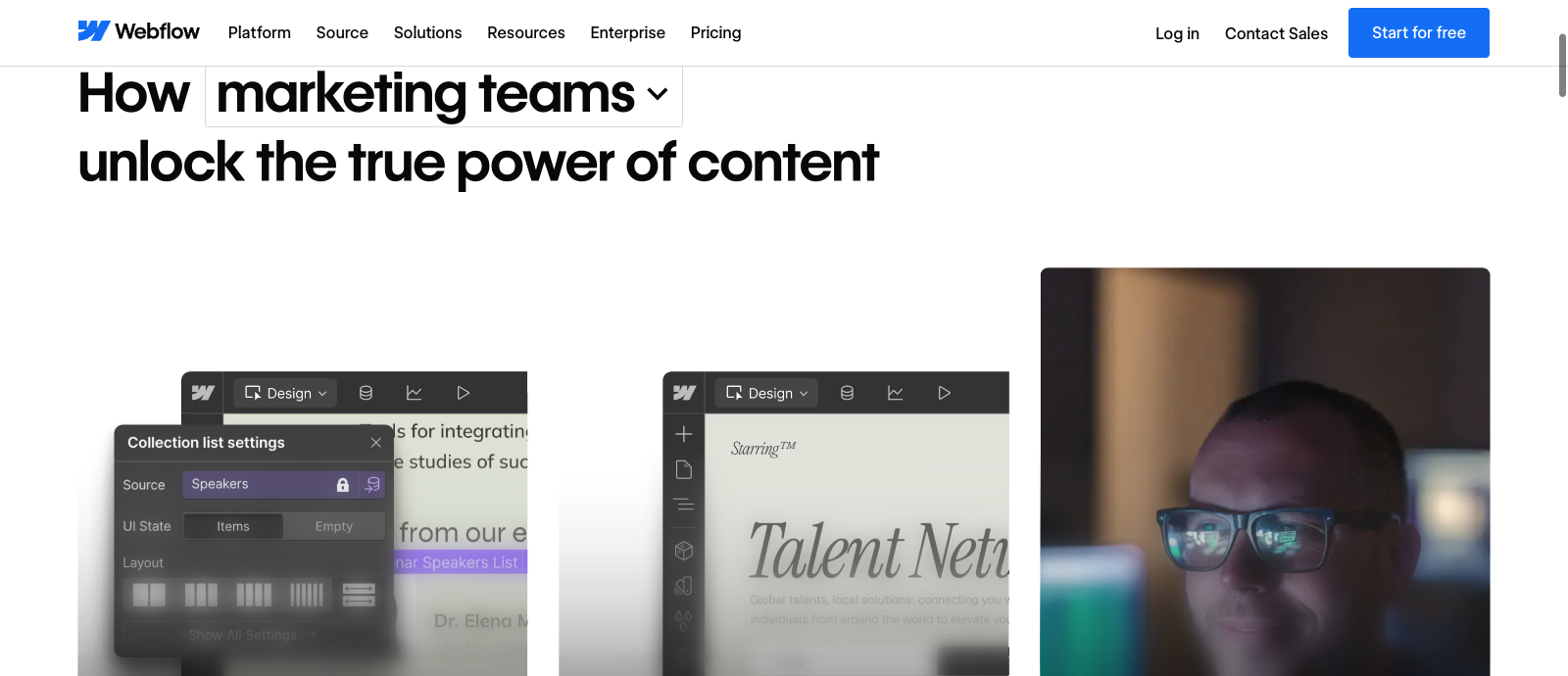
The CMS is a central reason to choose Webflow over a pure landing-page tool. A Collection defines a type of content—perhaps an article, job position, team member, client story or product specification—and stores each entry with the relevant fields. Designers build a template once and connect visual elements to those fields.
For a company publishing many case studies, this avoids rebuilding the same heading, metadata and image pattern repeatedly. Editors can add a new item while the broader design remains consistent. It also makes content relationships easier to plan, especially when authors, topics or related projects have their own data structures.
There are real limits, however. Webflow’s documentation describes up to 40 Collection lists on an individual page, up to ten nested Collection lists and a maximum of 100 items displayed per standard list unless pagination is used. Complex directories may need pagination and careful architecture rather than one enormous grid with every record loaded at once.
The 2026 Premium plan includes a larger CMS allowance than the previous entry CMS tier, but exact capacity depends on the currently selected configuration. Don’t assume the size of an existing catalog maps directly to a static-page allowance. CMS items, Collections, bandwidth and the ability to display nested lists are different constraints.
CSV import and export can assist with content operations. The official CMS help center confirms that Collections can be exported as CSV, a useful escape route for structured data. But CSV rows alone will not reconstruct the original layout or behavior of a finished site on another provider.
🤝 Site and Workspace Collaboration
Webflow separates the bill for each hosted website from the Workspace used to manage projects and people. The distinction matters for agencies because a business can run several paid sites inside one Workspace. Paying for a Workspace does not automatically include the appropriate Site subscription for each custom-domain website.
For teams, Starter Workspace is free, Core is publicly listed from $19/month and Growth from $49/month, both with annual billing. For freelance and agency accounts, a separate family includes Freelancer from $16/month and Agency from $35/month. These are not add-on prices that every solo site owner must automatically pay; they apply when the features of the paid Workspace are needed.
Workspace plans influence free staging-site capacity, team access, publishing permissions and, for eligible tiers, static code export. New sites can be staged on a webflow.io domain before they receive a paid Site plan. Once you publish to a custom domain, you need an appropriate paid Site plan for that website.
Seats introduce another variable. The public price page shows paid full and limited seat options as well as free review access. A studio pricing a ten-person team needs to count who truly requires full editing access rather than treating everyone as a single shared login. Collaborator security and permission design are operational concerns, not just billing tactics.
📤 Code Export and the Limits of Portability
Webflow is more portable in one limited sense than some hosted builders: paid Workspace plans can provide static code export. The official documentation explains that users can download HTML, CSS, JavaScript and related assets and host those files elsewhere.
That sentence requires a warning. Exported code is not an independent working copy of the whole Webflow platform. Dynamic CMS data, Collection-driven pages, user accounts, ecommerce databases, code-component functionality and localized versions are not automatically included. Exported Collection lists may show empty states rather than the live content visitors saw on Webflow hosting.
This means an agency can hand off static marketing pages for an external host, but it cannot promise that a Webflow-built blog or store will work identically from the exported ZIP. You may need to migrate CMS data by CSV, recreate templates and restore application features using a different backend.
Before choosing Webflow for a critical site, list the assets the owner needs to take elsewhere: domain, brand files, images, CMS tables, redirects, source code, business integrations and customer information. Confirm which export methods cover each item, who owns access and what would require a manual rebuild.
🔎 SEO, Analytics and Site Governance
Webflow includes page SEO controls, responsive design tooling, semantic markup features and support for CMS-driven metadata. This can be a strong foundation for a content-rich website when the team structures data and templates correctly. It is not a guarantee that any page will rank above competitors.
A recurring SEO benefit of structured Collections is consistency. An article template can systematically include a title, description, canonical plan and contextual navigation. But editors still have to provide helpful material, verify links and avoid publishing dozens of near-identical pages without meaningful differentiation.
Webflow also offers optional Analyze and Optimize products. Their existence should not be confused with features included in every Basic or Premium subscription. Analyze focuses on traffic and site engagement, while Optimize supports experimentation and conversion improvement. Teams should calculate optional product costs before presenting Webflow as one fixed-price marketing platform.
The provider’s 2026 pricing material increasingly highlights AI-based SEO and answer-engine suggestions. Such recommendations may help identify missing fields or technical issues; they cannot verify factual accuracy or generate trustworthy firsthand research. For a commercial review site, independent sourcing, editorial judgment and clear authorship remain essential.
🌍 Localization and Multilingual Projects
Webflow Localize lets eligible users adapt website pages and Collection content for multiple languages or regions. Its current documentation describes workflows for translating and managing Collection data across locales while keeping a shared underlying schema.
Localization is not necessarily included in the cheapest Site plan. Pricing may depend on which Localize product or higher platform package is selected and how many additional locales are required. A business launching in three languages should model those fees instead of counting translation as a free checkbox.
Content quality remains a separate task. Automatic translation may produce a workable starting point, but legal terms, navigation, product promises and search intent often need a local editor. Test country-specific payment and contact paths before telling users that a localized site is ready.
🛒 Ecommerce: Confirm the Right Product Model
Webflow supports ecommerce structures, including products, categories and SKUs. Its documentation describes dedicated Collections generated when ecommerce is enabled, with catalog-related limits separate from general content allowances in certain respects. That can serve design-sensitive stores where presentation is a priority.
However, the standard Site-pricing view is not a substitute for reviewing the actual ecommerce product terms. A shop owner must verify supported payment providers, product catalog limits, relevant fees, tax and shipping behavior and third-party integrations before migrating customers.
A complex store needs more than a responsive product page. Test inventory changes, fulfillment communications, refunds, accessible checkout, customer accounts and analytics consistency. If the ecommerce workflow is the company’s primary revenue engine, compare Webflow against platforms built specifically for retail rather than assuming a designer-first builder is automatically the most economical choice.
🤖 Webflow AI and New Development Capabilities
The current platform promotes AI-assisted page building, copy drafts, code components and suggestions for SEO or answer-engine visibility. Its 2026 Workspace tiers include different allowances of AI credits. This can help designers generate first iterations and accelerate routine composition.
But an AI-generated first draft isn’t a final commercial web page. Someone must verify prices, revise claims, remove vague placeholder language and check whether every call to action goes to the right service. An automation feature should reduce repetitive production steps, not replace business approval.
Webflow also references Webflow Cloud app hosting and an MCP server in its refreshed platform. These are evolving product capabilities with their own usage conditions, not proof that the simplest Starter site includes unlimited cloud computing or free third-party AI consumption. Buyers should read the specific allocation and metered charges for the configuration they actually order.
💰 Site and Workspace Plans Solve Different Problems
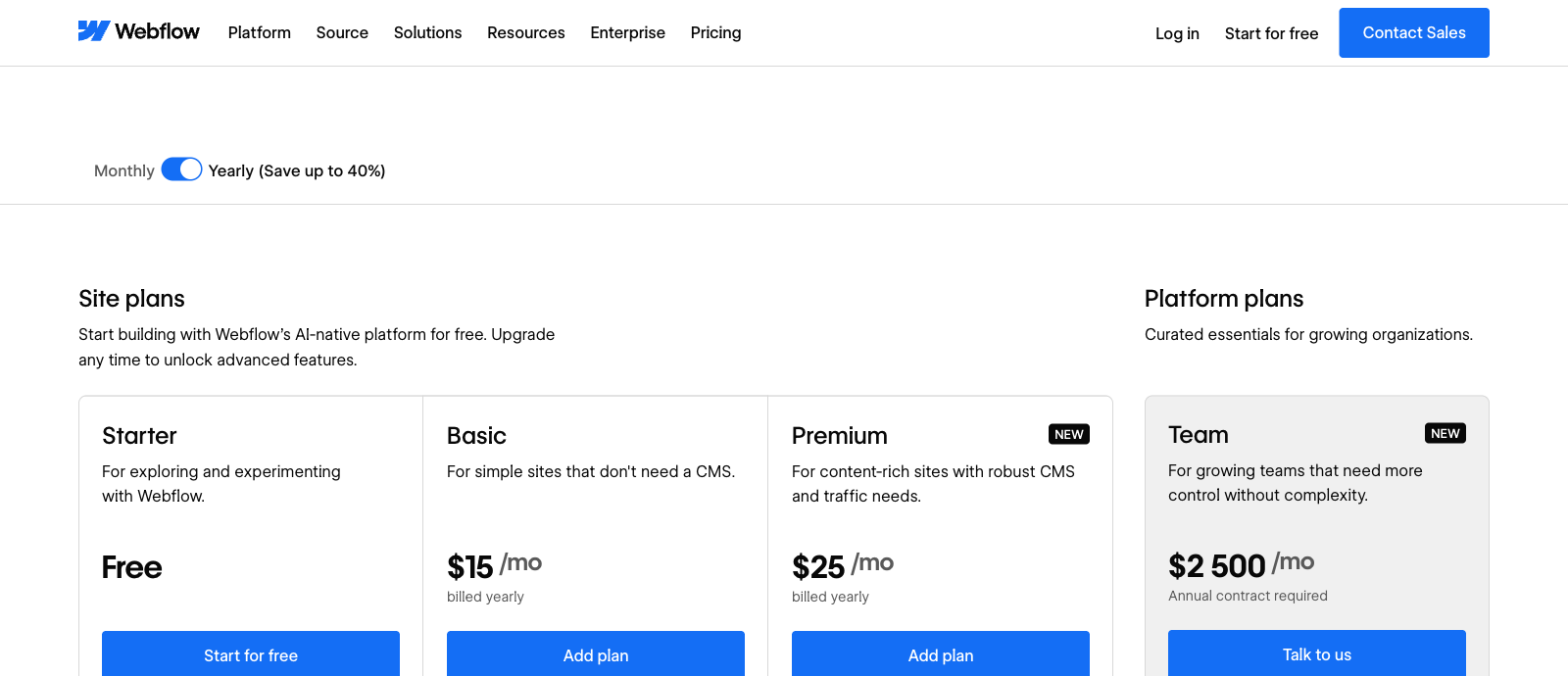
Webflow Site plans fund publishing and features for an individual website; Basic starts at $15/month and Premium at $25/month with annual billing in the October 2026 public US view.
Workspace plans govern staging, collaboration and other team tools. Paid Core starts at $19/month and Growth at $49/month with annual billing; free options exist.
Calculate custom-domain Site hosting, paid Workspace needs, added seats, bandwidth and optional Localize or Analyze products separately. A $25 Site price does not automatically cover an agency team.
| Subscription | Free Starter Site | Basic Site | Premium Site | Team Workspace Core |
|---|---|---|---|---|
| 2026 annual-billed public rate | Free | $15/mo | $25/mo | $19/mo |
| Primary billing unit | Single starter website | Single published site | Single published site | Workspace/team features |
| Public limits or focus | 2 static pages, 1GB bandwidth | 300 static pages, 10GB bandwidth | CMS and configurable bandwidth | 10 staging sites and more collaboration tools |
| Custom domain | No | Yes | Yes | Only with a paid Site plan |
| CMS use | Limited | Not a CMS-focused plan | Full CMS plan; check current limits | Workspace plan is not Site CMS hosting |
| Code export | Not in Starter Workspace | Requires eligible Workspace | Requires eligible Workspace | Included on paid Workspace |
| Budget warning | Limited staging and publishing | Domain and Site usage | Bandwidth/add-ons | Separate from Site charges |
💰 Webflow Pricing 2026: Site vs Workspace
Webflow pricing is easiest to understand as two decisions. First, which plan does this particular website need? Second, does the team need a paid Workspace or extra seats to develop and maintain it? Those choices solve different problems and sometimes lead to two separate subscriptions on the same account.
For a new site, Webflow’s October 2026 US pricing page offers Starter for free, Basic at $15/month when billed annually and Premium at $25/month when billed annually, before tax. Webflow has also introduced higher platform packages such as Team, with enterprise-specific governance and pricing that is not relevant to most one-person portfolios.
The Starter Site plan supports experiments on a webflow.io address and includes just two static pages, limited CMS capability, 1 GB bandwidth and 50 form submissions in the public comparison. The Basic Site plan allows a custom domain, up to 300 static pages and 10 GB bandwidth, but it is not designed around substantial CMS publishing.
Premium is aimed at content-rich sites requiring a more complete CMS and additional features. Its exact bandwidth and CMS allocations can be configured and may involve paid add-ons. On the publicly captured Premium selection, the bandwidth setting showed 50 GB. That isn’t a guarantee every Premium configuration automatically includes unlimited transfer.
The Workspace family is separate. Teams can stay on free Starter for some workflows, or consider paid Core and Growth tiers. Freelancers can choose the Freelancer or Agency family. Some businesses also need paid editor seats, and optional Localize, Optimize or Analyze features can further change the invoice.
⚠️ The 2026 CMS and Business Plan Migration
This is where outdated reviews can mislead readers. Webflow announced a May 2026 simplification that combines prior CMS and Business Site subscriptions into the new Premium plan. New purchases use the revised structure; existing customers transition at defined renewal or plan-change points.
According to the official transition guide, legacy-priced accounts and existing sites in Freelancer or Agency Workspaces may wait until a renewal or billable change on or after November 16, 2026. For most other existing sites, the updated arrangements applied at renewals or changes on or after June 29, 2026. New Site purchases moved to revised pricing from May 13, 2026.
The migration has material resource consequences, not only new labels. Webflow documentation describes expanded CMS item capacity but changed bandwidth or app-resource allocations for some former Business customers. If you run a mature Webflow site, use the vendor’s pricing-change calculator and compare actual traffic rather than assuming Premium is a like-for-like rename.
On the refreshed pricing page, the Premium bandwidth add-on table provides explicit costs. One example is an additional 50 GB for $20/month with annual billing, with a different rate under monthly billing. A content-heavy site should account for this separately. Whether that is expensive depends on how much traffic the application genuinely sends.
A sensible budget has three columns: a normal month, a marketing-campaign month and the period when a paid project is under staging and active collaboration. If a customer has a $25 Site plan plus a $19 Workspace, those are not alternative prices; both may matter to that customer’s chosen workflow. But not every site requires a paid Workspace, so don’t multiply fees unnecessarily.
🎯 Who Should Choose Webflow?
Brand and product marketing teams. Webflow deserves serious attention when multiple landing pages share design elements, the content team publishes frequently and the brand wants polished responsive behavior. A reusable component system can make those updates faster to manage.
Design agencies and freelance developers. A professional who understands layout systems may appreciate direct control over responsive structure and interactions. Review the Freelancer and Agency Workspace plans for staging capacity, client handoff, seats and publication permissions. Budget client Site plans separately.
Editorial and resource websites. Structured CMS Collections make Webflow relevant for publishing use cases such as blogs, guides, team databases and case studies. Plan content types and expected collection volume before importing a large site. Build one realistic detail template and archive page before a full migration.
Solo local businesses. A restaurant, consultant or tradesperson can use Webflow, but its design complexity may be unnecessary if the site’s maintenance consists mostly of changing hours or adding a few photos. A more template-oriented builder may be cheaper in owner time even if its listed subscription is similar.
Large stores and specialized applications. Evaluate the ecommerce implementation and its limits carefully. If the project depends on a sophisticated inventory system or custom backend workflows, compare a specialized commerce product or cloud architecture instead of forcing it into an unfamiliar site builder.
⚖️ Webflow vs Wix, Squarespace, Framer and WordPress
Webflow and Wix both help people build hosted websites, but they optimize for different workflows. Wix’s approachable editor and integrated business apps are attractive to owners seeking low operational complexity. Webflow’s deeper responsive styling and CMS structure appeal to designers who want to control implementation details. Our Wix review explains its editor, business tools and plan limits.
Squarespace is another integrated, design-led choice with a relatively straightforward path from a template to a portfolio or commercial site. Its Fluid Engine offers layout freedom within its own visual system. Our Squarespace review examines the current Basic/Core/Plus/Advanced tiers and the separate fees for ordinary commerce and digital products.
Framer belongs on the shortlist for highly visual marketing pages and creative portfolios. A team should compare its responsiveness, CMS approach, localization and publishing model with Webflow’s rather than choosing solely from attractive demo sites. Neither promises that every professional layout can be completed with no knowledge of design principles.
WordPress changes the ownership model. Self-hosted WordPress content and its database can be moved between providers, although plugins, themes and hosting create their own maintenance obligations. Our Kinsta review and Cloudways review cover two different approaches to running WordPress sites.
A useful head-to-head trial would create the same service page, CMS detail template, mobile menu and editing workflow in two platforms. Track how quickly an editor can make a safe update, how much assistance they need, which assets are portable and what the full yearly bill would be.
| Buyer question | Webflow | Wix | Squarespace | WordPress hosting |
|---|---|---|---|---|
| Best-suited workflow | Advanced responsive design and Collections | Integrated editing and business apps | Template-led visual sites and commerce | Portable CMS with themes and plugins |
| Editorial structure | Dynamic CMS templates | Wix CMS and editor tools | Blog and portfolio structures | Full WordPress database and content |
| Planning issue | Separate Site/Workspace fees | Tier and app subscriptions | Commerce fees and tier differences | Hosting, maintenance and add-ons |
| Moving away | Static code export does not include live CMS | Proprietary designs may need rebuilding | Partial XML export of eligible content | Migrate files/database with compatibility work |
🧪 How We Evaluated Webflow
This review is based on the Webflow public pricing page and first-party support guidance checked on October 16, 2026, with special attention to the current Site-plan consolidation, CMS limits, export rules, Workspace pricing and localization. We independently wrote the editorial comparisons; vendor facts are attributed to their published documentation.
The screenshots show Webflow’s official pricing, Designer and CMS product pages as visible to a visitor. These are demonstrations of the public product interface, not captures from a private paid account. We did not conduct an independent WordPress-versus-Webflow performance test, commission a paid site, measure support response times or observe production uptime.
That is a meaningful distinction. A marketing feature page can describe available controls and a price page can document allowances, but neither proves how a particular business’s website will perform under traffic. A reliable benchmark would need comparable content, cache conditions, device types and multiple measurements across time.
We evaluate what a buyer can reasonably verify: the structure of the subscriptions, which features need separate resources, where content is portable and how the web-design workflow fits different teams. We avoid fictional speed figures and first-person usage claims unsupported by actual testing.
🏆 Final Verdict: Is Webflow Worth the Money?
Webflow is a strong candidate for teams that want precise visual development and a structured CMS without building every page in code. Reusable components, responsive controls and hosting create a compelling combination when a website is an active part of the business rather than a static online brochure.
Its strongest use case is a design-driven team that can justify time spent establishing a clear content architecture. The payoff comes later: consistent campaigns, easier editorial maintenance and less repeated layout work. A buyer seeking a small site with minimal learning might find Wix, Squarespace or a ready-made WordPress setup more comfortable.
Check the 2026 Premium migration details carefully if you’re moving an established Webflow site. For a new project, make sure you’re pricing both the necessary Site plan and any Workspace or seat access the team truly needs. If data portability is a requirement, test the code and CSV export pathways before accumulating years of content.
Start free, model a representative page and Collection, check mobile accessibility and record a genuine operating budget. Webflow is worth the learning curve when its design and content model solve problems the simpler alternatives cannot.

Frequently Asked Questions
Is Webflow free to use in 2026?
Webflow provides free Starter Site and Workspace options for trying the platform. Publishing to a custom domain requires an eligible paid Site plan.
How much does Webflow cost in 2026?
The October 2026 public US annual-billed rates list Basic from $15/month and Premium from $25/month, with Starter free. Workspaces, seats, bandwidth and optional add-ons may cost extra.
What happened to Webflow CMS and Business plans?
Webflow introduced the Premium Site plan in 2026 to combine the previous CMS and Business tiers. Existing customers transition according to their renewal or change dates.
Do I need a Site plan and a Workspace plan?
Every website belongs to a Workspace, but free Workspace options exist. You pay for a particular Site plan when the website needs custom-domain hosting and paid features; a paid Workspace is only needed for its additional capabilities.
Can I export my Webflow website?
Paid Workspace tiers allow HTML, CSS, JavaScript and asset export. Live CMS databases, commerce features, localized content and some other dynamic functions are not transferred in the code ZIP.
Is Webflow good for SEO?
Webflow offers metadata, structured CMS templates and technical SEO controls, but search rankings depend on content, relevance, indexing and competition. No builder guarantees results.
How many CMS items can Webflow display in a list?
Webflow documents a maximum of 100 Collection items per standard list without pagination, with additional nesting and per-page Collection-list rules.
Is Webflow suitable for multilingual websites?
Webflow Localize supports translating and adapting pages and CMS content. Features and the number of languages available depend on the selected paid products and allowances.
Does Webflow support online stores?
Webflow provides ecommerce Collections and product-management features. Stores should verify available payment providers, cart functions, catalog limits and the exact commercial plan before launching.
Is Webflow better than Squarespace or Wix?
Webflow may fit teams seeking advanced responsive design and structured CMS workflows. Wix and Squarespace can be simpler for straightforward business sites; the best choice depends on real content and maintenance needs.
🔍 Explore More on DigiOffly
After this Webflow review 2026, compare website builders, hosting options and software that supports your publishing workflow:
Compare alternatives: Read our Wix review, or visit our Hosting & Websites guide for more website builders and hosting providers.
- Website Platform Directory — Explore hosting and visual-builder options with their implementation costs.
- Project Budget Calculator — Estimate Site subscriptions, Workspace seats and additional services.
- Software Matching Assistant — Find compatible publishing, analytics and content products.
- Compare Software Directly — Inspect specific requirements across competing tools.
- Explore Marketing Tool Guides — Research traffic analysis and audience growth systems.