

📊 Synthesia Review 2026 Summary
A training department’s hardest video problem is often not filming an instructor; it is keeping every regional version accurate after the policy changes. Synthesia addresses that problem through scripts, avatars, dubbing and reusable presenter scenes. This review examines the October 2026 plan changes, when Creator was renamed Pro and the credit system was reorganized. The useful buying question is how easily an approved lesson can be updated across languages—not whether a synthetic presenter looks realistic in one demo. Figures and capabilities come from published vendor information, not a claim of paid classroom testing.
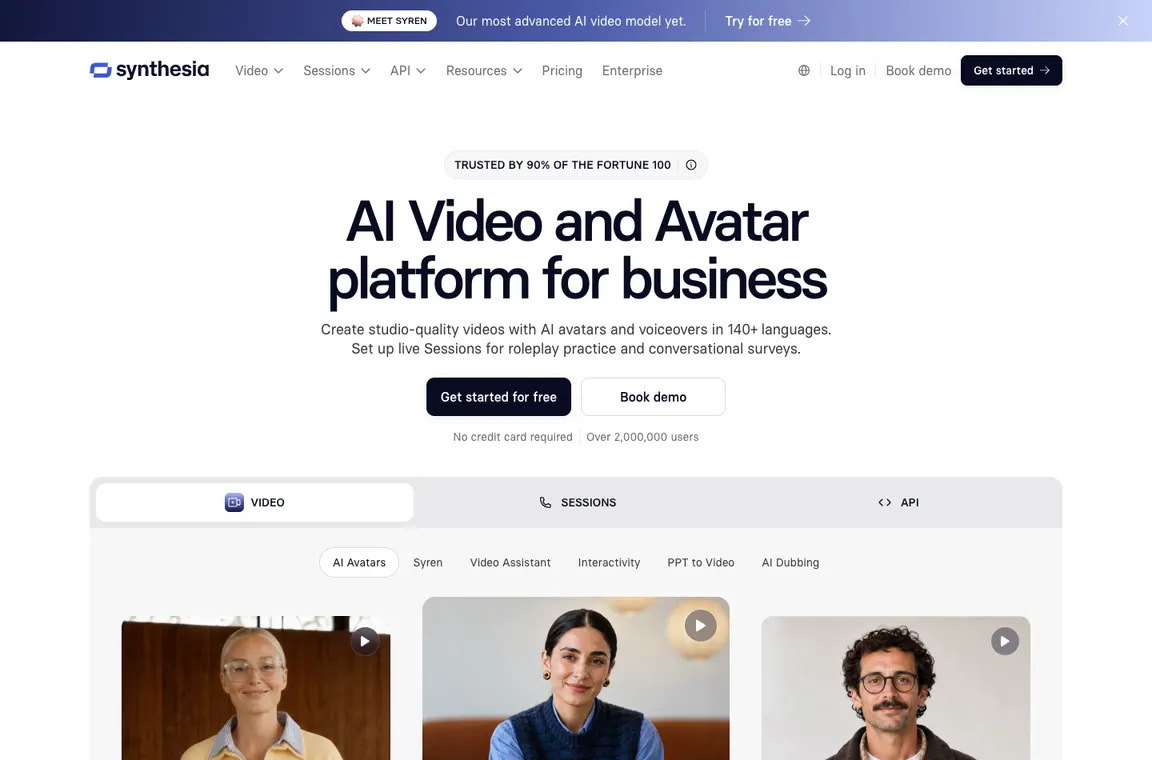
⚡ Quick Verdict: Synthesia
Synthesia deserves a shortlist for repeatable, presenter-led training and explainers. Teams can revise an approved script without booking another studio session, but they still need a subject-matter expert to check policy language and localization. The new Basic, Starter and Pro allowances mix baseline video minutes with separate credits, so a simple price-per-minute assumption is unsafe. A pilot should produce one short lesson, translate it, then update a sentence in every version. If that maintenance loop is manageable and consent rules are clear, the product can save meaningful production work.
👍 What We Love
- ✅ Presenter avatars
- ✅ multilingual voices
- ✅ video templates
- ✅ dubbing
- ✅ review-friendly business workflows and Enterprise governance options.
👎 Where It Falls Short
- ❌ Limited creative freedom versus filmed footage
- ❌ avatar authenticity considerations
- ❌ credits and usage calculation
- ❌ language quality control and organization-wide approval requirements.
🏆 EDITORIAL VERDICT: Synthesia
For teams producing regularly updated avatar-led training and multilingual explainers.
💰 Synthesia Pricing 2026: Basic, Starter, Pro and Enterprise since October 2026
| Plan | Reference price | Published allowance or distinction | Buyer context |
|---|---|---|---|
| Basic | $0 | 10 included video minutes plus 500 monthly credits | Trial and sharing |
| Starter | $29/month | 1,250 plan credits plus base allowance | Solo creators |
| Pro (was Creator) | $89/month | 6,000 extra plan credits plus base allowance | Frequent production |
| Pro 2×–8× | Varies | 12,000–48,000 additional monthly credits | High usage |
| Enterprise | Custom | Organization controls and collaboration | Scale |
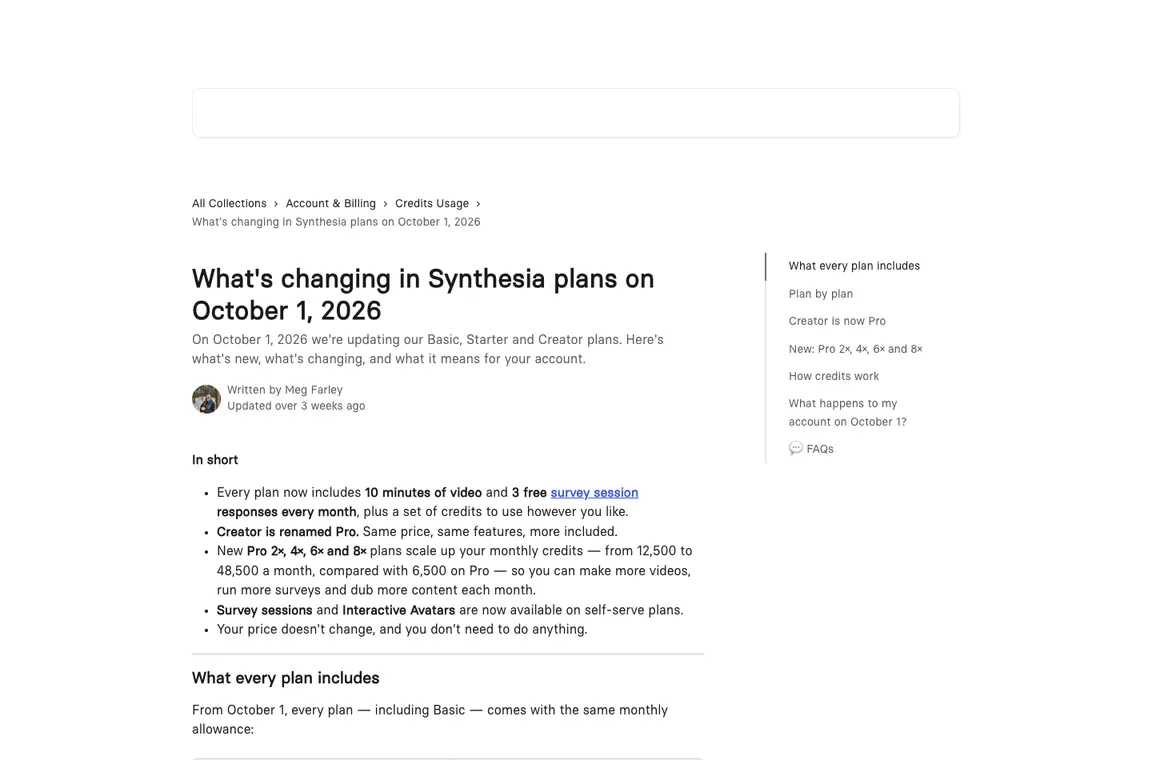
Synthesia renamed Creator to Pro on October 1, 2026. Its company knowledge base says all tiers include 10 minutes of video, three survey responses and 500 credits every month; paid plans add credit allowances. Pro 2x to 8x tiers provide scaled credits. Old Creator plan screenshots without the 2026 migration are misleading.
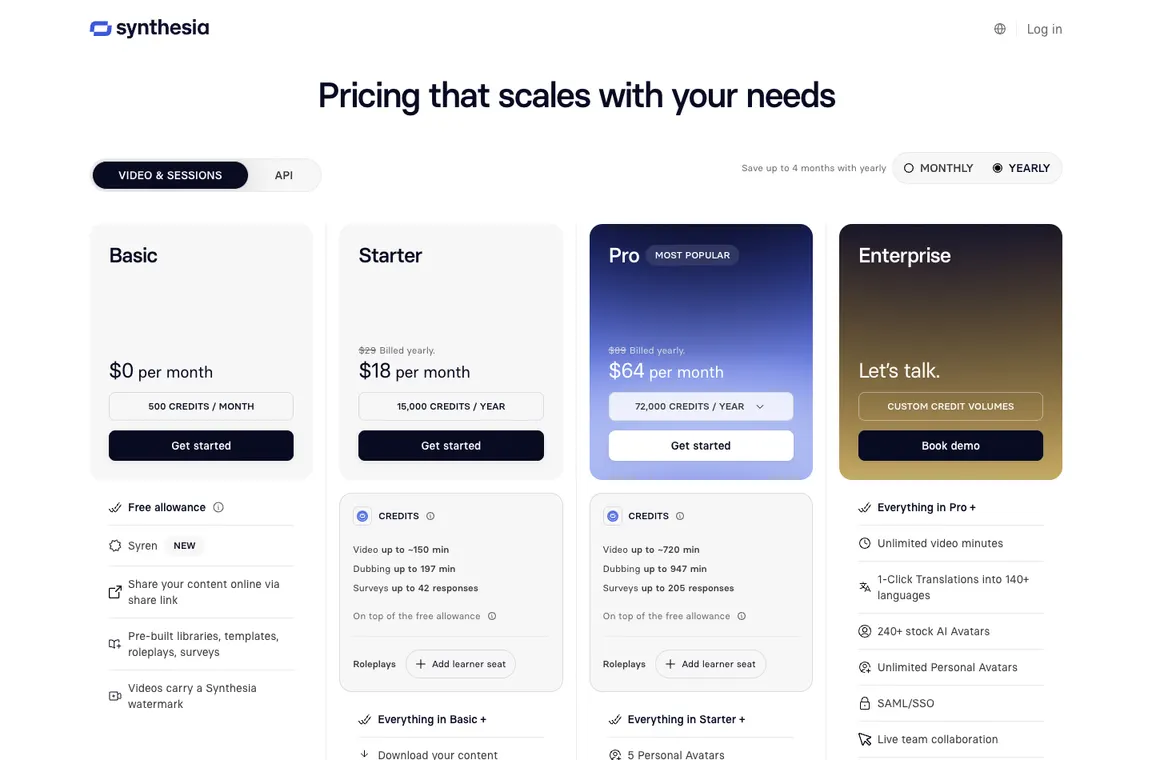
Synthesia’s October 2026 update provides the same baseline of 10 video minutes, three survey responses and 500 monthly credits on all plans, with additional credits in Starter and Pro. Creator was renamed Pro. The public monthly figures can differ from annual and regional checkout amounts, and the plan’s credit pool covers activities with different rates. For a training team, the most useful budget predicts how often scripts are revised and languages dubbed, not just the length of the first video. Check included video minutes separately from the extra credits.
🎯 Who Synthesia Is Best For
Synthesia fits HR, learning and product-education teams with recurring scripted information that must remain consistent. A single trainer who wants to send a quick personal screen recording may be better served by Loom. A studio searching for cinematic b-roll should look at Runway. Custom avatars require permission from the represented person, while safety and compliance lessons need qualified translation review. Basic is a useful place to explore the editor, but paid downloads and branding controls must be verified before using assets in a company-wide library.
| Buyer situation | Recommended starting point | Decision to verify |
|---|---|---|
| HR department with repeatable lessons | Starter with a defined content plan | Can one approved policy sentence be updated everywhere? |
| Localization-heavy training team | Pro according to measured credit consumption | Can fluent reviewers approve every language? |
| High-volume organization | Pro variants or Enterprise quote | Does project management keep videos current? |
| Person sending one-off screen updates | Consider Loom before paying | Is a presenter avatar necessary? |
🧩 Avatars, dubbing and credit entitlements
Synthesia avatar production workflow
A typical Synthesia project begins with a script, selected avatar, scene layout and voice. The product’s value is repeatability: an HR team can update one policy paragraph without filming an entire presentation again. However an automated presenter can still mispronounce terms or overstate company commitments. Review transcripts, pronunciation and pacing with someone who understands the audience.
Synthesia pricing after October 2026 changes
A training team could plan fourteen minutes of new presenter footage and two minutes of lip-synced dubbing in a single month. Using the October 2026 baseline of ten included video-or-dubbing minutes first, a simple estimate leaves four minutes of extra avatar footage at roughly 100 credits per minute, plus two minutes of lip-synced dubbing at 80 credits a minute. That’s approximately 560 credits, a little above Basic’s general 500-credit balance before content-specific adjustments. Starter’s extra credit allowance may make the workload practical. Actual deductions depend on how much footage contains an avatar and how the workflow uses its baseline allowance. This concrete worksheet is more useful than repeatedly quoting the Creator-to-Pro renaming; annual customers must also note that plan credits can be made available upfront for the term.
Synthesia Creator renamed Pro in October 2026. Synthesia Pro October 2026 entitlements include the baseline allowance plus paid credits, so Synthesia monthly credits must be read alongside the included video minutes.
Synthesia free Basic vs Starter
Basic allows teams to see templates and avatars before making a financial commitment. The free allocation is not equivalent to full commercial publishing features: downloads, watermark policies and usage rights depend on plan. Starter adds capabilities such as downloading output and removing the Synthesia logo. A reviewer should inspect current entitlement tables and avoid promising the same feature on every tier.
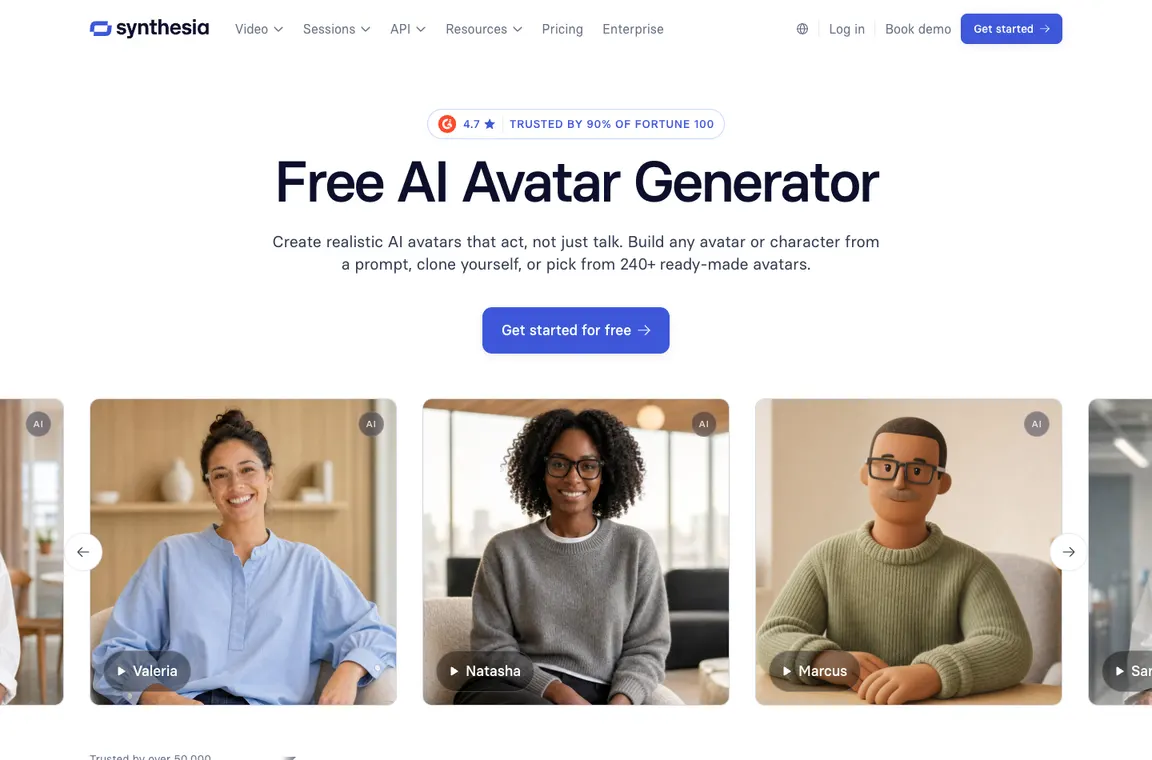
Synthesia AI avatars and personal likeness
Stock avatars are useful for standard presentations where the speaker is not meant to impersonate a real employee. Personal avatars and custom likeness creation have stricter consent and identity requirements. Organizations should document whose identity is represented, how consent was obtained and what happens when an employee leaves. Review avatar presentation and inclusivity with the intended audience rather than assuming any synthetic face will be credible.
Synthesia avatar consent is especially important for personal likenesses. A Synthesia training videos workflow should document who approved the script and voice; stock avatars do not remove the need to validate statements.
Synthesia languages, dubbing and pronunciation
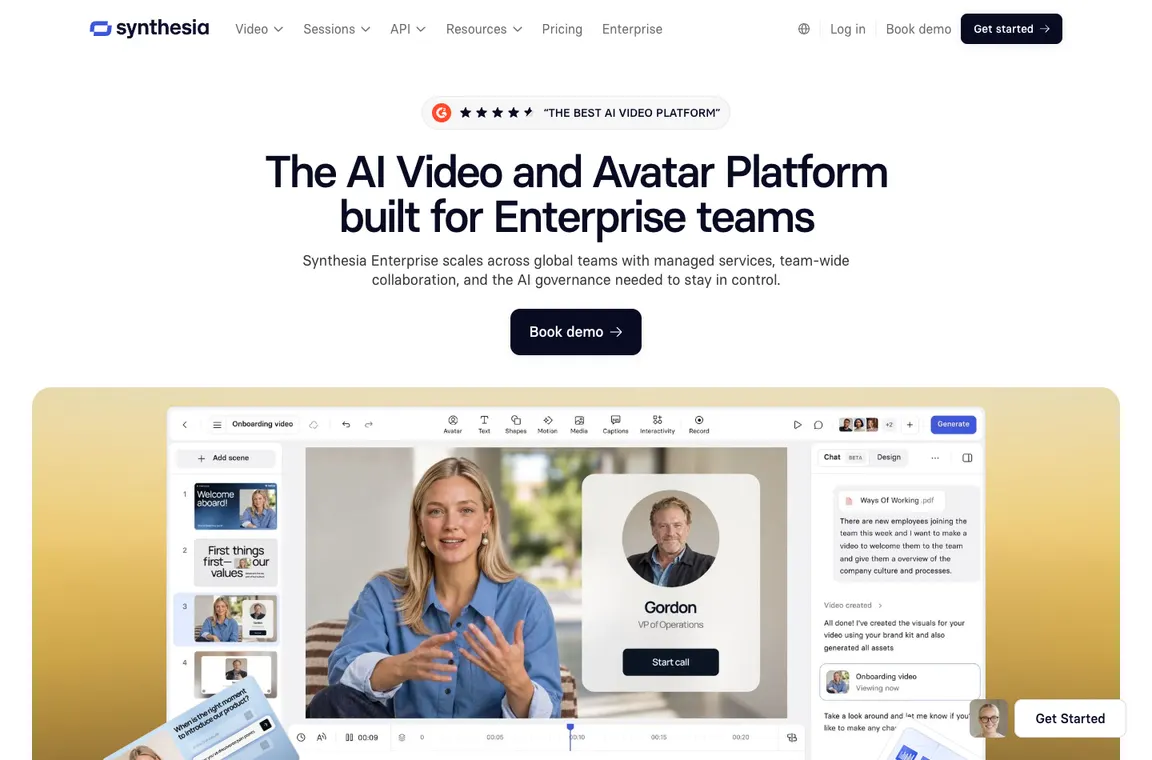
Multilingual production is one of Synthesia’s practical strengths. Translating a compliance update into several languages is materially easier when text and narration can be revised together. The risk is meaning drift: technical terminology, legal qualifiers and product names can change between versions. Establish language owners for final approval and keep localized scripts under revision control.
Synthesia for training and onboarding
A ten-minute standardized onboarding presentation can be valuable precisely because it is consistent. But companies should measure comprehension, not just completed views. Pair a short video with a clear knowledge-check or process checklist. When policy changes, maintain links to the authoritative document and identify an owner responsible for updating the script. Synthetic presenters cannot resolve operational contradictions on their own.
Synthesia for onboarding works when updates are reviewed by subject-matter owners. Synthesia language translation and Synthesia dubbing should be checked by a fluent reviewer before employees receive a compliance or safety message.
Synthesia credit calculation and scale
The new credit system spans video creation, dubbing, surveys and interactive capabilities. Treat credits as a shared resource, not simple minutes in every model. A session with custom assets, dubbing and interactions may consume more than a plain avatar clip. Estimate three realistic deliverables and calculate credit consumption with current plan tools before selecting Pro 2× or a larger tier.
Synthesia vs Runway and HeyGen
Synthesia trades free-form cinematic control for consistent presenter-led content. Runway is usually more appropriate for stylized B-roll or visual experiments, while HeyGen is another avatar-centric alternative. Choose based on narration accuracy, localization, human review, editability and the total cost of updates. A strong video is the one the business can maintain and approve, not merely one with an impressive preview.
📋 Synthesia Features: What Needs Verification
| Capability | Vendor fact or evaluation method | Evidence to collect |
|---|---|---|
| Baseline entitlements | 10 video minutes, three survey responses and 500 credits per month | Official October 2026 knowledge base |
| Tier credits | Starter 1,250 extra; Pro 6,000 extra; scaled Pro variants | Plan and billing display |
| Avatar consent | Likeness release and allowed usage recorded | Approved avatar record |
| Localization | Human review of transcripts and pronunciation | Approved version per language |
🛠️ Training production, localization and version control
A repeatable employee onboarding video
A company with frequent new hires may need to explain access procedures, compliance basics and first-week responsibilities every month. Synthesia can turn an approved script into a presenter-led video without scheduling a camera shoot each time the policy changes. The starting point should be the authoritative written procedure, not a prompt asking the system to invent onboarding advice. Build a short outline with an owner for every factual statement. Select an appropriate avatar and voice, then compare the rendered presentation with the underlying policy line by line.
The advantage is maintainability. If a login procedure changes, an editor can update the affected scene instead of filming the complete introduction. But a polished synthetic presenter does not guarantee that employees understand the steps. Pair the video with a checklist or short knowledge test, monitor questions new hires ask afterward and update confusing passages. The success measure is fewer onboarding errors and easier revisions, not the number of minutes generated.
What the October 2026 credit system actually buys
Synthesia’s October update reorganized its usage entitlements. Every plan, including Basic, has a monthly base of ten minutes of video or dubbing, three survey responses and 500 credits. Starter adds 1,250 credits, and Pro, formerly Creator, adds 6,000 credits on top of the baseline. Higher Pro variants increase the additional allowance. The important distinction is that credits are shared among different functions rather than representing one uniform number of video minutes. Dubbing, surveys, API creation and interactive avatar activity use different rates.
Before choosing a plan, estimate an actual monthly workload: perhaps two training videos, revisions to an existing presentation and a small translation batch. Apply the base allowance first, then calculate how much of the credit pool those tasks need. Synthesia’s pricing calculator and current account display are better guides than a recycled historical ‘Creator minutes’ table. Companies should track whether unused usage is consumed as expected and verify how annual plans allocate credits over the contract period.
Choosing between Basic, Starter and Pro
Basic is useful for understanding the editor, trying a stock avatar and presenting a proof of concept. It is not identical to paid plans: the free experience has restrictions, including branding and output-entitlement differences. Starter unlocks additional production capabilities such as downloads and removal of the Synthesia logo; Pro is designed for more substantial use and provides a larger credit allowance. The October 2026 official pricing page displays monthly Starter and Pro rates of $29 and $89 in the US, but buyers should confirm any annual offer or regional price at checkout.
An educator who needs one short internal demonstration might begin with Basic. A marketing team producing recurring approved videos should calculate how often downloadable, unbranded content is needed. A larger production department may value the higher credit allocation, team review and enterprise contracts more than a lower headline fee. A plan is only good value when the entitlement matches the videos that actually reach learners or customers.
Stock avatars and a real employee’s likeness
Stock presenters can make company updates more engaging, but the choice of an avatar still affects credibility and accessibility. Consider whether the audience expects a specific trainer or merely an understandable explanation. Custom or personal avatars raise different questions: who gave permission, what uses were approved and how consent can be withdrawn. A departing employee should not continue appearing to endorse new policies without an appropriate agreement. Administrators must record ownership and authorization rather than relying on a generic video-generation interface.
Create an internal process for approving avatars and voices. Label synthetic presenters when that avoids confusion, particularly where employees might mistake the video for a live message from management. Keep a record of the original approved likeness, distribution channels and scripts that use it. Test whether a stock avatar feels appropriate for sensitive subjects; a serious compliance notice may work better with direct text and a human contact. Convenience should not override consent or trust.
Multilingual narration and translation review
Synthesia can simplify a localization workflow by connecting written script changes with narration and video scenes. A manufacturer training workers in several languages may want the same operating procedure presented consistently across regions. That does not mean machine translation is automatically correct for a safety-critical instruction. Technical terms, negation, measurements and local regulations can all be distorted. Assign a fluent subject-matter reviewer to each language and keep the approved script versions linked to the original document.
Pronunciation deserves its own check. Brand names, technical acronyms and people’s names can sound unnatural even when written text is correct. Listen to the complete audio instead of relying solely on the transcript. If dubbing is used on filmed footage, verify timing, lip synchronization and whether translated words fit the original context. For safety material, make sure captions and written instructions stay accurate even if a synthetic voice mispronounces a term. Localization quality is part of content governance, not an optional polish step.
Surveys, interactive avatars and learner responses
The updated credit model includes survey sessions and interactive avatar capabilities beyond ordinary video rendering. Those experiences can be valuable when a team wants to ask onboarding or training questions, but they also create a new category of recorded interaction. Before deploying a roleplay or survey, decide what responses the system will collect, whether employees are informed and who can inspect the results. A conversational avatar should not be used to make sensitive employment judgments without appropriate legal and human oversight.
Design a small exercise that checks comprehension of a documented procedure. Review the questions for ambiguity and confirm that the response scoring behaves sensibly when a learner provides an unexpected but valid answer. Measure completion and misunderstanding rates rather than merely the number of sessions generated. Because survey and interactive activity can consume credits differently from video minutes, build that consumption into the plan budget. The best interactive feature is one that produces useful, responsibly handled learning feedback.
Script accuracy, review and brand consistency
A polished Synthesia presentation may look authoritative even when the underlying text is obsolete. For a product update, that creates a subtle risk: customers can easily treat a confident avatar as an official promise. The editorial workflow should therefore start with source-controlled facts and end with a named approver. Keep the latest product price, feature entitlement or policy language outside the video project as the authoritative record. Any revision should identify which scenes are now out of date.
Brand rules should cover colors, typography, appropriate avatar use, pronunciation and captions. Invite stakeholders to review a draft before rendering the final deliverable and distributing it widely. Store a transcript with the published video so future updates do not require somebody to reconstruct the spoken content manually. If a sentence changes after release, the organization needs a version and replacement process. The value of AI presenters is strongest when change management is as easy to manage as the initial production.
Synthesia, HeyGen and Runway solve different briefs
A business choosing an AI video platform should distinguish presenter-led explanation from cinematic generation. Synthesia is oriented toward scripts, avatars, training content and localization; HeyGen also competes in avatar and translation workflows; Runway is more appropriate when the objective is an invented visual scene or stylized b-roll. Comparing the number of models available tells very little about the actual outcome. Build a short example that reflects the organization’s recurring need, then inspect the video for narration, editability, rights handling and total production time.
If an HR department must keep a policy video current in four languages, the ease of correcting the same sentence across versions may outweigh cinematic freedom. If an agency needs an unusual moving shot with no presenter, a template-based avatar editor is a poor substitute. Include script-review effort, rendering allowances and handoff to conventional editing tools in the cost. A strong selection process avoids buying multiple video subscriptions that solve only superficially similar problems.
Evaluating a scalable video library
A larger company may create dozens of short lessons, customer explainers and regional updates. Without naming conventions and ownership, the library can become difficult to maintain even when each video is inexpensive to produce. Decide who can create, edit, translate and publish content. Organize projects by audience, product version and approved policy date, and keep accessible transcripts outside the rendering service. If the company changes vendors, it should still know which source script supports each published video.
Over a month, track minutes produced, credits spent, video revisions, localization corrections and learner outcomes. Enterprise buyers should evaluate identity controls, collaboration, retention and export capabilities in their actual contract. Do not infer those protections from a self-serve plan screenshot. Synthesia can reduce the logistical cost of routine presenter videos, but the long-term return comes from an auditable content pipeline and useful instruction, not from synthetic presenters alone.
Caption accessibility and sound-off viewing
Employees may watch training material with the sound off, in noisy work environments or with hearing impairments. A synthesized voice alone is not sufficient. Review captions for timing, speaker identification, technical vocabulary and reading speed. Ensure that information conveyed only by a graphic is also explained through accessible text or narration. For localized versions, check captions against the approved translation rather than assuming that the generated speech is correct. A useful pilot includes someone who normally relies on captions and observes whether the video conveys each required instruction. The goal is accessible comprehension, not simply the presence of a subtitle track.
Keeping training libraries current after policy changes
Imagine a company that updates its security policy twice a year. Every language version of an old onboarding video may now contain an incorrect instruction. Maintain a central list of published Synthesia assets, the policy version behind each one and the person responsible for updates. When a clause changes, identify which scripts and language variants must be revised before the old link is distributed again. Use release dates or version labels in the internal library and keep written transcripts available. This process makes the promise of easy AI video editing operationally meaningful: the organization can correct information consistently without re-recording every scene.
⚖️ Synthesia vs Alternatives: Head-to-Head
| Alternative | What it emphasizes | Decision criterion |
|---|---|---|
| HeyGen | Alternative avatar and translation workflows | Test localization and editor friction |
| Runway | Flexible AI cinematics and b-roll | Decide between presenter and generative scenes |
| Loom | Fast personal screen messages | Choose scalable polished assets versus quick async recording |
HeyGen is another avatar-oriented product, but equal-looking presenter clips do not establish equal value. An organization planning multilingual announcements should compare pronunciation, script updating, brand controls, voice availability and human approval steps. Synthesia’s training-oriented workflows may be attractive for a company with a managed library of lessons; HeyGen may fit different translation or avatar tasks. The test should use an actual three-minute corporate brief and compare the cost of a second revision after the first version has been approved.
Runway is useful when a creative team wants invented cinematic footage or visual experimentation rather than an on-screen presenter. Synthesia’s structure is better suited to repeatable training narratives and localized explanation. For a product onboarding video, ask whether users need to see a person speaking, a screen walkthrough or a sequence of generated visual scenes. These choices have very different editing and rights requirements. Compare comprehension, update cost and consistency across languages; a visually dramatic result is not always the most useful instructional asset.
Loom prioritizes rapid recording of a person’s screen or webcam for asynchronous communication. Synthesia requires more script planning but can produce standardized, reusable presenter content. A support agent answering a one-off customer question may get better value from a short Loom recording, while HR creating a recurring onboarding module may benefit from a Synthesia project. Record both the time to create the first asset and the cost of updating it. Consider the audience’s need for authenticity, captions and searchable transcripts before choosing.
📋 Synthesia Procurement Checklist
- Start from an approved policy or lesson script, never an AI guess.
- Choose stock or custom avatar only after checking identity consent.
- Create one short video and review the whole narration for accuracy.
- Translate and dub into one additional language with fluent review.
- Test updating a single sentence across all published variants.
- Budget base minutes separately from the shared credit pool.
- Account for annual allocations being granted upfront where applicable.
- Keep editable scripts, transcripts and version ownership outside the platform.
| Decision test | Evidence to retain | Pass condition |
|---|---|---|
| Script fidelity | Video with marked authoritative source | All policy conditions survive rendering |
| Language | Original and translated transcripts | Fluent reviewer approves both |
| Consent | Avatar release and approval owner | No unauthorized employee likeness |
| Maintenance | Changed policy and both video versions | Update without replacing entire library |
| Budget | Video/dubbing/survey credit worksheet | Plan allows the intended monthly outputs |
🏆 Final Verdict on Synthesia
Synthesia is easiest to justify when a business already knows who owns its scripts, who signs off localized text and how outdated videos are replaced. Evaluate the cost of creating and revising a complete lesson rather than only the first render. Track monthly credits across dubbing and interactive activities, not just video minutes. Preserve transcripts and approved source versions outside the platform. The key advantages are repeatability and easier maintenance, while the key limitations are likeness consent, automated narration quality and the need for human review of every important statement.

Frequently Asked Questions
Is Synthesia Basic free after October 2026?
Yes. The October 1 plan update includes a monthly baseline of ten video minutes, three survey responses and 500 credits even on Basic. Publishing and download entitlements vary by plan.
What happened to the Synthesia Creator plan?
Creator was renamed Pro on October 1, 2026. Existing accounts moved automatically without a price change, according to Synthesia’s help center. Old ‘Creator’ comparisons may therefore be misleading.
How many extra credits do Starter and Pro include?
Starter adds 1,250 monthly credits above the baseline; Pro adds 6,000. Pro 2× through 8× tiers provide larger additional allocations. Each still includes the baseline ten minutes and 500 credits.
Are Synthesia credits exactly the same as video minutes?
No. Video, dubbing, surveys, interactive avatars and API output have different credit rates. The baseline video and survey allowances are consumed first; only then do eligible activities draw from the general credit balance.
Do annual Synthesia plans give credits every month?
Synthesia’s October announcement says annual subscriptions receive the year’s credits when the term begins or renews, whereas monthly subscriptions receive their allotment monthly. This difference can matter when planning usage.
Can I make a training video without filming a real presenter?
Yes. An approved script can be delivered by a stock or authorized custom avatar. Review narration and on-screen text because a synthetic presenter can still communicate an incorrect instruction.
Does a personal Synthesia avatar require consent?
Custom likenesses should be created and used only with the appropriate person’s permission and in accordance with the vendor’s procedures. An employee’s departure should trigger review of future uses of that likeness.
Can Synthesia translate onboarding lessons?
Its localization and dubbing features can help create versions in other languages. Have fluent subject-matter reviewers approve technical terminology, policy qualifiers and the final pronunciation before distribution.
How are Synthesia surveys and interactive avatars billed?
The October credit model assigns different units to survey responses and interactive conversations. Compare their actual use with included responses and monthly credit capacity rather than treating every interaction as an ordinary video minute.
Is Synthesia a good alternative to Runway?
Only for certain briefs. Synthesia is structured around scripts, presenters and repeatable training, while Runway emphasizes creative generated scenes. Video quality should be judged against the intended audience and production workflow.
How should a company keep AI training videos up to date?
Maintain an authoritative script and owner, record which policy version supports each video, and revise every localized version after a policy change. Store transcripts outside the video tool for future audits.
EXPLORE NEXT ON DIGIOFFLY
🔍 Compare AI Tools & Software
Validate features, plans and workflow fit for Synthesia before committing to another subscription.
Find AI & Tech reviews
- AI & Tech Offers — Explore the full category.
- Midjourney review — Image-generation alternative.
- ChatGPT review — General-purpose AI workflows.
- Runway review — Compare AI-created scenes with presenter-led training.
- HeyGen review — Compare alternate avatar and translation workflows.
- Loom review — Consider quick screen recordings for one-off explanations.
- ElevenLabs review — Compare AI voice generation, speech quality and voice-cloning limits for creator workflows.
Compare verified options
- Software Directory — Find tools and plans.
- Compare — Compare products directly.
- AI Software Finder — Match features to a task.
Plan what to buy
- Cost Calculator — Work out first-year spending.
- Best Value Advisor — Explore price and capabilities.
- Deals Hub — Check verified offers and terms.
- TubeBuddy — YouTube topic research, metadata workflows and thumbnail evaluation
Pricing and product capabilities can change after publication. Confirm subscription terms, regional tax and account eligibility with the provider.