

Help Scout’s shared inbox is designed for straightforward customer correspondence. Buyers should check whether seats, contacts and Scout AI outcomes match their actual workload. Help Scout attracts teams that dislike turning every customer conversation into an administrative process. Its shared inbox and Docs/Beacon ecosystem emphasize human replies and accessible self-service. That simplicity is useful, but the buyer should inspect the current distinction between contact-based billing, seats and AI resolutions before assuming the tool is inexpensive at every scale.
📊 Help Scout Review 2026: Summary
Verdict: Help Scout is a strong candidate for human-centered support teams that mainly work email and need a clean help center. It is less appropriate as a drop-in replacement for highly customized enterprise routing, complex service desk governance or extensive omnichannel operations without careful plan checks.
Best for: Small and medium support groups that value shared conversations, low-friction onboarding, customer context and a usable public knowledge base.
Less suitable for: Organizations requiring heavy enterprise service management or treating the Free plan as unlimited contact and inbox capacity.

💰 Help Scout Pricing, Plans and Cost Structure
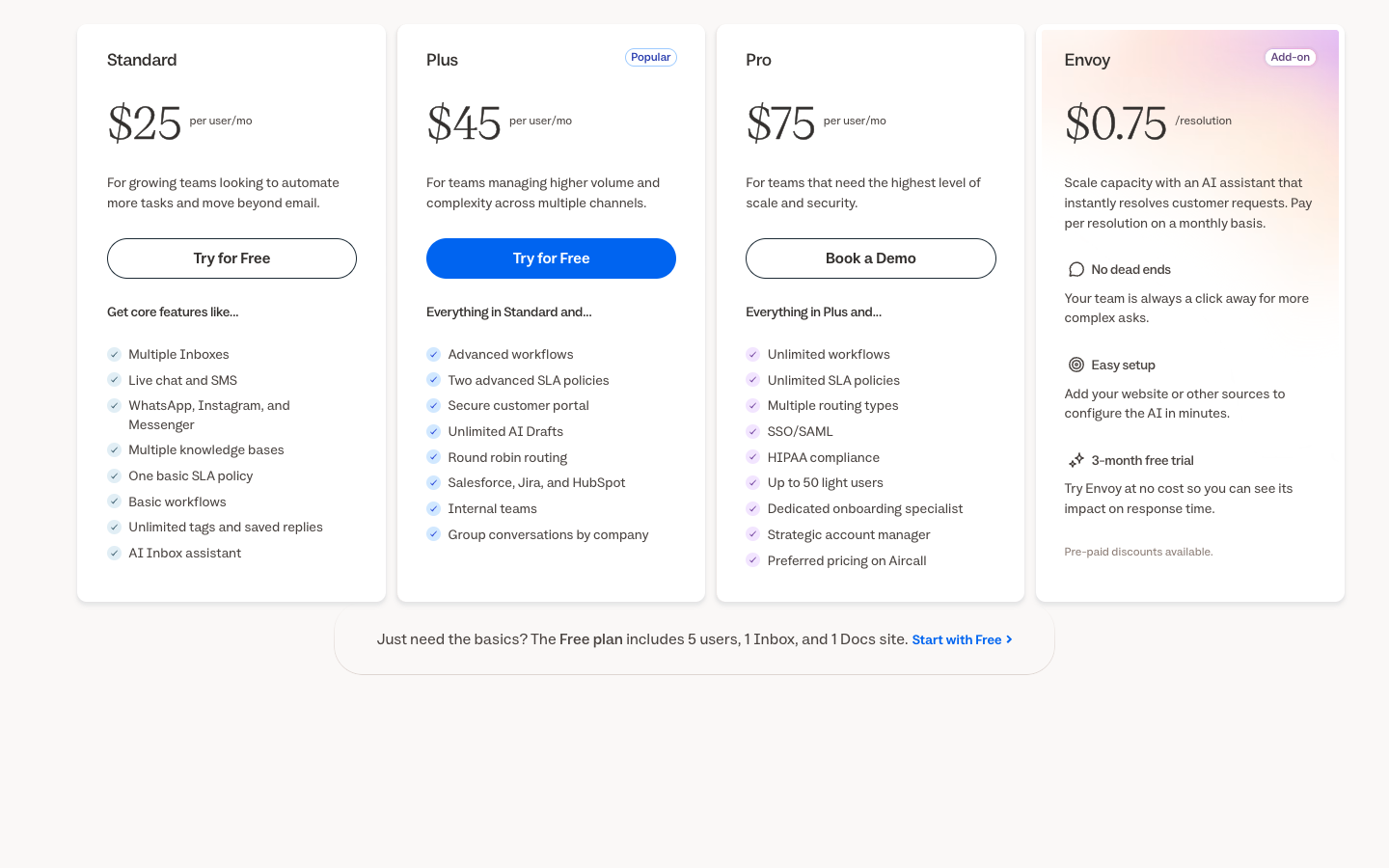
Help Scout has used different pricing units over time. The table is a planning reference; obtain a current quote that explicitly states the allowed users, monthly contacts and Scout AI charges. Source: official Help Scout pricing.
| Plan | US pricing reference | Core focus | Important caveat |
|---|---|---|---|
| Free | $0, with contact and seat allowances | Basic inbox for qualifying small teams | Current Free page caps contacts and users |
| Standard | $25 / user / month, annual | Paid support inbox tools and broader access | Verify current contact and inbox terms |
| Plus | $45 / user / month, annual | Stronger collaboration and higher-level AI tools | Check current AI and Docs entitlements |
| Pro | $75 / user / month, annual | Larger-team capacity and governance | Check any minimum paid seats and upgrade conditions |
Help Scout plan limitations and routing
| Capability | Free | Standard | Plus | Pro |
|---|---|---|---|---|
| Users allowed | Up to 5 | Up to 25 | Up to 50 | Unlimited (10 minimum) |
| Contacts/month | 100 | Unlimited | Unlimited | Unlimited |
| Inboxes listed | 1 | 2 | 5 | 10 |
| SLAs | Not included | 1 basic | 2 advanced | Unlimited |
| Advanced workflows | Not included | Basic only | Included | Unlimited workflows |
| Envoy AI | Check trial eligibility | $0.75/resolution | $0.75/resolution | $0.75/resolution |
| Annual USD rate / user / mo | $0 | $25 | $45 | $75 |
⚡ Quick Verdict: When Help Scout Is Worth Considering
Help Scout is particularly attractive when agents spend their day answering a shared support address and maintaining a concise knowledge base. The current Free offer permits up to five users, one Inbox and one Docs site, but restricts monthly supported contacts; Standard starts at $25 per user per month with annual payment, while Plus and Pro introduce additional collaboration, SLA and security features.
This is not the right purchase for a team that expects complex, deeply customized incident routing without administration. The better evaluation is an ordinary customer conversation: one employee claims it, another adds an internal note and the first employee responds once. Beacon should make it clear how to reach that person after a help article fails. The Help Scout Beacon widget should preserve the customer’s question when a search result does not solve it and a human agent takes over.
🧭 What makes Help Scout feel like a shared inbox
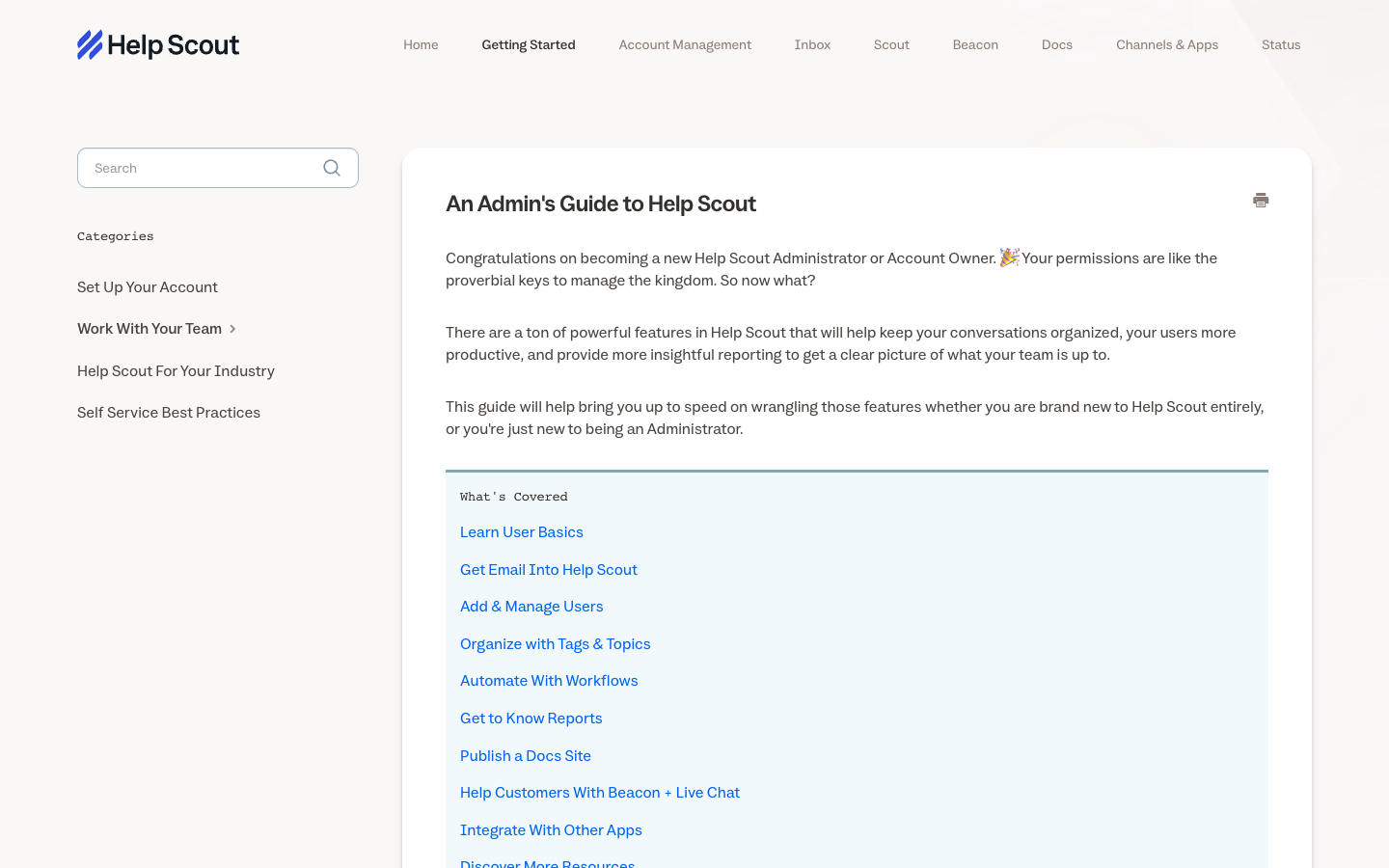
Help Scout is built around conversations that a team can handle without forcing customers to learn ticket jargon. Agents can see a customer history, coordinate privately and write replies from a shared address. The operational gain is less friction for common questions, provided the team still assigns ownership and makes clear which conversations are waiting for a customer or a colleague. A Help Scout shared inbox is strongest when two agents can collaborate without sending competing replies.
Help Scout changes the tone of customer support by treating the conversation as correspondence between people rather than as a formal case file the customer must understand. A good pilot begins with an ordinary email, then checks how the reply looks in the recipient’s inbox and what happens when another employee needs to take over. Internal collaboration should remain invisible to the customer while preserving a clear owner. The experience becomes valuable when those transitions are easy, not merely when the interface looks calm.
🏷️ The Free plan has real boundaries
Help Scout Free provides one shared Inbox and one Docs site for up to five teammates; its monthly support-contact cap makes it a limited entry tier rather than a substitute for a busy store. A Free plan that supports 100 monthly contacts may suit a low-volume project but will not carry a busy ecommerce team unchanged. Contact is not necessarily synonymous with ticket: the provider defines it around people receiving replies or having an AI-resolved question, which can affect budgeting. Help Scout Free plan limits should be modeled using unique monthly contacts, not just the count of support emails.
A small business considering Help Scout should start from the billing unit rather than from the lowest public number. The Free offer has contact and other capacity restrictions, while paid plans have evolved across user-based and contact-based models. Identify whether your actual checkout charges for teammates, serviced contacts or other allowances. A plan that appears cheap for a quiet week may behave differently when many individual buyers ask one short question during a product launch.
💰 Standard, Plus and Pro need a billing-model check
Current public prices are $25 for Standard, $45 for Plus and $75 for Pro per user per month when billed annually. The Free plan permits up to five users and 100 contacts per month; current paid tiers list unlimited contacts. Older Help Scout account configurations and some legacy billing arrangements may use different calculations. The vendor’s billing guide recommends using the account’s Your Plan screen to identify active entitlements.
Contact allowances and seat charges should therefore be treated separately. Five Standard users correspond to a $125 monthly equivalent or $1,500 per year before other services. The meaning of a ‘contact’ remains important on Free and for interpreting AI interactions, but it should not be presented as a general paid-contact fee on a current Standard subscription. Help Scout Standard pricing is quoted per user for new plans, whereas legacy account details can differ; the current checkout terms take precedence. Historical Help Scout contact based billing arrangements should not be confused with the publicly listed seat prices for new Standard subscriptions.
🔄 Shared inbox collaboration is a discipline
Two agents can still send duplicate messages if a shared inbox lacks clear assignment etiquette. Help Scout workflows, internal notes and saved replies are useful when an agent understands who is accountable for the next action. Test a case passed from an account manager to support and back, including how the original customer sees the reply and whether an internal discussion stays private.
Help Scout conversations can be assigned to a teammate and discussed in private notes before an external response is sent. A customer may send a complex complaint that needs an internal conversation before anyone replies externally. Agents should know who owns the case, when a teammate has claimed it and which notes must never be visible to the requester. Test two simultaneous agents opening the same message and an agent leaving while a response is being drafted. The correct result is one coherent customer reply, not duplicated assistance.
🤖 Docs is more than a public FAQ
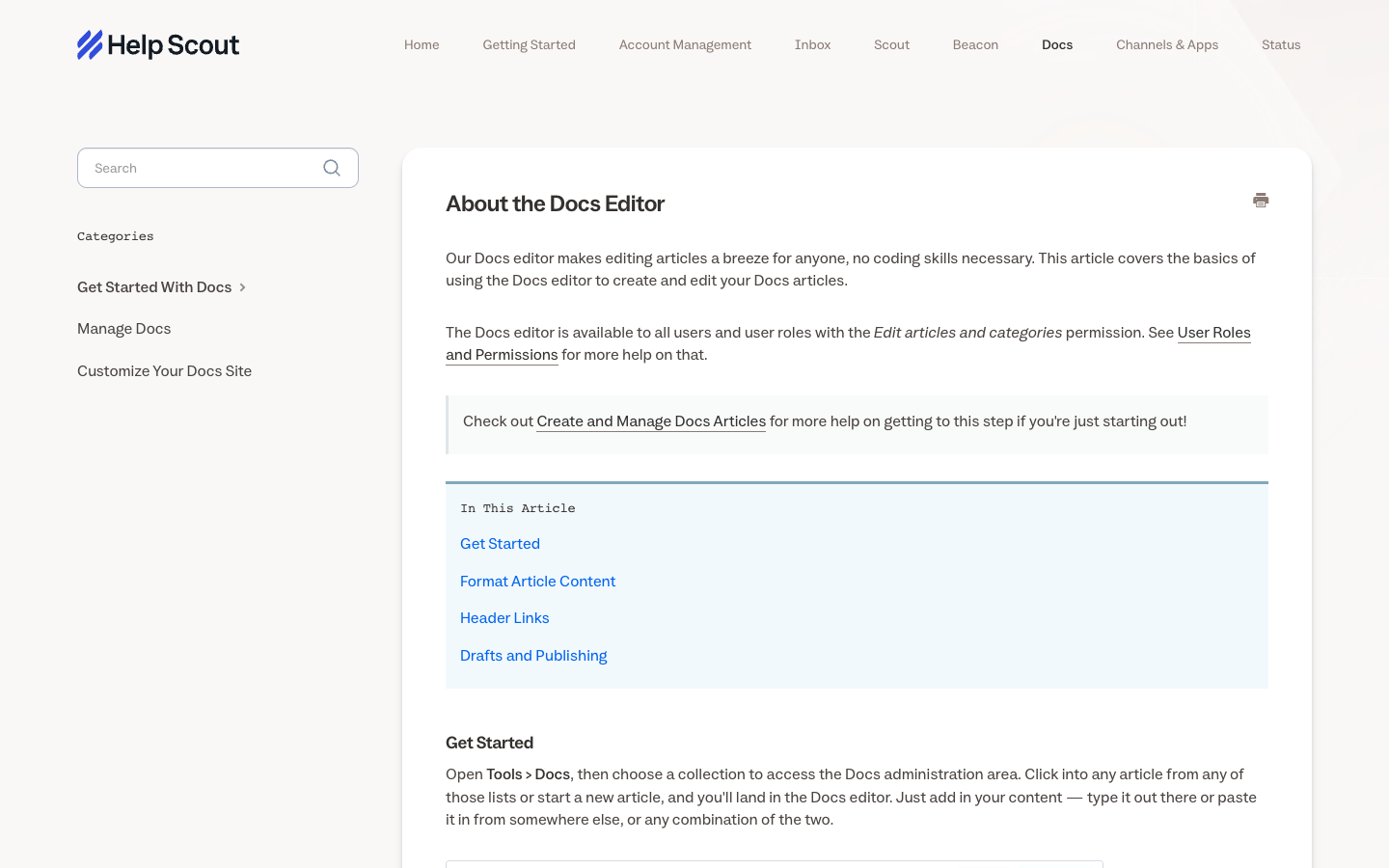
Help Scout Docs enables teams to publish knowledge that customers can discover without contacting support. A Docs installation needs version owners, article review dates, working links and visible escalation paths. A support article that describes an obsolete billing interface can be worse than no article at all, especially if an AI assistant uses it as source material. Help Scout AI agent billing should be checked separately from drafts a human agent edits and sends.
Help Scout’s AI story now includes both agent assistance and autonomous Scout behavior, so buyers should distinguish drafting a message from answering without a human. An AI draft may save writing time but still require a person to check the policy and the tone. Autonomous handling requires tighter restrictions on refunds, identity and access to private account data. Record how the agent decides to hand over uncertain cases and whether the receiving employee sees enough history to solve the customer’s issue.
📚 Beacon connects self-service and direct contact
Beacon can surface help articles and customer conversations inside a site or product. Its strength lies in context and discoverability, not merely in the presence of a chat bubble. A good evaluation checks whether a mobile visitor can find an article, ask a follow-up and see a human reply without creating an orphaned conversation. A Help Scout Docs knowledge base works best with named article owners and review dates after product changes.
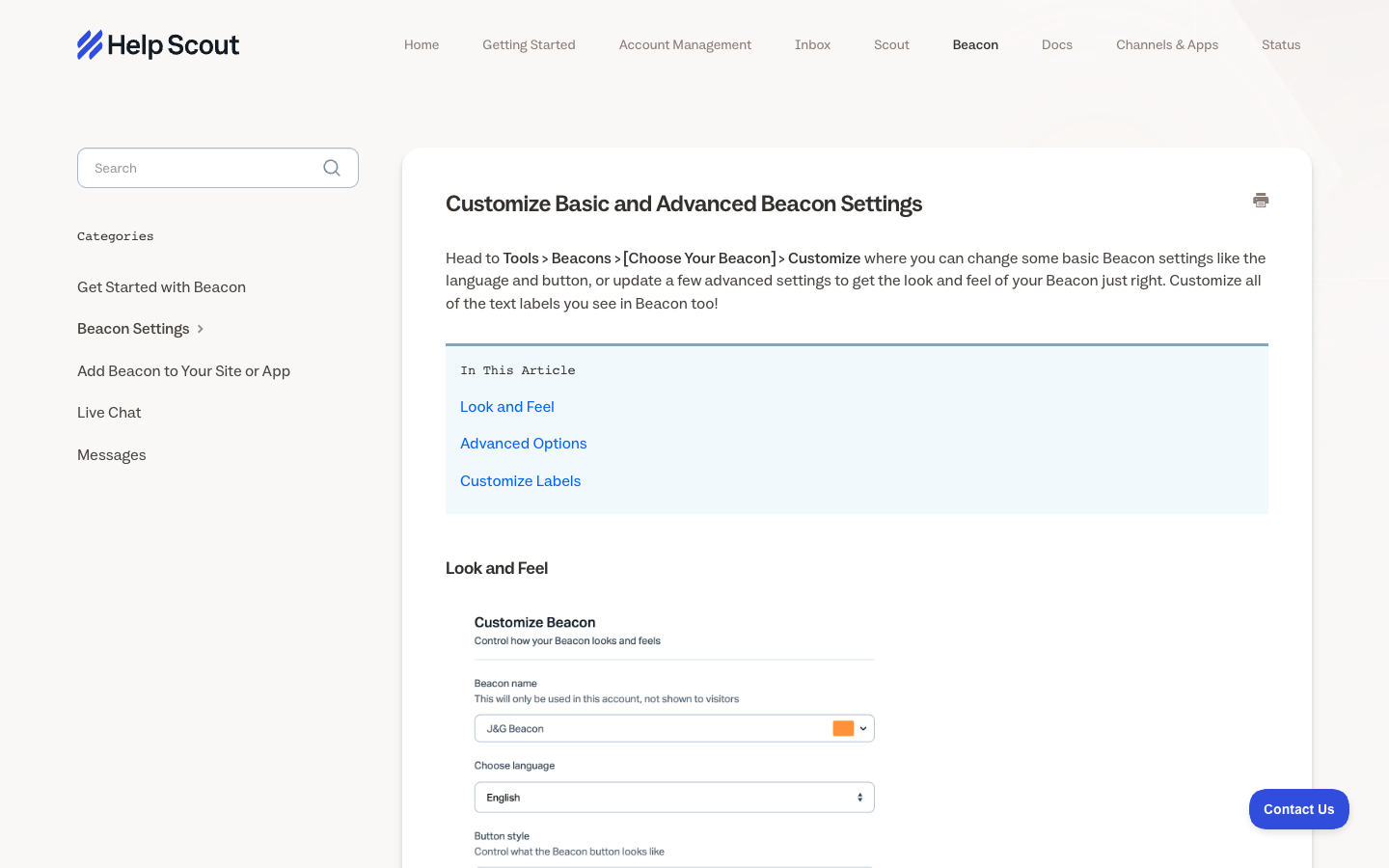
Docs is central to the value of Help Scout because a useful public article can prevent an avoidable email in the first place. Its maintenance should be owned by product and support together. Identify the ten most frequent requests, publish plain-language instructions and review them after changes to pricing or the user interface. Watch what people search for unsuccessfully. If Beacon or Scout suggests an outdated article, the resulting support burden may be larger than the savings from self-service.
⏱️ Help Scout AI capabilities have evolved
Help Scout’s newer documentation describes Scout as an agent that can address appropriate conversations across both email and Beacon, while AI Drafts remains a human-reviewed response tool. The public pricing page uses the Envoy label for its metered AI assistant; that naming difference is worth clarifying during procurement rather than assuming all AI functions are included in one user seat.
For a cancellation request, a drafting feature may prepare wording that an employee checks, whereas an autonomous assistant should either provide an approved policy link or hand off if account verification is required. Before enabling customer-facing automation, restrict access to unpublished company material and create an escalation rule for identity-sensitive actions.
💬 AI resolutions and the invoice
Help Scout’s public pricing now features Envoy, an AI add-on advertised at $0.75 per resolution, while its documentation also discusses AI Answers and Scout. Its AI billing guide defines a billable AI Answers resolution as a session where the assistant responds and the customer does not request additional help. It does not charge for a greeting alone or when further human assistance is requested.
The fee is assessed separately from human-agent user seats, and new customers may have a three-month introductory trial under current terms. Check what feature is enabled in the actual contract and whether budget caps are available. An abandoned chat is not reliable evidence of customer satisfaction even if its billing definition counts it as resolved.
📈 Contact counting can surprise a growing team
A service organization with many occasional question-askers may be more sensitive to monthly contact thresholds than a company with fewer high-volume customers. Help Scout defines a contact using replies or AI resolution activity in a period. Model the number of unique people actually receiving support, not just total message count, and ask how duplicates and aliases are counted.
Help Scout managers may value simple reporting precisely because it keeps attention on conversations. Yet an inbox can look clear even when a customer’s problem remains open in the customer’s mind. Sample replies and record whether a person had to contact the team again. Group failures into knowledge gaps, ownership confusion and genuine product defects. The most useful metric is not how quickly a canned response was inserted, but how reliably the customer knew what would happen next.
Operational test: Have two Help Scout agents open the same conversation, draft overlapping replies and verify that one owner prevents duplicate outreach.
🔐 Saved replies and quality consistency
Help Scout saved replies can make repetitive responses efficient, but they should not become a collection of outdated promises. A good support lead owns their content and removes replies that refer to retired plans or policies. Track whether customers need to ask again after a saved response, because speed of typing is not the same as usefulness. A Help Scout ecommerce integration may show order context without granting agents unrestricted refund privileges.
A Help Scout connection to an online store or subscription system should provide relevant context without broad authority over financial actions. The responder may need an order status, delivery address verification or current subscription tier, but those details belong to their authoritative systems. Limit access by role and test what appears when two different buyers share a common email alias. If the integration is unavailable, the conversation should remain actionable without silently presenting stale customer information.
👥 Reporting should reflect the relationship
Help Scout is often chosen for a personal tone, yet its value must be demonstrated operationally. Measure real first useful responses, delayed cases, repeat contacts and handoffs with supporting examples. A small support team can review ten conversations a week without complex dashboards. These qualitative checks keep automation from reducing the quality of a brand’s customer experience. Help Scout saved replies should be updated after pricing or product-policy changes, not copied indefinitely.
Help Scout onboarding can be deliberately practical. Show agents how to assign a conversation, use a saved reply responsibly, add an internal note and reference the right Docs article. Then give them a messy real-world scenario: the customer asks two questions, one involves a policy exception, and the case returns after an apparent resolution. Review whether the next teammate understands the history without reconstructing it from disconnected messages. Clear habits can be more important than an extensive onboarding curriculum.
📤 Integration and customer context
Connecting Help Scout to a CRM or commerce store should give agents enough information to solve a problem without exposing irrelevant sensitive data. A shipping question can use order status, but refund authorization belongs to the transaction system and its permissions. Document how tags, notes and requester profiles are synchronized before trusting one account view as the system of record. A Help Scout migration checklist should cover historical threading, attachments and the reply-from domain.
A team moving from personal mailboxes to Help Scout should first identify which addresses and historical threads belong to the business. Importing years of messages can expose irrelevant personal information if access roles are not designed carefully. Start with a low-risk shared address, check the reply-from identity and ask a real external test mailbox to reopen an old conversation. Ensure backups are recoverable and any unused forwarding rules are disabled before announcing the new support channel.
🧾 Phone, SMS and social support are plan questions
Help Scout’s current product direction includes support across multiple channels in paid plans, but integrations and quotas vary. A team that needs full call-center tools or deeply customized routing must verify those capabilities instead of extrapolating from “omnichannel” language. Ask for a demo of the actual channels used in your company, including what the agent sees when customers switch between them.
Help Scout’s simplicity does not remove the need for account security. Owners should know who can add new inboxes, edit public Docs articles, connect integrations and export conversation histories. Permissions may differ with plan and billing model, so confirm them in the current documentation. Remove former employees promptly, use appropriate sign-in protection and limit access to sensitive conversations. A five-agent Help Scout team should still limit conversation exports and API access according to role.
🔌 Migration is mostly about trust and continuity
A Help Scout history import is only useful if earlier conversations remain searchable by the original customer identity and private team notes stay restricted. Plan old inbox addresses, conversation identifiers, attachments and historical tags before pointing a live domain at Help Scout. During the transition, have one team member watch for replies arriving in both systems or disappearing into an unmonitored mailbox.
For a digital product seller, Help Scout might become the place where an agent explains a download problem or verifies that a customer received a license. The ecommerce system should still decide entitlements and record payments. If the helpdesk displays transaction status, specify when that data is updated and how to handle a mismatch. Do not automate refunds just because a support message contains the right order number. A human should be able to explain the difference between a customer report and verified billing evidence.
📊 A five-person Standard price illustration
What the team actually pays: worked examples
| Illustrative Help Scout setup | Monthly equivalent | 12-month equivalent | Notes |
|---|---|---|---|
| 5 Standard users | $125 | $1,500 | Additional AI billed separately |
| 5 Plus users | $225 | $2,700 | Check workflow and inbox limits |
| 10 Pro users | $750 | $9,000 | Pro lists 10-user minimum |
| 5 Standard + 200 Envoy resolutions | $275 | $3,300 | 200 × $0.75 AI, assuming repeated monthly |
Under today’s advertised annual-billing rate, five Help Scout Standard users cost $125 per month in subscription equivalents or $1,500 for twelve months. The plan’s maximum users and Inbox allowances still need to fit the actual team, and AI resolutions would be charged separately when enabled. Older accounts might retain different contract terms, so do not substitute their invoices for a new-account quote.
The true cost comparison is operational: five people sharing one support inbox may find Standard entirely adequate, while a multi-brand organization requiring advanced workflows, secure customer portals and more SLA policies can have reasons to consider Plus. Pro is aimed at larger governance needs, not simply a larger number of routine email questions.
⚖️ Help Scout versus Zendesk and Intercom
Zendesk is the stronger benchmark when an organization needs intricate ticket governance and multiple service groups. Intercom is more relevant when the main entry point is an authenticated product Messenger and the budget must account for AI outcomes. Freshdesk sits closer to conventional ticket queues. Help Scout should be assessed against these specific workflows rather than ranked as a generic lightweight alternative.
If the actual service channel is email, compare how the agents claim a conversation, preserve private notes and handle a second reply from the same customer. If social messaging or formal SLA schedules are central, use the current Help Scout tier list to confirm which paid capabilities exist. The Standard plan includes one basic SLA policy, while Plus and Pro specify broader coverage.
⚠️ How to avoid over-configuring a simple tool
A lightweight inbox may become complicated if administrators create dozens of tags, automation exceptions and unread status rules. Use as few categories as needed to help the team act. Help Scout can be a better choice when managers value simple habits and a strong knowledge base, but it is not a substitute for a clear escalation policy or staffed response hours.
One way to make Help Scout unnecessarily complicated is to create too many saved replies, tags and exception rules in pursuit of perfect categorization. The customer then receives a fast but generic answer, while agents spend time selecting among overlapping labels. Begin with a few useful statuses and groupings, review common unanswered questions and remove redundant workflows. If an automation is hard to explain or regularly routes cases to the wrong person, simplify it before adding another paid feature.
🧪 Review scope and product-change risks
The current Help Scout pricing page shows Free, Standard, Plus and Pro as distinct offers, and also advertises Envoy at $0.75 per resolved customer request. Related documentation describes Scout as an AI agent across email and Beacon. The public pages use overlapping AI branding, so the signed subscription and current dashboard should determine precisely which feature is being bought.
This review does not claim access to a private Help Scout inbox or measured AI success rates. The most informative verification uses one multi-reply conversation with an internal note and a Beacon escalation, then compares the visible resolution status with the vendor’s billable AI-resolution definition.
⚖️ Help Scout vs Zendesk, Intercom, Freshdesk: Competitor Comparison
Help Scout vs Zendesk, Intercom and Freshdesk
| Platform | Best comparison scenario | Cost structure |
|---|---|---|
| Help Scout | Inbox, Docs and Beacon with human collaboration | Paid users and optional AI resolutions |
| Zendesk | Configured service policies and complex queues | Agents and possible extras |
| Intercom | Product messaging, Fin and multiteam routing | Full seats plus outcomes |
| Freshdesk | Ticket-centric support and AI Agent sessions | Agents plus session/add-on meter |
Help Scout versus Zendesk
Zendesk provides more extensive ticket-queue and enterprise service processes at the cost of configuration and potential add-ons. For regulated queues, verify the exact Zendesk governance tier rather than assuming Help Scout covers the same operations.
Help Scout versus Intercom
Intercom is stronger when Messenger and Fin outcomes are central, with different AI and seat economics. Intercom Fin pricing introduces billable outcome definitions that do not match Help Scout contact allowances.
Help Scout versus Freshdesk
Freshdesk is a ticket-centric alternative with explicit agent tiers and routing depth. Freshdesk is a better benchmark for conventional email ticket ownership and advanced SLA routing needs.
📌 An example: one customer, three email replies
A user might ask where an invoice is, follow up with a product question and then request a change to the next billing cycle. Help Scout should preserve the history and who owns the final reply. If an AI agent answers only the simple invoice question, a human should still see the whole chain when deciding whether account details can be modified.
🧩 The shared inbox is strongest when the team is small
A five-person team can benefit from common visibility without building custom dashboards or maintaining large ticket routing trees. The trade-off appears as the organization expands: language-based queues, formal SLA policies and multiple subsidiaries may demand capabilities or contracts that the original team never needed. Run a staged growth scenario rather than assuming today’s simple setup scales unchanged.
🎯 Docs and Beacon content governance
Create a weekly list of articles that produce support escalations. When several people click the same page and then contact an agent, either the document is incomplete or it is shown to the wrong audience. Use the feedback to update Help Scout Docs and change Beacon suggestions, then check if repeat contact falls without making help harder to reach.
💡 AI autonomy versus agent assistance
Scout can work autonomously on defined cases while AI Drafts produce content a human reviews. These are different risk profiles. Autonomy should be restricted around refunds, identity, sensitive personal data and legal promises; drafts need a named approver. A procurement team should ask which parts consume AI-resolution fees and which are included with the current subscription.
🛠️ What happens at a contact threshold
A monthly contact allowance can feel generous until a campaign or seasonal order surge doubles the number of unique customers asking questions. Simulate that month before choosing a tier. One person submitting five follow-up messages and five people submitting one each need not have identical counting implications under the vendor’s contact definition.
🔍 Help Scout billing audit questions
Put the base user or contact metric, additional inboxes, AI resolutions, phone or social channel fees, trial credits and plan upgrade thresholds on one spreadsheet. The contract should state which charges are paid annually and which AI-resolution events appear later on the invoice. The best option is the one that remains predictable across an ordinary month and a busy month, not just the lowest screenshot number.
✅ Final fit for customer-first teams
Help Scout is worth piloting when replies, self-service articles and a humane workflow are more important than a highly engineered enterprise service desk. Choose Zendesk or Freshdesk for governance requirements Help Scout does not economically meet, and consider Intercom when product Messenger and AI outcome automation dominate the workload. The answer depends on the customer journey.
🔎 Help Scout Research Methodology, Limitations and Next Steps
DigiOffly inspected publicly available Help Scout plan information and vendor help materials. This review does not claim access to a private Help Scout inbox, Scout AI usage ledger or live customer history. Test one shared conversation and one Beacon escalation, then request a current written explanation of the billing unit, contact allowances and export options.
Help Scout adoption is easier to judge with a realistic week of shared-inbox conversations. Measure missed handoffs, repeat contacts and current contact allowances, then check how the same workflow behaves at seasonal volume.

Frequently Asked Questions
Does Help Scout offer a free plan?
Yes, the current pricing page shows a Free plan with limits on contacts, users and inboxes. Review the live caps before launch.
How is a Help Scout contact counted?
A contact may be someone who receives a reply or whose request was resolved by the AI agent within the billing period. Verify the current definition.
How much does Help Scout Standard cost?
Public annual seat pricing references start at $25 per user per month, but billing models have changed. Confirm the exact live offer and unit.
Can Help Scout replace Zendesk?
For email-centric shared inbox operations it may be suitable; complex Zendesk service management and SLA requirements should be tested separately.
What does Beacon do?
Beacon brings help content and customer support access into a site or app, allowing visitors to find articles and contact the team.
What is Help Scout Docs?
Docs is Help Scout’s knowledge-base feature for publishing searchable help articles and self-service information.
What is Scout AI?
Scout is Help Scout’s newer AI agent for autonomously addressing suitable requests across approved email and Beacon workflows.
How are Help Scout AI resolutions priced?
Help Scout publishes AI-resolution billing rules for paid plans. Verify the current unit, included trials and how a resolution is counted.
Is Help Scout good for ecommerce support?
It can help with conversational support and integrations, but order refunds and payment actions require careful permission checks.
Is Help Scout better than Intercom?
Help Scout favors a simpler shared inbox experience; Intercom offers richer product messaging and Fin automation with different costs.
What should we test in Help Scout before buying?
Test shared ownership, reopened conversations, Docs/Beacon article discovery, an AI handoff, the contact allowance and export quality.
📚 Sources and Related DigiOffly Reviews
Primary vendor source: official Help Scout pricing and plan information; secondary reading: DigiOffly Customer Support & Help Desk category. To model seat and contact-based helpdesk expenses, see Software Cost Calculator, Compare Software and E-commerce & Online Selling.
EXPLORE NEXT ON DIGIOFFLY
Explore Your Customer Support Stack
Find related customer experience, collaboration and automation tools. DigiOffly links to completed reviews only; unpublished help desk drafts are not displayed as published articles.
Explore related help desk guides
- Customer Support & Help Desk — Compare team workflows and support models.
- Software Directory — Browse currently published product reviews.
- Compare Software — Evaluate comparable documented features.
- Best Software — Choose software by operational scenario.
- Crisp review — Compare shared inbox and live chat workflows.
- Freshdesk review — Compare email-first support with structured ticketing.
Plan your customer service budget
- Software Cost Calculator — Model annual seat commitments and subscriptions.
- Best Value Advisor — Explore product capabilities by task.
- Productivity & Collaboration — Coordinate internal service ownership.
- Automation & No-Code — Consider reliable workflow integrations.
Connect related business tools
- E-commerce & Online Selling — Understand customer order and checkout context.
- Growth & Marketing — Join customer acquisition with post-sale support.
- Hosting & Websites — Understand site reliability and customer issues.
- Tools Hub — Explore DigiOffly software tools.
- Tally — Flexible forms, conditional intake and integrations