

Source review — October 29, 2026. We checked current public pages for Rippling, its official pricing disclosures and product materials. The screenshots in this review show those public vendor pages, not a private employer dashboard. No authenticated implementation, payroll run, independently measured support response time or vendor-specific test score is claimed.
Picture an employee starting on Monday. HR has the signed offer; IT has a laptop request; payroll has a different start date. Rippling’s job is to connect the employee, payroll and IT records. The payoff comes when HR changes a start date and the laptop request, access permissions and pay details no longer drift apart. It also means a bad edit in one place may travel surprisingly far.
This Rippling review examines vendor-documented features, pricing exposure, practical limits and the operational checks that matter before a company processes actual employee or candidate information.
Before comparing modules, name the task that repeatedly goes wrong. Is it late access for new hires? A manager change that never reaches payroll? A departure that leaves an account active? A Rippling demonstration should show how that specific problem gets fixed, including what happens when somebody changes their mind.
Pricing snapshot: Rippling publishes a starting point of $8 per employee per month plus a monthly base fee; total cost depends on separately selected modules and an individualized quote. Obtain current contractual terms before making a purchase.
We may earn a commission when readers purchase through certain links.
📊 Rippling Review Summary
The attraction of Rippling is not another employee directory. It is the connection between a worker’s details and the actions HR, payroll and IT need to take. For some organizations that could remove several awkward handoffs. For others, it introduces a much bigger system than the HR team was looking for.
There are three buying questions behind this Rippling review. Can a worker’s status reliably drive connected systems? What does the company actually have to license to make that happen? And who untangles the problems when a change arrives late, fails or affects the wrong employee? Those questions matter more than the number of product categories in the brochure.
⚡ Quick Verdict: Is Rippling Worth It in 2026?
Editorial judgment: Rippling has a credible fit for growing companies with dedicated HR and IT owners, especially when an organization wants unified employee data across HR and connected IT workflows.
To evaluate Rippling recruiting, take a candidate from approved requisition to accepted offer and new-hire record using fictitious data. Check whether the applicant tracking workflow carries the right compensation, manager and start-date fields into HR without giving recruiters access to payroll or IT settings. Record manual corrections rather than assuming the handoff is automatic.
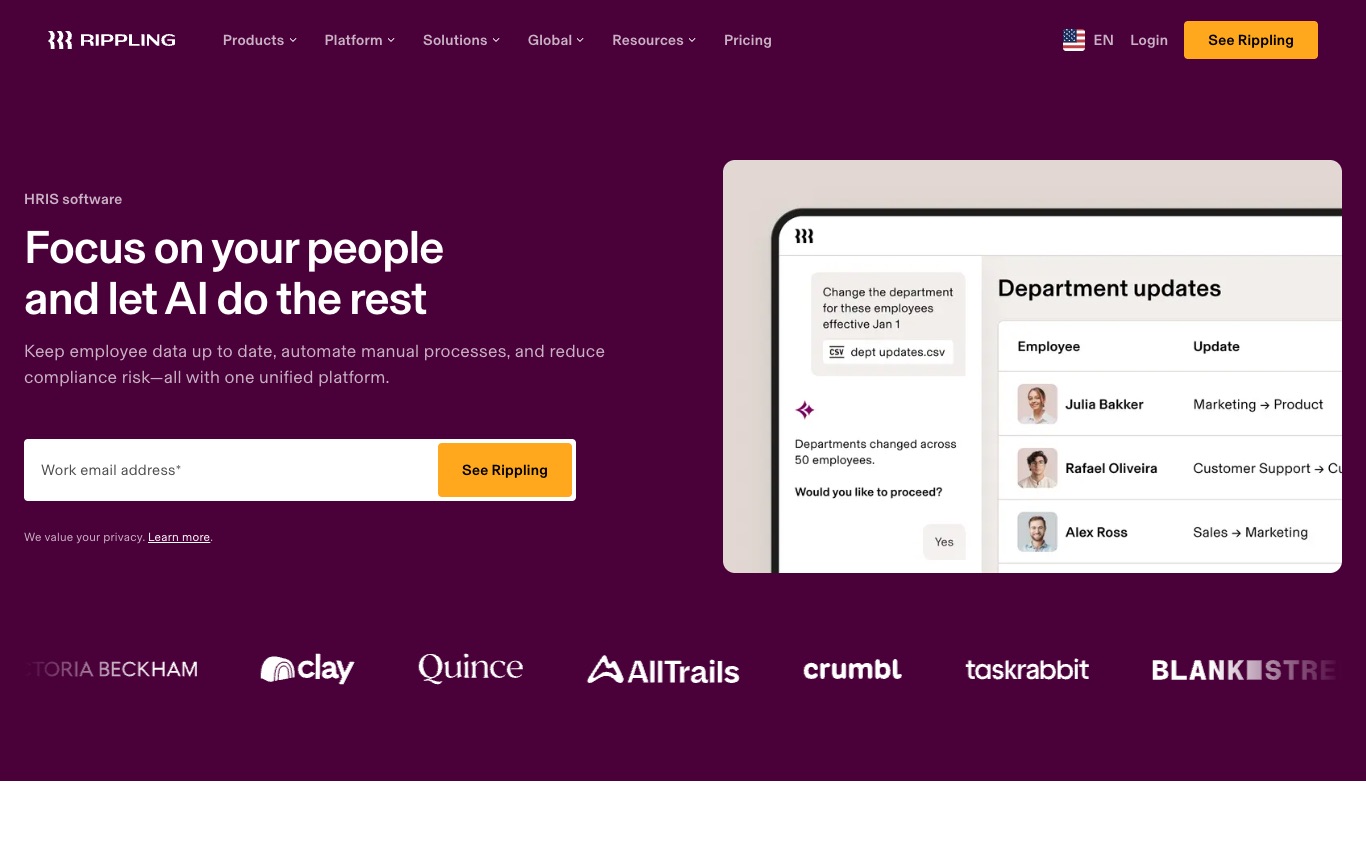
🧠 Rippling and the core HR workflow
Rippling’s scope is a selling point and a potential headache at the same time. A hire can touch recruiting, employee records, payroll, device requests and application accounts. If nobody owns the transitions between those stages, software merely makes the confusion faster. Ask the vendor to show a failed handoff and its correction, not just the smooth demonstration.
🛠️ The single employee record
Consider an employee who moves from Support to Finance halfway through the month. The manager field is easy to change; the consequences are not. Approval rights, software licenses, reporting lines and payroll details may all need attention. Ask which connected records update automatically and which remain somebody’s job to check.
A clean employee database creates value only if roles, legal entities and effective dates are correct; a mistaken manager change can be amplified rather than contained.
A useful Rippling demo is a last-minute manager change. Set the effective date for next Friday, then watch what happens to approvals and application access. Keep the worker fictional. A successful result is not a green confirmation message; it is the right access on the right day, with a record showing who approved it.
🔎 HRIS essentials
Employee profiles, document collection, PTO and approval workflows form the heart of its HRIS pitch, with customizable reporting and role-based visibility.
That long feature list may cover modules your company hasn’t bought. Ask Rippling to mark the exact products included in the quote, then check the workflow you intend to use.
Don’t ask whether Rippling has custom fields. Bring five fields your HR team actually uses, including the legal employer and effective start date. Let an employee correct one field and see which updates require HR approval. Try the same process with a manager who must not see compensation. That’s a much sharper test of the system’s usefulness.
⚖️ Payroll and benefits boundaries
Rippling markets payroll, benefits, PEO and global workforce services alongside its HR system, which makes it attractive to buyers rationalizing vendors.
Domestic payroll, global payroll and employer-of-record arrangements have materially different legal and billing implications; an HRIS seat is not a payroll license.
If international payroll is on the shopping list, start with a country-by-country table. An HR profile in a country does not mean that payroll filing, benefits and employer-of-record services are all available there. Ask Rippling to identify the service responsible for each obligation and show those charges separately from HRIS seats.

📈 IT onboarding workflow
One headline differentiator is connecting a hire to application access and device provisioning rather than stopping at a completed employee form.
The IT connection is compelling when accounts and devices regularly lag behind staffing changes. Still, HR should not be able to hand out privileged access without IT policy. Run a fictional joiner and mover scenario with the identity team watching. Notice which actions require an approval and which happen immediately.
Model a new employee joining Sales, then changing departments and finally leaving, including approvals. For sensitive candidate or employee data, require sample records or synthetic test data rather than importing genuine personal details into an unapproved sandbox.
🔐 Applicant tracking integration
Rippling Recruiting connects job approvals, sourcing, application review, interview scheduling and hired-candidate handoff into employee onboarding.
AI application screening and interview summaries merit special scrutiny for fairness, candidate notice and human oversight in employment decisions.
For recruiting, give two interviewers access to a fictional candidate and then withdraw the application. See what happens to interview notes and the candidate record. Can HR keep what it legally needs without giving every hiring manager permanent access? This is a better measure of handoff quality than watching someone drag a card between pipeline columns.
🧭 What a real implementation pilot should include
The small pilot should include an awkward case, not just a perfectly straightforward new hire. One fictional worker starts remotely, changes manager before day one and leaves a few weeks later. Another is a contractor who should not receive the same systems access. The test is useful only when the expected result is written down first.
Walk one employee all the way from approved hire to active payroll and working software accounts. Then move their start date. Someone must be able to show which tasks update, which stay open and which need a manual correction. Rippling’s broad feature set is most persuasive when that chain survives a change of plans.
Don’t organize the Rippling pilot as a guided product tour. Give the sales team a messy but plausible sequence: a new employee starts remotely, switches manager before day one, needs one application removed and then changes legal entity. Have HR and IT follow the same worker through the sequence. Write down the handoffs that break and ask who would repair them after launch.
🎯 Who actually benefits from this system
Rippling brings employee records, payroll and IT account changes into closely connected workflows; buyers need to check how far those connections extend in their chosen modules.
Rippling is easier to justify when both HR and IT are willing to own the system. A payroll specialist will notice missing pay details; the IT lead will notice provisioning delays; a department manager will notice whether an approval has disappeared. Let all three try an ordinary task. If only the implementation consultant knows how to finish it, the promised time saving needs a second look.
Rippling pricing becomes meaningful only after the quote separates the base platform from payroll, recruiting, Workflow Studio and IT device management. Compare that total with the cost of keeping current systems and their integrations. A company needing only employee records may find Rippling HR software unnecessarily broad; the value case is stronger when provisioning and offboarding actually span teams.
💰 Pricing, modules and total cost
The public starting rate is a useful clue, not a final budget. Rippling pricing changes with the modules selected and the contract. An HR-only purchase and a package covering payroll, recruiting and devices are not remotely the same thing. Ask for line items, implementation charges and renewal terms before doing the cost comparison.
| Budget element | Questions for the vendor | Buyer evidence |
|---|---|---|
| Base HR license | The published $8 entry point is not a quote for a full HR + payroll + IT + recruiting bundle. Ask about base platfo | Signed quote and exact plan tier |
| Recruiting and ATS | Are jobs, screening, onboarding and extra recruiters included? | Current module entitlements |
| Payroll and benefits | Which countries, employment types and extra services are covered? | Written geographic scope |
| Implementation | What migration, onboarding and training services are charged? | Statement of work |
| Renewal and cancellation | What changes as employees grow or leave? | Contract and notice period |
💡 Workforce planning and compensation
Approved headcount and compensation bands can inform recruiting requests before an opening becomes a live search.
An impressive approval chain can slow recruitment if finance, hiring managers and HR do not share the same definitions of approved budget.
Test a headcount exception and measure how budget and salary ranges remain visible to authorized managers. Record every feature that the sales team demonstrated separately from the capabilities explicitly included in the written contract.
📋 Workflow Studio and triggers
Conditional automations can run from employee field changes to actions in connected HR or IT systems.
The hidden cost of automation is maintenance: each rule needs an owner, failure alerts and a documented rollback path.
Break a mock integration token and inspect retries, audit trails and notification routing. If the only person who can fix a broken onboarding rule is the original administrator, every holiday or resignation becomes an operational risk.
🎯 People analytics and reporting
Rippling emphasizes editable cross-system dashboards and the ability to examine workforce facts with relevant connected data.
A dashboard joining payroll, time and app usage creates access questions; broad query permissions can expose information unrelated to the analyst job.
Give a department lead limited access and confirm salary and sensitive attributes remain excluded. Check whether an export and audit trail survives the workflow.

🧩 Global employee management
Global HRIS messaging covers staff working in many countries through a single workforce experience.
Availability of HR records does not prove local payroll filings, benefits or EOR support are available for a particular worker type.
List each country, legal entity, employee and contractor class before requesting a scoped demonstration. Keep a written checklist of what the tester entered, what changed automatically and what required a manual correction. Screenshots alone cannot show whether a backstage process completed.
💰 Calculate the real first-year bill
Rippling’s published entry price of $8 per employee per month, plus a base fee, describes a starting point rather than the HR, payroll, IT and recruiting bundle many buyers imagine. The exact price depends on modules and a tailored quote. I would want each component named on paper before presenting a year-one estimate to finance.
Run the Rippling budget twice. First price the HR functions alone; then add the payroll, recruiting and IT tasks that prompted the search. Include implementation work, company-wide charges and the cost of keeping any existing tools. That comparison may expose a genuine saving, or it may show the expensive overlap that a marketing slide conceals.
Before signing, request a version of the Rippling quote that names every legal entity, enabled module, onboarding responsibility and renewal condition. The salesperson’s demonstration can be broader than the contracted package. Make the vendor mark any workflow that would require an upgrade so the implementation team isn’t surprised later.
🔐 Employee records and data governance
Rippling offboarding access controls matter because the platform can connect employment status with application privileges. Ask HR and IT administrators to simulate a departure, revoke the correct accounts and preserve appropriate payroll records. Verify role-based access with a limited recruiter account; one badly scoped automation can expose more than an ordinary HRIS mistake.
🛠️ Security and delegated administration
Role-based access and account changes are essential when HR records drive IT provisioning and finance permissions.
The same integration that reduces handoffs increases the impact of a compromised administrator or incorrectly scoped role.
Inspect MFA, least-privilege roles, audit exports and emergency revocation with the vendor. Repeat the test with a user who does not have administrator privileges. If an important action fails, the acceptance criterion should identify the authorized owner who can resolve it.
🔎 Time-off and attendance
Time-off policy workflows and time and attendance modules can connect time balances to broader workforce data.
An hourly worker with overtime, shifts and local leave requirements creates a different implementation task from a salaried employee.
Time and attendance should be tested against a deliberately messy week: a late shift, one approved leave day and a manager correction. Calculate the expected totals in a spreadsheet before opening the dashboard. If Rippling produces a different number, ask where the discrepancy came from rather than assuming the software has solved it.
⚖️ Documents and signatures
Document workflows bring contracts, signatures and employee acknowledgements closer to the permanent HR record.
E-signatures and storage are distinct from the legal validity and retention schedule of any particular document in a specific jurisdiction. Avoid treating a polished demonstration as evidence of a successful migration.
Inspect versions, signer timestamps, countersignatures and downloadable audit evidence. For sensitive candidate or employee data, require sample records or synthetic test data rather than importing genuine personal details into an unapproved sandbox.
🔐 Sensitive employee data and the permission matrix
Because Rippling can connect employee status to account access, the permission exercise has unusually high stakes. HR might need to correct a work address without becoming an IT administrator. Finance needs payroll facts without seeing recruiting discussions. Use separate fictional accounts and inspect the logs after each change.
With Rippling, a small error can become a cross-team problem. A manager reassignment may affect more than the org chart if connected systems use it to grant permissions. That makes role design unusually important. The sensible trial is a fake employee with carefully limited rights: edit one field, follow what changes, and see whether the history is recoverable.
Give a test employee a change of manager, an internal transfer and a departure date. Ask the IT administrator to track account memberships while payroll watches the worker’s record. The goal is to catch the moment when a legitimate HR edit triggers an unexpected downstream action. That is an integration problem worth discovering in a trial, not after launch.
🧭 Implementation and workflow design
📈 Integrations and app ecosystem
The connection worth testing is simple: when an employee changes roles, do the right application accounts change with them, and who can reverse an error?
Connector availability and write permissions are not interchangeable; some integrations may only import data or rely on third-party licenses.
Ask for the direction, cadence, error handling and license impact of the three highest-priority connectors. After the first successful attempt, simulate a correction or cancellation. Mature workflow design is reflected in how reliably the system handles exceptions.
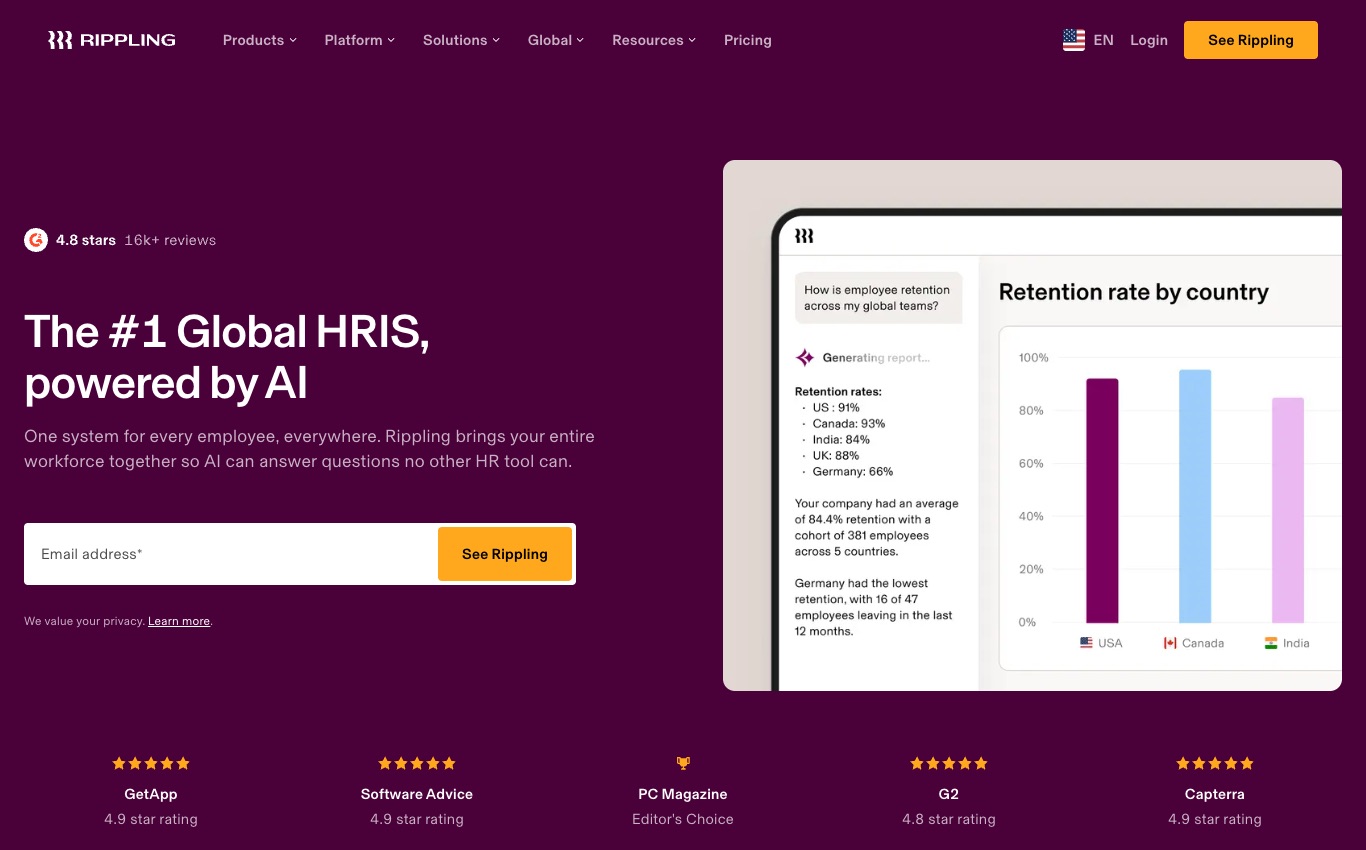
🔐 Migration from payroll providers
Rippling says it can import payroll year-to-date data when organizations move during a payroll year.
Historical figures do not guarantee perfect reconciliation, and payroll mistakes have more consequences than a duplicated contact in a CRM.
Compare one closed pay period, tax balances and an adjustment before setting a cutover date. Record every feature that the sales team demonstrated separately from the capabilities explicitly included in the written contract.
💡 Learning curve and operating model
One broad workforce console can reduce software context switching for a company already managing HR and IT as a joint process.
The same console introduces more screens, rights and workflows than a small team may ever use; adoption cost belongs in ROI calculations.
During the pilot, watch where people hesitate. If a manager needs the HR administrator to complete a routine change, or IT has to explain a permissions screen every time someone joins, the promised automation still carries a support cost. Have a second person repeat the task without coaching and record the difference.
📋 Contract and true total cost
Pricing is modular and per employee for many products, with platform and service-specific charges.
Modular pricing means the headline monthly amount rarely tells the whole story. For Rippling, the company might pay separately for capabilities that seem connected in the interface. Procurement should refuse to price the project until IT-related services and international modules have been separated from the basic HR quote.
Build a twelve-month cost sheet from the actual quote, then ask the vendor what changes if headcount falls or rises. Minimum commitments, integration support and renewal conditions deserve their own rows. Those details will matter more to a budget owner than an impressive list of automations that never gets used.
🛠️ Migrating without breaking payroll and approvals
Start a Rippling migration by deciding what one employee actually means in every old system. Names and IDs may differ between payroll, HR and account provisioning. Export a sample, reconcile manager and legal-entity fields, then tackle historical pay totals separately. A clean-looking directory does not tell you whether the old payroll balances survived the move.
Midyear payroll migrations deserve particular caution. Year-to-date pay and deductions cannot be guessed from a current salary field; they need reconciliation. The same goes for an employee who changed department or country. A company should be able to explain which system remains authoritative during the cutover and where corrections will be entered.
A cutover plan for Rippling needs two dates: when the old system stops accepting new employee changes, and when the new one becomes authoritative for each team. Payroll and identity changes may not switch at the same instant. Preserve the original exports and assign somebody to reconcile any update that lands between those dates.
| Workflow | Owner | Pilot result to document |
|---|---|---|
| Hire to employee record | Recruiter + HR | Candidate history mapped; HR status verified |
| Permission change | HR + IT | Only approved roles retain access |
| Payroll data transfer | HR + payroll | Sample totals reconcile with the source |
| Leave approval | Employee + manager | Balances, notifications and exports agree |
| Offboarding | HR + IT + payroll | Revocation and final checks have evidence |
⚖️ Alternatives and real-world fit
🎯 Offboarding as a reliability test
A departing employee is where HR and IT coordination must be timely and auditable; access, devices and payroll finalization need separate owners.
A terminated worker should not retain privileged access just because an integration failed or an HR status was entered late.
Run a simulated departure and verify access cutoff, recovery tasks and the final-pay handoff independently. Keep a written checklist of what the tester entered, what changed automatically and what required a manual correction. Screenshots alone cannot show whether a backstage process completed.
🧩 Competitor fit
BambooHR emphasizes accessible core HR, Personio serves European people operations, and Factorial combines HR and operational modules.
Rippling is not necessarily superior for a team that only needs accurate time off and employee records without IT and finance consolidation.
Compare three specific jobs across products: a hire with IT access, a midyear manager change and an offboarding request. Give each vendor the same fictional employee and limit the demonstration to the modules on its quote. Rippling should win because those handoffs actually work, not because it names more categories.
⚖️ Comparing other HR platforms fairly
Rippling’s closest alternative depends on the problem. BambooHR may be enough when records, hiring and onboarding are the main tasks. Personio will attract buyers thinking primarily about European HR administration. Factorial puts everyday time and workforce operations in the foreground. Rippling makes the strongest case where people records must also coordinate IT and other systems.
I would shortlist Rippling for a business that can name its expensive HR-to-IT handoffs and is prepared to govern them. I would hesitate if the team expects to buy an inexpensive employee directory and solve everything else later. The cost of extra modules is only part of it; somebody also has to maintain the rules that connect them.
The final Rippling evaluation belongs to more than HR. Let payroll confirm the worker record, IT confirm who can provision accounts and a department manager confirm that an approval goes to the correct person. Ask each to identify the step they would still perform outside Rippling. Those leftovers belong in the purchase decision.
🏆 Final verdict and buyer checklist
A prospective Rippling customer should ask for a specific outcome, not a vague efficiency promise. How long does it take to make a hire productive, correct a manager change and remove access after a departure? Measure those tasks in the pilot with fictional records. If the answers depend on unpublished modules or manual workarounds, put those costs into the decision.
| Decision | What favors Rippling | What should make you hesitate |
|---|---|---|
| Core HR | unified employee data across HR and connected IT workflows | module-driven, quotation-based total cost |
| Hiring and talent | recruiting linked to workforce planning and employee records | more governance and implementation work than a standalone HRIS |
| Regional payroll | multi-country aspirations require explicit country and entity-level checks, not a generic global promise | Country-specific limits and quote uncertainty |
| Overall suitability | Growing companies with dedicated hr and it owners | Unproven workflows or incomplete scope |
🎯 Pros, cons and editorial fit
Editorial fit — Rippling
Advantages: unified employee data across HR and connected IT workflows; cross-system onboarding and offboarding automation; recruiting linked to workforce planning and employee records.
Trade-offs: module-driven, quotation-based total cost; more governance and implementation work than a standalone HRIS; regional payroll and EOR scope vary by service and jurisdiction.
Next step: request a Rippling HRIS migration walkthrough and a priced offboarding workflow before replacing your payroll and identity tools.
🧪 Sources and review methodology
This review draws from Rippling’s public pricing and product documentation as available on October 29, 2026. The images illustrate those published pages, not access to a customer’s employee database. We have not opened a private account or executed a payroll run; the evaluation therefore focuses on documented capabilities and questions buyers should verify themselves.
An important limit of this Rippling review is that we did not test a live organization, measure support response times or provision employee devices. Our examples are proposed demonstrations, not results from completed deployments. Before purchasing, confirm the included modules, supported jurisdictions and renewal terms directly with Rippling.

Frequently Asked Questions
What is Rippling best suited for?
Rippling primarily serves growing companies with dedicated HR and IT owners. Its documented positioning is a cross-functional workforce platform linking HR, payroll, IT access and finance workflows. The best fit depends on whether your team actually needs the named workflows, regional coverage and paid modules. Treat this as an editorial assessment based on public information, not a universal vendor ranking.
How much does Rippling cost in 2026?
Rippling publishes a starting point of $8 per employee per month plus a monthly base fee; total cost depends on separately selected modules and an individualized quote. The published $8 entry point is not a quote for a full HR + payroll + IT + recruiting bundle. Ask about base platform fees, modules, implementation, minimum employee count, US versus global coverage and payroll entities.
Does Rippling have a free plan or free trial?
Do not assume a permanent free HRIS tier merely because Rippling offers a demo, trial or quote request. Check the current pricing page for eligibility, contract requirements, trial duration and the functions enabled in the evaluated environment.
Can Rippling handle recruiting and applicant tracking?
Recruiting capabilities and entitlements vary. In Rippling, review the documented ATS, job posting or talent features, then obtain the exact module and active-opening limits in writing. A full hiring workflow also needs candidate consent, interview visibility and data retention settings.
Can Rippling process international payroll?
Coverage cannot be inferred from global marketing. an international rollout needs confirmed coverage for each legal entity and service, not a general promise about global reach. Ask the vendor whether it actually calculates pay, files taxes and pays workers for each listed entity, or whether a downstream provider is required.
How does Rippling support onboarding and offboarding?
Employee profiles and onboarding workflows can organize documents, approvals and status changes. Test a fictitious hire and departure end to end, including payroll, HR permissions and connected accounts. Verify which steps require optional modules or third-party integrations.
How do Rippling permissions and security work?
Design roles for HR admins, managers, finance, recruiters and employees before importing personal data. Confirm MFA, exports, audit trails, retention, location and data processing terms. A security claim on a sales page does not replace testing your organization’s access configuration.
Is Rippling suitable for a small business?
It depends on the administrative workload and contract minimums rather than the employee count alone. For Rippling, module-driven, quotation-based total cost. Include setup hours, optional services and your team’s ability to maintain the configuration before deciding.
How difficult is it to move to Rippling?
Prepare field mapping, historical records, sample imports and a parallel check of employee status, leave balances and required pay attributes. Ask the vendor about included migration support and plan for reconciliation. Avoid uploading real employee information into an unapproved trial.
What are the main alternatives to Rippling?
Rippling, BambooHR, Personio and Factorial overlap in HR functions but differ in IT automation, regional fit, recruiting, modules and payroll boundaries. Compare the relevant contract tier with identical worker scenarios and look for measurable workflow outcomes rather than broad feature counts.
How did DigiOffly evaluate Rippling?
We reviewed public vendor pricing, feature descriptions and official product documentation available on October 29, 2026. The linked screenshots are captures of public sources. We did not claim an authenticated employee account test, payroll execution or independent performance benchmark. Contract and country-specific claims need direct vendor confirmation.
Explore More on DigiOffly
Explore related software
Compare your shortlist
Plan costs and updates
Want updates when additional HR and recruiting reviews are published? Subscribe to DigiOffly Deal Alerts for relevant category updates.