

Fact-check date: October 24, 2026. Adobe’s desktop video editor is increasingly branded simply as Premiere, although many editors still search for Adobe Premiere Pro. This documentation-based DigiOffly review draws on Adobe’s public October 2026 plan descriptions, September 2026 Premiere 26.5 release notes, Adobe Help and official announcements. We have not bought a subscription, rendered an independent speed test, generated paid AI footage or compared performance on controlled hardware. Screenshots are clearly attributed to reachable public Adobe sources; account features are not represented as personal test results.
An interview project can become complex before the first review: camera files, B-roll, titles and feedback all need to stay synchronized as the edit changes. Then the client asks to change a quote, fix a missing ambience segment, resize the edit, make captions and hand over an editable project. This is the kind of layered editorial task for which Adobe Premiere earns consideration: an established timeline editor that connects to Adobe’s creative tools and Frame.io review workflows.
The buying decision has become more complicated in 2026. Adobe now includes newer generative tools and the Premiere Pro pricing page mixes single-app subscriptions, Creative Cloud bundles, student offers and business seats. This Adobe Premiere Pro review 2026 separates those prices from actual editing value and contract obligations.
📊 Adobe Premiere Pro Review Summary
| Buying question | Current answer |
|---|---|
| Product | Adobe Premiere desktop video editor, traditionally called Premiere Pro |
| Strong fit | Video professionals, agencies, YouTube teams and Adobe Creative Cloud studios |
| Individual US reference | $22.99/month on an annual contract billed monthly |
| US team reference | $37.99/month per license on an annual contract billed monthly |
| Multi-app option | Creative Cloud Pro at $69.99 standard US individual reference; promotions vary |
| Trial | 7-day individual Premiere trial on official plans |
| 2026 additions | Paper Edit and Generative Media Tool in Premiere 26.5 |
| Main caution | Annual commitment, add-ons, AI-credit rules and machine requirements |
| Independent testing | No hands-on performance or generative credit benchmark conducted |
Quick verdict: Adobe Premiere is compelling when teams need professional timeline editing, frame-accurate changes and compatible graphics/review pipelines. It is not necessarily the cheapest path to publish three short social clips a month. Compare the true contract cost and how many Adobe apps the team uses regularly.
🎯 Adobe Premiere Pro vs the New Premiere Name
Adobe’s website now prominently calls the application Premiere and describes desktop/mobile editing; many users, tutorials and purchasing searches still call it Premiere Pro. Treat those names as part of the same current desktop product family in this article, while recognizing that mobile app capabilities and terms can differ from the desktop application.
The main tool remains a nonlinear editor: clips on video and audio tracks, project media, source monitors, effects, transitions, color controls and exports. Adobe’s advantage becomes most visible when edits are complex enough to demand a reproducible project rather than a single browser export.
🧩 Who Should Use Adobe Premiere?
Premiere Pro for beginners has a learning curve around media links, sequence settings and output formats. A short project with familiar footage is a better fit test than a catalogue of features.
A small agency doing brand campaigns can benefit from editorial interchange with Adobe After Effects and graphic assets created in Photoshop or Illustrator. A YouTube channel may value text-based editing and caption tools. An internal communications team making screen recordings can often use Loom instead, saving both license cost and project management time.
One editor who has never worked with keyframes or tracks may find Adobe Premiere Pro slower to learn than VEED. That does not make Adobe Premiere Pro the wrong product; it simply means the learning cost belongs in the purchasing decision.
💰 Adobe Premiere Pro Pricing 2026
Premiere Pro cost needs to be compared over the whole contract term. The Adobe Premiere Pro price per month is only one part of that calculation when cancellation conditions and renewal rates also matter.
Adobe’s official Premiere plan comparison lists a US individual single-app option at $22.99 per month on an annual plan billed monthly. An Adobe Premiere Pro business license is listed at $37.99 per month per license, also with annual billed-monthly conditions. It is misleading to call either a fully flexible month-to-month subscription solely because payments leave your account monthly.
| US reference plan | Published recurring charge | Contract interpretation | What to check |
|---|---|---|---|
| Adobe Premiere Pro individual | $22.99/month | Annual subscription, billed monthly | Early cancellation terms and renewal price |
| Adobe Premiere Pro for teams | $37.99/license/month | Annual subscription, billed monthly | Number of licenses and business admin access |
| Creative Cloud Pro individual | $69.99/month regular reference | Annual billed-monthly option | Current promotion, generative credits and other apps |
| Creative Cloud Pro teams | $99.99/license/month | Annual billed monthly | App seats, management and AI entitlements |
| Adobe Premiere Pro individual trial | $0 during eligible 7-day trial | Automatically ends or renews under selected terms | Trial end date and cancellation procedure |
These are US reference prices, not guaranteed Romanian checkout totals. Adobe may quote VAT-inclusive local pricing in euros, and new-subscriber offers can reduce the first few months. A temporary promotion is not the subscription’s permanent rate. Check the price and renewal language displayed for the purchasing account before paying.
🎯 Adobe Premiere Annual Billed Monthly vs Month-to-Month
An Adobe Premiere Pro monthly subscription can still involve an annual commitment when it is billed monthly. Check any Adobe Premiere Pro student discount against the actual eligibility rules before treating a promotional rate as standard pricing.
The distinction matters to a freelance editor who only has work during part of the year. At $22.99 billed monthly for twelve months, the simple pre-tax reference is $275.88 annually. But a person who quits early may owe a cancellation fee under Adobe’s contract terms. Do not assume they can stop after two months and pay only $45.98.
For a client with seasonal projects, compare a true monthly plan if offered in their region, a short trial or a competing one-time-license editor. Record the contract duration in the software budget as a separate field from the card charge frequency.
💳 Adobe Creative Cloud Pro vs Single-App Premiere
Creative Cloud Pro includes many Adobe desktop applications. That may make it attractive if the same editor frequently uses After Effects, Photoshop, Illustrator, Audition and Acrobat. It is poor value when the team only needs the timeline editor and never opens other apps.
A simple buying test counts paid creative applications already used. If one independent app costs nearly as much as the bundle, investigate the bundle. If your creative team has dedicated designers with separate licenses, ensure the same app isn’t being purchased twice for every staff member.
🎥 Adobe Premiere Pro Teams Pricing
Three Adobe Premiere Pro team licenses at the stated US reference would cost $113.97 per billing month, or $1,367.64 over twelve billing months before local tax and promotions. Those calculations are illustrative; they do not include additional Adobe Stock assets, extra storage or enhanced AI credits. They also do not make three individual $22.99 licenses a substitute for the administration and organization controls associated with a business account.
| Illustrative US annual-commitment budget | Calculation | Pre-tax amount |
|---|---|---|
| One individual Adobe Premiere Pro subscription | $22.99 × 12 | $275.88 |
| Three individual seats at individual price | $22.99 × 12 × 3 | $827.64 |
| Three Adobe Premiere Pro team licenses | $37.99 × 12 × 3 | $1,367.64 |
| One regular Creative Cloud Pro individual | $69.99 × 12 | $839.88 |
The three-individual figure is just arithmetic, not a recommendation to circumvent Adobe’s business terms. Companies should use licenses appropriate to their entity and administration requirements.
🎬 Adobe Premiere Timeline and Editing Workflow
A traditional Premiere project begins with media organization: bins, source files, a sequence with defined frame rate and edit decisions on tracks. The timeline offers precision but also allows disorder. A badly named project can become difficult to hand over when clips and effects are scattered across many nested sequences.
A useful training assignment starts with a scripted two-camera interview. Import both sources, synchronize audio, create a sequence and perform a rough cut without effects. Only then add titles, color matching, captions and export presets. If the editor has trouble relinking the project on a second machine, that must be solved before production grows more complex.
✨ Adobe Premiere Text-Based Editing and Paper Edit

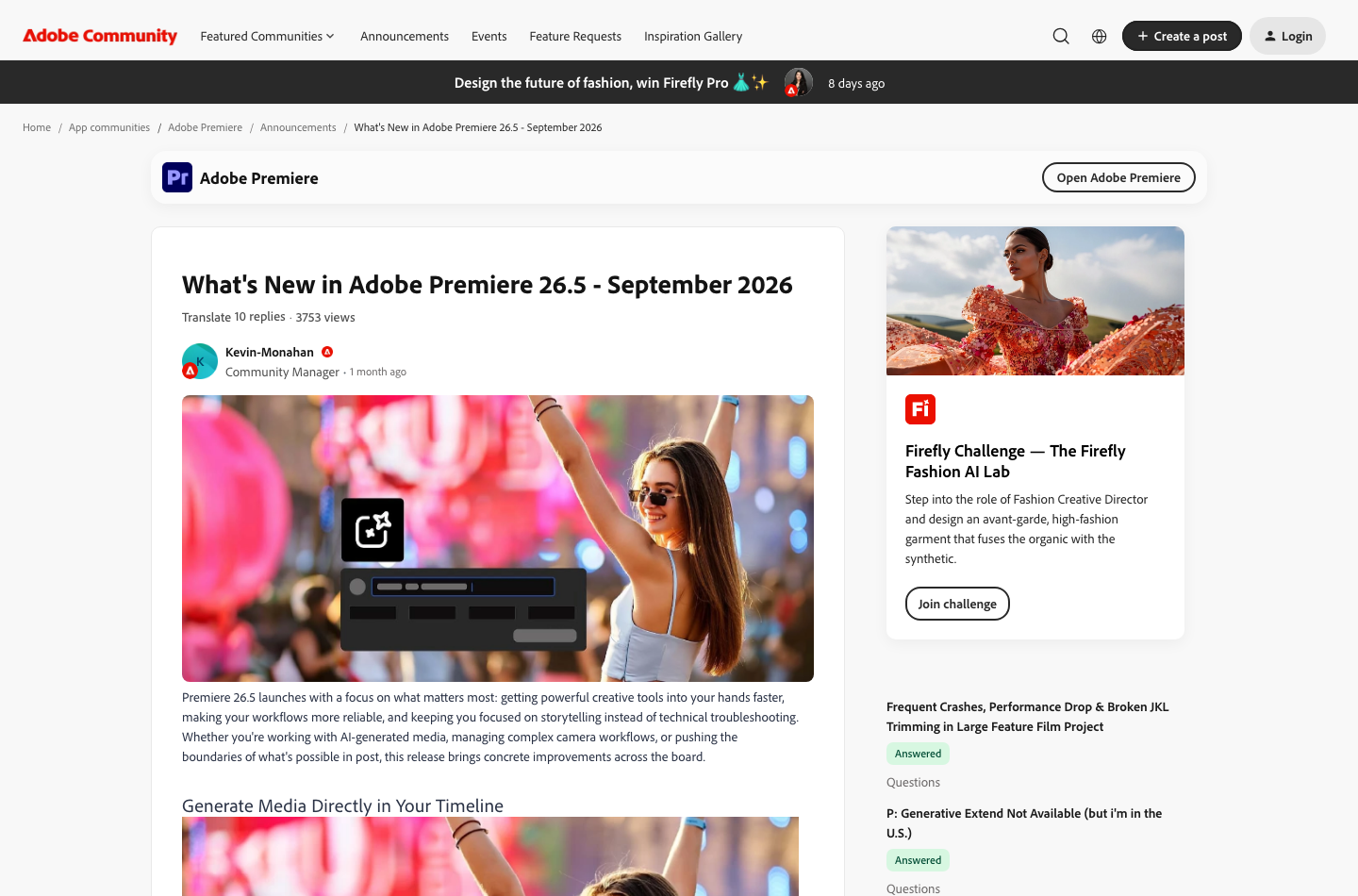
Text-based editing lets users work with transcripts rather than only scrubbing through a waveform. In the September 2026 Premiere 26.5 update, Adobe introduced Paper Edit, which allows an editor to select text segments and build an initial sequence from transcript selections. That is helpful for interviews and podcasts where the story is established through spoken language.
But a transcript isn’t a picture edit. Selecting three strong quotes may still leave visual discontinuities, awkward pauses or missing reaction shots. The editor must view the resulting sequence, check speaker identification and listen for sentences that sound unnatural when separated from their context.
🎙️ Adobe Premiere Multicam and Long-Form Work
Multicam projects need reliable synchronization, machine resources and consistent camera metadata. Editors working in Adobe Premiere Pro should organize angle naming, proxies and audio source choice before editing. An accidental timecode offset or bad sync point can make hundreds of later cuts unreliable.
Long-form productions bring another issue: versioning. Create a clear sequence naming scheme for approved cuts, revisions and delivery versions. Never identify the final export solely by a filename like `final_final_3.mp4`; record the approved version and review date.
🤖 Premiere 26.5 Generative Media Tool and AI Editing
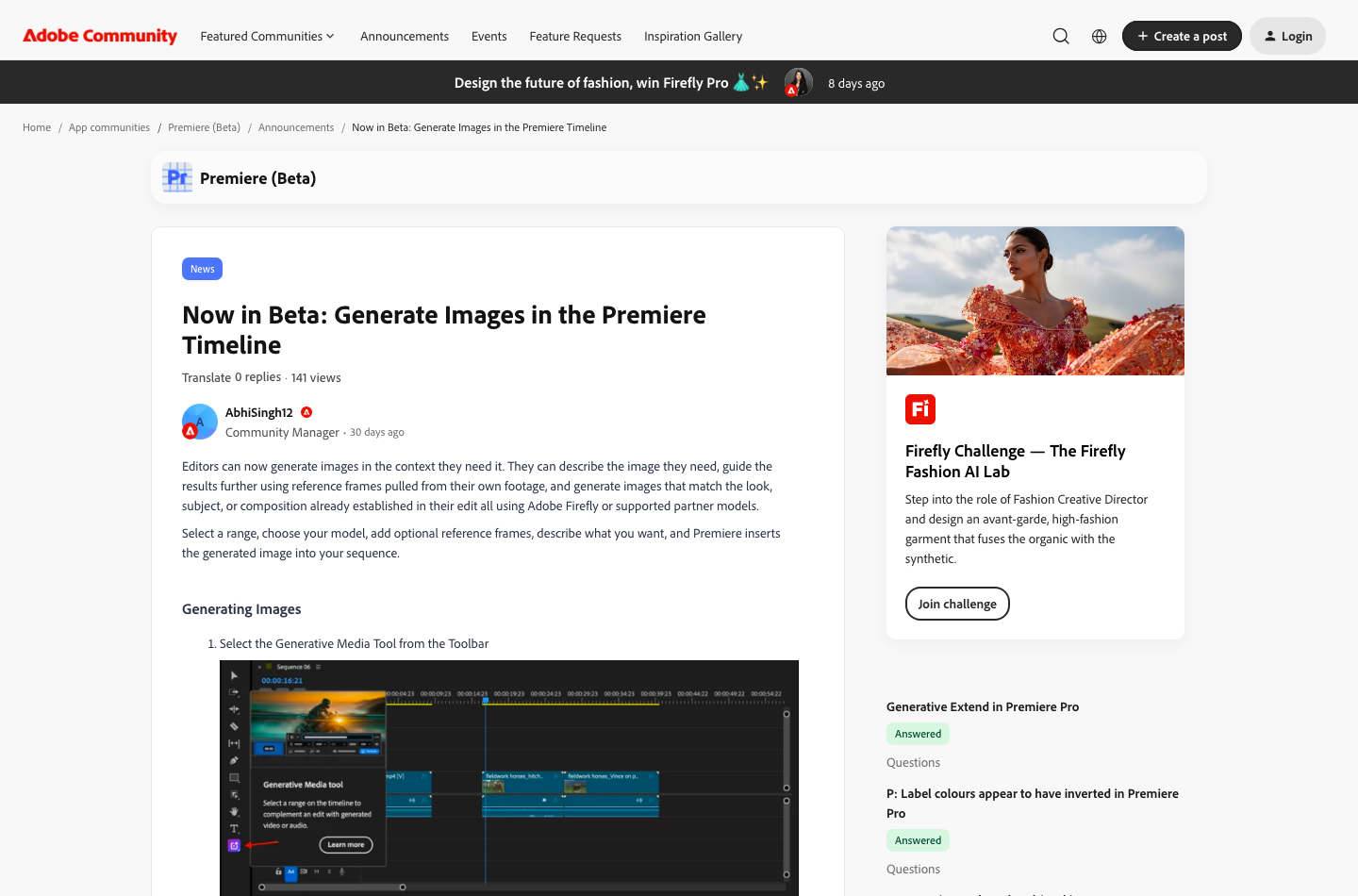
Premiere Pro AI editing now describes several different jobs, from transcript-assisted cutting to generated clips. A Premiere Pro AI workflow that uses generative media should be budgeted for credit consumption as well as normal editing time.
Adobe’s September 2026 feature notes describe a Generative Media Tool that creates video clips and sound effects inside the Premiere timeline. Users can specify text prompts and work with supported models, including Adobe Firefly and partner systems. The new results are editable clips rather than an external final movie.
This is a useful addition for a missing cutaway, but it should not be described as an unlimited production asset library. Model availability, credit pricing, media rights and quality vary. Verify the prompt and quota before using AI output in a paid client deliverable.
📱 Generative Extend in Adobe Premiere
Generative Extend can add frames at a clip boundary and help smooth transitions or extend background sounds. The Adobe help guide notes an internet connection is needed because the processing relies on a cloud AI model. Current feature limitations may restrict compatible source media or edits.
A practical scenario is an interview clip that ends two frames before a musical beat. Extending a scene may be better than an abrupt freeze frame, but the resulting content should be checked for altered faces, motion or objects. Generated footage can illustrate an idea, but it should never be passed off as real footage of a documented event.
🧠 Adobe Premiere Generative Credits and Limitations
The plan matrix assigns different monthly generative credit levels to individual Premiere and Creative Cloud subscriptions. However, a nominal credit figure does not directly tell you how many usable generated clips a company can create. Some partner models or resolutions may require more credits, and credits may be managed separately.
Test the credit cost of three typical generation jobs, including at least one revision each. Record whether the production can continue when a model is unavailable or when the monthly allowance runs out. Normal editing should not become dependent on unbudgeted generative calls.
🔊 Premiere Color, Graphics and Audio Workflows
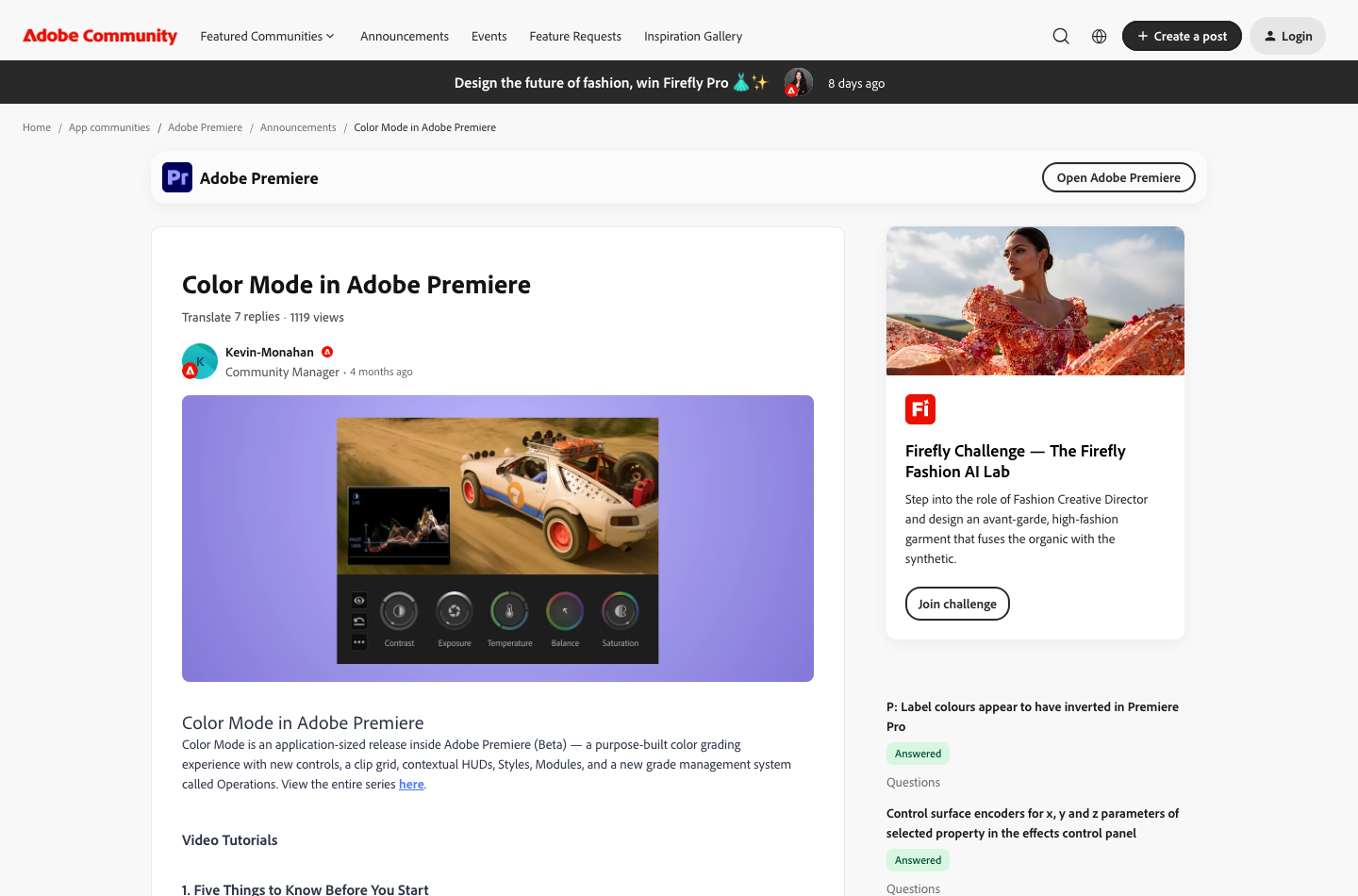
Adobe Premiere Pro contains color correction, graphics tools and audio effects for many everyday jobs. A typical agency edit might need to match indoor and outdoor interviews and prepare an opening lower third. The key is consistency: a technically acceptable export from one editor should still look correct to a second editor on another display.
Color adjustments depend on working space, monitor calibration and export settings. Avoid a one-click grade copied across unrelated cameras without checking luminance and skin tones. For highly complex finishing, DaVinci Resolve is a valid alternative or finishing partner.
🛠️ Premiere with After Effects and Photoshop
Premiere Pro and After Effects complement each other in motion-graphics-heavy projects, but a straightforward interview edit may need only one professional timeline application.
Many Adobe-based teams use Photoshop for graphics, After Effects for animation and Adobe Premiere Pro for editorial assembly. The convenience lies in reduced handoff friction and shared knowledge across applications, but it creates version dependencies and potential licensing overlap.
One motion graphic may import cleanly while another requires fonts or external assets that a receiving editor doesn’t have. An agency should package dependencies, maintain a render fallback and test the workflow on an account with the same subscription permissions as the actual collaborator.
⚙️ Audio Cleanup and Captions
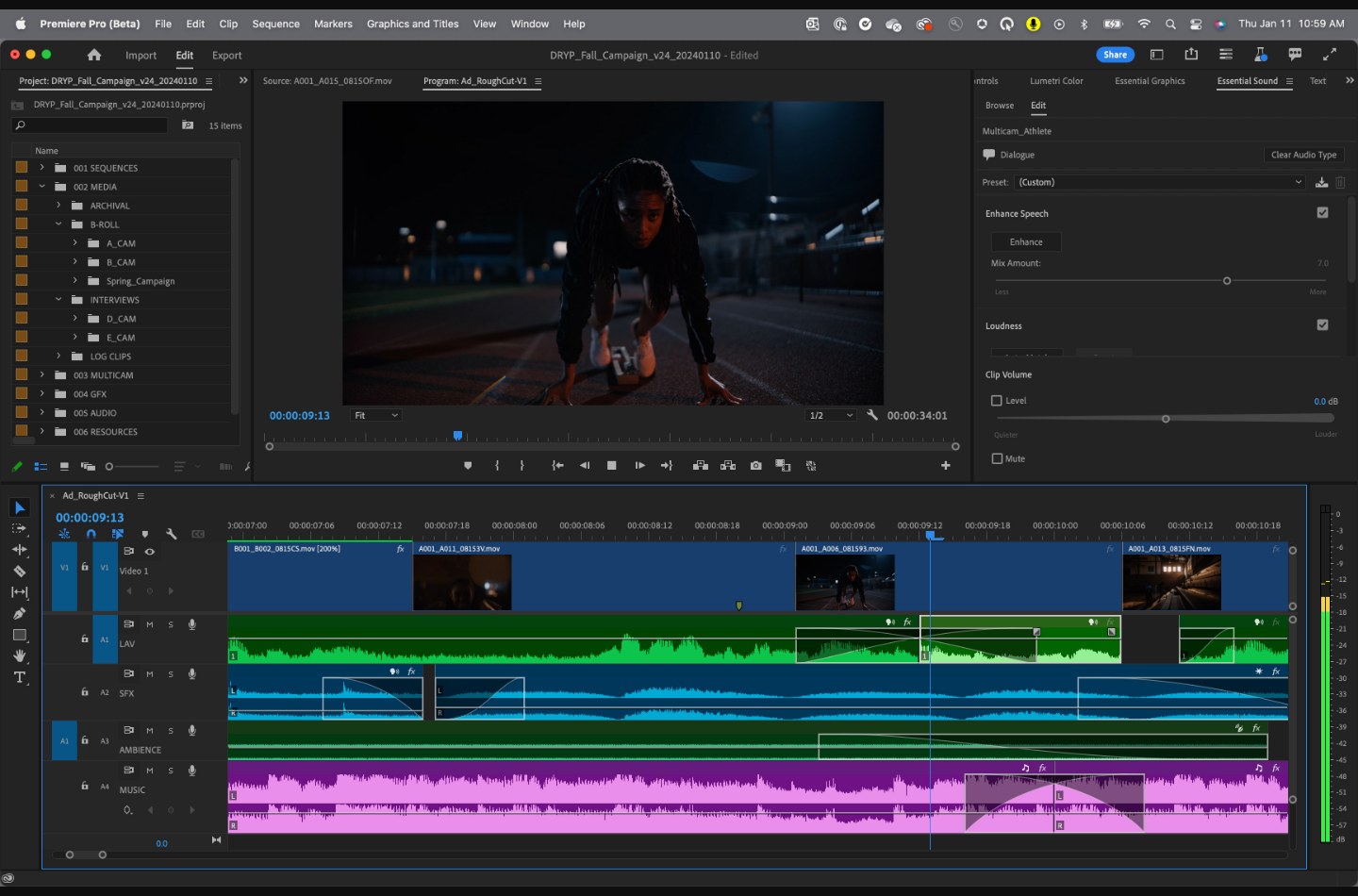
Dialogue editing includes leveling, removing distracting noise, organizing sound effects and ensuring narration remains intelligible under background music. Adobe provides an established set of audio workflows, but an AI cleanup effect can produce artifacts or weaken consonants when applied aggressively.
Captions need human review for product names, accented speakers and speaker transitions. A visually pleasing animation does not guarantee synchronized text. Export the intended subtitle format and confirm timing in a separate player.
⚖️ Premiere Export Formats and Hardware Planning
The export is where an otherwise successful edit can fail. A file might have the correct resolution but the wrong frame rate, odd color tags, missing captions or audio louder than a platform accepts. Create delivery presets for common destinations, then compare them against the current client technical specification.
Hardware requirements vary with codec and effects. A 1080p proxy workflow can run more smoothly than multi-layer 4K original media even on the same computer. Rather than selecting a workstation solely by manufacturer specifications, test your real source material and one representative export.
📁 Adobe Premiere Proxy Workflow
Proxies are lower-bandwidth versions of camera originals, allowing an editor to keep a responsive timeline while retaining access to high-quality footage for final export. Properly configured proxies can be more valuable than a faster processor for remote handoffs and slower machines.
The risks come from relinking errors or accidentally exporting the wrong source. Establish a proxy naming policy and test that a final export uses the intended originals. Document whether color and effects behave consistently across proxy and camera media.
🔗 Frame.io Collaboration and Review
Adobe’s plan information references Frame.io for review and approval workflows. The value is a controlled feedback cycle: a reviewer should be able to identify the exact moment being discussed, while the editor knows which revision is approved. Separate a review link from a final-delivery folder.
Before a team adopts this workflow, check permissions for external clients, upload limits, storage and version retention. If reviewers can see confidential drafts or share links without restrictions, collaboration convenience can create new information risks.
🔐 Adobe Premiere vs DaVinci Resolve, Final Cut Pro and VEED
| Product | Main strength | Important trade-off |
|---|---|---|
| Adobe Premiere | Professional timeline, Adobe ecosystem, text and generative workflows | Subscription contract and credit terms |
| DaVinci Resolve | Integrated color, Fairlight audio, Fusion VFX and free desktop edition | Different workflow learning curve and local hardware needs |
| Final Cut Pro | Mac-centered high-performance editorial workflows | Apple ecosystem and alternate handoff format |
| VEED | Browser captions, templates, AI-assisted social clips | Cloud processing, credits and team seats |
| Loom | Fast screen recordings and async video messages | Not a professional layered editing timeline |
| OBS Studio | Live production, capture and streaming | Requires an editor like Premiere for finished production |
🔎 Adobe Premiere vs DaVinci Resolve Pricing
DaVinci Resolve’s free edition is worth evaluating before buying a full editing subscription. Resolve Studio is commonly a one-time $295 software reference with occasional promotions. Adobe Premiere Pro charges a recurring subscription that may include other Adobe services. The correct comparison is not simply `$295 / $22.99`, because color features, workflow compatibility and contractual terms vary.
An organization already using Creative Cloud might have a stronger case for Adobe Premiere Pro, while an independent editor focused on color finishing may prefer Resolve. Trial both on the same footage and workflow before switching an established team.
🚀 Adobe Premiere vs VEED for Social Video
VEED can be faster for a marketer who wants to remove a false start, add captions and export a vertical promotion. Adobe Premiere Pro becomes useful when the company needs advanced motion design, multitrack sound, color matching or an editable master project.
If one editor handles the timelines while colleagues only leave comments, paying for Adobe Premiere Pro seats across the whole team may be unnecessary. A hybrid workflow can reduce duplicate licenses, but only if project ownership and export review are clear.
✅ Adobe Premiere Pro Workflow Clinic: Speed, Control and Client Delivery
📺 Organizing Source Footage and Building a Dependable Proxy Workflow
Consider a production team cutting a ninety-minute panel discussion using three cameras, separate audio and a mix of graphics. Adobe Premiere Pro’s value lies partly in handling professional timelines with many interconnected assets. The first requirement is reliable organization: preserve original camera folders, label interview and event segments, import files into a consistent bin structure and create a documented project location. Even an experienced editor loses time if footage arrives as an unstructured pile of files named clip001.
Select the sequence frame rate and resolution from the intended deliverable, not from a random first file. Mixed sources may require interpretation, synchronization and color-space checks. Create proxies when high-bitrate camera originals make playback unreliable. A proxy is a lightweight editing representation; it is not the master footage, and final export settings should be checked against original assets. Test one representative clip with the proxy preset and intended finishing pipeline before spending a day transcoding everything.
Shared productions require naming and version policies. Agree how projects are passed between editors, who owns the final color and sound decisions, and when the timeline is considered picture-locked. A stable naming convention such as campaign_episode_cut_v04_review is more helpful than several files called FINAL_FINAL. Store media, licensed assets and export documentation so the next editor can understand the project without a long handover call.
The time saved by a professional editor is often invisible in feature comparisons. Avoiding one broken media link, one wrong frame-rate conversion or one overnight re-export can be worth more than a flashy effect. A trial should test how Adobe Premiere Pro behaves with the team’s real codecs and storage, not only sample material supplied by the vendor.
📝 Transcript-First Editing: Where Paper Edit Helps and Where It Does Not
Premiere version 26.5 introduced Paper Edit for assembling sequences from selected transcript text, according to Adobe’s September 2026 release notes. That is particularly relevant to interviews, tutorials, panel discussions and other spoken-word content. An editor can identify important statements in a transcript before moving through hundreds of raw clips. It offers a faster path to a narrative rough cut, but it cannot decide whether a quotation misrepresents the speaker’s meaning. Adobe’s Premiere What’s New documentation.
A useful workflow begins with a transcription-quality check. Correct proper names, acronyms and important numerical statements, then mark the ideas that support the video’s intended structure. Assemble the first pass from those selections and watch the resulting timeline with the original audio, not just a text-only reading. Sentences that make perfect sense on paper may be awkward in speech, while pauses, reactions and cutaways contribute meaning the transcript cannot represent.
Paper Edit is most valuable at the assembly stage. Follow it with visual continuity checks, sound edits, pacing decisions and source verification. If an interviewee introduces a caveat several seconds after a bold statement, cutting the caveat for brevity may make the final video inaccurate. Preserve enough context to be fair. Consider a fact-check checklist that records which customer claims, dates and statistics have been confirmed by the client.
For a twelve-minute customer story, transcript-first selection may help organize thirty or forty minutes of footage. For a music montage without dialogue, its value will be limited. That distinction should shape the buying decision: pay for workflows the production team uses regularly rather than treating every 2026 AI feature as universally valuable.
⚖️ Evaluating Generative Media Tools and Usage Rights
The September 2026 Premiere 26.5 release also adds a Generative Media Tool for producing video and sound-effect clips from text prompts directly within the editing experience. These generated assets can be positioned and further edited on a timeline. That does not eliminate ordinary responsibilities around quality, provenance, creative direction or suitable usage rights. Different generative features and models may draw on different credit pools or policies; a buyer should verify current Adobe documentation and plan entitlements before promising unlimited output. Adobe official release notes.
Suppose a documentary needs a short generic establishing shot that the crew did not capture. Generating a visual candidate could be useful as a placeholder during pitching or an approved fictional illustration. It would be inappropriate to present fabricated footage as documentary evidence of a real incident. Label synthetic elements in internal production records and establish client approval requirements. If a generated person’s face resembles a real individual, do not assume the result is safe to publish merely because it came from a commercial application.
The same principle applies to AI-generated sound. A sound-effect clip can speed a draft, but the final soundtrack should be reviewed for transitions, intelligibility, loudness and licensing requirements. Compare the time needed to create acceptable generated material with searching a properly licensed stock library or recording the sound directly. A feature can be technically impressive without being cost-effective in every production.
Build a small approval matrix: permitted use cases, prohibited factual representations, licensing review, human sign-off and archival notes. This turns new AI features into accountable production options rather than untraceable shortcuts.
🎛️ Collaboration Reviews, Export QA and Subscription Exposure
Adobe Premiere Pro can fit a review workflow involving editors, account managers and clients, including Adobe’s wider collaboration ecosystem. The crucial distinction is between collecting comments and maintaining a single authoritative final cut. Give reviewers a deadline and reference version, consolidate conflicting notes, assign decisions to one owner and avoid applying last-minute client messages to an obsolete timeline.
Before export, confirm delivery aspect ratio, pixel dimensions, captions, color space, audio channel configuration and required codec. Test the approved graphics on mobile and desktop-sized displays. If the client requires editable captions or localized versions, agree on the deliverable format rather than relying on burned-in subtitles by default. Export a short technical sample if the destination has strict specifications, then watch the actual rendered output end to end.
Budgeting also matters. Adobe’s US $22.99 individual Adobe Premiere Pro reference is an annual contract billed monthly, not necessarily a one-month cancellable plan. Twelve payments of $22.99 add up to $275.88 before tax, but promotions, local pricing and cancellation terms can change the bill. A five-seat team at the listed $37.99 per license would have an illustrative $189.95 monthly recurring charge and $2,279.40 over twelve months under those reference rates. These figures illustrate the US list-price calculation rather than an account-specific quote.
A studio that uses Photoshop, After Effects and Adobe Premiere Pro daily might reasonably value a multi-app subscription. A freelancer editing occasional footage should compare the cost of a true monthly option, if offered, with a free professional editor such as DaVinci Resolve and any additional apps actually required. Adobe remains compelling where workflow compatibility and frequent professional delivery justify the ongoing commitment; the subscription should be supported by workload, not habit.
🧪 Adobe Premiere Pros and Cons
| Strengths | Drawbacks |
|---|---|
| Mature nonlinear editing and extensive project control | Learning curve for new creators |
| Premiere 26.5 transcript and generative workflows | Model access and credits can add uncertainty |
| Adobe asset and creative app ecosystem | Subscription and annual commitment obligations |
| Frame.io and client review workflows | Shared storage and access need administration |
| Broad use across professional teams | Media, plug-ins and hardware requirements vary |
| Flexible source and delivery workflows | Some feature handoffs require additional Adobe apps |
🏁 How to Evaluate Premiere Before Paying
Our proposed steps are a purchasing checklist, not a benchmark DigiOffly conducted.
Start with the eligible 7-day trial, using nonconfidential sample footage. Make a ninety-second edit with two cameras and separate audio. Confirm the local workspace, export format, graphic dependencies and machine performance.
Try transcript-based editing on a dialogue clip and check that every extracted sentence makes sense in the final video. If evaluating generative media, start with a clearly synthetic cutaway and note the quoted credit charge. Do not use a client likeness or protected footage without permission.
Share a test review through the intended collaboration workflow, then confirm that feedback is timestamped and an external user sees only authorized content. Finally, calculate the total commitment for the chosen plan and set a reminder before trial or contract renewal.
🎨 Security, Licensing and Editorial Controls
Premiere projects may contain unreleased customer footage, voice recordings and proprietary assets. Teams should establish storage encryption, file retention, access controls and signed agreements for external collaborators. Third-party fonts, plug-ins, stock material and generative content can have separate license conditions.
Adobe says some AI features process media in the cloud. Before using them for sensitive footage, read the applicable privacy documentation and company rules. Do not infer that a general vendor privacy statement automatically covers every partner model or integration.
💻 Final Verdict: Is Adobe Premiere Pro Worth It in 2026?
Adobe Premiere remains a strong option for professional editors and teams that already use Adobe applications. Its 2026 generative additions and Paper Edit can simplify specific editorial work, but they don’t eliminate the need for professional review, a capable computer and a clear project handoff system.
Use the trial to test the actual footage and workflow. Buy the single-app plan if Adobe Premiere Pro is the primary production tool; consider Creative Cloud only when other included apps genuinely replace existing expenses. Check regional pricing and annual commitments before deciding that $22.99 is a flexible monthly cost.
🧩 Official Sources Used
Adobe Premiere plans · September 2026 what’s new · Generative Media Tool · Generative Extend · Adobe September release announcement.

Frequently Asked Questions
How much does Adobe Premiere Pro cost in 2026?
The US Premiere individual reference is $22.99/month on an annual commitment billed monthly. Local currencies, tax and contract terms differ.
Is Adobe Premiere Pro free?
Premiere is normally paid, with an eligible seven-day trial. The trial is not a permanent free license.
Can I cancel Premiere after one month?
Annual billed-monthly subscriptions can involve cancellation obligations. Read the actual agreement; paying monthly does not necessarily mean flexible month-to-month terms.
What is the difference between Premiere and Premiere Pro?
Adobe has rebranded many public references to Premiere. The established desktop product is still widely called Premiere Pro in tutorials and searches.
What is Premiere 26.5?
Adobe’s September 2026 desktop release added Paper Edit, generative timeline media and other camera/workflow enhancements.
Does Adobe Premiere Pro include AI video generation?
Premiere 26.5 includes an in-timeline Generative Media Tool for eligible video and sound effects workflows, subject to model and credit restrictions.
What is Adobe Premiere Paper Edit?
Paper Edit helps assemble rough cuts from selected dialogue in a transcript. The finished edit still requires picture and audio review.
What does Generative Extend do?
It generates additional video or audio at eligible clip edges, with cloud processing and media limitations.
Does Adobe Premiere integrate with After Effects?
Premiere and After Effects are frequently used together in Adobe production workflows; verify application access and dependency handoff.
Is Adobe Premiere Pro better than DaVinci Resolve?
Premiere can suit Adobe-centric teams; Resolve emphasizes integrated color, Fairlight and a free desktop edition. Compare actual workflows.
Can Adobe Premiere be used on mobile?
Adobe advertises Premiere desktop and mobile experiences; supported features and platform availability differ, so verify the exact app and plan.
EXPLORE NEXT ON DIGIOFFLY
Compare Creator & Streaming Tools
Compare Adobe Premiere Pro with streaming, creator and editing software while preserving meaningful cost and feature distinctions.
Explore creator software
- Creator & Streaming — See the published production and streaming categories.
- OBS Studio review — Compare free recording and live production.
- Streamlabs review — Check overlays, live alerts and streaming workflows.
- Runway review — Evaluate generated b-roll as an input to a professional timeline.
Choose the right tools
- Software Directory — Browse confirmed software categories and plans.
- AI Software Finder — Filter tools by verified production needs.
- Compare software — Compare published capabilities and costs.
Plan a practical stack
- Software Cost Calculator — Model monthly costs, seats and annual payments.
- Best Value Advisor — Shortlist products for the work you actually do.
- Ready-Made Software Stacks — See ways to avoid duplicating creator subscriptions.
- Ecamm Live — Mac-focused live video, interviews, scenes and isolated recording
Public software pricing and features change. Verify regional licensing, usage credits and invoice terms on the vendor site before buying.