

Updated 30 October 2026. This Ecamm Live article is DigiOffly editorial analysis by Alex Wright based on public Mac streaming resources, pricing guidance and production feature documentation. The embedded screenshots are of accessible supplier pages; the assessment does not invent a paid studio trial or measured broadcast performance.
Imagine a 70-minute interview: the second camera loses power after half an hour, the guest’s voice loops back through desktop audio, and the host notices neither while watching a clean preview. A production rehearsal must include those failure cases, not just a successful scene transition. Ecamm places many live-production controls in one desktop workspace, but choosing its tier is fundamentally an equipment and rehearsal decision. This guide works from source setup through guest interviews, aspect-ratio planning, delivery, recording archives and contingency scenes.
📊 Ecamm Live Review Summary
Ecamm Live is a macOS-focused production desk for recording and live video, not a browser-only scheduling service. It combines scene layouts, camera switching, overlays, screen sharing and broadcast destinations with a locally controlled production workflow. The purchase decision depends on whether a Mac-based presenter needs reliable capture, guest interviews, multiple aspect ratios or isolated production tracks. A promotional four-camera demo cannot tell a buyer whether their own Mac will encode, composite and record continuously with the chosen USB hub and external drive. Test the complete setup for at least as long as the planned show. This Ecamm Live review 2026 distinguishes vendor specifications from tests that require authentic hardware and broadcast accounts.
⚡ Quick Verdict: Mac Creators and Producers
Ecamm Live Standard can suit a solo Mac creator who needs composed scenes, automatic local recordings and basic platform connections. Ecamm Live Pro becomes more relevant for remote interviews, a virtual webcam and mic, Dual Mode layouts or isolated audio and video files for an editor. A studio that must operate on Windows should not buy Ecamm as its primary capture application. Try the available trial with the exact cameras, audio interfaces and network conditions before committing to an annual contract.
Start with the equipment that already exists, the number of simultaneous guests and the format of the final recording. If a simple live presentation works in Standard, adding isolated video or NDI outputs may be unnecessary. Conversely, remote interview production can justify paying for Pro when its recordings demonstrably reduce postproduction effort. The final comparison should include a stable macOS workstation, audio interfaces, backup storage and training time, not just a monthly subscription.
🧭 Contents and Navigation
Jump to pricing, practical scenarios, alternatives, methodology and official sources.
🧠 What Ecamm Live Does and Does Not Replace
Ecamm is a live production application. It does not host podcast RSS feeds, optimize YouTube search titles or replace a full nonlinear timeline editor. A livestream workflow may combine Ecamm for live production, DaVinci Resolve or Adobe Premiere Pro for postproduction, and Podbean for podcast hosting. Keeping these responsibilities separate protects against the common mistake of buying additional tiers because one software name appears in several marketing categories. The production software manages sources and output; distribution platforms and postproduction tools manage other stages.
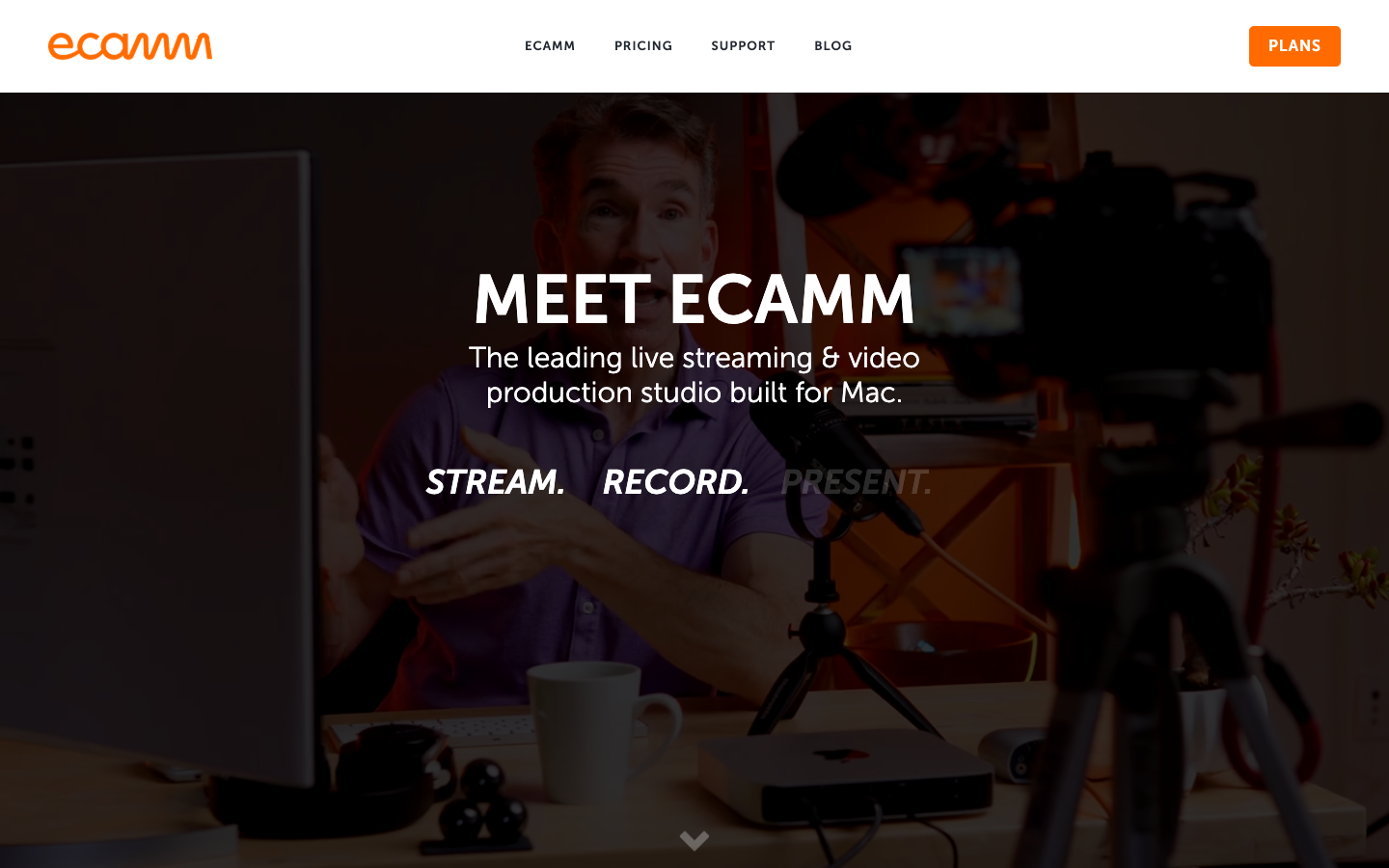
🖥️ Ecamm Live for Mac: System Requirements
Ecamm officially states a requirement of macOS 11.2 or newer. That version number is a minimum, not a promise that an entry-level device can maintain a high-resolution, multiguest show with overlays, recording and numerous capture inputs simultaneously. A creator should inspect CPU and GPU headroom, available RAM, USB bandwidth, external drive throughput, fan behavior and whether an audio interface is supported. If the studio relies on Windows or Linux for some operators, the team must decide which workstation remains the production host and how files are transferred.
Ecamm Live Mac requirements should be checked against the production workstation, including software version, capture devices and sustained performance rather than a minimum operating-system number alone.
| Workflow | Standard | Pro |
|---|---|---|
| Local recording and scene design | Available | Available |
| Interview Mode | Check feature matrix | Included |
| Virtual camera and mic | Not listed as Standard | Included |
| Dual Mode layouts | Not listed as Standard | Included |
| Isolated video/audio tracks | Not listed as Standard | Included |
💰 Ecamm Live Pricing 2026 and Billing Terms
When evaluating Ecamm Live pricing 2026, compare the actual checkout for Standard and Pro in the intended currency and billing term. Then add the capture card, backup drive and any third-party multistream subscription before treating the software plan as the full production budget. The current feature page advertises starting at $16 per month and directs visitors to pricing rather than exposing a complete, unambiguous monthly table in text. Ecamm’s support documentation states that switching to annual billing can save 20% compared with monthly. Do not calculate the entire production budget from the teaser price: include cameras, capture interfaces, audio equipment and any separate multistream distribution service. Check the checkout before quoting a fixed Pro total.
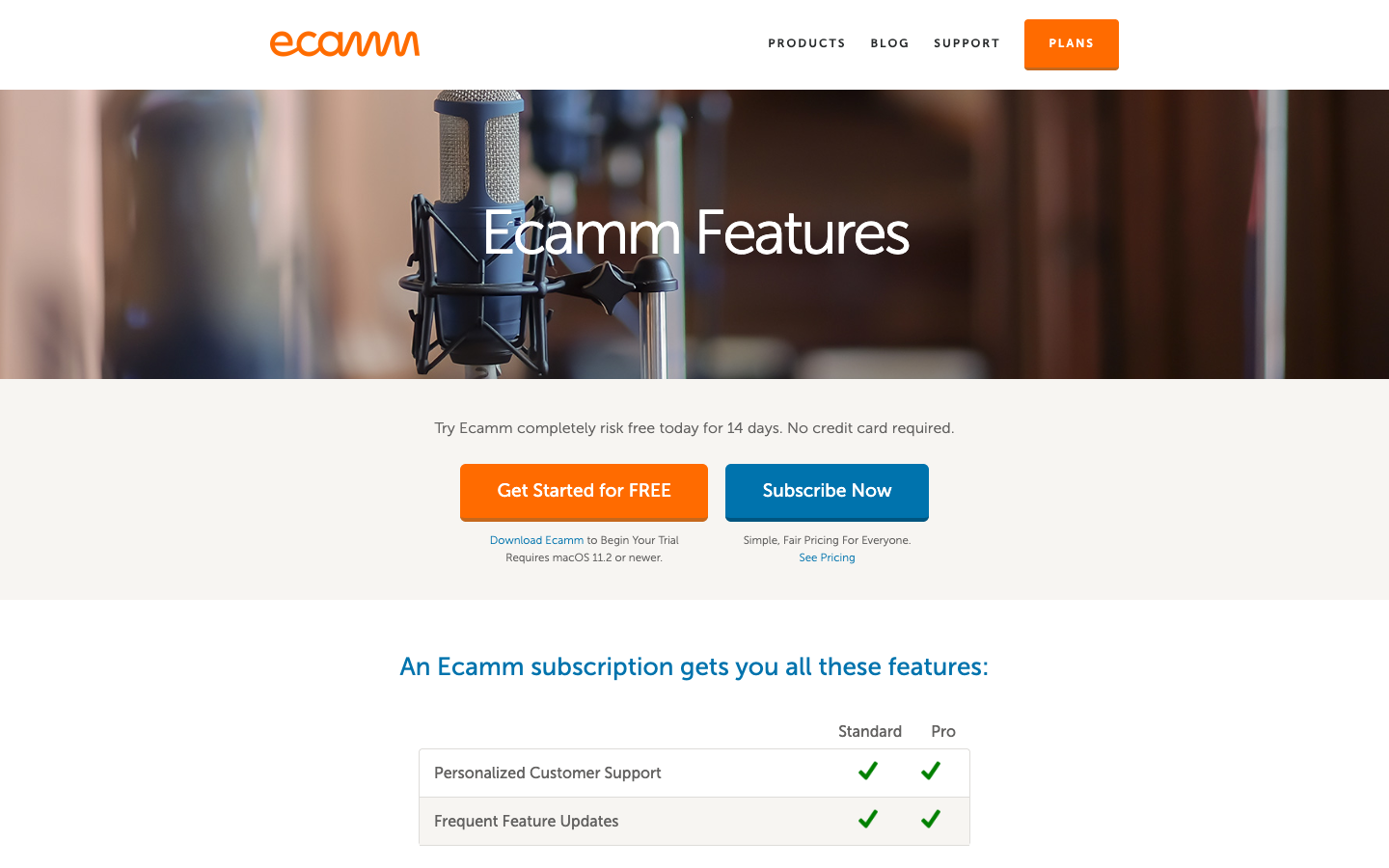
🎬 Ecamm Live Standard: Scenes and Recording
The Standard tier includes fundamental production tools such as scene composition, camera switching, overlays, screen sharing and local recording. That can be sufficient for a training session with a camera, product demonstration and slide deck. The operator still needs to configure mic gain, sampling rates and backup recording procedures. If a production uses only one presenter and one output, the incremental value of Pro may be small. Rather than judging tiers by feature count, write a specific run of show and identify the first task that Standard cannot complete.
🔎 Ecamm Live Pro: Guest Interviews and Pro Outputs
Ecamm Live Pro includes features positioned for advanced production: Interview Mode, virtual camera and microphone, isolated audio and video recording, 4K options, real-time monitoring and outputs such as NDI or compatible hardware solutions. These capabilities matter when an editor wants separate tracks, or a presenter must send a polished camera feed into a meeting application. Confirm the current feature matrix for resolution and platform restrictions. Buying Pro does not guarantee low latency or eliminate remote guest internet problems.
🔎 Ecamm Live Interview Mode
Remote guest production introduces problems that are invisible in a local demonstration: echo from laptop speakers, variable guest microphones, interrupted connections and inconsistent frame sizes. Ecamm Live interview mode, listed under Pro, helps place remote participants into a live scene. It still leaves the producer responsible for checking headphones, mic selection, a disconnected guest’s return path and whether all speakers are audible in the recording. A producer should give each guest a short sound check, a local recording fallback where feasible and explicit instructions about wired headphones. Before going live, practice muting, changing active speaker layouts and recovering from a disconnected participant. A virtual green room is not a substitute for preparation.
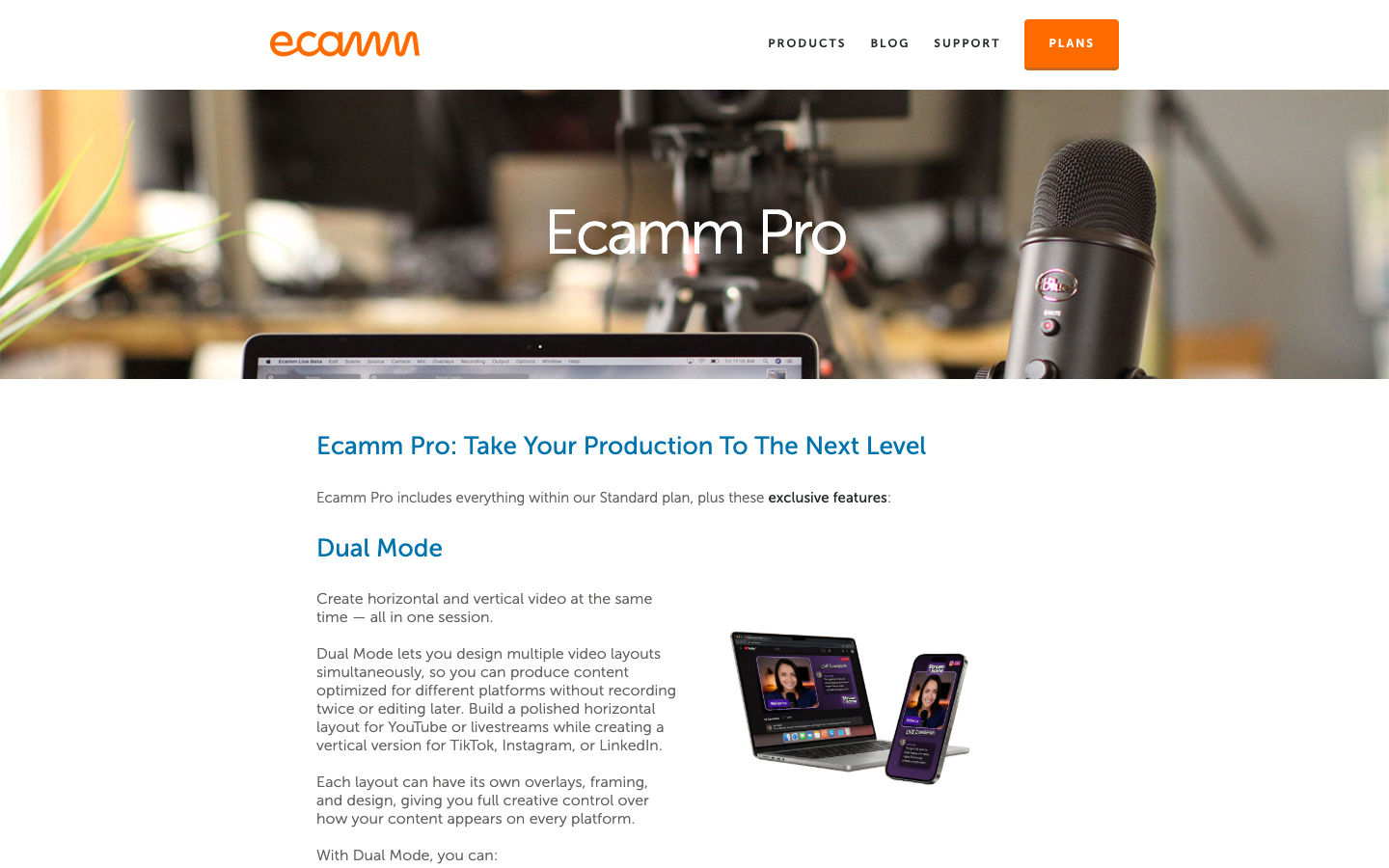
🔎 Ecamm Live Dual Mode for Vertical and Horizontal
Ecamm Live Dual Mode lets a producer build horizontal and vertical layouts in one session for different viewing contexts. That is useful for a show intended for YouTube as well as short-form mobile distribution, but the composition should not simply crop the center of a wide shot. Lower-thirds, product screens and live comments may need separate placement to remain legible. An operator should preview both aspect ratios while switching sources and ensure neither version hides a guest or essential slide content. Dual Mode is listed as a Pro function.
🔎 Ecamm Live Multistreaming and Destinations
Ecamm Live multistreaming and destination support include familiar creator networks and integrations with external distribution services. The relevant detail is whether simultaneous distribution is native for the intended destinations or depends on a separate partner, account entitlement or network bandwidth. An event transmitted to YouTube and LinkedIn may have different maximum resolutions, comments behavior and copyright restrictions. Confirm each platform connection before the event. Publishing a second destination can double the consequences of an unstable upstream connection if the entire workflow relies on one fragile network path.
| Cost component | Typical decision | Verification needed |
|---|---|---|
| Ecamm subscription | Standard or Pro | Actual checkout and annual term |
| Mac workstation | Existing or new | macOS, sustained CPU/GPU capacity |
| Camera and capture | USB or HDMI capture | Continuous power and format |
| Distribution | Native or partner service | Per-destination account terms |
| Storage | Local files and backup | Space and postproduction archive |
🖥️ Ecamm Live Virtual Camera and Mic
Ecamm Live virtual camera output allows the producer to send a composed scene into supported conferencing and browser workflows. This is most useful when a presenter needs professional overlays while teaching a class or meeting clients without operating another streaming platform. Audio routing is often the hidden failure point: a conferencing tool might pick the built-in microphone while video comes from Ecamm. Before a real call, inspect the application’s selected camera, input and speaker devices, run a five-minute test recording and verify that an accidental feedback loop is impossible.
🎬 Ecamm Live Isolated Recording and Editor Handoff
Ecamm Live isolated recording is a Pro workflow designed to preserve separate audio or video sources. An editor can then correct a noisy guest channel without rebuilding the entire show from a mixed program recording. The cost is more file management: the number of tracks increases disk usage and complicates consistent naming. Label each guest, confirm the target recording folder and make a short test with two cameras and one guest. After the broadcast, verify file integrity before deleting temporary source assets. Separate tracks cannot repair a disconnected camera that never recorded.
🔎 Scene Switching, Overlays and Live Graphics
A repeatable scene collection might include opening, single presenter, two-up interview, product demo, intermission and closing cards. Scene names should describe the operator action, not an internal graphic designer’s filename. Build transitions that serve the audience and keep chat overlays from covering captions or essential visual data. Before a webinar, confirm that every image and font is licensed for the stream. A live graphics system makes professional presentation easier but also makes it possible to expose private notification banners or account names if desktop capture sources are configured carelessly.
🖥️ Cameras, Capture Cards, NDI and Mac Hardware
Ecamm Live lists support for USB cameras, capture hardware, mirrorless devices, certain Blackmagic workflows and other video inputs. The correct hardware plan begins by identifying camera output, capture format, power supply and cable type. A camera that appears as a webcam may not supply the desired resolution over the current connection. A multi-camera setup may exceed a hub’s USB bandwidth or need continuous power to avoid battery depletion. NDI and other network video routes can be useful but add their own network-latency and packet-loss risks.
🔎 Audio Monitoring, Echo and Guest Sound
The host may see a perfect composite while a remote guest hears a half-second echo. Inspect the recorded mix and ask a second listener to check the live output before judging the production by its camera preview. A producer may hear the show through headphones while the streaming output receives a different mix. Ecamm Pro advertises additional monitoring support, but all tiers still need careful device routing. Document which mic feeds are live, which sources share audio with the screen and which channels must be muted when switching scenes. Run a rehearsal that includes the loudest guest, a shared video and a moment of silence. Avoid hard-coded gain settings copied from another room or microphone.
🎬 Automatic Local Recording and Backup Policy
Automatic local recording is valuable because a stream may remain accessible after a platform ingest problem or network outage. But a file saved to the same failing internal disk is not an independent backup. Set a recording folder with sufficient free space, verify write speed under load and test a graceful restart. If the show is a paid webinar, keep a separate contingency recording when permitted. Before editing, open the output in a media player and confirm sound, duration and frame integrity. Do not assume a recording exists simply because the live viewer counter advanced.
⚖️ Ecamm Live vs OBS Studio and Streamlabs
Ecamm Live vs OBS Studio is partly about software philosophy and operating system. OBS can run the same two-camera demonstration on a Mac or Windows workstation without a software subscription, although setup may require more manual routing. Ecamm Live is Mac-only and packages scene, guest and recording controls together; compare the exact rehearsal workflow rather than the number of features. Streamlabs offers its own creator-oriented tools, overlays and cloud-facing capabilities. Compare identical operations: connecting two cameras, recording separate channels, sending one virtual camera into a meeting, building a 9:16 view and recovering from a crashed source. Assess the operator’s time and skill as part of total cost.
| Requirement | Ecamm Live | Alternative |
|---|---|---|
| Mac-based presenter | Native production workflow | OBS for cross-platform |
| Multiple guests | Pro interview workflow | Browser studios |
| Separate edit tracks | Pro isolated recording | Dedicated recorder setup |
| Video podcasts | Record production | Podbean for podcast distribution |
| Long-form editing | Export recording | DaVinci Resolve or Premiere |
⚖️ Ecamm Live vs Restream and Browser Studios
Restream and browser-based studios often focus on guest access and distribution with fewer local hardware assumptions. Ecamm Live can integrate with distribution services but maintains a local Mac production host. That distinction affects who can operate the show and where source files live. If guests use unpredictable devices and the producer lacks a dedicated Mac, a browser-based setup may fit better. If a studio owns cameras, capture cards and wants local multitrack files, Ecamm Pro becomes more compelling. Neither model eliminates the need for platform account permissions and network fallback.
🎬 Ecamm Live Workflow: Webinar with One Host
A webinar producer should create a locked scene collection in advance: intro, host, shared presentation, product demonstration, audience questions and closing. Record a private rehearsal at the intended resolution with the same camera, microphone and capture source. Confirm copyright permission for any screen content. When the event begins, assign a backup operator to monitor audience audio and alerts; the presenter should not also troubleshoot all guest connections. Export the recording to a separate postproduction workflow rather than editing the only local archive.
🔐 Security, Consent and Guest Recordings
Recording guests or streaming sensitive desktop content creates operational and privacy obligations separate from the subscription tier. Obtain recording consent where required, restrict who can access local files and review cloud destinations before going live. Set operating-system notifications to a safe presentation mode so private messages cannot appear during screensharing. When archived video includes customer information, document how long recordings are retained and who can approve publication. If a guest requests removal of a segment, separate tracks and careful editing notes can simplify the response.
🔎 Editorial Fit and Buying Recommendation
Ecamm Live is strongest for Mac-centric creators who value rapid scene building, polished visuals and production flexibility. It becomes harder to justify when the current OBS configuration is reliable, the team spans different operating systems or advanced Pro outputs will never be used. Use the 14-day trial described on current official pages as a real hardware acceptance test. Try high-load cases, record files and restore the default microphone after disconnecting a device. A purchase should follow reliable rehearsal outcomes rather than enthusiasm about an animated overlay pack.
| Check | Before going live | Fallback |
|---|---|---|
| Audio mix | Guest and desktop sound test | Muted emergency scene |
| Network | Inspect stable upstream throughput | Local recording |
| Camera power | Full-length rehearsal | Backup webcam |
| Recording location | Disk space and file permission | Second archive when appropriate |
| Platform permissions | Confirm account destinations | Prepare a single reliable destination |
🔎 Real-World Use Cases and Decision Tests
The Ecamm scenarios here represent rehearsal plans for different Mac-based production environments. They are not descriptions of shows we secretly operated. Each case pairs a common failure mode with a precise check: camera power, guest monitoring, isolated track delivery or destination permissions. A producer can run these exercises during the vendor trial and decide which functions Standard covers before assigning any commercial value to Pro outputs.
1. A weekly remote interview show
Two presenters record a guest through a laptop microphone in another country. The producer needs a scene for the introduction, two speakers and a demonstration. Ecamm Pro may streamline guest management and isolated tracks, but it does not cure a guest’s unstable internet. Check the audio and lip sync while switching layouts. Have the guest locally record a backup when feasible, and agree on how files will be delivered if the session drops.
Make the producer responsible for a short technical rehearsal and the host responsible for participant preparation. Assign a guest support channel outside the live broadcast so an audio problem can be resolved without delaying everyone. Name isolated files before the event and confirm the editor has the appropriate software to open them. This separation of work reduces errors caused by one person switching scenes, monitoring comments and troubleshooting remote audio at the same time.
2. A training company repurposes one broadcast into clips
An instructor teaches software once a week and wants a YouTube recording, a square social excerpt and a portrait clip. Dual Mode may reduce layout work, but the content must be recomposed for narrow screens. Ensure menus and code remain readable after downscaling, and avoid placing action items under subtitles. Design the editing workflow before paying for extra output capability.
Create a distinct layout checklist for each output format. A slide that is readable in a horizontal webinar may become meaningless when squeezed into portrait. Test subtitles, name labels and on-screen demonstrations in the smallest expected player size. If a single graphic cannot work in both compositions, prepare separate assets. This discipline matters more than the mere ability of the software to produce two simultaneous canvases.
3. A creator upgrades from a single-camera OBS setup
The existing OBS project works but switching between desktop demonstration, face camera and sponsor slides requires repeated maintenance. Compare setup time across three real recordings in OBS and the Ecamm trial. Check not only interface convenience but recorded file integrity, transitions, virtual camera compatibility and recovery after a cable reconnect. Switching has a cost if the operator must rebuild every scene and audio source.
Preserve a known-good OBS configuration during the trial rather than replacing production software immediately. Run two sessions with identical equipment and compare setup time, recording integrity, scene recovery and viewer complaints. Document the configuration needed for external cameras, audio monitoring and virtual outputs. If the improvement comes only from aesthetic presets, decide whether the annual subscription is worth the maintenance savings.
4. A podcast host wants separate guest audio
An editor complains that removing fan noise from one guest damages the other guest’s voice in a mixed stereo track. Isolated recording offers a more practical editing path, provided each file is clearly labeled and remains synchronized. Record a rehearsal with two speakers talking simultaneously, then import the tracks into a compatible editor. The number of hours saved matters more than a headline 4K feature.
Agree on a delivery convention that includes each guest name, timecode reference and a final mixed program track. Files should be verified before they are moved to cloud storage or deleted from the production Mac. Record a short overlapping speech segment; this exposes whether isolated sources remain editable. A backup is only useful if the postproduction team can reliably identify and synchronize it.
5. A livestream uses two destination platforms
A small event sends the same show to YouTube and a professional network. The platforms differ in comment moderation, aspect ratio conventions and required metadata. Prepare separate accounts and test authorization early. Watch upstream bandwidth and the health of both ingest destinations. If the connection fails, a local recording protects the show content but does not restore real-time viewers.
The run sheet should specify platform credentials, permission to stream, comment moderators and which destination has priority during an outage. Perform a private stream test whenever platform APIs change. Do not promise simultaneous delivery to every service without checking external distribution charges and current access rules. Retain a local copy for authorized replays, but ensure its rights and privacy settings match the event.
6. A classroom uses Ecamm as a virtual camera
The teacher wants an opening card, camera and slides inside a conferencing session. First test the selected virtual camera and microphone in the actual conference tool, including after system sleep. Disable competing audio inputs to avoid double pickup. Confirm that participants can read text at ordinary video-call resolutions. The integrated studio is useful only if the classroom sees the intended feed.
Test a complete video call, not just a thumbnail preview of the virtual camera. Reconnect the device, sleep and wake the Mac, and choose the same inputs after the restart. Ask another participant to confirm that the visual labels remain legible. A teaching environment can be more demanding than an ordinary social stream because students may need to read detailed spreadsheets or code.
7. A camera overheats during a long event
A technically compatible camera may still shut down when powered for several hours. A producer should perform a full-duration rehearsal, use manufacturer-approved power and understand temperature behavior. Keep a fallback webcam scene in Ecamm and practice switching to it without revealing private desktop content. If a camera stops after 45 minutes of continuous HDMI output, Pro scene controls will not prevent its thermal shutdown. Test continuous power and temperature first, and keep a fallback webcam ready in the scene list.
Create a fallback scene and rehearse switching to it while the camera is intentionally disconnected. Know which audio source remains active in that situation. An operator should be able to move to a neutral placeholder without showing private desktops. Track the camera’s temperature and power behavior through the full planned duration, not a convenient five-minute sample.
8. A producer edits the show on another computer
The live Mac captures the program and separate sources, while the editor works on another machine. Agree on filename conventions, media formats, transfer method and timecode references before recording. Verify the complete delivery against the run sheet, not just the program output. Cloud storage, local backups and additional editor software may increase total cost beyond Ecamm’s subscription price.
The postproduction team should approve the format and sample-rate conventions before the first real show. A file transferred from a Mac may need codec support on another operating system. Maintain an offsite backup of irreplaceable footage and use a clear process for guest access permissions. Recording software can generate extra files very quickly; storage operations must be part of the budget.
9. A church or community organization produces a regular broadcast
A volunteer team may have changing operators each week. Build five clearly named scenes, document audio routing with photographs and lock down streaming account permissions. Train a backup operator to recover from loss of a camera or a failed capture source. A stable Standard-tier setup may be more valuable than advanced Pro effects that the volunteers cannot safely maintain.
10. A sales team demos a web application to customers
Showing a live account can reveal private customer records and notification banners. Prepare a clean demo environment, hide system notifications and verify that the capture source includes only intended windows. A virtual camera layout can frame the presenter beside the application, but the demonstration must remain legible on small laptops. Make a test call with a colleague who uses the target conferencing software.
11. A musician streams with multiple sound sources
A music stream needs deliberate monitoring of instrument inputs, microphone, playback and echo suppression. Conferencing-style noise cancellation may distort performances, so record a test at the actual level and listen to the resulting output rather than trusting the monitoring headphones. If the producer captures multiple isolated tracks, verify alignment and permissions for any backing tracks before distribution.
12. A nonprofit has a very small production budget
If the project has a Mac but no stable camera or microphone, spending first on Ecamm Pro may be premature. Compare the cost of a reliable USB microphone, basic lighting and a trial of Standard against the feature list of Pro. A polished visual design cannot compensate for unintelligible speech. Ownership and ease of operation matter when the staff changes frequently.
13. A producer sends content to both live and recorded audiences
The live event includes a question period with sensitive personal examples. Decide in advance which segments may appear in the public replay. Record the consent status of guests and attendees and make edit notes during the show. Pro isolated recording can simplify postproduction, but permissions to republish are a separate requirement.
14. A small online course uses multiple instructors
One instructor records from the studio Mac while another joins remotely. Set consistent audio levels, establish who controls scene changes and confirm whether guest appearance changes fit each layout. If guest internet degrades, the host should be able to present slides alone and reschedule the missing part without interrupting the entire session.
15. An organization compares subscription tiers
Run a trial during a normal work week, not on a day with no meetings. Record how often Interview Mode, isolated tracks, virtual camera or Dual Mode are actually needed. If the workflows can be completed in Standard with acceptable reliability, buying Pro solely for unused features would be difficult to justify. Capture the final price and renewal policy before approval.
🔎 Research Methodology and Limitations
The comparison uses Ecamm’s Standard/Pro matrix, the separate Pro explanation and its support notes on annual billing and Mac requirements as they appeared in October 2026. None of those pages measures encoding stability on the reader’s own hardware. We have not performed a paid, authenticated Ecamm Pro production test on specific Mac hardware or measured CPU usage under a controlled multistream load. Product availability and trial rules can change, while supported resolutions vary with destinations and external equipment. The pricing figures are therefore presented conservatively, with checkout verification recommended. Screenshots come from public vendor pages rather than a private studio session.
📚 Official Sources and Further Reading
The Ecamm website and Standard-versus-Pro comparison remain the principal references for the capability descriptions. Support resources explain annual billing behavior and recommended companion applications. Before buying, consult the system requirements, current terms and live pricing directly. Where a third-party distribution service or hardware adapter is mentioned, that dependency needs its own pricing and compatibility verification. The complete production chain is only as reliable as its weakest audio, camera, power, storage or network component.
The official Ecamm feature matrix, Pro description and support guidance underpin this evaluation. We checked macOS requirements, advertised guest-production functions and the explanation of yearly billing against supplier pages in October 2026. Performance, resolution and destination reliability still depend on hardware and external platforms. Plan pricing and any partner service fees must be confirmed when the production account is configured.
- Ecamm Live official source 1
- Ecamm Live official source 2
- Ecamm Live official source 3
- Ecamm Live official source 4
- Ecamm Live official source 5

Frequently Asked Questions
Does Ecamm Live work on Windows?
Ecamm Live is a macOS application and the official feature page specifies macOS 11.2 or newer. Windows users should compare OBS, Streamlabs or browser-oriented production tools rather than assume the Mac installer will run natively.
How much does Ecamm Live cost in 2026?
The vendor advertises plans starting at $16 monthly and separate Standard/Pro options. Exact checkout amounts depend on selected tier and billing term; published Ecamm support notes annual billing may save 20%. Verify the final amount in your region.
What is included in Ecamm Live Standard?
Standard covers the core studio workflow with scene controls, camera switching, overlays, screensharing and local recording. Consult the official feature comparison for exact limitations on outputs, interviews and resolution.
Is Ecamm Live Pro necessary for interviews?
Ecamm markets Interview Mode as a Pro feature. A producer should check the number of guests supported, recording needs and the reliability of each guest’s network before paying. An interview does not automatically require 4K.
Does Ecamm Live offer a free plan?
The current website advertises a 14-day free trial rather than an unlimited permanent free subscription. Check trial rules and cancellation dates before downloading.
Can Ecamm Live multistream?
Ecamm includes platform integrations and multistreaming workflows, some of which use partner services. Verify the exact destination pairing, account rights, platform limits and any additional subscription.
What is Ecamm Live Dual Mode?
Dual Mode is an Ecamm Pro capability for producing horizontal and vertical layouts in the same session. It still requires individual composition so captions, guests and demonstrations remain readable.
Can Ecamm Live act as a virtual webcam?
Pro lists virtual camera and microphone features. Test them in the target conferencing application with the correct audio routing and operating-system permissions before a client session.
Does Ecamm Live record separate audio tracks?
Ecamm Pro advertises isolated audio and video recording. Confirm the output format, file size and editing handoff with a test recording before trusting it for a paid event.
Is Ecamm Live better than OBS?
Ecamm may offer a smoother integrated Mac workflow; OBS is free and cross-platform with extensive customization. The right choice depends on supported hardware, guest handling, operator training and ongoing costs.
Can I host my podcast on Ecamm Live?
Ecamm can record or stream content, but podcast RSS hosting and distribution require a separate service such as Podbean. Confirm format requirements and editorial rights before uploading recordings.
EXPLORE NEXT ON DIGIOFFLY
🔍 Explore More on DigiOffly
Compare production, editing, distribution and creator software based on actual workflow needs, not marketing promises.
Category and editorial
- Creator & Streaming — Compare workflows and practical limits
- Software Directory — Compare workflows and practical limits
- Ready-Made Stacks — Compare workflows and practical limits
Selection tools
- Compare Software — Compare workflows and practical limits
- AI Software Finder — Compare workflows and practical limits
- Software Cost Calculator — Compare workflows and practical limits
Related reviews
- OBS Studio — Compare workflows and practical limits
- Streamlabs — Compare workflows and practical limits
- Loom — Compare workflows and practical limits
- Adobe Premiere Pro — Compare workflows and practical limits
- Podbean — Podcast hosting, RSS distribution, episode limits and analytics
- TubeBuddy — YouTube topic research, metadata workflows and thumbnail evaluation
Prices and feature access can change. Check current vendor terms before buying.