

Editorial source check: Official Dashlane pricing, product and support documentation reviewed October 28, 2026. Screenshots are captures of public vendor webpages, not authenticated private account tests. Check live vendor plans.
Dashlane's identity is different from a bare-bones password vault. It places autofill, password health, dark-web warnings and phishing protection close together, then adds more advanced browser-focused tools to selected plans. The question is whether the extras will be used often enough to justify the subscription, or whether a simpler manager plus a separate security tool would be more appropriate.
The feature analysis here is based on publicly documented Dashlane capabilities; the specific browser and edition still determine what a buyer receives. The web-first experience matters: on desktop, most interactions happen through the browser extension and web app, not through a traditional separately maintained desktop client. That choice is convenient for some users and frustrating for others, particularly those with unusual browsers or strict offline requirements.
📊 Dashlane Review 2026: Summary
Editorial verdict: Dashlane is worth considering when password health and phishing protection are part of the buying decision, not afterthoughts. Its consumer Premium and Friends & Family packages can bundle useful extras, but the full value depends on browser compatibility, VPN requirements and current regional pricing. The web-first workflow should be tested on the exact devices that matter.
🏆 EDITORIAL FIT: Web-first password management with phishing alerts and monitoring extras
Best for: Individuals and households seeking a password vault alongside phishing warnings, dark-web monitoring and optional VPN benefits
Consider a different manager if: Someone seeking an inexpensive permanent free plan, a self-hosted vault or a fully offline desktop-first workflow
💰 Dashlane Pricing and Plan Comparison
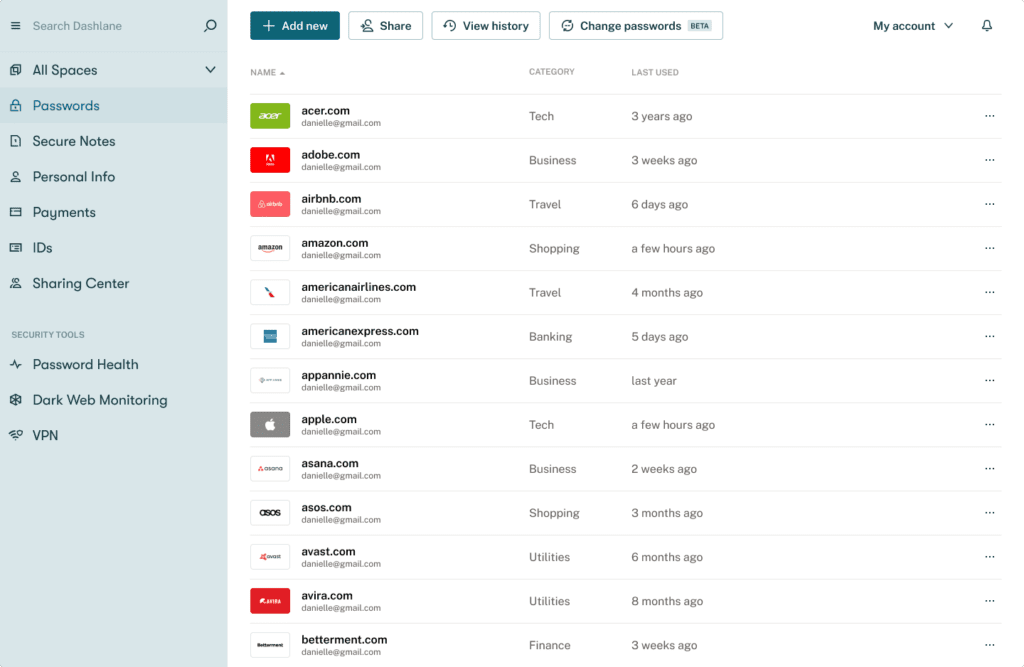
Dashlane's official personal pricing page displays Premium and Friends & Family plans, with annual billing, unlimited credentials, sharing, dark-web monitoring and a VPN benefit for Premium or the family plan manager. Plan prices can vary by region and subscription term; verify the charge shown in Dashlane's live checkout before purchasing. Verify the currency, tax and annual charge directly in the live checkout. The table describes documented public plan positioning, not a tax-inclusive personal quote. Official pricing page. Dashlane Premium pricing should be confirmed for the buyer’s region and renewal term before assigning value to the bundled VPN.
| Plan | Published reference | Who it is intended for | What to confirm |
|---|---|---|---|
| Premium | Official price varies by checkout | One user's vault with dark-web monitoring and VPN | Confirm region, billing term and available phishing tools |
| Friends & Family | Official price varies by checkout | Up to ten members with shared management | VPN entitlement is limited to the plan manager |
| Business Password Management | Request current business pricing | Team credentials, roles and administrator tools | Confirm seat minimums and whether Omnix features are separate |
| Credential Protection / Enterprise | Vendor quote | Additional phishing risk and business controls | Separate licensing, supported endpoints and policies |
🌐 Dashlane password manager: web-first architecture
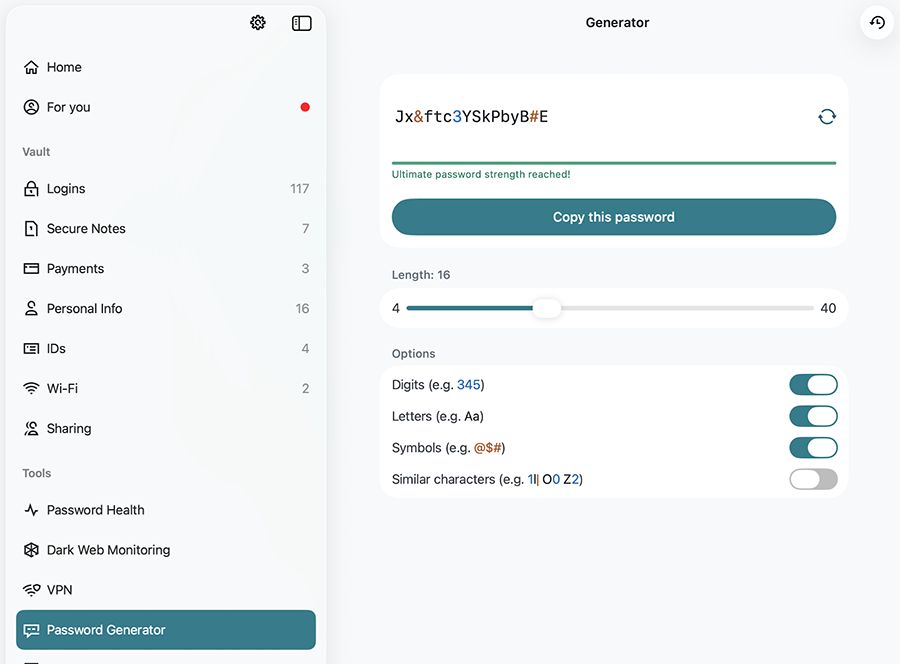
Dashlane's current desktop workflow centers on a browser extension and the Dashlane web app. The extension handles quick saving, generation and autofill; the full web view manages vault items and security information. A buyer accustomed to a standalone desktop app should understand this split before switching. What feels like one product may involve several browser permissions and operating-system settings. The Dashlane web app and browser extension divide everyday autofill from wider vault management, which should suit a user’s actual workflow.
Try an ordinary login, a second account at the same website and a protected note in the extension, then open the web app to edit the same records. A web-first experience can be efficient when the browser is your workspace, but it is important to check the intended privacy mode and company-managed browser policies.
🧭 A realistic first-day setup
Begin with a trial set of fictional website accounts and a fresh browser profile. Install the official extension, pin it where users can find it and save one login from a permitted website. Check whether the browser's own password manager still prompts to store passwords. Two independent save prompts can create confusion during migration.
Next, open the vault and verify that the URL, username and notes were retained. If the same domain has two accounts, confirm that Dashlane shows the correct choice instead of overwriting the first. A successful import should leave users with the right login URLs and accounts, not merely a confirmation message.
🔑 Passwordless account options and the master password
Dashlane's materials describe passwordless sign-in options for eligible new users alongside more conventional master-password accounts. These are not necessarily interchangeable account modes for every existing subscriber. Ask which setup is available to you, what authenticates a new device and which recovery procedures are supported. Dashlane passwordless login recovery is not the same process for every account type, making setup eligibility important.
For master-password users, the vendor explains that it cannot simply send the password back after it is forgotten. That makes recovery planning important before moving critical accounts. Quick daily unlocking does not replace a documented account-recovery method when the original device or credentials are lost.
🖥️ Browser extension behavior and limitations
Dashlane supports mainstream browsers, but feature availability can differ. The vendor's documentation notes limitations in Safari for some phishing features and autofill cases, while mobile devices use native apps rather than the desktop browser extension. An organization with a mix of Safari, Chrome and managed Chromium environments must test all of them. Dashlane browser extension compatibility deserves a separate check for every managed browser in the organization.
Use the same fictitious credential on each browser and observe whether the extension suggests it for the correct URL. Disable the extension briefly and see what happens to the user's fallback sign-in method. The more customized the browser environment, the more valuable a compatibility checklist becomes.
🛂 Passkeys and compatible websites
Dashlane supports passkeys for compatible websites and clients, helping reduce reliance on reusable passwords. Its 2026 materials also describe support for some linked-domain passkey cases. This is a promising convenience but does not eliminate differences between operating systems and relying sites. Dashlane passkey support 2026 should be confirmed on the website and operating-system combination used for important logins.
Try one passkey on a low-risk test service. Can the user sign in after changing phones or switching browsers? Is there a secure recovery method if the manager is unavailable? Keep the site's fallback and account recovery options documented; an untested passkey migration is not a guarantee.
🪝 Autofill safety and lookalike pages
Autofill is convenient precisely when people are rushing, and that is when a fake login page can be persuasive. Dashlane's extension provides website-aware filling and published phishing-warning features, but its behavior depends on plan, browser and the type of risk. A warning should not become background noise that users automatically dismiss.
Test a legitimate URL and a different test domain with fictional credentials. Note whether the extension proposes the same login and whether a warning is present. Treat the exercise as functional validation, not a claim that every phishing attack would be detected.
🚨 Phishing alerts: which level is included?
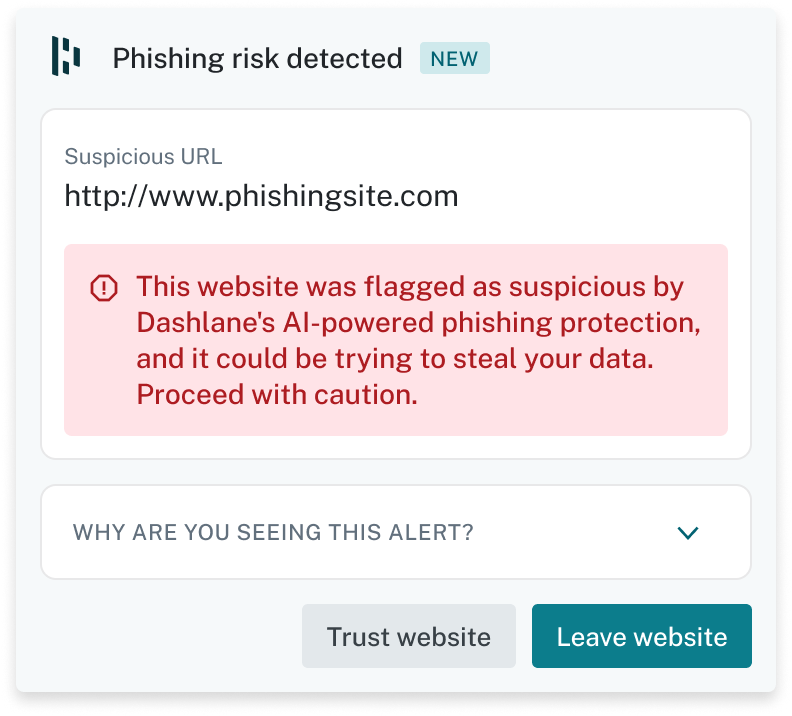
Dashlane distinguishes warnings for fake Dashlane websites, vault-related phishing alerts and broader AI-based phishing detection on particular business plans. In its May 2026 documentation, these protections are listed with differing plan eligibility. Do not assume that every illustration on a business landing page is included in the consumer Premium subscription. Dashlane phishing alerts browser support varies by warning type and platform, so a feature shown in Chrome should not be assumed to work identically in Safari.
During a purchase review, make a small matrix showing the exact alert, browser and edition. If a company wants credential protection beyond the stored vault, verify whether Dashlane Omnix or a separate license is required and how the tool handles false positives.
🕵️ Password Health as a maintenance workflow
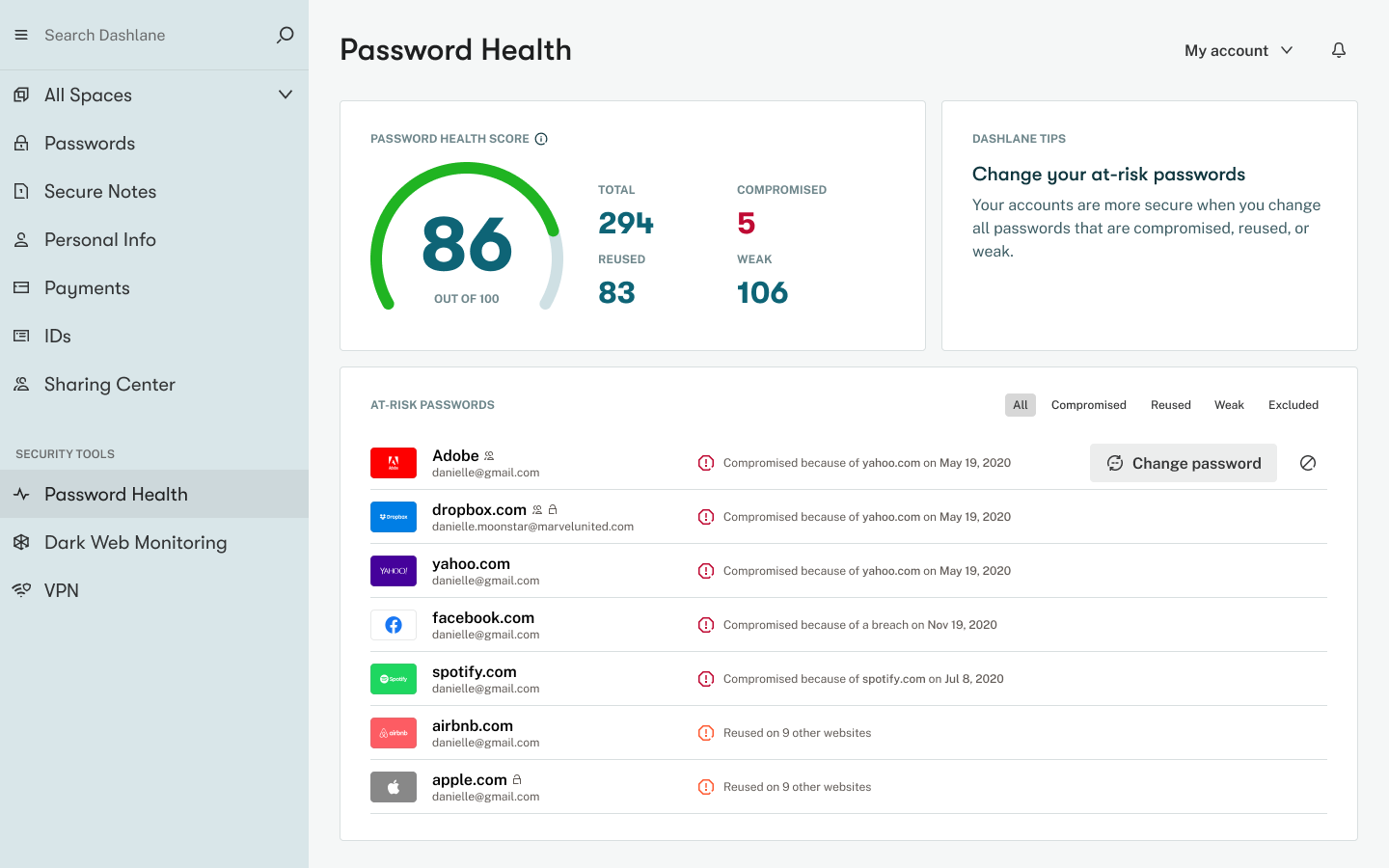
Password Health can surface reused, weak or exposed credentials, but it is not a score to admire once a quarter. A report should drive an ordered cleanup of the accounts that matter most. Email, primary cloud accounts and finance logins should generally come before seldom-used memberships. The Dashlane Password Health dashboard is most valuable when the user follows through by changing affected credentials.
Choose a small number of test warnings and work through the correction process. Does the employee know which website to open, which credentials need changing and whether two accounts share the same password? A successful dashboard interaction is not proof of repaired security until the affected login is updated.
🌑 Dark Web Monitoring and its limits
Dashlane offers dark-web monitoring as part of eligible paid plans. The service can identify exposure connected to monitored information and prompt users to change a credential or investigate a breach. It cannot guarantee that every leak is detected or that a password remains safe simply because no alert appears. Dashlane dark web monitoring can trigger useful remediation, but the absence of an alert cannot prove an identity is safe.
Ask what identifiers are checked, how alerts are sent and how the user verifies a legitimate notification. For a family, decide who receives alerts and how the relevant person can update the compromised service. Monitoring is the start of a response, not the response itself.
🔒 VPN included with Premium
The consumer Premium plan includes a VPN benefit, and the Friends & Family page indicates that the plan manager receives the VPN rather than every family member. A bundled VPN can be convenient for someone who would otherwise buy one, but it should not be valued at the price of a separate service unless it meets their needs. The Dashlane VPN included with Premium should only count as a saving if it can replace a separate service the buyer already needs.
Check supported devices, usage limits and the current terms of the VPN entitlement. People who already use a trusted VPN may gain little from the bundle. A password manager should be selected for its vault and protection qualities before a bonus VPN decides the purchase.
👨👩👧 Friends & Family for up to ten
Dashlane Friends & Family is marketed for up to ten people, which can be attractive for a larger household. The useful question is how each member's private logins stay separate while selected credentials can be shared. The administrator should not automatically receive every personal password just because they pay the subscription. Dashlane Friends & Family accounts need independent sign-ins and a clear sharing policy rather than one common vault password.
Invite two test members and share one fictional household account. Then remove one member and confirm how their access changes. A low apparent cost per person is less valuable if nobody understands the invitation or recovery process.
📨 Secure sharing and recipient boundaries
Password sharing should be explicit, limited and reversible where supported. Sending a password in an ordinary email creates an uncontrolled copy; sharing through Dashlane's tools can provide a more structured way to manage access. The recipient still has responsibility for their endpoint and could record material after receiving it.
Distinguish a one-time exchange from long-term shared access. A family streaming login and a contractor's temporary website credential should not use identical permissions or expiry expectations. A product's share button does not remove the need for the business to decide who may use the secret.
🧑💼 Dashlane business administration
Dashlane's professional products include password management and more extensive credential protection capabilities. Business administrators may need provisioning, activity reporting and policies for managed browsers. The product packaging can change, and an enterprise demo may illustrate features outside the chosen edition. Dashlane Omnix business pricing should be separated from ordinary personal Premium subscriptions when comparing enterprise protections.
Before sending employee invitations, define which data is company-owned and who can revoke access. Run an onboarding test for a contractor and an offboarding test after a simulated role change. The audit history and policy enforcement are more important than a beautifully styled member list.
🔗 SSO, SCIM and enterprise dependencies
Dashlane business materials describe single sign-on and directory provisioning features, but implementation depends on the specific plan and chosen identity provider. SSO can simplify employee access while creating a different failure mode if the identity provider is unavailable or misconfigured. Plan for both the normal login path and administrator recovery.
Test a person who changes departments, not just a new hire. Their access should follow their authorized role. Document how the system handles directory deletion, suspended accounts and old shared credentials. An SSO demonstration is not complete until removal is verified.
🧱 Dashlane security: zero-knowledge encryption and device risk
Dashlane explains that vault data is encrypted locally under a zero-knowledge model. The security architecture also describes protections around device trust and server processing. Those statements are worth reading, but they are not a promise that an unlocked laptop, malicious browser extension or phishing site can never expose data. Dashlane zero-knowledge encryption is relevant to vault storage, but it cannot secure an already compromised browser session.
Separate threats in the review process. A server data theft, an employee clicking a fake payment page and an infected workstation require different defenses. Encryption helps one part of that picture; careful permissions, updates, browser security and user training address the rest.
📱 Mobile app and on-device autofill
On a phone, Dashlane relies on the operating system's autofill integration and its own mobile app, not the desktop browser extension. Some users will find this smoother than a browser-first approach; others need to adjust system settings to make it the preferred password provider.
Try logging in to a mobile app, not just to a website. Verify that updates saved on the phone sync to the web vault and that a second device can retrieve the same record. Lost-phone recovery needs to be documented without keeping all the information exclusively on the phone.
📤 Importing an existing password collection
A migration from Chrome, Safari or another manager can be fast, but imported records may contain duplicate titles, stale websites and passwords that were never unique. Do not use a bulk import as proof that the vault is clean. Begin with a small fictional dataset containing notes, two logins at one domain and a nonstandard custom field.
Check which records transfer correctly, and handle any exported CSV as sensitive plaintext. Attachments, passkeys or sharing permissions may require additional work. Keep the old manager available through a controlled cutover, then remove insecure temporary files.
💵 Pricing without a verified number
Dashlane lists Premium and Friends & Family, with the amount payable determined by the country, currency and subscription term selected at checkout. For the current Dashlane price, select your country, currency and billing term on the vendor’s pricing page.
Include the full annual charge, renewal terms and the value of the VPN only if you will use it. Compare the family plan with the cost of separate subscriptions for the same number of people. Keep professional licensing separate because it serves different administrative needs.
🔍 Is the phishing protection really worth it?
For a consumer who frequently encounters convincing phishing emails, an extra warning near the browser login flow may be valuable. Yet warning fatigue matters. If every unfamiliar website produces an alarm, people may learn to dismiss alerts. The goal is an actionable signal that helps avoid entering a secret into the wrong domain.
Ask which warnings work in the user's browser and on the selected plan, and review real vendor examples rather than treating a feature label as an effectiveness measurement. No independent detection-rate benchmark is claimed in this review.
🧪 Seven-day Dashlane trial workflow
On day one, configure the official extension with a few fictional items and save recovery materials. The next two days should cover ordinary autofill, a second account on one website and mobile use. Then inspect password health, try secure sharing and review eligible phishing alerts.
Before the trial ends, simulate an unavailable browser, export your test entries and confirm the actual price after any introductory period. For a family, include an invitation and member removal. The intended outcome is a documented decision about fit and access control, not a fabricated performance score.
⚠️ What Dashlane may not be best at
Dashlane is not the obvious first choice for someone who wants to run their own open-source vault infrastructure. Bitwarden offers more relevant self-hosting options. A person who already has a separate VPN and phishing stack may also find the bundle less compelling than a lower-cost manager.
On the other hand, an individual who values security alerts directly inside the password workflow may prefer Dashlane. The comparison should focus on which features reduce actual risky behavior, not an assumption that more extras always mean better protection.
📌 Case study: a busy recruiter facing convincing fake sign-ins
A recruiter opens dozens of links every day from job boards, external calendars and document-sharing services. Some look almost identical to genuine company login pages. Dashlane phishing alerts may provide another checkpoint near the browser workflow, but they cannot eliminate the need to inspect domains and reject unexpected requests. The practical value of a phishing warning is that it stops a user before a password is entered on a fraudulent domain.
Test with a small set of harmless example domains rather than real credentials. Look at which Dashlane warning categories are included in the purchased plan and whether the preferred browser supports them. Then teach staff what action to take: close the suspicious tab, navigate from a trusted bookmark and report the link. A warning without a procedure is easier to ignore.
🌑 Responding to a dark-web monitoring alert
Receiving an alert about a possibly exposed login can be unsettling. The safe response is to identify the affected account, navigate to it through a known-good URL, replace the compromised password and investigate related accounts that reuse similar credentials. Dashlane Password Health can help prioritize that cleanup, but the service cannot make the decision for every bank, company portal or email provider.
Create a simple incident checklist before relying on the dashboard. Who receives the email? How will they know the notification is genuine? Which accounts are high-impact enough to change immediately, and where are their backup codes stored? A consumer with a handful of accounts and an enterprise administrator need different levels of documentation, but both benefit from turning warnings into actual repairs.
📱 Compatibility test for a mixed-device household
A family might use Windows and Chrome at work, Safari on a Mac at home and Android phones for everything else. Dashlane's web-first design can serve this mix, but not every security tool is implemented identically across browsers. Some Dashlane phishing features are listed as unavailable in Safari, which is a material limitation for a household whose main computer uses that browser.
Before buying Friends & Family, ask every member to test a login and password update on their own device. Check the mobile autofill settings and the browser extension's supported features. An organized household should be able to explain why a warning appears on one computer but not another. Do not purchase a ten-user plan based only on one person's successful Chrome demo.
💳 Bundles, VPN value and the price you can verify
Dashlane Premium includes a VPN benefit according to the current plan matrix, but that benefit should only influence the purchasing decision if the user actually needs it. Someone already using a trusted VPN might prefer a lower-cost password manager and keep separate privacy tools. Family members should also note that the family VPN entitlement is not presented as a separate subscription for every user.
The current site did not expose an extractable price from its dynamic checkout, so the only responsible comparison is a pricing framework rather than a fabricated number. Collect the annual quote in your currency, the renewal terms and any business-seat minimums. Evaluate the vault, warnings and family sharing before assigning monetary value to bundled extras. If the cost is unclear, ask for clarification before providing payment details.
🧪 What the browser-first design means during an outage
Suppose a user arrives at a hotel with an unreliable connection and needs to sign in to a booking account. Dashlane's browser-first desktop experience is designed around the browser extension and web app, which is not the same as planning for every offline circumstance. Rather than guessing, ask the vendor which items can be accessed without connectivity on the exact device and plan being purchased. Then rehearse the scenario with an innocuous login while still at home.
A business has a similar problem when its identity provider or browser management service is unavailable. Employees might be able to unlock cached credentials yet be unable to enroll new devices or update shared policies. Document the fallback route for critical accounts and protect it separately. An offline-access check reveals whether an internet outage would block the accounts needed to keep working.
🏁 Dashlane verdict and buying checklist
Dashlane's strength is the combination of a password vault with protection prompts, monitoring and a consumer VPN benefit. Its biggest buying questions are the real annual checkout cost, which browser-specific alerts are available and whether the user's device mix fits a web-first product.
Choose Dashlane when the entire workflow makes sense for you. If a simple free vault would cover the need, the extra subscription may not be justified. If team governance is the issue, request a business quote and verify its controls before connecting the product to real employee identities.
⚖️ Dashlane vs Other Password Managers
| Product | Key differentiator | Best initial fit | Main question |
|---|---|---|---|
| Dashlane | Security-health tools, phishing protection and VPN bundle | Consumer wanting security extras | Will the extensions and bundled tools be used? |
| 1Password | Secret Key, Travel Mode and family vaults | Premium family or business | Does it offer a simpler everyday flow? |
| Bitwarden | Open source, strong free edition | Cost-sensitive individual or technical team | Could free or Premium cover the real need? |
| Proton Pass | Hide-my-email aliases and privacy ecosystem | Alias-heavy online identity | Is address separation the priority? |
Dashlane's distinct pitch is protection around the password workflow, especially warnings when a login may be at risk. 1Password emphasizes vault experience and account recovery; Bitwarden emphasizes low cost and an open-source approach; Proton Pass emphasizes email aliases. A practical trial should compare warning accuracy, ease of correcting risky accounts and the real first-year bill, not just count headline features. A focused Dashlane vs Bitwarden comparison should also include device recovery, sharing boundaries and first-year cash cost.
🧪 Security and Recovery Acceptance Checklist
| Area | Acceptance test |
|---|---|
| Browser support | Compare autofill and phishing-warning availability in the exact browsers your team uses |
| Phishing signals | Check which alert categories are included in the chosen personal or business edition |
| VPN entitlement | Confirm who receives the bundled VPN under Premium or Friends & Family |
| Password Health | Trace a reused-password warning to the actual account requiring an update |
| Renewal quote | Record checkout currency, annual cash charge and the expected renewal without assuming a promotion |
| Passwordless recovery | Document the supported login and recovery path for the specific account type |
🔎 Sources, Method and Evidence Boundaries
Sources for this review: official product guidance, published prices and editions, and vendor security or help material. These pages describe Dashlane editions and security features. Browser-dependent warnings need verification in the chosen plan; no paid-account phishing-detection benchmark is represented as completed.

Frequently Asked Questions
Is Dashlane still a desktop app?
Dashlane now centers its desktop workflow on the browser extension and web app instead of a traditional standalone desktop client.
What is Dashlane Premium pricing in 2026?
The public site did not provide a reliably extractable USD price in this check. Verify your region, currency and billing term on the official Dashlane checkout rather than relying on a guessed figure.
Does Dashlane include a VPN?
The consumer Premium page lists a VPN benefit. On Friends & Family, published terms indicate the plan manager receives it. Check current service conditions.
How many people can use Dashlane Friends & Family?
The published plan describes up to ten accounts. Sharing, family roles and VPN benefits should be reviewed separately.
Does Dashlane protect against phishing?
Dashlane offers several phishing-alert types with different plan and browser requirements. No product detects every fraudulent site.
What does Dashlane Password Health do?
It identifies some weak, reused or exposed credentials to help users decide what to change first. The warning does not rotate the password automatically.
Does Dashlane offer passkeys?
The vendor supports passkeys on compatible services, browsers and devices. Migration and recovery need separate testing.
Can Dashlane work without a master password?
Eligible newer account setups may support passwordless access. Availability and recovery procedures depend on the current account model.
Is Dashlane zero knowledge?
Dashlane describes local vault encryption and a zero-knowledge model. This does not replace endpoint protection or phishing awareness.
What is Dashlane Omnix?
Dashlane’s broader business credential security offering, which may include capabilities beyond a standard personal subscription. Ask for the specific edition and licensing.
Is Dashlane better than Bitwarden?
Dashlane is attractive for monitoring and bundled security extras; Bitwarden is compelling for free access, open-source flexibility and self-hosting. Pick by the actual workflow.
📚 Related DigiOffly Guides and Selection Tools
Browse the Security & Privacy hub, explore VPN research and use our Software Cost Calculator to compare subscriptions. Related reviews are linked only after publication.
Password-health and phishing alerts are not a complete device-security plan. Our Malwarebytes review explains browser and malware protection; ESET is another option for people comparing whole-device security suites.
EXPLORE NEXT ON DIGIOFFLY
Explore More on DigiOffly
Continue with related, already published software research.
Security reading
- Security & Privacy
- VPN Deals
- AI & Tech
- Hosting & Websites
- 1Password review — Compare business security and shared vault controls.
- Bitwarden review — Review low-cost encrypted password storage.