

Editorial source check: Official Bitwarden pricing, product and support documentation reviewed October 28, 2026. Screenshots are captures of public vendor webpages, not authenticated private account tests. Check live vendor plans.
Bitwarden offers an encrypted vault for individuals and managed shared collections for organizations. The key differences emerge in account recovery, administrator permissions and the subscription required for each workflow. The central choice is whether you want a capable free password manager, inexpensive premium extras, or administrative controls for a team. Each of those customers will experience a different version of the product.
This Bitwarden review focuses on how the software behaves according to its published documentation: vault organization, autofill, emergency access, passkeys, exports and account recovery. It also examines the risks that a low subscription price does not remove. For example, an unlocked laptop can expose a vault even when the server never sees its plaintext. A plaintext CSV left in Downloads can expose every exported login, regardless of how securely the original vault was encrypted.
📊 Bitwarden Review 2026: Summary
Editorial verdict: Bitwarden is a compelling value for independent users because its free edition includes unlimited devices and vault entries. Premium adds tools that make sense for families and security-conscious users; business editions introduce access management. The trade-off is that some recovery and self-hosting decisions require greater care than a quick-install pitch suggests.
🏆 EDITORIAL FIT: Open-source flexibility, a strong free tier and optional self-hosting
Best for: Individuals who need unlimited vault sync, technically confident households and teams that value transparent implementation options
Consider a different manager if: Someone seeking a completely hands-off enterprise deployment or preferring a managed recovery experience without configuration
💰 Bitwarden Pricing and Plan Comparison
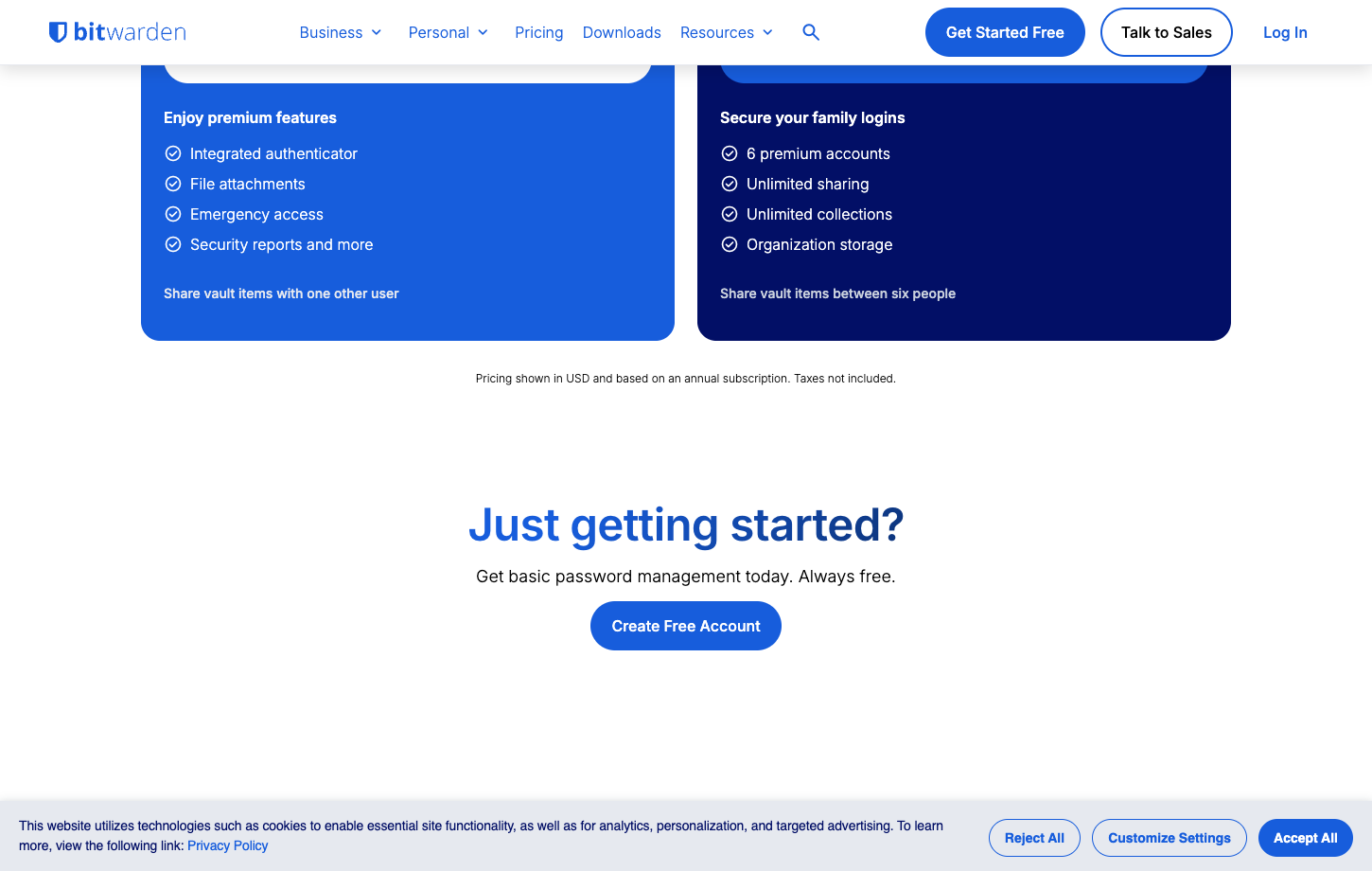
The official US pricing page lists Free at $0, Premium at $1.65 per month billed at $19.80 annually, Families at $3.99 per month billed annually for up to six users, Teams at $4 per user per month billed annually, and Enterprise at $6 per user per month billed annually. Do not confuse the personal subscription with the business team plan. The table describes documented public plan positioning, not a tax-inclusive personal quote. Official pricing page. Bitwarden Premium pricing makes most sense when the additional reports, authenticator and emergency options solve a specific need.
| Plan | Published reference | Who it is intended for | What to confirm |
|---|---|---|---|
| Free | $0 | Unlimited credentials and device sync | Premium reports, integrated TOTP and certain storage features require upgrade |
| Premium | $1.65/month annual equivalent | Single-user premium vault and reports | Annual charge $19.80; not a monthly cancellation promise |
| Families | $3.99/month annual equivalent | Six premium accounts with family sharing | Separate personal and organizational ownership |
| Teams | $4/user/month annual equivalent | Business sharing and directory controls | Calculate seat minimum and admin overhead |
| Enterprise | $6/user/month annual equivalent | Broader enterprise controls and SSO | Verify policies, provisioning and self-hosting needs |
🔐 Bitwarden password manager: what it protects
Bitwarden stores credentials, notes, cards, identities and increasingly passkey-related items inside a vault. Its client applications aim to keep that material encrypted until a permitted device unlocks it. Understanding the boundary matters: a vault can protect stored information from the server operator, but it cannot undo a password already entered into a fraudulent website or secure a computer infected with malware. Bitwarden Free password manager users still need to distinguish secure storage from protection against malware on an unlocked device.
Before you begin, identify which logins you would most regret losing. Email, cloud storage and banking accounts deserve stronger recovery planning than a retail newsletter. Bitwarden can hold the record, but the user still decides which accounts have multi-factor authentication and where recovery codes live.
🧭 The first hour with the web vault
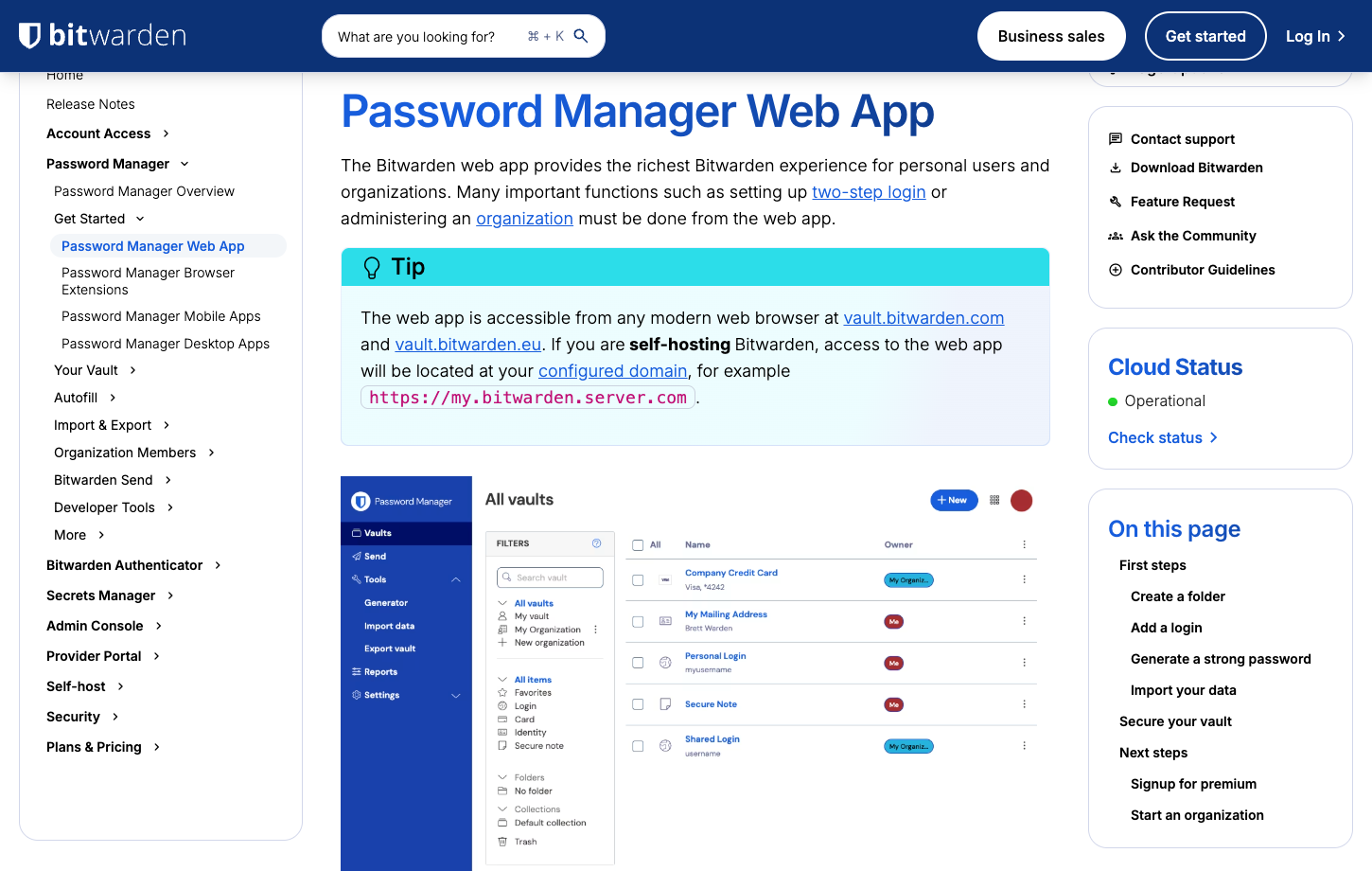
Bitwarden web vault and browser extension users encounter different interfaces for the same records. In the web app, folders and item types help organize entries; in the extension, the current website becomes the focus. Two sample logins on one website reveal whether Bitwarden consistently offers the intended username. A separate lookalike test domain shows whether domain matching limits inappropriate autofill. Confirm that the correct URL is stored rather than assuming the display name identifies the login.
Keep a short migration journal. Note where Bitwarden requests the master password, whether the browser's original password save prompt still appears and how new entries synchronize. A small number of controlled examples can expose confusing habits before a large import turns them into hundreds of inconsistent entries.
🔑 Master password and account recovery
Bitwarden's zero-knowledge model makes the master password meaningful. Losing it is not comparable to resetting the password on a conventional forum: some recovery routes depend on advance account configuration or organizational policies. Read the current account recovery guidance before importing irreplaceable data. A backup that relies exclusively on the same lost device is not a recovery plan.
Pick a unique, memorable master password and secure the account with supported two-step login. Document the exact recovery code location and test that you can sign in from an authorized second device. Do not keep the only copy of a recovery code in a note that requires the locked account to read.
🖥️ Desktop app versus browser extension
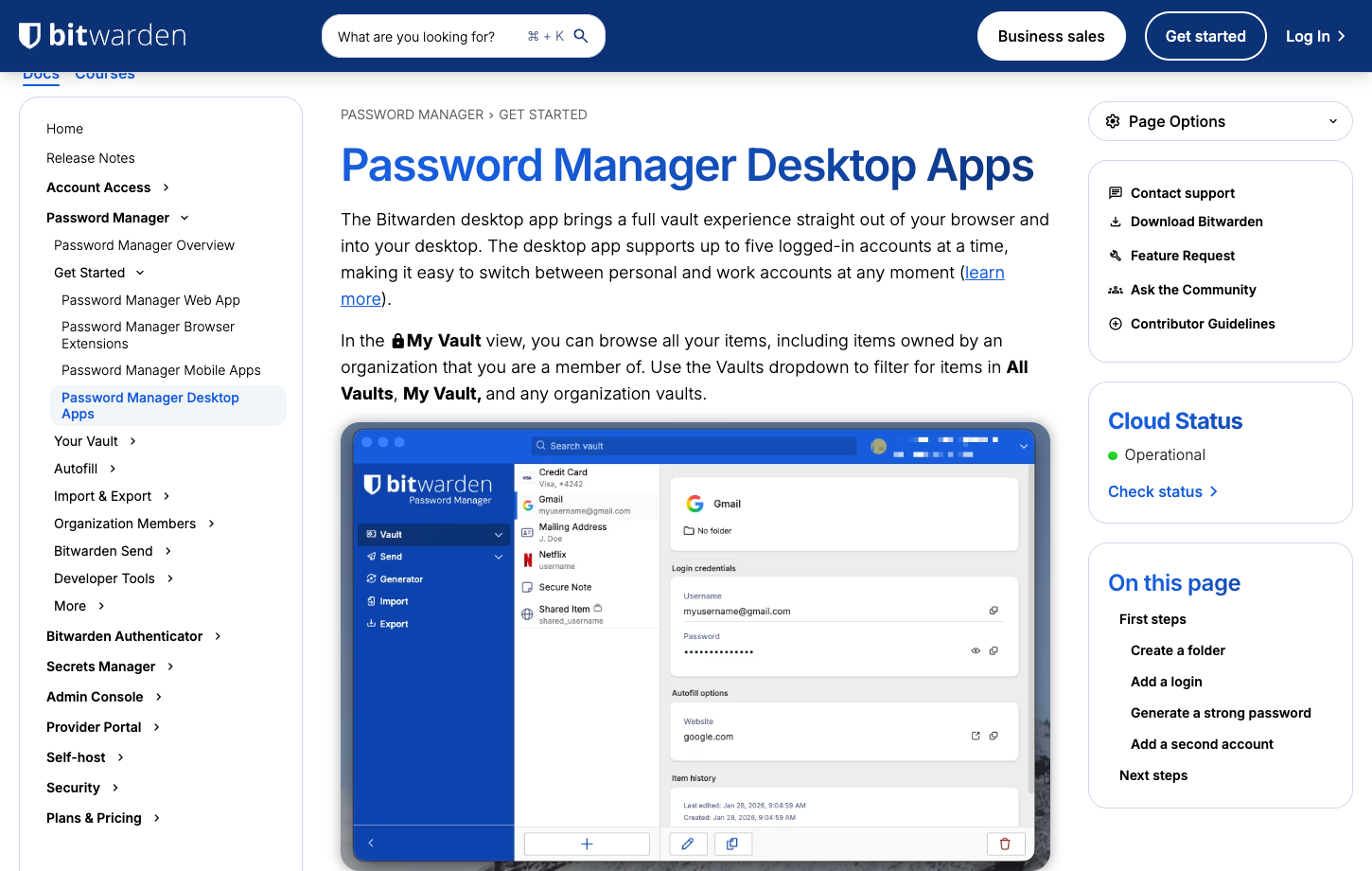
One of Bitwarden's strengths is the availability of native desktop, mobile and browser clients. Yet they do not all present identical settings. A user can unlock the desktop app by biometrics on an eligible system while a browser extension has its own session and autofill controls. Confirm how long each client remains unlocked and whether changes made in one appear in another. A Bitwarden browser extension can be convenient for frequent logins, but its lock settings should be checked independently of the desktop app.
For families, that distinction matters on a shared home computer. A personal vault should not remain available after another family member takes over the browser. For work accounts, it matters when a managed laptop locks its screen but a browser profile still holds an unlocked extension. Test timeout behavior rather than trusting the device's default.
🛂 Passkeys and the shift beyond passwords
Bitwarden supports storing and using passkeys with compatible sites and clients. A passkey does not travel through the same process as a manually copied password, so a migration can leave a user with a login that works only on the old device or ecosystem. Test creating a passkey on a low-risk site, then signing in from the mobile app and another desktop browser. Bitwarden passkey support is worth evaluating across two devices before migrating an account that no longer uses a traditional password.
When a website still offers a password fallback, keep it unique and strong. When it is passkey-only, verify the site's recovery options before deleting the previous authenticator. Bitwarden passkey management deserves a practical cross-platform check rather than a claim that all passkeys are instantly interchangeable.
🛡️ Autofill and domain matching
The question is not whether Bitwarden can fill a login, but whether it refuses the wrong destination. Look at the domain matching options and how users can set exact URLs for sensitive sites. An autofill prompt on a familiar-looking phishing domain should not be treated as harmless convenience. Employees who log in to many tools are especially likely to click through visual similarities.
During a pilot, compare the extension on a real site and a test page with a deliberately different host. Confirm that no credential is suggested when the match is inappropriate. This tests configuration and judgment; it is not a laboratory phishing resistance score.
🗂️ Folders, collections and ownership
Folders are a personal organizing aid; collections belong to the organizational sharing model. Confusing them can lead to an awkward surprise when someone expects a folder to be shared automatically. Set up a fictional household account in a collection and keep a private banking entry in the personal vault. Invite a second test user and inspect exactly what they can see.
For a team, decide who owns a credential after the employee who created it leaves. Shared business credentials should not live only in a departed staff member's private space. Bitwarden organizations provide ownership and role concepts that deserve careful configuration before a rollout.
👨👩👧 Families plan and six-user economics
Bitwarden Families covers up to six separate premium accounts with optional shared collections. Members retain their own private vaults rather than logging in through one household master password. The Bitwarden Families plan is intended for separate individual accounts with selected shared collections, not one household-wide master login.
Try adding a child or relative who is less comfortable with password managers. Can they accept an invitation, find the shared household login and avoid accidentally moving private records into the shared organization? A family password manager needs to work during stressful moments, not only for the person who reads all the instructions.
📤 Bitwarden Send is not a vault invitation
Bitwarden Send is designed for time-limited encrypted sharing of text or files, with restrictions chosen by the sender. Persistent team access belongs in an organizational collection instead. The distinction matters for a one-time Wi-Fi password or a temporary secret sent to a contractor. A Send link should expire or become unusable according to the intended scope. Bitwarden Send secure sharing is better suited to a time-limited exchange than ongoing access to a managed team vault.
Check size, access, expiry and any plan-specific file requirements before replacing a secure collaboration workflow with Send. A copied link can still be forwarded by the recipient, and a recipient can record information after decrypting it. Encryption during transfer does not mean the sender controls every subsequent copy.
💳 Premium reports and TOTP authenticator
Premium includes vault health reports and an integrated authenticator for time-based one-time passwords. Reports can help locate reused or exposed passwords, but an alert is useful only if someone fixes the affected website. After an import, prioritize the email account, financial logins and administrator access before spending time changing every low-risk newsletter password. The Bitwarden integrated authenticator reduces daily friction, although some critical accounts may still warrant a separate second-factor device.
Putting a site's password and its one-time code in the same vault simplifies logins but reduces the separation between factors if that vault is compromised. A separate authenticator may be appropriate for the most sensitive accounts. This is a security-policy decision, not evidence that Bitwarden's built-in authenticator is defective.
🚨 Emergency access before it is needed
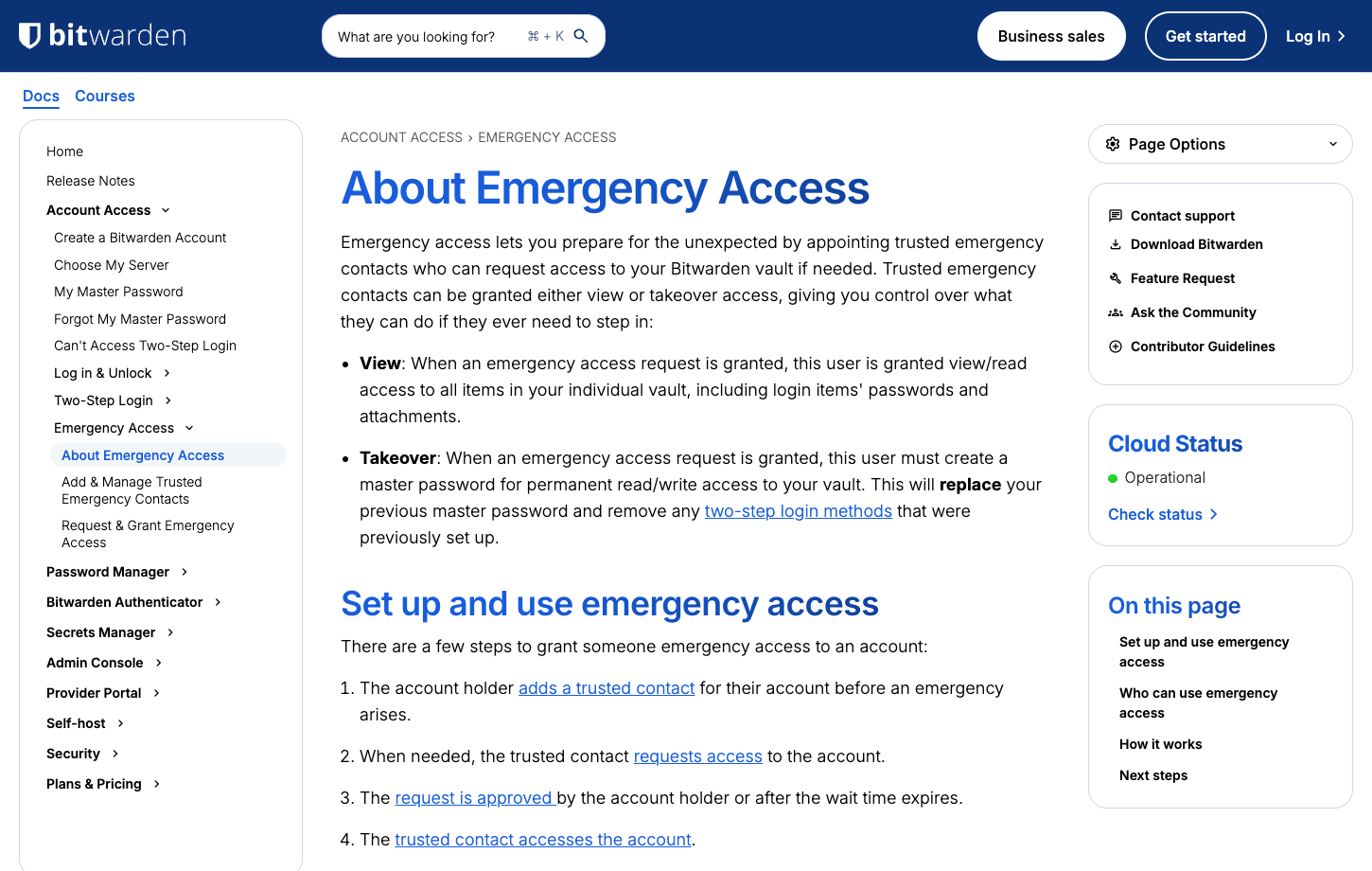
Bitwarden emergency access lets a designated trusted contact request access under configured rules and waiting periods. The important control is that the owner sets it up while still available. Waiting until a crisis to ask how emergency access works is too late. Test with two willing accounts and a long waiting period rather than using a real emergency. Bitwarden emergency access setup should be completed before a crisis, with the trusted contact and waiting period understood in advance.
Explain to the contact what access means and how to protect their own account. A trusted contact with compromised email or a weak login could undermine the plan. Keep an independent inventory of accounts that need special procedures, such as financial institutions or business-owned services.
📋 A realistic import from another manager
A CSV import can bring many website credentials across quickly, but CSV is often plaintext. An exported CSV may contain readable passwords. Store it only in a protected temporary location, never send it by email or to an unknown converter, and remove the plaintext copy after verifying the import. In a test, include a note, a URL with a nonstandard subdomain and two usernames for one website. Inspect those records after import before declaring the migration finished. A Bitwarden CSV import deserves a record-by-record check for URLs, notes and custom fields before deleting the previous vault.
Attachments, custom fields, passkeys and folder relationships may need special handling or may not transfer identically. Importing an item count is not the same as preserving its meaning. Maintain a secure fallback until each essential login and recovery method works.
🏢 Business vault controls and role design
Bitwarden Teams and Enterprise add administrative concepts that are irrelevant to an individual but critical to an employer. Who can create collections, grant access, view events and remove a user? A shared credential may need to remain operational when an employee resigns, while personal vault entries should not become a manager's default property. A Bitwarden Teams vs Enterprise comparison should emphasize policies, identity integration and governance rather than the number of stored passwords.
Use a fictional onboarding and offboarding scenario. Grant a contractor access to one project, confirm they cannot browse unrelated items, then remove them and rotate affected passwords. Review which event-log and directory functions require a particular edition. A business password manager should make the least-privilege process repeatable.
🔄 Directory synchronization and provisioning
Directory synchronization must remove access when an employee leaves or changes roles; a successful initial user import proves little about that offboarding behavior. Bitwarden supports organizational synchronization and provisioning options depending on plan. Evaluate group mapping, new-user invitations, service-account ownership and what happens when directory synchronization pauses.
If the organization uses SCIM, test a user who moves between departments rather than only a new hire. A member transferred from finance to marketing should not keep both groups' vault permissions indefinitely. Write down the source of truth for membership before connecting systems.
🏠 Self-hosting: autonomy with chores
Bitwarden self-hosting appeals to teams with specific infrastructure or compliance requirements. Running the server yourself changes responsibility for availability, patches, backups, certificates, monitoring and incident response. The client may look the same, but the operational workload is not. Self-hosting shifts responsibility for patching, monitoring, backup security and service recovery from Bitwarden’s hosted environment to the operator. Bitwarden self-hosting security depends on how carefully the operator maintains updates, backups and authentication.
Create a recovery rehearsal before trusting important vaults to a self-hosted instance. Can another administrator restore a backup without the original engineer? Are email invitations and authentication integrations included in that plan? Compare the cost of monitoring and after-hours support with the official hosted subscription.
📱 Mobile autofill and device loss
Mobile operating systems control the autofill framework, and an apparently missing suggestion can be caused by permissions rather than a broken vault. Bitwarden users should confirm which app is selected as the password provider, whether biometric unlock is enabled and how the device lock protects a signed-in session. Avoid repeatedly entering a master password into unexpected prompts.
Lost phones are the practical test. The owner needs another approved method to access the account, recovery codes stored safely and a plan for revoking an old session where supported. A mobile test should include switching networks, locking the phone and recovering access when the original device is unavailable.
🧱 Bitwarden security: open source, audits and threat models
Bitwarden's open-source posture makes parts of its design inspectable and invites scrutiny. That is valuable, but an individual buyer should not assume an open repository means every deployed client or third-party integration has been independently audited on the day they sign up. Read the vendor's published security material and the scope and date of available assessments. Bitwarden zero-knowledge encryption protects vault content under the described model, but it does not eliminate phishing or endpoint compromise.
Consider three different threats: a stolen company laptop, a phishing website and a breach of server-side encrypted storage. They require different controls. Source-code transparency can inform assurance, but strong endpoint security, phishing resistance and recovery planning remain necessary.
💵 First-year cost beyond Premium
At the published individual price, Premium is inexpensive compared with many competing subscriptions. A family of six has a straightforward annual fee, while a business with twenty employees should evaluate per-user Teams or Enterprise charges. The cash charge depends on the selected payment term and any additional storage or organization services.
Include implementation time: importing credentials, creating shared collections and teaching people not to store master recovery material in an unlocked email account. A properly configured free vault can address more real risk than paid features nobody enables. For a company, however, missing access controls can outweigh the individual price difference.
🧪 A seven-day Bitwarden evaluation plan
On the first day, create the account with a test dataset and secure recovery material. Over the next two days, evaluate desktop and browser autofill on ordinary and awkward websites. Then test a passkey, a shared collection and a timed device lock. By day five, you should know which functions require a paid upgrade and which are part of the free vault.
Use the final days to export your fictional records, rehearse an account-access problem and ask another person to locate the shared entry without guidance. Record the difficulties. The evaluation should lead to a documented buying decision without treating recommended exercises as completed laboratory tests.
⚠️ What the free plan cannot solve for you
Bitwarden Free is unusually capable, but it does not eliminate the need for a separate backup policy, a reliable second factor or an emergency procedure. Paid features such as premium reports can identify some weaknesses, but they cannot know every website's business context. A free-plan user must still review account ownership and password reuse.
The other limit is organizational. A free personal vault does not automatically provide the governance a multi-team company needs, and copying passwords among employees is not a substitute for formal sharing. Evaluate the business editions when the problem is administration rather than the number of passwords stored.
🔍 Where 1Password, Dashlane or Proton Pass may be better
A household that values a guided recovery experience and polished shared vaults may find 1Password more comfortable. A person who wants phishing monitoring and a VPN in one consumer subscription may prefer Dashlane. Someone using Proton Mail and many aliases may benefit from Proton Pass because identity separation is part of the daily workflow.
Those alternatives are not objectively more secure or less secure from an ordinary marketing comparison. Use the same accounts, devices and recovery exercise in each trial. Bitwarden’s strongest features have little practical effect if members keep sharing credentials by message or cannot recover access after losing a device.
📌 Case study: a freelance studio with shared client access
Imagine a small studio with two designers, an owner and a freelance contractor. It uses website builders, advertising accounts and shared project folders. The tempting shortcut is one spreadsheet of passwords sent to everyone. Bitwarden Teams can offer a more deliberate model: business-owned collections, named users and a defined process when a contractor's project ends. The value is not that passwords are encrypted in one more place; it is that access can be assigned to a specific role and reviewed.
During a test, create fictional credentials for two projects and invite a contractor only to the first. Have the owner rotate one shared secret, then revoke the contractor's access. Confirm that the organization still owns the project entries. Record whether employees understand the difference between their personal vaults and shared collections. If the team cannot describe that boundary, more administrator features will not solve the risk.
🔓 A lost-phone recovery rehearsal
A lost phone often reveals an unplanned dependency: the authenticator app, the password vault and the email used for recovery may all be on the same device. Bitwarden emergency access can contribute to a larger contingency plan, but it is not an instantaneous universal password reset. The account owner should already have recovery codes and a trusted device or contact procedure that does not depend entirely on the missing phone.
Design a harmless rehearsal with a separate browser profile. Can you sign in using the approved method without opening the lost device? Is the trusted contact properly authenticated? Has the emergency access waiting period been explained? A careful user may decide to keep hardware security keys and recovery instructions offline. The key is to prevent the recovery plan from becoming another single point of failure.
📥 Five things an imported CSV can get wrong
An apparently successful Bitwarden vault import can conceal errors: website URLs may not match, duplicate account names can be merged in the user's mind, notes may land in an unexpected field, some attachments may require a separate procedure, and passkeys may not move as ordinary passwords. Counting rows after import proves little about whether the right credential will fill on the right website.
Build a test file with a login for two subdomains, a username containing a plus sign, a long secure note, a fake card and a custom field. Import it, inspect every item and try autofill on an eligible test page. Once the process is understood, handle the real export as sensitive plaintext. Never send it to an untrusted file-conversion site simply because another vendor's field labels differ.
🧮 Choosing Premium, Families or a business seat
A single user could remain on Bitwarden Free for years if unlimited devices and credentials solve the problem. Bitwarden Premium price 2026 calculations change when integrated TOTP, emergency access, file attachments or reporting become important. Families is a separate decision: six independent accounts and shared collections are useful only if the household is willing to manage invitations and recovery. A business with several employees needs named roles and may justify a higher per-user edition.
Compare three annual scenarios rather than one monthly banner. First, a lone user with no paid extras; second, a family that shares household credentials; third, a small company with twenty managed users. Include the actual annual charge, any deployment work and the time to train the least technical person. The cheapest row on a pricing page is not necessarily the lowest-risk arrangement.
🏁 Final Bitwarden verdict
Bitwarden's practical advantage is its range: a functional free vault, affordable individual premium extras, family collections and a path into managed organizations. The core experience makes a strong case for people willing to learn how vault ownership, recovery and autofill matching operate. The same flexibility creates responsibilities for anyone running self-hosted infrastructure or advanced business policies.
Choose Bitwarden when those trade-offs fit the user. Delay a migration when you have not yet protected the master password, sorted out two-factor recovery or rehearsed how to leave the product. A password manager should reduce the number of risky improvisations in your life, not become another one.
⚖️ Bitwarden vs Other Password Managers
| Product | Key differentiator | Best initial fit | Main question |
|---|---|---|---|
| Bitwarden | Open source, robust free plan, optional self-hosting | Individual or technical team | Can you manage recovery and your chosen deployment? |
| 1Password | Polished vaults, Secret Key and Travel Mode | Household or managed team | Is the higher subscription justified by usability? |
| Dashlane | Password health, phishing monitoring and bundled VPN | Security-focused user | Will you use the additional protection suite? |
| Proton Pass | Aliases, Proton privacy suite and integrated TOTP | Privacy-first individual | How much alias management do you need? |
Compared with 1Password, Bitwarden offers a different balance of open-source visibility and administrative flexibility. Against Dashlane, its lower individual price leaves room to purchase complementary protection separately. Proton Pass puts email aliases closer to the center of the vault experience. These are design differences; neither an open codebase nor a higher fee proves the vendor is immune to attack. A focused Bitwarden vs 1Password comparison should also include device recovery, sharing boundaries and first-year cash cost.
🧪 Security and Recovery Acceptance Checklist
| Area | Acceptance test |
|---|---|
| Free vault access | Verify the same non-sensitive login on a desktop browser and a second phone without upgrading |
| Autofill matching | Compare two sample usernames on one site and a lookalike domain without submitting real credentials |
| Emergency contact | Configure a trusted test contact, inspect the waiting period and confirm that cancellation works |
| Organizational collection | Invite a temporary member to one collection and confirm a private vault remains inaccessible |
| CSV portability | Import and export URLs, notes and custom fields, then securely remove any plaintext test file |
| Self-hosting recovery | For the self-hosted option, document how a different administrator would restore a backup |
🔎 Sources, Method and Evidence Boundaries
Sources for this review: official product guidance, published prices and editions, and vendor security or help material. These official pages document Bitwarden plans and features. Public screenshots are not private account tests; the import, emergency access and self-hosting scenarios are evaluation advice, not results of a penetration assessment.

Frequently Asked Questions
Is Bitwarden free forever?
Bitwarden currently offers a genuine Free plan with unlimited passwords and devices. Premium features and family or business administration are paid. Recheck the vendor’s current pricing for changes.
How much is Bitwarden Premium?
The official US pricing page checked October 28, 2026 lists $1.65 per month billed annually at $19.80. Taxes, region and subscription terms can affect the purchase.
Does Bitwarden support passkeys?
Bitwarden documents passkey management in supported applications and browsers. Compatibility and export behavior can vary, so test important sites before depending on a complete migration.
Is Bitwarden zero knowledge?
The vendor describes a zero-knowledge encryption model for vault contents. It does not mean a compromised unlocked device or phishing attempt is harmless.
Can Bitwarden work offline?
Clients can access locally available vault data in supported circumstances, but syncing changes and account functions need appropriate connectivity. Verify device-specific behavior.
Does Bitwarden Families include six users?
Yes, the published Families plan covers up to six accounts with premium capabilities and shared collections. Members still need secure individual access.
Can I self-host Bitwarden?
Bitwarden documents self-hosting options. Maintenance, backup, patching and organizational policy needs become your responsibility rather than disappearing.
What is Bitwarden emergency access?
A premium-related feature that lets previously designated contacts request access subject to the account holder’s configured rules and waiting period.
Does Bitwarden have a built-in authenticator?
Premium includes integrated TOTP support. Decide whether storing passwords and second-factor codes together meets your security needs.
What should I do after importing a CSV?
Verify items, attachments and URLs, then securely handle the plaintext export file. Keep an independent recovery plan for critical accounts.
Is Bitwarden better than 1Password?
Bitwarden stands out for its free tier, transparent development and flexible deployments; 1Password emphasizes a different recovery and usability model. Try both on your exact devices.
📚 Related DigiOffly Guides and Selection Tools
Browse the Security & Privacy hub, explore VPN research and use our Software Cost Calculator to compare subscriptions. Related reviews are linked only after publication.
Choosing a password manager is only one layer of security. For malicious downloads and phishing warnings, see our Malwarebytes analysis. If protecting files against hardware loss matters too, our Backblaze backup guide explains what can actually be restored.
EXPLORE NEXT ON DIGIOFFLY
Explore More on DigiOffly
Continue with related, already published software research.
Security reading
- Security & Privacy
- VPN Deals
- AI & Tech
- Hosting & Websites
- 1Password review — Compare family sharing and business vault controls.
- Proton Pass review — Compare passkeys and email aliases.
Software selection tools
Business workflow guides
- Productivity & Collaboration
- Automation & No-Code
- Customer Support & Help Desk
- Tools Hub
- Koinly review — Protect crypto financial records and login credentials