

Editorial source check: Official 1Password pricing, product and support documentation reviewed October 28, 2026. Screenshots are captures of public vendor webpages, not authenticated private account tests. Check live vendor plans.
1Password tries to make a difficult security habit feel like a normal part of everyday browsing. On a typical day, the browser extension fills an account while the desktop or mobile app helps organize vaults. Sharing and administrator controls matter later, when a family grows or an employee changes roles. Its most important difference from a typical vault is a Secret Key used with the account password in the vendor's account-security design. The Secret Key needs a safe home outside the device most likely to be lost, because enrolling a replacement device depends on having the correct account information.
The same product works differently for a lone user, a family organizer and an IT administrator, particularly when somebody loses access or leaves a shared vault. It is easy to compare the price of a personal account with a business quote and overlook the changing responsibility for recovery, directory integration and account ownership. The critical workflows are onboarding a new device, sharing one item, discovering an exposed credential and retaining access when an employee leaves.
📊 1Password Review 2026: Summary
Editorial verdict: 1Password is a sensible premium choice for people who value careful account setup, approachable vault sharing and documented business controls. The Secret Key adds protection to the account security model, but also increases the importance of emergency kits and recovery plans. Without a permanent free tier, 1Password is harder to justify for someone whose only requirement is storing a few logins across devices.
🏆 EDITORIAL FIT: A polished vault, Secret Key protection and structured family and team sharing
Best for: Families and teams who want a guided password manager with shared vaults, Watchtower warnings and clear role-based access
Consider a different manager if: Users who require a permanent free plan or an open-source vault server they can administer themselves
💰 1Password Pricing and Plan Comparison
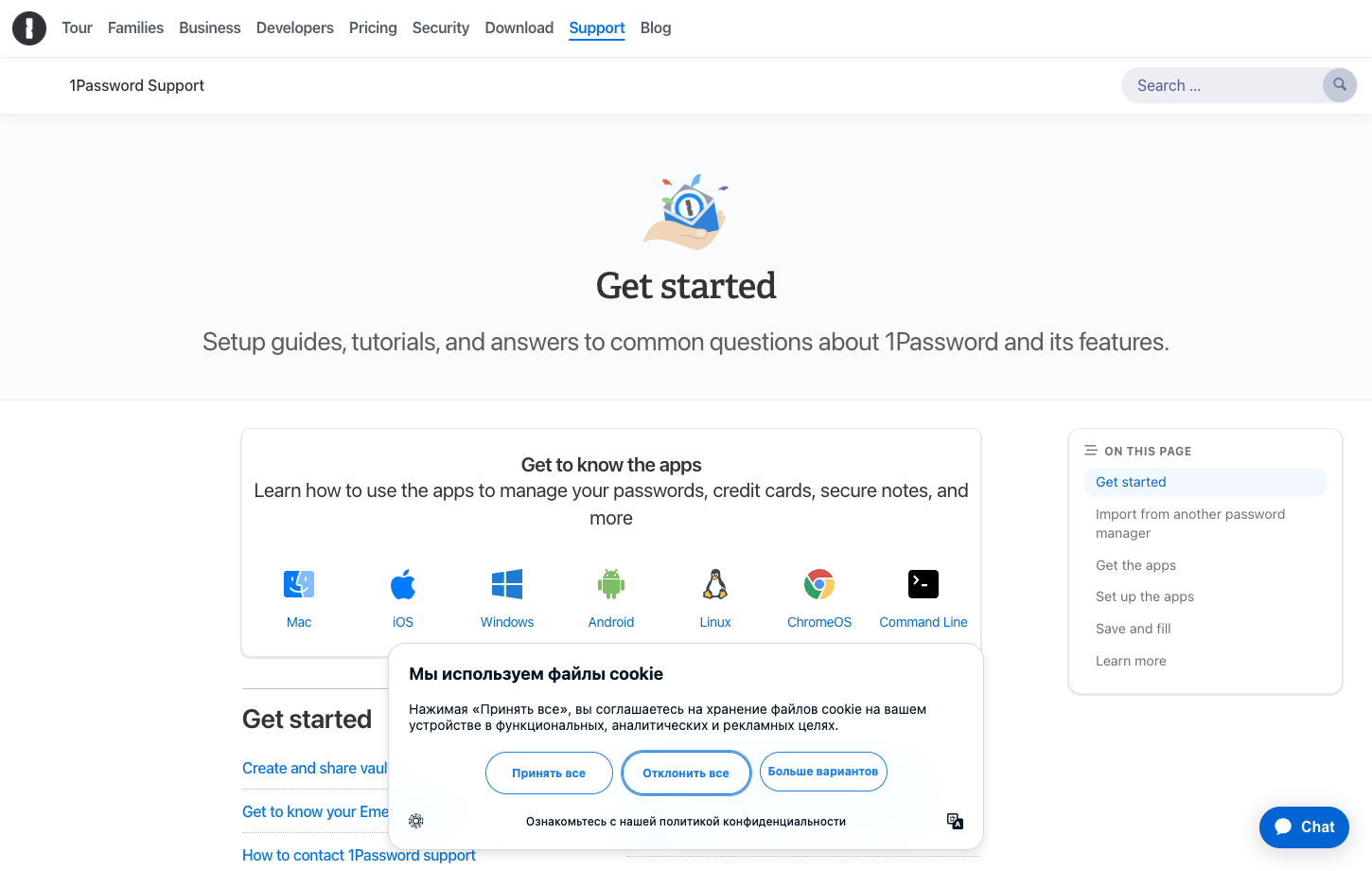
At the US pricing display checked October 28, 2026, Individual is promoted at $2.99 per month with annual billing versus a regular $3.99 reference; Families is promoted at $4.49 versus $5.99, generally for new direct subscribers during the first year. Business is listed separately at $8.99 per user per month with annual billing, and Teams Starter Pack has its own included-seat structure. Do not apply an introductory discount to renewal years without confirming eligibility. The table describes documented public plan positioning, not a tax-inclusive personal quote. Official pricing page. 1Password Families pricing should be calculated at the expected renewal rate as well as the first-year promotional charge.
| Plan | Published reference | Who it is intended for | What to confirm |
|---|---|---|---|
| Individual | $2.99/month promotional annual equivalent | One user's personal vault and Watchtower | Regular listed price $3.99; promotional eligibility and renewal differ |
| Families | $4.49/month promotional annual equivalent | Up to five included members and shared family vaults | Regular listed price $5.99; family seats may change by plan |
| Teams Starter Pack | $24.95/month annually billed pack | Business team vaults for up to ten members | Additional seats charged; not a single-user price |
| Business | $8.99/user/month annually billed | Professional admin, directory integrations and reporting | Identity-provider setup and seats add deployment work |
🔐 1Password password manager: account security
The product is built around an account password and a Secret Key, with encrypted vaults accessed by trusted client software. That design differs from a single master-password-only experience and changes what a user must keep safe. A Secret Key is not a recovery email and should not be posted into a support chat or stored casually in a shared document. 1Password account recovery expectations should be agreed before the vault becomes the only location of important credentials.
The model protects against certain remote account risks but does not make an unlocked laptop invulnerable. If malware reads information after you unlock the app, encryption at rest cannot protect every action. Account security still depends on device updates, phishing awareness, a second factor and the quality of the user's recovery materials.
🧾 The Emergency Kit and recovery planning
1Password encourages account holders to save an Emergency Kit, which helps recover the information needed to access an account on another device. A printed copy in a secure place may be more useful during a phone loss than a PDF stored only in the same locked cloud folder. The kit must be protected because it is sensitive account information. A 1Password Secret Key recovery plan begins with safeguarding the Emergency Kit somewhere accessible if a primary device is lost.
Families and businesses have different supported recovery options and administrator responsibilities. Before importing your only copies of critical credentials, determine what a family organizer or business admin can and cannot recover. Test the process with a disposable account rather than discovering the limits after an important device fails.
🖥️ Getting started across desktop and mobile
An individual will normally encounter the 1Password browser extension first, but the desktop app is often where vault organization and account settings become clearer. For the first session, use a dummy login, an invented card number that cannot be charged and a short secure note. Then change one entry and check that the same information appears in the browser extension. It should also include two different usernames at the same domain so that autofill selection can be evaluated. The 1Password browser extension should be checked with two usernames for the same domain to avoid accidental account selection.
Check how the desktop app, extension and mobile app unlock on each operating system you actually use. Biometrics can make access easier, but a user still needs the account password, Secret Key and account recovery material available through approved means when enrolling a new device.
🧭 Watchtower: useful warnings, not automatic repairs
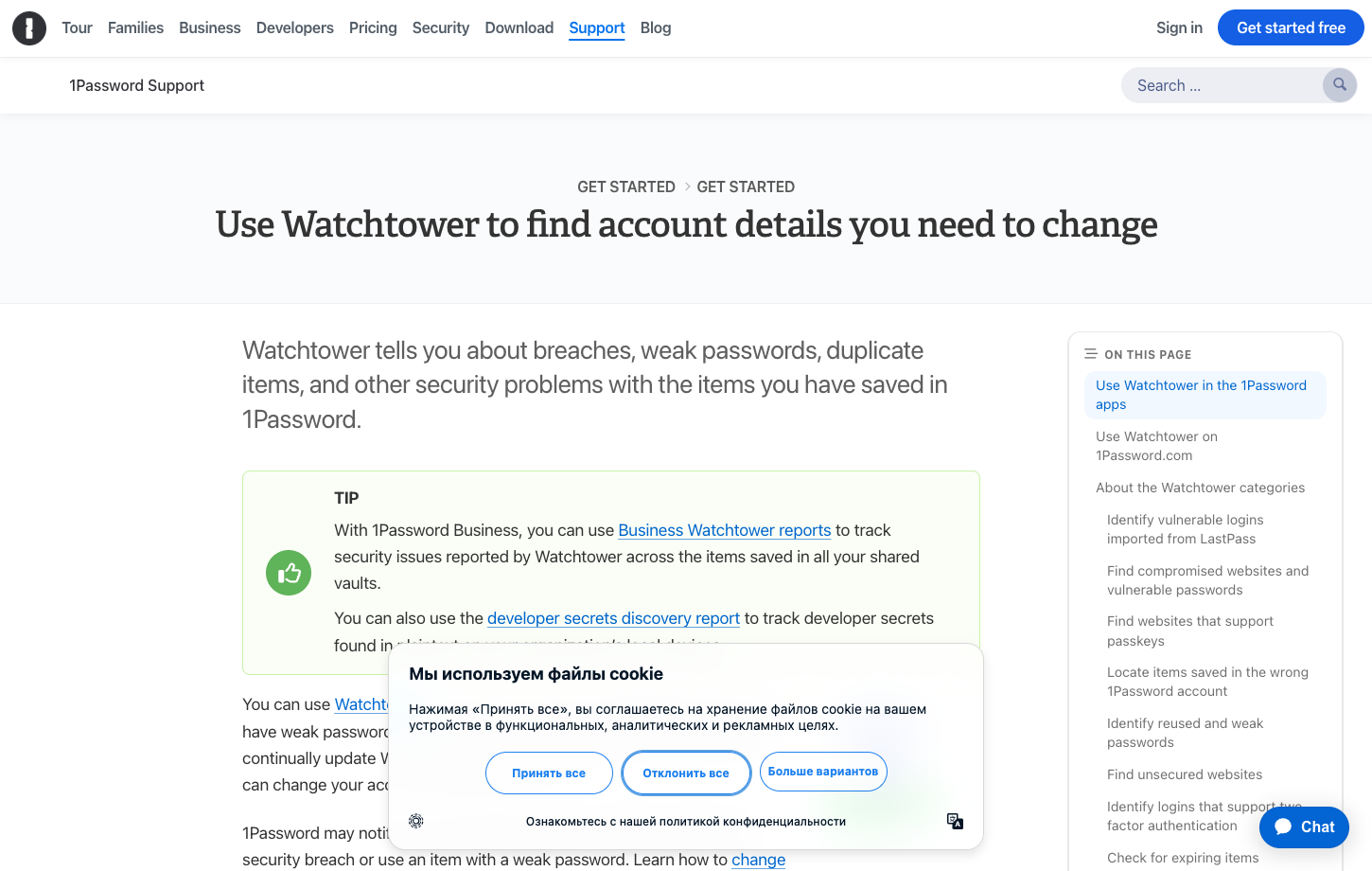
Watchtower identifies weak, reused and potentially compromised credentials according to the vendor's published capabilities. It can also surface sites affected by breaches or highlight security changes that deserve attention. Watchtower warnings become useful when they lead to a changed credential or stronger sign-in protection. 1Password Watchtower alerts help surface credentials worth reviewing, but they do not repair an exposed account by themselves.
A reasonable first priority is the email account used for resets, followed by identity-provider, financial and administrator credentials. Review those first and verify whether Watchtower's findings correspond to actual exposure or only a reused password in your own vault. A security alert should prompt a deliberate response, not automatic panic.
🗂️ Separate vaults for distinct purposes
1Password's vault model is useful when work, personal and family accounts should not all appear in the same place. A parent might maintain a shared household vault for streaming services and Wi-Fi while keeping banking logins private. In a business, team members can share project credentials without disclosing their personal accounts. A 1Password shared vaults strategy works best when household items and private financial accounts are separated deliberately.
A new user may confuse a vault with a folder, so demonstrate access boundaries using fictional records. Invite a second account to one shared vault and confirm that the private vault is still invisible. Removing access should be tested too, especially when someone leaves a team or household.
🚗 Travel Mode and crossing borders
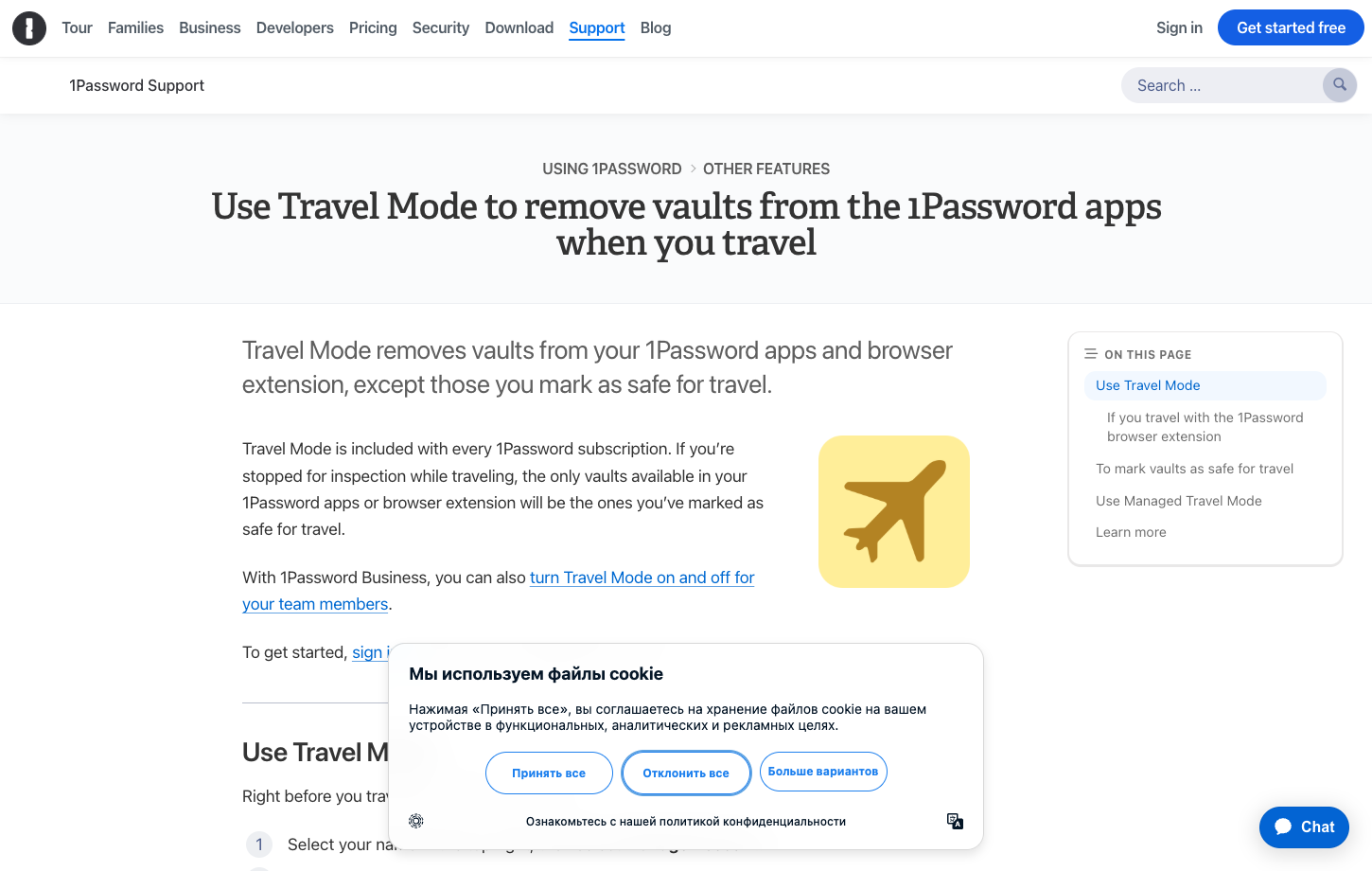
Travel Mode is one of 1Password's distinctive features. It lets users mark certain vaults as safe for travel so that other vaults are removed from devices while Travel Mode is active, according to the vendor's guidance. This can reduce what data is available locally during a border crossing or a lost-device event, but the exact behavior requires planning beforehand. 1Password Travel Mode vaults must be selected before travel so essential logins remain available when the feature is active.
Test the feature well before traveling. The user must know which vaults remain available offline, how the setting is turned off and what credentials are essential during the trip. Travel Mode is not a claim that the account is invisible to every authority or that a compromised device is safe.
🔑 Passkeys in 1Password
1Password supports saving and using passkeys on compatible sites and client combinations. For a user who signs in frequently, that can remove the need to type a password and help resist ordinary credential phishing. However, passkey creation, account recovery and migration remain constrained by how the relying website and operating system implement the feature. 1Password passkey support depends on the website and the client platform, making a cross-device recovery test worthwhile.
During a trial, use a low-risk account that supports passkeys and attempt sign-in on a second platform. Check the expected device enrollment and whether the original website provides a fallback when the password manager cannot be reached. A password-manager passkey is not automatically portable to every other vendor.
📩 Secure item sharing and expiration
1Password supports secure sharing of selected items with people who are not necessarily members of your account. The useful control is the scope: are you sharing one record or an entire vault? A short-lived link to a credential should not give the recipient ongoing access to unrelated notes or card details.
Review expiry settings and what the recipient can do with the revealed secret. A link that expires does not erase information already copied by another person. For lasting family access, use a shared vault with named members rather than circulating permanent links in a group chat.
👨👩👧 Families plan seats and organizer controls
The current 1Password Families offering includes a set number of users under one subscription and tools for managing shared vault access. It can be convenient when one household member understands setup while others only want autofill to work. That convenience introduces a responsibility: the organizer must understand who can invite people and help them recover access. The 1Password Families five-user allowance should be compared with the actual number of people who need distinct accounts.
An effective family test uses three identities: an organizer, a household member and a person who should see only one shared account. Check what each sees before assuming everybody's private items remain separate. Plan for what happens when the organizer is unavailable for several months.
🧑💻 Team ownership and business vault policies
A work password should remain available to the company after its creator departs. 1Password Business provides organization-level controls for vaults and member access, but teams still have to design policies that reflect actual jobs. A designer may need a social account without seeing finance billing credentials; an engineer may need one server token without downloading every production secret. 1Password business plans are valuable when administrators can consistently manage shared credentials without opening personal records.
Map the role structure before sending invitations. Ask who can recover employee accounts, who sees audit information, and which access changes are recorded. A manageable number of carefully scoped shared vaults is often safer than a maze of exceptions that nobody reviews.
🏢 Teams Starter Pack versus Business
1Password Teams Starter Pack is packaged around an included-member block, which makes its headline pricing look different from the Business per-user rate. A business with only a few people should evaluate whether it will actually use the included seats. A company expecting rapid hiring should model additional seats and the point at which Business capabilities become necessary. A 1Password Teams Starter Pack seat calculation differs from a Business per-user quote when a company expects rapid hiring.
Business brings a broader range of identity-provider integrations and administrative tools. If SSO, reporting or provisioning is required by policy, do not assume a lower tier includes the same options. Request the actual feature matrix and a written total for the intended team size.
🔌 SSO, identity providers and onboarding
Managed organizations may integrate 1Password with identity providers such as Okta or Microsoft Entra ID depending on the product edition and configuration. An SSO connection should simplify employee access while making onboarding, role changes and offboarding consistent across shared vaults. A 1Password SSO integration needs an offboarding test, not just confirmation that a new employee can sign in.
Try moving a fictional employee from one department to another. Their new vault access should appear, and their previous department's credentials should not linger indefinitely. Account recovery and offboarding also deserve a rehearsal because a successful initial login says little about governance.
⌨️ Developer tools and secret handling
1Password supports developer-related workflows, including SSH keys, command-line tools and integrations referenced in its business materials. These features can reduce the temptation to paste secrets into chat messages or unencrypted configuration files. They also introduce separate decisions about which automated process is authorized to read a credential.
Before connecting a tool to a production pipeline, use test secrets and a least-privilege scope. Rotate the credential after a simulated collaborator departure, verify access logging where available and document who owns the automation. A developer tool is not the same thing as unrestricted secret distribution.
🔎 Browser autofill and the phishing boundary
Saving a login once is easy; deciding when to fill it is the security-critical action. 1Password extensions use website context to offer matching credentials. A familiar logo on a different domain is not enough reason to fill a password. Pay attention to the full hostname before selecting a saved credential, especially when a sign-in page arrived through a message. Users must still review URLs and recognize unexpected reauthentication prompts.
Test two usernames on one site and a similar-looking domain with fictional entries. See whether the extension matches correctly and whether manually copying a password could bypass those protections. Convenience should reduce repetitive typing without becoming an invitation to approve every popup.
📱 Biometric unlock and multiple devices
Biometric unlock is helpful when the app is used frequently across laptop and phone, but it is not a replacement for account recovery materials. A person changing phones still needs to enroll the new device correctly. A hardware failure should not become a full loss of the only copy of account credentials.
Check which client remains unlocked when the operating system sleeps, how shared devices behave and whether an employee's work computer has different policies from their personal device. Security is a collection of device decisions, not one switch labeled biometrics.
⚖️ 1Password security: Secret Key versus a master password
The Secret Key adds high-entropy material to 1Password's account-access design, which can be valuable against certain attacks involving remote server data. The user does not have to memorize the key, but must safeguard it. That creates a trade-off: the protection is helpful only if onboarding and recovery are planned.
Contrast that with a simpler master-password-only setup. A user likely to lose paper records may need support from family or business recovery options. A disciplined individual who can keep an Emergency Kit safe may appreciate the added barrier. Neither approach is a substitute for protecting an unlocked endpoint.
💵 Cost of a family after the introductory year
The first-year offer is not the full cost of 1Password ownership. Compare the promotional checkout amount with the regular renewal price across two or three years before choosing Individual or Families. Region, taxes and purchase through an app store can produce a different quote.
Compare a household subscription with the cost of separate individual accounts and the burden of managing access manually. Family plans justify their cost through separate accounts and controlled sharing, not a calculation of cost per stored password.
📊 Watchtower versus full security monitoring
Watchtower is useful inside the scope of account credentials, but it is not an endpoint detection platform, a complete identity protection service or a guarantee against all phishing. A company still needs device management, identity-provider protections and incident-response procedures. Personal users still need to update devices and protect the email account that controls resets.
Take a Watchtower report and verify two findings manually. Was the password reused? Did a site publish a breach notification? Can the user rotate the credential without losing access? A meaningful security review connects a warning to a safe correction.
📤 Export, import and eventual departure
A manager's true portability is visible only when data can leave in a useful format. 1Password supports importing and exporting selected data formats, but an exported file can contain readable secrets. Test the migration with dummy records before creating any real plaintext export.
Passkeys, attachments, custom fields, shared vault permissions and item history may not move identically to another service. Test the details that matter to you before assuming a successful import count means a complete migration. Before subscribing, confirm that important notes, attachments and credentials can be exported in usable formats.
⚠️ The danger of treating a password manager as backup
Cloud synchronization also propagates accidental deletions. A separate recovery method matters when an item disappears or a signed-in device is lost. Keep supported recovery information protected offline and understand the vendor's retention or item-history capabilities.
If a family member accidentally removes a shared login, can the organizer restore it? If a business employee loses their credentials, who can administer recovery without seeing unrelated secrets? Those questions deserve answers before making 1Password the only place where important information lives.
🧪 A realistic one-week 1Password evaluation
Spend the first two days on a small fictional vault and three real device types where possible. Add a passkey, a note and a login with a second username, then test autofill. Next, share one record with a named test account and inspect exactly what that person can see. By day five, evaluate Watchtower and account recovery rather than simply browsing more settings.
Before the trial ends, compare the annual invoice you would actually pay, including renewal after a promotion. Export sample entries and verify a second person can find the correct recovery instructions. The exercise should reveal whether daily convenience is accompanied by usable contingency plans.
📌 Case study: a household where one member manages everything
Consider a household in which one person handles internet accounts, insurance portals and every streaming subscription. The other members often request passwords by message because they cannot find the correct credentials. 1Password Families can turn this into named personal accounts and a deliberately limited shared vault. The benefit should be measurable in fewer copied secrets and fewer moments when a family member needs to ask the organizer for help.
Use fictional versions of three household accounts. Have another member accept an invitation and find the shared login without assistance. Then place a private financial account in a personal vault and check that it cannot be accessed from the family collection. Finally, rehearse how another organizer would help when the main account owner is unavailable. The critical achievement is recoverable independence, not one giant family password list.
🚨 What happens when an employee's laptop is lost?
1Password's Secret Key and account password play important roles when a new device is enrolled. Yet an organization also needs to know which sessions are active, how a lost laptop is managed and what an employee should do before contacting IT. Never email an Emergency Kit to a manager or leave it on a shared drive without appropriate protection.
Create a tabletop incident: an employee with access to a client vault loses a laptop at an airport. Who receives the report? Which device or account controls are available under the company's plan? Are shared credentials rotated, or is access handled through a managed recovery process? Record the response before an actual loss, and confirm which steps the vendor's documentation supports rather than assuming all business editions have identical controls.
🧳 Travel Mode as a practical workflow
Travel Mode removes vaults not marked safe for travel from the device while the mode is active. The useful work happens beforehand: deciding which credentials need to remain locally available. If someone travels with a company login that is not marked safe for travel, they may create a problem for themselves when they need that service urgently. A successful setup involves preparation, not turning on a switch at the departure gate.
Make a list of the actual sites needed for a trip: airline, hotel, emergency contact, payment backup and work SSO if relevant. Move fictional equivalents into a travel-safe test vault, activate the feature and inspect what remains on the device. Re-enable normal access using the official procedure after returning. Rehearsing this process helps travelers know which credentials remain accessible before they need them.
🧾 Comparing the first-year offer with renewal
The 1Password Individual promotional price and Families promotional price shown in the US store apply to qualified new customers for a limited first-year period. They should not be projected indefinitely into a three-year budget. A business comparison is even more sensitive because Teams Starter Pack includes a group of seats, while Business uses per-user pricing and a different set of administrative capabilities.
Write down the cash payment today, the normal renewal and any additional members or seats. For five family members, an annual household plan can be more convenient than managing separate individual subscriptions. But a single user who does not need shared vaults may get limited benefit from paying for that capacity. The right value calculation combines the features used every week with the procedures needed only when someone loses access.
🏁 1Password verdict for individuals and teams
1Password's strengths are coherent day-to-day vault management, a meaningful account-security design and family or enterprise collaboration that can be configured deliberately. The premium cost may be worthwhile when the system helps people stop reusing passwords and eliminates casual sharing of sensitive credentials. Its security claims should be evaluated together with the owner's ability to recover the account.
A user who needs a permanently free password manager can start elsewhere. A team that cannot explain how departing staff lose access should postpone a large deployment regardless of brand. Choose 1Password when its guided experience, recovery model and administrative controls match the people who will actually depend on them.
⚖️ 1Password vs Other Password Managers
| Product | Key differentiator | Best initial fit | Main question |
|---|---|---|---|
| 1Password | Secret Key, Watchtower, family and business sharing | Premium household or company | Can every member recover access appropriately? |
| Bitwarden | Open source and generous free tier | Cost-sensitive personal vault | Do you prefer added configuration flexibility? |
| Dashlane | Password health, phishing protection and VPN | User prioritizing security extras | Are the bundled protections worth the price? |
| Proton Pass | Aliases and Proton ecosystem integration | Privacy-minded user | Will aliases become an everyday feature? |
The deciding difference versus Bitwarden is not a simplistic security score. 1Password emphasizes an account-plus-Secret-Key model and guided sharing, while Bitwarden offers greater open-source and hosting flexibility. Dashlane invests heavily in password health and phishing detection; Proton Pass emphasizes aliases and the larger Proton suite. The best comparison is a shared recovery scenario with real device types and fictional credentials. A focused 1Password vs Bitwarden comparison should also include device recovery, sharing boundaries and first-year cash cost.
🧪 Security and Recovery Acceptance Checklist
| Area | Acceptance test |
|---|---|
| Secret Key recovery | Locate the Emergency Kit from a separately authorized location without relying on the original phone |
| Watchtower remediation | Follow a sample warning from detection to a changed account credential |
| Travel Mode | Mark test vaults safe for travel and verify which items remain on the device |
| Family separation | Allow a second member into a shared vault while keeping a personal record private |
| Business offboarding | Remove a fictional contractor and inspect whether shared access changes as expected |
| Export detail | Compare notes, card records and custom fields after a protected test export |
🔎 Sources, Method and Evidence Boundaries
Sources for this review: official product guidance, published prices and editions, and vendor security or help material. These official pages document 1Password plans and security features. We did not administer a private business workspace or independently audit Secret Key encryption; recovery examples describe recommended buyer checks.

Frequently Asked Questions
Does 1Password offer a permanent free plan?
The consumer offering is a paid subscription with a trial rather than a permanent free tier. Check current promotional terms before comparing it with a free password manager.
How much does 1Password Individual cost?
The US website showed a promotional $2.99 monthly equivalent on annual billing in October 2026, against a regular $3.99 reference. Renewal terms and regional pricing vary.
What is the 1Password Secret Key?
A high-entropy account security element used with the account password. It should be safeguarded and understood as part of device enrollment and recovery.
How many users are in 1Password Families?
The current family offering includes five seats in the published plan. Check invitation and extra-member policies before purchasing.
What is 1Password Travel Mode?
A feature that can remove vaults not marked safe for travel from devices while it is active, following the product’s documented workflow.
Does 1Password include Watchtower?
Yes, Watchtower provides credential-related warnings and account hygiene guidance. A warning still requires a user to act.
Does 1Password support passkeys?
The vendor supports passkey saving and sign-in where sites, devices and browsers are compatible. Cross-manager migration should be tested.
Can businesses manage access centrally?
Business plans provide roles, vault access and identity-provider integrations depending on edition. Trial offboarding and provisioning with fictional accounts.
How do I recover a lost account?
Follow the product’s Emergency Kit and supported family or business recovery guidance. Do not assume a conventional password reset can reconstruct an encrypted vault.
Can I export everything to a new manager?
Export options exist, but formats can differ for attachments, passkeys and custom fields. Trial a small protected dataset and securely handle plaintext exports.
Is 1Password better than Bitwarden?
They prioritize different trade-offs. 1Password emphasizes guided premium usability and Secret Key protection; Bitwarden has a free tier and flexible open-source deployment.
📚 Related DigiOffly Guides and Selection Tools
Browse the Security & Privacy hub, explore VPN research and use our Software Cost Calculator to compare subscriptions. Related reviews are linked only after publication.
A secure vault does not replace protection for the computer holding your documents. Compare the platform coverage in our Bitdefender review and the separate recovery workflow in our Backblaze review.
EXPLORE NEXT ON DIGIOFFLY
Explore More on DigiOffly
Continue with related, already published software research.
Security reading
- Security & Privacy
- VPN Deals
- AI & Tech
- Hosting & Websites
- Bitwarden review — Compare open-source vault options and account recovery.
- Dashlane review — Review business credential and autofill alternatives.