

Backblaze Computer Backup pricing, supported drives, version history and encryption documentation were checked on October 28, 2026. Screenshots show public vendor pages.
The phrase 'unlimited backup' is accurate only with an important qualification: Backblaze Computer Backup covers eligible data on one licensed Windows or Mac computer. It can include directly attached drives, but it excludes NAS volumes and network shares. Files deleted from the computer are also governed by Version History; uploading something once does not turn the service into permanent archival storage.
The practical recovery plan depends on eligible drives and the selected version-history period. We examine the starting 30-day history, the one-year extension and its rules, and the separately billed forever option. Restore delivery and the optional private encryption passphrase matter just as much. For a large photo library, restore speed and the availability of shipped media may matter more than the lack of a storage-volume cap.
📊 Backblaze Review 2026: Summary
Editorial verdict: Backblaze Computer Backup is useful for large sets of eligible desktop files, with a simple per-computer licensing model. It is less suitable for NAS-first workflows, permanent storage of deliberately deleted originals or anyone who needs full system-image recovery. Version History and the restore method belong in the buying decision.
🏆 EDITORIAL FIT: Simple unlimited computer backup with clear restore trade-offs
Best for: Mac and Windows users with large personal file libraries who want automatic offsite backup and can keep an additional local copy.
Consider a different solution if: People trying to archive files after deleting originals, back up a NAS with the Personal product, or replace an antivirus or sync/collaboration app.
💰 Backblaze Pricing and Plan Comparison
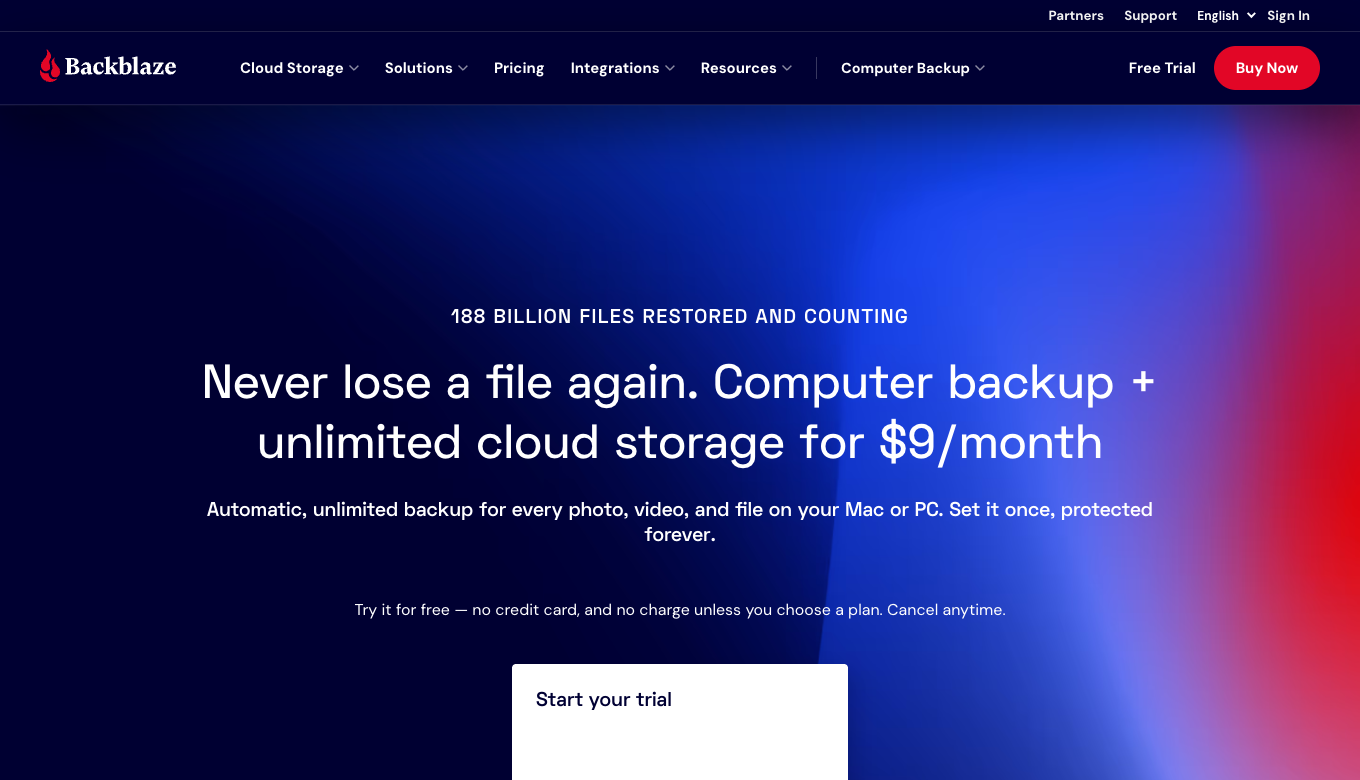
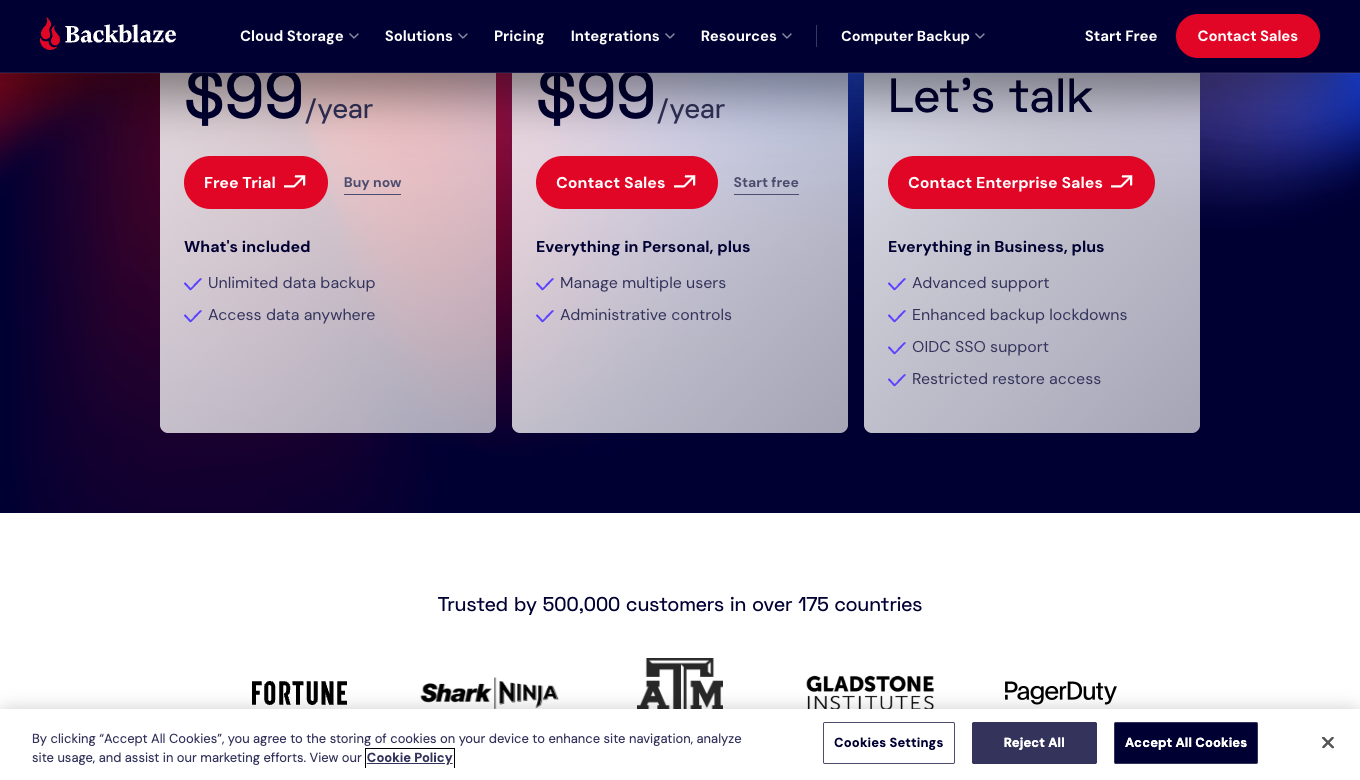
The public US personal plan currently lists $9 per month, $99 per year, and a discounted two-year term paid up front. Business Computer Backup uses separate administrative packaging, while B2 Cloud Storage is a different usage-based service. Always verify updated charges and restore-media fees.
| Plan | Positioning | Best for | Important limitation |
|---|---|---|---|
| Personal Computer Backup monthly | Unlimited eligible computer data, one license per computer | Testing or shorter commitment | Monthly spend adds up over time |
| Personal yearly | $99/year displayed on US storefront | A primary home PC or Mac | Additional computers need separate licenses |
| Personal two-year | Discounted effective monthly rate when prepaid | Users committed to a stable machine | Billed upfront; verify current total |
| Business Computer Backup | Per-computer protection with user administration | Small companies with managed devices | Business control does not imply NAS support |
| Backblaze B2 Cloud Storage | Object storage charged on a different model | NAS, custom apps or archives | Not identical to unlimited Personal Computer Backup |
🧭 Backblaze Platform and Coverage Comparison
One Backblaze Computer Backup license covers one supported desktop, with eligible local and connected storage. NAS backup uses a different B2 workflow.
| Platform / source | Documented role | Important boundary | Buyer check |
|---|---|---|---|
| Mac / Windows | Computer Backup supported | Unlimited eligible local data | License per computer |
| Direct external drive | Eligible connected USB/internal storage | Connection/retention matter | Verify selected sources |
| NAS / network share | Not covered by Computer Backup | B2 is a separate option | Do not assume mounted means supported |
| Phone / tablet | Mobile access to backed-up computer files | Not a full phone backup | Use platform backup too |
☁️ Backblaze cloud backup: what 'unlimited' really means
The Personal client backs up eligible files without a fixed terabyte quota per licensed computer. That makes it attractive when a photo or video library has grown beyond the tidy allowance of many storage plans. The subscription is associated with a computer, however; adding another machine is not simply adding another folder to the same unlimited license.
Initial backup duration depends on the amount of eligible data and the sustained upstream connection, not on a storage quota. A multi-terabyte library can take a long time to complete its first transfer over a residential connection. Backblaze is best assessed by the ability to finish and maintain an actual backup, not by the theoretical amount of data the plan allows.
🖥️ Backblaze Personal Backup for Mac and Windows
Backblaze backup for Mac and Windows is handled by a desktop client. It identifies eligible drives and files and performs backups in the background. This is deliberately less configurable than an enterprise backup platform, which can make the initial setup less intimidating.
The simplicity also means you must understand exclusions. A machine may have operating-system files, virtual machines, application installers or special folders that are not part of the standard backup set. Before trusting a Backblaze account with a work archive, inspect the exclusions and verify what was actually selected.
🔌 External hard drive backup and the disconnected-drive trap
Backblaze external hard drive backup supports eligible directly connected drives, a major benefit for photographers and video creators using large USB storage. The drive must be included in settings and connected often enough for the service to keep its data current. The default version-history behavior makes prolonged disconnection important.
If a drive disappears from the computer for more than the applicable retention window, its files may no longer appear in the current backup view. Extended Version History keeps deleted and older files recoverable for longer under its terms; it does not turn the computer-backup plan into a permanent archive. Label external drives and create a calendar reminder to reconnect them if they are part of the plan.
🚫 Backblaze NAS and network drives are not supported in Personal
Backblaze Computer Backup excludes NAS volumes and mounted network shares from the unlimited Personal plan. A mounted NAS share is ineligible for Personal Computer Backup even when it appears as a drive in Finder or File Explorer.
For a NAS or custom storage workflow, Backblaze points customers toward B2 Cloud Storage and compatible backup software. B2 has different billing and compatibility rules from the Personal Computer Backup client. A user should never buy an unlimited Personal license expecting to back up a remotely mounted office file server without verifying official support.
📂 File exclusions and what a restore cannot recreate
Backblaze is not intended to reconstruct every byte of an operating system installation. Its documentation lists categories of excluded system, application, cache and certain special files. Some extension exclusions can be modified, but not every system artifact can be represented as ordinary user data.
Someone replacing a failed computer should expect to reinstall the OS and applications, then restore documents and other supported user files. Check whether a critical virtual disk, production database or project cache is excluded. A successful backup icon does not establish that a specialized application can be rebuilt without additional configuration.
⏳ Backblaze Version History: 30 days, one year and forever
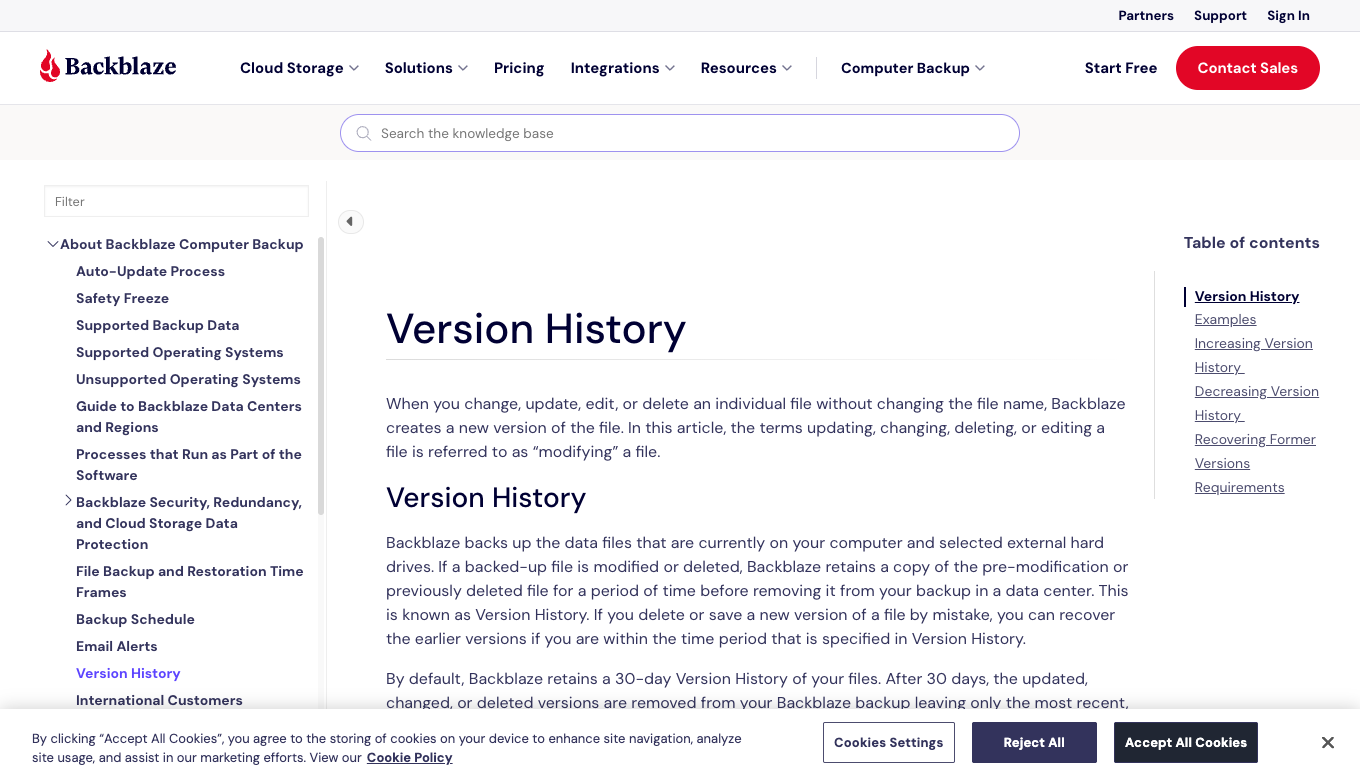
By default, Computer Backup keeps deleted and changed files for 30 days. One-Year Version History is an available extension without an additional storage charge, according to the current Backblaze documentation. Forever Version History is separately billed. Each history setting applies per licensed computer, and extending the window does not resurrect copies already purged under the old setting.
This changes the decision for a photo archive. Someone who does not notice an accidental deletion for six months needs longer retention than the 30-day default. An external drive disconnected for weeks may disappear from the current backup view, although older files can remain recoverable when the selected history window covers that period. The only reliable check is a restore using the relevant historical date.
🗑️ Backblaze is not a permanent archive after local deletion
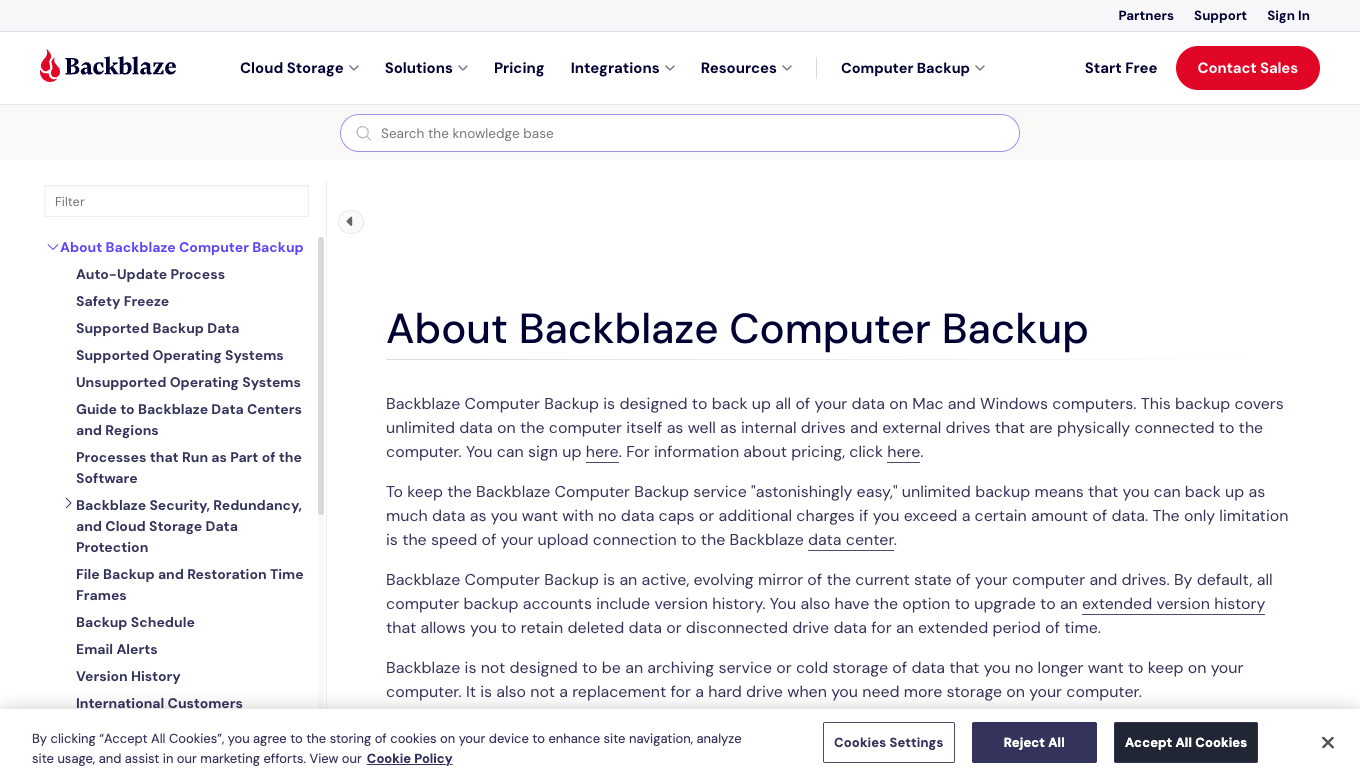
Backblaze calls Personal Computer Backup an evolving mirror of current computer and selected external-drive data. If a user uploads files and then removes them from every covered local drive to free disk space, those files become deleted items subject to version-history retention—not indefinitely stored possessions.
B2 object storage is a separate product for files held independently of a covered computer. The Personal client primarily mirrors current source files under version-history rules. This is the single most important product distinction for a large media library that is running out of physical disk space.
🔄 Continuous backup and the laptop that rarely gets online
Backblaze's client operates in the background, but it cannot upload changes while the computer is switched off, sleeping without connectivity or disconnected from the internet. An intermittently connected laptop may have older cloud copies than a desktop that stays online until uploads finish.
Look at the timestamp of the last successful backup, not only whether the client says it is installed. Some files remain queued for transfer for hours on slower connections. If a system routinely goes offline before uploads finish, adjust the workflow and consider an additional local drive that can be restored immediately.
📈 Upload speed, first backup and data caps
The first backup is often the most demanding stage. A 3 TB collection is several million megabytes; upload speed is measured in megabits per second, so even apparently fast connections may require days for a large initial transfer. ISP data caps can also change the economics.
Before buying Backblaze for a very large library, estimate the initial transfer using a realistic sustained upstream speed rather than the provider's download headline. Leave the computer powered, avoid interrupting the backup repeatedly and check which files have completed. Subsequent incremental transfers are typically a different workload.
📦 Backblaze restores via web download and external media
Backblaze provides web-based restore access for files, and the company describes an option to receive a USB restore drive for larger datasets. A Backblaze restore drive can be useful when downloading several terabytes would take an unreasonable amount of time.
USB restore service has shipping, fee and return rules that need to be checked for the buyer's location. The vendor describes a refundable drive arrangement under eligible conditions, but that is not the same as free global shipping. When a laptop fails, the true measure of backup quality is how quickly the user can retrieve and verify the necessary data.
🔐 Encryption, private key choices and permanent lockout
Backblaze encrypts backed-up data and explains the difference between the managed default-key model and adding a private passphrase. With the added passphrase, the vendor says it cannot decrypt the backup key without that phrase. This offers an additional privacy control, but it creates responsibility for the customer.
The optional private passphrase is not recoverable by Backblaze. If it is lost, the encrypted backup cannot be decrypted by support. Do not enable a private encryption option without storing recovery material securely outside the computer being backed up. An optional private passphrase creates a separate recovery responsibility; without it, support cannot decrypt the protected backup.
🛡️ Backblaze security and the limits of cloud recovery
Cloud backup can help after accidental deletion or hardware loss; it does not stop malware from running. If ransomware damages local files, an older version may be recoverable as long as it remains within version history. The attacker may also steal files before encryption, which backup cannot reverse.
Combine Backblaze with endpoint security such as Bitdefender, Malwarebytes or ESET when device protection is needed. Enable appropriate authentication on the Backblaze account and keep local copies as well. One online backup is a strong layer but not an excuse to abandon the rest of a defense-in-depth setup.
📱 Mobile access is not mobile-phone backup
Backblaze provides mobile access to files in a computer backup through its mobile apps, but that should not be confused with a service that backs up an iPhone or Android phone's entire data and application state. The primary Computer Backup client runs on supported desktop operating systems.
Someone trying to protect phone photos should confirm where those photos are copied before expecting Backblaze to cover them. If a phone syncs photos to the Mac's local library and that library is included, those computer-side files may be protected. The phone itself still needs its platform-appropriate backup method.
💰 Backblaze pricing per computer and business costs
The official public page lists $9 per month for personal computer backup and $99 per year, with a lower effective monthly figure for a two-year prepaid term. That is easy to reason about for one computer, regardless of whether it holds hundreds of gigabytes or many terabytes.
Multiple computers require multiplying the per-computer subscription count. A family with four laptops may therefore pay considerably more than the one-device advertising headline suggests. Business packaging adds user and administrative management; it does not turn Personal into an unlimited shared drive for a whole office.
🏢 Backblaze Business Backup versus B2 Cloud Storage
Backblaze Business Computer Backup is oriented toward protecting endpoints with some centralized administrative controls. B2 Cloud Storage is object storage for different workflows, including developer applications, backup software and some NAS use cases. They share a brand but not their usage model.
A small team protecting employees' laptops may prefer Business Computer Backup. A studio backing up an on-premises NAS should investigate B2-compatible software, API integration and its consumption-based costs. Treating these as interchangeable can lead to surprisingly incomplete coverage or a bill based on assumptions from the wrong product page.
🔄 Changing computers and the license transfer question
When replacing a machine, the restore procedure and license transfer need to be planned before the old disk is wiped. Backblaze offers procedures for switching devices and restoring backed-up user files, but the license and backup-state relationship deserves attention during a hardware upgrade.
Before wiping the old machine, verify the cloud backup's current status, the account email and the restore pathway. Keep the old device or local drive until the new one has downloaded its essential files. Losing the original machine's encryption passphrase at the same time can turn an ordinary upgrade into a permanent data-access problem.
🧪 How to check a backup without risking important work
A disposable folder with one modified document is enough to confirm whether versions and paths survive a restore. Create a disposable folder with a document, a photo and a nested subfolder; confirm that each file appears in the backup and can be restored to a separate location. Repeat after modifying the document to confirm version-history behavior.
Record how long the download takes and whether filenames, modification dates and content survive. If the test fails, investigate exclusions, client status and network conditions before buying more years of service. Backblaze is useful only when the restoration path works, not when the upload indicator merely looks reassuring.
🧮 Estimating Backblaze upload time before the first backup
The difference between megabits and megabytes catches people out. A home connection sold as 100 Mbps upload is a theoretical ceiling of about 12.5 MB per second before overhead. Sending a multi-terabyte photo collection may therefore require much longer than an optimistic calculator suggests, particularly with other household traffic.
Estimate the amount of eligible data, the sustained upload speed and any ISP cap. Then ask whether the computer can remain awake and connected long enough for the initial upload. A completed first backup is a more meaningful milestone than starting the trial and seeing the first percentage appear.
🧳 Travel, stolen laptops and account-recovery planning
A traveler who loses both laptop and phone may be unable to access the email or authenticator used for the Backblaze login. The cloud backup can still exist, but reaching it becomes an account-recovery challenge. Plan this before a trip rather than assuming a restore link will solve every part of the incident.
Protect recovery codes in a location independent of the primary devices. Ensure the private encryption passphrase, if enabled, is accessible through an approved emergency process. After securing the account, prioritize restoring the small set of documents needed immediately; the rest of the library can come later.
🏷️ Backblaze B2 pricing is not an unlimited substitute
Backblaze B2 gives developers and storage administrators different capabilities than Personal Computer Backup. It can be a destination for compatible NAS software and archival pipelines, but data storage, transfer and operations are managed under another pricing structure.
An organization moving a media library from Personal to B2 must therefore model storage volume, restore patterns and software maintenance. The most important difference is intent: B2 can hold objects that are no longer on a personal computer, while Computer Backup principally mirrors protected devices under version-history rules.
📷 Lightroom catalogs, video projects and specialized files
Creative workflows have more than photographs or exported videos. Catalog databases, cache folders, proxy media, original RAW files and application preferences can live in different places. Some of those items may be excluded or difficult to restore reliably if an application was in use during a backup.
Photographers should create an inventory of critical assets and check the actual Backblaze backed-up file list. Do not assume every program state can be reproduced from ordinary file backup. For essential databases or constantly modified catalogs, consider application-aware local backups alongside the remote copies.
🧾 Backblaze restore costs beyond subscription fees
The recurring subscription is only one component of disaster recovery cost. A web download uses time and bandwidth; a shipped USB restore drive may have service and shipping charges and a refundable-return procedure subject to geography and timing.
For a household with several terabytes, download time and access to a second computer may dominate the practical recovery. Compare these logistics before an emergency. A low annual backup bill is valuable, but the recovery plan must include whether files can be retrieved quickly enough for the owner's work.
⚖️ Backblaze versus iDrive, cloud sync and local drives
A license covers one supported computer without a stated storage-volume quota. Other backup providers may use pooled storage allowances, multi-device packages or more manual scheduling. A sync service such as Dropbox solves collaboration and cross-device access; a local drive can provide fast restoration without an internet download.
A local backup can restore quickly; an offsite backup survives a different type of incident. Some households need both. A sensible 3-2-1 strategy keeps original data, another local copy and an offsite copy. Backblaze can provide the remote layer while local disk or NAS provides rapid recovery. Restore speed, eligible data sources and retention often decide whether a plan is suitable.
⚖️ Backblaze and Alternative Security Tools
| Alternative | Different job or approach | Who should compare it | Trade-off |
|---|---|---|---|
| IDrive | Pooled or multi-device backup approach | Households backing up multiple machines | Storage limits differ from unlimited per computer |
| Arq Backup + object storage | More configurable client with cloud destination | Technical buyers with custom rules | More setup and separate storage charges |
| Time Machine / File History | Local or built-in versioned backup | Fast same-site restores | No automatic protection from fire/theft |
| Backblaze B2 | Object storage for apps and NAS workflows | Developers and archival use | Usage-based, separate product |
Backblaze vs IDrive often comes down to unlimited data for one computer versus different device and quota arrangements. Backblaze vs local drives is mainly offsite durability versus immediate restore speed. Backblaze Computer Backup vs B2 must be distinguished explicitly: they share branding but differ in supported data sources, pricing and complexity.
🧪 A Practical Buyer Checklist
| Decision | A safe, reproducible check |
|---|---|
| Eligibility | Confirm the backup computer is a supported Windows or Mac system |
| Source coverage | Inspect eligible internal/external drives and exclusions |
| Retention | Choose 30-day, one-year or forever history appropriately |
| Restore | Recover a disposable set including a nested folder and modified document |
| Encryption | Test access to the private passphrase if enabled |
| Licensing | Calculate the actual number of computers and total annual charge |
📌 Case: a photographer with four terabytes of RAW images
A photographer stores RAW photos on a desktop and two attached USB drives. Backblaze's unlimited data allowance sounds ideal, but the backup is only dependable when the external drives are correctly selected and connected regularly enough to maintain their presence.
Create a drive checklist and check the last-successful-backup date for each source. If the photographer empties local storage after upload, the files may be removed from the active mirror and retained only for the configured version-history period. A deliberate archive needs a different storage plan.
📌 Case: a failed laptop before a flight
A freelance consultant loses a laptop while traveling and needs three client documents before an evening meeting. With Backblaze, the immediate action is to open the web restore workflow from a trusted device and retrieve only those critical files.
The wider rebuild can happen later. If the original system had many terabytes, a shipped restore drive might be more practical than downloading everything. Document account recovery and encryption-passphrase access in advance; neither should live exclusively on the lost laptop.
📌 Case: ransomware discovered after the weekend
Files on a Windows desktop were modified or encrypted over the weekend, and a user discovers the incident on Monday. Backblaze version history can provide earlier copies if they remain within the chosen retention period. The product does not identify or remove the ransomware.
First isolate the compromised machine and follow a trusted security-remediation process. Restore only onto a cleaned device or secure environment and verify recovered documents before relying on them. Backup and antivirus are complementary; restoring infected executables indiscriminately can recreate the problem.
📌 Case: the NAS that looks like an external drive
A small office has a NAS mounted as a drive letter in Windows. An employee assumes that Backblaze Personal will include it because Explorer displays it alongside the internal disk. The vendor documentation states that network-mounted and NAS storage are excluded from Computer Backup.
Rather than improvising symlinks or copying unsupported volumes into the wrong folders, evaluate B2-compatible NAS backup software or a supported local staging process. Verify the restored dataset under the intended business model before paying. The unlimited Personal headline does not apply to arbitrary network data sources.
📌 Case: a forgotten private encryption passphrase
Someone enables Backblaze's optional private passphrase for peace of mind and stores it only in a password manager on the same laptop. After the machine fails, the account can be recovered but the private passphrase cannot. Backblaze says it cannot unlock this protected backup without the missing phrase.
The risk is that both the original data and its only decryption secret become unavailable at once. Store a separate protected recovery copy, test retrieving it, and document which trusted person can access it in an emergency. If that arrangement is unacceptable, consider the managed-key model with strong account authentication instead of a private key that might be permanently lost.
📌 Case: four family laptops with uneven value
A family wants to protect four laptops. One holds irreplaceable family photos, another is mostly used for streaming, and two are school machines with files already synced elsewhere. Backblaze charges per protected computer, so automatically buying four licenses may not match the actual data risks.
Inventory files and identify where originals exist. Prioritize the machine holding unique data, then compare local backups or cloud-sync capabilities for the others. The cheapest defensible solution may mix services. A subscription that is not configured or maintained provides little value, regardless of theoretical unlimited storage.
🏁 Final Backblaze Verdict
Backblaze is a strong offsite layer for files that remain on a supported computer or eligible attached drives. The unlimited storage claim does not extend to a mounted NAS, another family computer or data deliberately removed from the source and left beyond the selected history period.
A test restore can verify the folder structure, available versions and actual file contents. Check a changed file, a nested folder and the recovery of an external-drive document. Anyone enabling a private passphrase should also confirm where it can be retrieved after losing the computer. For quick recovery, a local backup alongside the offsite copy remains useful.
🔎 Sources, Methodology and Evidence Limits
We consulted Backblaze's official pricing, version history, source restrictions, restore and encryption guides. Site screenshots document published terms, not a privately performed restore. Review current regional terms.
Official Backblaze product guide · Official pricing · Technical documentation

Frequently Asked Questions
Is Backblaze really unlimited?
Computer Backup allows unlimited eligible data for a licensed supported computer. It is not unlimited backup of every NAS, network share or additional computer.
How much does Backblaze cost per year?
The public US personal plan currently lists $99 per year or $9 monthly, with a discounted two-year option. Check regional taxes and current checkout terms.
Does Backblaze back up external drives?
It supports eligible directly connected external drives when configured, but disconnection and version-history rules matter. Network-attached storage is excluded from Computer Backup.
Does Backblaze back up a NAS?
Not with the Personal/Computer Backup client. Backblaze directs NAS and network-storage users to B2 Cloud Storage and compatible software.
How long does Backblaze keep deleted files?
Default version history is 30 days; the vendor documents one-year and forever-retention options subject to their respective terms.
Can Backblaze replace Dropbox or Google Drive?
No. Computer Backup is not designed for collaborative file syncing or distributing shared folders. It protects eligible computer data for recovery.
Is Backblaze a substitute for antivirus?
No. Backblaze can help restore files after loss but does not stop malware. Use endpoint protection and secure account practices separately.
What if I forget my Backblaze private encryption key?
The vendor states it cannot restore data encrypted with a forgotten private passphrase. Store that recovery material securely and separately.
Can I recover Backblaze files without downloading everything?
Yes, web downloads can retrieve selected files. A USB restore-drive option may be available for large datasets under vendor shipping and return terms.
Does Backblaze back up my iPhone?
The Computer Backup client is for Mac and Windows. Mobile apps can access backed-up computer files, not provide a full mobile-device backup.
Is Backblaze good for photographers?
It can suit large photo libraries on eligible local drives, but photographers must maintain external-drive connections and not mistake mirror backup for permanent archive storage.
A cloud backup subscription helps recover eligible files, but it is not antivirus software. For prevention and malware response, compare Malwarebytes, Bitdefender and ESET before designing a separate recovery workflow.
📚 Explore More on DigiOffly
For account security and recovery planning, compare our published Bitwarden review, 1Password review, and Proton Pass review. These tools complement, rather than replace, endpoint protection and reliable backup.
An antivirus helps with prevention, but this service's value is tested in the restore workflow. Secure account access and backup should be planned separately.
EXPLORE NEXT ON DIGIOFFLY
Continue Exploring Software
Research the complementary tools behind a safer digital setup.