

Fact-check date: October 24, 2026. We examined Blackmagic Design’s public DaVinci Resolve 21, Studio, Color, Fairlight, training and purchase pages. This is a documented feature and purchasing review, not a hardware benchmark or claim that we rendered a client project. Vendor images are screenshots of public Blackmagic pages. The displayed Studio price varies by regional storefront and temporary promotion; prices below distinguish standard reference from a discounted listing.
An interview edit can turn into a full finishing job: matching two cameras, stabilizing drone footage, cleaning dialogue and exporting a master with consistent audio levels. Buying four separate applications is one route. DaVinci Resolve offers editing, color, visual effects, motion graphics and audio on a single project timeline, with an unusually capable free desktop edition.
The difficult decision is not whether the software is powerful enough. It is whether your computer, camera files and production workflow justify Studio’s advanced processing tools, and whether free features are already sufficient. This DaVinci Resolve review 2026 looks at the workflow, the version-21 feature boundary and the real cost of a local editing workstation.
📊 DaVinci Resolve Review Summary
| Question | Answer |
|---|---|
| Software | DaVinci Resolve 21; professional editor, grading, Fusion VFX and Fairlight audio |
| Developer | Blackmagic Design |
| Desktop support | Windows, macOS and Linux editions |
| Free offering | DaVinci Resolve free download; substantial editing and grading toolset |
| Paid offering | DaVinci Resolve Studio; commonly $295 US standard reference |
| Current promotion caveat | Official web pages have displayed $236 (20% off) in some US storefront views; verify checkout |
| Studio differentiators | AI Neural Engine, advanced FX/noise reduction, 10-bit/higher frame-rate format support |
| Best fit | Editors who want a single local environment for color, sound and finishing |
| Evidence | Official pages and training; no completed export benchmark |
Quick verdict: DaVinci Resolve is among the strongest free options for serious desktop editing. Studio becomes valuable when a verified source clip or finishing requirement needs an advanced feature. Many beginners should start free, train on the Cut and Edit pages, and upgrade only once they can name the actual feature that saves time.
🎯 What Is DaVinci Resolve 21?
DaVinci Resolve combines several specialist workspaces, called pages, inside one project. Media handles organization, Cut and Edit cover different editing rhythms, Fusion is a node-based compositing environment, Color manages correction and grades, Fairlight addresses audio, and Deliver handles export. The interface can feel intimidating at first because it exposes real post-production disciplines instead of hiding them behind preset templates.
That breadth is an advantage for a small production house with occasional demanding jobs. An editor can correct footage, isolate a shot’s skin tones and mix the final speech track without exporting everything into a separate application. It also means the user must learn how media management, color space and audio buses work. The software cannot rescue an inconsistent production workflow merely by containing more modules.
🧩 Free DaVinci Resolve vs Studio 21
A DaVinci Resolve free vs Studio decision should start with the codecs, output size and effects the project truly needs. For a DaVinci Resolve free vs paid comparison, make a small sample edit and export on the intended workstation before spending money.
Blackmagic’s official product page distinguishes the free version from Studio. The free edition supports many common 8-bit formats up to 60 fps at Ultra HD 3840 × 2160, includes advanced grading and offers collaboration features. Studio supports additional 10-bit workflows, up to 120 fps in qualifying formats, resolutions beyond 4K and further AI and noise-reduction options.
A recording made in 10-bit log on a modern cinema camera is not automatically incompatible with free software in every conceivable configuration. Codec, operating system, bit depth, container and hardware acceleration all matter. Check Blackmagic’s current codec list for the exact camera file rather than translating a high-level comparison into a universal compatibility claim.
💰 DaVinci Resolve Pricing 2026 and License Cost
The DaVinci Resolve Studio price refers to the software licence, not the extra storage and monitoring hardware a studio may require. If a DaVinci Resolve Studio sale is available, verify its dates and seller; a DaVinci Resolve discount does not permanently replace the usual list price.
There are two main software editions rather than a stack of monthly subscription tiers. The free download costs $0. Studio is normally advertised as a $295 US software purchase, while selected official Blackmagic Design views currently show $236 with a 20% promotion. We did not complete checkout; the standard price and temporary store offer should be kept separate.
| Edition | Reference price | Payment model | Important limitations |
|---|---|---|---|
| DaVinci Resolve 21 | $0 | Free download | Studio-only processing, format and advanced effects unavailable |
| DaVinci Resolve Studio 21 | $295 standard US reference | Software license purchase, not a monthly subscription | Verify country, authorized reseller and current included updates |
| Studio discounted listing | $236 in a promotional US storefront view | Store offer, if eligible at checkout | Do not assume every region or date qualifies |
| Blackmagic Cloud services | Additional terms may apply | Separate collaboration/storage services | Not inherently part of a $0 perpetual editing workflow |
| Optional control panels | Product-specific pricing | Hardware purchase | Not needed to learn or edit with keyboard/mouse |
The $236 offer is temporary; $295 remains the standard US reference price outside the promotion. For a two-year planning comparison, a $295 one-time application license has a different cash-flow pattern from a monthly editor subscription, but that arithmetic omits hardware, storage, training and cloud services.
🎯 DaVinci Resolve Studio Worth It?
Suppose a freelance editor receives one wedding film per week. If the main bottleneck is organizing media and choosing the best takes, Studio may not change the result enough to justify immediate purchase. If every assignment includes high-ISO footage needing advanced noise reduction, Studio-only tools might save considerable finishing effort.
A practical purchase test uses the actual source media and required deliverables. List every feature currently blocked in the free version. Then value the saved time conservatively. Do not buy Studio because an online tutorial shows a dramatic Magic Mask effect if none of the business’s real jobs requires such masking.
💳 DaVinci Resolve Studio One-Time Price vs Subscription Editors
| Illustrative two-year software-only comparison | 24-month payment | Caveat |
|---|---|---|
| Resolve free | $0 | Excludes hardware and paid services |
| Resolve Studio at $295 reference | $295 | One software purchase; confirm ongoing update terms |
| Monthly editor at $22.99 for 24 months | $549.76 | Illustrative steady rate; Adobe’s annual-contract rules differ |
| Studio discounted reference | $236 | Temporary offer only if it actually applies |
This table is a comparison of illustrative software cash outlay, not proof of equivalent features. Premiere’s subscription includes different services; Resolve’s professional workstation and storage requirements may create additional expenses. Canceling an annual billed-monthly agreement can also involve fees, so the $22.99 row should not be treated as a flexible month-to-month offer.
🎬 DaVinci Resolve Edit and Cut Pages

The Cut page emphasizes quicker assembly, source tape navigation and efficient trimming. The Edit page is better suited to layered sequences, detailed transitions, keyframes and conventional nonlinear editing. Switching between them is useful, but beginners should first understand the media pool, source viewer and relationship between timeline frame rate and output.
A practical tutorial project might contain twelve interview clips, two background-music options and six pieces of B-roll. In the Cut page, build a rough narrative. Then switch to Edit for audio transitions, title placement and frame-accurate finishing. This tests whether the workflow feels cohesive, not just whether an attractive demo reel can be recreated.
🎥 DaVinci Resolve Media Organization and Relinking
Professional productions fail surprisingly often at the media-management stage. If an assistant imports files from a removable drive and later unplugs it, a timeline might display offline media even though the edit decisions remain intact. DaVinci Resolve has media management and relinking workflows, but the team must establish a folder structure and naming policy.
A safe handoff test copies a small project to another workstation, moves its media directory and tries to reconnect all files. Verify graphics, sound effects, camera LUTs and caches, not just the principal clips. A cloud collaboration account is not a substitute for a complete asset backup.
🤖 DaVinci Resolve Color Grading Review
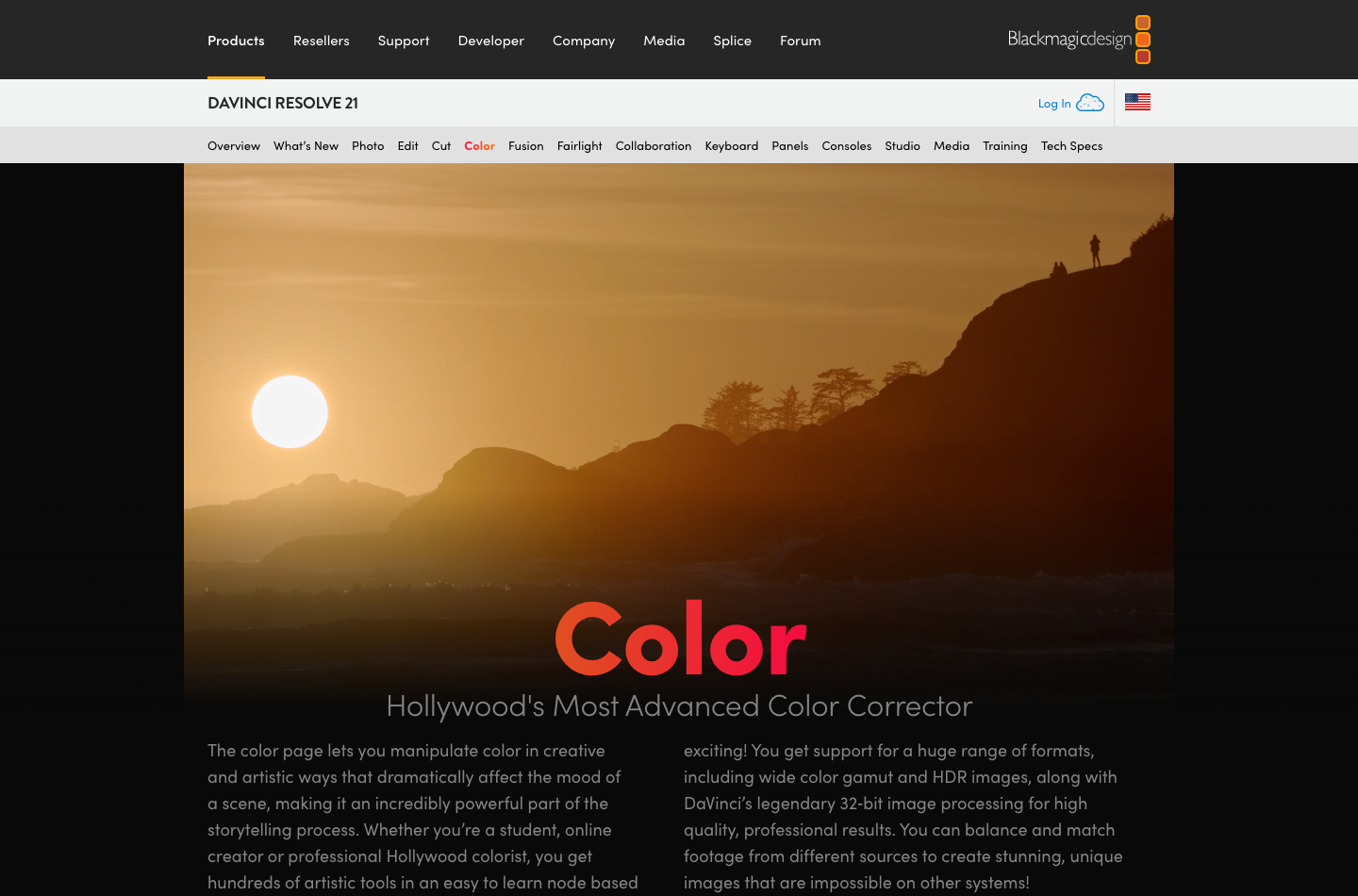
For DaVinci Resolve color correction, balance exposure and skin tone across the cut before applying a creative look. DaVinci Resolve cinematic color grading is ultimately a monitoring and shot-consistency task, not simply an attractive LUT.
Color is where Resolve has a long-standing professional reputation. The Color page provides primary adjustments, curves, qualifiers, masks, tracking and node-based grading. Unlike a simple social video filter, these tools let an editor work on exposure and color transforms while preserving a consistent intent across shots.
Begin with proper monitoring. A laptop set to its brightest, most saturated display mode is not a reference monitor. Match camera footage under a declared color-management workflow and check scopes. A clip may look vivid but lose skin texture or highlight detail when exported. Resolve offers professional tools; it does not replace calibration or understanding of color spaces.
✨ Nodes, Scopes and Shot Matching
Node-based grading allows creative and technical steps to be separated. For example, one node may transform the source color space, another correct white balance, a third isolate the background, and a final node apply a creative look. Changing the order can change the result, which is why saving a grade is not the same as proving it is portable between cameras.
Shot matching is easiest when production captured a color reference and exposed scenes consistently. In a controlled test, grade two camera angles of the same interview, then compare skin tones under identical monitoring. If the cameras were exposed differently, automation might help but still needs editorial judgment.
🎙️ HDR Delivery and Color Management
HDR workflows involve metadata, target displays, highlight roll-off and sometimes paid Studio features. Exporting a file labeled HDR does not guarantee that streaming platforms or phones display it correctly. Inspect the source transfer function and output requirements, and create an SDR comparison when clients require both versions.
The free version supports a range of HDR color work according to Blackmagic, but the complete feature set varies by edition. Users must verify the exact mastering standard and codec with current Blackmagic documentation before promising professional HDR delivery.
🔊 DaVinci Resolve Fusion VFX and Motion Graphics
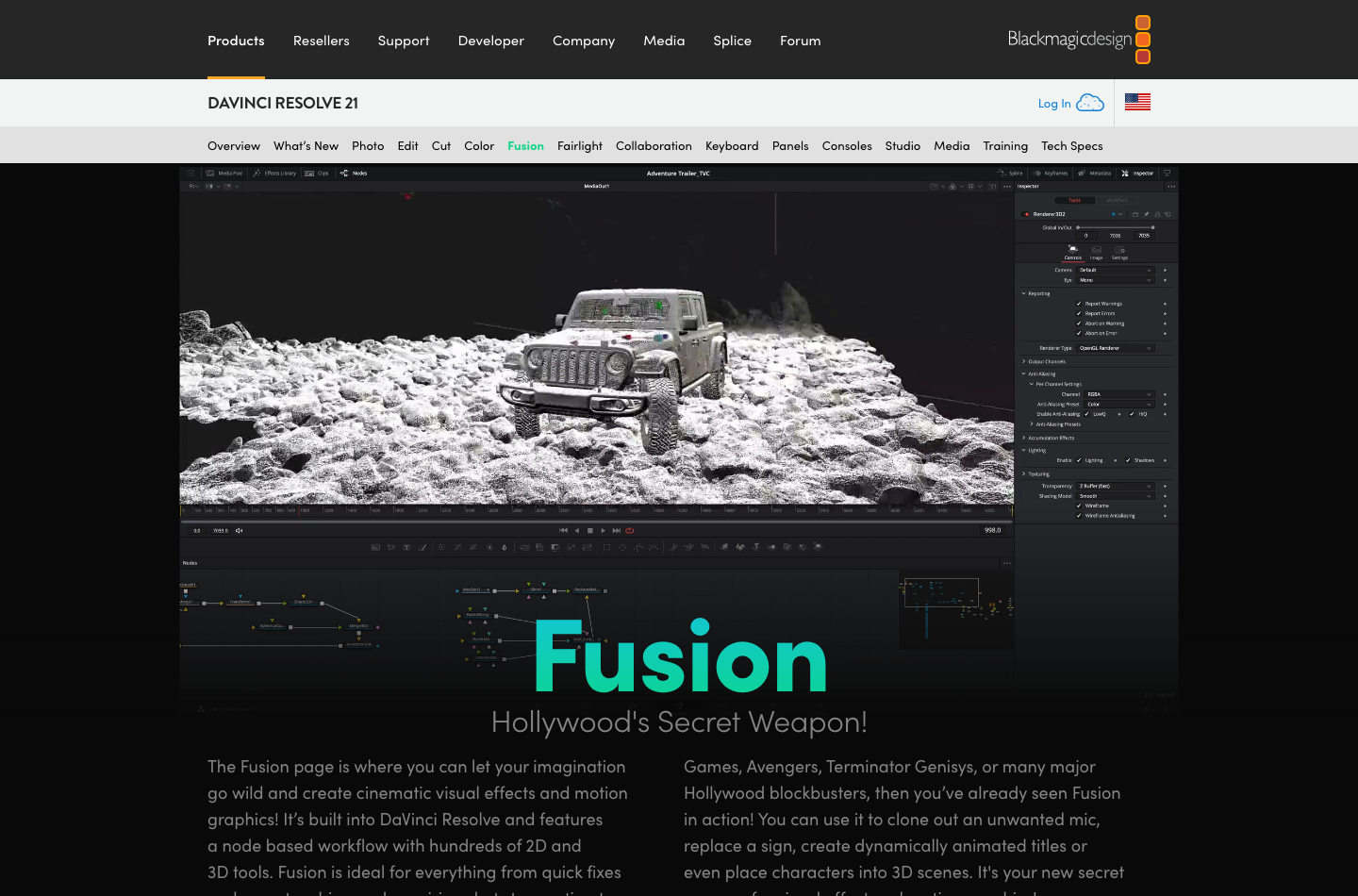
Fusion is a node-based compositing system for keys, masks, tracking, text, effects and motion graphics. The learning curve is distinct from editing: even a basic lower third may require understanding nodes, inputs and render ordering. This makes Fusion powerful for custom composites but slower than a ready-made template for some repetitive social posts.
Try building one tracked title in Fusion, then compare the result and editing time with a simple static caption. If production rarely needs tracked graphics, learning advanced compositing may not be the best use of the editor’s time. If it does, maintaining effects inside the same project can simplify delivery.
📱 DaVinci Resolve AI Magic Mask and Neural Engine
Studio contains DaVinci AI Neural Engine tools, including capabilities such as Magic Mask and advanced tracking or neural processing, depending on version. These features may reduce frame-by-frame roto work, but a fast demo doesn’t prove production accuracy. Hair detail, occlusions and motion blur still create hard cases.
A legitimate test compares assisted masking against manual clean-up time on difficult shots. Inspect the mask at full frame size and at motion transitions, not just a still preview. Confirm whether a specific effect requires Studio before beginning a client project in the free edition.
⚖️ DaVinci Resolve Fairlight Audio Postproduction
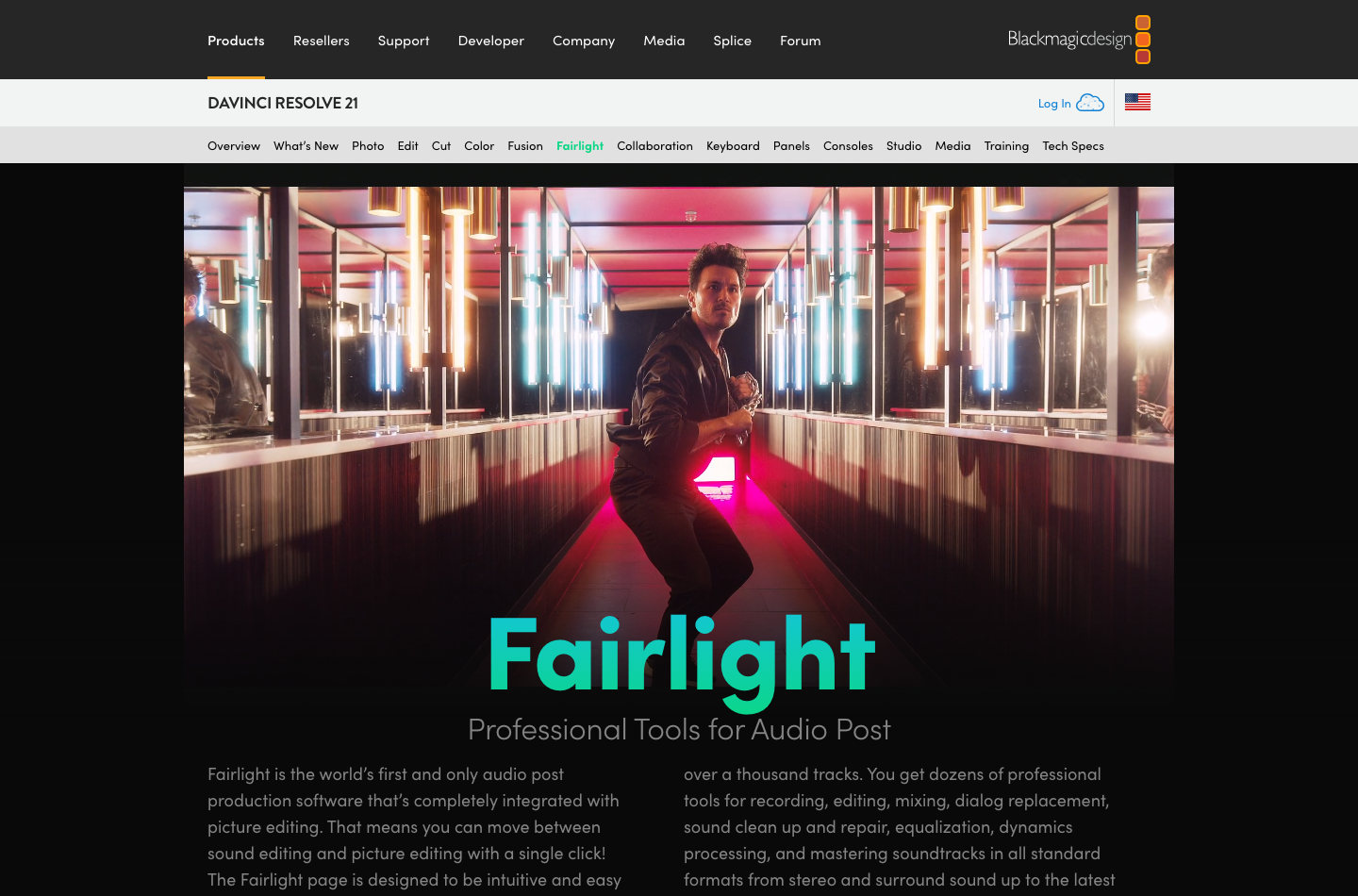
Fairlight integrates audio editing, EQ, dynamics, noise handling, mixing and bus routing. This matters because dialogue often decides whether a video seems professional. The camera may capture a beautiful shot while an air-conditioner hum or sudden volume jump makes it hard to watch.
A simple Fairlight test starts with a two-person interview. Put each microphone on its own track, normalize intelligibility by ear and meter, add music beneath dialogue and export to the intended loudness target. Listen on headphones and a phone. Do not rely on AI noise removal as a replacement for recording clean sound in the first place.
🧠 Speech Isolation and Audio Plugins
Studio offers additional Fairlight processing and AI-assisted audio capabilities. These features may help rescue compromised recordings, but aggressive cleanup can produce metallic voices or eliminate quiet consonants. Compare a repaired clip at the volume a viewer will actually hear.
If a project must deliver separate dialogue, music and effects stems, test routing and naming before the final deadline. Audio deliverables are contractual details. A polished stereo preview does not guarantee that a broadcaster’s requested stems are correct.
🔐 DaVinci Resolve 21 Hardware and Performance
DaVinci Resolve is local software, so processing depends heavily on GPU, codec acceleration, RAM and storage speed. A workstation running easy 1080p H.264 footage is not representative of a timeline with several layers of 4K 10-bit effects. The correct test uses the camera files and export presets that your business actually handles.
Do not pick a computer merely by matching a minimum supported operating system. Consider room for proxy files, caches, high-bitrate footage and external drives. For demanding projects, optimized media or proxies may provide more reliable gains than immediately buying the most expensive GPU.
🛠️ Windows vs Mac vs Linux
DaVinci Resolve Studio for Mac should be assessed with the exact chip, memory and media format in use. Successful installation alone does not promise smooth noise reduction or high-resolution playback.
The same Resolve project concept exists across supported desktop operating systems, but media codecs, drivers, hardware processing and plug-ins can differ. A user moving between a Mac laptop and Linux finishing station should validate the intended codecs and delivery formats ahead of time.
Document OS versions, GPU drivers, plug-ins and color-management settings for the team. Compatibility problems are expensive when a project crosses machines at the final stage. Keep a short test timeline for future upgrades.
✅ DaVinci Resolve vs Adobe Premiere Pro, Final Cut Pro and VEED
| Product | Best purchase reason | Primary trade-off |
|---|---|---|
| DaVinci Resolve | Integrated editor, high-quality color, Fairlight audio, capable free version | Professional workflow and local hardware learning curve |
| Adobe Premiere Pro | Adobe ecosystem, Frame.io, motion graphics handoff, broad team adoption | Subscription and annual commitment structure |
| Final Cut Pro | Mac-centered optimized editorial workflow | Apple ecosystem and different collaboration habits |
| VEED | Quick browser captions and social clips | Cloud upload, subscriptions and AI limits |
| OBS Studio | Recording and live production | It is not a finishing-focused nonlinear editor |
| Streamlabs | Streaming layout, alerts and creator tools | Live production rather than deep finishing |
⚙️ DaVinci Resolve vs Premiere Pro for Professional Editing
Premiere can fit an organization that already uses After Effects, Photoshop and Frame.io for review. Resolve suits teams prioritizing grading, audio and an integrated workstation toolset. Neither is universally better for every format or handoff.
Test a real five-minute project in each application. Include round trips, exported captions, media relinking and client approval. Time spent recovering a broken project can outweigh a year’s subscription savings.
📁 DaVinci Resolve vs Free Online Editors
An online video editor is often more approachable for a person whose entire job is trimming clips and adding captions. Resolve is more suitable when you must preserve edit decisions, handle unusual camera originals or deliver consistent color and sound.
A studio can use both: browser tools for social marketing variations and Resolve for master edits. Make sure this doesn’t lead to multiple uncontrolled versions of the same approved clip.
🧪 DaVinci Resolve Workflow Guide: From Raw Media to Finished Master
🔗 Ingest, Folder Structure and Safe Media Backups
Before opening Resolve, a filmmaker returning from a two-camera shoot needs to reconcile picture, separate audio tracks, stills and high-frame-rate clips. The immediate risk is not a missing color effect; it is a media folder that becomes impossible to reconstruct after files are renamed or moved. Copy the original camera cards to clearly labeled project folders, verify the copies and maintain an independent backup before erasing reusable cards. Treat those originals as read-only evidence of what the cameras captured.
Keep camera originals, external audio, graphics, working renders and final deliveries in separate, clearly named folders. The structure matters more than the specific naming convention. Keep the same folder names on the working drive and backup drive, and preserve the full card hierarchy when a camera format depends on sidecar data. If a teammate will edit later, agree on volume names and media paths before the first handoff. The Resolve media pool and relinking tools can reconnect files, but careful ingest prevents many relinking problems.
Next check frame rates, timecode and audio synchronization. A mixed-camera project might include material at 24, 25 and 60 frames per second. Select the delivery frame rate intentionally rather than accepting a default simply because the first imported clip prompted it. Test whether slow-motion footage should play at its captured speed or be conformed for the story. Generate optimized media or proxies when source formats overwhelm the available workstation. This does not change the need to retain originals for a final high-quality render.
Projects themselves also need backups. An archive of source footage without the editing decisions, grading nodes, sound work and title assets is not a usable disaster-recovery plan. Periodically export project backups and verify that restoration works on another path or machine. Blackmagic Cloud may support selected collaborative workflows, but cloud convenience does not replace an independently controlled archive.
🔎 Choosing Between Cut, Edit, Fusion and Color Without Slowing Down
Resolve puts several specialized working environments inside one application. That breadth is powerful, but beginners often lose time switching pages before they understand the editorial objective. Start on Cut or Edit, assemble a story with clean audio and appropriate pacing, and resist the urge to color grade every shot before the rough cut is approved. Expensive finishing work on footage that will be removed is wasted effort.
The Cut page is useful for fast assembly and review of available material; the Edit page offers the conventional timeline control many editors expect. Fusion adds node-based compositing, motion graphics and visual effects. The Color page uses its own node structures and analysis tools for shot matching and creative grading. Fairlight handles multitrack audio editing and mixing. These are different stages of a production, not five mandatory tools for every thirty-second clip.
For a documentary scene, use an offline pass to choose interview statements and supporting footage, a second pass to refine transitions and shot continuity, then a dedicated finishing pass. Only after the picture is stable should an editor invest heavily in difficult masks or detailed Fairlight processing. Version the project before major structural changes. If the director requests a completely different opening, preserving the earlier approved edit can save a full rebuild.
A common mistake is copying flashy online techniques into every production. Node trees can become so complex that colleagues cannot debug them. Prefer simple, labeled adjustments; add a new node because it solves a specific problem, not because a tutorial used ten. For sophisticated Fusion work, name elements so a future editor can understand inputs, masks and outputs without reverse-engineering the entire composition.
🚀 Color Management, Monitoring and Delivery Decisions
Professional color work depends on predictable viewing conditions, not only the sophistication of grading tools. A display with unknown calibration, automatic brightness or aggressive operating-system color shifts can make an attractive grade look inconsistent across devices. Establish a sensible color-managed pipeline for the source cameras and delivery format, then check the appearance on representative displays. Recording formats, camera color spaces and delivery specifications should inform the project settings.
For a typical online video, the team may only need an accurate Rec.709 delivery and consistent skin tones across shots. More elaborate HDR workflows require additional expertise and monitoring. Scopes help evaluate exposure, color balance and clipping, but they do not make aesthetic decisions automatically. A properly exposed shot with a distracting color cast still needs human judgment; an intentionally low-key scene should not be flattened simply to make a waveform look balanced.
Define export specifications before finishing. Ask for frame size, cadence, codec, audio format, loudness expectations, caption delivery and destination. A YouTube review, an advertising master and a client’s broadcast file can require different settings. Always export a short representative sample to confirm that gradients, text, subtitles, audio channels and motion behave correctly. Then render the finished program and watch the exported copy from beginning to end; errors can emerge during encoding even when the timeline preview looked fine.
Resolve’s free version can handle substantial UHD work, while Studio enables additional advanced formats, resolution and AI capabilities; the exact boundary depends on the task and platform. Do not confuse a product’s maximum marketing specification with guaranteed performance on the editor’s current computer.
📺 Hardware, License Economics and the Current Studio Discount
The cheapest editing license is not always the cheapest editing workstation. Heavy temporal noise reduction, optical flow, complex Fusion composites and multiple high-resolution streams can strain CPU, GPU, memory and storage. Before buying new hardware, test a representative five-minute section with the effects the team will actually use. Monitor whether playback, caching or rendering is the bottleneck. Sometimes a proxy workflow and faster local media drive provide more benefit than a premium GPU upgrade.
The October 2026 promotion deserves precise treatment. Blackmagic Design is advertising a limited 20% discount on DaVinci Resolve Studio 21, reducing the US reference price from $295 to $236, with its published promotion running through November 20, 2026. The company’s sale announcement describes the offer through participating resellers; local currencies and checkout terms can vary. This is a temporary price, not evidence that the standard license has permanently fallen. Official Blackmagic sale announcement.
For an illustrative twelve-month decision, the standard $295 Resolve Studio purchase differs from paying $22.99 every month under an Adobe annual plan: the arithmetic is $295 versus $275.88 in subscription charges during year one before tax and promotions. However, these figures do not describe equivalent products, cancellation rights or future upgrades. A separate photo editor, motion-graphics package, shared storage or paid cloud workflow can change the total. Over two years, recurring subscriptions may accumulate more cash charges, but only if the team still needs those applications and their contractual terms remain comparable.
Finish a representative project in free Resolve first. If a Studio-only codec, effect or export limit genuinely blocks the work, check your hardware and purchase through an authorized seller. Avoid buying solely because a promotion has an approaching end date. A tool saves money when it improves delivery quality or reduces actual production effort, not merely because its price tag is temporarily smaller.
🏁 DaVinci Resolve Pros and Cons
| Advantages | Limitations |
|---|---|
| Exceptionally capable free desktop editor | Steeper learning curve than template-led tools |
| Color and audio integrated in one project | Strong GPU and storage can be necessary |
| Advanced nodes, Fairlight and Fusion | Hardware and codec support differ by OS |
| Studio is a one-time software purchase | Professional panels, cloud and media infrastructure extra |
| Blackmagic publishes extensive training material | Studio-exclusive features can interrupt free projects |
| Useful for short- and long-form productions | Team workflows need consistent media and project handling |
🎨 How to Test DaVinci Resolve Before Buying Studio
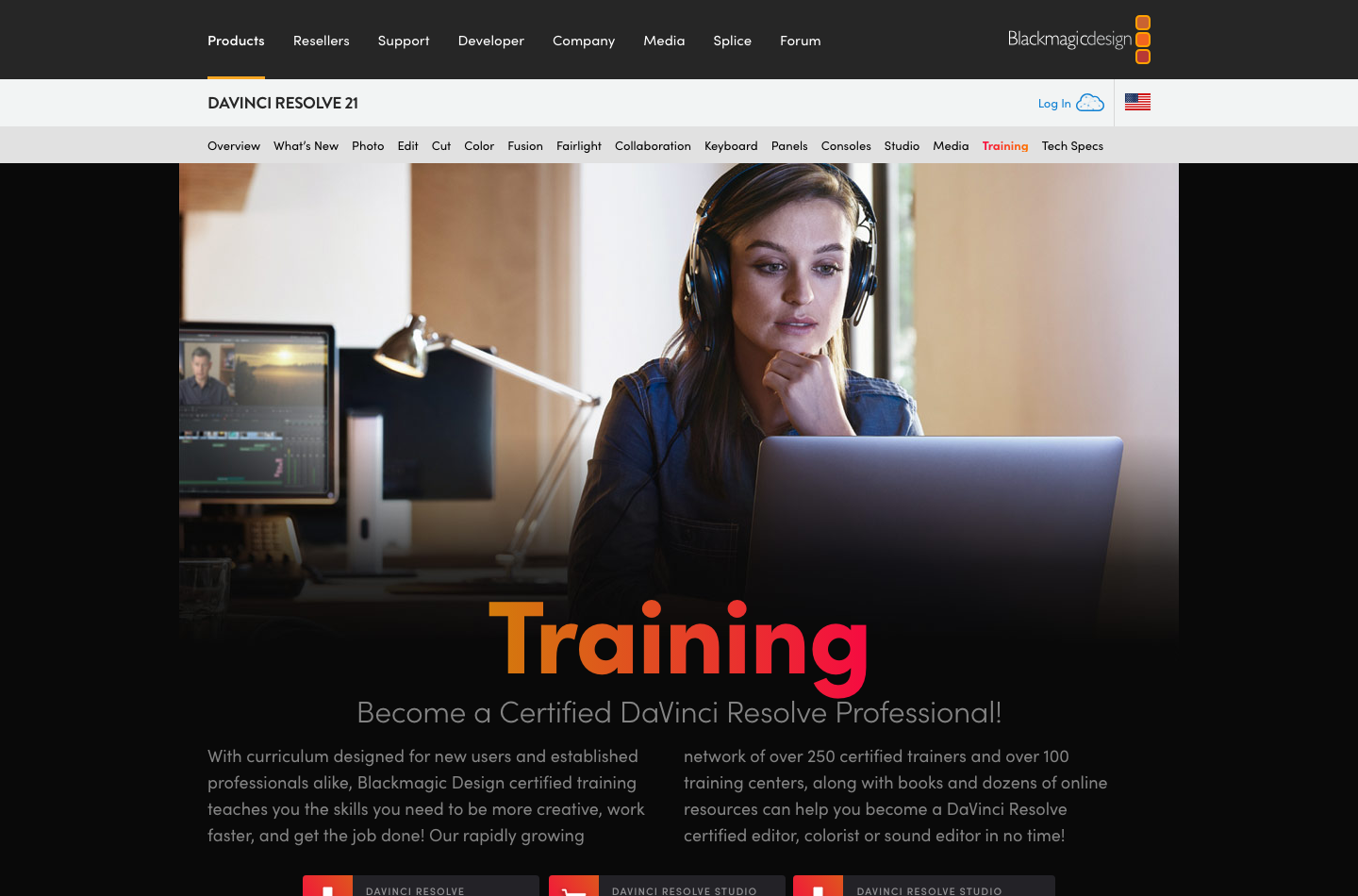
DigiOffly did not complete these tests on a production workstation. They are a plan for an authorized evaluation.
Download from Blackmagic’s official product page. Create a short project using actual camera footage. Make a sequence at the delivery frame rate and include a camera file recorded in the source codec your team uses most.
Build a rough edit on Cut, refine two cuts on Edit, match two shots on Color, mix dialogue in Fairlight and export the final review file. Then disconnect the source drive and attempt a controlled relink. That exercise exposes more practical difficulties than an abstract feature comparison.
If an effect requires Studio, note precisely which effect, camera format or output dimension caused the block. Request a demo or documentation check before purchase. Repeat the export in a new software version before relying on it for a deadline.
💻 Privacy, Licensing and Backup Responsibilities
Local editing avoids uploading every camera original to a browser by default. That is helpful for confidential media, but local storage can also fail or be stolen. Encrypt sensitive working drives where appropriate, maintain offline copies and define the responsibility for client data after project completion.
Cloud collaboration, third-party plug-ins and licensed effects introduce separate processors and terms. Read the contract for each service. Verify how a Studio license may be activated or transferred before reorganizing workstations; do not assume a purchased software license is unlimited across every team member.
📈 Final Verdict: Is DaVinci Resolve Worth It in 2026?
DaVinci Resolve 21 is a strong recommendation for creators who want professional editing, color and audio without committing to a monthly editing subscription. Start with the free version whenever your actual files and finishing requirements permit it.
DaVinci Resolve Studio is worth considering for advanced AI tools, noise reduction, specific high-end formats and larger deliverables. Check the current regional price rather than assuming the observed $236 promotion is permanent. The correct buying question is what the Studio-only capability will save or enable on work you already do.
📝 Official Sources Used
DaVinci Resolve 21 overview · Studio features · Edit page · Color page · Fairlight · Free official training.

Frequently Asked Questions
Is DaVinci Resolve free in 2026?
Yes. Blackmagic Design offers a capable free DaVinci Resolve 21 edition for desktop use, subject to stated codec, format and effects limits.
How much is DaVinci Resolve Studio?
Blackmagic typically lists a $295 US Studio software reference. Some official 2026 storefront views showed a $236 promotional offer. Confirm the eligible checkout amount.
Is DaVinci Resolve Studio a monthly subscription?
The core Studio software is sold as a one-time license purchase, unlike subscription-based editors. Cloud and optional hardware/services may cost separately.
Is DaVinci Resolve Studio worth it for beginners?
Usually start with the free edition and evaluate whether a Studio-only effect, codec or output capability is required for actual projects.
Can free DaVinci Resolve edit 4K video?
Blackmagic describes the free version handling many 8-bit formats up to 60 fps at Ultra HD 3840 × 2160. Check precise codec and platform compatibility.
What does Studio add to DaVinci Resolve?
Studio adds DaVinci AI Neural Engine features, additional effects, advanced noise reduction and support for certain higher-bit-depth/high-frame-rate formats.
Is DaVinci Resolve good for color grading?
Yes. Resolve includes sophisticated grading nodes, qualifiers, scopes and color workflows, but calibrated monitoring and correct color management remain important.
Does DaVinci Resolve have motion graphics?
Yes. Fusion provides node-based compositing and motion graphics inside the Resolve project.
Can DaVinci Resolve edit audio?
Yes. Fairlight handles audio postproduction, buses, EQ and mixing, with additional effects on Studio.
Is DaVinci Resolve available on Linux?
Blackmagic offers Linux alongside macOS and Windows, although media codecs, drivers, hardware acceleration and installer details can differ.
DaVinci Resolve vs Premiere Pro: which is cheaper?
Resolve offers a free desktop edition and paid one-time Studio license; Premiere is subscription-based. Feature and hardware needs must be compared alongside sticker prices.
EXPLORE NEXT ON DIGIOFFLY
Compare Creator & Streaming Tools
Compare DaVinci Resolve with streaming, creator and editing software while preserving meaningful cost and feature distinctions.
Explore creator software
- Creator & Streaming — See the published production and streaming categories.
- OBS Studio review — Compare free recording and live production.
- Streamlabs review — Check overlays, live alerts and streaming workflows.
- Runway review — Compare AI-generated source shots with professional finishing.
Choose the right tools
- Software Directory — Browse confirmed software categories and plans.
- AI Software Finder — Filter tools by verified production needs.
- Compare software — Compare published capabilities and costs.
Plan a practical stack
- Software Cost Calculator — Model monthly costs, seats and annual payments.
- Best Value Advisor — Shortlist products for the work you actually do.
- Ready-Made Software Stacks — See ways to avoid duplicating creator subscriptions.
- Ecamm Live — Mac-focused live video, interviews, scenes and isolated recording
Public software pricing and features change. Verify regional licensing, usage credits and invoice terms on the vendor site before buying.