

DreamHost review — October 2026. Installing WordPress is the easy part. The useful comparison is the bill after the discount, what happens to the mailbox trial, and how easily an editor can recover a broken site. Alex Wright reviewed the public plan pages and terms. No production DreamHost account was benchmarked.
DreamHost review 2026: how much does a $2.89-a-month Launch plan really cost after the introductory term? At that advertised annual rate the first year is about $34.68 before tax; renewal at $10.99 a month comes to $131.88. The more useful questions are how the website behaves on shared resources, when business email becomes paid, and whether DreamPress would save anyone actual maintenance work.
For a WordPress site with only a few editors, the practical questions are concrete: who receives the renewal invoice, who restores backups after a bad update, and what happens to the email account when its introductory trial ends? DreamHost’s low starting rate answers none of those questions by itself.
🔎 Review Summary and Editorial Fit
For a blog or ordinary business site, DreamHost’s familiar hosting model may be a more comfortable fit than a Git-driven deployment service. One figure is hard to ignore: the advertised Launch renewal is more than three times the monthly equivalent of its introductory offer. A plan comparison that omits that change gives the reader the wrong budget.
Compare the invoice for Web Hosting Launch with the full operating requirements of this website: domain registrar, email provider, backup recovery and the person who handles plugin updates. A standard information site should not pay for root access it cannot administer, while an application requiring unusual server processes needs a different evaluation altogether.
🧭 Contents and Navigation
Jump to pricing, technical constraints, practical scenarios, comparisons and official sources.
🔎 Quick Verdict: A Sensible Site, Not Every Site
DreamHost makes the most sense to a person buying a normal website rather than an application deployment pipeline. A WordPress blog, brochure site or handful of client landing pages can use managed hosting conveniences without learning cloud infrastructure. But the attractive first-term quote is not the long-term budget. A buyer whose business depends on reliable business email and an important domain should price those separately. The verdict becomes less favorable if the workload needs root access, a specialist Windows stack or predictable compute isolation on a shared plan.
DreamHost review 2026: the purchase should follow the website’s actual maintenance needs and the cost after promotional pricing ends.
🔎 What DreamHost Actually Sells
The current catalog separates Web Hosting Launch, Growth and Scale from managed DreamPress and multiple VPS families. That separation matters: a low-cost shared plan gives a control panel and bundled website conveniences, not the complete operational control of an unmanaged server. DreamPress focuses on one managed WordPress site per entry tier. The self-managed VPS offering explicitly gives full root access but shifts system administration and security responsibility to the customer. Compare products within the same hosting category before trying to make a single plan solve contradictory requirements.
\n
🔎 DreamHost Pricing 2026: First Term vs Renewal
At the time of research, DreamHost lists Web Hosting Launch for a first year at $2.89 per month equivalent, then automatic renewal at $10.99 per month. Growth is $3.99 then $12.99, and Scale $9.99 then $25.99 on the same advertised annual selection. These are not month-to-month checkout prices: the full selected term and applicable taxes are charged at checkout. A multi-year checkout may advertise still lower monthly equivalents and different renewal figures. Always save the plan, term, currency and checkout total as a single dated quotation.
DreamHost pricing 2026 is best read as two numbers per contract: the prepaid introductory monthly equivalent and the higher renewal equivalent.
Check the prepaid term and the automatic renewal rate directly in the DreamHost checkout. A lower entry price does not imply a comparable discount when the contract renews; also note which promotional domain or email benefits expire sooner.
| Plan | Advertised entry | Renewal or usage model | Important boundary |
|---|---|---|---|
| Web Hosting Launch | $2.89/mo equiv. first year | $10.99/mo renewal | 25 sites, 25 GB NVMe, ~40k visit guidance |
| Web Hosting Growth | $3.99/mo equiv. first year | $12.99/mo renewal | 50 sites, 50 GB NVMe, ~200k visit guidance |
| Web Hosting Scale | $9.99/mo equiv. first year | $25.99/mo renewal | 100 sites, 100 GB NVMe, ~400k visit guidance |
| DreamPress 1 | $14.99/mo equiv. first year | $19.99/mo renewal | 1 managed WordPress site; backup retention varies |

🔎 Launch vs Growth vs Scale: Capacity Trade-offs
Launch is advertised for up to 25 websites, 25 GB NVMe SSD and roughly 40,000 monthly visits; Growth moves the comparison to 50 websites, 50 GB and about 200,000 visits; Scale advertises 100 websites, 100 GB and about 400,000 visits. The visit numbers are selection guidance rather than an unconditional performance guarantee. Analyze actual plugin weight, caching, database queries and peak concurrency, not just the number of domains listed. In many cases one badly configured WooCommerce installation is more demanding than twenty lightly visited brochure sites.
DreamHost Web Hosting Launch is the entry shared product; it should not be confused with the capacity and responsibilities of a managed VPS.
🔎 DreamPress Managed WordPress: What Changes
DreamPress 1 advertises one managed WordPress installation, 15 GB storage, around 40,000 visits, fourteen days of backup retention and a separate renewal schedule. Its marketed first-year figure is $14.99 per month equivalent, then $19.99. A managed product can relieve selected maintenance burdens but should not be assumed to maintain custom plugins, troubleshoot site-specific code or guarantee a successful migration. Before paying the premium, check the backup restore procedure, staging features, allowed plugins and how the host handles a critical security update.
DreamHost DreamPress is a separate managed WordPress proposition, not simply a faster switch applied to every shared hosting account.
Validate actual backup retention and a restoration on a harmless staging installation. The phrase daily backup does not tell you whether database and uploads can be restored to a consistent point required by this business.
| Area | Question to answer | Evidence to collect |
|---|---|---|
| Access and ownership | Who holds the domain and billing account? | Offboarding, login protection and recovery tested |
| Migration | What must survive the move? | Redirects, forms, DNS, database, assets and rollback |
| Performance | Which workload creates peak cost or errors? | Measure with consistent test conditions |
| Data and security | Which services hold customer or business data? | Permissions, backups and retention verified |
🔎 Free Domain and Email: The Hidden Second-Year Costs
Eligible annual or multi-year hosting terms include a domain for the first year, but the registration must be renewed afterward. The professional email offer is a three-month trial, with mailbox quantities varying by plan; it is not permanently bundled email. A business setting up twenty addresses can face a materially different recurring expense from a founder who needs one inbox. Keep domain registration, privacy, email and hosting in distinct budget rows so that a seemingly inexpensive launch is not mistaken for a fixed multi-year subscription.
🔎 Backups, SSL and Security Responsibilities
The web plans advertise daily automated backups and free SSL certificates. These are valuable components, but backups are only useful when an owner can locate a known-good restore point, test it and understand retention. HTTPS protects traffic in transit; it does not repair vulnerable themes or stop compromised administrator accounts. Set two-factor authentication where available, use a password manager, keep independent copies of critical site files and document how to recover DNS settings if a migration has to be rolled back.
🔎 Traffic, Storage and Unmetered Bandwidth
DreamHost uses unmetered bandwidth language subject to fair-use and resource policies. That should never be rewritten as infinite CPU, RAM or concurrency. A gallery with large original photographs can exhaust storage, while a frequently queried membership application can struggle despite low transfer volume. For a launch estimate, take the number of pages, asset sizes, cache-hit behavior and expected peak visits into account. For a busy existing site, request performance observations or a specialist review rather than projecting from the marketing visit estimate alone.
| Situation | What changes the requirement | A useful validation |
|---|---|---|
| A founder launches a single brochure site | The client needs five static pages, two contact forms and branded email, with no specia… | Estimate the domain renewal and mailbox cost separately from Launch. Build and test both forms, an SSL re… |
| An agency maintains several client microsites | Each account has different editors, plugins and contractual owners, and the agency want… | Count real installations and storage usage instead of treating an advertised 25-site allowance as permiss… |
| A small team contemplates DreamPress | The site has grown complex enough that WordPress maintenance consumes more time than wr… | Assign a real value to staging, recovery assistance and managed operations; verify exactly which administ… |
| An international audience visits the site | A content site has users in Europe and North America, but the owner only measured a fas… | Test from several geographic locations with repeatable conditions and evaluate caching/CDN delivery befor… |
🔎 Managed VPS vs Self-Managed VPS
A managed VPS is designed for customers who value host involvement and isolated resources; a self-managed VPS provides root access for applications that need custom packages, Docker or system-level configuration. These are different administrative contracts. The self-managed offer may be inexpensive relative to the stated CPU and RAM, but patching, firewalls, backup schedules and application health monitoring become part of the owner’s workload. Select this path only after identifying who will be on call when the service is unresponsive at night.
With a growing site, examine database time, cache effectiveness and plugin execution before deciding that higher advertised visit guidance solves the incident. One slow dynamic route can dominate performance despite low aggregate monthly visits.
\n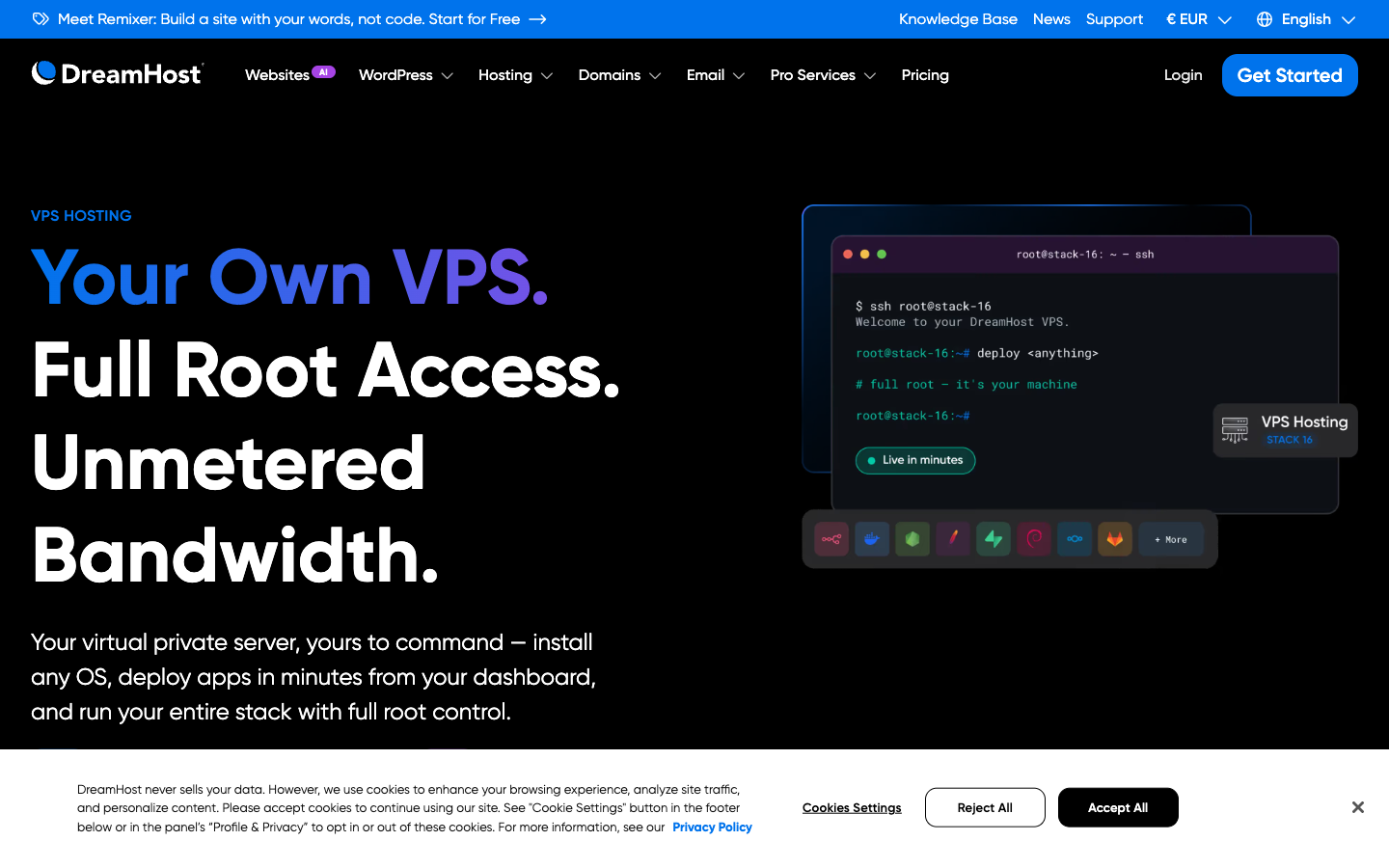
🔎 WordPress Migration and Email Cutover
A site migration is not complete when the homepage loads. A correct cutover must preserve database content, uploads, canonical URLs, redirects, forms, scheduled tasks and transactional email. If the domain moves alongside hosting, account for DNS TTLs, MX records and SPF/DKIM/DMARC settings; an unnoticed email change can lose business inquiries. Use a temporary staging address and review a list of representative pages before switching DNS. Keep the prior provider active until payment, submissions and email delivery have been verified.
🔎 DreamHost vs Bluehost and SiteGround
A twelve-month budget can be misleading when renewal and mailbox charges fall into the next period. Compare the same initial term, renewal term, number of actual sites, backup retention, email price, access to caching, support entitlement and migration requirements. Bluehost may offer a familiar WordPress onboarding path, while SiteGround and managed products can emphasize a different resource model. WordPress.com is a platform alternative rather than a one-for-one replacement for unrestricted self-hosted plugins. Inspect the limitations important to this site’s workflow, not a generic winner badge.
🔎 Performance Expectations Without Invented Benchmarks
Hosting speed comparisons become meaningless when one site has a heavy page builder and the other serves cached static HTML. Use matching WordPress installations, regions and repeated measurements. This editorial review has not deployed a paid DreamHost instance and does not claim measured uptime, support wait times or loading speeds. A sensible owner can run a small staging install, conduct a repeatable Lighthouse or WebPageTest baseline and document changes after putting CDN and caching in place. Real user performance metrics should be collected after launch rather than inferred from promotional promises.
A DreamHost vs Bluehost comparison should normalize billing term, email, restoration and WordPress migration responsibilities before looking at discounts.
For comparison with Bluehost or another shared provider, normalize the same domain, mailbox count, backup window and plan duration. Use the same contract duration and mailbox count before declaring one shared host less expensive.
| Provider | Primary model | Cost caveat | Best-fit evaluation |
|---|---|---|---|
| DreamHost | Conventional WordPress, shared web hosting and VPS | Intro and renewal differ; email trial expires | Content-led sites and standard WordPress |
| Bluehost | WordPress onboarding and shared hosting | Compare matched renewal and add-ons | Beginners comparing guided setup |
| SiteGround | Web hosting with managed features | Compare resources and renewal | Sites valuing managed workflows |
| Vercel | Git-native app deployment | Metered compute and team usage | Frontend/Next.js applications |
🔎 Who Should Skip DreamHost
Skip the simplest web plan if you need guaranteed dedicated compute, a customized deployment build chain, root access or direct tuning of the database server. Do not buy a shared account to run background workers merely because a plan advertises many websites. If the project is a static frontend generated from Git, Vercel or Netlify may offer a more natural release workflow. Conversely, a conventional WordPress site with editing staff, forms and a content management system often fits a conventional hosting approach better than a serverless frontend.
🔎 Editorial Methodology and Official Sources
This 2026 DreamHost assessment uses publicly accessible company pricing pages, product documentation and cross-provider comparison criteria. The visible website screenshots document published offers, not a private account or measured service test. All promotional pricing is time-sensitive, and a quoted monthly equivalent can conceal prepaid annual obligations. No discount code, affiliate destination, uptime result or support experience has been invented. The linked sources allow a reader to verify the plan details just before subscribing.
🔎 Real-World Decision Scenarios
These DreamHost situations describe hypothetical WordPress operations rather than customers personally interviewed. They illustrate where a seemingly simple hosting choice can fail: DNS and mail changes, store transactions during traffic bursts, recovery access and the difference between a managed host and an administrator-controlled server.
1. A founder launches a single brochure site
A local service business needs five pages, two inquiry forms and a reliable address for customer replies. DreamHost Launch may be sufficient for the website, but the three-month mailbox trial and first-year domain offer need their own renewal entries. Before launch, submit both forms from a phone and confirm that the messages arrive in the mailbox staff will actually monitor.
A brochure site without a developer on call should have a deliberately boring operating procedure. Test an inquiry from a phone, verify where the mail lands, and restore one staging page from backup before accepting the handover. Record the email-trial end date alongside the domain renewal; otherwise the first unexpected invoice can coincide with the loss of the team’s only business mailbox.
2. A WordPress blog acquires sudden search traffic
The blog already receives referral traffic, yet a page-builder extension slows uncached articles. Buying DreamHost Growth solely because it advertises more visits would skip the diagnosis. Compare the response to one problematic article with and without its expensive extension on staging; only then decide whether hosting resources are the limiting factor.
For this blog, the most useful baseline is a slow uncached article and the busiest post during a real referral spike. Note PHP execution time, whether images are served through the cache and how the database responds during editing. If a particular page builder causes the delay, moving from Launch to Growth may increase headroom without repairing its underlying query.
3. An agency maintains several client microsites
An agency wants to host several clients under a single DreamHost account. The attraction is a simpler invoice, but each client has different editors, contractual ownership and recovery needs. Decide who can install plugins and download backups for each site; if account-level access cannot be separated appropriately, separate hosting may be the safer choice.
With several client microsites, the important boundary is who can change another customer’s installation. Document administrator accounts, export access, plugin update responsibility and account recovery before adding the next domain. A shared hosting package can simplify the agency’s billing, but it may be inappropriate when contracts require separate operational custody or different security policies.
4. A WooCommerce store needs dependable checkout
An online shop expects a burst of sales after its email campaign. DreamHost visit guidance does not say how quickly the uncached cart, stock updates or payment callbacks will run. Test the complete checkout sequence on staging with approved test transactions, then inspect how long the database and server processes stay busy.
The store’s checkout is rarely cached like a public product page. Measure cart changes, checkout webhooks and payment callbacks using a staging copy and approved test payments. Compare how the application behaves when inventory queries and confirmation emails happen simultaneously. A monthly-visit estimate is not a proxy for transactions that need timely writes to a database.
5. A podcast changes its public website
The podcast’s WordPress site is moving, but its episodes remain with a specialist media host. A DreamHost migration should keep old episode redirects, embedded players and the canonical RSS feed intact. Check several enclosure links in an actual podcast app after the DNS cutover; moving the website does not mean moving or recreating the feed.
Moving a podcast’s public website does not have to move its audio host. Keep the feed’s canonical URL and enclosure links stable, then audit embedded players and redirects on the new site. Inspect several old episodes from a mobile podcast app after DNS changes. Also ensure contact forms send to the intended mailbox rather than an address quietly left at the former host.
6. A small team contemplates DreamPress
One editor spends more time resolving plugin conflicts than publishing content. DreamPress is worth comparing with DreamHost shared hosting only after listing which maintenance and recovery tasks the provider actually assumes. A managed plan may ease backup handling without fixing a custom extension or making the editor’s release process automatic.
Before purchasing DreamPress, list every maintenance task that actually occupied the site’s owner during the prior month. Put staging restorations, plugin conflicts and security notifications in separate categories. The managed package is worthwhile only where it removes a supported task or reduces recovery risk. Keep custom plugin compatibility and ownership of application-level bugs explicitly in the decision.
7. A developer wants to deploy a custom Node service
The application runs a long-lived Node worker that is not part of a normal WordPress page request. DreamHost shared hosting is the wrong baseline for that process. A self-managed VPS could run it, but the team must also supply a restart policy, patch schedule, monitoring and incident response; compare that operating burden with an application platform.
A Node service depending on a continuous worker needs scheduling and restart behavior unlike a conventional PHP site. Before paying for a self-managed VPS, map the deployment pipeline, update responsibility, log collection and secrets handling. Root access solves permission problems but also makes patching and incident response the buyer’s responsibility; the least expensive machine may not be the cheapest operated solution.
8. A nonprofit audits its annual budget
A nonprofit discovers that its discounted hosting contract, domain and email trial all expire at different times. Before switching away from DreamHost, it should reconstruct the twelve-month invoice and identify who receives renewal notices. The decision may be about fixing account ownership and budgeting rather than changing an otherwise functional website.
The nonprofit should reconcile its next-year invoice before changing a provider. Retrieve the original term length, identify which domain registrations were free only at signup and establish which mailboxes are still in use. Then calculate the replacement cost of each service. If a renewal will exceed the approved budget, a migration plan needs lead time for DNS and staff training.
9. A site owner needs a disaster-recovery plan
Nobody has tried recovering the WordPress site after a bad update. On DreamHost, the owner should identify a usable backup and restore it to a disposable environment with images, database and settings intact. Record the steps that still require manual work; a scheduled backup has little value if nobody can complete recovery.
The first recovery drill should happen on a disposable site, not by overwriting the production installation. Choose a backup that includes uploads, database content and relevant configuration; record how long the restore takes and what must be repaired manually. If the backup exists only within the same hosting account, keep a second protected export in an independently controlled location.
10. An international audience visits the site
The site has readers in North America and Europe, yet the only speed check came from the office Wi-Fi. Before criticizing DreamHost, test a warmed cached article and a dynamic response from multiple regions. Large images might be the problem, or a database call might bypass the CDN entirely. Those causes need different fixes.
An international site needs more than a single speed score measured near the server. Compare repeat visits from different regions, identify assets that miss the cache and examine whether application responses require origin processing. A CDN can accelerate images without making a slow database query faster. Decide whether geography, code behavior or hosting capacity is the actual constraint.
🔎 Practical Evaluation: What to Verify Before Checkout
A DreamHost price comparison needs a contract term, not a single monthly-equivalent number. The quoted Launch promotion and its renewal apply to a specified annual arrangement. For decisions involving Growth, Scale or DreamPress, verify the actual invoice and how the hosting contract treats domain registration and mailbox trials. The relevant number is the cost to keep a functioning website online after the original promotion ends.
WordPress performance claims require a controlled installation and comparable data. Create a staging site using the same theme, plugin versions and content weight, and measure the origin and cached page separately. A public product description provides capacity guidance but does not predict how a particular WooCommerce database will perform during checkout. No such comparative speed test has been completed for this article.
Migration feasibility should be judged by a rehearsal covering a database restore, image paths, redirects, form submissions and transactional mail. It is not enough to copy files into the new control panel and observe a correct homepage. Keep the old host operational during validation and write down which DNS records must remain unchanged for external email systems.
To judge DreamPress against standard web hosting, identify exactly which WordPress maintenance or recovery actions the managed service will handle. Then estimate the staff time those actions currently consume. Managed infrastructure can reduce one kind of administrative burden without taking ownership of custom integrations, content errors or business-critical credentials.
🔎 Vendor Sources, Research Limits and Next Steps
For DreamHost, the original pricing and product pages are the definitive place to verify today’s contract options. Save a screenshot of the chosen term and renewal conditions. This review does not claim measured uptime, an authenticated migration, a completed support ticket or independent server benchmarks.
- DreamHost official source 1
- DreamHost official source 2
- DreamHost official source 3
- DreamHost official source 4

Frequently Asked Questions
Is DreamHost a good choice for a first WordPress website?
It may suit a content-led beginner who wants conventional hosting and an accessible WordPress workflow. Compare total renewal cost, site maintenance, email and backups rather than choosing solely from the introductory quote.
How much does DreamHost Launch cost after the first year?
The advertised annual offer checked in October 2026 lists $2.89 monthly equivalent in year one and automatic renewal at $10.99 per month equivalent. Checkout total and taxes depend on term and eligibility.
What is the difference between DreamHost Launch and Growth?
The published annual-plan comparison changes site count, SSD storage and monthly visit guidance: Launch lists 25 sites and 25 GB, while Growth lists 50 sites and 50 GB. Resource policies still apply.
Does DreamHost include a permanently free domain?
Eligible annual and longer plans offer a domain for the first year, not permanent registration. Check both domain renewal and any separate mailbox charge before committing to a multiyear website budget.
Is business email free with DreamHost hosting?
The provider advertises a three-month professional email trial with a plan-dependent number of mailboxes. After the trial, mail has its own billing conditions; the hosting quote should not be treated as all-inclusive.
Does DreamHost provide automatic backups?
Current Web Hosting plans list daily automated backups. Check retention, restoration procedure and whether an independent copy is required for the site’s recovery objective. A backup label is not proof of a successful restore.
Is DreamPress better than ordinary shared hosting?
DreamPress is a different managed WordPress product. It can be useful when the operational conveniences matter, but costs more and has distinct resource and site entitlements. Compare actual maintenance duties and plugin compatibility.
Can DreamHost host custom applications with root access?
Self-managed VPS products offer root access and a different administrative agreement. Standard shared web hosting does not offer the same server-level control; the owner of a self-managed system must plan for patching and monitoring.
Does unmetered bandwidth mean unlimited performance?
No. Unmetered transfer wording remains subject to acceptable-use and resource policies. Database work, CPU contention, disk, memory and request concurrency can matter even when monthly transfer is not billed by the gigabyte.
How does DreamHost compare with Bluehost?
Compare like-for-like terms, actual renewal prices, backups, email, migration assistance and WordPress requirements. A cheaper initial quote may be less important than the cost of managing the website over two or three years.
Has DigiOffly independently benchmarked DreamHost uptime?
No paid hosting test or repeatable uptime experiment is claimed in this review. Pricing and documented features come from public vendor sources. Performance for a specific site requires an independently controlled test.
EXPLORE NEXT ON DIGIOFFLY
🔍 Explore More on DigiOffly
Compare hosting, platform operations, deployment needs and total cost before choosing a provider.
Hosting and website software
- Hosting & Websites — Check requirements, alternatives and pricing considerations
- Software Directory — Check requirements, alternatives and pricing considerations
- Ready-Made Software Stacks — Check requirements, alternatives and pricing considerations
Decision tools
- Compare Software — Check requirements, alternatives and pricing considerations
- AI Software Finder — Check requirements, alternatives and pricing considerations
- Software Cost Calculator — Check requirements, alternatives and pricing considerations
Related hosting reviews
- WP Engine — Check requirements, alternatives and pricing considerations
- Bluehost — Check requirements, alternatives and pricing considerations
- WordPress.com — Check requirements, alternatives and pricing considerations
- DigitalOcean — Check requirements, alternatives and pricing considerations
- Namecheap — domain registration, Stellar cPanel hosting and 2026 renewals
- Vercel — Next.js deployment previews and commercial hosting costs
- Netlify — Git deploys, credit-based pricing and web functions
Pricing and feature eligibility can change; confirm directly before purchase.