

Pricing and product documentation checked on October 29, 2026. This GitLab review uses published vendor material and publicly accessible screenshots, not an authenticated customer account. Features, service quotas and billing terms can change. See the official GitLab pricing source before buying.
GitLab combines Git source management, CI/CD and security-oriented governance in a coherent platform, but its per-seat plans, compute-minute quotas and administrative model require a careful fit assessment. The GitLab review distinguishes the hosted DevSecOps story from the responsibilities that remain in self-managed or Dedicated deployments. A single vendor may reduce integration work while introducing a larger central policy surface.
This GitLab review follows the boundaries between merge controls, runner governance and integrated security workflows. The buyer should compare GitLab.com against self-managed operations and record what an upgrade will actually change for a repository owner.
Some DigiOffly links may earn a commission at no added cost to readers. Published vendor features and price terms are examined independently of those links.
📊 GitLab Review Summary
GitLab puts Git repositories and pipelines alongside planning and security controls. Its real appeal is a traceable path from a merge request through a controlled deployment; the important question is which of those controls depend on tier, hosting model and runner setup.
💰 GitLab plans at a glance
| Plan | Official entry price | What to verify |
|---|---|---|
| Free | $0 | Five users per top-level group, 400 compute minutes and repository tools on GitLab.com |
| Premium | $29/user/month annually | Advanced CI/CD, team planning and 10,000 GitLab.com compute minutes/month |
| Ultimate | Contact sales | Advanced security, enterprise governance and 50,000 GitLab.com compute minutes/month |
⚡ Verdict & Fit
A regulated team evaluating GitLab is buying a shared development process, not merely a place to push branches. GitLab.com, a self-managed instance and Dedicated change who operates upgrades, runners and source-code residency.
A single DevSecOps workbench
GitLab connects code, pipelines, work management and security practices. A team already standardized on several specialized tools should compare replacement effort against real integration savings.
Consolidating source code management, continuous integration, and security scanning into a single workbench reduces tool-chain fragmentation, but it introduces distinct operational tradeoffs that teams must evaluate against their existing workflows. While maintaining multiple specialized tools—such as GitHub for repositories, Sentry for error tracking, or Railway for deployment—often incurs overhead in maintaining webhooks and disparate permission models, moving entirely to a unified platform requires significant migration effort. Centralized audit history is convenient, but a self-managed GitLab installation still needs an upgrade schedule and a plan for runner compatibility. Problems arise when organizations assume that native security scanning and issue tracking automatically replace specialized point solutions without requiring custom pipeline tuning or developer retraining.
Who benefits from consolidation
Teams with strong process requirements may prefer shared identity, a controlled release trail and policy-oriented workflows. Individuals often need only the repository and starter CI capabilities.
Organizations with rigorous compliance mandates, strict regulatory requirements, or complex multi-team reporting structures benefit most from platform consolidation, as it establishes a centralized audit trail and unified identity management across the entire software development lifecycle. Conversely, small independent teams or individual developers often find that the comprehensive governance overhead outweighs the utility, requiring only basic repository hosting and standard starter automation capabilities. Mandatory reviews can slow a small team. For production changes, they also create an approval record worth preserving. A frequent implementation failure involves enforcing enterprise-grade approval rules on lightweight projects, which introduces unnecessary friction and slows down routine bug fixes. This consolidation model is particularly effective when scaling engineering organizations need to eliminate fragmented access controls and guarantee consistent security verification across multiple repositories.
Cloud, self-managed or dedicated
GitLab.com, self-managed and Dedicated involve different hosting responsibilities. An organization cannot infer self-hosting economics from the hosted per-user price alone. GitLab self hosted pricing must include patching, backups, runner infrastructure and the engineers maintaining them.
Choosing between GitLab.com, self-managed instances, and GitLab Dedicated fundamentally alters an organization’s operational overhead, security responsibilities, and long-term total cost of ownership. The primary architectural tradeoff centers on infrastructure management: hosted SaaS solutions minimize maintenance burdens but limit granular hardware tuning, whereas self-hosted deployments demand dedicated platform engineering resources to handle backups, upgrades, and scaling. One risk is assuming that self-hosting economics mirror the per-user pricing of cloud-hosted tiers, overlooking hidden costs such as database administration, storage provisioning, and dedicated runner infrastructure. This deployment choice becomes critical for enterprises with strict data residency mandates or air-gapped environments that preclude public cloud usage.
🧩 Merge Requests & Planning
A nested group can make hundreds of repositories manageable but can also inherit permissions nobody intended. A reviewer should demonstrate a denied merge and an appropriately authorized exception in a representative project.
Merge requests and approvals
Approval rules, code review feedback and default branches require an agreed policy. A review checkbox is less valuable than evidence that reviewers can actually inspect the change. A GitLab merge request can require code-owner review; verify what happens when the author also has elevated project permissions.
Configuring merge requests and approval rules requires establishing an explicit code review policy that balances security compliance with engineering throughput, ensuring that default branch protections prevent unauthorized or untested code injection. The critical implementation tradeoff involves setting review thresholds stringent enough to catch critical defects without creating bottlenecks that paralyze routine deployments. One risk is treating mandatory check-boxes as a foolproof security guarantee while ignoring whether reviewers have the domain expertise or sufficient time to thoroughly inspect complex logic changes. This feature set proves most useful in environments where regulatory frameworks demand verifiable separation of duties between code authors and code approvers.
Issues, epics and project structure
Planning features vary by edition. Choose a consistent way to track work and release scope before customizing boards for every team.
Structuring issues, epics, and project boards effectively requires establishing a standardized taxonomy for tracking work items and release scopes before teams begin customizing individual boards. The main implementation tradeoff centers on hierarchical flexibility versus administrative complexity, as deeply nested project structures can quickly obscure high-level milestone progress. A common operational failure occurs when organizations attempt to replicate bespoke agile methodologies across disparate teams without first aligning on a uniform definition of work items, leading to fragmented reporting and unmanageable board sprawl. This planning framework is particularly beneficial for organizations coordinating cross-functional product releases that require clear traceability from high-level business epics down to granular code changes.
Repository permissions and subgroup access
A nested group can simplify access management or spread permissions too broadly. Check inherited roles and visibility before importing confidential projects. Access to the GitLab API merge request endpoints should be restricted, especially for bots that can approve or merge changes.
Managing repository permissions and subgroup access requires striking a delicate balance between administrative ease and the principle of least privilege to prevent unauthorized access to sensitive codebases. The core architectural tradeoff involves using nested groups to inherit uniform security policies versus unintentionally propagating overly broad permissions down to child projects. Problems arise when administrators inherit default top-level group settings without auditing individual subgroup access levels, inadvertently exposing proprietary code or configuration secrets during project imports. This hierarchical permission model is exceptionally useful for large enterprises seeking to delegate project administration to autonomous business units while retaining centralized visibility over compliance and billing. When auditing these configurations, buyers must verify how role-based access control maps to external identity providers, ensuring that group membership synchronization correctly revokes access when personnel change roles or leave the organization.

🚀 CI/CD Pipelines
Consider a pipeline that requires a private self-managed runner. The team owns host patching, network isolation and execution failures even though the job steps are defined neatly in GitLab CI configuration.
CI configurations and runners
GitLab CI/CD jobs are defined in repository configuration, while compute minutes and runner infrastructure introduce cost and maintenance considerations. The GitLab CI CD pipeline definition belongs in version control so its production triggers can be reviewed.
Defining CI/CD pipelines through repository configuration files ensures that build and deployment logic remains version-controlled alongside application source code, but it also ties pipeline maintenance directly to developer workflows. The primary technical tradeoff involves managing the trade-offs between shared runner pools—which are easy to provision but introduce noisy-neighbor performance variability—and dedicated runners that offer predictable compute power at a higher maintenance cost. A common operational failure mode is neglecting compute minute consumption monitoring, leading to unexpected billing overages or stalled deployment pipelines when monthly quotas are prematurely exhausted. This automation framework is indispensable for teams implementing continuous delivery models that require automated testing, static analysis, and multi-stage deployments across various environments. Enterprise buyers should thoroughly verify runner scaling mechanics, caching strategies, and compute minute allocations to ensure the infrastructure can sustain peak concurrency demands without introducing prohibitive operational costs.
Shared versus self-managed runners
Shared runners are convenient but may not fit private networking or regulated build dependencies. A self-managed runner transfers patching and isolation responsibility to your team. A GitLab Runner Docker executor offers isolation options, but runner host patching and privileged containers remain important.
Choosing between GitLab’s multi-tenant shared runners and self-managed infrastructure involves balancing administrative overhead against strict security and networking requirements. Shared runners on GitLab.com offer immediate convenience for public or standard dependencies, but they execute workloads in ephemeral containers where internal database access or custom firewall traversal can present complex configuration hurdles. Conversely, deploying self-managed runners on cloud instances or private Kubernetes clusters gives engineering teams complete control over patching, network isolation, and specialized hardware accelerators. However, this architectural freedom shifts maintenance, runner scaling, and security compliance entirely onto internal platform engineers. Buyers must evaluate whether their continuous integration pipelines require custom VPC routing or specialized binaries, verifying that the chosen runner architecture scales economically without introducing critical operational bottlenecks or exposing sensitive credentials during build execution.
Release environments and deployments
Deployment approvals, protected branches and environment variables need consistent use. A successful build is not a substitute for observability and rollback evidence. A GitLab deployment pipeline should identify who can approve production releases and how database migrations are reversed.
Managing release environments and production deployments requires disciplined adherence to protected branches, environment variables, and multi-stage approval gates. While automated testing confirms that source code compiles successfully, a passing build does not guarantee runtime stability or prevent regressions in production systems. Teams must couple deployment pipelines with comprehensive observability tools and automated rollback mechanisms to mitigate unexpected failures quickly. For instance, configuring environment-specific variables incorrectly can lead to production services communicating with staging databases or leaking confidential tokens into artifact logs. Technical evaluators should verify that deployment jobs incorporate strict approval workflows for production targets and that audit logs accurately trace which contributor triggered a specific release. This disciplined approach ensures that CI/CD automation remains a reliable delivery mechanism rather than an uncontrolled vector for high-severity outages.
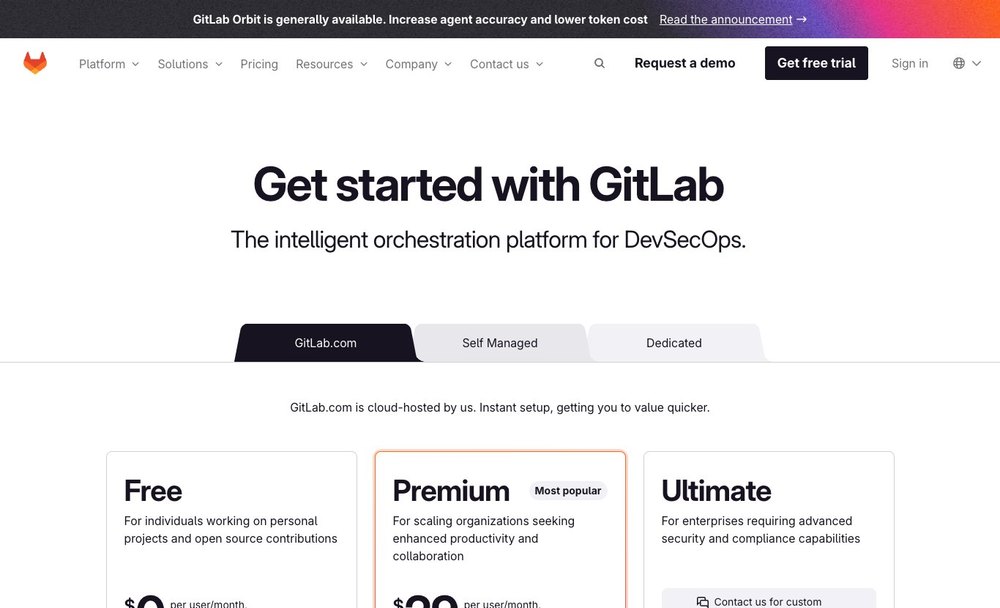
Workflow roles compared
| Capability | What GitLab contributes | What the team must own |
|---|---|---|
| CI configurations and runners | GitLab CI/CD jobs are defined in repository configuration, while compute minutes and runner infrastructure introduce cost and maintenance considerations. | Roles, test data, validation and escalation |
| Shared versus self-managed runners | Shared runners are convenient but may not fit private networking or regulated build dependencies. A self-managed runner transfers patching and isolation responsibility to your team. | Configuration review and failure handling |
| Release environments and deployments | Deployment approvals, protected branches and environment variables need consistent use. A successful build is not a substitute for observability and rollback evidence. | Access, recovery and documentation |
🔐 Security & Compliance
The platform puts security findings close to development work, but scanner output can become a neglected backlog. Define who accepts a finding, what evidence supports a suppression and how policy differs between editions.
Security scanning tiers
GitLab advertises security testing and DevSecOps workflows, but scan depth, advanced findings and compliance controls differ by offering. Verify each required control on the current plan. GitLab Ultimate pricing must be compared with the specific scanning and compliance controls a team actually needs.
GitLab structures its automated security testing and DevSecOps capabilities across distinct subscription tiers, meaning that static analysis, dynamic testing, and vulnerability management features vary significantly between offerings. While entry-level tiers provide basic dependency scanning, advanced compliance controls, custom vulnerability policies, and deep dependency graph insights often require higher-tier plans like Ultimate. Organizations must carefully audit their regulatory mandates against the capabilities included in each subscription tier to avoid unexpected compliance gaps during external audits. A common pitfall involves assuming that all security analyzers function identically across private repositories without requiring specific project configurations or custom rule definitions. Buyers should examine exact scan depths, language support matrices, and remediation tracking workflows during a proof-of-concept phase to confirm that the platform meets internal risk management standards before full rollout.
Identity and provisioning
Review SSO, user provisioning and license assignment, including inactive users, contractors and CI service identities. GitLab enterprise pricing should be assessed alongside the cost of identity provisioning and permission audits.
Identity management and user provisioning workflows require rigorous administrative oversight to maintain enterprise security and control software licensing expenditures. Implementing single sign-on alongside automated user provisioning helps streamline onboarding and offboarding, ensuring that departed employees or external contractors immediately lose repository access. However, administrators must monitor inactive user accounts, service accounts, and continuous integration machine identities regularly to prevent license waste and unauthorized API access. A misconfigured SCIM integration can inadvertently leave orphaned seats active or assign incorrect group permissions, exposing sensitive intellectual property to unintended internal groups. Procurement and IT teams should verify how the platform handles license reconciliation, guest user limitations, and audit log exports to ensure administrative visibility aligns with internal security policies and compliance frameworks.
Governance of generated code and agents
Duo features and GitLab Credits have separate conditions. Never enable AI access to sensitive code without confirming data use, permissions and billing.
Integrating artificial intelligence features such as GitLab Duo and managing associated consumption credits requires careful evaluation of data privacy, billing structures, and permission boundaries. Enabling AI-assisted code generation or code review capabilities on repositories containing proprietary algorithms or regulated data demands a thorough review of vendor data retention policies and telemetry opt-out settings. Without strict governance, developers might inadvertently expose sensitive enterprise secrets or copyrighted snippets through prompt inputs. Furthermore, fluctuating credit consumption models can create unpredictable monthly operational expenditures if usage limits or user access groups are left unmonitored. Technical leadership must establish explicit organizational policies regarding where AI tools are permitted, verifying that repository-level permissions and billing controls restrict access strictly to authorized engineering personnel before enabling any generative features in production environments.
💰 Pricing & Billing
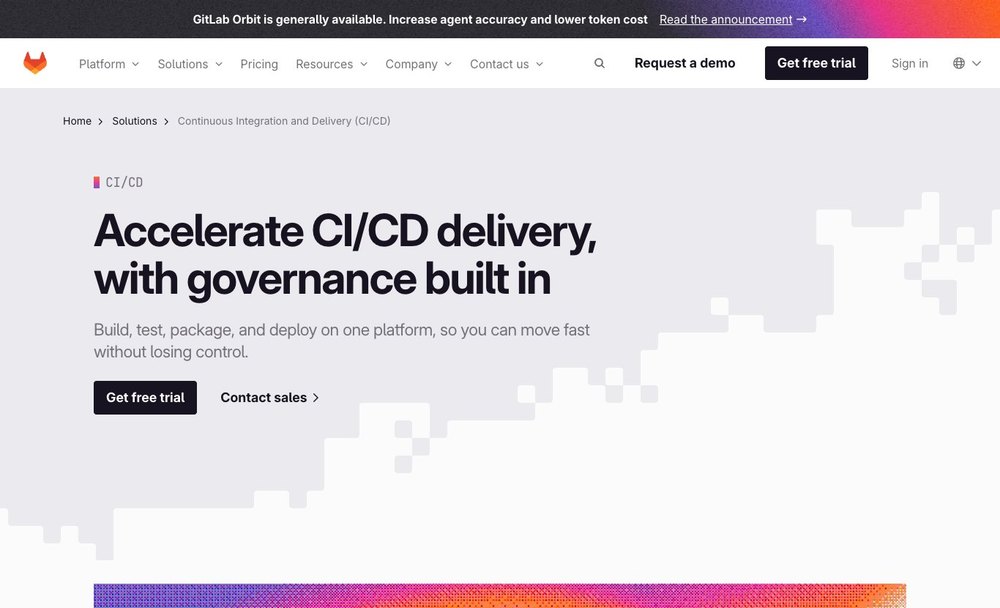
The Free group limit, Premium seat price and compute minutes tell different parts of the cost story. A company deploying self-managed runners should not treat included GitLab.com minutes as a substitute for its own compute cost.
Free hosted group limits
GitLab Free currently identifies five users per top-level group and 400 monthly compute minutes. Check exceptions and the meaning of compute minute before inviting a whole organization. A GitLab Free runner still consumes infrastructure resources when self-managed, even when hosted minutes are limited.
The GitLab Free tier establishes clear operational boundaries with a limit of five users per top-level group and an allocation of 400 monthly compute minutes for shared runner pipelines. While these constraints provide an accessible entry point for small open-source projects or micro-teams, growing organizations frequently encounter unexpected pipeline throttling once compute quotas are exhausted. Additionally, defining what constitutes a single top-level group requires careful structuring to prevent accidental policy fragmentation across multiple sub-groups and repositories. Evaluating teams must calculate their average build frequency, test duration, and parallel job requirements before committing codebases to the free hosted environment. If project pipelines exceed the baseline compute allowance, teams must budget for add-on compute minutes or transition to paid subscription tiers to maintain uninterrupted continuous integration workflows.
Premium annual commitment
Premium is advertised at $29 per user per month billed annually, with 10,000 included GitLab.com compute minutes. Annual billing and provisioning details change cash exposure. GitLab Premium pricing is a per-seat commitment, distinct from metered or self-managed runner costs.
The Premium subscription tier, advertised at twenty-nine dollars per user per month with an annual billing commitment, delivers significantly larger compute allowances, advanced continuous integration capabilities, and enhanced team planning tools. While annual commitments secure predictable per-seat pricing, they lock organizations into a fixed financial obligation regardless of workforce fluctuations or seasonal headcount reductions. This billing model requires accurate long-term headcount forecasting to avoid paying for dormant seats or facing complex contract adjustments mid-cycle. Furthermore, buyers should analyze the total cost of ownership by factoring in compute minute overages, training overhead, and potential migration expenses from competing version control solutions. Decision-makers must perform a thorough utilization audit to verify that the advanced merge request approvals, release controls, and enterprise support included in the Premium tier justify the upfront annual cash outlay.
Ultimate and extras
Ultimate pricing and security controls require a specific quote. Additional compute, storage and AI credits can alter the total budget.
Navigating GitLab Ultimate tier pricing requires engaging directly with sales representatives because enterprise contracts depend heavily on user volume, custom security requirements, and specialized support agreements. Organizations evaluating this tier face a fundamental tradeoff between out-of-the-box compliance automation and the administrative overhead of managing custom enterprise add-ons. Beyond base licensing, total expenditures fluctuate significantly when teams consume additional compute minutes, expanded artifact storage quotas, or optional AI developer credits scaling with active developer counts. One risk involves underestimating how rapidly auxiliary storage and minute consumption accrue during high-frequency microservice builds, leaving finance teams with unpredictable monthly overages. This tier becomes structurally useful for regulated enterprises enforcing strict vulnerability management policies across repositories without stitching together disparate third-party scanner tools.
⚖️ Alternatives & Stack
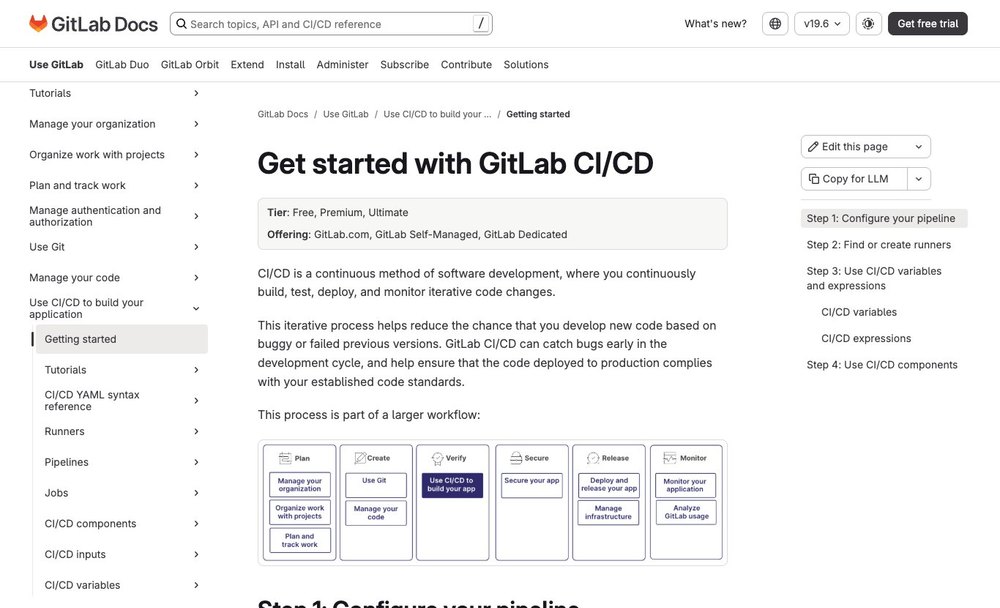
GitHub can host the same code, and Sentry can diagnose the same release failures, without replacing the broader GitLab governance model. Evaluate overlaps by following one real change from approved merge to discovered regression.
GitLab against GitHub
GitHub has broad ecosystem recognition; GitLab emphasizes the integrated delivery lifecycle. Compare representative migration work and governance behavior rather than marketing feature counts.
Choosing between GitHub and GitLab involves assessing structural differences in how developer ecosystems handle the software delivery lifecycle. While GitHub benefits from pervasive industry recognition and a vast marketplace of third-party actions, GitLab anchors its value proposition on a deeply integrated, single-application approach encompassing source control, continuous integration, and security governance under one unified roof. Engineering teams evaluating this architectural contrast encounter a tradeoff between the flexibility of piecing together specialized modular tools and the operational consistency of a native platform. A typical integration failure mode occurs when organizations attempt superficial feature-count comparisons, ignoring how tightly coupled GitLab CI runners interact with internal merge request pipelines and compliance frameworks. GitLab proves most useful for organizations seeking to eliminate the friction of maintaining disjointed integration plugins across multiple vendors.
Sentry incident integration
Linking errors to GitLab commits makes incident triage more useful, but the mapping depends on reliable release tags and access to the relevant project.
Integrating Sentry error tracking with GitLab commit histories streamlines incident triage by bridging the gap between runtime exceptions and source code modifications. However, establishing this observability bridge introduces operational dependencies that complicate debugging workflows if project permissions or release tagging conventions are misconfigured. The core implementation tradeoff involves balancing real-time alert visibility within development dashboards against the risk of broken context mapping when error payloads fail to correlate with correct commit hashes. A frequent failure mode surfaces when developers deploy code without rigorous release tagging, causing Sentry to link incoming exceptions to stale master branches rather than specific semantic versions. This integration proves exceptionally useful for fast-paced engineering squads striving to accelerate mean time to resolution during production outages.
Hosting on Railway
A Railway deployment can follow an external pipeline; define who authorizes production promotions and what happens when the deployment service is unavailable.
Deploying applications to Railway while maintaining an external GitLab CI/CD pipeline creates a decoupled infrastructure model that separates source code orchestration from container hosting. This architectural split presents a distinct tradeoff between leveraging specialized platform-as-a-service deployment simplicity and managing asynchronous handshakes between external build runners and cloud hosting APIs. A critical failure mode arises when external pipeline tokens expire or lose network connectivity mid-deployment, leaving production environments in an ambiguous half-updated state without automatic rollback triggers. Such configurations prove useful for teams wanting streamlined cloud hosting without abandoning customized, multi-stage compliance pipelines hosted elsewhere.
Alternatives and complements
| Software | Relationship to GitLab | Key question |
|---|---|---|
| GitHub | Alternative or complementary tool | Which exact workflow changes? |
| Sentry | Alternative or complementary tool | Would this duplicate a paid function? |
| Railway | Complementary part of stack | How are permissions and failures handed off? |
🧪 Migration & Verdict
Choose a repository whose pipeline occasionally breaks. A useful trial should show the difference between a code failure, an unavailable runner and a rejected security policy rather than only a successful green dashboard.
Move a sensitive repository first
Test an imported project with protected branches, merge approval rules, secrets, runners and issues. Include a broken pipeline to evaluate remediation.
Migrating a sensitive repository to a new platform requires a methodical staging process that exposes underlying structural dependencies before production teams make the full switch. Rather than relying on simple code archiving, administrators must test imported projects with strict branch protections, complex merge approval rules, embedded secrets, custom runners, and historical issue trackers fully enabled. The primary operational tradeoff during this phase is the friction of uncovering deeply embedded repository assumptions against the long-term security gains of verified migration integrity. One risk involves missing environment-specific CI/CD variables or misconfigured runner tags, which immediately breaks critical build jobs upon import. This rigorous dry-run approach is exceptionally useful for security-conscious teams transitioning legacy intellectual property into modern governance frameworks.
Audit both cost and operations
Compare not only seat invoices but the time spent maintaining runners, upgrading self-managed installations and reconciling policies.
Evaluating enterprise software demands a holistic financial and operational audit that looks far beyond initial per-seat software licensing invoices. Maintaining self-managed runner infrastructure, executing complex version upgrades, and reconciling fragmented governance policies across departments consume substantial engineering hours that directly impact team productivity. The fundamental tradeoff here lies between the apparent predictability of managed cloud subscription fees and the deep operational overhead required to keep self-hosted instances secure, scaled, and updated. One risk involves organizations budgeting exclusively for license counts while ignoring the hidden labor costs associated with troubleshooting runner queue starvation and managing database migrations on self-managed servers. This comprehensive auditing practice is critical for finance and engineering leaders attempting to control total cost of ownership.
A buying decision with evidence
Choose GitLab when its integrated workflow serves a confirmed need. The platform should reduce duplicated approval and incident work rather than create a larger administration burden.
Selecting GitLab as a core development platform is only justified when its tightly integrated workflow directly serves a confirmed operational need within the engineering organization. Rather than adopting the platform for feature breadth alone, buyers must verify that native tools genuinely reduce duplicated approval bottlenecks and streamline incident triage without imposing an excessive administrative burden. The primary tradeoff centers on exchanging modular tool flexibility for the rigid standardization of a monolithic vendor ecosystem. A recurring failure mode involves purchasing advanced tiers prematurely, leaving complex governance features dormant while engineering teams struggle with onboarding friction and overly complex permission hierarchies. This deliberate decision-making model is useful for mid-sized to large enterprises looking to consolidate fragmented toolchains into a unified operational pane of glass.
🏆 Final Verdict: Is GitLab Worth It?
GitLab earns consideration when merge rules, pipelines and security operations must share a common record. The decision turns on hosting: GitLab.com shifts infrastructure upkeep to the provider, while self-managed builds still need patching, backups and isolated runners. Compare the cost of those responsibilities before upgrading seats.
For a GitLab purchase, begin with one repository group, a protected deployment and a runner outage. Record which controls are available at the selected tier and who will keep self-managed build infrastructure patched. That evidence is more useful than an abstract promise of DevSecOps consolidation.

Frequently Asked Questions
What is GitLab used for?
GitLab supports merge requests and approvals and related developer workflows. GitLab combines Git source management, CI/CD and security-oriented governance in a coherent platform, but its per-seat plans, compute-minute quotas and administrative model require a careful fit assessment. Compare its role in a complete software stack before choosing an annual plan.
Is there a GitLab free plan?
GitLab publishes the following plan starting points: Free $0, Premium $29/user/month annually, Ultimate Contact sales. Free access and included services vary by workload; confirm the current official pricing page before relying on an allowance.
How much does GitLab cost in 2026?
GitLab pricing depends on the plan and service unit. Free $0, Premium $29/user/month annually, Ultimate Contact sales. Additional usage, add-ons, seat count or infrastructure charges can change the total invoice. The vendor pricing page is linked in this review.
What are the key GitLab features?
GitLab focuses on ci configurations and runners, shared versus self-managed runners, release environments and deployments. Availability and limits depend on the active offering, and not every advertised add-on is included in a standard plan.
Who should consider GitLab?
GitLab combines Git source management, CI/CD and security-oriented governance in a coherent platform, but its per-seat plans, compute-minute quotas and administrative model require a careful fit assessment. A buyer should validate role permissions, a realistic workload and who maintains the connection after the initial setup.
How should a team evaluate GitLab security?
For GitLab, review protected branches, merge approvals, runner permissions and CI/CD variables. Confirm which security controls exist in the chosen tier before assigning compliance work to maintainers.
What are GitLab alternatives?
GitHub is the most direct comparison for code hosting and review. Postman focuses on APIs; Sentry monitors application errors. Separate the repository decision from adjacent tool purchases.
Does GitLab integrate with other developer tools?
GitLab pipelines can connect to registries, cloud services and ticket tools. Prefer short-lived credentials where possible, test runner isolation and audit what an integration can change.
What are the limitations of GitLab?
Runner capacity, pipeline usage and paid governance controls affect costs. Self-managed GitLab also requires patching, backups and runner operations even when software licenses appear affordable.
How can a team migrate to GitLab?
Export a small representative repository with issues and pipelines where supported. Rebuild branch rules, test runner configuration and document links, secrets or historical artifacts that do not transfer.
How was this GitLab review researched?
DigiOffly checked public GitLab pricing and product documentation on October 29, 2026. Screenshots show official publicly accessible pages. This article does not claim an authenticated company implementation or independently measured uptime.
EXPLORE NEXT ON DIGIOFFLY
🔍 Explore More on DigiOffly
Compare related developer platforms, estimate software costs and navigate DigiOffly guides before adding GitLab to a production stack.
Explore related software
- Development & DevOps — Explore all eight developer software categories and reviews.
- Hosting & Websites — Review hosting and infrastructure choices.
- Automation & No-Code — Find integration and workflow alternatives.
- GitHub review — Repository management and code review
- Sentry review — Developer error monitoring
Compare your shortlist
- Software Directory — Browse reviewed tools by software category.
- Compare Software — Compare capabilities, billing and compatibility.
- AI Software Finder — Narrow options by your exact engineering workflow.
Plan costs and updates
- Software Cost Calculator — Estimate known license and usage costs.
- Best Value Advisor — Compare products against a practical requirement.
- Deal Alerts — Receive relevant software offers and updates.
- Vercel — Next.js deployment previews and commercial hosting costs
- Netlify — Git deploys, credit-based pricing and web functions