

Pricing and product documentation checked on October 29, 2026. This GitHub review uses published vendor material and publicly accessible screenshots, not an authenticated customer account. Check current vendor pricing.
GitHub is a practical default for collaborative source hosting, pull requests and automation, but repository permission design and metered Actions usage still deserve deliberate review. Repositories and pull requests are easy to understand in isolation; the harder part is preserving review quality as people, bots and environments multiply. The GitHub review therefore treats branch rules, Actions usage, permissions and recovery as connected purchasing questions.
Some DigiOffly links may earn a commission at no added cost to readers. Published vendor features and price terms are examined independently of those links.
📊 GitHub Review Summary
GitHub brings code review, repository history and Actions into one workflow. Its differentiator is the link between a proposed change, the people approving it and the automation that builds it. The relevant purchase question is whether required branch controls and CI consumption fit the team.
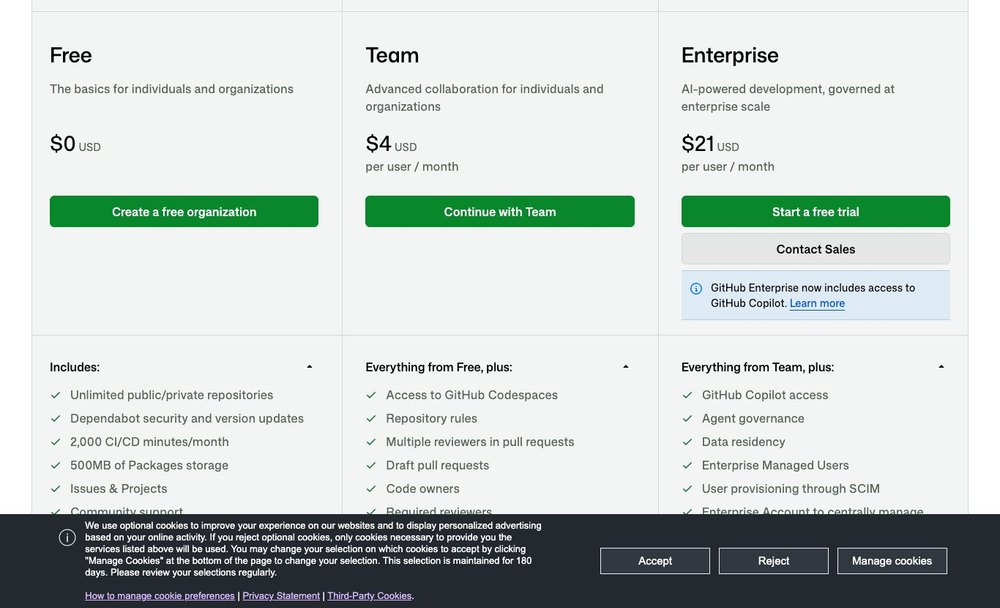
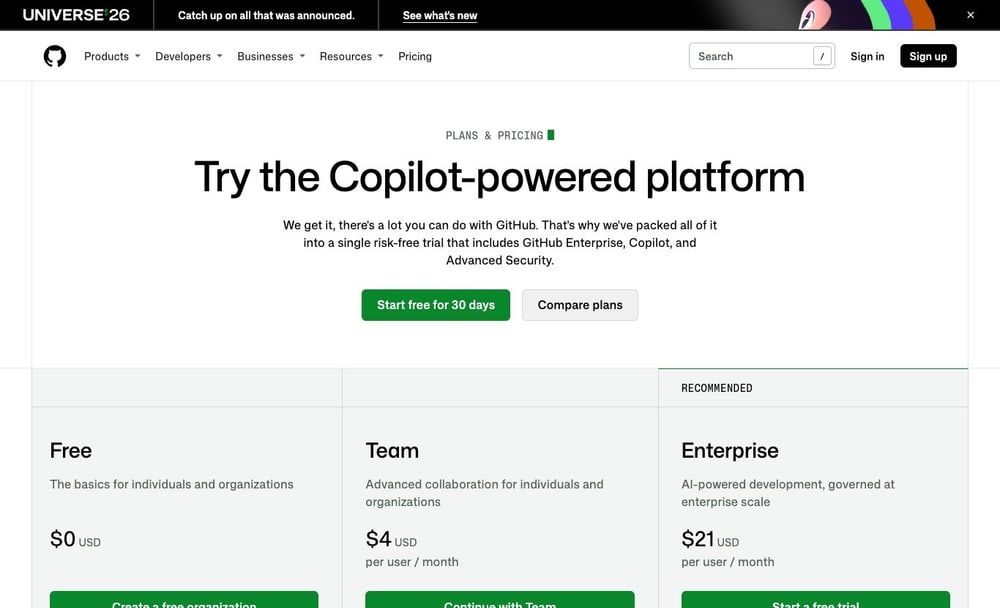
💰 GitHub plans at a glance
| Plan | Official entry price | What to verify |
|---|---|---|
| Free | $0 | Private and public repositories, 2,000 included Actions minutes for organizations |
| Team | $4/user/month | Team review controls and 3,000 included Actions minutes |
| Enterprise | $21/user/month | Organization governance and 50,000 included GitHub Actions minutes/month |
⚡ Verdict & Product Fit
A small open-source maintainer and a three-person private engineering team both use repositories, yet only the latter may need paid review controls. A purchase decision should follow their different access problems rather than an abstract feature ranking.
What GitHub actually consolidates
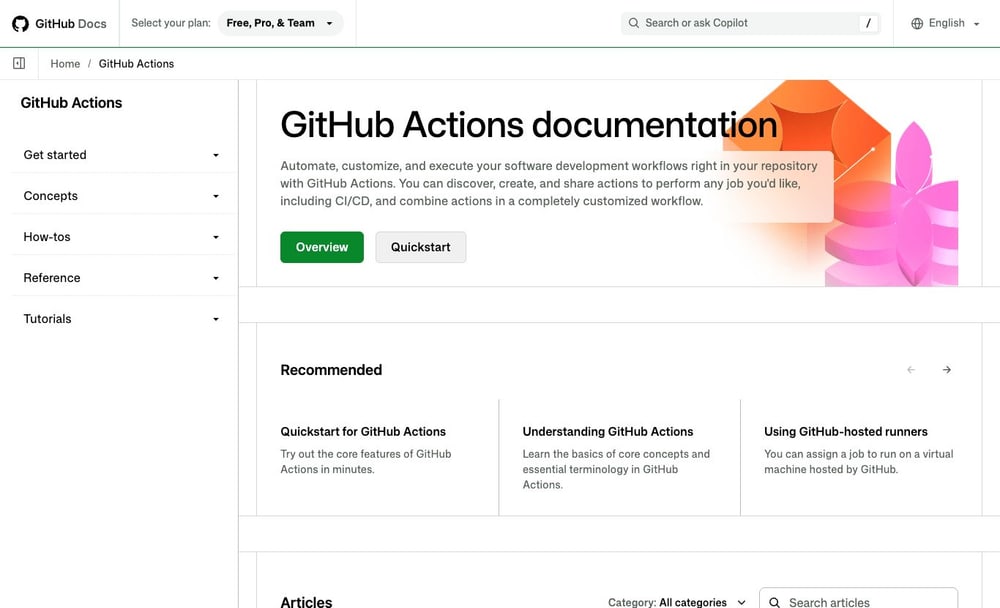
Repositories, pull requests, Issues, Projects and GitHub Actions can be managed in one developer environment. The benefit depends on whether your team values shared context more than specialization.
Consider a failing test in GitHub Actions. An engineer can follow the result to a commit, inspect its pull request, and see which issue motivated the change. That context helps only if the team keeps builds, reviews and tickets connected. GitHub Projects does not have to replace Jira when it already owns planning; two boards would create competing backlogs. Railway remains a place to deploy the application, not a substitute for either planning tool. GitHub can be the control point for repository events while operational approvals, database changes and runtime incidents remain explicit responsibilities.
Best fit for collaborative engineering
Distributed engineering teams benefit from code review history, repository permission controls and integrations with familiar development tools. Solo developers may require far fewer paid governance features.
Distributed engineering teams benefit heavily from integrated code review histories, fine-grained repository permission controls, and robust integrations with familiar development tools. Centralizing collaboration around pull requests ensures that remote contributors can trace decision-making processes across time zones, while access tokens and role assignments secure sensitive codebases against unauthorized modifications. Conversely, solo developers or very small groups working on lightweight projects may find that these paid governance features introduce unnecessary administrative overhead. For an individual or bootstrap project, the advanced branch protections and audit logs included in tiers like the Team plan at $4 per user monthly provide little practical value over the Free baseline tier. Prospective buyers should audit their actual organizational structure and compliance mandates to determine whether they genuinely require collaborative gatekeeping before committing to recurring per-seat subscriptions.
Where its all-in-one promise stops
GitHub does not remove the need to choose a deployment host, a data store or production monitoring. Actions can start a build but a failed deployment still needs an owner and rollback instructions.
While GitHub consolidates version control and automation, it does not remove the architectural need to choose an external deployment host, a managed data store, or comprehensive production monitoring. GitHub Actions can successfully trigger a build, package artifacts, and push code to a staging environment, but a failed deployment in production still requires a designated technical owner and explicit rollback instructions. Relying solely on native workflows without pairing them with external observability platforms like Datadog or hosting providers like Railway leaves blind spots regarding runtime health and infrastructure performance. This separation is particularly useful when organizations want to decouple source code management from cloud infrastructure vendors to maintain deployment flexibility. A green Actions job confirms the build step, not the health of the running service. Deployment records, restricted production secrets and runtime alerts need their own owners.
🧩 Repository & Review Workflow
During a hurried hotfix, the author of the patch cannot be the only person empowered to approve it. Check branch rules, repository roles, bypass permissions and the person who will still understand the change six months later.
Pull requests and code ownership
A required reviewer and a code owner serve different purposes. A repository can look protected while exceptions let critical changes merge without the subject expert seeing them. A GitHub CODEOWNERS file can assign review responsibility by path, but test whether administrators can bypass the required reviewer.
A required reviewer and a designated code owner serve distinctly different functions within a secure software development lifecycle. Requiring peer reviews ensures that code changes undergo general scrutiny, whereas code ownership rules automatically assign review responsibilities to subject matter experts based on file paths. A repository can appear strictly protected while misconfigured exceptions allow critical security or payment logic changes to merge without the designated specialist ever examining them. This setup becomes exceptionally useful in multi-team monorepos where distinct domains require specialized oversight without blocking unrelated contributions. Engineering managers should verify that branch protection rules explicitly disallow code owners from bypassing their own restrictions and check that CODEOWNERS files are actively updated alongside team reassignments to prevent silent security gaps.
Issues and Projects as planning tools
Project fields can connect planning to implementation, but issue hygiene and consistent labels matter more than how many boards are enabled.
Connecting GitHub Issues and Projects directly to pull requests bridges the gap between high-level planning and actual code implementation. However, maintaining disciplined issue hygiene, structured metadata, and consistent labels matters far more to long-term velocity than the sheer number of project boards enabled across an organization. When teams neglect routine grooming, boards quickly devolve into cluttered digital graveyards that obscure active priorities rather than clarifying them. Standardized issue templates and automated project workflows are especially useful for open-source maintainers and distributed product teams needing transparent roadmaps without adopting standalone issue trackers. Buyers need to verify that their engineers actively link commits and pull requests to tracking issues, and that review cadences prevent backlogs from accumulating unchecked across active milestones.
Branch protection across environments
Evaluate who can force push, delete branches, bypass checks or modify workflow files. A branch rule is useful only when administrators understand the escape paths. Check GitHub branch protection rules on the actual release branch, including how emergency changes and administrators are handled.
Configuring branch protection rules requires careful evaluation of who holds permissions to force push, delete critical branches, bypass status checks, or modify sensitive workflow files. A branch rule is useful only when repository administrators fully understand the privilege escalation escape paths and team-level overrides that can inadvertently neutralize those safeguards. For instance, if repository admins retain the right to bypass pull request reviews, a rushed hotfix can easily subvert compliance policies. This configuration proves critical for production and staging branches where accidental deletions or unverified commits could corrupt core environments. Buyers should routinely audit repository access matrices, verify that administrator bypass privileges are restricted to designated emergency accounts, and confirm that status checks are mandatory for all contributing paths.
🚀 GitHub Actions & Developer Automation
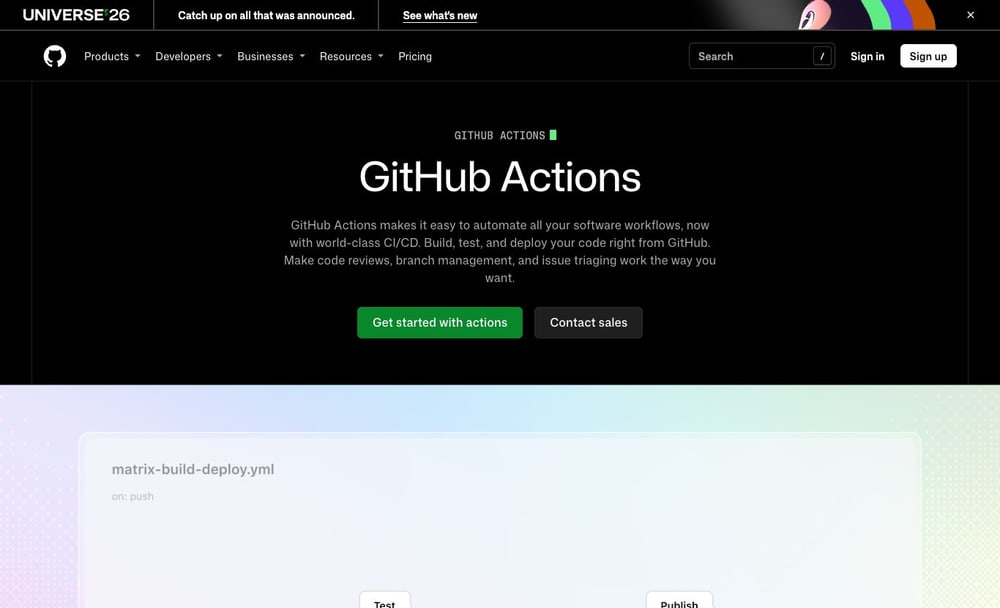
A GitHub Actions job may finish without pushing the right artifact to production. Map the build result to the release name, environment approval and rollback record before describing the workflow as automated.
Hosted runner minutes and budget caps
The official free organization plan includes monthly Actions minutes; Team and Enterprise offer larger allowances. Public repository rules and eligible runner usage have distinct billing terms. A GitHub Actions workflow that tests every push needs a separate policy for long-running builds and unexpected compute consumption.
Managing CI/CD budgets requires understanding how hosted runner minutes are allocated across different tiers, such as the 2,000 included monthly minutes on Free organizations, 3,000 on Team, and 50,000 on Enterprise plans. Public repositories benefit from distinct, generous billing terms, but private repositories rapidly consume allotments when running heavy test suites or building large container images. This metered model is useful for teams wanting elastic compute without maintaining dedicated build hardware, provided they monitor usage spikes. One risk involves unattended matrix builds or recursive workflow triggers exhausting monthly allowances within days, resulting in unexpected overage invoices. Organizations must verify their spending limits, configure budget alerts, and evaluate whether switching resource-heavy workloads to self-hosted runners is more cost-effective than absorbing continuous cloud runner overages.
Reusable workflows and third-party actions
A shared pipeline reduces maintenance only when pinned actions, secrets and version changes are reviewed. An unpinned third-party action can change behavior between runs. GitHub Actions secrets must not be exposed to an untrusted pull request or a third-party action with excessive permissions.
Centralizing continuous integration logic through reusable workflows eliminates duplicate pipeline definitions across multi-repository engineering organizations, significantly cutting down on ongoing maintenance overhead. However, relying on external templates introduces a severe security trade-off if third-party actions reference dynamic branches or tags like master instead of immutable SHA hashes, leaving builds entirely vulnerable to silent malicious modifications upstream. A common production failure mode occurs when an external author updates a minor tag, unintentionally injecting broken compilation flags or credential-stealing scripts into downstream enterprise pipelines during routine scheduled builds. This architectural pattern is exceptionally useful for platform engineering teams standardizing deployment steps across dozens of microservices. Buyers must verify that repository governance policies enforce strict SHA pinning, restrict external action execution to verified creators, and audit workflow permission boundaries to prevent unauthorized secret exfiltration across organization environments.
Packages, releases and artifact retention
Build artifacts, package registries and release history have different retention and storage economics. A release link alone does not prove the package can still be reproduced. GitHub Actions documentation explains artifact retention, but each team must decide how long release evidence should remain accessible.
Managing build outputs requires careful navigation because build artifacts, package registries, and release history maintain completely distinct retention windows and storage economics. A prominent architectural trade-off involves relying on standard release notes; attaching a binary link to a GitHub release entry does not guarantee long-term reproducibility if the underlying package registry purges historical builds or if source dependencies change. A frustrating failure mode arises when older application versions fail hotfix deployment because dependent container images or NuGet packages were automatically pruned due to storage lifecycle policies. This structure proves useful for open-source and commercial teams distributing compiled libraries or Docker images alongside source code control. Engineering buyers must verify exact retention limits for packages, audit whether internal registries handle snapshot immutability, and ensure artifact backup pipelines exist independently of standard release tags.
Workflow roles compared
| Capability | What GitHub contributes | What the team must own |
|---|---|---|
| Hosted runner minutes and budget caps | The official free organization plan includes monthly Actions minutes; Team and Enterprise offer larger allowances. Public repository rules and eligible runner usage have distinct billing terms. | Roles, test data, validation and escalation |
| Reusable workflows and third-party actions | A shared pipeline reduces maintenance only when pinned actions, secrets and version changes are reviewed. An unpinned third-party action can change behavior between runs. | Configuration review and failure handling |
| Packages, releases and artifact retention | Build artifacts, package registries and release history have different retention and storage economics. A release link alone does not prove the package can still be reproduced. | Access, recovery and documentation |
🔐 Security & Governance
A private repository often includes contractor permissions and third-party actions. A practical access review has to examine bots, workflows and old tokens as closely as the employees listed in the organization.
Dependabot and security add-ons
Dependabot features and selected code-security or secret-protection products serve different detection and remediation tasks. Confirm which capabilities are included versus sold separately. GitHub Actions branch protection can require a clean status check, though dependency scanning still needs a named remediation owner.
Deploying automated vulnerability scanning requires distinguishing between native dependency updating utilities and advanced protection layers, as each product serves entirely different detection and remediation workflows. A critical evaluation trade-off involves balancing lightweight automated pull requests for outdated package versions against deep static analysis tools that evaluate custom source code logic and hardcoded credentials. A frequent operational failure mode happens when teams assume basic dependency alerts cover secret leaks or complex SQL injection flaws, leaving applications exposed to credential compromise until an explicit security product is activated. These capabilities prove vital for regulated organizations and fast-moving software teams trying to shift security left without overwhelming developers. Procurement buyers must carefully verify which vulnerability scanning capabilities are included in baseline tiers versus those requiring separate per-committer subscriptions, ensuring complete visibility across repositories.
SAML, SCIM and managed identities
Enterprise identity controls can simplify employee offboarding, but audit the permissions granted to bots, OAuth apps and service identities as well as human users. GitHub organization secrets require role and repository scope checks in addition to ordinary SSO and account provisioning.
Integrating enterprise identity providers via single sign-on and cross-domain identity management streamlines user lifecycle provisioning and simplifies rapid employee offboarding. Yet, a major security trade-off emerges when administrators focus exclusively on human user directories while neglecting the broad, persistent permissions granted to automation bots, third-party OAuth integrations, and unattended service accounts. A dangerous failure mode occurs when a departed contractor’s personal service token or an unmonitored integration app retains repository write access long after corporate credentials are disabled. This identity structure is essential for large enterprises bound by strict compliance frameworks that mandate centralized access control. Security evaluators must verify that directory federation policies apply equally to non-human identities, enforce regular access reviews for connected applications, and restrict token lifespans across every organization-level repository.
Secrets and deployment environments
Environment protection rules should block high-risk production deployments until the responsible approver acts. Secrets must not be exposed to untrusted pull request code. GitHub Actions environment secrets should be released only after the applicable deployment approvals have passed.
Configuring deployment pipelines demands rigorous isolation between public contribution code and sensitive production targets to prevent credential theft and unauthorized releases. A fundamental security trade-off involves balancing developer velocity with mandatory staging gates; failing to enforce strict environment protection rules can allow malicious pull requests to access production cloud keys via automated test scripts. A critical failure mode arises when untrusted forks execute workflow steps that print environment secrets into standard build logs through misconfigured step parameters. This mechanism is crucial for teams managing continuous delivery pipelines that push code to live customer environments. Engineering leaders must verify that pull requests from external contributors are blocked from accessing production secrets, required reviewers are explicitly assigned to target environments, and review bypass permissions are tightly restricted to authorized release managers.
💰 Plans, Limits & Cost
Imagine increasing CI jobs from a short daily build to many platform-specific releases. The subscription seat count remains familiar while compute, packages and additional protection features make the invoice less straightforward.
Free plan and repository reality
GitHub Free allows public and private repositories, but an organization that depends on paid review governance should test those restrictions before assuming Free is sufficient.
Evaluating baseline repository hosting options requires looking past headline claims of unlimited private storage, as zero-cost tiers omit essential collaboration controls needed by growing engineering groups. A key operational trade-off on the Free plan at zero dollars is the absence of required reviewers and mandatory code owner checks on private repositories, forcing teams to rely on informal social norms rather than automated enforcement. A common organizational failure mode involves starting a commercial project on a free tier, only to discover mid-growth that critical branching protections and team review gates are locked behind paid upgrades. This tier is useful primarily for individual developers, hobbyists, and open-source maintainers working without complex compliance mandates. Technical buyers must verify whether their internal workflow demands require the collaboration features found in the Team tier priced at four dollars per user monthly before committing codebases.
Team plan at four dollars
GitHub Team is listed at $4 per user monthly. Add seat count, runner overages and code-security options to the estimate instead of stopping at the advertised per-user figure. GitHub Actions Free allowances and Team pricing answer different questions: build minutes are not equivalent to governance features.
Budgeting for professional collaboration tools demands looking well beyond the baseline sticker price, since subscription models scale directly with headcount and active usage. A financial trade-off when adopting the Team plan listed at four dollars per user monthly is that base subscription fees represent only a fraction of total overhead once runner minutes and optional security add-ons are included. A typical budgeting failure mode occurs when management calculates monthly expenses using only headcounts, ignoring variable runner overages triggered by heavy mobile test suites or large container builds. This plan level is useful for growing engineering departments that require protected branches, code owners, and required reviewers without stepping up to full enterprise compliance suites. Financial buyers must verify exact active seat counts, model projected container storage growth, and factor in potential automation overages before finalizing software procurement estimates.
Enterprise plan and additional services
Enterprise is listed at $21 per user monthly and currently includes GitHub Copilot access. Codespaces, premium support and optional security services have their own plan terms or charges.
Evaluating the Enterprise plan at $21 per user monthly requires examining how specialized tooling and developer add-ons integrate with baseline organizational tier costs. While this tier unlocks centralized governance and advanced permission controls necessary for large engineering departments, auxiliary features like Copilot, Codespaces, premium support, and advanced security modules operate under separate licensing and consumption rules. Engineering leaders must calculate these variable costs alongside baseline subscription fees to avoid budget overruns when expanding automated workflows or AI-assisted coding tools across entire divisions. Problems arise when teams adopt these add-ons without monitoring individual consumption caps, leading to unexpected overage charges at the end of billing cycles. Buyers should verify whether their workflow volume justifies the monthly per-seat expenditure compared to lower tiers, and explicitly check how security and compliance add-on fees scale with total contributor counts.
⚖️ Competitors & Integrations
A developer may choose GitLab for its built-in delivery story, while a deployment team still needs Railway or another host. The useful comparison is which product owns each decision and what happens during a failed handoff.
GitHub versus GitLab
Both offer source management and CI/CD. GitLab may appeal to teams wanting a more consolidated DevSecOps deployment model; compare runner governance and approval requirements instead of brand preference.
Choosing between GitHub and GitLab involves balancing native developer familiarity against consolidated DevSecOps deployment models. While GitHub serves as a dominant default for pull-request workflows and collaborative source hosting, GitLab often appeals to organizations seeking a unified platform that bundles comprehensive security testing, issue tracking, and deployment pipelines into a single application. Rather than relying on brand preference, teams must compare runner governance models and pipeline approval requirements to ensure the chosen platform matches their internal security and compliance mandates. A frequent pitfall is migrating a complex CI/CD pipeline without evaluating how runner concurrency and job execution permissions map onto the new infrastructure, causing unexpected bottlenecks during peak deployment windows. Buyers should verify runner scaling options, access control granularity, and the administrative overhead required to maintain self-hosted versus managed runners across both ecosystems.
GitHub with Postman and Railway
Postman collections can supplement API testing, while Railway can consume a GitHub repository as a deployment source. Coordinate secrets and promotion decisions across both connections.
Integrating GitHub with external services like Postman and Railway extends developer workflows beyond standard repository hosting into API testing and rapid cloud deployment. Postman collections can effectively supplement automated API testing suites, while Railway can directly consume a GitHub repository as a deployment source for staging or production environments. However, coordinating secrets, environment variables, and promotion decisions across multiple external connections introduces significant operational complexity and security risks if access tokens are mismanaged. One risk involves hardcoding API keys or sharing unencrypted webhook secrets within auxiliary platform dashboards, inadvertently exposing production infrastructure to unauthorized access. Buyers should verify how each third-party integration handles credential rotation, audit logging, and role-based access control to ensure that external deployment pipelines maintain the same security rigor as internal repository workflows.
GitHub with Sentry and Datadog
Error events and infrastructure alerts can link back to commits and release identifiers. Those integrations are valuable only when developers can connect a production symptom to a reviewed change.
Linking GitHub with monitoring platforms such as Sentry and Datadog bridges the gap between source code management and production observability by associating error events and infrastructure alerts directly with specific commits and release identifiers. These integrations become genuinely valuable only when developers can reliably connect a production symptom or stack trace back to a reviewed change, enabling rapid root-cause analysis during incident response. Problems arise when teams enable noisy alert streams that flood pull request comments or developer channels with low-priority notifications, leading to alert fatigue and ignored warnings. Buyers should verify that the integration allows precise filtering of telemetry data, supports bidirectional linking between deployment markers and error tracking dashboards, and requires appropriate repository permissions to prevent unauthorized exposure of sensitive operational logs.
Alternatives and complements
| Software | Relationship to GitHub | Key question |
|---|---|---|
| GitLab | Alternative or complementary tool | Which exact workflow changes? |
| Postman | Alternative or complementary tool | Would this duplicate a paid function? |
| Railway | Complementary part of stack | How are permissions and failures handed off? |
🧪 Pilot & Final Verdict
For a pilot, use one public repository and one confidential project. Ask a newcomer to submit a contribution and a security reviewer to reject an unsafe workflow change, then review the evidence each user can see.
A two-repository adoption pilot
Test one routine project and one security-sensitive repository. Include a contractor, a failed workflow and a pull request requiring an owner outside the contributor team.
Executing a two-repository adoption pilot provides a controlled environment to evaluate GitHub workflow efficiency before committing to an organization-wide rollout. By selecting one routine application and one security-sensitive repository, engineering managers can test how permissions, branch protections, and automated checks handle distinct project profiles. This pilot should explicitly incorporate edge cases, such as onboarding an external contractor, handling a intentionally failed workflow, and submitting a pull request that requires approval from an owner outside the immediate contributor team. A frequent pitfall is treating the pilot as a passive code-hosting test rather than an active stress test of governance policies, leaving permission gaps undiscovered until production deployment. Buyers should verify whether review bottlenecks emerge during cross-team approvals and whether the platform’s audit trails capture all necessary compliance events during the trial period.
Migration and export risk
Repository cloning is straightforward but issues, project metadata, wiki history, release artifacts and identity mappings may need separate migration work. Before moving a GitHub deployment pipeline, export its workflow definitions and document the secrets that cannot be transferred verbatim.
Migrating away from or exporting data out of GitHub involves recognizing that repository code cloning is only the first step in a much broader data preservation effort. While source files and commit histories transfer seamlessly via standard Git commands, auxiliary project metadata, issue trackers, wiki history, release artifacts, and user identity mappings often require separate migration scripts or manual re-creation. A major failure mode occurs when teams assume a repository clone preserves associated pull request discussions, milestone definitions, and project boards, resulting in lost institutional knowledge and broken traceability links. Buyers and migration leads must verify third-party migration tool compatibility, test metadata export completeness in a staging environment, and establish clear strategies for mapping legacy contributor handles to new organizational accounts before initiating a full-scale platform transition.
When GitHub is worth paying for
Pay for the controls that demonstrably reduce review friction or risk; otherwise keep the build simple and measure CI spend before adding premium features.
Investing in paid GitHub tiers is justifiable when organizations require advanced governance, automated compliance checks, and collaboration controls that demonstrably reduce review friction or operational risk. Paying for higher tiers makes little sense if teams do not actively utilize branch protection rules, automated security scanning, or expanded automation allowances, in which case keeping the build simple on baseline plans is the prudent financial choice. Engineering leaders must audit CI/CD consumption and review bottlenecks before adding premium features to ensure that increased spend correlates directly with developer productivity gains rather than unused administrative overhead. A common pitfall is upgrading entire organizations to enterprise tiers prematurely without enforcing the specific permission controls that justify the cost. Buyers should verify baseline resource usage and measure actual automation minute consumption before committing to higher-tier subscriptions.
🏆 Final Verdict: Is GitHub Worth It?
GitHub is a sensible default where repository collaboration and CI are core requirements. Before moving a security-sensitive codebase, confirm which branch protections apply to private repositories on the chosen plan, how bots and administrators can bypass them and whether Actions usage stays within budget. A source host is not a production monitoring solution.

Frequently Asked Questions
What is GitHub used for?
GitHub supports pull requests and code ownership and related developer workflows. GitHub is a practical default for collaborative source hosting, pull requests and automation, but repository permission design and metered Actions usage still deserve deliberate review. Compare its role in a complete software stack before choosing an annual plan.
Is there a GitHub free plan?
GitHub publishes the following plan starting points: Free $0, Team $4/user/month, Enterprise $21/user/month. Free access and included services vary by workload; confirm the current official pricing page before relying on an allowance.
How much does GitHub cost in 2026?
GitHub pricing depends on the plan and service unit. Free $0, Team $4/user/month, Enterprise $21/user/month. Additional usage, add-ons, seat count or infrastructure charges can change the total invoice. The vendor pricing page is linked in this review.
What are the key GitHub features?
GitHub focuses on hosted runner minutes and budget caps, reusable workflows and third-party actions, packages, releases and artifact retention. Availability and limits depend on the active offering, and not every advertised add-on is included in a standard plan.
Who should consider GitHub?
GitHub is a practical default for collaborative source hosting, pull requests and automation, but repository permission design and metered Actions usage still deserve deliberate review. A buyer should validate role permissions, a realistic workload and who maintains the connection after the initial setup.
How should a team evaluate GitHub security?
For GitHub, check repository roles, branch rules and Actions token permissions. Have a nonadmin attempt a protected-branch merge and record whether reviews and secrets policies stop it.
What are GitHub alternatives?
GitLab is the closest comparison for hosted repositories and CI/CD. Postman handles API workflows, while Railway handles deployment. Compare GitLab as a code platform, not as a substitute for every adjacent tool.
Does GitHub integrate with other developer tools?
GitHub Actions can connect repositories to deployment hosts and registries. Review each action’s provenance, token scope and trigger; avoid giving production secrets to untrusted pull requests.
What are the limitations of GitHub?
Actions minutes, larger runners, security add-ons and governance needs can increase the bill. Estimate build frequency and test a failing workflow before standardizing on a paid plan.
How can a team migrate to GitHub?
Before moving from another Git host, inventory repos, protected branches, issues, packages and runners. Rehearse one nonproduction migration and document missing history, redirected links and rollback.
How was this GitHub review researched?
DigiOffly checked public GitHub pricing and product documentation on October 29, 2026. Screenshots show official publicly accessible pages. This article does not claim an authenticated company implementation or independently measured uptime.
EXPLORE NEXT ON DIGIOFFLY
🔍 Explore More on DigiOffly
Compare related developer platforms, estimate software costs and navigate DigiOffly guides before adding GitHub to a production stack.
Explore related software
- Development & DevOps — Explore all eight developer software categories and reviews.
- Hosting & Websites — Review hosting and infrastructure choices.
- Automation & No-Code — Find integration and workflow alternatives.
- GitLab review — CI/CD and merge request governance
- Postman review — API testing and collections
- Railway review — Application deployment and hosting
Compare your shortlist
- Software Directory — Browse reviewed tools by software category.
- Compare Software — Compare capabilities, billing and compatibility.
- AI Software Finder — Narrow options by your exact engineering workflow.
Plan costs and updates
- Software Cost Calculator — Estimate known license and usage costs.
- Best Value Advisor — Compare products against a practical requirement.
- Deal Alerts — Receive relevant software offers and updates.
- Vercel — Next.js deployment previews and commercial hosting costs
- Netlify — Git deploys, credit-based pricing and web functions