

Close CRM — 2026 pricing and specifications: Pricing and plan terms checked against the vendor's public site on 10 October 2026. Figures are in US dollars where shown, and plans, limits, availability, taxes, billing periods and regional terms can change. Always verify on the official checkout page. Check the vendor’s latest plan terms.
A rep finishes a call and opens three apps to write notes, send a follow-up and move the opportunity forward. Close tries to eliminate that shuffling by putting calling, email, SMS and the pipeline together. It is a different wager from a CRM that primarily presents beautiful deal columns: the software earns its keep when conversations are frequent and fast follow-up matters.
In this Close CRM review, Alex Wright examines where Close CRM fits into a real team workflow, what published plan limits mean in practice, and when an alternative is the smarter purchase. This is a source-led editorial evaluation, not a claim that DigiOffly conducted a controlled live-account benchmark.
📊 Close CRM Review Summary
| Question | DigiOffly editorial finding |
|---|---|
| Best fit | Sales CRM & Calling teams; suitability discussed below |
| Main buying criterion | Budget one representative sales crm & calling workflow before upgrading |
| Current official plans | Solo; Essentials; Growth; Scale |
| Biggest caution | Check Solo limits, subscription terms and integration requirements |
⚡ Quick Verdict: Is Close CRM Worth It in 2026?
Close should be on the shortlist for inside-sales organizations where the phone and inbox are the workspace. For teams with a handful of relationship-driven accounts and little daily call volume, its automation premiums may be hard to justify.
🎯 Is Close CRM the Right Sales Platform for Your Team?
Close is most relevant when your reps spend much of their day calling and answering prospects. A pilot should test whether the combined inbox, activity history and next-action reminders reduce genuine handoff mistakes.
👍 What We Love
- ✅ Calls and Email on a Lead Timeline: Keep recent conversations and next actions with the record.
- ✅ Actionable Inbox: Give reps a daily view of calls, replies, reminders and follow-ups.
- ✅ Workflows and Dialing: Higher tiers add structured automation and dialing tools for busy sales teams.
- ✅ Chloe AI Credits: Every listed plan includes an allocation that teams can evaluate carefully.
👎 Where It Falls Short
- ❌ Usage Is Not All-Inclusive: Telephony, SMS, extra AI credits and add-ons may increase total cost.
- ❌ Solo Is Limited: The entry plan has a one-user cap and is not a shared sales-team plan.
- ❌ Compliance and Change Management: Calling rules, opt-outs and consistent notes still need human ownership.
🏆 EDITORIAL VERDICT: BUILT FOR SALES CONVERSATIONS
Best For: Small teams and call-heavy sales organizations that want email, phone, SMS and pipeline tasks together.
🧠 What Is Close CRM — and What Does It Actually Solve?
Close is a communication-oriented CRM where contact records, calls, email and pipeline changes belong to the same daily workspace. Its paid tiers differentiate single-user access, team features, workflow automation and advanced dialing. AI assistant functionality adds credits and usage considerations beyond basic seat prices. Organizations that rely on real conversations may value consolidation; firms with rare customer calls might never use the premium communication tools.
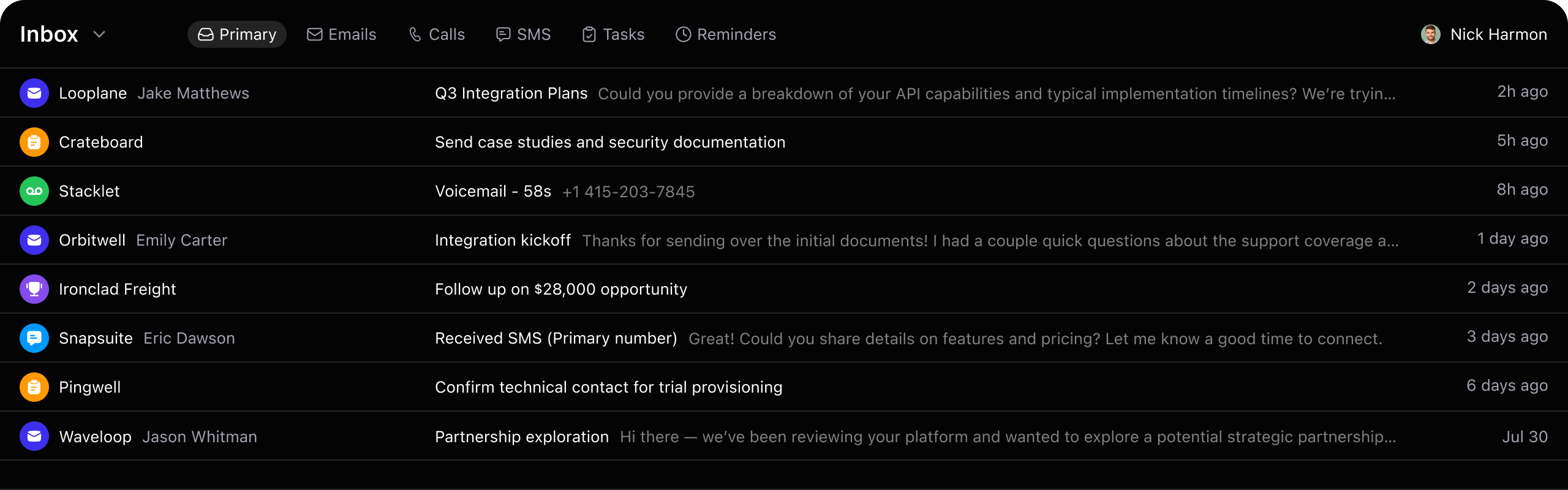
Close CRM product interface from the vendor’s official website (close.com/crm). Illustrative vendor screenshot, not a DigiOffly test account.
🖥️ Close CRM Ease of Use & Sales Workflow
Start With the Sales Bottleneck
On an ordinary Wednesday, a sales rep finishes a discovery call at 11:17. The buyer asks for a proposal, mentions one technical concern and says to try again next Tuesday. By lunch, the rep has made seven more calls. Where did those three details go? If the answer involves a personal notebook, an email draft and a spreadsheet, Close CRM has a plausible job to do. Its appeal is not another colored pipeline. It is keeping the contact, conversation and next action close enough that a rep can work without rebuilding the story every time. But I would not start a Close trial by importing the entire database. Choose one sales motion — for example inbound demo follow-up or outbound appointment setting — and find the specific handoff that breaks today. Write down how often it happens and what the recovery takes. If the team mostly sends carefully researched proposals and makes two calls a week, a calling-first CRM may add complexity instead of removing it. The right buyer is the one with a communication problem Close can actually solve.
Build a Three-Rep Trial With Measurable Outcomes
Consider a recruiting firm with three account managers. Each makes roughly 80 exploratory calls in a typical week. This is a hypothetical workload, not data from a DigiOffly test. Before showing anyone the Close CRM interface, the manager records two numbers: how long it takes to log a call properly and how often a promised follow-up slips. The team then moves only one well-defined prospect segment into a trial. One manager checks a sample of the resulting notes; another checks whether each scheduled next action lands with the right owner. Power dialing should be evaluated separately because it is tied to a higher subscription level, and neither call volume nor CRM activity count tells us whether an opportunity is healthy. If the pilot produces tidy records but no improvement in response time or follow-up reliability, its useful result is that the suspected problem was elsewhere. Do not make a purchasing decision from a crowded dashboard. Make it from a before-and-after process that the actual users recognize.
Assign Ownership of Calls, Notes and Follow-Ups
Picture this: a prospective customer returns a call on Friday afternoon while the assigned rep is away. The conversation history is visible, yet nobody follows up because the record technically has an owner. This is where CRM implementations go wrong. Decide who can change lead status, what qualifies as a completed contact attempt and what happens when a rep is unavailable. For an agency with multiple clients, the rules also need to specify who may see recordings, export phone numbers or enroll a lead in a workflow. Close can show activities and automate steps; it cannot choose the right escalation policy for the business. I would write three practical rules before import: a reply from a lead stops the relevant automated sequence, a request not to be called is honored across every permitted campaign, and reassignment carries the outstanding next action with it. Rehearse each rule on fictional test records. A successful handoff should still make sense to a new employee who did not attend the implementation meeting.
🧭 How to Evaluate Close CRM in Four Steps
1. Confirm Call and Email Compliance
Map phone, email and SMS rules for each target region.
2. Select Representative Reps and Leads
Select the smallest plan with the communication and workflow features needed.
3. Define the Follow-Up and Escalation Rules
Import a controlled sample of contact records and check duplicates.
4. Evaluate Time Saved and Lead Quality
Track call outcomes, follow-up latency and actual won deals instead of dial count.
🛠️ Key Close CRM Features & Practical Limits
📞 Built-In Calling and Conversation Timeline
Call logs, email threads and contact records can live near the deal itself. This reduces the delay between hearing an objection and scheduling the next step. The important test is whether calling charges, recording permissions and number availability work in your region.
📨 Workflows and Dialing Automation
Growth introduces workflows and the power dialer. Those can be valuable for structured inside-sales operations, but not every team needs a queue of automated tasks. Verify that activity automation stops when a lead declines contact.
🧠 Chloe AI Credits and Human Review
Close advertises Chloe, an AI sales assistant, across the pricing tiers with specified monthly credits. Usage is metered, so the included allowance is not an unlimited AI representative. Human oversight and clear disclosure remain necessary for automated conversations.
🔐 Permissions and Scale-Level Controls
Role-based permissions, lead visibility and predictive dialing are associated with higher plans. These features matter when managers must enforce territory boundaries or compliance, not simply because an organization has more than five reps.
🔬 What Close CRM Features Mean in Daily Sales Work
Calling and Contact History in Context
The value of Close’s built-in calling is easy to overstate and also easy to miss. It sounds ordinary until a prospect calls back after speaking with a different colleague. With the conversation and opportunity history on the same screen, that colleague has a better chance of responding sensibly. My first test would be a callback that arrives while its original owner is offline. Can the covering rep identify the promise made on the previous call, locate the right number and document a new next step without asking the buyer to repeat everything? Check where calls can be recorded and how retention settings differ between plans. Also verify country availability and rates before assuming that a familiar US demo reflects service in the markets you sell to. A visible call log is only useful if the team records accurate outcomes. Otherwise Close becomes an attractive archive of incomplete conversations — still a process problem, just in a more expensive interface.
Automations and Dialing: Benefits and Trade-Offs
Close’s Growth tier introduces workflows and a power dialer, but I would separate those two decisions in a budget meeting. A workflow that reminds a rep to send the promised document may save a missed opportunity. A dialer that moves rapidly through a poor-quality list may simply produce more unwelcome calls. Start with an agreed event, such as a completed discovery call where the prospect explicitly requests pricing. The next action should be specific: send the approved quote within one business day, then assign a follow-up if there is no response. Run the test with someone who normally handles the work, not just the manager who configured the workflow. Check that a refusal, opt-out or bad number stops automation promptly. For the dialer, measure meaningful conversations per working hour and how many notes are accurate enough for a colleague to use. Automation is useful when it moves the deal forward without losing context, not when it inflates the activity chart.
Chloe Credits and the Real AI Budget
Chloe is one of the more interesting questions on the Close CRM pricing page, particularly because each plan includes a specified monthly AI credit allowance. In the current public comparison, Solo lists 500 credits per user, Essentials 1,000, Growth 1,500 and Scale 2,000. Those are allowances, not a promise of unlimited qualifying calls. Imagine a sales manager asking Chloe to handle routine first-contact conversations. The useful budget question is what one completed interaction actually consumes, how additional credits are charged and where a human reviews notes before they affect the pipeline. Ask about disclosure, call consent and recording in each jurisdiction. I would also inspect what happens when a caller asks something the assistant should not answer, such as an unsupported product guarantee. Can the interaction stop or escalate cleanly? The most expensive AI mistake is often not the credit charge; it is a wrong claim left in the customer record that a rep later treats as established fact.
Permissions, Lead Visibility and Guardrails
A role-permission matrix rarely looks exciting in a CRM demonstration, yet it matters the moment a second team begins using the workspace. Close puts more advanced control and predictive dialing features in Scale. Ask why you need them before accepting the upgrade. A sales agency may have two clients in adjacent industries; it cannot assume that every rep should see both contact lists, recordings and custom fields. A regional business may have one person approving message templates and another reviewing complaints. Build a test with three identities — rep, manager and administrator — and try to access the records that each should not see. Test export as well as on-screen visibility. Then review how the company stores consent and recording data outside the CRM. Extra permission switches are not, by themselves, proof of complete compliance. They are useful when they support a written policy that someone actually enforces. If you cannot explain the difference in responsibility between the roles, configuration will not rescue the situation.
📞 Close CRM vs. Lightweight CRM Alternatives
Close is strongest when calls and inbox follow-ups drive the sales workflow. A visual pipeline without those tasks may leave reps switching between tools.
Pipedrive and Folk can suit different sales operations, but the meaningful comparison is how fast the team captures a conversation and follows up accurately. Call volume alone is not a measure of sales quality.
Factor in telephone and SMS usage, Chloe credit allowances, onboarding and local calling rules before treating a per-seat price as the complete cost of Close.
👾 Sales Automation Reality Check: Calling Rules & Data Quality
A team that buys calling automation should audit its voice workflow before its seats. Are customers in jurisdictions requiring call-recording consent? Does the caller ID work across target countries? Do reps need transcripts to write follow-ups, or are they trying to maximize dials? Chloe's included AI credits make another important budget boundary: a high-activity week might spend credits differently from an average month. Require human review of AI-drafted messages and documented opt-out handling. Measure conversation quality per rep, not a leaderboard of raw calls.
Calling and SMS laws differ between countries and may require consent, disclosure and retention policies. AI-assisted calling introduces another layer of transparency and monitoring. Budget telephony charges, number costs and extra AI credits separately from seats; do not assume a subscription covers unrestricted calls.
Run a trial with a fixed group of real prospects and review one week of call-to-follow-up behavior. Count missed next steps, average time to log notes, abandoned opportunities and call quality. If Close centralizes activity but cannot improve handoffs, decide whether a less calling-heavy CRM is enough.
Ownership, Data Retention and Calling Controls
A Close workspace may hold mobile numbers, call recordings, personal addresses, pipeline notes and details of deals that never closed. These records should not be treated as a disposable import file. Before connecting calling and SMS, document which countries are involved, why each person can lawfully be contacted and whether recordings require notice or consent. Restrict access to transcripts and exports where possible. Ask the vendor for current security, data-processing and retention terms instead of inferring them from a feature checklist. Pay particular attention to what happens if a rep leaves: who inherits tasks, which credentials are revoked and what happens to that person’s dialer and recorded calls? Run one mock departure using test contacts. A team might discover that it needs a formal data-removal and reassignment procedure before any software changes. This is a procurement checklist, not a claim that DigiOffly carried out penetration testing or a legal audit of Close.
Run a Failure Test Before Onboarding Reps
A trial that only demonstrates a perfect sales journey teaches very little. I would deliberately create an uncomfortable case: a fictional lead opts out after a first call, but a later workflow still has that lead queued for an automated follow-up. Can the team spot it, stop it and explain why it happened? Create two more cases: a wrong number that gets reassigned, and a callback that arrives when the owner is away. Assign each scenario to a different employee. Keep the data synthetic so no real person receives trial messages. Record where the warning appeared, whether someone needed admin permissions, and how long the fix took. If the team can prevent the follow-up and resolve the ownership confusion without ad hoc spreadsheets, that tells you something practical about Close. A smooth demonstration of the power dialer tells you far less. Do this before importing a broad prospect list or turning on any real automation.
Close CRM product interface from the vendor’s official website (close.com/crm). Illustrative vendor screenshot, not a DigiOffly test account.
💰 Close CRM Pricing Plans & Real ROI
| Plan | Advertised starting price / term | Published fit or allowance |
|---|---|---|
| Solo | $19/user/month monthly or $9 annual equivalent | One user; 10,000-lead limit; no workflows |
| Essentials | $49/user/month monthly or $35 annual equivalent | Teams, email, phone and shared CRM basics |
| Growth | $109/user/month monthly or $99 annual equivalent | Workflows, power dialer and bulk outreach |
| Scale | $149/user/month monthly or $139 annual equivalent | Predictive dialer, roles and advanced controls |
Solo Pricing and Its One-User Limit
The eye-catching number in Close CRM pricing is $9 per user per month when billed annually for Solo; the month-to-month price is $19. The catch is structural: Solo is a one-user product with a published 10,000-lead allowance, not an inexpensive license you can multiply across a five-person team. It can make sense for a founder who needs one orderly place for conversations and next steps. It is not the plan to choose because your agency has five junior reps and a tight budget. Solo also does not unlock the Growth workflows and power dialer. Before subscribing, check which connected mailboxes you need, whether local calling is offered and what phone numbers will cost. Ask the person who would use it alone to describe their daily routine; if they spend most of their time drafting proposals rather than calling, a simpler CRM might be better. Keep the annual-equivalent price separate from cash charged at checkout, and revisit the official Close pricing page because plans can change.
Essentials vs Growth: When to Upgrade
For a small sales team, the useful price comparison is often Essentials at $49 per seat monthly ($35 annual equivalent) against Growth at $109 monthly ($99 annual equivalent). Essentials can provide the central record and communication workspace without making everyone pay for higher-tier automation. Growth adds workflows, bulk email and the power dialer, according to Close’s plan comparison. Suppose a team of four reps spends an hour each day reminding leads about agreed next steps. Measure the number of actually missed follow-ups first. If a controlled Growth trial removes a costly, repeated problem, the higher subscription may be justified. If the extra dialer capacity mostly generates more unqualified attempts, keep the simpler plan. The annual equivalent is not the monthly invoice; compare both billing terms, expected contract length and any separately metered phone or AI usage. A pricing table is a starting point, not a recommendation to buy the largest plan your team can afford.
Scale Pricing and Advanced Controls
Scale is the tier to examine when the sales organization has genuinely different permissions, coaching requirements or high-volume calling operations. Close currently lists $149 per user on monthly billing and $139 as the annual-billing equivalent. The additional features include predictive dialing, live call coaching and more granular controls. I would not recommend it just because a business has grown from three reps to ten. Instead, ask whether managers are spending enough time correcting quality problems or manually routing work that the extra capabilities have a plausible return. Try the predictive dialer with an approved and representative set of contacts, using appropriate notices and regional rules. Count successful qualified conversations and complaints alongside attempted calls. Compare the total bill, including telephony and any AI credits above the plan allowance, against the current operating cost. Where local rules restrict recording or automated dialing, an advertised feature may deliver little value regardless of price.
Calling, SMS, AI Credits and Onboarding Costs
I would build the Close budget in four rows, not one: seats, actual voice and SMS usage, Chloe or other AI credits beyond the included allocation, and the hours needed to configure and train the team. For a four-person group, Growth at the listed $109 monthly rate implies $436 per month before usage charges. That is a planning example, not a quote for a specific company. Then add numbers and minutes for the real countries you call; Close says most outbound calls cost around two cents per minute, but country-specific rates still need checking. Training has an opportunity cost as well. A rep spending half a day entering old notes is not selling. Document what must be imported, which fields are mandatory and where a manager checks the resulting records. Revisit the budget after two weeks and again after a month. If the only outcome is a cleaner dashboard, the implementation may not be paying for itself.
🎯 Who Should Use Close CRM?
Best for outbound-focused sales reps, startup sales teams and call-heavy agencies. Poorer fit for consultancies with very few, long-cycle account relationships or enterprises already committed to another CRM suite.
🧮 A Realistic CRM Buying Scenario
Consider a recruitment agency making 80 discovery calls per week. One manager wants automatic reminders and bulk follow-up after conversations. Solo's one-seat rule rules it out for the team. Essentials provides shared CRM foundations, while Growth adds the workflow and dialing features that motivated the purchase. Three reps cost $147 per month at Essentials monthly pricing versus $327 at Growth, before communication charges and any additional AI usage. The upgrade must save more than $180 of staff time to be defensible.
⚖️ Close CRM Alternatives: Pipedrive, Folk & Adjacent Tools
See the Growth CRM selection for Pipedrive and Folk. Connect post-sale work to ClickUp; store repeatable call-playbooks in Notion.
Close CRM vs Pipedrive and Folk
A comparison between Close, Pipedrive and Folk only becomes useful once you name the type of selling. Take a phone-heavy recruiting agency. It may prefer Close’s integrated calls and communication timeline because repeated conversations form the pipeline. Now take a consultancy that closes three substantial contracts a quarter. Pipedrive’s visual deal stages might be easier for a manager to understand at a glance, without investing in an outbound dialing operation. Folk is worth investigating for partnership and relationship-led work where keeping track of contacts matters more than dialing queues. None of these observations settles the choice by brand alone. Put the same three representative sales scenarios through each product and record how many separate tools and handoffs the workflow needs. Compare available integrations and current plan limits rather than assuming every function in a marketing video is on the entry tier. There is no honest universal ‘best CRM’ without naming the team and its sales motion.
Planning a Multi-Rep or Agency Rollout
With three reps, most of the Close CRM setup happens in conversations. With thirty, a vague policy turns into a support queue. I would start rollout planning with a single lead that changes owner twice: first when an SDR qualifies it, then when an account manager takes over. Follow that record through notes, scheduled calls, phone-number permissions and the person’s right to stop further contact. Which fields are mandatory? Does the new owner see the original context? Can a manager identify an overdue promised callback without opening individual user accounts? Once these answers are documented, add a second team and look for conflicts. Agencies should be even more careful when client contact lists touch similar industries; tenant separation and access rights need testing with authorized records. Roll out from a clean small sample to a larger workspace, not by importing everything on day one. A CRM should reduce the number of private spreadsheets, not become their new synchronization target.
A Practical 30-Day Close CRM Trial
I would run the evaluation as four distinct decisions rather than a thirty-day sales competition. In week one, map the current process and prepare a sample of legally usable test contacts. In week two, let the frontline reps work in Close; the manager watches for missing notes and missed follow-ups without jumping in to fix everything. Week three introduces exceptions: the assigned rep is away, a prospect asks not to be contacted, and a phone number fails. Only in week four should the team compare whether Growth automation or a higher-tier dialer merits its extra cost. Collect the simple measures that connect to actual sales: time from conversation to the next promised action, handoffs completed accurately, qualified meetings and unwanted or duplicated contact attempts. A month is useful for finding workflow problems, not for proving a universal uplift in closed revenue. If the results are mixed, the best answer might be another narrow test or a different CRM category, not an annual subscription.
When Close CRM Is Worth Renewing
My decision rule for Close is less exciting than its demo, but probably more useful. Keep it when reps can pick up conversations without hunting for context, managers can see next actions without manually chasing updates, and the extra subscription plus telephone costs make sense alongside those gains. Upgrade only when a documented limitation is slowing a productive workflow: for example, approved follow-up automation genuinely needs Growth, or a larger organization requires Scale-level permission controls. Pause a rollout if the contact data is inconsistent, complaints are being handled manually or the team is using dial count as a substitute for qualified opportunities. Reconsider the platform when a visual pipeline or partnership database would serve the work with fewer moving parts; Pipedrive and Folk belong in that comparison, not as interchangeable copies of Close. In my view, the strongest reason to choose Close CRM is operational continuity across calls, email and sales records. The weakest reason is the idea that more automated calls will solve a weak offer. That is a business decision the software cannot make for you.
📖 A Closer Look: Six Close CRM Buyer Questions
Conversations, Not Just a Kanban Board
Close differs from a lightweight visual CRM because calling, email and SMS are part of the core sales operating environment. That can be valuable for inside-sales teams whose next action depends on what happened on the previous call. The practical test is not whether a call button is visible next to a contact. It is whether the rep can find the last objection, record an accurate outcome, schedule the next step and return to useful work without losing context. Ask staff to complete that routine while a manager observes where they pause. Calling technology adds country and permission constraints that a pipeline-only trial may overlook. Review number availability, potential charges, call-recording consent and the rules governing SMS in each target market. A team selling across borders should not assume that a telephony feature available in one jurisdiction behaves identically everywhere. Make the source of permission to call visible in the contact record and give reps an easy way to mark do-not-contact. A productivity benefit cannot justify unwanted or unlawful messages. The main reason to choose Close is that these controlled communications and the sales record belong in one coherent workflow.
Four Pricing Tiers for Different Sales Motions
Close's public pricing describes four distinct operating levels. Solo is limited to a single user, so a team cannot choose it merely by multiplying its low advertised price. Essentials expands collaboration and foundational communication tools. Growth adds workflows, a power dialer and higher automation capability. Scale introduces a predictive dialer and advanced controls. Those distinctions matter more than an abstract star rating because each tier removes a different constraint. A solo consultant may never need a predictive dialer; a call center may depend on role and lead visibility rules. For an illustrative three-person sales team, compare actual tasks rather than only seats. If every rep makes a modest number of thoughtful calls and manually updates opportunities, Essentials may provide the useful foundation. If they run many repetitive follow-up sequences, Growth deserves a controlled trial. Calculate the difference between plans across all users and include telephony and AI credit usage. An annual equivalent should be distinguished clearly from monthly billing at checkout. The rational plan is the least expensive tier that executes the documented workflow reliably. If an advertised feature does not change that workflow, it is not a reason to upgrade.
What Chloe AI Credits Can and Cannot Do
Close promotes Chloe and related AI capabilities with monthly credit allocations. This gives buyers a useful question to ask: which tasks consume credits, and how much human review will be required before a message or action reaches a prospect? A promise of an AI sales assistant does not mean unlimited autonomous work, and a named credit allowance is not a guarantee that the generated conversation is accurate or appropriate. Assign a responsible salesperson to examine drafts, review escalation cases and stop mistaken automation promptly. Before a rollout, test a fictional lead who has a special pricing constraint, one who has explicitly opted out, and another whose previous email contradicts a proposed automated follow-up. Observe how the workflow should respond and document what requires human intervention. Avoid sending real automated messages until the organization's communication rules and consent expectations are clear. Monitor credits separately from ordinary subscription costs and ask whether unused amounts roll over. The goal is reducing low-value administration while preserving respectful, factual interactions. Measure conversation quality and completed next steps, not how many AI actions were triggered.
The Trade-Offs of Power and Predictive Dialers
High-volume dialing makes sense only when the business has a legitimate audience, a prepared approach and a reliable system for acting on responses. A dialer can improve the number of calls attempted per working hour, but an increase in attempts can coexist with lower connection quality, more complaints and worse customer experience. A Close purchase should therefore set upper bounds on acceptable negative outcomes alongside productivity targets. Define what counts as a useful conversation and do not reward staff solely for the raw number of dials. A practical manager review would sample conversation outcomes, check whether the CRM record reflects what was discussed, and evaluate how quickly follow-ups were completed. Where call recording is lawfully enabled, retention and access should be controlled. Coaching features can be valuable, but sensitive material should not be exposed to every user simply because it exists in the platform. The organization also needs a fallback when a number fails, a call cannot be connected, or the service is unavailable. Good sales tooling makes the next action clearer. It does not substitute for a credible offer or the salesperson's ability to listen.
Close vs Pipedrive vs Folk
The CRM alternatives in this category have different centers of gravity. Close places frequent communication and sales activity near the core of the interface. Pipedrive emphasizes pipeline visibility, deal ownership and configurable sales workflow, with adjacent functionality varying by tier. Folk gives more attention to relationships and shared context across a network of contacts. A company choosing among them should write a sample day for the intended user. Does the rep make thirty calls, review ten active proposals, or maintain warm introductions among a few strategic partners? Give each candidate the same sample contacts and tasks. Ask a representative to record an objection, change an owner, find the last interaction and prepare a reliable next-step report. Check exports and privacy boundaries before building permanent automations. A phone-heavy team may gain more from Close's integrated communications than from a lower-priced pipeline board. An advisory firm with very few calls may prefer simpler relationship tools. Neither result means one platform is universally superior. The editorial recommendation is to buy for the recurring job and validate it in a trial, not to choose the highest-tier calling stack because it sounds sophisticated.
International Calling Deserves a Separate Test
A company selling across countries should not assume its experience of Close calling features in one market translates directly to another. Available numbers, per-minute charges, SMS support, local recording rules and identity display can vary. Make a list of the actual countries in which representatives will operate. Ask the vendor for documented coverage and charges before treating telephony as an included universal feature. Also confirm which customer permissions or disclosures the organization must obtain in its own jurisdiction. Those responsibilities remain with the business. Use test calls to permitted internal numbers and measure connection quality, the accuracy of call logs and the time needed to record an appropriate follow-up. Try a scenario with a prospect who does not answer and another who asks not to be called again. Validate that the latter instruction is easy for reps to see and hard to overlook in future workflows. If recordings or AI summaries are enabled, review retention and visibility settings before handling actual customer information. The CRM should make a legitimate sales conversation easier to manage, not encourage more frequent calls to people who have no reason to hear from the organization. Budget telephony and extra AI usage as separate lines until the current vendor terms prove otherwise.
🧪 How Alex Wright Researched Close CRM
Alex Wright’s DigiOffly editorial assessment uses the official vendor pricing and product information, published feature descriptions and the workflow and cost considerations set out above. We distinguish those public facts from our own recommendations. We did not have a controlled end-to-end customer-account benchmark for this draft; any future hands-on findings must be added and labelled separately.
🏆 Final Verdict: Is Close CRM Worth It in 2026?
Close makes most sense when one salesperson can move from call to next action without losing context. The tier decision should follow a careful review of real call volume, regional telephony rules and AI usage. If those needs are modest, simpler pipeline products may provide better value at a lower ongoing cost.

Frequently Asked Questions
What is Close CRM Solo’s limit?
Solo is designed for one user and includes a 10,000-lead limit, with no workflow automation.
Does Close include a dialer?
Native calling features exist, but power and predictive dialing sit in higher tiers. Verify the specific plan you select.
How much is Close Growth?
Close lists $109 per user on monthly billing or a $99 per-user monthly equivalent on annual billing.
Is Chloe an unlimited AI sales agent?
No. Close allocates AI credits by plan and may charge for additional usage and telephony.
Is Close CRM better than Pipedrive?
Close favors daily calls and communication workflows; Pipedrive often appeals to teams centered on pipeline stages and add-on-based sales processes.
🔍 Keep Going: From Sales Conversations to Stronger Follow-Up
A callback rarely finishes the job. After Close has recorded the conversation, someone still has to find qualified prospects, write an accurate follow-up and deliver the promised materials. These guides show where complementary software might help — and where an extra subscription may be unnecessary.
1. Reach buyers before the first Close conversation
- Instantly.ai review — Understand sending limits, inbox coordination and carefully targeted B2B outreach.
- Copy.ai review — Draft short outreach messages, then validate every claim before sending.
- Growth & Marketing Software — See the wider CRM and marketing software landscape before adding a subscription.
2. Turn the call outcome into assigned work
- ClickUp review — Assign deal follow-ups and track deadlines when a CRM task becomes a project.
- Notion review — Keep approved sales playbooks, deal handoff notes and evaluation checklists.
- Canva review — Create visual supporting material for approved proposals and presentations.
3. Build demand outside the sales dialer
- SE Ranking review — Explore search research and audits as a separate channel for attracting potential buyers.
- Writesonic review — Review a content-drafting tool for acquisition campaigns that complement sales calls.
How are product features and vendor claims verified? Read DigiOffly’s editorial methodology for the distinction between source reviews and hands-on benchmarks.