

Reviewed October 23, 2026 · US list prices in USD, before taxes. Features and entitlements can vary by subscription, location and product version.
Perplexity sits somewhere between a search engine, a research notebook, and an AI assistant that can take action. That combination is appealing if a workday starts with twenty open tabs and ends with another unfinished report. It can also be misleading: adding inline citations to an answer makes it easier to check, but it does not prove every sentence is true. The question for a buyer is not whether Perplexity sounds informed. It is whether the sources hold up and the service removes enough research or coordination work to warrant another subscription.
Our Perplexity AI review 2026 looks at the decision behind the upgrade: what the free search experience includes, when $20 Pro is worth paying for, why $200 Max is harder to justify, how Perplexity Computer and Comet differ from ordinary chat, and where businesses should put permissions and spending limits. We also examine the October 20 launch of fully local Computer on Mac — a material change for teams that work with private files.
This is a documentation-led editorial review, not a simulated hands-on test. We reviewed Perplexity’s published pricing, product help and dated announcements and captured the official pages as source screenshots. DigiOffly has not purchased a new Max seat, independently benchmarked Computer, authenticated an enterprise tenant or verified every feature through a paid account. Suggested workflows are reproducible evaluation protocols, not claimed test results.
📊 Perplexity Review Summary
| Topic | Editorial finding as of October 23, 2026 |
|---|---|
| Product | Perplexity — sourced AI search, research, connected workflows and Computer |
| Core differentiator | Answers accompanied by links to current sources, with deeper research options |
| Free | $0, standard search plus restrictive premium-feature usage |
| Pro | $20/month or $200/year, according to official support documentation |
| Max | $200/month or $2,000/year on the web app |
| Education Pro | $10/month for eligible verified users |
| Business | Enterprise Pro and Enterprise Max, billed per seat with administration and contract terms |
| Noteworthy October update | Computer can run its model and task execution fully locally on supported Apple silicon Macs |
| Best fit | Repeated web research, claims verification, research notes and supervised multi-step workflows |
| Biggest limitation | Sources and AI summaries can disagree; credits, caps and permissions require close attention |
| Editorial stance | Run a timed research test and document exact credits consumed before upgrading |
🎯 Who Should Use Perplexity?
Readers checking current facts. When researching a vendor policy, medical study or software update, an answer with linked references is easier to audit than an unsupported paragraph. A basic Perplexity query can provide a useful starting set of sources, even without a subscription. But you still have to open the cited pages: a linked source may be old, inaccessible, unrelated to the exact sentence or quoted outside its context.
Writers and analysts. Perplexity Pro becomes attractive when the task regularly involves searching several sources, comparing contradictory documents and turning the findings into an editable brief. The strongest test is not whether it produces three tidy paragraphs. Give it real competing facts, then count the errors after a colleague has checked the links. That is the workload an AI research tool needs to improve.
Small business operators. Perplexity Computer adds a different proposition: connecting apps, preparing documents, running parts of a workflow and, in some versions, handling scheduled or recurring work. The return depends on how many approvals and fixes remain. A workflow that still requires copying values manually into two systems may be a poor investment, even if the assistant completed the initial search quickly.
Developers. Perplexity’s API platform and agent capabilities can help with search or research in a custom application. Consumer Pro and Max subscriptions do not imply unlimited API usage. Developers should review current token-based or request-based pricing, rate limits and terms directly before building a cost model.
Business IT teams. Personal Pro accounts are not equivalent to Enterprise licensing. Enterprise introduces different management, identity and data-governance requirements. That matters when research involves commercial contracts or connected corporate files. Procurement should involve security approval before granting sensitive integrations.
Who may not need it? Someone mainly writing creative drafts, editing a single document or producing images once a month may get more from an assistant or editor already included in an existing subscription. Paying another $20 is only helpful if Perplexity does something meaningfully better in the actual workflow.
💰 Perplexity Pricing 2026: Free, Pro, Max & Enterprise
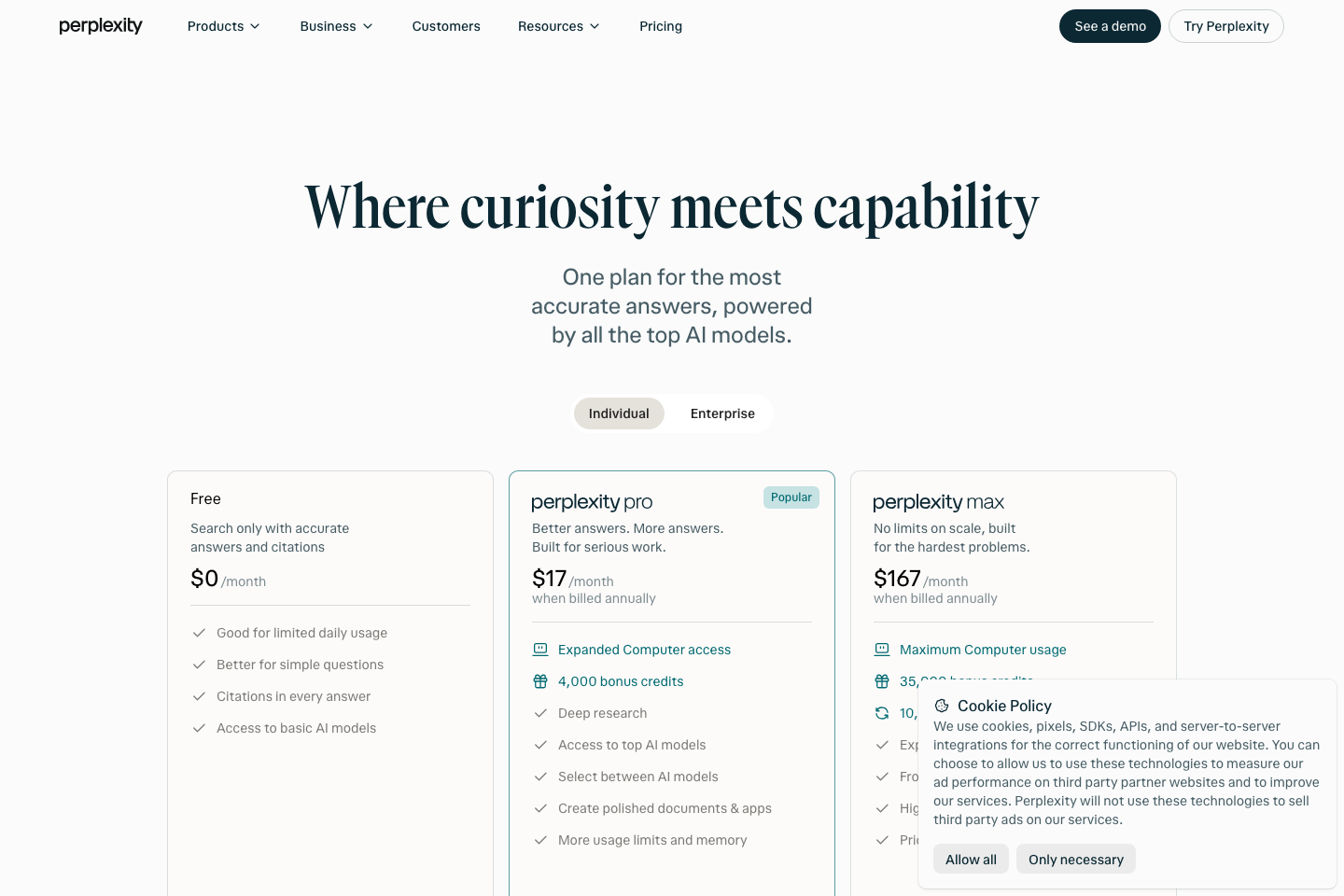
Perplexity pricing 2026 needs more than a single screenshot. The product now spans sourced answers, model choice, Computer credits, file creation, browser assistance and enterprise services. Billing may be monthly or annual, and the credits included in a plan can change with product updates. For an individual buyer, the official reference points are straightforward: $20 per month for Pro and $200 per month for Max.
| Plan | US reference price | Annual cash commitment | Primary buying reason |
|---|---|---|---|
| Free / Standard | $0 | $0 | Basic sourced answers and occasional research |
| Perplexity Pro, monthly | $20/month | $240 across 12 monthly charges | Extended research, advanced models and higher limits |
| Perplexity Pro, annual | $200/year | $200 paid upfront | Same basic tier at a lower effective annual rate |
| Education Pro | $10/month, eligible users | $120 if held for 12 months | Verified students and educators |
| Perplexity Max, monthly | $200/month | $2,400 across 12 monthly charges | High-volume research, Computer and premium resources |
| Perplexity Max, annual | $2,000/year | $2,000 paid upfront, web app | Lower equivalent rate for sustained heavy use |
| Enterprise Pro | $40/seat monthly or $400/seat annually | Contract-dependent seats | Administrative controls and team governance |
| Enterprise Max | $325/seat monthly or $3,250/seat annually | Contract-dependent seats | Enterprise access with heavier research/Computer needs |
Individual pricing references: Perplexity hub, Max Help Center and September 2026 plan comparison. Enterprise monthly/annual list prices: Enterprise billing FAQ. Perplexity’s marketing page also displays monthly-equivalent enterprise annual figures. Confirm the actual payment cadence and the quote for your account.
🆓 Perplexity Free vs Pro: what changes?
A free search is enough to see what makes the service different: the answer includes citations, and you can follow up to clarify the result. According to Perplexity’s September help-center table, Standard has practically unlimited basic searches, three Pro Searches per day and one Research query per month. File uploads are limited, and advanced model selection and certain media features require a higher tier.
Pro raises the ceiling, adds advanced AI model access, more analysis capabilities and resources for Computer. But the help center describes many Pro allowances as weekly or monthly limits for average use, not a fixed permanent count. It is unwise to buy the plan because an old Reddit post promised a particular number of queries.
A useful Perplexity Free vs Pro experiment is to compare the same five information requests over one normal week. Record which sources you had to open, which claims needed correction and whether any research mode was unavailable. If the free tier completes your task with acceptable effort, save the subscription money.
⚡ Perplexity Pro vs Max: capacity is the purchase
The $180 monthly difference between Pro and Max is large enough that a feature checklist alone will not justify it. Max includes more room for advanced research, access to premium capabilities and a substantially larger Computer allowance. The current marketing page discusses 10,000 monthly Computer credits for Max, alongside one-time or promotional bonus-credit amounts. Do not confuse a bonus balance with recurring monthly entitlement.
Max’s official help page also confirms a $2,000 annual web subscription, while monthly billing is $200. If you consider the yearly option, calculate real first-year cash needs: $2,000 upfront is not the same risk as ten months paid month by month. Mobile purchases can behave differently; the help center warns that a mobile-app Max upgrade could create a separate subscription instead of replacing a web-based Pro plan.
For an occasional researcher, Max is likely unnecessary. For someone operating multiple approved Computer workflows daily, the extra capacity may be valuable. Keep a record of credits consumed, tasks completed correctly and interventions required for at least several representative runs before committing to annual billing.
👩🎓 Education Pro and eligibility
Perplexity lists Education Pro at $10/month, subject to student or educator verification via SheerID. Eligibility, regions and promotional conditions are separate from the standard Pro plan. Never assume a discount remains available without verifying your account.
🧑💼 Enterprise Pro and Enterprise Max
Enterprise plans are not merely personal plans with a group invoice. They address team permissions, identity, support, auditability and data-management choices. Perplexity’s enterprise billing FAQ lists Pro at $40/seat per month or $400/seat annually and Max at $325/seat per month or $3,250/seat annually. Marketing pages sometimes show lower monthly-equivalent numbers for annual billing — approximately $33.33 and $270.83. That presentation should not be mistaken for month-to-month billing.
Security and compliance descriptions need to be checked against the agreement. A vendor’s claims about SOC 2, SSO or retention controls are not proof they are enabled for the particular account. If your team needs SCIM, administrator restrictions or tenant-wide records handling, require those features in a demo and in the contract.
🧮 Cost Examples: What Would You Actually Pay?
The arithmetic below uses published list prices and fixed assumptions, not negotiated quotes, promotional offers or a live checkout.
| Scenario | Cash due in first year | Monthly equivalent | Caveat |
|---|---|---|---|
| One Pro subscription, monthly for 12 months | $240 | $20 | Assumes same list price for the full year |
| One Pro subscription, annual | $200 upfront | $16.67 | Annual commitment; confirm cancellation terms |
| One Max subscription, monthly for 12 months | $2,400 | $200 | High ongoing cost if usage is sporadic |
| One Max subscription, annual | $2,000 upfront | $166.67 | Web-app annual terms, not a monthly charge |
| Five Enterprise Pro seats, monthly for 12 months | $2,400 | $200 total | Five active seats; tax and contract not included |
| Five Enterprise Pro seats, annual | $2,000 upfront | $166.67 total | Assumes five seats at $400/year each |
| Five Enterprise Max seats, annual | $16,250 upfront | $1,354.17 total | Only consider with a sustained workload |
An annual Max subscription saves $400 against twelve months at the current $200 monthly list price, but commits much more cash at once. If you would use Max for just two heavy months, that annual discount would not make the purchase sensible.
Another useful scenario is a researcher who already pays $20 for a general AI assistant. Adding Perplexity Pro makes the subscription stack $40/month before tax. The useful question is whether you now finish more verified research, not whether both providers offer attractive model lists. Use the DigiOffly Software Cost Calculator to explore overlap without assuming two products have identical value.
🧠 How Perplexity Search and Research Work
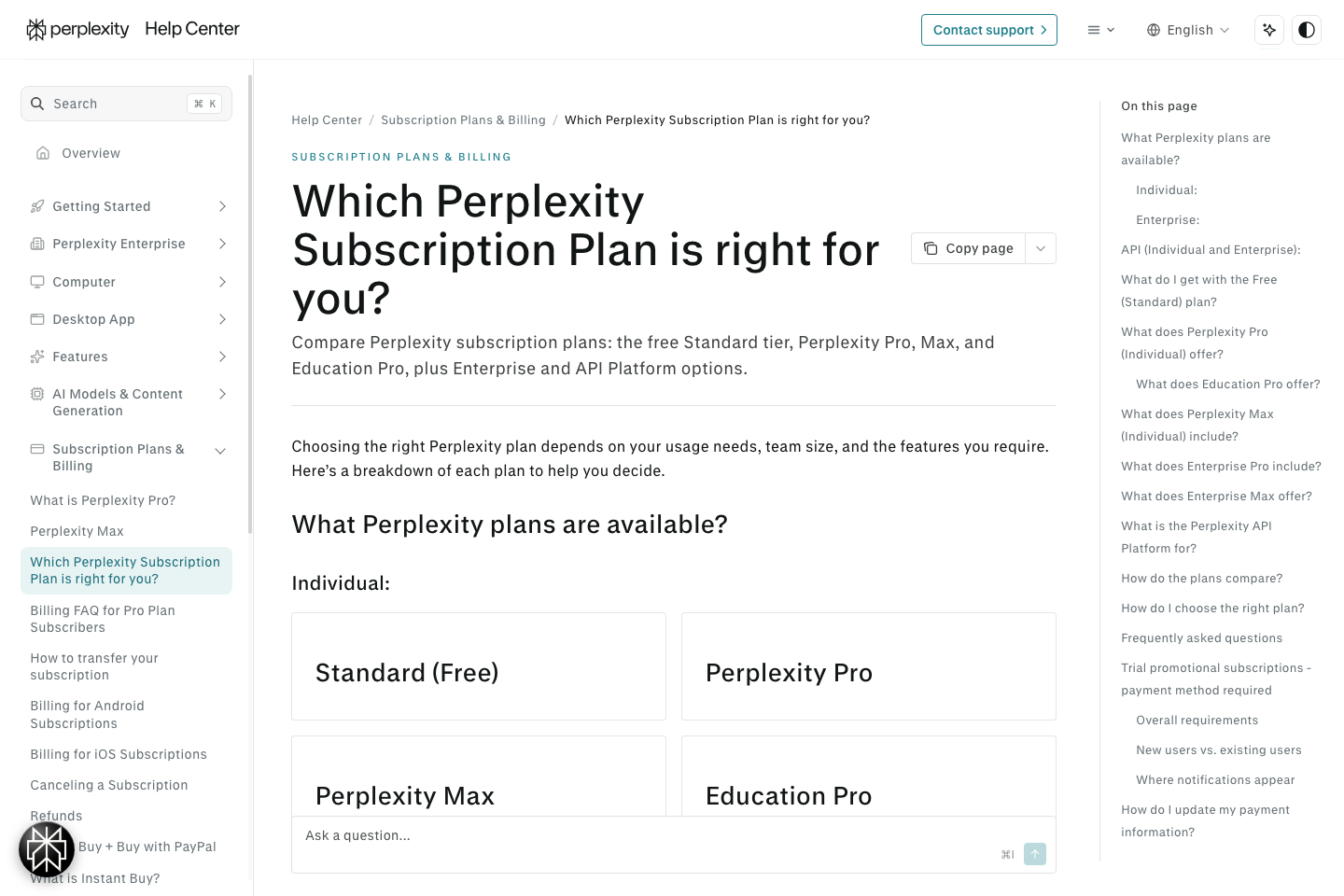
Perplexity combines search results and AI-generated synthesis. A query can return a direct answer, several citations, useful follow-up questions and opportunities to dive deeper. That is convenient for early discovery: a user starting with an unfamiliar topic no longer needs to open ten links before locating the first plausible source.
Yet the interface can obscure two important distinctions: retrieving a document and correctly interpreting it. A source might cover an older subscription, cite a different region or use similar terminology for a different product. Sourced answers are easier to audit than opaque answers, but citations are only as good as the source-to-claim match.
🔎 Search and inline citations: the important test
Try a time-sensitive question, such as when a software vendor introduced a new plan. Open every citation that supports a price or release date, and mark whether the page confirms the exact claim. If a link points to an old marketing announcement while checkout displays different terms, the summary should clearly distinguish the historical and current prices.
For a reliable Perplexity citations review, sample ten factual claims rather than trusting the citation count. Track correct citations, broken links, unsupported statements and corrections needed. An answer with eight links can be worse than one with three if most links do not substantiate the text.
📚 Deep Research and source synthesis
Research mode is more ambitious than a short sourced answer. It may gather information across multiple searches, organize a long report and surface unresolved questions. Its quality depends on the sources retrieved, date filtering and whether it separates a vendor’s statement from independent evidence.
Use a bounded exercise: compare three project-management providers, identify seat minimums, annual upfront payments and data-export restrictions, and require an evidence table. A report that hides unknowns behind confident prose is not complete. The correct result may be that one price remains unconfirmed until a sales quote arrives.
Perplexity’s official plan comparison assigns Research allowances by plan, but consumer Pro and Max figures are expressed as usage tiers rather than immutable numeric guarantees. Do not promise a precise number of monthly reports without checking the current account limits.
📄 Files, reports and editable output
Paid tiers include more extensive file and app creation capabilities. This can help analysts convert research into a document, a chart or a simple app. A polished PDF or spreadsheet is useful only when its references, calculations and structure are correct and it can be handed to a colleague.
Test export fidelity: prepare a fictional pricing table with one intentionally incorrect figure. Ask for an editable report; then change an input value and check dependent totals. If the answer is merely a pasted table, it is not equivalent to a working spreadsheet. Document exactly what the plan lets you download and reuse.
🖥️ Perplexity Computer: More Than an Answer Engine
Computer takes the product beyond ordinary sourced search. Instead of only explaining how to complete a task, it can coordinate multiple steps, use connected tools and assemble an output. Perplexity’s late-2026 announcements cover cloud Computer, scheduled automations, Projects and local execution on Macs. Those are distinct modes and may have different permissions, capabilities and credit requirements.
The reason to use Perplexity Computer for business is concrete: perhaps your team spends an hour every Thursday gathering approved market updates, turning them into an internal memo and preparing an email for review. Search alone saves the discovery step. A reliable Computer workflow could also prepare the document. But sending the final email should remain subject to deliberate approval, particularly during a trial.
💻 October 20: Perplexity Computer runs locally on Mac
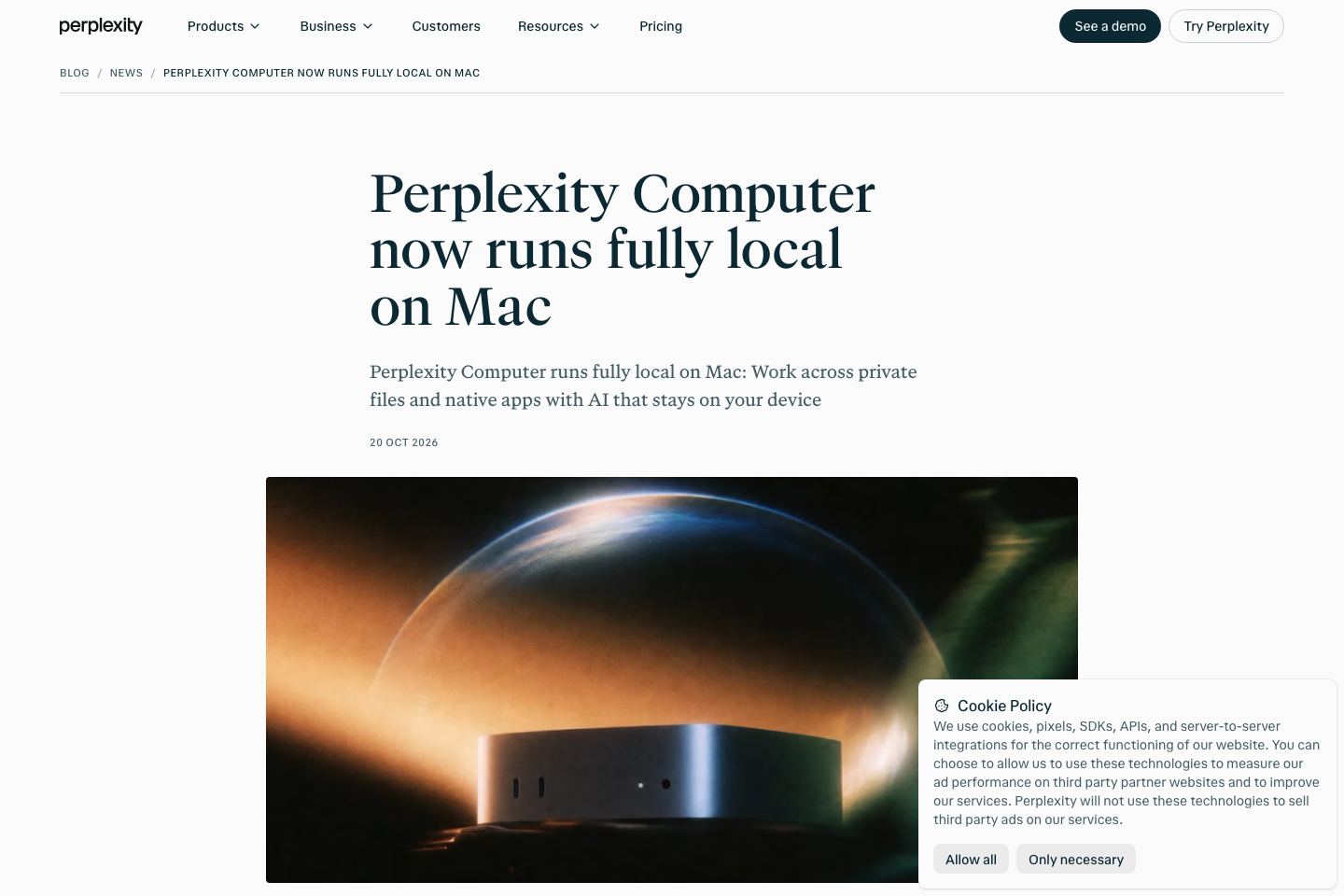
On October 20, 2026, Perplexity announced a fully local mode for Apple silicon Macs. The company says the model, orchestration and task execution can run on the device, using Qwen 3.6 or its PPLX Pro local model, with private file access subject to explicit permission. The product can also use Hybrid Compute to combine local processing with cloud-powered reasoning and research.
This is an important development for users comparing Perplexity Pro vs Max: the company states local Computer is available to Pro, Max and Enterprise subscribers, not solely Max. The announcement recommends 36 GB or more RAM for local execution. That is a hardware recommendation, not proof that every Apple silicon Mac supports every task equally well.
The difference matters for privacy and performance. “Runs locally” should not be interpreted as a guarantee that a workflow never accesses the network. The company explicitly offers cloud escalation and connected-app options. A cautious test begins with a non-sensitive offline sample, inspects network and permission behavior, and confirms when an action switches from fully local to Hybrid or cloud processing.
For a practical Perplexity Computer Mac setup evaluation, record the model selected, local memory usage, task duration, which folders were authorized, whether cloud access was used and what happened when permission was denied. A vendor launch post is evidence that the feature exists; it is not a benchmark of its performance on your laptop.
🗂️ Projects, persistent context and shared workspaces
Perplexity Projects are intended to preserve files, context and related tasks across a longer-running piece of work. This can be useful when several researchers collect documents for one market study, but it introduces a source-of-truth problem. Which project file is the latest? When did its pricing information last change? Who is responsible for correcting an incorrect summary?
For a Perplexity Projects review, create a small non-sensitive project, add two clearly dated versions of a vendor document and ask for a comparison that identifies which claims belong to each version. If the assistant merges the versions, it is not ready to become the definitive record for purchasing or compliance.
Perplexity’s October update also introduces role-based connector controls and ongoing Automations in Computer. These are attractive for a team that handles repeated internal work, but a user should not assume they exist on every personal account at identical limits. Confirm plan eligibility and administrator controls before designing a critical workflow around them.
🔄 Automations and recurring research
Recurring tasks can reduce manual checking of a narrow subject: a weekly market brief, a saved research topic, or an internal watch on vendor pricing changes. A useful automation specifies a clear trigger, approved data sources and a condition for sending a notification. It should not generate noise every hour simply because the product supports recurring runs.
Set a small first experiment. Ask for one weekly summary of changes to the published pricing pages of two chosen vendors; require direct links and a before-versus-after table. Inspect whether the output distinguishes a real change from a cached page or a different region. Keep automated sends, deletions and purchases disabled during the test.
Computer credits and recurring frequency may interact: a workflow that looks affordable once may become expensive when run daily. Calculate the monthly volume of planned tasks and inspect actual credits consumed before increasing frequency.
🧾 Search, Computer and Comet: which one does what?
A product with three interfaces can lead to three kinds of expectations. The distinction below is a decision aid, not a promise that every task is available on every plan.
| Product surface | Primary job | Typical output | Important constraint |
|---|---|---|---|
| Perplexity Search | Discover and summarize current web information | Sourced answer with links | Verify that each citation backs its claim |
| Perplexity Research | Multi-source synthesis and longer investigations | Evidence report and open questions | Consumption of research allowances |
| Perplexity Computer | Coordinate steps, files and supported tools | Prepared deliverable or supervised action | Credits, permissions and execution mode |
| Comet Browser | Research and approved interactions while browsing | Contextual answer or browser-assisted task | Browser permissions and action confirmation |
| Local Computer on Mac | Perform authorized tasks on-device | Local file or app output | Compatible Apple silicon hardware, RAM and mode selection |
🌐 Perplexity Comet Browser: Research While Browsing
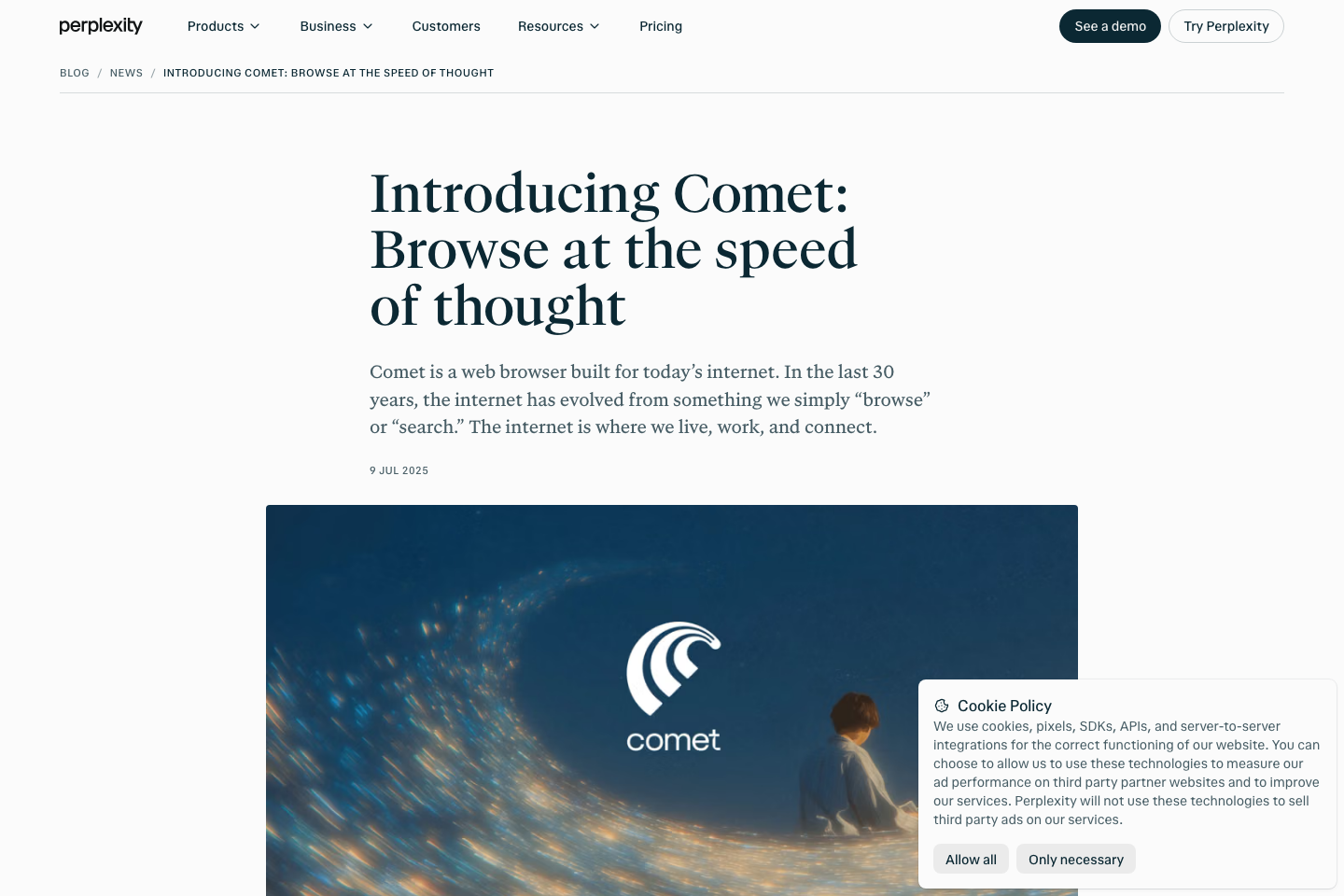
Perplexity’s Comet is an AI-powered browser rather than simply a search tab. It can help a user ask questions about pages they are reading and, subject to authorization, perform supported browser tasks. The selling point is reduced tab switching and fewer copy-and-paste handoffs.
A Comet browser review should include a high-friction research exercise, not just a demo question. Open three vendor pricing pages, ask Comet to compare their annual billing conditions and evaluate whether the final table cites the correct visible sections. Then navigate away, return and check if the workspace context remains usable.
There is a meaningful boundary between reading a page and acting on it. Browser agents can encounter misleading content, malicious instructions and permission prompts. Perplexity describes several safeguards, including input screening and sandbox isolation, but the safest default is still to require user confirmation before outward-facing actions. Avoid giving a browser agent access to private customer databases during an initial demonstration.
For Comet vs Chrome, the right question is whether the AI features save enough work to change browsers or add another workflow tool. Standard browsers already support extensions, bookmarks and established profiles. If all you need is a sourced answer, Perplexity search might be enough without adopting an entire browser.
🔒 Privacy, Data Handling and Enterprise Security
Perplexity’s public documentation describes enterprise security features such as SAML SSO, SCIM, retention controls and SOC 2 Type II. Product pages also state that Pro and Enterprise queries are not used to train third-party models. These are vendor policy descriptions, not DigiOffly’s independent certification. A customer must check the exact account terms, retention settings and connector scopes.
There is no one-size-fits-all policy for every document. Public product brochures are suitable for a low-risk research trial. Customer lists, confidential term sheets, credentials and medical records are not. A local-only Computer setup can offer a different data boundary from a cloud query, but local execution still requires an appropriate device, secure storage and verified permission handling.
Before a team enables Computer or Comet broadly, assign a small set of roles: who may connect external apps, who may share project files, who may view audit logs and who can authorize transactions or deletion. Require an exit path for workers and disabled accounts. The interface should not be the only record of what an automation changed.
🛡️ A practical permission test
Use a test folder containing one public note and one restricted document. Give the tool access only to the public note. Ask it to summarize the available material and verify that it does not quote or reveal the restricted file. Then revoke the connection and confirm the next request fails cleanly instead of relying on cached access.
This protocol does not establish legal compliance. It is a basic functional test that exposes permission surprises before real business information is uploaded.
⚖️ Perplexity vs ChatGPT, Claude and Gemini
Perplexity vs ChatGPT is not a timeless contest for the “smartest AI.” The products overlap in research, document generation and models but start from different user workflows. Perplexity’s identity is sourced discovery and its developing Computer platform. ChatGPT offers a different combination of chat, models and tools. Claude emphasizes documents and code workflows; Gemini has tight relationships with Google products. Buyers should test how work leaves the answer and reaches an editable, verified deliverable.
| Tool | First workflow to test | Main subscription question | Likely weakness to inspect |
|---|---|---|---|
| Perplexity | Sourced research, cross-site evidence and Computer workflows | Are Pro’s limits enough, or will Computer tasks justify Max? | Incorrect claim-to-source mapping and credit consumption |
| ChatGPT | Writing, research, coding and connected work across tools | Does the existing plan already cover the needed tasks? | Feature differences between accounts and plan tiers |
| Claude | Editable Artifacts, documents and code tasks | Is higher usage capacity actually needed? | Output verification and file handoff |
| Gemini | Gmail, Drive, Docs, Sheets and long-context analysis | Does a consumer plan or managed Workspace license apply? | Regional features and connector permissions |
For a closer look at individual subscriptions, see DigiOffly’s ChatGPT review, Claude review and Gemini review. They are comparison resources, not independent benchmarks against identical paid accounts.
Perplexity vs ChatGPT for citations
Give both products a question with a disputed date and two official sources published months apart. Count how often the final answer identifies the newer source and acknowledges the older one. If both get the right date, measure the time needed to confirm their claims. More citations are not automatically more reliable.
The product you keep should be the one that shortens the entire verified task, including reading source material and fixing errors. A fast first response can be misleading when it creates additional checking work.
Perplexity vs Claude for document work
Ask each product to compare a 15-page policy packet and draft a one-page recommendation. Grade the result on coverage of material restrictions, clear source attribution, export fidelity and whether a colleague can edit the final document. A polished paragraph in chat is not a complete deliverable for an organization.
Perplexity vs Gemini for Google users
A user who mostly researches public web information may appreciate Perplexity’s citation-focused interface. A user who spends the day editing shared Google documents may prefer a tool integrated into those files. Test the same source-heavy Docs workflow and record how many transitions occur between products.
🧪 How to Evaluate Perplexity: Three Reproducible Tests
The following are proposed evaluation exercises, not claims of first-hand results from DigiOffly’s paid account. You can perform them with fictional or public material.
Test A: A vendor pricing investigation
Choose three providers with genuinely different billing practices — one per user, one flat-priced, one that only publishes a starting price. Ask Perplexity to prepare a price table with the billing unit, minimum contract, payment cadence and dated official source. Supply no invented quote for the third vendor.
Score each row on four criteria: correct amount, correct unit, correct billing date and supporting page. This reveals whether citations are attached to the fact they supposedly prove. Repeat after a week to see whether the assistant relies on stale prices or recognizes a change.
Test B: A small documented report
Use publicly available product manuals and a fictional team brief. Ask Pro to produce an editable decision memo with a comparison table and unresolved questions. Ask a colleague to revise it without reading the original chat.
Count the time saved, formatting issues, missing citations and changes required. Compare that total with drafting the memo in an existing document editor. The test is particularly useful when deciding whether Pro’s file creation benefits justify a paid subscription.
Test C: A Computer workflow with boundaries
In an isolated test folder, place a fake project outline and a spreadsheet with sample costs. Authorize the smallest necessary file scope. Ask Computer to prepare a weekly status report and a draft email, without sending it.
Check for unauthorized file access, numbers copied incorrectly and any unapproved external action. Measure Computer credits where relevant. Repeat with a deliberate conflicting instruction inside a source document to see whether the tool follows the authorized request rather than an untrusted page.
A successful trial should be boring: the same bounded task, the correct sources and no surprises in the action log.
✅ Perplexity Pros and Cons
Reasons to shortlist Perplexity
- Citations make many research claims quicker to inspect.
- A free tier allows testing before committing to paid search.
- Pro combines research, advanced-model access and document workflows at a known entry price.
- Max offers higher capacity for sustained Computer and research work.
- Comet gives a browser-centered alternative to copying context between tabs.
- October 2026 local Computer for Mac brings a meaningful on-device option to eligible plans.
- Enterprise features can support managed teams where administrators need additional controls.
Trade-offs worth confronting
- Citations can appear authoritative even when the linked page is a poor match.
- Consumer research usage is not universally unlimited and may be expressed as moving weekly/monthly limits.
- Computer credits, bonus credits and recurring allowances are easy to conflate.
- A $200 Max subscription is expensive if the user mainly needs occasional sourced questions.
- Browser and agent access introduces risks that simple search does not.
- Connected file and app permissions depend on account setup and may change.
- API usage is separate from the consumer subscription.
🏆 Is Perplexity Worth It in 2026?
Start with the free version if your goal is finding sources and testing whether citations improve research. Buy Pro if you repeatedly hit the free limit or need advanced models and research workflows enough to justify $20 each month. Upgrade to Max only after measuring actual Computer and research usage; its $200 price should be linked to completed, reviewed work, not a larger list of promises.
The launch of fully local Computer on Mac changes the conversation for people with sensitive documents and supported Apple silicon hardware. It does not magically remove security concerns or mean every action will stay offline. Make the execution mode and authorization part of your trial notes.
Perplexity’s best role may be quite narrow: the first place a team looks for a credible, dated reference before writing elsewhere. That is already valuable. If it goes further and reliably prepares approved deliverables, the case for a larger plan improves. What matters is whether the finished output is correct, usable and worth its cost.
📚 Official Sources and Editorial Verification
The sources below are public primary references used to prepare this article. They support pricing, plan names and described product availability, not untested claims of accuracy or return on investment.
- Perplexity: product hub and Pro subscription reference — free access and $20 monthly/$200 annual Pro list prices.
- Perplexity Help Center: plans compared, September 2, 2026 — Free, Pro, Max, Education and Enterprise feature tiers.
- Perplexity Help Center: Max billing and account transitions — $200 monthly, $2,000 annual and web/mobile upgrade behavior.
- Perplexity Help Center: Enterprise billing — per-seat monthly and annual terms.
- Perplexity: individual and Enterprise pricing comparison — Computer credits and contemporary feature lists.
- Perplexity: Computer runs fully local on Mac, October 20, 2026 — Apple silicon, supported plans and local modes.
- Perplexity: Introducing Comet — browser purpose and supported use cases.
- Perplexity: Changelog, October 2026 — Automations, new models and connector controls.
- Perplexity: How we engineer safer agents — vendor-described security boundaries and safeguards.
This review is informational. Prices may vary with billing route, currency, account and promotional eligibility. No sponsored placements determine the assessment; any vendor statement should be checked again before a purchasing decision.

Perplexity AI Frequently Asked Questions
Is Perplexity free to use in 2026?
Yes. Standard allows basic sourced searches without a subscription, with limited Pro Search, research and file capabilities. Current account-level limits still apply.
How much is Perplexity Pro per month?
Perplexity Pro has a US list price of $20 per month or $200 per year. Annual billing collects the full amount upfront.
What is Perplexity Max pricing?
Perplexity Max costs $200 monthly or $2,000 annually through the web app, according to the official help center. Mobile billing and upgrade behavior may differ.
What is the difference between Perplexity Pro vs Max?
Both provide advanced research capabilities, while Max is intended for heavier usage and larger Computer and resource allowances. Confirm current credits and usage limits in the eligible account.
Does Perplexity provide sources and citations?
Perplexity includes references in its answers, helping readers inspect support. A citation is not proof that the linked document confirms the sentence; open the sources.
How many Pro Searches are free?
The September 2026 help-center comparison lists three Pro Searches per day for Standard, with practically unlimited basic searches. These allowances can change.
What is Perplexity Computer?
Computer is Perplexity’s multi-step agent platform for coordinating approved tools, files and tasks. It can operate in cloud, hybrid or supported local execution modes.
Can Perplexity Computer run locally on Mac?
Yes. Perplexity announced a fully local mode for eligible Pro, Max and Enterprise subscribers on supported Apple silicon Macs on October 20, 2026, recommending 36 GB or more RAM.
Is Perplexity Comet a browser?
Yes. Comet is Perplexity’s AI-powered browser, designed for contextual research and supported browsing assistance. It is distinct from ordinary Perplexity search.
Does Perplexity Pro include free unlimited API access?
No. Perplexity’s API Platform has separate billing and rate limits from consumer subscriptions. Validate the developer pricing before integrating it into a product.
Which is better: Perplexity vs ChatGPT?
It depends on the workflow. Perplexity emphasizes sourced search and Computer; ChatGPT covers other tools and assistant tasks. Compare the same research packet and verify the final deliverable.
EXPLORE NEXT ON DIGIOFFLY
Compare Perplexity With Your Other AI Tools
Check research alternatives, plan costs and overlapping subscriptions before your next purchase.
Compare research assistants
- ChatGPT Review — evaluate another broad AI assistant.
- Claude Review — compare editable documents and code workflows.
- Gemini Review — test Google app integration.
Choose software deliberately
- AI & Tech Reviews — browse the editorial category.
- AI Software Finder — narrow the shortlist by task.
- Compare Software — inspect relevant feature trade-offs.
Build a lean subscription stack
- Software Cost Calculator — check annual cash commitment.
- Best Value Advisor — match products to documented budget.
- Ready-Made Stacks — avoid overlapping subscriptions.