

Fact-check date: October 23, 2026. USD public reference prices; features, discounts and contact allowances may change. DigiOffly evaluated official documentation and publicly accessible product pages; we did not run paid-account delivery or conversion tests. Every screenshot shown is from a public vendor page.
A newsletter looks inexpensive when the list is small. The surprise usually arrives later: a store imports old customers, another team builds a second audience, and the number of records being billed grows faster than the number of people who have agreed to receive marketing emails. A $13 starting price no longer explains the next invoice.
That gap is why this Mailchimp review 2026 concentrates on more than templates and campaign design. We compare the current Free, Essentials, Standard and Premium plans, read the contact-count rules, separate automation features from plan marketing, and outline what a business can check before switching tools. We also look at practical Mailchimp alternatives for stores, publishers and small marketing teams.
📊 Mailchimp Review Summary
| Buying question | Practical answer |
|---|---|
| Best for | Small businesses, creators, ecommerce teams and marketing departments running permission-based email |
| Free tier | $0, up to 250 contacts and a maximum of 500 monthly sends or 250 per day on the public pricing comparison |
| Paid starting points | Essentials from $13/mo; Standard from $20/mo; Premium from $350/mo at its larger included list size |
| Key cost variable | Total billable stored contacts across audiences, not only active email subscribers |
| Email allowance | Essentials 10× contacts; Standard 12×; Premium 15×, subject to plan terms |
| Automation | Essentials: up to 4 steps per flow; Standard/Premium: up to 200 steps per flow |
| Other charges to check | Extra contact blocks, additional sends, SMS, transactional email and taxes |
| Evidence | Mailchimp official marketing pricing, support documentation and publicly captured screenshots |
| Main limitation | Public documentation checks cannot establish personal deliverability or campaign conversion results |
Mailchimp is part of Intuit’s product family. Although email is still the most familiar entry point, the platform spans contacts, signup forms, campaign creation, automation, reporting and integrations. Those capabilities make it a workable hub for a growing newsletter operation, yet a larger tool does not always mean a cheaper or simpler stack.
🎯 Mailchimp Email Marketing: Who It Suits
A first-time newsletter publisher. A modest audience, one consent form and a digest sent every week do not require intricate branching logic. The Free plan is a useful place to learn audience management, provided your list and sending needs fit its narrow limits. If the list grows, check what you gain from Essentials beyond simply unlocking more capacity.
A small ecommerce brand. Stores often need welcome messages, abandoned-cart communication, product launches and more refined groups of customers. Mailchimp can connect campaign history and some store activity, depending on the integration and purchased features. Before upgrading, verify which triggers and reporting fields actually arrive from the store rather than assuming every ecommerce event is shared automatically.
Who should look elsewhere? A very small newsletter may need only lightweight publication and signup tools. A data-intensive ecommerce operation may prioritize sophisticated lifecycle attribution and product events. A business seeking only application receipts or password-reset messages should assess a transactional sending service, not assume a marketing plan covers that need.
💰 Mailchimp Pricing 2026: Free vs Essentials vs Standard vs Premium

The headline prices on the official Mailchimp marketing pricing page are starting points. Essentials and Standard reference a small 500-contact tier, while Premium starts from a much larger list allowance. Comparing $13, $20 and $350 without those denominators would mislead a buyer. The precise price at checkout depends on the selected contact tier, region, billing terms and any temporary promotion.
| Plan | Published starting US price | Contact reference | Monthly sending allowance | Team access |
|---|---|---|---|---|
| Free | $0 | Up to 250 contacts | Max 500 sends/month, 250/day | 1 user |
| Essentials | From $13/month | From a 500-contact tier | Up to 10× selected contact maximum | Up to 3 seats |
| Standard | From $20/month | From a 500-contact tier | Up to 12× selected contact maximum | Up to 5 seats |
| Premium | From $350/month | Reference starts with 10,000 contacts | Up to 15× selected contact maximum | Unlimited users |
The starting price only becomes useful after you enter your actual audience size. A business with 2,500 billable records cannot automatically buy a 500-contact plan and expect the same advertised price. Higher plan editions add capabilities; higher contact tiers add capacity. Mailchimp currently advertises a 15% first-year promotion for selected paid plans at 10,000+ contacts; it lasts twelve months and is not the renewal baseline. Read the offer terms before budgeting the second year.
🆓 Mailchimp Free plan limits
The current public Free offer lists 250 contacts and no more than 500 email sends in a month or 250 in a day. For a single welcome message and a few short updates, that can be useful. For a weekly campaign sent to the full 250-person list, four newsletters could consume roughly 1,000 individual sends, which exceeds the Free monthly limit. “Four campaigns” and “four sends” are not the same measurement.
✉️ Mailchimp Essentials vs Standard
Essentials is useful when a team wants to schedule campaigns, perform straightforward A/B testing and remove some entry-level restrictions. The public feature comparison shows up to three seats, three audiences and sends equivalent to ten times the selected contact maximum. That does not mean every automation design becomes available. For an organization using only newsletters, Essentials can be a rational paid stopping point.
Standard adds more advanced segmentation, reporting and an expanded marketing automation offering, with up to five seats and monthly email allowances of twelve times the selected contact count. These features are valuable when different customers really need different communication journeys. A company that sends the same monthly update to everybody gains little by paying more for branches it never runs.
The Mailchimp Essentials vs Standard decision should be based on two prepared campaigns and one desired flow. Build the basic email in Essentials, list the needed conditional steps and determine whether Standard enables work that reduces manual effort. Then check the real contact tier quote. Those starting prices say little about your bill for a 5,000-contact audience.
🏢 Mailchimp Standard vs Premium
Premium adds more extensive account controls and testing capabilities, rather than simply increasing send capacity. The published comparison emphasizes more extensive account access, phone and priority support, multivariate testing, advanced segmentation and onboarding assistance. Its starting reference is $350 per month for a much larger contact tier. That makes it difficult to compare directly with the 500-contact starting prices of Standard or Essentials.
Consider Premium when the team has enough campaign volume, approval layers and analytical maturity to use those additional controls. A founder and one marketer running a basic weekly newsletter are unlikely to extract comparable value from premium governance features. For Mailchimp Standard vs Premium pricing, request the same contact quantity and billing term for both editions.
🧮 Budgeting the first twelve months
The table below performs simple multiplication using published starting references. It is deliberately illustrative, not a price quote for identical-sized audiences. Paid plans may be billed differently when contact tiers, promotions, add-ons or taxes change.
| Illustrative baseline | Monthly starting price | Twelve months if unchanged | What the example omits |
|---|---|---|---|
| Free, within Free limits | $0 | $0 | No extra sends or contacts |
| Essentials at starting contact tier | $13 | $156 | Higher contact tiers, add-ons and taxes |
| Standard at starting contact tier | $20 | $240 | Higher contact tiers, add-ons and taxes |
| Premium at its much larger starting tier | $350 | $4,200 | Onboarding options, add-ons, discounts and taxes |
If you already have 8,000 audience records, do not use the $156 annual Essentials line as a budget. Go to the actual contact selector, choose at least 8,000, inspect send allowances, and record the price. Recheck the number immediately before renewing. Forecasting three months of list growth may clarify the budget faster than another feature matrix.
👥 Mailchimp Contact-Based Billing: The Detail That Changes Your Invoice
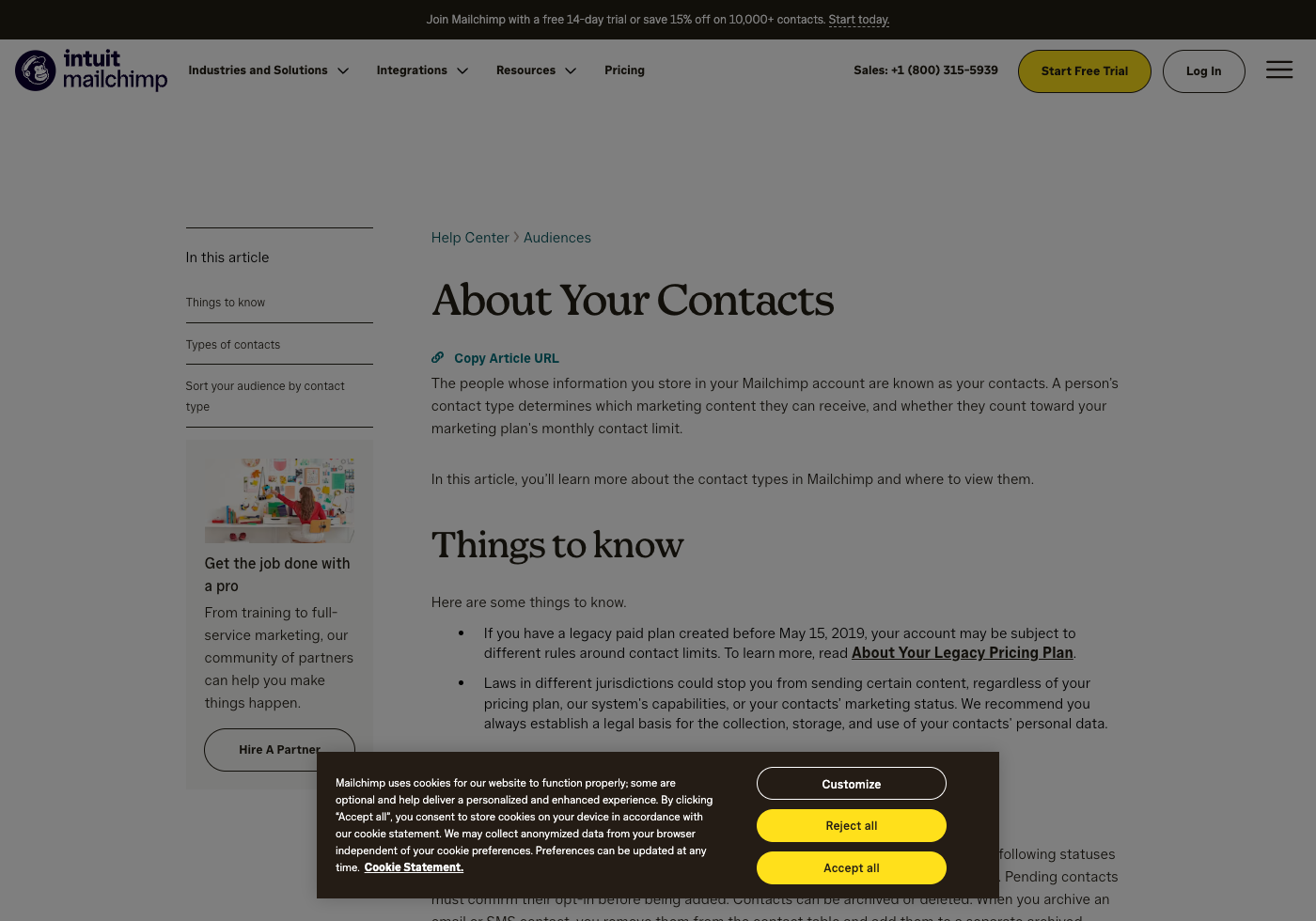
Mailchimp does not price only the people who opened your most recent campaign. According to its contact definitions, subscribed, unsubscribed and non-subscribed records generally count toward the monthly marketing contact limit. Cleaned, archived, pending and deleted records do not count in the same way. The distinction matters when a store imports historical customers or when the marketing team keeps opt-outs for recordkeeping.
A store may import a customer who has never subscribed to a newsletter. Mailchimp can still count that record toward the monthly limit, even though it cannot receive promotional emails without the appropriate permission. This is the distinction behind Mailchimp contact-based pricing, and it makes contact hygiene part of software cost management rather than a purely administrative task.
🗂️ Which Mailchimp contacts count toward billing?
| Contact state | Counts toward current marketing limit? | Can receive ordinary marketing email? | Recommended handling |
|---|---|---|---|
| Subscribed | Yes | Yes, subject to consent and law | Keep consent evidence and relevant segment data |
| Unsubscribed | Yes | No | Retain suppression records as needed; audit archival policy |
| Non-subscribed | Yes | No | Avoid automatically treating store contacts as newsletter opt-ins |
| Cleaned | No | No | Do not keep retrying invalid addresses |
| Pending | No | No | Wait for confirmation where double opt-in is used |
| Archived | No | No | Available for future restoration; excluded while archived |
A particularly expensive mistake is copying the same person into several Mailchimp audiences. Mailchimp’s audience documentation is explicit: the same email in two separate audiences counts as two contacts, because audiences do not share records. Tags and segments may solve some use cases without creating another separate audience. Before separating an agency’s client records, however, weigh this against legitimate data isolation and access requirements.
The official pricing-tiers guide also explains additional contact blocks. When the plan’s selected contact or email allowance is exceeded, extra blocks can be charged. Their size and price depend on the selected edition and tier; it would be misleading to invent a universal overage fee. Ask support or inspect your account quote before planning a campaign near a threshold.
📦 Mailchimp overage charges and tier changes
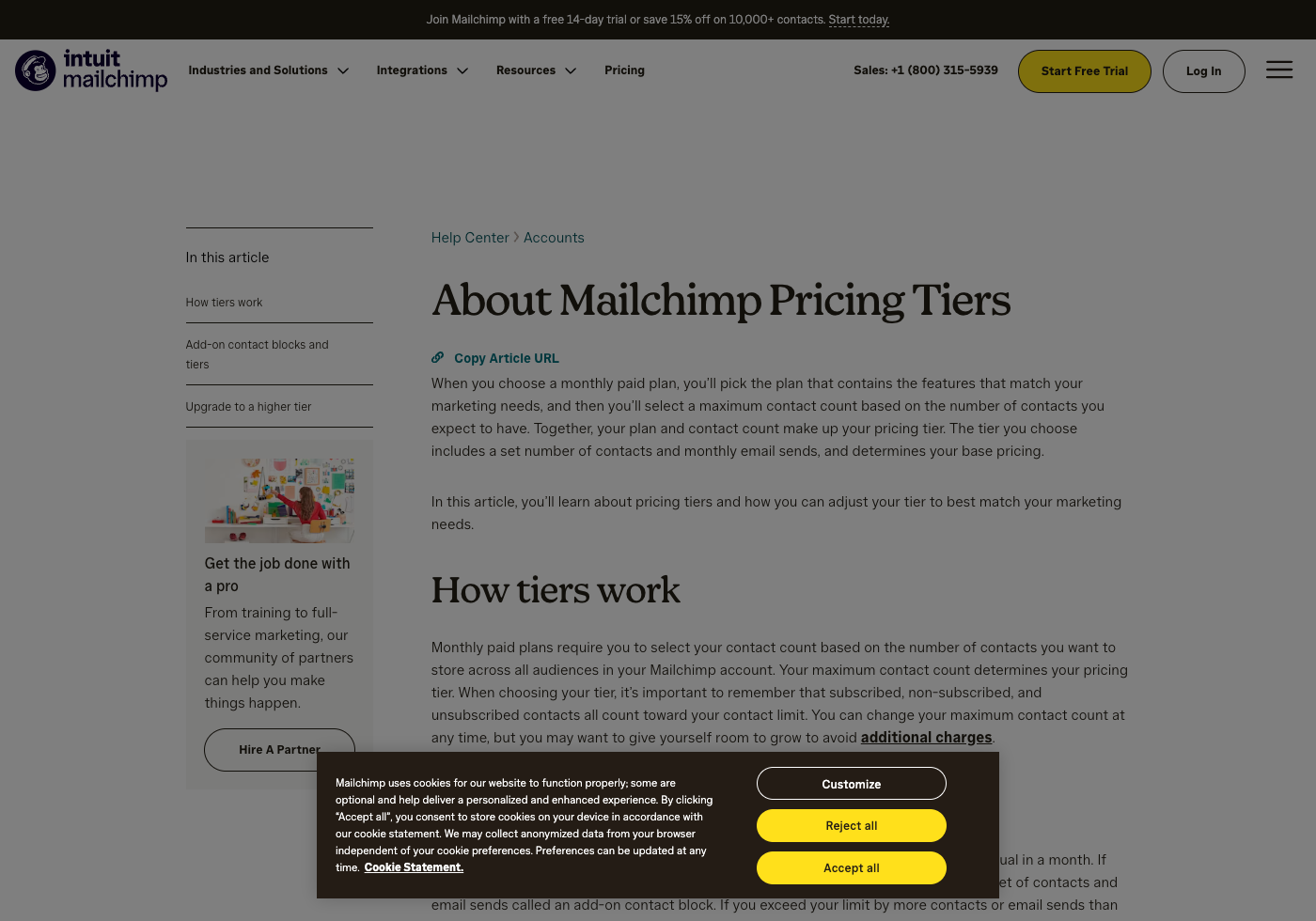
For the contact and sending limits that shape Mailchimp bills, track three figures: the highest number of billable contacts likely during the cycle, the selected paid tier, and expected sends. A 4,000-person newsletter list can look comfortably below a 5,000-contact tier until a store integration adds 1,300 non-subscribed customer records. Then the contact limit may be breached even though the number of newsletter subscribers did not change.
Mailchimp’s documentation describes monthly add-on charges if the selected contact or send threshold is exceeded. One more marketing email can also change the arithmetic. For example, an Essentials edition with a selected 500-contact limit has a nominal 5,000 monthly sending allowance at the 10× multiplier. Sending a weekly email to 500 recipients creates about 2,000 sends across four campaigns before automated messages, tests and other email activity.
🧹 Archiving vs deleting inactive contacts
Archiving is different from deletion. The vendor’s archiving guidance explains that bills are based on the peak contact total for the billing period. Archiving an inactive address does not undo an already recorded peak; it can reduce costs in a subsequent period. Their data can be retained for later access and restoration. Deleting can be irreversible and may be required for particular privacy requests.
Before the next billing cycle, review consent records, invalid addresses and inactive subscribers. Archive when appropriate, but keep suppression and privacy obligations intact. The aim is a cleaner audience, not a misleadingly small subscriber number. Do not bulk-delete an audience merely to lower cost without reviewing suppression, retention and privacy obligations. Mark any unresolved records for human review.
🔁 Mailchimp Marketing Automation: What You Can Actually Build
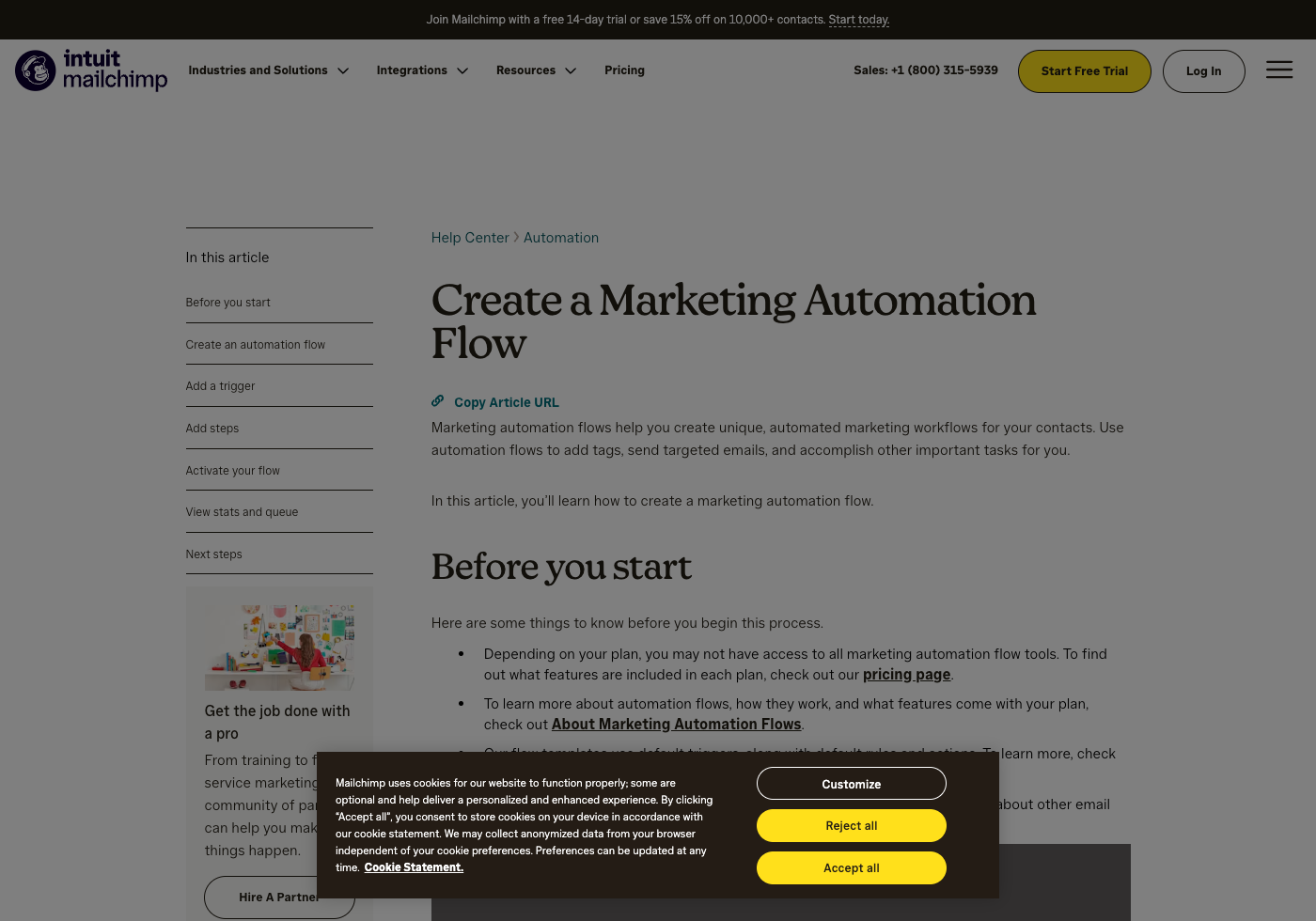
Mailchimp’s automation tools can send messages after a defined event, wait before the next action, add a tag and route contacts through different paths. In the official automation flow guide, the vendor lists triggers, actions and rules, including conditions, delays, sending email, updating contacts, archiving and webhooks. What appears in the editor still depends on plan eligibility.
For a beginner, the interface can make complex marketing feel effortless. But a flow is only reliable when its triggers are specific, opt-out handling works and its data is trustworthy. Do not activate an automation that might send a promotion to somebody who explicitly opted out.
🚀 Welcome email sequence and lead nurture flows
A useful Mailchimp welcome email automation is intentionally small: a reader joins through a consent form, receives an introduction, waits a day or two, and gets one helpful resource if the contact remains eligible. That is enough to test whether a trigger fires only once, timezone assumptions are correct and unsubscribed people stop receiving messages.
Map the trigger, conditional branches and exit rules before building a customer journey. What event starts it? What data makes someone eligible? When does it stop? Which message is sent if a customer has already bought the product? Teams often discover that they lack the needed order status or customer tag before they discover a missing feature.
Essentials advertises automation with more restrictive steps; Standard and Premium offer broader marketing automation flow capabilities. According to Mailchimp’s automation flow documentation, Essentials allows up to four steps per flow, while Standard and Premium allow up to 200 steps per flow, including more sophisticated branching. This describes steps within a journey, not a promise of 200 separate automations. Availability still depends on the particular trigger or action. Test the exact branch that matters.
🧩 A reproducible marketing automation test
To evaluate Mailchimp automation workflows, create a synthetic audience of twelve contacts: two confirmed subscribers, two unsubscribed, two without marketing permission, one duplicate email across lists, one invalid address, and several tagged customers. Use a test store or staging signup form instead of real customer identities.
Activate one bounded welcome workflow, trigger each case and record the result. Did anyone without consent receive marketing? Were customers incorrectly classified as new leads? Did automation send two copies because the contact was imported twice? Does a canceled purchase stop a promotional sequence? The success criterion is reproducible behavior and correct exclusion rules, not a count of available automation templates.
📝 Email Campaign Builder, Templates and Signup Forms
A Mailchimp campaign is more than an attractive template. A useful email requires a recognizable sender, a valid reply address, an understandable subject, accessible content, a clear call to action and a working unsubscribe process. Mailchimp helps assemble these pieces, but the editor cannot determine whether the offer is relevant to the people receiving it.
When choosing newsletter templates in Mailchimp, evaluate whether your brand’s design can be reproduced without fragile hand-coded layouts. Test the resulting email in narrow mobile clients, dark mode and clients that block images. Most recurring newsletters need a consistent heading, a restrained number of links and readable plain-language copy more than they need elaborate visual sections.
🧪 A/B testing without misleading conclusions
Essentials introduces A/B testing, while Premium advertises multivariate testing and more advanced capabilities. For a Mailchimp email subject line A/B test, choose one primary metric and a meaningful sample size. If 100 people receive each version, a difference of three clicks may not justify rewriting an entire marketing strategy. Small variations can be random.
📈 Email Marketing Analytics: Beware the Open-Rate Trap
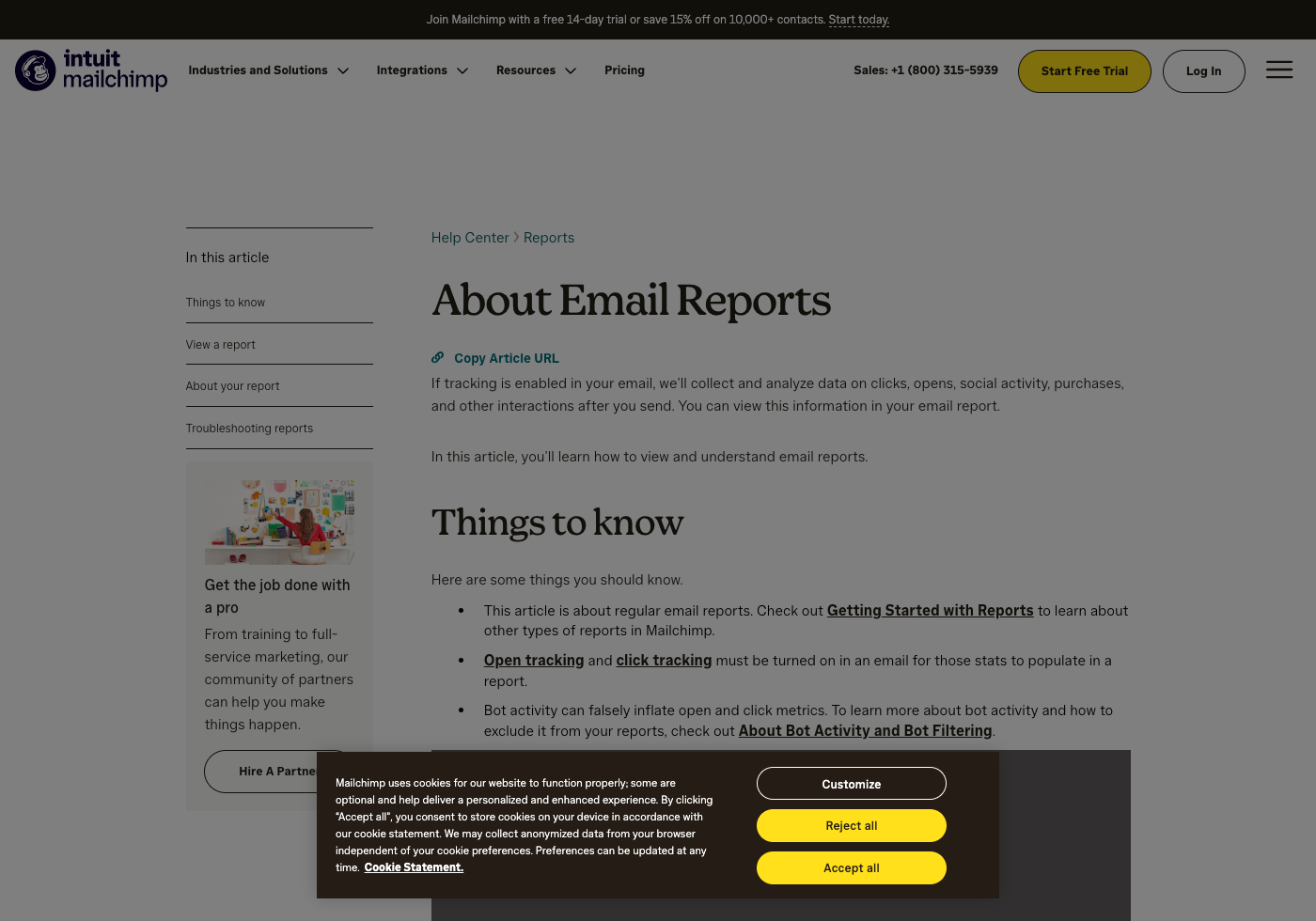
Mailchimp shows familiar numbers: deliveries, opens, clicks, bounces, unsubscribes and, when the relevant commerce tracking is available, orders and revenue. Its official reporting guide explains these measurements and their limitations. A clean-looking dashboard is helpful, but it should not be mistaken for proof of causal sales impact.
The vendor’s open- and click-rate documentation warns that privacy mechanisms and automated activity can affect engagement tracking. Apple Mail Privacy Protection can load remote content in ways that inflate or distort recorded opens. A reported Mailchimp open rate is therefore a useful trend, not an accurate headcount of human readers.
Clicks are a stronger behavioral signal than an image pixel loading, but clicks themselves can be affected by automated scanning too. For ecommerce teams, use tracked orders, qualified actions and incremental changes in revenue where the instrumentation is trustworthy. For a newsletter, useful outcomes may be direct replies, qualified signups or repeat readership—metrics that match the publication’s actual goals.
📊 What a Monthly Email Scorecard Should Show
| Metric | What to verify | Why it matters | Interpretation limit |
|---|---|---|---|
| Delivered emails | Reconcile successful delivery with the campaign recipient count | Identifies distribution and bounce problems | Does not verify inbox placement |
| Recorded open rate | Compare with a similar audience and send date | Offers a directional engagement signal | Privacy and automation can distort opens |
| Unique click rate | Track clicks to one clearly defined campaign URL | Indicates action on the message | Does not prove incremental sales |
| Unsubscribe rate | Inspect the rate over consecutive campaigns | Helps identify list fatigue | A low rate does not guarantee satisfaction |
| Verified inquiries | Reconcile tagged form submissions with CRM records | Measures an observable business outcome | Requires checks for attribution and duplicates |
This is a scorecard framework, not invented campaign results. For a real test, connect a tagged link to a controlled landing page, reconcile form submissions with your CRM and document any gap between platform attribution and verified actions.
🔌 Integrations, WordPress and Transactional Email
Mailchimp advertises hundreds of integrations. That does not mean every integration syncs data in both directions or exposes exactly the same fields. Some connectors create a new marketing contact, some update an existing record, and others use customer purchases for segmentation. A healthy setup documents which application is authoritative for email consent, the lifecycle status and the customer identifier.
When testing a Mailchimp integration with WordPress, begin on a staging site with one test form. Subscribe with a fictional email address, confirm the double opt-in path where enabled, and inspect the resulting Mailchimp record. Then unsubscribe and check whether a second form submission respects that status. A successful plugin installation screen is not proof that the whole lifecycle works correctly.
A store integration needs an additional test. Place a test order, confirm how the buyer appears in the marketing audience, check which purchase properties arrive and verify that a non-subscribed customer is not automatically eligible for promotional messages. A broken opt-out synchronization can create more risk than it saves in administrative effort.
Mailchimp transactional email pricing should be assessed separately from regular email campaigns. Order confirmations, password resets and receipts serve a different purpose than newsletters. The vendor offers transactional messaging arrangements with their own eligibility and commercial terms. Before replacing an application’s existing SMTP or sending provider, check the current transaction-specific price, API integration, sender authentication and failure handling. Do not treat the marketing plan’s advertised monthly sends as unlimited application email delivery.
⚖️ Mailchimp vs Klaviyo, Brevo, ConvertKit and HubSpot
The most revealing difference in Mailchimp vs Klaviyo is often the data model. A store with rich product events, returning-customer behavior and frequent lifecycle experiments may value ecommerce-native automation more than an all-purpose campaign builder. A newsletter-only team is unlikely to benefit from paying for sophisticated product-event segmentation it never uses. Confirm current vendor pricing for the same number of contacts and required sends before comparing totals.
Mailchimp vs Brevo often comes down to how each service packages contacts and sending volume. A list that is large but receives mail infrequently has different economics from a smaller list contacted daily. Instead of treating the services’ lowest price tags as interchangeable, model your actual send frequency, contact status and required automations under each provider’s current terms.
Mailchimp vs Kit (formerly ConvertKit) is relevant for independent publishers and creators who sell content, courses or memberships. Simplicity of subscriber tagging, editorial workflow and monetization integrations can matter more than a traditional marketing suite. Both tools should be tested against a real publication workflow and the same subscriber count.
Mailchimp vs HubSpot Marketing Hub compares different product boundaries. HubSpot is a broader CRM-centered platform with connected marketing, sales and service capabilities; Mailchimp is often considered as an email-first layer alongside existing sales systems. The deciding question is whether your team needs shared customer records and sales automation or mainly wants an effective campaign operation.
| Alternative | Worth evaluating when | Compare before deciding |
|---|---|---|
| Mailchimp | A team wants campaign creation, audience management and general marketing workflows in one place | Contact tiers, send allowances, automation depth, total annual cost |
| Klaviyo | Ecommerce product and order events drive sophisticated customer journeys | Event accuracy, consent sync, contacts and messaging charges |
| Brevo | Mailing frequency and contact-storage economics are major concerns | Included monthly emails, contacts, transactional sending and automation |
| Kit | Creator-led newsletters, subscriber journeys and digital products are central | Monetization tools, tags, forms, total subscriber cost |
| HubSpot Marketing Hub | Campaigns must sit inside a broader CRM and sales operation | Contact definitions, onboarding costs, seats, integrations, renewal terms |
🔐 Privacy, Permission and Deliverability Risks
Email platforms cannot grant permission to market to someone simply because their address exists in a customer database. Document when consent was given, what the person agreed to receive and how their preference is updated across systems. Under applicable privacy and electronic-marketing rules, a company’s legal basis may depend on location, communication type and existing customer relationship. Review the requirements that apply to your own market.
For Mailchimp GDPR compliance and consent, begin with clear signup language, correct audience statuses, accessible opt-outs and a defensible retention policy. Avoid importing purchased address lists. In addition to legal concerns, low-quality lists can damage sender reputation and lead to bounces, complaints and poor inbox placement.
🧪 What to Check During a Mailchimp Trial
Because this evaluation relies on vendor documentation rather than a paid account, use the following checks during your own trial. They are proposed validation steps—not test results from DigiOffly.
1. Send a basic newsletter. Import 100 synthetic contacts with clear consent states, create a simple email, check mobile readability, send a limited test, and review the reporting and opt-out path. Record the number of manual steps and any limitations on the chosen plan.
2. Test how an expanding audience affects the quote. Import test records with different marketing permissions, then compare the count shown in the account with the selected tier. Check the projected charge for crossing that limit. This measures billing clarity rather than deliverability.
3. Check a welcome journey. Create a modest three-step sequence with one conditional branch. Confirm that unsubscribed test contacts never receive marketing, duplicates do not cause two welcome messages, and errors are visible to the campaign owner. Repeat the process only after verifying that the selected edition supports the required steps.
✅ Mailchimp Pros and Cons
What works well: A recognizable campaign workflow, publicly documented pricing tiers, newsletter tools, audience segmentation, an accessible Free entry point and a growing set of automation and integration options. These advantages matter when a small team needs to send useful campaigns consistently without building its own mail infrastructure.
Where it can frustrate: Stored contact billing can exceed the number of active subscribers, add-on blocks complicate budgeting, Free is very limited, and automation capabilities vary sharply by plan. Reported opens are not reliable evidence of individual reading or incremental commercial impact. Agencies also need to design permission boundaries carefully.
🏁 Mailchimp Verdict: Is It Worth Paying For?
Start with the emails you intend to send, the true billable contact population and the information needed to segment those people. For a simple early newsletter, Free can be a reasonable experiment within its narrow limits. Essentials becomes relevant once a genuine business process requires higher sending capacity, scheduling or basic testing. Standard is easier to defend when the team will actually maintain segmented automated journeys.
Premium requires a more deliberate financial case. Quote the same contact tier across eligible plans, model the annual bill with growth and potential overages, and identify which Premium-only capability changes the operation. Buying advanced software without the staff or clean data to manage it will not solve a growth problem.
A tool that offers beautiful templates but bills for dormant records can disappoint a fast-growing business. When you budget for the platform, contact accounting matters just as much as the editor. A subscription is worthwhile when the platform reliably delivers your intended campaign workflow at a predictable cost—without relying on a misleading introductory price.
📚 Official Sources and Verification
Checked October 23, 2026: Mailchimp Marketing Pricing, About Pricing Tiers, About Your Contacts, Creating Automation Flows, About Email Reports, Open and Click Rates, and Archiving Inactive Contacts.
Editorial disclosure: All prices are published US starting references rather than live personalized checkout quotes. The example scorecard and annual arithmetic are labeled illustrations. The screenshots are of official, public pages and do not represent hands-on testing inside a paid account. No vendor was paid for this review.

Mailchimp Frequently Asked Questions
Is Mailchimp free in 2026?
Yes. The new public Free plan allows up to 250 contacts, with up to 500 email sends per month or 250 per day. Usage and features are limited.
How much does Mailchimp cost per month?
Published US starting prices are $13 for Essentials, $20 for Standard and $350 for Premium. Your bill depends on plan, contacts, sends, extras and taxes.
Do unsubscribed contacts count toward Mailchimp billing?
Yes. Subscribed, unsubscribed and non-subscribed contacts generally count toward the paid marketing contact limit. Archived, cleaned and deleted records are excluded under current rules.
What happens if I exceed my Mailchimp contact limit?
The vendor can charge additional contact blocks, with cost and block size determined by plan and tier. Review the account quote and billing period before overages occur.
How many emails can I send on Mailchimp Free?
The current public comparison shows a maximum of 500 per month or 250 per day. One email sent to 250 people consumes 250 individual sends.
Is Mailchimp Essentials better than Standard?
Essentials can suit straightforward newsletters and basic testing. Standard offers more advanced segmentation and marketing automation; compare each edition at the same contact count.
Does Mailchimp include marketing automation?
Yes, but available rules, actions and flow steps vary by plan. Check the specific customer journey you need rather than assuming every automated path works on all tiers.
What is the difference between Mailchimp and Klaviyo?
Both can support email marketing. Mailchimp is a broad campaign platform; Klaviyo is often evaluated for commerce-driven lifecycle workflows. Test the same data and current pricing.
Can I connect Mailchimp to WordPress?
Mailchimp has integration options for WordPress signup forms and other workflows. Test consent, deduplication, opt-out handling and data transfer on a staging site before production use.
Does Mailchimp support transactional emails?
Mailchimp has transactional email offerings, but their eligibility, integrations and prices should be checked separately from the regular marketing email plans.
Are Mailchimp open rates accurate?
Open tracking is directional rather than exact. Privacy protections and bots can distort it. Use clicks, verified conversions, complaints and deliverability signals for a better evaluation.
EXPLORE NEXT ON DIGIOFFLY
Build a Smarter Email Marketing Stack
Compare platforms, match your team to the right plan and avoid paying twice for overlapping software.
Research related products
- Growth Software Reviews — Compare marketing tools by workflow.
- HubSpot Review — Explore CRM-connected marketing.
- Best Software — Review cross-category recommendations.
- Brevo — Email sends, contacts and marketing automation
- ActiveCampaign — Lifecycle email workflows and CRM-connected automation
- Klaviyo — Ecommerce email, SMS and order-triggered flows
- beehiiv — Newsletter publishing, growth and subscriptions
Find the right tool
- AI Software Finder — Shortlist tools against your needs.
- Compare Software — Evaluate adjacent products.
- Best Value Advisor — Compare value and trade-offs.
Plan your subscription
- Software Cost Calculator — Model budget and users.
- Software Directory — Browse the complete catalog.
- Software Deals Hub — Inspect genuine current offers.