

Last editorial fact check: October 23, 2026 · United States reference pricing in USD, before tax. Vendor promotions, contract terms and included credits can change. This review does not constitute a quote.
HubSpot’s free CRM can look like the obvious answer for a small company trying to move beyond spreadsheets. Add a few contacts, create a deal pipeline, connect forms and schedule meetings. Then a different question arrives: what happens when the business needs advanced automation, multiple sales representatives, or a marketing database with 20,000 reachable subscribers?
That is where pricing becomes more complex. HubSpot sells a connected customer platform, yet Marketing Hub, Sales Hub, Service Hub and Smart CRM have different seat types, included contacts, one-time onboarding fees and renewal conditions. A $7-per-seat Starter promotion is not a useful guide for a ten-person team that needs Professional marketing workflows. A contact stored in the CRM is not necessarily a billable marketing contact.
Our HubSpot review 2026 looks at the software as a purchasing decision: what free users can accomplish, which features justify Starter or Professional, what the first year actually costs, and whether new AI tools—including HubSpot AEO—offer enough additional value. We compare HubSpot with Pipedrive, Zoho CRM and Salesforce, then lay out evaluation exercises that can be repeated with a test workspace.
Review methodology: DigiOffly examined HubSpot’s current public pricing pages, legal product catalog, knowledge-base documentation and dated announcements. The screenshots in this article show official public pages captured October 23, 2026. We did not create a new paid Enterprise tenant, run a private contact import, buy onboarding or simulate first-hand performance tests. The sample budgets and tests are editorial examples, not real customer results.
📊 HubSpot Review Summary
| Buying question | Key finding in October 2026 |
|---|---|
| Main product | HubSpot Customer Platform, Smart CRM and modular Marketing, Sales, Service, Content, Data and Revenue Hubs |
| Entry point | Free CRM and selected marketing/sales tools for up to two users |
| Starter reference | $20 per seat/month standard price shown beside limited-time promotions as low as $7 for eligible new customers |
| Sales Hub Professional | $100 per Sales Seat/month on the standard monthly-rate comparison; $90/month equivalent on annual billing |
| Marketing Hub Professional | $890/month on monthly-rate comparison; $800/month equivalent on annual billing, with three Core Seats |
| Professional onboarding | $1,500 for Sales Hub, $3,000 for Marketing Hub, according to current official prices |
| Marketing contacts | Starter 1,000, Professional 2,000, Enterprise 10,000 included; extra contact tiers can increase bills |
| AI tools | HubSpot Credits power selected agents; AEO tracks brand answers on ChatGPT, Gemini and Perplexity |
| AEO standalone | $50/month for 25 prompts across three engines; $45/month equivalent on annual payment |
| Main concern | Seat mix, contact-tier upgrades, onboarding and mid-contract downgrade rules |
| Recommendation | Begin with an operational task and build a first-year cash budget before selecting a higher tier |
🎯 Who Should Consider HubSpot?
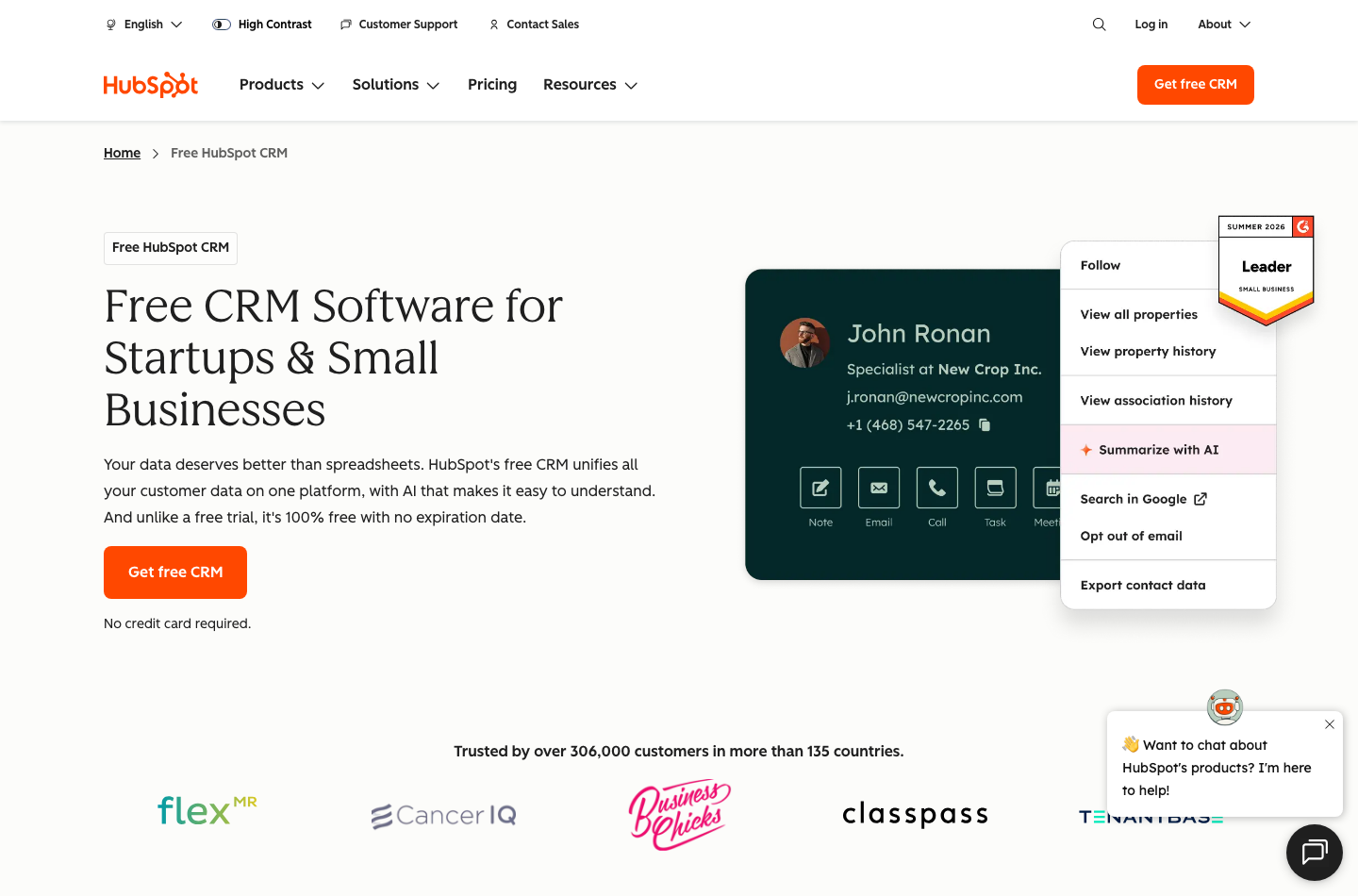
Founders building a first pipeline. When a company has a few dozen real prospects and two people handling outreach, a free CRM with contact history, deals and meetings may be enough. The biggest improvement often comes from creating a consistent routine: every opportunity has an owner, a stage and a next step.
Marketing teams. Marketing Hub can connect forms, email campaigns, contact segments, automation and reporting. Professional becomes attractive when a team runs several coordinated campaigns and needs workflows that basic email tools cannot replace. The real cost also depends on who is designated a marketing contact.
AI search monitoring teams. HubSpot AEO is a distinct offer: observe where your brand appears in generated answers, review citations and evaluate competitive gaps. It may complement marketing planning, but it doesn’t by itself prove that an AI mention caused a sale.
💰 HubSpot Pricing 2026: Free, Starter, Professional and Enterprise
A crucial distinction: HubSpot describes the entire customer platform, but individual Hubs can be purchased separately. A buyer should not confuse the price of Sales Hub Professional with Marketing Hub Professional, nor treat an annual-billed equivalent as a flexible monthly invoice.
| HubSpot product / tier | Published price reference | Seats or limits to inspect | Additional commitment |
|---|---|---|---|
| Free CRM & selected tools | $0/month | Up to 2 users | Limited automation and branded features |
| Smart CRM / Starter | $20/seat/month standard | Core Seat licensing | Promotional pricing may apply |
| Sales Hub / Starter | $20/seat/month standard | Core Seat; basic pipeline and email tools | Verify Starter promo eligibility |
| Sales Hub / Professional | $100/month per Sales Seat standard; $90/month annual equivalent | Full Sales Seats and other Core Seats | $1,500 one-time onboarding |
| Sales Hub / Enterprise | $150/month per Sales Seat, annual commitment | Advanced governance | $3,500 one-time onboarding |
| Marketing Hub / Starter | $20/seat/month standard | 1,000 marketing contacts | Additional contacts charged by tier |
| Marketing Hub / Professional | $890/month standard; $800/month annual equivalent | 3 Core Seats and 2,000 marketing contacts | $3,000 one-time onboarding |
| Marketing Hub / Enterprise | From $3,600/month | 5 Core Seats and 10,000 marketing contacts | $7,000 one-time onboarding |
| Customer Platform / Professional | From $1,450/month standard; $1,300 annual equivalent | 6 seats in current comparison | Bundle-specific quote and terms |
Official references: Sales Hub Pricing, Marketing Hub Pricing, Customer Platform Plans and HubSpot Product & Services Catalog. The price and seat configuration selected in checkout is authoritative.
🆓 HubSpot Free CRM vs Starter
Free includes enough customer-record features to organize a basic pipeline, with limited user access and branding in some tools. It can replace a fragile shared spreadsheet for a two-person sales team, provided someone maintains record ownership and clear follow-up tasks. It does not promise that advanced automated workflows, custom objects or full sales sequences become free.
The HubSpot Free CRM vs Starter question should start with a list of actual blockers. Is removing HubSpot branding a priority? Do you need additional user access, multiple pipelines or basic automation? Are you already using a more capable marketing email provider whose features would be expensive to reproduce?
💼 HubSpot Sales Hub Starter vs Professional
The often-missed addition is $1,500 mandatory Professional onboarding. For one full Sales Seat at the standard $100 monthly figure, twelve monthly installments would total $1,200 in subscription charges, plus the onboarding fee: $2,700 before tax and any other seats. If the annual-rate equivalent applies, the baseline modeled fee would instead be $1,080 plus $1,500; confirm the payment schedule and commitment.
The HubSpot Sales Hub pricing per seat is not a single universal staff charge. Some employees may need full Sales Seats for advanced functionality, while others require only Core Seats or view-only access. Build a named-permission inventory before requesting a quote.
✉️ HubSpot Marketing Hub Starter vs Professional
Marketing Hub Professional carries a higher baseline: $890/month at the displayed standard monthly rate, or $800/month equivalent billed annually, plus $3,000 one-time onboarding. That yields a planning range for an initial year of $13,680 at $890 times twelve plus onboarding, or $12,600 at $800 times twelve plus onboarding, before extra contacts and seats. Neither example promises how checkout will collect payments.
🏢 Enterprise and platform-wide bundles
Enterprise tiers focus on sophisticated governance, controls and complex team requirements. Sales Hub Enterprise’s list reference is $150 per full Sales Seat per month with an annual commitment and $3,500 required onboarding. Marketing Hub Enterprise starts at $3,600 a month with five Core Seats and $7,000 onboarding.
🧮 HubSpot First-Year Cost: Seats, Onboarding and Contact Tiers
A useful way to estimate HubSpot costs is a simple spreadsheet listing seat types, product tiers, marketing contacts and one-time services. A quote that omits any of them could understate the first-year budget, even when the base subscription rate is accurate.
| Illustrative scenario | Subscription across 12 months | Onboarding | Modeled first-year total |
|---|---|---|---|
| Free CRM for up to 2 users | $0 | $0 | $0 |
| 2 Starter seats at regular $20/mo each | $480 | $0 | $480 |
| 3 Starter seats at regular $20/mo each | $720 | $0 | $720 |
| 1 Sales Hub Professional seat at $100/mo | $1,200 | $1,500 | $2,700 |
| 3 Sales Hub Professional seats at $100/mo each | $3,600 | $1,500 | $5,100 |
| Marketing Hub Professional at $890/mo | $10,680 | $3,000 | $13,680 |
| Marketing Hub Professional at $800 annual-rate equivalent | $9,600 | $3,000 | $12,600 |
| Marketing Hub Enterprise baseline at $3,600/mo | $43,200 | $7,000 | $50,200 |
💺 HubSpot Sales Seat vs Core Seat vs View-only
Different HubSpot seat types solve different problems. A Sales Seat grants full access to certain paid Sales Hub features. A Core Seat enables broader editing and standard CRM work within the subscribed edition. View-only access may let other colleagues inspect records without buying the same advanced seat, subject to current product restrictions.
When choosing between Sales Seats and Core Seats, map each team member’s actual activities. Who sends sequences? Who creates deals? Who updates contact properties? Who only checks dashboards? Have the vendor confirm the least expensive seat configuration that preserves each function. Seats may also inherit the highest product tier in multi-Hub configurations.
📇 HubSpot marketing contacts pricing: the hidden variable
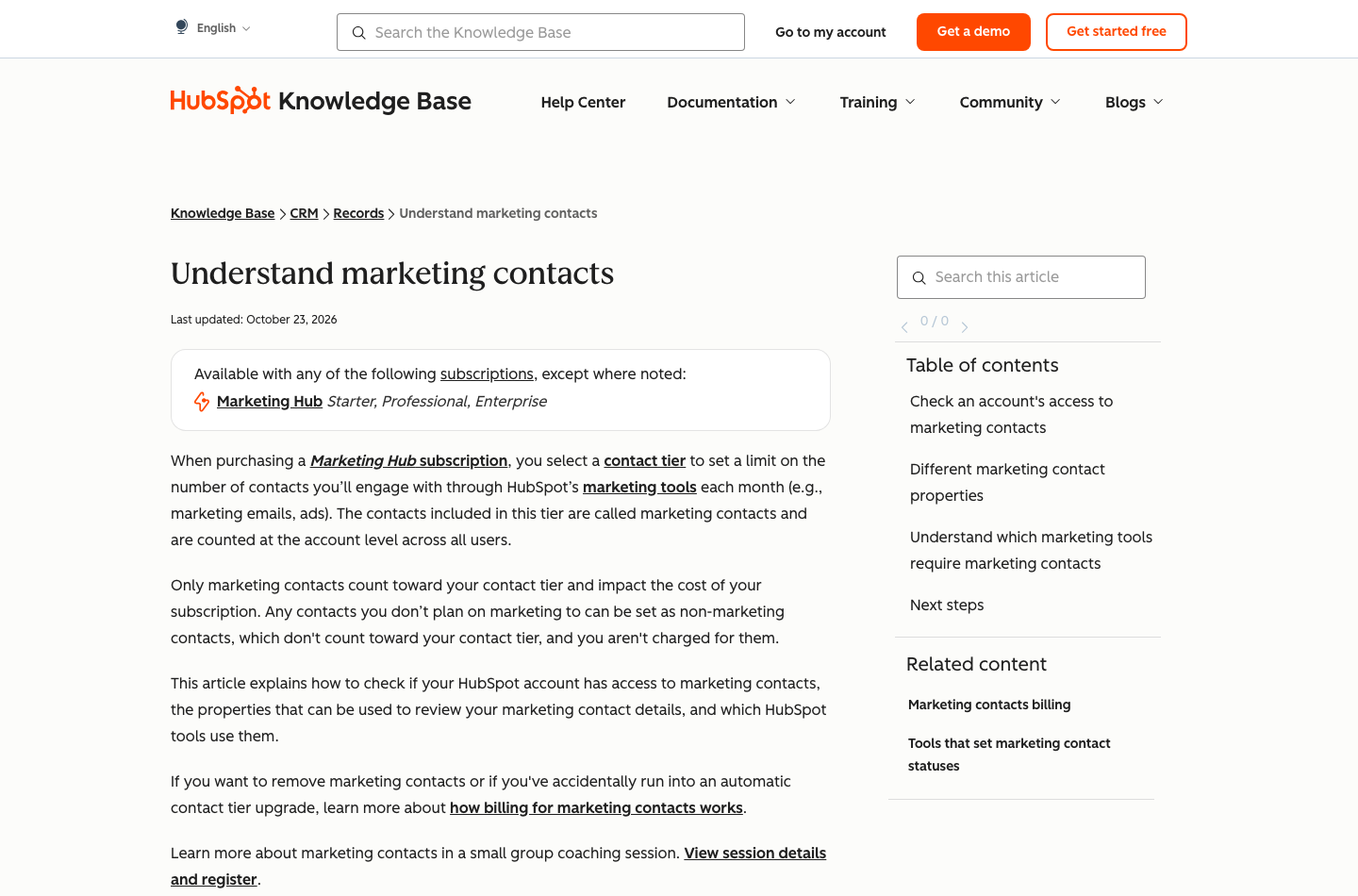
HubSpot distinguishes a CRM contact from a marketing contact used in paid email and advertising activities. Non-marketing contacts may remain in the database without counting toward the billable marketing-contact tier, within the platform’s overall account limits.
The HubSpot marketing contacts pricing trap is an automatic move to a higher contact tier that persists for the remainder of the subscription term. According to HubSpot’s August and September 2026 help documentation, lowering that billed tier generally waits until renewal, even if your current marketing list shrinks. This makes list classification a financial control, not merely a segmentation convenience.
✉️ Marketing email sending limits
🔄 HubSpot renewal and cancellation terms
One of the most consequential questions for a buyer is not “can I click cancel?” but when will the price or tier actually change? HubSpot’s current cancellation knowledge base says mid-contract downgrades are not allowed in the ordinary process and generally take effect at renewal.
For a HubSpot contract downgrade review, ask to see the renewal date, notice period, contact-tier policy, allowed seat reductions, refund language and cancellation procedure. Record who at the company must submit the request. Read the final order form; a public pricing page is not a substitute for the signed terms.
🧠 Smart CRM: The Product Behind the Hubs
HubSpot Smart CRM is the common customer-data foundation underneath Marketing, Sales and Service work. Contacts, companies, deals, activities and associations become more valuable when those records are consistent across departments. That promise explains much of the platform’s appeal.
Contacts, companies and deal pipelines
For a HubSpot free CRM review, try building a sample ten-deal pipeline using fictional data. Give each opportunity a stage, expected value, owner and next action. Ask another colleague to locate deals without assistance. If they cannot understand the stages, the first improvement belongs in the process design.
Sales pipeline reporting and forecasting
In a HubSpot CRM pipeline management comparison, create five known scenarios: a new prospect, a stalled opportunity, a duplicate, a lost deal and a renewal. Verify each appears in the right workflow and that calculated totals match a manual checklist.
Workflows, routing and automation
A HubSpot marketing automation review should count maintenance work, not just the number of available workflow blocks. If a simple two-step process can be handled by an existing CRM integration, buying Professional solely for advanced workflow features may not be justified.
📣 Marketing Hub: Campaigns, Forms, Email and Attribution
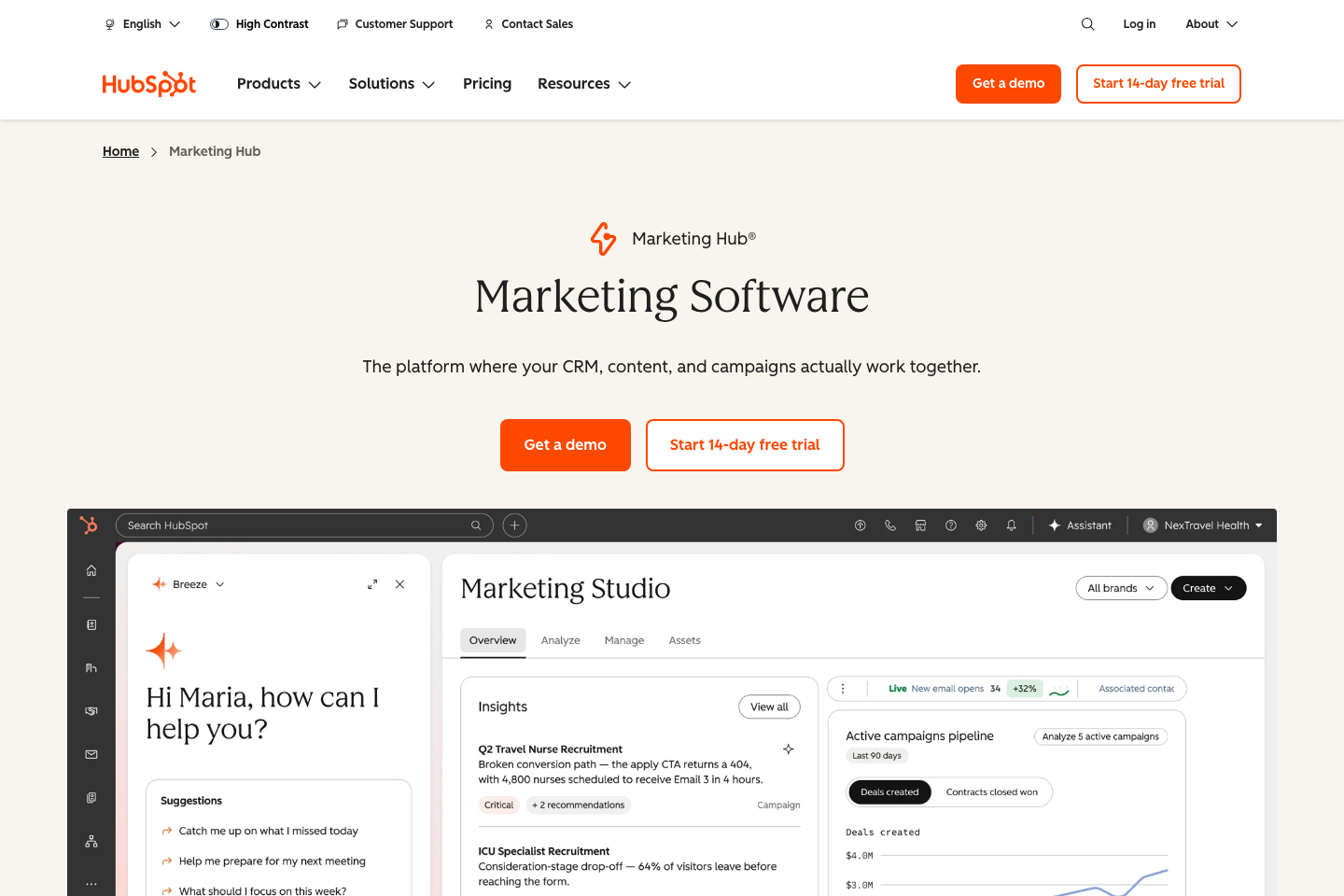
Marketing Hub’s appeal is that campaign activity can be connected to customer records rather than scattered across an email tool, landing-page builder and spreadsheet. For a growing SaaS company, this can clarify which content attracts qualified prospects and what sales conversations follow.
Lead forms and segmentation
Start with a landing page that solves a concrete problem. Connect a form to the CRM and make sure test submissions map correctly: email address, campaign source, contact owner and consent status. The form should not assume that every person requesting a PDF has agreed to ongoing promotional email.
Nurture sequences and lifecycle stages
Campaign dashboards and source attribution
🤖 HubSpot AI, Breeze and HubSpot Credits
HubSpot’s AI story is no longer only about a chatbot that drafts subject lines. The platform positions AI agents and selected automated actions inside its customer-data workflow. Some agent features consume HubSpot Credits, a separate usage resource whose allowance can differ by subscription.
A Starter subscription may include 500 monthly credits, while some Professional and Enterprise products show 3,000 or 5,000; bundle allowances can differ. Buying multiple eligible products does not necessarily add their included credit balances together. HubSpot’s official pricing documentation says the account receives the highest eligible included allotment rather than stacking each product’s bundle as independent credits.
A feature’s real cost also depends on the particular action. The public Sales Hub page gives examples such as Customer Agent at 50 credits per resolved conversation, Data Agent at 10 credits for a smart-property run and Prospecting Agent at 100 credits for certain recommended outreach. Check feature eligibility and the live rate sheet before budgeting production workloads.
💳 How HubSpot Credits affect the total bill
HubSpot describes packs and pay-as-you-go options. The latest marketing pricing documentation states that additional credits can be purchased at $0.010 per credit, while other billing routes may show different discounted equivalents. The included quota generally resets monthly and unused credits do not roll forward.
Before estimating HubSpot Credits costs, audit expected agent actions, consumption rates and approval limits. A team planning 100 actions should not budget for 100 credits unless those actions are genuinely priced at one credit each.
🧩 Breeze AI and the practical limits of automation
Breeze is HubSpot’s broader AI product family. Features span assistance with writing and research to agents connected with customer data, depending on the paid edition and account configuration. AI-generated summaries can help a rep understand a record more quickly, but they should never silently replace verified field values.
👁️ HubSpot AEO: AI Search Visibility Beyond Classic SEO
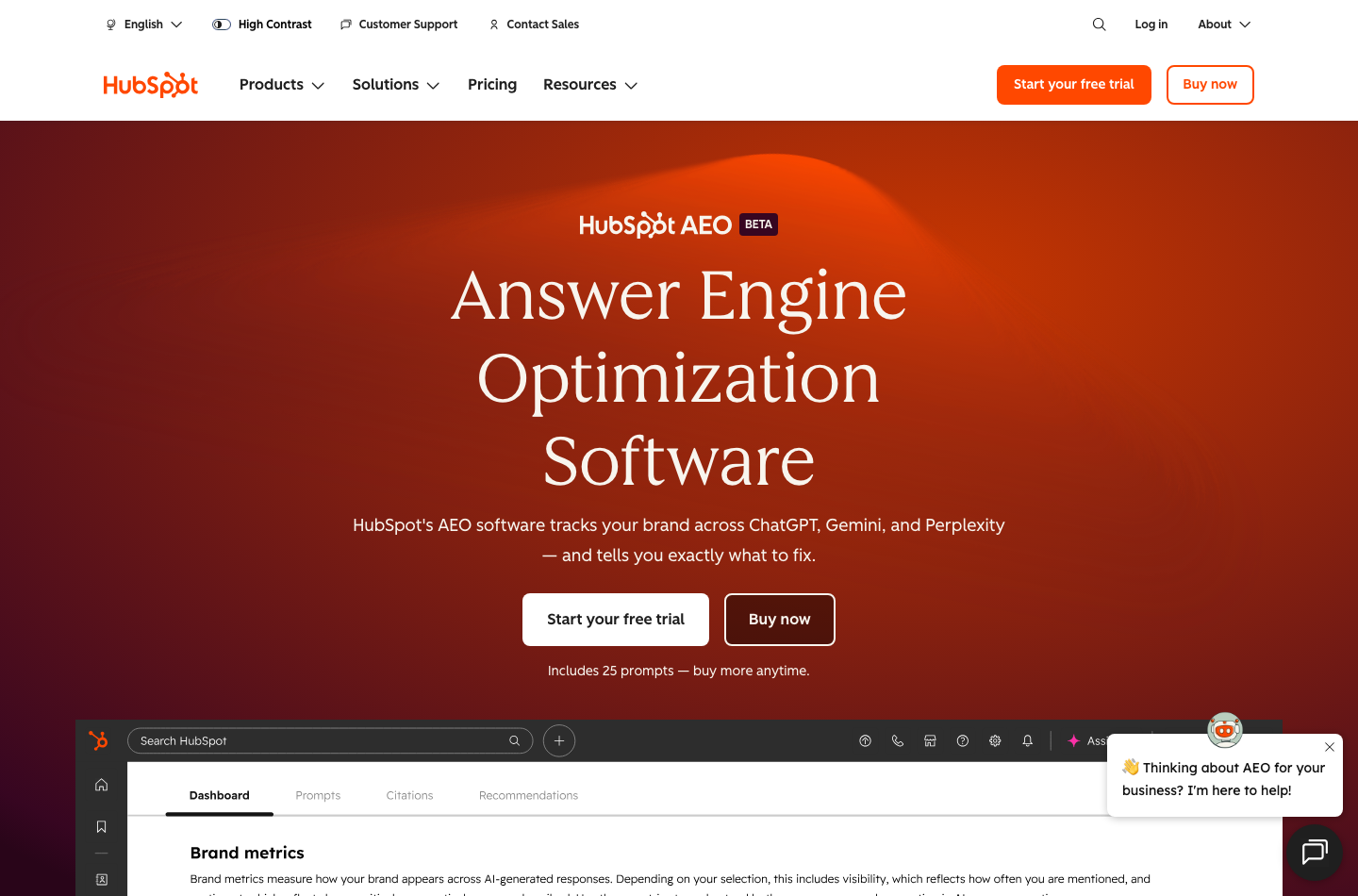
HubSpot AEO, described by the vendor as a beta tool, monitors how a brand appears in answers from ChatGPT, Gemini and Perplexity. Monitoring mentions is not a measure of conversions or attributed revenue. The purpose is closer to AI brand research than conventional email campaign automation. A content team can watch selected buyer questions, compare competitor citations and decide where its public material lacks clarity.
The published standalone offer is $50 per month for 25 prompts checked daily across three answer engines; eligible annual billing is shown at a $45 monthly equivalent. Additional capacity can be purchased in packages for $20 a month covering ten prompts and 1,000 more answer checks, according to the product catalog. Marketing Hub Professional and Enterprise currently include AEO, rather than requiring a separate purchase.
🔎 HubSpot AEO pricing and monitoring scope
| AI visibility option | US reference price | Monitoring scope | Purchase consideration |
|---|---|---|---|
| HubSpot AEO trial | $0 during eligible trial | 25 prompts across ChatGPT, Gemini and Perplexity | Temporary evaluation; check the end date |
| Standalone AEO | $50/month | 25 tracked prompts, daily, three engines | Does not require Marketing Hub |
| Standalone AEO, annual-rate equivalent | $45/month equivalent | Same baseline prompt scope | Annual commitment and checkout terms |
| AEO Answer Limit Increase | Additional $20/month | 10 extra prompts and 1,000 additional monthly answer checks | Each pack increases spending |
| Marketing Hub Professional | Included in eligible Professional subscription | AEO within broader Marketing Hub | Expensive to buy only for AEO |
| Marketing Hub Enterprise | Included in eligible Enterprise subscription | AI visibility plus advanced marketing functionality | Confirm organization-wide permissions |
Sources: HubSpot AEO, official AEO Product Catalog and Marketing Hub Pricing.
To compare HubSpot AEO with Semrush AI Visibility, use twenty documented buyer questions and the same target region. Record which answer engines each vendor checks, what counts as a mention, which citations can be opened and how often the data refreshes. Compare actual evidence rather than two visibility scores that may use different samples.
💬 Do AI search citations generate customers?
🔐 Privacy, Migration and Team Administration
Moving all customer records into a shared CRM is an operational decision. Contacts can include consent preferences, support issues, commercial discussions and notes from sales staff. Before importing data, a company should decide which groups can view and change each category of record.
A credible HubSpot security review should look at SSO eligibility, multi-factor authentication, permission sets, audit controls, regional data-processing requirements and the written contract. Features and configuration options vary by edition. A vendor’s SOC or compliance statements should not be treated as confirmation that every account has the same enabled controls.
🧹 HubSpot CRM migration from spreadsheets
The HubSpot CRM migration checklist should include a rollback copy, source-to-target mapping, contact permission review, unsubscribe states and a final owner. After migration, restrict who can trigger a mass send until the records have been validated.
🔌 HubSpot integrations with WordPress and existing tools
A HubSpot WordPress integration review should start with a staging form. Submit a fictional lead, examine the CRM record and its source, update consent and then remove access. Confirm that an unsubscribed contact does not re-enter marketing through a different embedded form or integration.
🛡️ Permissions and human approval for AI agents
⚖️ HubSpot vs Pipedrive, Zoho CRM and Salesforce
| CRM option | Best workflow to test first | Cost factor to investigate | Typical trade-off |
|---|---|---|---|
| HubSpot | CRM records connected to lead forms, marketing and support | Contact tiers, paid seats, onboarding and renewal | Upgrades can create a substantial contract |
| Pipedrive | Small sales team’s daily pipeline and follow-ups | Add-ons, user licenses, automation limits | Marketing stack may remain separate |
| Zoho CRM | CRM processes inside an existing Zoho environment | Edition features, admin setup, companion apps | Learning curve across the suite |
| Salesforce | Complex data models and enterprise sales processes | Implementation, licenses, custom development and support | Time and operating cost of advanced customization |
| Existing spreadsheet + email software | Tiny team with infrequent changes | Human errors, missing activity history and data controls | Low software bill, potentially high coordination overhead |
HubSpot vs Pipedrive for a small sales team
In a HubSpot vs Pipedrive CRM comparison, a pipeline-first product may win if the business has no need for integrated marketing automation. HubSpot becomes more attractive when form submissions and post-sale context belong in the same daily workflow.
HubSpot vs Zoho CRM for an integrated business
For HubSpot vs Zoho CRM pricing, quote the equivalent seat roles and required automation features. Do not assume that two plans with the same named edition provide the same marketing-contact or email allowances.
HubSpot vs Salesforce for enterprise buying
A HubSpot vs Salesforce for small business choice may favor lower implementation friction. A multinational sales organization with an existing Salesforce ecosystem may have a different reason to stay put. Avoid basing a migration on broad market rankings.
🧪 Three Reproducible HubSpot Evaluation Tests
The following tests are proposed methods, not paid tests that DigiOffly claims to have completed. They are intended for a trial account or an appropriately authorized demonstration workspace. Use fictional contacts and avoid live campaigns until access, consent and automation rules have been reviewed.
Test 1: A CRM pipeline with a known result
Create ten fictional contacts and six deals. Include one duplicate, one closed-won opportunity, one closed-lost record and one overdue follow-up. Assign each deal an owner and expected value. Build a report that should show exactly one closed-won deal and a manually calculable open-pipeline total.
Record the clicks and minutes required; a CRM should improve the workflow, not simply decorate the original spreadsheet.
Test 2: Marketing-contact spending boundaries
Use a fictional list containing 800 opted-in marketing contacts, 200 non-marketing contacts and 50 unsubscribed contacts. Configure the account to reflect each type correctly. Test segmentation and the proposed email send count; avoid sending actual promotional messages.
Check whether the product displays the billable tier clearly and how it warns about threshold changes. Ask the provider what would happen if the account exceeded 1,000 marketing contacts for one week. Document the contractual downgrade date, rather than assuming removing those extra records immediately reduces the bill.
This is the most valuable test for a team whose email list grows unevenly throughout the year.
Test 3: An approved AI-assisted handoff
Create a sample inbound inquiry and let an authorized AI assistant prepare an internal summary and a draft response. Do not authorize it to send, delete, purchase or modify customer records without review. Introduce one contradictory field so the reviewer can check whether the summary flags uncertainty.
| Test | Success signal | Failure signal | Cost measure |
|---|---|---|---|
| CRM pipeline | All sample deal totals match the manual record | Missing owner, duplicate or incorrect stage | Setup and weekly cleanup time |
| Contact billing | Correct marketing status and clear tier warning | Unplanned tier upgrade or hidden consent error | Base plan plus extra contact tiers |
| AI-assisted handoff | Accurate draft with traceable sources and human approval | Wrong customer details or unauthorized action | Agent credits and review minutes |
| Marketing automation | Correct opt-out behavior in test states | Unsubscribed contact receives promotional content | Workflow maintenance and sending plan |
| Client reporting | Clear report from verified fields | Unexplained differences with source exports | Report production time |
✅ HubSpot Pros and Cons
Reasons to shortlist HubSpot
- Free CRM gives a small team a structured place to manage contacts and deals.
- Sales, marketing and service can use connected customer information rather than separate spreadsheets.
- Starter offers a path to paid functionality without immediately buying an enterprise suite.
- Advanced tiers offer configurable workflows and reporting for coordinated teams.
- Contact categories let users distinguish marketing recipients from non-marketing CRM records.
- HubSpot AEO provides a separate option to study visibility in AI-generated answers.
- Official documentation explains the seat system, onboarding and contact billing in detail.
Trade-offs to investigate
- Free and Starter capabilities are limited compared with Professional automation.
- Sales and Core Seat prices differ; the headline rate is not a full team quotation.
- Marketing contacts can push an account into a more expensive billed tier.
- Mandatory onboarding adds a significant first-year charge on several Professional and Enterprise plans.
- Annual agreements and renewal-time downgrades reduce flexibility.
- AI agents and extra credits introduce usage-related spending.
- Integrating a CRM with an existing website, email platform and consent database can require careful setup.
- A comprehensive customer platform may be unnecessary for a team needing only a straightforward deal tracker.
🏆 Is HubSpot Worth It in 2026?
For a two-person organization, HubSpot Free is worth evaluating before a paid CRM. If its contact, deal and activity features solve the team’s immediate organizational problem, staying free may be the financially responsible choice.
The new HubSpot AEO offering is potentially useful as a narrow research tool on its own. Do not buy Marketing Hub Professional just for AEO unless you also need its broader marketing features.
Editorial conclusion: HubSpot becomes valuable when the organization is disciplined enough to maintain its CRM data and use the connected workflows. Before signing a higher-tier contract, prove one representative task end to end, confirm the first-year cash requirement and make sure your team knows how the subscription can be reduced at renewal.
📚 Sources, Editorial Independence and Date Notes
These primary references support the October 2026 facts above. Published rates, availability, service descriptions and feature limits are HubSpot statements; the comparisons, examples and recommendations are DigiOffly editorial analysis. We did not independently benchmark an Enterprise installation or verify the provider’s promotional ROI claims.
- HubSpot Sales Hub Pricing — free, Starter, Professional, Enterprise, seats and onboarding.
- HubSpot Marketing Hub Pricing — Marketing Hub tiers, marketing contacts, email sends, credits and onboarding.
- HubSpot Customer Platform Pricing — platform-bundle entry prices and included seats.
- HubSpot Product & Services Catalog — catalog definitions, AEO allowances, seat types and product requirements.
- Understanding Marketing Contacts, September 14, 2026 — marketing and non-marketing record distinction.
- Understanding Marketing Contacts Billing, August 14, 2026 — contact-tier transitions and renewal conditions.
- Set Contacts as Marketing, September 15, 2026 — billing and contact status behavior.
- HubSpot AEO — monitoring across ChatGPT, Gemini and Perplexity and standalone subscription.
- Review Your HubSpot Renewal — downgrade timing and billing changes.
- Cancel or Downgrade Your HubSpot Subscription — contractual downgrade and cancellation guidance.
The article is informational. Confirm pricing, promotions, taxes, onboarding, AI credit limits, local terms and cancellation dates with HubSpot before purchasing or changing an existing subscription.

HubSpot Frequently Asked Questions
Is HubSpot CRM free in 2026?
Yes. HubSpot currently offers selected free CRM and marketing/sales tools for up to two users. Advanced sales and marketing workflows require eligible paid editions.
How much does HubSpot Starter cost?
The standard US Starter reference price is $20 per seat per month, while HubSpot advertises limited-time new-customer promotions as low as $7 per seat per month. Verify the promotional conditions and renewal price.
What is the HubSpot Sales Hub Professional price?
The official standard-price reference is $100 per Sales Seat each month, or about $90 a month equivalent on eligible annual billing. A mandatory one-time $1,500 onboarding fee is additional.
How much is HubSpot Marketing Hub Professional?
HubSpot displays $890 a month at its standard monthly-rate comparison and $800 per month equivalent billed annually, including three Core Seats and 2,000 marketing contacts. Required onboarding is $3,000 extra.
Are all CRM contacts billable marketing contacts?
No. HubSpot distinguishes marketing contacts from non-marketing contacts. Only contacts marked for marketing count toward the marketing-contact billing tier, subject to account policies and limits.
Can HubSpot marketing-contact tiers decrease immediately?
Usually no. Official billing guidance says contact-tier downgrades take effect on renewal, even if the list shrinks during the current subscription term.
What is the difference between a HubSpot Sales Seat and Core Seat?
A Sales Seat unlocks full eligible Sales Hub features. Core Seats provide broader CRM editing and standard access, while view-only users have different permissions. Check the exact role-to-seat assignment in your quote.
Does HubSpot charge for onboarding?
Yes, several higher editions require one-time onboarding. HubSpot currently lists $1,500 for Sales Hub Professional, $3,500 for Sales Hub Enterprise, $3,000 for Marketing Hub Professional and $7,000 for Marketing Hub Enterprise.
What is HubSpot AEO and how much does it cost?
HubSpot AEO monitors selected prompts across ChatGPT, Gemini and Perplexity. Standalone access is listed at $50 per month for 25 prompts, or $45 monthly equivalent annually. AEO is also included in eligible Marketing Hub Professional and Enterprise subscriptions.
How do HubSpot Credits work?
Eligible products include a monthly allowance for AI and agent actions. Specific tasks consume credits at different rates, and additional credits can increase cost. Unused included credits generally do not carry forward.
Is HubSpot better than Pipedrive or Zoho CRM?
There is no universal winner. HubSpot is worth evaluating when integrated marketing, sales and service data matter, whereas a pipeline-focused or existing Zoho workflow may be simpler or cheaper. Compare identical user roles, integrations and first-year costs.
EXPLORE NEXT ON DIGIOFFLY
Find the Right CRM and Marketing Software Stack
Compare CRM alternatives, model your true first-year costs and choose only the features your team needs.
Research CRM and marketing options
- Growth & Marketing Software — browse CRM, marketing and SEO tools.
- Semrush Review — compare SEO software and acquisition research.
- SE Ranking Review — investigate tracked search visibility.
- Mailchimp Review — Assess newsletter, contact-based pricing and email campaigns.
- Zendesk review — Compare dedicated ticketing and customer service.
- Intercom review — Explore conversational support and AI agents.
- ActiveCampaign — Lifecycle email workflows and CRM-connected automation
- Brevo — Email sends, contacts and marketing automation
- Apollo.io — B2B prospect discovery and outbound sequences
Evaluate a software budget
- Software Cost Calculator — model seats, renewals and annual cash costs.
- Best Value Advisor — choose a subscription for the intended workload.
- Compare Software — assess alternatives side by side.
Explore the rest of DigiOffly
- Software Directory — browse categories and available tools.
- AI Software Finder — match products with practical tasks.
- Software Deals Hub — check currently listed offers.