

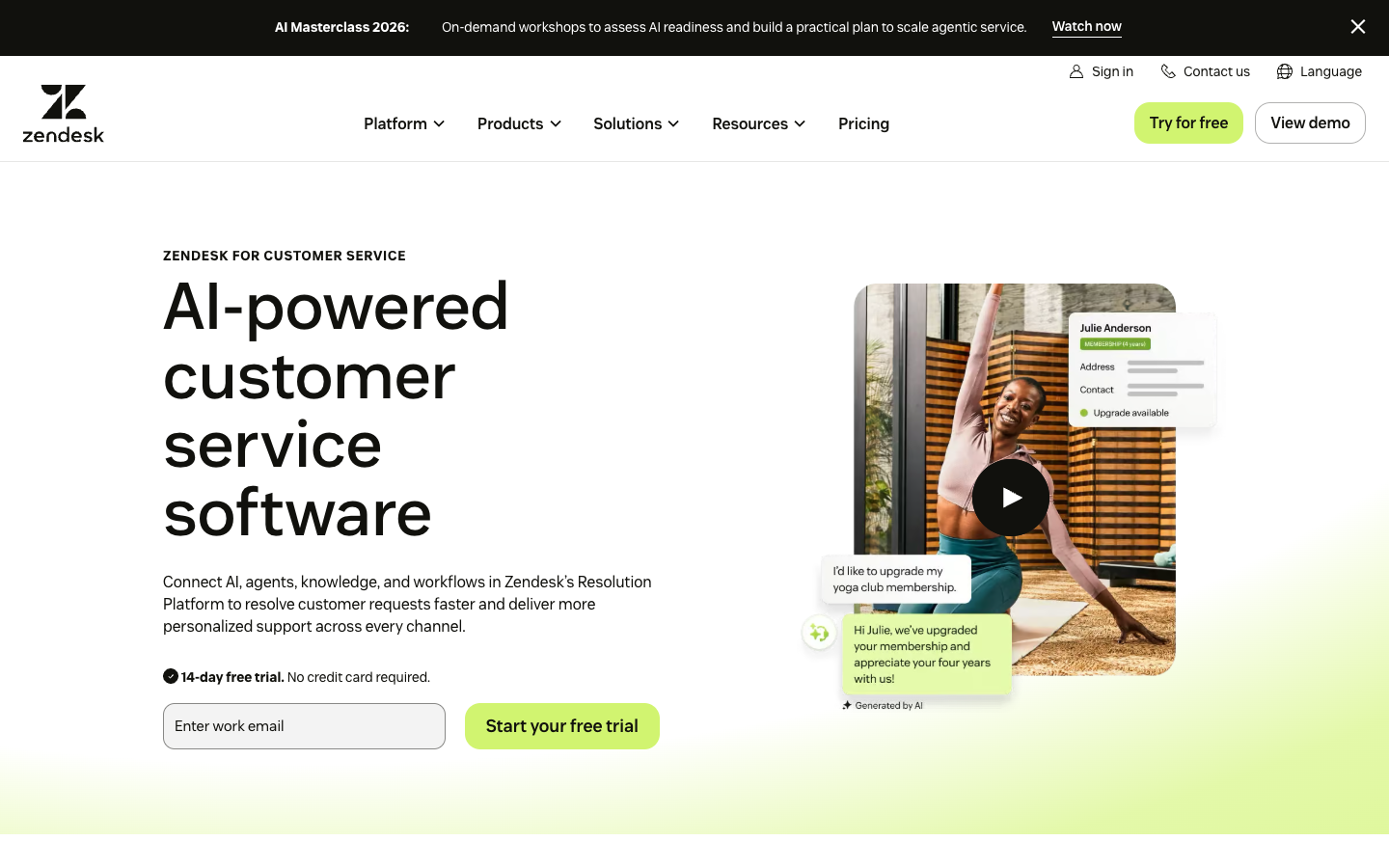
Zendesk’s core Support plan and its Suite portfolio should be evaluated separately. Adding voice, complex routing or AI can change both the deployment effort and the invoice. Zendesk has a straightforward ticketing core, but adding Suite channels, AI allowances and governance tools can make the total subscription and implementation significantly more complex. This review separates the Support Team subscription from the Zendesk Suite family and examines the operational work that remains after a plan is purchased.
📊 Zendesk Review 2026: Summary
Verdict: Zendesk is a credible choice for support organizations that need structured case ownership and expanding channel control. It is less compelling when all a team needs is a shared email inbox, especially after accounting for implementation and optional AI, workforce or quality modules.
Best for: Support teams requiring formal case routing, auditability and a gradual path to more channels and advanced service operations.
Less suitable for: A tiny team that wants an inexpensive shared mailbox with negligible administration and no need for a dedicated service operations owner.
💰 Zendesk Pricing, Plans and Cost Structure
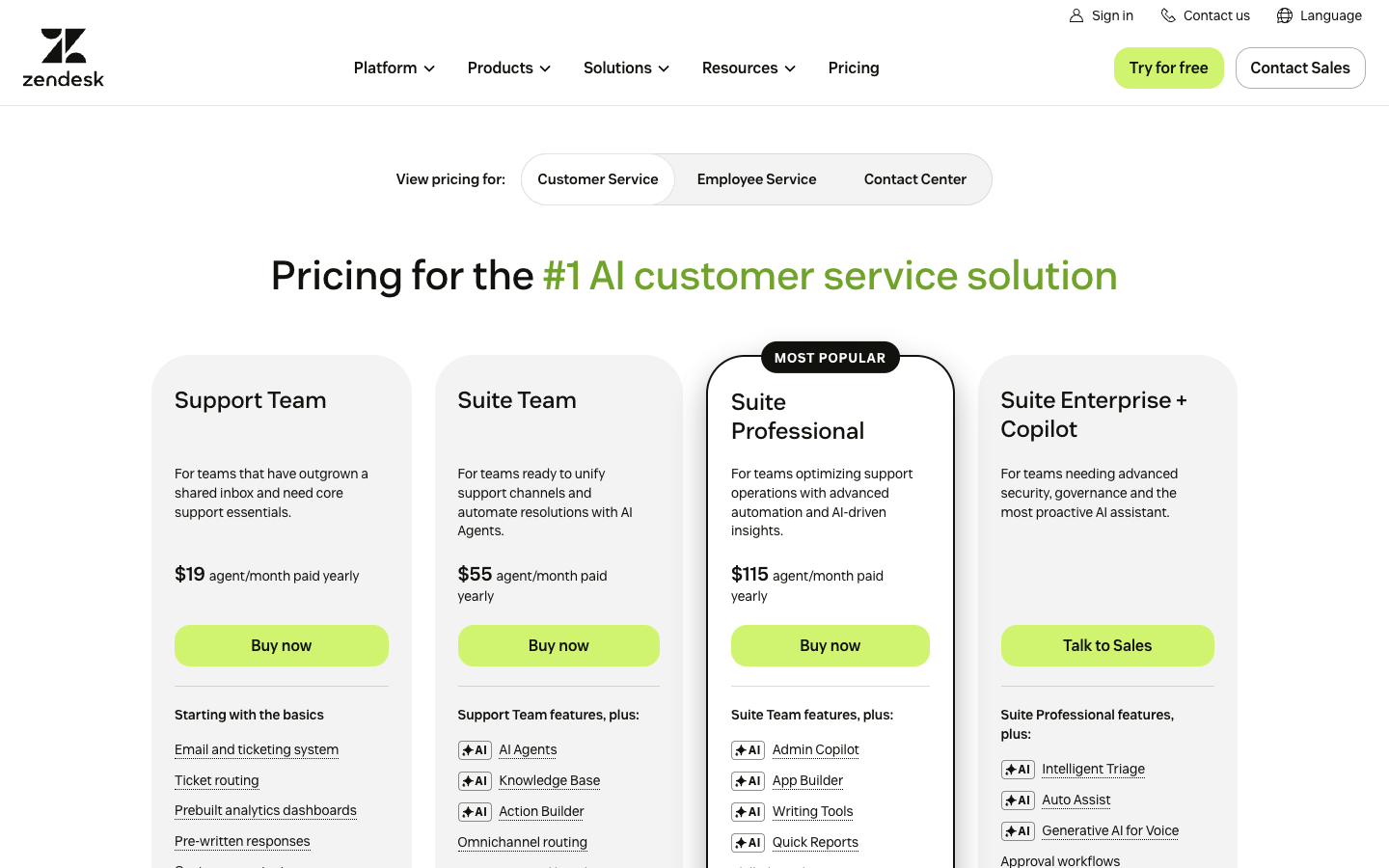
The public US plan references separate Support Team from the larger Suite portfolio. Annual monthly equivalents exclude add-ons, taxes and implementation. Verify AI automated resolution allowances, Copilot and voice charges in the specific Zendesk quote. Source: official Zendesk pricing.
| Plan | US pricing reference | Core focus | Important caveat |
|---|---|---|---|
| Support Team | $19 / agent / month, annual | Email, ticketing, triggers and prebuilt reports | Ticket-first entry, not equivalent to full omnichannel Suite |
| Suite Team | $55 / agent / month, annual | Messaging, knowledge base, AI Agents and omnichannel basics | Check automated resolution allowances and channel constraints |
| Suite Professional | $115 / agent / month, annual | Deeper routing, reporting, voice options and AI assistance | SLA and governance requirements need a plan-by-plan check |
| Suite Enterprise + Copilot | Quote | Governance, sandbox and advanced service configuration | Request a written enterprise proposal |
Zendesk plan capability comparison
| Capability | Support Team | Suite Team | Suite Professional |
|---|---|---|---|
| Email and ticket queues | Included | Included | Included |
| Messaging and live chat | Separate Suite scope | Included | Included |
| Customer knowledge base | Not a full Suite help center | Single help center | More advanced service options |
| SLA management | Verify actual Support tier | Not core Professional SLA controls | Included |
| AI and automated resolution | Allowance / plan terms vary | AI Agents; usage rules apply | AI Agents; usage rules apply |
| Annual USD rate per agent/mo | $19 | $55 | $115 |
⚡ Quick Verdict: When Zendesk Is Worth Considering
A six-person support team may not need every Zendesk Suite component on day one. Start with the distinction that actually changes the buying decision: Support Team provides core ticket handling, whereas Suite Team adds messaging, telephony and a help center. A service operation with inbound email alone can often defer the broader Suite decision; one that promises replies by phone, social messaging and chat has a more credible reason to consider it.
The failure mode to check is ownership, not the number of channels on a presentation slide. When a customer follows up by email after a chat conversation, the receiving agent should see the relevant context and know who has the next action. For this Zendesk review, that is a clearer test than asking whether the interface looks modern.
🧭 What a Zendesk deployment actually changes
Zendesk centralizes intake into a durable ticket record, not merely a common email address. That matters when cases move across an agent, supervisor and specialist team over several days. The buyer should establish who owns escalation rules before switching channels, because an unowned queue can hide poor response quality behind tidy dashboards. For a Zendesk ticketing workflow test, send a customer email from a billing queue to a technical specialist and verify that its requester ID, attachments and next-response deadline remain intact.
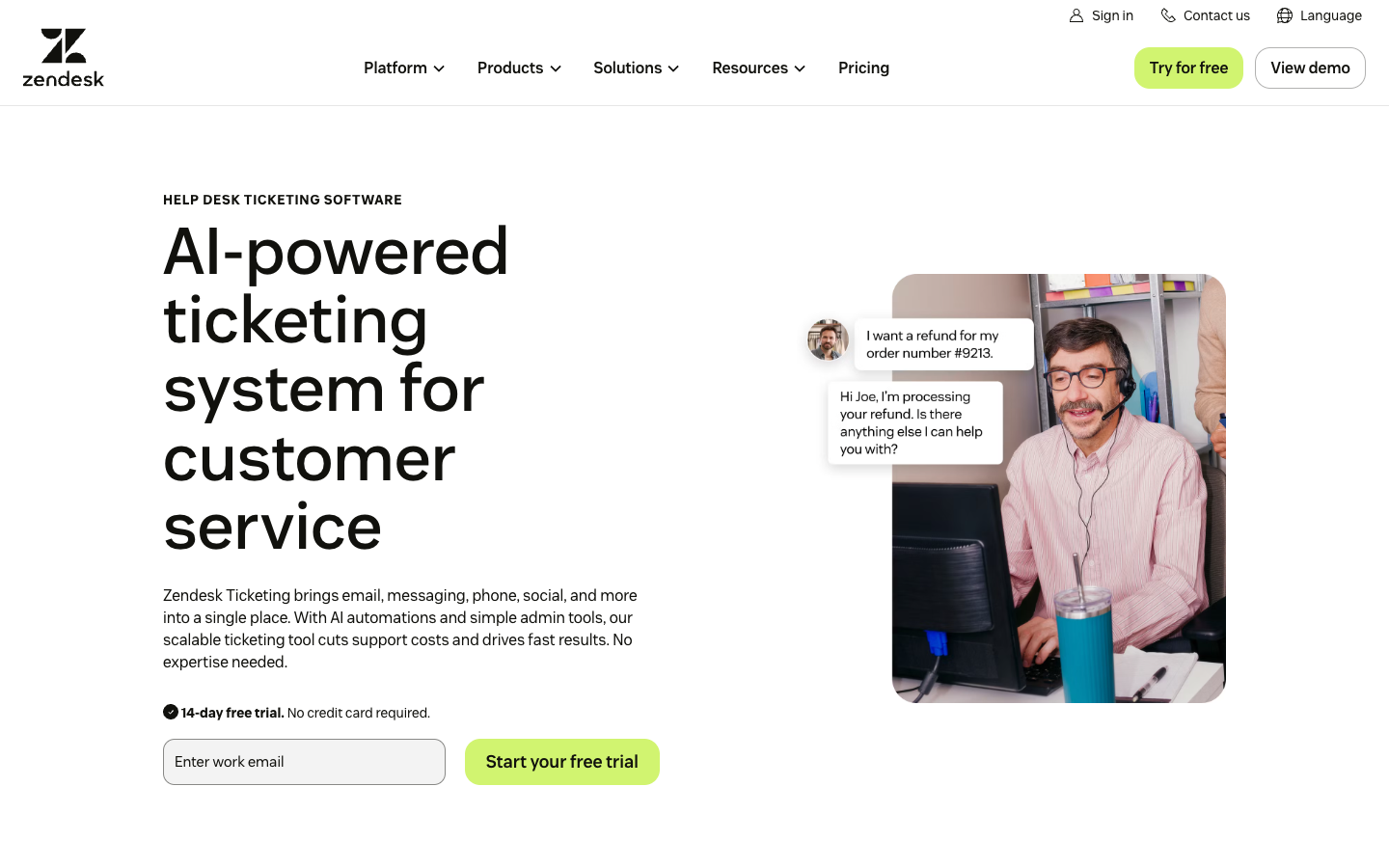
Zendesk’s greatest test is what happens between an agent receiving a case and the organization owning the next decision. For a return request, that might mean an inquiry starts in the web widget, shipping checks the tracking record and a team leader approves a refund. The ticket should not become three unconnected conversations. Map each status to a responsible role and verify that the requester sees an intelligible update whenever a handoff occurs. An attractive dashboard does not compensate for a queue whose assignments nobody monitors.
🏷️ Support Team versus Suite is a product decision
Zendesk Support Team is the more focused email-and-ticket tier, while Suite Team introduces broader messaging and a knowledge-base experience. A comparison that quotes the $19 Support Team price but promises all Suite messaging capabilities is misleading. Purchase the channel scope you need, then check whether light agents, multiple help centers or automation rules require a higher tier. Compare Zendesk Suite Team features against the Support-only tier before assuming chat or help-center allowances are identical.
Do not treat Zendesk Support Team as the same service bundle as Zendesk Suite. The lower-priced Support offer starts with tickets and email-oriented functionality, while the Suite line covers additional messaging and service components. Teams comparing plans should write out each needed channel, help center, account role and escalation rule. Have the vendor mark the lowest contract that supports that exact configuration. A brochure that mentions voice, AI and multiple help centers is not proof that every advertised feature belongs in the entry tier.
💰 Pricing and the meaning of a full agent seat
Beyond the base ticketing tier, the meaningful cost difference is the number of channels, the routing rules and the AI capabilities the support organization can maintain. The plan table above gives the current seat-price reference. Monthly contracts have different prices and quoted Enterprise packages add another negotiation layer. Forecast agents who actually work tickets; including observers, occasional approvers and seasonal staff may change the effective per-seat mix. For Zendesk Support Team pricing, use the contracted number of frontline responders and record whether the annual commitment permits seasonal reductions.
A read-only supervisor may not need the same paid privileges as an agent who actively answers customer tickets. A supervisor who occasionally reviews history is not necessarily equivalent to a frontline responder. More importantly, the organization should budget optional AI components and any channel-specific operating costs separately from the per-agent amount. At renewal, the expensive surprise is often not the list price but the accumulation of seats, third-party integrations and features that were used only briefly during setup.
🔄 The automation layer beneath the marketing story
Zendesk triggers run on ticket events, while time-based automations can act on cases that have been waiting. The distinction matters when a request is reopened after a customer reply: a trigger that assigns every inbound message to the default queue may undo an escalation that a supervisor intended to keep with a specialist. Keep an explicit precedence rule for status, group and priority changes.
For a production queue, write three sample cases before enabling rules: a new email, a reply after resolution and a reopened urgent ticket. Record which trigger fires in each case and whether the result is visible to the next agent. An acknowledgment email is not the same as resolving the request. The operational objective is to prevent a ticket from becoming ownerless.
🤖 Where AI Agents are materially different from Copilot
Zendesk distinguishes customer-facing automated resolutions from agent-assist functionality. Copilot capabilities and eligibility depend on current Suite or Support plan and add-on combinations. The most informative AI evaluation is to inspect which support requests can be answered safely, what consumes an automated resolution allowance and which cases need privileged account access. Include Zendesk AI resolution costs in a separate forecast rather than treating AI-assisted replies and automated answers as interchangeable.
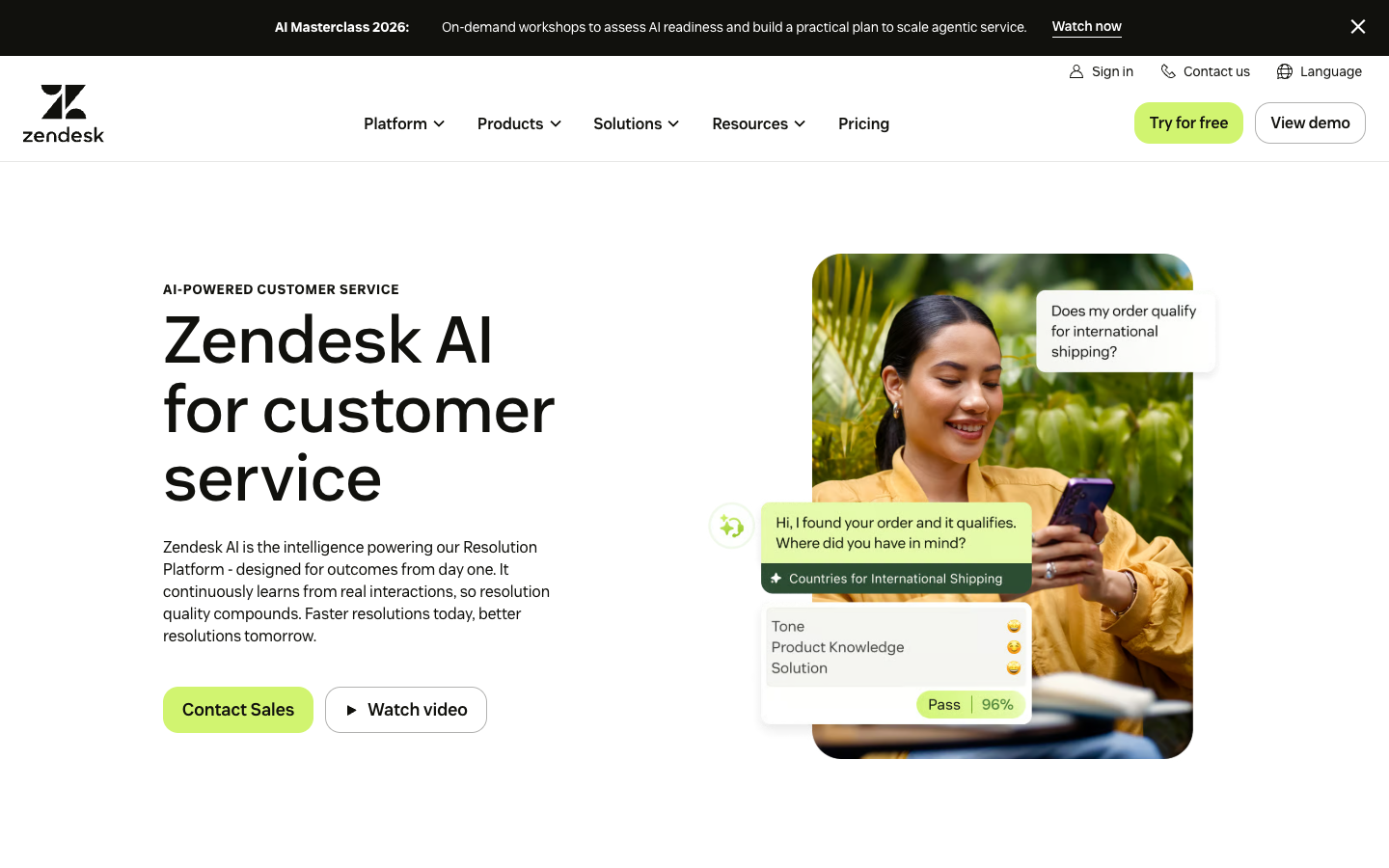
Zendesk AI Agents and Zendesk Copilot occupy different points in a service workflow. An automated assistant may speak directly to a customer, while an agent-assist feature can help a person draft a reply, find similar cases or triage a ticket. Their financial units and allowed behaviors must be kept distinct. Start with repetitive, verifiable topics such as resetting a non-sensitive preference, and explicitly exclude payment authorization and identity recovery. Review both successful answers and confident mistakes before extrapolating any reduction in labor.
📚 Knowledge base maintenance costs are often hidden
The current Zendesk Suite comparison distinguishes a single help center on Suite Team from multiple help centers on higher levels such as Growth. That distinction can matter to businesses operating several brands or language-specific customer portals. A knowledge-base structure designed for one product should not be extrapolated to a multilingual operation without checking permissions and publishing workflows.
For example, a SaaS team might publish an article about canceling an annual contract, then change its renewal policy. Unless that article is updated, agents and AI suggestions may continue to present the old steps. Record the policy owner, review date, affected plan versions and redirect path. The cost is editorial maintenance, not just the software subscription. A Zendesk knowledge base setup should begin with a list of articles that require brand-specific permissions, rather than simply copying all documents into one public portal.
⏱️ Ticket routing, SLA policies and time-zone risk
Support organizations serving multiple time zones need calendar-aware SLAs rather than one globally applied timer. Zendesk Suite Professional has more advanced service controls than the entry tier, but all buyers should verify the exact SLA entitlements in a current proposal. A priority label is not enough if incident ownership and notification escalation are undefined. Zendesk SLA policy management should account for regional business hours and the actual support coverage calendar.
Service-level management is only useful when the Zendesk calendar matches who is actually available. A Friday-night case should not receive a fictional resolution deadline based on a Monday-to-Friday team working elsewhere. Compare the vendor’s plan-level SLA permissions with your support commitments, then configure separate treatment for severe incidents and ordinary service questions. A supervisor should be able to explain why a reopened request receives a particular timer. If a dashboard cannot support that explanation, the policy has not been tested well enough.
💬 Email, messaging, chat and voice do not behave identically
Zendesk can collect messages across several customer-service channels, yet a phone call, inbound email and asynchronous chat should not share one expectation for response timing. Test attachments, transcripts, consent, spam protection and agent availability separately. Omnichannel routing is useful only if the customer history survives a channel switch and supervisors can actually monitor missed handoffs. A Zendesk omnichannel handoff should preserve identity checks when a customer moves from chat to email.
Omnichannel support often fails at the point where a customer switches from chat to email. In a Zendesk deployment, this transition should preserve the earlier explanation and make the next agent aware of what was promised. Test whether a guest user and a signed-in user are treated as the same identity, and what must be verified before those histories can be combined. Voice transcripts have their own privacy and retention conditions. Support continuity is not permission to expose one household member’s account records to another.
📈 Zendesk analytics can report activity instead of quality
Built-in dashboards tell a manager about the distribution of tickets, but a sudden fall in reopen rate can mean unresolved customers stopped replying. Use sampling and explicit resolution confirmation next to handle-time charts. Zendesk custom reporting is valuable when the operations team knows which policy change the metric is supposed to validate.
A Zendesk dashboard reporting fewer unresolved tickets can look impressive while a company receives more repeat messages about the same failures. Define the expected outcome of every important service metric. Sample tickets that were closed quickly, reopen them if the customer had to ask again, and compare the count of handoffs required for complex cases. Custom analytics are useful when they answer a decision question, such as whether one routing rule reduced unnecessary escalations. They are less valuable as a wall of numbers with no accountable owner.
Operational test: Reopen a Zendesk ticket after a customer switches from chat to email, then inspect ownership, transcript continuity and SLA timing.
🔐 Apps, API credentials and integration dependencies
Zendesk Marketplace integrations may simplify CRM lookups, but each installed app introduces access scopes, rate-limit behavior and a maintenance owner. For an ecommerce business, a support agent may need a shipping status yet should not receive payment-card details or unrestricted refund authorization. Design the minimum data view and revoke test tokens before launch. Review Zendesk Marketplace integrations by API scope and revocation requirements, not just the apparent ease of installation.
Before installing Zendesk Marketplace apps, list the customer fields each connection can read and the actions it can trigger. An order lookup integration may need a shipping estimate and line items but should not grant any responder unrestricted refund power. API tokens must belong to managed service identities where appropriate, and credentials need rotation and revocation steps. Demonstrate the system with the integration disconnected: agents should see an understandable error rather than accidentally working from stale information. That behavior determines whether a support workflow is resilient.
👥 First-week agent onboarding is more than a tutorial
New Zendesk macros and internal notes become useful when supervisors make clear which replies customers will see and which information must remain inside the team. Shortcuts help only when the content is accurate and approved. Consider a supervised first week with ticket audits, at least two failure scenarios and one restored deleted-message or export workflow, rather than relying on a vendor setup checklist.
Zendesk onboarding should focus on good case habits rather than on memorizing the administration interface. Have agents explain the difference between an internal note and a customer-facing reply, and practice a ticket involving two specialized groups. A new employee should be able to identify the current owner, the next customer commitment and any overdue escalation without asking the person who built the configuration. Supervisors should review early tickets for empathy and accuracy, not simply speed. Training completion alone is a weak substitute for readiness.
📤 Zendesk migration and the historical ticket problem
During a migration from Gmail, Freshdesk or another Zendesk environment, customer reply threads, attachments and requester IDs may need different export or import handling. Ask the provider to show how it maps historical requester identities and how email subjects are threaded after cutover. A successful CSV import does not by itself demonstrate that a customer’s reply will join the right ticket.
Test with a deliberately awkward old case: one requester, multiple participants, a PDF attachment, an internal-only note and a previously resolved status. Send a new message to the historical conversation from an external mailbox. The support agent should be able to distinguish legacy data from new replies and should not leak the internal note. A Zendesk migration checklist is complete only when the old reply-to addresses and attachment access have been tested from an external mailbox.
🧾 Workforce Management and Quality Assurance are not base features
Zendesk has separate workforce and QA product families as well as higher-end suite plans. A procurement sheet should list modules by contract line rather than implying that advanced forecasting or automated quality review is included at the advertised entry price. These capabilities can make sense at significant scale but create overhead at small ticket volumes.
Security choices in Zendesk require a plan-specific contract review. Enterprise features such as sandboxes, custom roles and stronger governance can support formal change processes, but those facilities are not universal across all subscriptions. Define who may edit routing, add apps, view sensitive tickets and export requester data. Set a workflow for an agent who leaves unexpectedly or a shared token that becomes compromised. Periodically compare actual permissions with job responsibilities. A complex policy written once and never reviewed is not a meaningful safeguard.
🔌 Data retention, permissions and audit trails
An enterprise team must confirm who can export personal information, redact sensitive data and alter ticket identities. Zendesk roles, auditability and sandbox capabilities are not interchangeable across tiers. The deployment should have a documented response to misrouted confidential messages and an account-owner recovery process before any production customer history enters the system.
Zendesk’s integrations can connect a purchase history or CRM account to a support record, but the source system remains responsible for the underlying transaction. A customer asking for a shipping adjustment should not cause an unverified write to the commerce database just because the support tool exposes a convenient action. Make each data exchange explicit: what triggers it, which fields are transferred, and what happens after a timeout. Restrict agents to the least customer context required to answer the inquiry safely and explain their next step.
📊 A realistic five-agent budget illustrates the risk
What the team actually pays: worked examples
| Illustrative team setup | Monthly equivalent | Annual commitment | Exclusions |
|---|---|---|---|
| 5 Support Team seats | $95 | $1,140 | Messaging and additional modules |
| 5 Suite Team seats | $275 | $3,300 | Optional AI, phone usage and tax |
| 5 Suite Professional seats | $575 | $6,900 | AI and add-ons |
| 10 Suite Team seats | $550 | $6,600 | Extra voice / consumption |
At the displayed annual billing rates, five Suite Team seats have a $275 monthly equivalent and a $3,300 first-year commitment before applicable taxes or add-ons. Five Suite Professional seats correspond to $575 per month and $6,900 per year. These numbers are simple seat arithmetic; they do not claim to include telephony, AI overages or implementation. For Zendesk annual billing costs, calculate the initial cash obligation and optional modules separately from monthly equivalents.
A seat quote is not the same as a reliable budget for Zendesk. Organizations with peaks around a sale or product launch may add temporary agents, use more automated answers and route cases through new communication channels. Build forecasts at steady-state volume and at the scale of an unusually difficult month. Note whether temporary seats can be removed on your actual billing term. When estimating AI cost, start from a classified set of eligible cases rather than treating every inbound message as a billable automated success.
⚖️ Zendesk against Freshdesk, Intercom and Help Scout
The cheapest apparent Zendesk competitor depends on the service task. A queue receiving long-lived technical issues should compare Support Team with Freshdesk’s ticketing product. A business serving authenticated in-app subscribers may care more about Intercom Messenger and the separate Fin outcome meter. A company receiving mostly uncomplicated emails can reasonably ask whether Help Scout’s shared inbox is enough.
A fair comparison fixes the number of frontline agents, target response windows and escalation groups before the vendor demonstration. It also separates basic seat pricing from optional AI and telephony charges. Without that common baseline, a Support Team quote can be incorrectly compared with an all-channel subscription elsewhere.
⚠️ When an operationally powerful desk becomes too heavy
Zendesk can be overkill when the same two people own every inbox and no compliance audit requires formal case lineage. An extra customization layer can create a dependency on consultants or one knowledgeable admin. The cost of configuration is justified only when a specific workflow meaningfully reduces missed escalations or repeated customer contact.
A warning sign in a Zendesk pilot is that simple cases become hard to understand because too many rules, tags and groups were introduced at once. Another is that every exception requires a consultant to alter automation. Keep an operational runbook naming the person who can correct a misrouted ticket and the process for testing configuration changes. Ask agents to describe the case lifecycle in plain language. If they cannot, the implementation probably needs simplification before its feature depth can generate benefits.
🧪 Final fit test and research boundaries
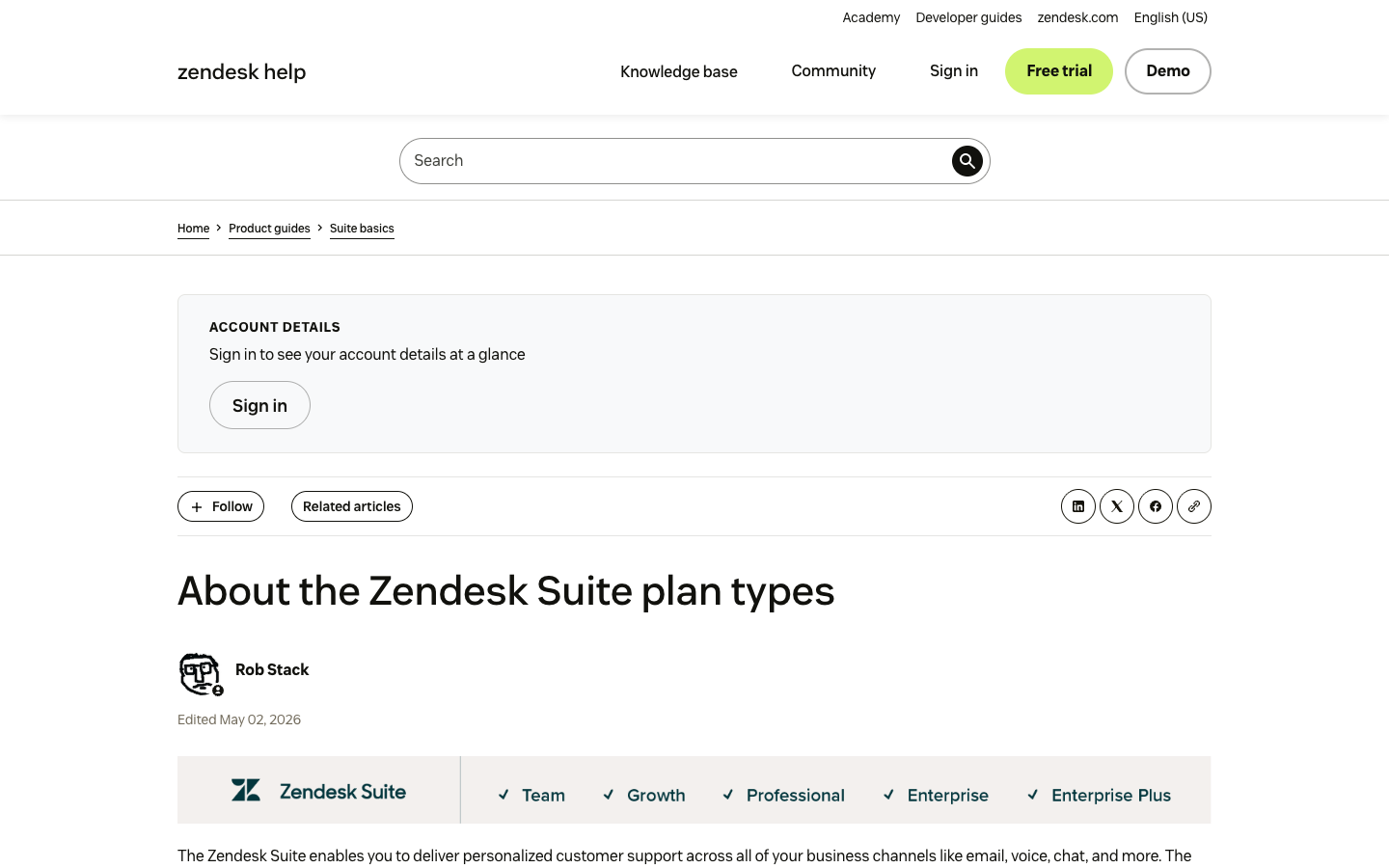
Zendesk publishes service-tier information, but the vendor’s plan descriptions cannot show how a particular customer support queue will behave after migration. The documentation distinguishes Suite Team, Growth, Professional and Enterprise in addition to the standalone Support plans; these names should not be collapsed into one feature set. Zendesk’s Suite plan guide is the primary reference for which version includes multiple help centers, SLA tools and a sandbox.
No private Zendesk production instance was accessed for this review. A useful acceptance check is to reopen a migrated case, inspect its attachments and requester identity, escalate it to another group, and make sure the original customer reply remains attached. Any conclusion about operational speed would require a real deployment and measured baseline.
⚖️ Zendesk vs Freshdesk, Intercom, Help Scout: Competitor Comparison
Zendesk vs alternative helpdesks: where each fits
| Platform | Best comparison scenario | Cost structure |
|---|---|---|
| Zendesk | Multiple service channels and governed ticket queues | Per-agent subscription + optional usage |
| Freshdesk | Email ticketing and clearer Freddy session budgeting | Per-agent and AI session/add-on fees |
| Intercom | In-product Messenger and Fin-driven service | Paid full seats + Fin outcomes |
| Help Scout | Small, shared-inbox-first support teams | Paid users plus separately metered AI |
Zendesk versus Freshdesk
Freshdesk focuses strongly on priced help-desk plans and Freddy AI allowances, making it a natural like-for-like ticketing alternative. Compare the exact ticket-routing and SLA controls against Freshdesk Pro before deciding that either per-agent number is cheaper.
Zendesk versus Intercom
Intercom foregrounds Messenger, Fin outcomes and continuous in-product conversations rather than solely traditional tickets. Intercom Fin introduces per-outcome charges and a Messenger-first interaction style; test those alongside Zendesk queue ownership.
Zendesk versus Help Scout
Help Scout is deliberately more inbox-centric and may reduce administrative overhead for teams that do not need complex routing. A Help Scout trial should reveal whether lighter shared-inbox workflows meet the same customer expectations without Zendesk administration.
📌 Four deployment questions that can change the answer
Ask whether the company needs one brand or several independently permissioned help centers; whether customer messages must cross email, web chat and voice without duplication; whether an agent may execute actions in billing systems; and who is responsible for support data retention. Zendesk is most defensible when there is a clear operational owner for each decision.
🧩 Example workflow: a late order with a partial refund
Imagine a buyer who asks about a delayed package and then requests a partial refund. Zendesk should surface the order identifier, preserve earlier emails and keep the case assigned after a shipping specialist joins. The payment operation must still be authorized by the commerce platform and an appropriately permissioned employee. This scenario exposes integration quality much better than a canned welcome message.
🎯 What the buyer should request in writing
Request annual and monthly seat quotations, current AI resolution entitlement details, optional Copilot and telephony charges, light-agent rights, data-export constraints, service-level controls and the policy for contract changes. Ask the vendor to identify which assumptions are usage-based. Saving this answer alongside your internal requirements can prevent a costly mid-year surprise.
💡 Signals that the trial is going badly
Warning signs include duplicate tickets after a web-chat handoff, reports that contradict agent activity, ticket priorities no one can explain and knowledge suggestions that are confidently wrong. These are implementation findings, not evidence that the product is intrinsically poor. They should trigger a tighter workflow design and a decision about whether your team can maintain it.
🛠️ An editorial take on AI support ROI
Automated resolutions can reduce routine workload, but they should be measured against a human-confirmed quality threshold. A customer who silently leaves a broken conversation should not automatically be counted as a happier customer. Zendesk AI spending is easier to justify when the team can show fewer repeat contacts and faster safe handoffs alongside any reduction in support volume.
🔍 How to choose a smaller alternative
If the organization has fewer than five agents and almost all support arrives by email, test Help Scout or a simpler inbox before buying a broad Zendesk Suite tier. If AI-led Messenger experiences dominate, Intercom is another benchmark. If ticket workflows are central and predictable seat economics matter, compare Freshdesk at the exact routing tier.
✅ Final recommendation for the Zendesk buyer
The strongest Zendesk fit is an organization whose complex routing, multiple channels and compliance requirements are substantial enough to sustain dedicated service administration. Favor a lower-complexity alternative when nobody can explain the required automation in a single workflow map. The decision is not about which logo dominates review lists; it is about the amount of operational coordination the business can actually support.
🔎 Zendesk Research Methodology, Limitations and Next Steps
DigiOffly inspected publicly available Zendesk plan information and vendor help materials. This research did not include a private Zendesk Suite implementation or ticket-resolution benchmark. A customer with several support brands should verify its queue design and contractual AI entitlements in a permitted pilot, and export a sample of historical tickets before making the new instance authoritative.
A qualified Zendesk pilot should establish a single owner for ticket routing, confirm which Suite tier supports required channels and retain a reversible history export. If the team cannot operate those controls reliably, buying a larger plan will not fix the process.

Frequently Asked Questions
Is Zendesk free for small support teams?
Zendesk promotes trials but does not offer an unrestricted permanent free Suite plan in the current public pricing view. Verify startup programs and any grandfathered contracts separately.
What is the difference between Zendesk Support Team and Suite Team?
Support Team emphasizes email, tickets and core automation. Suite Team adds wider messaging and omnichannel service features. Check the exact features in your current quote.
How much does Zendesk cost for five agents?
At the displayed annual rates, five Support Team agents equal $95/month, Suite Team $275/month and Suite Professional $575/month, excluding add-ons and tax.
Does Zendesk include AI Agents?
Current plans expose AI capabilities, but automated resolution allowances, Copilot, premium functionality and usage charges need separate verification.
Does Zendesk have SLA tracking?
More advanced SLA management appears in higher Suite tiers; check plan-specific policies and required schedules before buying.
Can Zendesk connect to Shopify?
There are integrations and integration-platform options, but the exact order lookup, refunds and permission scopes must be tested.
Is Zendesk better than Freshdesk?
Neither universally wins. Compare matching ticket volumes, channels, routing rules, AI pricing and annual team costs.
How do I move historical tickets to Zendesk?
Plan an export/import with requester mapping, attachments, statuses, permissions and a rollback period. Avoid assuming that simple CSV migration preserves everything.
Does Zendesk Copilot cost extra?
The feature mix and packaging have changed; eligible Copilot capabilities may involve add-on or higher-tier pricing. Confirm the current contract.
Can Zendesk replace a shared inbox?
Yes, but the structure and implementation cost may be unnecessary for a very small email-only team.
What should a Zendesk trial prove?
A representative ticket should pass through intake, routing, escalation, agent notes, knowledge suggestions, closure and export without losing context.
📚 Sources and Related DigiOffly Reviews
Primary vendor source: official Zendesk pricing and plan information; secondary reading: DigiOffly Customer Support & Help Desk category. For a related cost calculation before subscribing to Zendesk, see Software Cost Calculator, Compare Software and E-commerce & Online Selling.
EXPLORE NEXT ON DIGIOFFLY
Explore Your Customer Support Stack
Find related customer experience, collaboration and automation tools. DigiOffly links to completed reviews only; unpublished help desk drafts are not displayed as published articles.
Explore related help desk guides
- Customer Support & Help Desk — Compare team workflows and support models.
- Software Directory — Browse currently published product reviews.
- Compare Software — Evaluate comparable documented features.
- Best Software — Choose software by operational scenario.
- Freshdesk review — Compare ticketing and support-seat costs.
- Intercom review — Compare omnichannel ticketing with conversational AI.
Plan your customer service budget
- Software Cost Calculator — Model annual seat commitments and subscriptions.
- Best Value Advisor — Explore product capabilities by task.
- Productivity & Collaboration — Coordinate internal service ownership.
- Automation & No-Code — Consider reliable workflow integrations.
Connect related business tools
- E-commerce & Online Selling — Understand customer order and checkout context.
- Growth & Marketing — Join customer acquisition with post-sale support.
- Hosting & Websites — Understand site reliability and customer issues.
- Tools Hub — Explore DigiOffly software tools.
- Tally — Flexible forms, conditional intake and integrations