

Fact-check date: October 24, 2026. This review uses BILL’s official pricing, AP/AR product pages, approver-role documentation and terms of service. DigiOffly has not enrolled a business, sent funds, approved invoices in a production account or measured transfer speed. The screenshots on this page capture public vendor information only. US prices are quoted in USD and can change after the check date.
The same supplier invoice may reach finance by email, a shared inbox and paper—three opportunities to enter it twice. Even a legitimate invoice can cost a company money if someone enters it twice or approves a payment without checking the supplier. BILL is designed to organize precisely this gap between receiving a supplier bill, securing approval and paying it.
This BILL review 2026 looks at approval workflows, what three paid users actually cost, transaction fees and the distinction between AP/AR subscriptions and the separate Spend & Expense offering.
Quick verdict: BILL is worth serious consideration for US companies with recurring vendor bills, multiple approvers and accounting synchronization needs. It is less compelling when an owner pays a few suppliers personally each month. The monthly AP/AR plans cost $49, $65 or $89 per user, with Enterprise quoted separately. Transaction fees are extra; Spend & Expense has a separate $0 base software plan.
📊 BILL Software Review: What Is It?
| Question | Current answer |
|---|---|
| Primary category | Accounts payable (AP) and accounts receivable (AR) workflow and payments |
| Adjacent offering | BILL Spend & Expense for corporate cards, budgets and expense controls |
| Best suited to | Businesses that need supplier bill capture, approval chains and controlled disbursements |
| Direct-customer AP/AR base tiers | Essentials $49; Team $65; Corporate $89 per user/month |
| Enterprise | Custom quote, including larger-company integrations and controls |
| Spend & Expense | No subscription/per-user software fees; card and payment terms still apply |
| Standard ACH/ePayment | Official list currently shows $0.59 for applicable payor transactions |
| Sent check | Official list currently shows $1.99 for a mailed check |
| Biggest purchasing risk | Confusing subscription seats, approval-user rates and transaction volumes |
| Evidence | Official pricing and product guides; no paid account test |
An important distinction: BILL is not a replacement general ledger. A company may use QuickBooks Online or Xero to record transactions and use BILL to collect invoices, route approvals and execute payments. That integration can eliminate copying details by hand, but the company still needs accounting controls and careful reconciliation.
🎯 Who Should Choose BILL Accounts Payable?
A growing service company handling a hundred supplier invoices a month needs a better process than forwarding email between departments. If every invoice must be forwarded to a founder, mistakes and delays will accumulate. A shared inbox plus structured approval policy can reduce that dependence on email. The value comes from having an auditable process, not from counting interface features.
A distributed team with budget owners can use approval policies to route a marketing expense to a marketing manager and a cloud infrastructure expense to engineering and finance. This is useful only if the account codes and responsible approvers have been assigned. The company must specify who is allowed to approve each purchase and amount.
An accounting firm managing several clients has a different set of requirements: separated entities, user permissions, clients’ independent banking details and reporting across accounts. BILL has firm-facing workflows and an Accountant Console, but pricing and entitlements differ from a direct small-business subscription. An accountant should verify the firm account agreement rather than applying the public $49 seat charge without context.
A freelancer paying four bills a month may not need it. If the bookkeeper already approves bills in their ledger and the owner pays a handful of vendors, a dedicated AP layer can create another subscription, another permission model and extra reconciliation work. Compare the subscription and payout fees with the hours spent chasing approvals and correcting duplicate bills.
💰 BILL Pricing 2026: Essentials, Team, Corporate and Enterprise
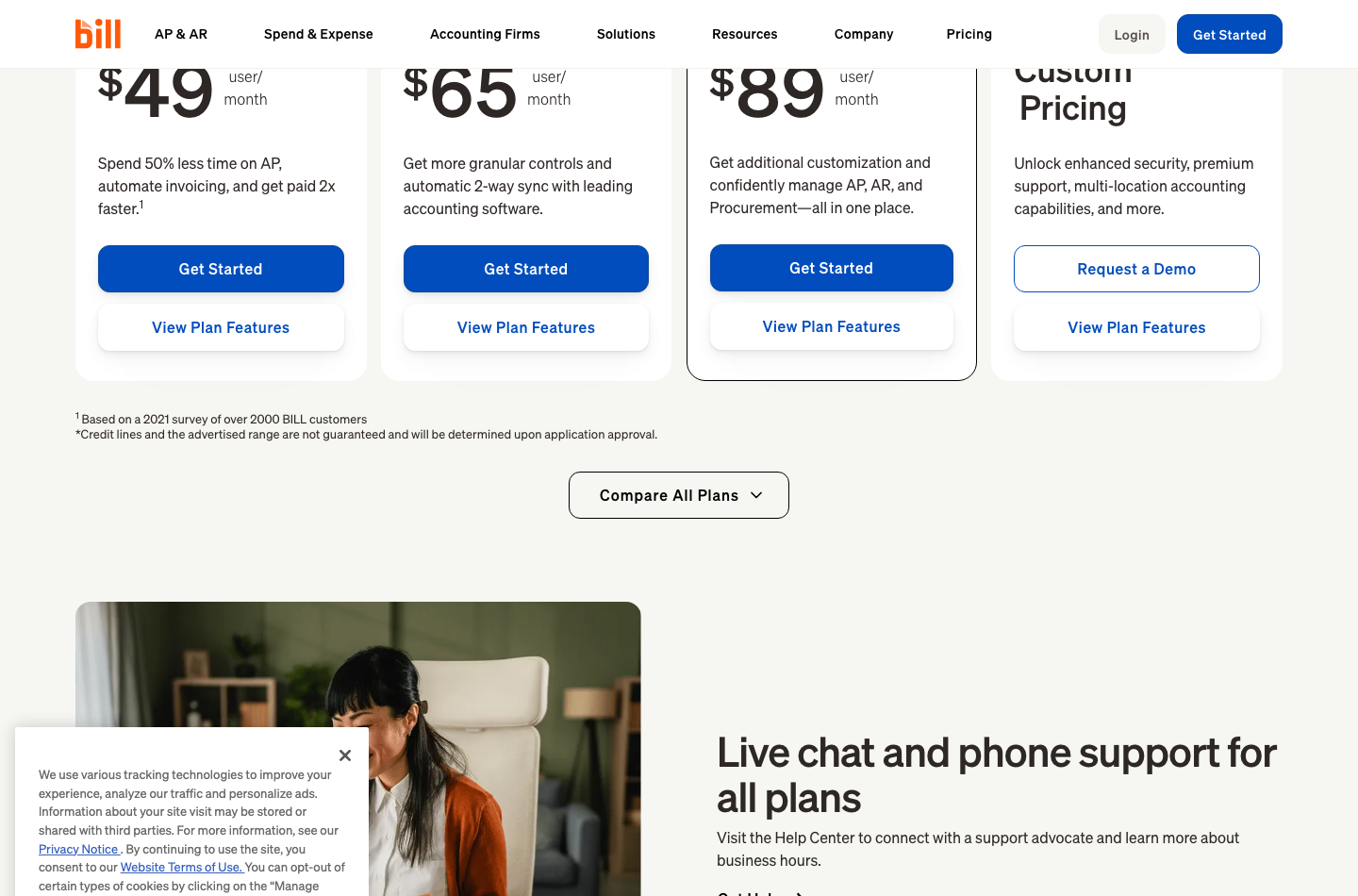
The official BILL pricing page lists the direct AP/AR plans at $49, $65 and $89 per user monthly for Essentials, Team and Corporate. Enterprise requires a custom quote. These prices are per user, not per company; they should not be compared naively with organization-based accounting subscriptions.
| BILL AP/AR plan | Monthly price per standard user | 3 users monthly | 3 users first year | Primary focus |
|---|---|---|---|---|
| Essentials | $49 | $147 | $1,764 | Foundational bill entry, approvals and payments |
| Team | $65 | $195 | $2,340 | Automatic 2-way QuickBooks/Xero synchronization and richer control |
| Corporate | $89 | $267 | $3,204 | Custom policies, user roles and procurement |
| Enterprise | Custom quote | Custom | Custom | Multi-entity, higher-end integrations and security |
| Spend & Expense | $0 software subscription | $0 software subscription | $0 software subscription | Budgets, company cards and reimbursements; separate eligibility |
The three-user totals are illustrative arithmetic using uninterrupted monthly list prices, not a vendor-issued team quote. They exclude payment transactions, international FX, taxes, other service fees and any lower-cost approver-only seats that may be available under Corporate or Enterprise.
⚖️ BILL Essentials vs Team: Integration Often Matters More Than Price
Essentials supports invoice intake and core AP and AR processes. The decisive Team feature for many businesses is automatic two-way synchronization with supported versions of QuickBooks and Xero. Essentials lists manual CSV import/export rather than that same automatic integration.
Consider a finance person processing 120 bills every month. Even if manual import takes only an extra minute per bill, that is two hours of work plus potential correction time. But those numbers are a hypothetical workflow illustration, not a benchmark of BILL. Your actual value calculation should count the minutes spent in the company’s existing process and any error rate.
Before upgrading, test three events: a bill is entered in BILL and arrives in the accounting ledger, the vendor address changes and updates in the correct system, and a payment is recorded without duplicate expenses. Two-way sync is a useful promise, not a reason to abandon independent month-end review.
✅ BILL Team vs Corporate: Approval and Role Controls
Corporate introduces more granular policies, custom roles and procurement-related tools. For a team with several spending departments, those features may help prevent unauthorized approvals. For a company where one owner approves every payment, Corporate might be an unnecessary upgrade.
A common control pattern separates the person who creates or changes supplier bank information from the person who approves the supplier’s payment. A compromised account must not be able to change supplier bank details and send funds without independent review. Work out whether the plan and role configuration support the actual separation needed.
Corporate and Enterprise may offer lower-cost approver-only seats. Do not automatically charge every occasional executive the full $89 rate in a budget. Request a quote that itemizes full users, approvers, accounting partners and any minimums.
🏢 BILL Enterprise Pricing and Multi-Entity Workflows
Enterprise targets companies with deeper financial controls, single sign-on, multi-entity or multi-location accounting and certain ERP integrations. The vendor identifies systems including NetSuite and Sage Intacct in its higher-tier integration matrix. That does not mean each integration supports identical objects or immediate implementation without configuration.
Ask the vendor for a written list of supported transaction types, sync direction, entity restrictions, approval hierarchies, data retention and actual support commitments. A custom contract can be better value than buying an inadequately configured middle-tier product, but only when the complex controls are needed.
💳 BILL Payment Fees: What the Subscription Doesn’t Include
BILL pricing includes a separate transaction table. The current official schedule lists $0.59 for applicable ACH/ePayments paid from a bank/BILL balance or cash account, $1.99 for mailed checks and no listed transaction fee for an eligible virtual-card disbursement. International foreign-exchange and wire scenarios have their own terms.
| Illustrative disbursement method | Published example fee | 100 monthly disbursements at that rate |
|---|---|---|
| Standard ACH/ePayment | $0.59 | $59.00 |
| Mailed check | $1.99 | $199.00 |
| Eligible virtual card | $0 listed fee | $0 listed transaction fee |
| International USD wire | $19.99 | $1,999.00 |
| International FX wire/local transfer | No flat fee shown; exchange rate applies | FX spread and conversion still need a quote |
The totals in the right column are arithmetic examples, not evidence a company actually sent one hundred payments of each type. BILL also lists expedited ACH, urgent checks, instant payments and exceptions including failed transfers. A budget that multiplies users by $65 but ignores transactions is incomplete.
💸 ACH vs Checks vs International Payments
The BILL payment fee schedule gives standard ACH a relatively low listed fee, but payment availability, cut-off times, recipient setup and bank account verification matter. A mailed check has a different failure mode: postal delays and the possibility of a lost or intercepted check. Neither can be evaluated from the price alone.
The vendor lists international USD wires at $19.99 in relevant scenarios and certain FX transfers without a flat fee while applying an exchange rate. ‘Free international transfer’ therefore does not necessarily mean free currency conversion. Ask for the exchange rate compared with a benchmark and the exact amount the vendor receives.
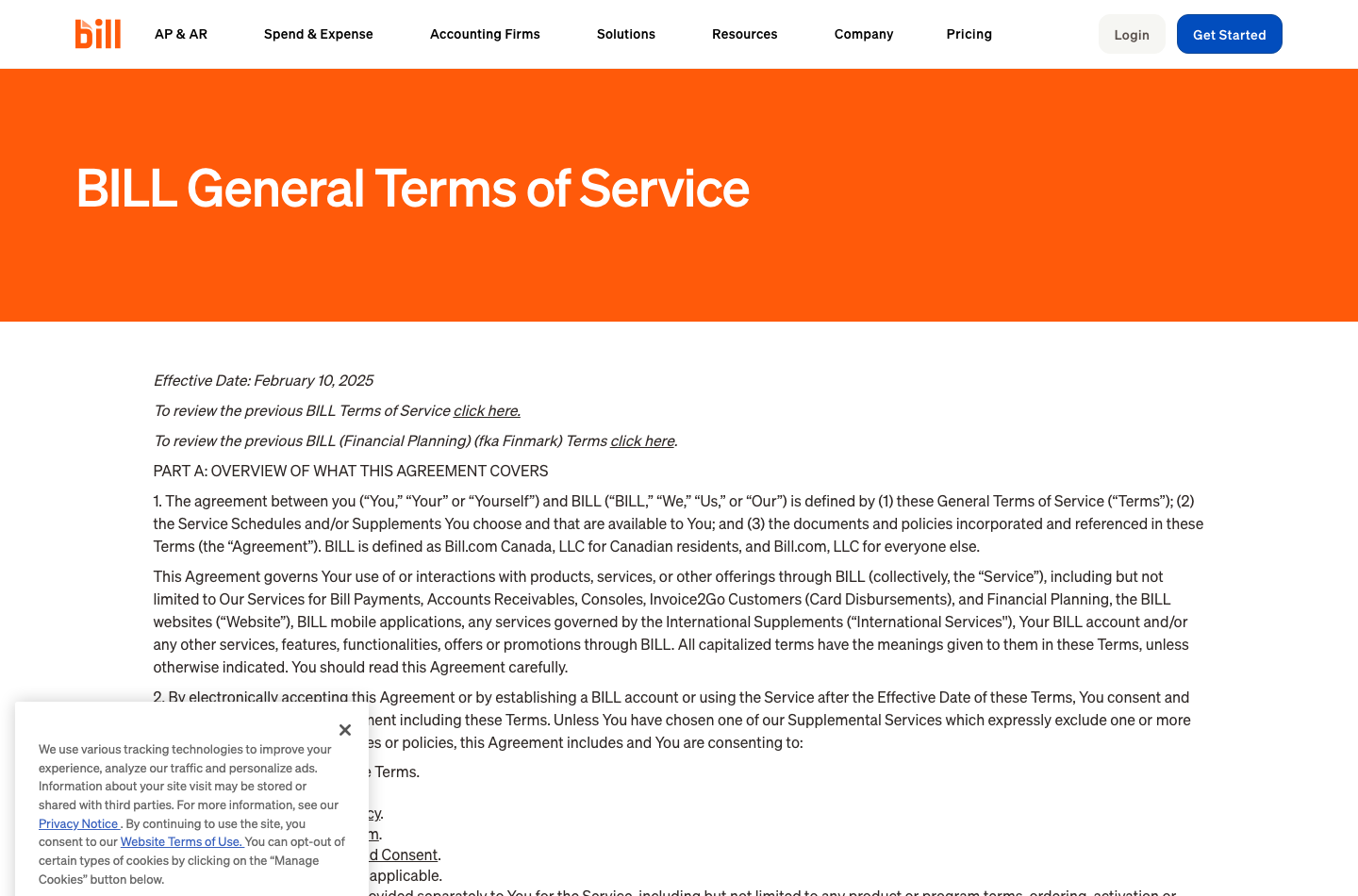
BILL’s services are governed by eligibility rules. Its general terms say standard use principally targets US-resident entities and users, with defined exceptions for certain Canadian and international products. A business formed abroad should confirm which BILL service it can legally use rather than signing up assuming global coverage.
🧾 BILL Accounts Payable Automation: From Inbox to Approval
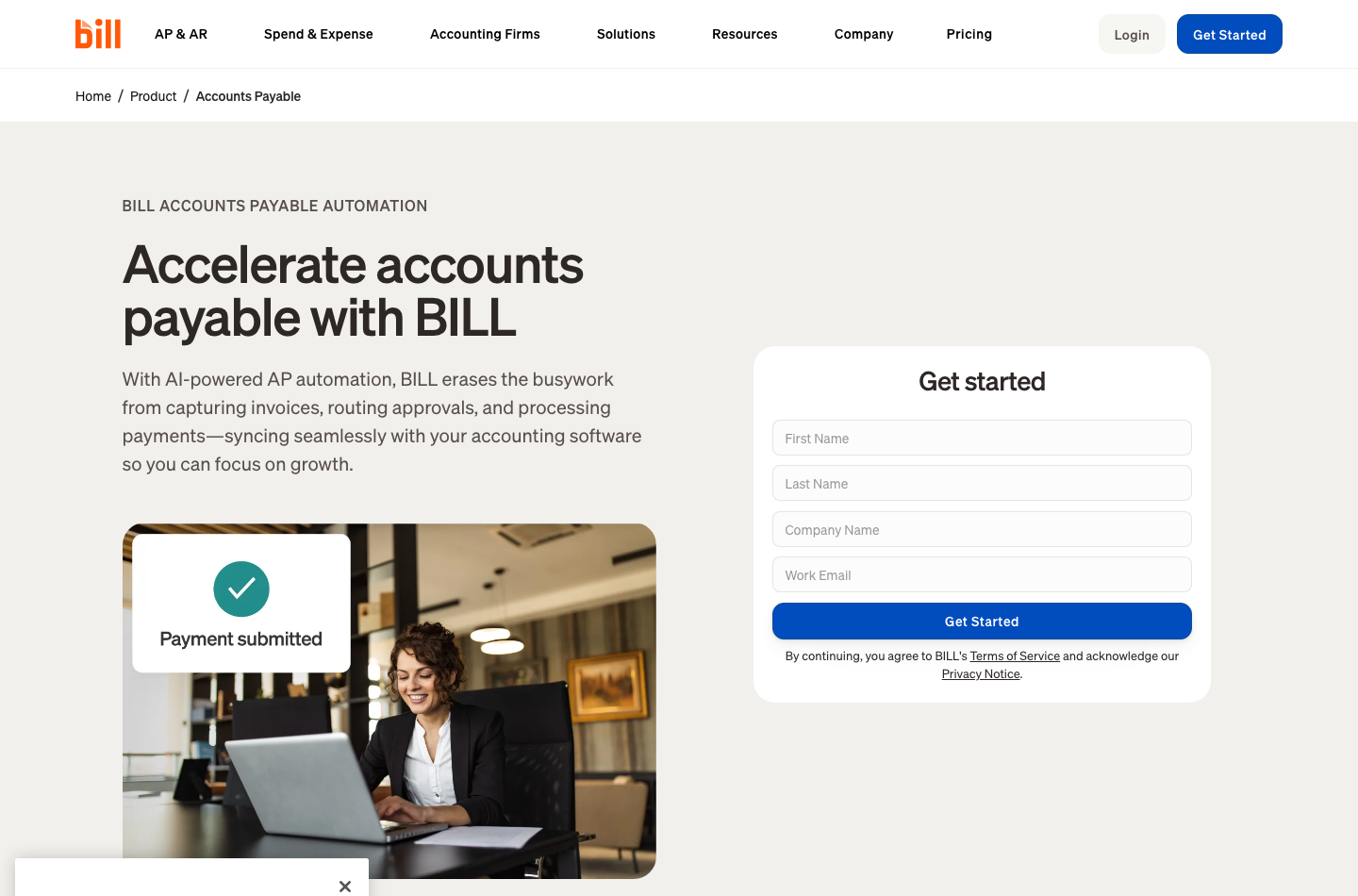
BILL’s AP workflow centers on collecting vendor invoices, coding bill lines, assigning responsible people and arranging payment. It offers centralized intake and automation such as data extraction or AI-assisted invoice coding on the current product pages. That can speed repetitive tasks, but an extracted value may still be wrong.
Consider an invoice for software subscriptions that spans three teams. An automated parser may correctly read the $4,000 total while assigning every line to general administration. The transaction will balance, yet departmental cost reporting will be wrong. A human reviewer should confirm the coding, expected purchase and approval chain before funds move.
🛡️ BILL Approval Workflows and Segregation of Duties
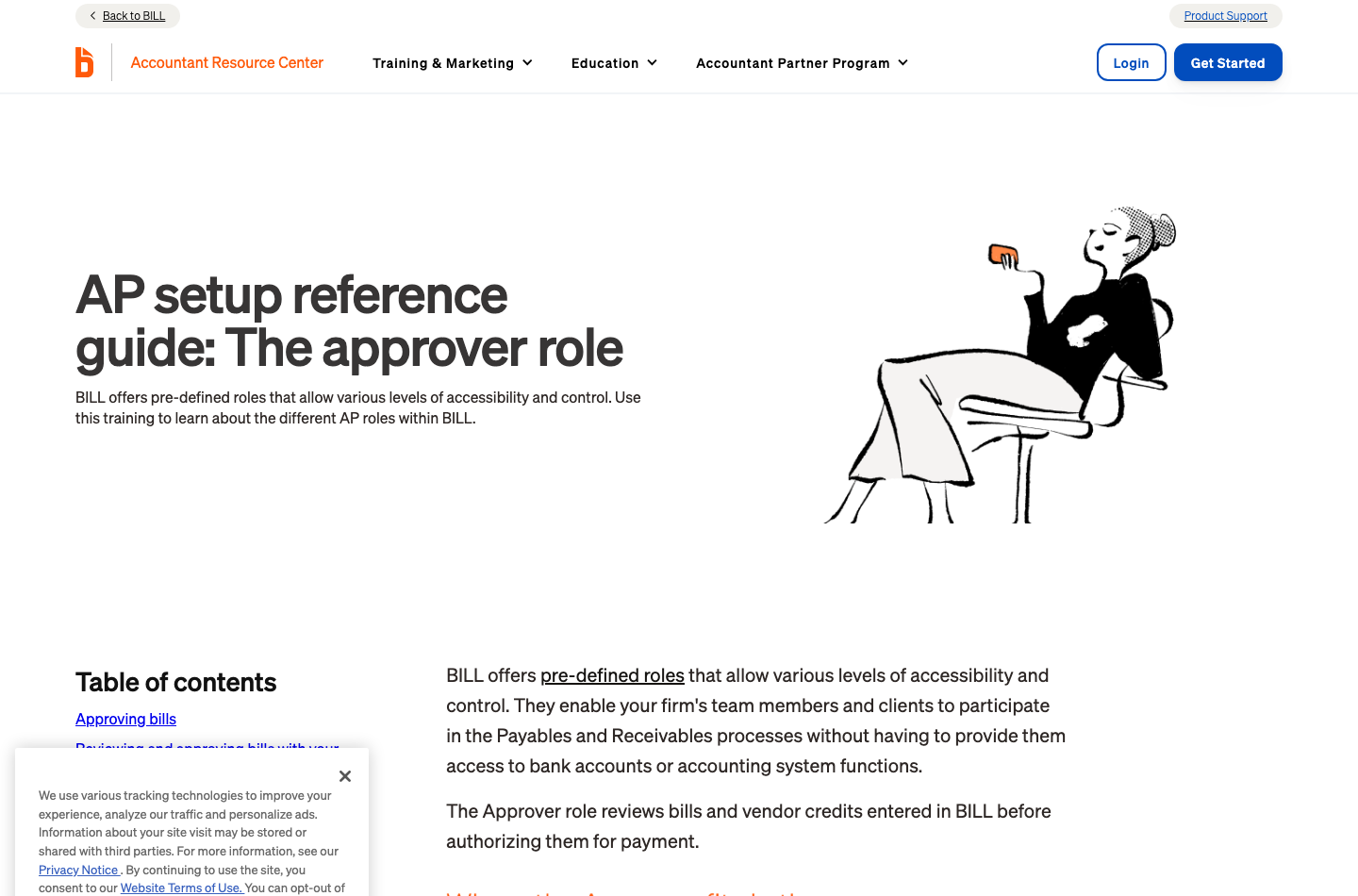
The approver role guide describes the Approver role as reviewing bills and vendor credits before authorizing payment. An approver can inspect pending entries, vendor, amount, due date and associated documents, and approve individually or in batches.
That is an important capability, but its safety depends on a policy. A company might require line managers for expenses below $2,500 and both finance and a director for amounts above $10,000. Those thresholds are illustrative internal controls, not BILL defaults. The company must configure actual policies and test whether the interface prevents the wrong person from releasing a payment.
An invoice-approved status should not be confused with proof that a bank transfer settled. Finance needs distinct evidence of review, payment initiation, completion, rejection or return. Retain that audit trail for supplier queries and financial reporting.
🔍 Duplicate Invoices and Vendor Bank Changes
A supplier might resend a corrected invoice with a slightly different filename. An AP tool may help identify repeated numbers, but automation should not be trusted to catch every duplicate. A robust process compares vendor, invoice number, amount, issue date and purchase-order evidence.
Changes to supplier banking details deserve special attention. Prefer independent verification through a previously trusted channel, not a reply to the same email that requested the change. Set distinct role permissions and review unexpected modifications before payment. Software aids the controls, but human verification still matters.
✉️ BILL Accounts Receivable: Client Invoices and Collections
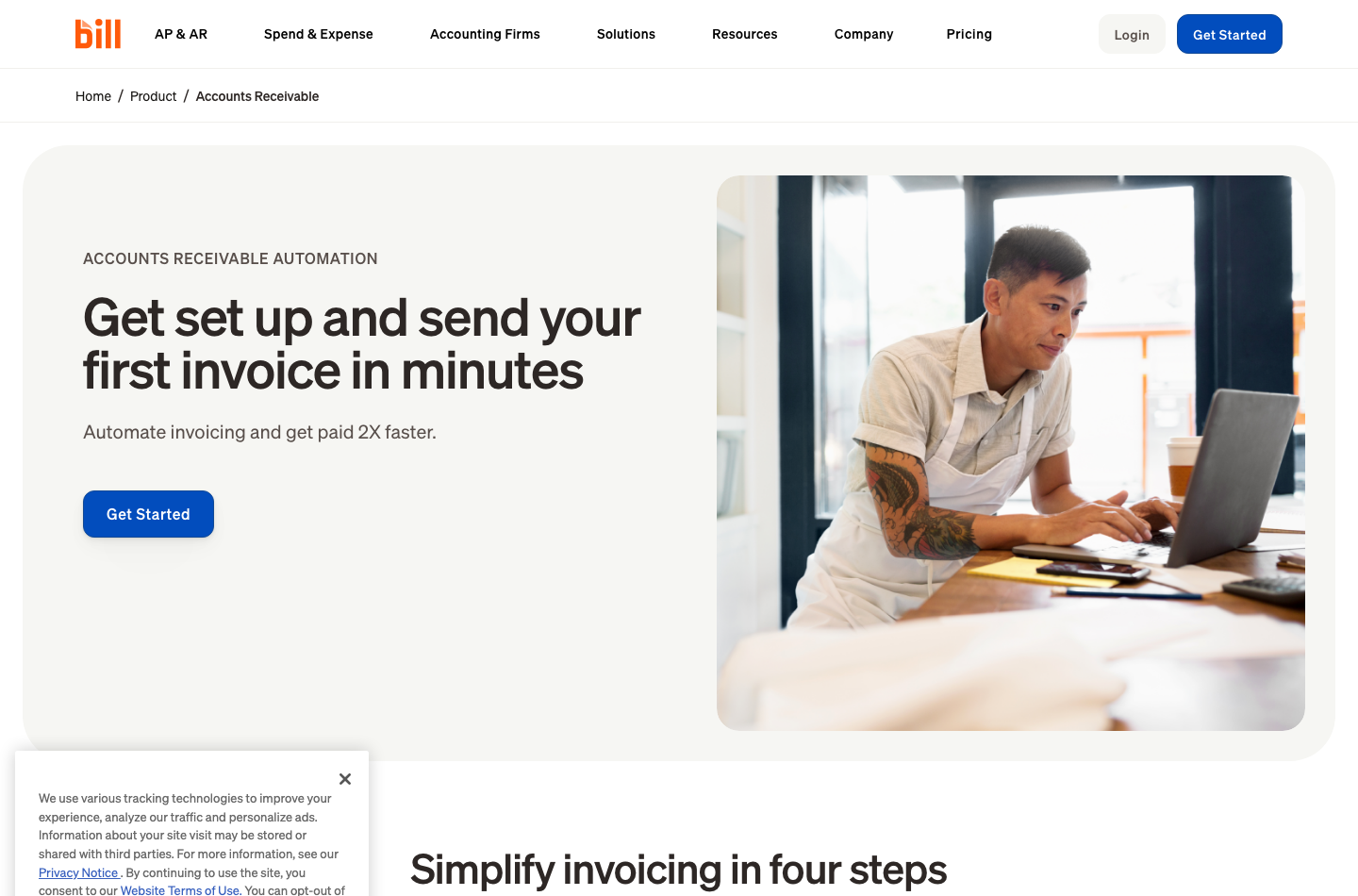
BILL also offers accounts receivable functions: creating and sending invoices, tracking payment status, reminders, and receiving eligible ACH or card payments. For a company already using a separate invoicing platform, this creates a choice: retain the existing customer experience and sync records, or consolidate invoice-related tasks within BILL.
The buyer should trial a recurring invoice, partial payment, refund and customer dispute. In every case, the customer-facing document, BILL status and external accounting ledger should agree. If the payment processor deducts a fee or settles on another day, record the gross receivable and net deposit correctly.
📑 BILL Accounts Receivable vs Pure Invoicing Tools
An invoice editor can send a professional-looking bill, but an AR system also needs policies for payment allocation, follow-up and reporting. If the finance team already uses QuickBooks invoicing successfully, adding a second invoice system could confuse customers and duplicate documents. Decide which application owns the invoice sequence before connecting both.
Conversely, when accounts payable and receivable are managed together, staff may have a clearer view of upcoming cash movement. The advantage should be demonstrated through actual closing procedures rather than vendor speed claims such as ‘get paid 2x faster’, which describe marketing results rather than an independently verified outcome for your company.
💼 BILL Spend & Expense Review: The $0 Software Offering
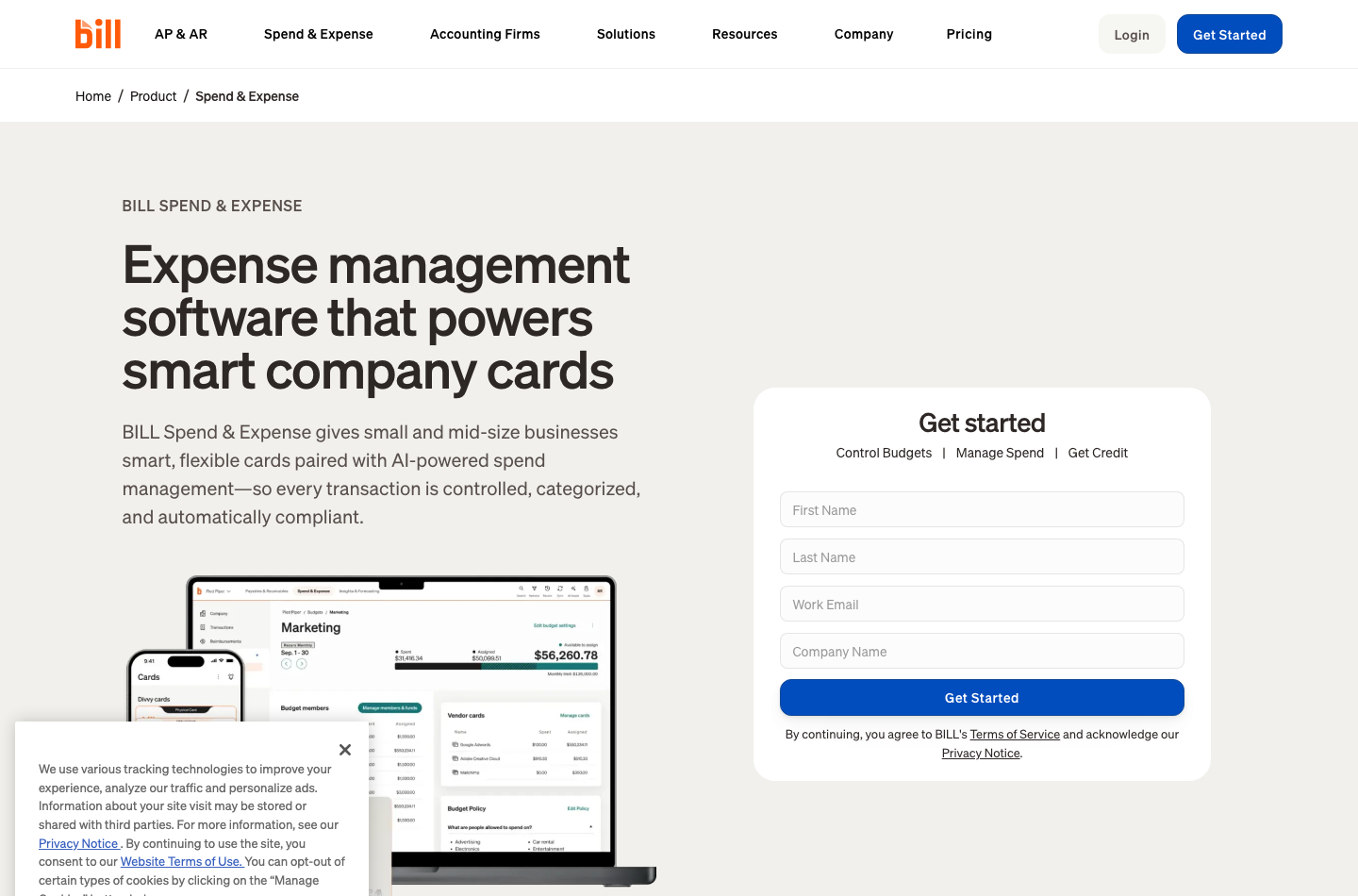
BILL Spend & Expense is a separate product family built around company cards, budget controls, employee reimbursements and transaction tracking. Its pricing page advertises $0 subscription and per-user software fees for the spend product. That does not mean the company’s credit line is guaranteed, or that fees, underwriting, card network terms and eligibility disappear.
A business might adopt Spend & Expense to give teams limits for advertising and cloud infrastructure purchases while keeping the central AP tool for invoices requiring approval. The practical question is whether those two streams end up correctly classified in the accounting ledger.
💳 Corporate Cards and Budget Owners
A responsible setup defines who can issue virtual cards, change spend limits, approve transactions and investigate unusual receipts. The platform cannot know whether a high-value purchase was authorized merely because it fits an available card limit. Establish exceptions and escalation paths.
When comparing Spend & Expense with Ramp or Brex, do not assume all providers offer the same rewards or credit terms. Eligibility, business underwriting, card acceptance, geography and partner banks all influence real cost and availability.
🔗 BILL Integrations with QuickBooks Online and Xero
Automatic accounting sync is one of the strongest arguments for a dedicated AP layer, but also a common point of implementation failure. The public plan comparison distinguishes manual import/export on Essentials from automatic two-way sync on Team and Corporate for certain QuickBooks or Xero editions. Enterprise adds other ERP options subject to agreement.
A useful integration test includes more than a successful first connection. Create a vendor and bill, change the vendor’s name, partially pay the bill, void one transaction and reconcile the bank ledger. Verify that the records stay consistent and that the account owners know where to correct errors.
A company using Zoho Books, Wave or an unsupported ERP should explicitly ask whether integration is native, provided through a partner, or requires an exported file. A generic ‘connect your accounting software’ badge is insufficient evidence.
⚖️ BILL vs Melio, Ramp, QuickBooks, Xero and Zoho Books
| Product | Core comparison | Buying question |
|---|---|---|
| BILL | Vendor bill workflow, approvals, payout and AR features | Do AP controls justify per-user and per-transaction costs? |
| Melio | Small-business bill payments and approval options | Do available methods, fees and ledger sync fit the business? |
| Ramp | Cards, spend controls and expense management | Is card-led spend the dominant workflow? |
| QuickBooks Online | Core bookkeeping and related bill workflows | Would a second AP layer add value or duplicate work? |
| Xero | General ledger, invoices and accounting collaboration | Does the business need dedicated approval routing? |
| Zoho Books | Books, purchasing and ecosystem automation | Can local edition permissions support the same control policy? |
🔄 BILL vs QuickBooks Online: Complement or Duplicate?
A company already using QuickBooks Online may not need to replace it with BILL. Instead, it may add BILL for invoice approval and disbursement while leaving the ledger in QuickBooks. The two tools then become a connected workflow with different owners.
Our QuickBooks review addresses broader accounting features. The meaningful test is whether BILL reduces manual supplier work and errors enough to justify another subscription plus transaction fees.
💼 BILL vs Ramp and Melio
Ramp’s card and expense emphasis can overlap with BILL Spend & Expense, while Melio is another option for supplier payments. Differences in the eligible business entity, bank rails and supported approvals may determine the shortlist before the headline subscription price.
For a company whose principal issue is card-spend visibility, evaluate Spend & Expense rather than subscribing blindly to the AP package. For a company whose problem is supplier invoice approvals, start with the AP workflow. These are adjacent purchasing problems, not interchangeable products.
🔗 BILL vs Zoho Books and Xero
Zoho Books and Xero have their own purchasing and accounting modules. BILL may complement those tools when approvals or vendor disbursements grow more complex. Integration depth must be verified independently; don’t assume the same features that work with QuickBooks are available with every alternative.
The wider objective is consistent records: approved expense, actual payment, bank withdrawal and ledger posting. A buyer should prioritize clear system ownership over the largest number of advertised integrations.
✅ BILL Pros and Cons
| Strengths | Potential drawbacks |
|---|---|
| Dedicated vendor invoice and approval workflow | AP/AR pricing is per user, not per company |
| Separate audit path from bill arrival to payment | Standard and expedited transactions carry fees |
| Automatic two-way sync on appropriate plans | Essentials integration is more limited |
| Approver roles, policies and spend controls | Role/approval design must be configured |
| Spend & Expense has no base software subscription fee | Credit eligibility and transaction/card rules still apply |
| Enterprise integrations for larger workflows | Contracts and rollout can be complex or costly |
🧪 Practical BILL Evaluation Checklist
These are recommended tests, not tasks DigiOffly has completed in a paid account.
1. Capture two similar supplier invoices. Ensure staff can distinguish a duplicate from a legitimate correction, including when filenames or dates differ.
2. Run an approval chain. Assign sample requests to a department manager and finance approver. Verify who can change supplier bank details and who can release payments.
3. Reproduce one failed payment. Use controlled, permitted test conditions or vendor demonstrations. Confirm the ledger and vendor status record the failure, not a false completed payment.
4. Test accounting sync end to end. Validate bill entry, partial payment, void, refund and general-ledger reconciliation. Document where any exception must be corrected.
5. Price the actual transaction mix. Multiply employee seat counts by the chosen plan, then add ACH, checks, urgent transfers and any international wires. Obtain quotes for discounts rather than guessing.
6. Review country and bank eligibility. Confirm the actual legal entity, banking country and authorized financial users are supported by the relevant service.
🔐 Security, Access and Responsible Payment Controls
Financial workflow tools can move real money, so their security requirements are higher than those of an ordinary task application. Require role separation, secure authentication, approval evidence, vendor validation, account monitoring and a documented response to suspected fraud. Review what banking permissions the product and users actually receive.
Credit lines are subject to underwriting; a published potential range is not a promise of availability. International payment options do not imply every company worldwide qualifies for a standard US account. Verify both before migration.
📈 BILL Invoice Approval Economics: A Worked Example
Consider a firm with three AP/AR users and 150 routine US payments each month. If all payments qualify for the currently listed $0.59 standard ACH rate, Team’s three seats cost $195 monthly and the ACH fees add $88.50, before taxes and implementation.
| Illustrative monthly Team scenario | Calculation | Amount |
|---|---|---|
| Three Team users | 3 × $65 | $195.00 |
| 150 qualifying ACH payments | 150 × $0.59 | $88.50 |
| Monthly subtotal | Seats + selected ACH fees | $283.50 |
| Annualized at unchanged volume | $283.50 × 12 | $3,402.00 |
That $3,402 figure is a modeled operating expense, not a quoted BILL subscription package. If the company sometimes pays by mailed check, expedited bank transfer or cross-border USD wire, the figure increases. Credit card, refund and other processor fees may also matter.
Compare that expense with the cost of duplicate bills, missed discounts, late fees and staff time spent checking payment status. But avoid claiming a percentage productivity gain until the organization measures its baseline and repeatable improvements. Automating approval routing is useful only when staff still investigate the unusual bills and payment changes.
🔎 BILL Vendor Approvals: An Anti-Fraud Scenario
Suppose a legitimate vendor emails a notice that its bank account has changed. The email address looks familiar, but a compromised mailbox could send the same request. A safe company policy requires a person independent of the request to verify the account change using a previously validated contact channel.
Within BILL, define who can edit vendors, who approves invoices and who initiates payments. A single user with unrestricted ability to change all three steps undermines much of the value of approval software. Test the exact restrictions in the organization’s plan rather than assuming an ‘approval workflow’ label provides separation of duties by default.
🛡️ BILL ACH Payment Fees and Faster Payout Choices
An approved payment and a settled payment are different financial events. BILL’s pricing distinguishes standard ACH from faster ACH options, instant transfer and physical checks. The cost difference may matter when a vendor offers an early-payment discount or when a critical service risks suspension.
For example, paying $11.99 for a faster ACH option could be rational if it avoids a much larger contractual late charge, but not if the vendor’s deadline is several days away. Use payment deadlines, banking cutoffs and weekends in the model. The displayed rate alone cannot confirm the actual arrival date.
💸 BILL Spend & Expense vs Dedicated AP Automation
The Spend & Expense product is often attractive to growing teams because its software subscription is advertised at $0. It is intended for controlled card spending and employee-related expense workflows, not as an unconditional substitute for payables and receivables automation.
A company might use card limits for cloud services and subscriptions while processing large supplier invoices through an approval chain. That separation can be sensible if purchases end up reconciled in the same accounting ledger. Before adoption, confirm card eligibility, merchant restrictions, receipt policy and which employees may issue new virtual cards.
📑 BILL Payment Audit: What Should Be Exportable?
For each vendor bill, an auditor should be able to identify the source document, coding decision, approval history, payment request and actual settlement. If an invoice was voided or reissued, the record should explain why without allowing an employee to erase all history.
During a trial or vendor demonstration, ask to export a representative transaction and its evidence. Ensure finance can reconstruct the sequence outside the BILL interface. The company should also document how a departing employee loses access, how emergency approvers are assigned and whether bank instructions require two independent confirmations.
🏁 Final Verdict: Is BILL Worth It in 2026?
BILL can be valuable when a business has outgrown email-based vendor approvals and wants consistent invoice intake, responsible sign-offs, payout records and accounting synchronization. The value comes from keeping the approval and settlement records together.
Essentials covers simpler operations, Team is worth considering when automatic two-way QuickBooks/Xero sync matters, and Corporate supports deeper policy and procurement needs. Enterprise is a negotiated choice. Spend & Expense is a separate no-base-software-fee product, not a free substitute for AP/AR automation.
A buyer should calculate the real annual cost from seats, transaction mix and implementation effort. The strongest adoption case is a measurable reduction in errors, duplicate bills and unapproved disbursements. Until that case is demonstrated, a smaller company may be better served by carefully configured features inside its existing accounting software.
🔎 Official Sources
BILL pricing and transaction fees · Accounts Payable · Accounts Receivable · Spend & Expense · Approver role reference · Service eligibility. Verified October 24, 2026.

BILL Frequently Asked Questions
How much does BILL cost in 2026?
BILL lists Essentials at $49, Team at $65 and Corporate at $89 per user per month for direct AP/AR customers. Enterprise has custom pricing; transactions cost extra.
Is BILL Spend & Expense free?
The separate Spend & Expense product advertises $0 software subscription and per-user software fees. Eligibility, cards, payment fees and credit underwriting still apply.
What is the BILL Essentials vs Team difference?
Team adds richer controls and automatic two-way synchronization with supported QuickBooks and Xero editions; Essentials lists manual CSV import/export for those integrations.
When should a business choose BILL Corporate?
Corporate is worth reviewing for custom approval policies, user roles and procurement controls. Request separate pricing for approver-only users where available.
What are BILL ACH payment fees?
The official payment schedule currently lists $0.59 for eligible standard ACH/ePayments from supported funding sources; expedited methods have separate prices.
How much is a BILL mailed check?
The current public pricing table lists $1.99 for a standard mailed check, with expedited check fees priced separately.
Does BILL include accounts receivable?
Yes. BILL offers invoicing, status tracking, payment reminders and eligible ACH/card collection through its AP/AR plans.
How does the BILL approver role work?
An approver can inspect pending vendor bills and credits, review details and authorize items according to the configured permissions and policies.
Is BILL an alternative to QuickBooks Online?
Often BILL complements rather than replaces the ledger. It handles bill collection, approvals and payment workflow while the accounting software records the general ledger.
Does BILL support international companies?
The standard terms have US residency eligibility rules with defined exceptions for certain Canadian and international services. Confirm eligibility for the specific legal entity and product.
Can BILL prevent all invoice fraud?
No. Approval permissions, vendor validation and duplicate controls can reduce risk, but banking changes and unusual disbursements still require independent verification.
EXPLORE NEXT ON DIGIOFFLY
Compare Payables, Accounting and Spend Tools
Explore accounts payable, accounting ledgers and corporate spend options.
Explore finance software
- Finance Software Reviews — Compare accounting, payments and operations.
- QuickBooks Online Review — Explore general-ledger alternatives.
- Xero Review — Compare bookkeeping workflows.
- Ramp Review — Compare employee cards, budgets and expense automation.
- Brex Review — Compare corporate cards, controls and spend workflows.
Find useful alternatives
- Best Software — Browse editor-selected tools.
- AI Software Finder — Filter by your business needs.
- Compare Software — Evaluate competing products.
Plan your software spend
- Software Cost Calculator — Model seats and subscriptions.
- Best Value Advisor — Compare practical value.
- Software Directory — Browse the complete product catalog.
- Expensify — Receipts, expense approval and employee reimbursements