

Research note: this review uses official Adobe product pages, plan terms and Help Center documentation checked November 14, 2026. The interface images are Adobe documentation illustrations, not screenshots of an independently tested paid account. The scenarios and cost examples are our editorial evaluation framework, not measured performance results. Prices are US references before taxes unless otherwise indicated; account, country and renewal terms may differ.
The first draft of a social graphic is rarely the difficult part. The difficult part is getting the same campaign into five sizes, correcting a price after approval, giving another person edit access, and publishing the right version without losing the source files. Adobe Express addresses that middle stretch of creative production: the work between an idea and an approved deliverable. This Adobe Express review 2026 examines whether that workflow is worth paying for, how the new creative AI options fit, and which parts of a professional design stack you should keep.
Adobe Express is a browser and mobile content editor, built for people who need usable designs without mastering a professional graphics application. Its templates, brand tools, image adjustments, video editing and scheduling share a workspace. The central buying question is not whether every feature is impressive in isolation. It is whether the product can reliably complete the recurring tasks for your business. A freelancer who needs one transparent graphic every week has different requirements from a marketing department that needs organization-owned templates and a predictable approval process.
🎯 Adobe Express at a Glance: The Short Verdict
Adobe Express Free is a sensible starting point for simple graphics, lightweight edits and occasional social posts. Premium is an attractive individual option at $9.99 per month with no annual commitment, particularly if you need premium assets, more creative tools, 100 GB of storage or a repeatable resizing workflow. Teams is a different purchase: the published introductory and renewal figures apply to a minimum of two licenses on a twelve-month commitment. The team price is not an unrestricted individual monthly subscription.
For a small company that already uses Photoshop, Illustrator or other Adobe tools, Express can bridge the gap between a professional designer and the colleagues who need to adapt finished assets. It is not necessary to purchase the entire Creative Cloud suite to use Express. Conversely, the standalone subscription does not turn into a full professional desktop editing package simply because several tools share a brand name. The value depends on which products are already available to your team.
Our practical recommendation is to begin on Free, complete a small production deliverable, and upgrade only after identifying a blocked task. If the job requires several people to edit brand materials, verify who owns the files, what controls a template can enforce and which licenses are necessary. For an AI-heavy campaign, check the separate Firefly plans rather than assuming the Express Premium allowance will cover every advanced generation.
🧭 What Adobe Express Actually Does
Think of Adobe Express as a production workspace for repeatable communication. A local shop needs a product announcement, a price card, a story-format design and a short promotional clip. A consultant needs a presentation and a client-ready one-page PDF. A designer may produce the master artwork elsewhere and hand a simplified editable version to the marketing team. All three examples involve arranging text, pictures, shapes and media into a deliverable with known dimensions.
The editor organizes work around projects, files, templates, layers and brand assets. That structure matters more as the number of campaigns grows. A one-person business might name a file after a promotion and export it directly. A team needs a clear distinction between the master design, an editable copy, a version awaiting approval and the file that actually goes live. Start by deciding which person owns each stage; the software does not automatically establish editorial responsibility.
Adobe documents importing common design and document formats, including Photoshop and Illustrator assets and PDFs. It also documents exporting designs in various formats. These are useful routes for collaborating with other tools, not a promise of lossless conversion between every complex document and every application. Before committing an existing library, choose a representative file with unusual fonts, layered imagery and multiple pages and inspect the resulting editability.
One important distinction is the type of interface you need. Adobe Express is available on the web, on mobile devices and as a progressive web app on desktop. The PWA is an installed web experience, not the same thing as a fully independent desktop image editor. If your work happens on an unreliable connection or involves large assets, test your actual device and network before promising an offline workflow.
🖥️ Adobe Express Templates and the First Design
Start with a real task rather than browsing an endless template library. For a bakery announcing a weekend offer, choose a square graphic, import the approved logo and product photograph, and write one short headline. Select a template whose hierarchy works with the message: the product name, price and date must remain readable when viewed on a phone. A visually attractive template can still be unsuitable if its text areas are too narrow or its image crop hides the product.
Build the first design with assets you have permission to use. Replace the template imagery instead of assuming every image in a sample is licensed for your intended campaign. Check whether the asset carries a premium indicator. Then compare the exported image with the canvas: text, line breaks, colors and transparency can behave differently after exporting to a particular format. The purpose of the first test is to establish an end-to-end path, not to compare template counts.
Adobe Express Premium adds a broader selection of templates and premium creative assets. That saves time only when those assets match the work you regularly produce. A person who already has a set of approved photos and fonts may discover that the free editor covers most jobs. A person producing fresh campaign layouts daily may find premium stock and resizing tools more valuable than a larger AI allowance.
After exporting the first square graphic, create a second version with a deliberately longer headline. Check whether the text wraps into an awkward location or overlaps a brand mark. Resize it to a story layout and inspect the placement of important content. Finally, ask someone else to change the headline without opening the original master. These tests expose the ordinary failures that a pristine demonstration does not show.
🎨 Adobe Express Brand Kits and Team Controls
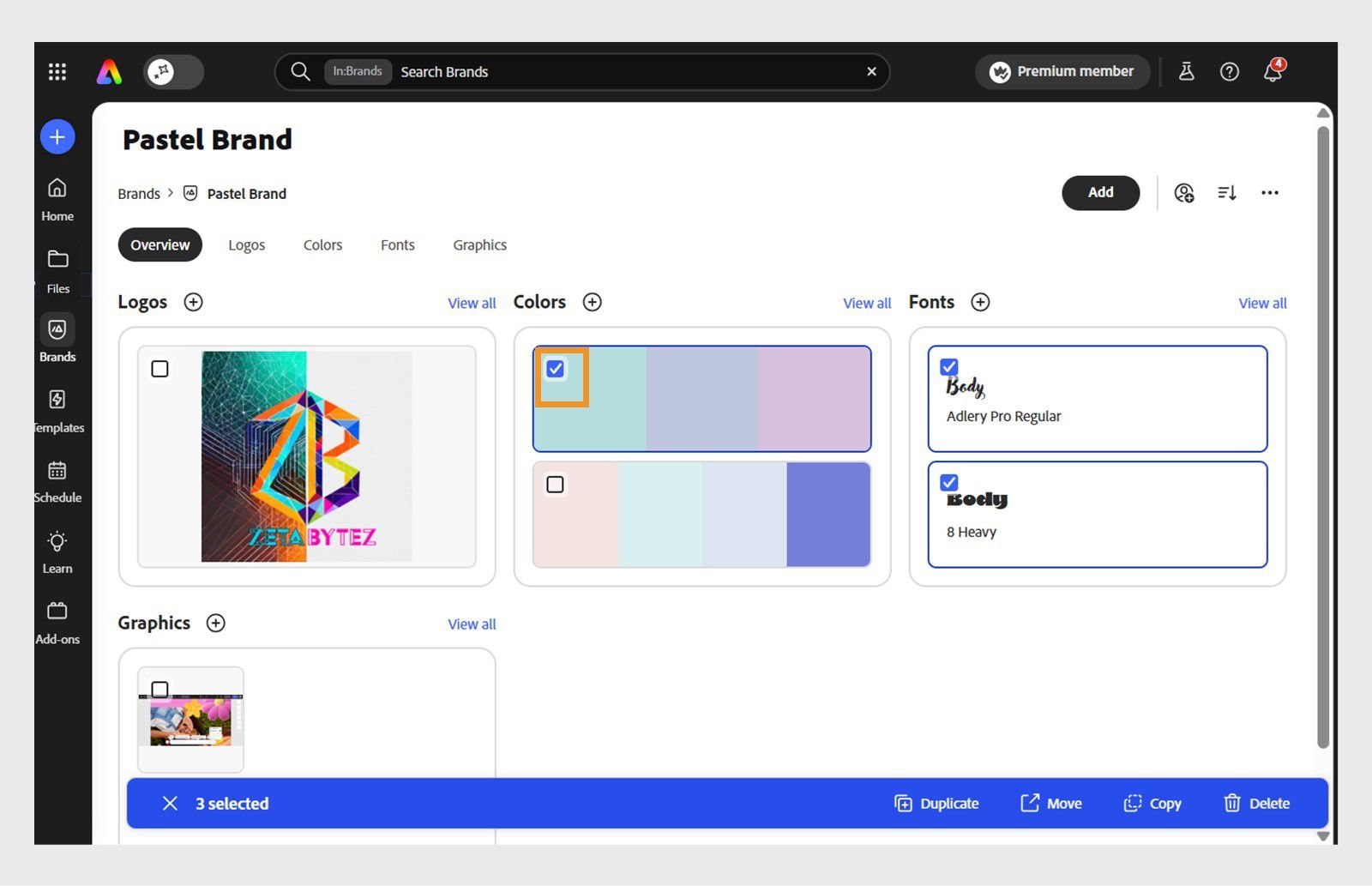
A brand kit is a way to reduce recurring decisions, not a substitute for design judgment. Start with a short guide: primary and secondary logo, approved colors, font choices, minimum logo size, and examples of prohibited layouts. Keep the original files and license information in a location the company controls. In Adobe Express, brands and projects can make these resources accessible to people adapting campaign material.
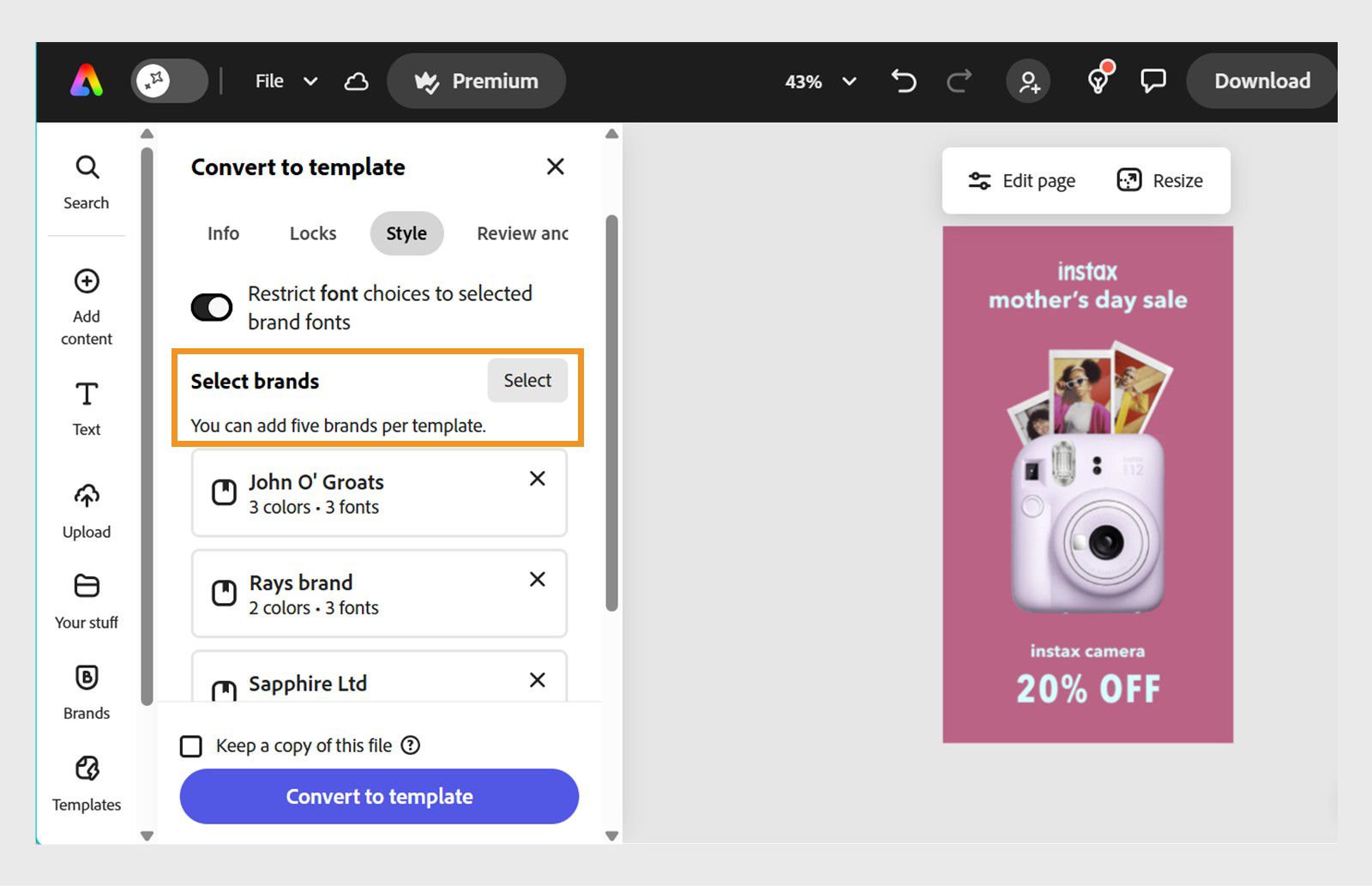
The official Teams plan includes controls for brand consistency and restricted template editing. Adobe documents custom templates that can limit changes to selected elements or font choices. That can be useful when a distributed team needs to alter the offer date or location without changing the logo or type hierarchy. Set up a master template, make a test copy and verify exactly which actions the intended role can perform. A restriction visible in the designer’s account is not proof that a colleague with a different role is prevented from bypassing it.
The second concern is ownership. The organization should retain the source assets and work when a staff member leaves. Adobe Express Teams includes organization asset-management capabilities and administration through Adobe Admin Console. Confirm the account profile and the relevant sharing restrictions with the person responsible for access. Before rolling out a brand kit to an agency or franchise network, test how an external collaborator is invited, how access is revoked and whether their changes persist in the organization’s project.
The example images in this review show Adobe’s documented brand overview and template control interfaces. They demonstrate the type of settings that exists, not an independent guarantee that every account has every control. Plan and organization permissions determine what is available. A purchaser should validate the specific brand policy in a small team pilot before migrating the entire content library.
🤖 Adobe Express AI and Firefly Generative Credits
Adobe Express integrates creative AI features that can help start a design, generate an image, remove or replace elements and create variations. The official pricing comparison lists Premium with 250 generative credits each month. Teams lists 250 per user per month, while Free has a limited allowance of daily generations on selected models. Do not interpret a generation credit as one finished graphic: feature, model and output choice can affect how the allowance is used.
For an actual campaign, decide which part of the creative work should use AI. If you need a background variation behind a real product photograph, keep the product itself accurate and review the generated background for distracting artifacts. A text-to-image concept can support ideation, but the company still needs to check claims, colors, logos and product characteristics. AI-generated typography is not a substitute for proofreading the actual headline or legal disclaimer.
Adobe publishes separate rules for standard and premium generative features. Some Express functions currently do not consume generative credits; the November 2026 Adobe credit FAQ identifies Generate Text Effects, Generate Presentation and Clip Maker as examples. Other image, video, sound and partner-model features can have different consumption rules. Check the current feature-specific schedule before estimating a budget. The allowance renews according to the subscription terms, and additional credit purchases are a separate decision.
Firefly Pro is a separate Adobe package with a published individual monthly price of $19.99 and 4,000 generative credits. Adobe lists Express Premium and Photoshop on web and mobile among the included applications. This package is worth considering if creative AI is a substantial part of the workflow, rather than buying standalone Express Premium and a second overlapping subscription by default. Verify the membership and the organization profile that actually receives the entitlement.
The right measure of AI value is cost per approved result. A short experiment might involve one product background, three alternative graphics and a five-second motion concept. Record the number of usable outputs, rejected attempts, corrections and credits consumed. A tool with a generous allowance can still be inefficient if it produces many drafts that cannot pass the brand or legal review. Conversely, a person who rarely uses generation may be perfectly served by a smaller allowance.
🎬 Adobe Express Video Editing, Captions and Motion
The built-in video workflow is suited to many short-form tasks: assemble clips, add text, adjust timing, trim footage, apply animation and use supported caption or background-removal features. Consider a twenty-second product demonstration with an introduction, close-up and call to action. A useful test is whether you can keep the text readable in a vertical crop, align captions to speech and maintain consistent audio when you combine two recordings.
The advantage of a shared design and video workspace is continuity. A graphic from the campaign can become the opening frame, the brand assets can be reused, and the finished clip can be exported for the intended channel. The tradeoff is depth. A project needing advanced audio post-production, complex multicamera editing, detailed color correction or a long timeline may be better handled in a specialist editor such as Premiere Pro or DaVinci Resolve.
Test a short clip from the real source device before buying a plan. Check the import format, orientation, frame timing, speech captions, background-removal edges and the final exported file. Open the result on a second device; do not assume the preview represents the final compression or the appearance on a social platform. If the final clip uses music, verify the license covers the intended publication and commercial account.
Some Adobe Express Premium tools may be more convenient than their Free counterparts for repeating the same job across sizes. But a premium editing subscription cannot repair poor source audio or a video that was recorded at an unsuitable angle. Start with a clear production brief, then select the software capabilities that reduce the steps between footage and delivery. A small project is a better buying test than a feature list.
📅 Adobe Express Content Scheduler and Social Media Workflow
The Content Scheduler is useful when a small team designs and publishes its own social material. Adobe documents drafting, previewing, scheduling and posting through connected accounts. Free supports one account per supported social network; Premium and Teams list up to three accounts per network. The exact platforms, supported media and account permissions differ, so a successful connection to one social network does not establish that every campaign format works everywhere.
Consider a shop that publishes four products a week. The marketing lead can prepare all graphics in one project, create captions and schedule them in advance. That might replace a separate simple scheduler if the required accounts, calendar view and publication features are supported. It will not automatically replace a platform dedicated to complex social analytics, community management or multi-brand approvals.
In a real test, create a non-sensitive draft and preview the exact post. Inspect the crop, caption, accessibility text and destination account. Check that the person connecting the social profile has the necessary authorization. Adobe notes that social connections can expire and require reconnection, which means the team should review scheduled posts before a major launch. A disconnected account is an operational problem even if the underlying design is finished.
Use a single calendar of record. If a company already has a social media management service, decide whether Express will own publishing or just design. Do not schedule the same post in two systems. Record the responsible person and the final asset location; a handoff that requires repeated copying and renaming can cancel the time savings from the editor.
📄 Adobe Express PDF Editing, Presentations and Adobe Integrations
Adobe Express can handle lightweight document and presentation work as part of the content workflow. Its documentation covers PDF import and editing, presentation templates, PowerPoint import and supported export options. A small business may use it for a product sheet or a simple pitch deck. Inspect the imported page boundaries, fonts, tables and embedded images rather than assuming a complex document remains fully editable.
For a presentation, build one slide with a chart, one with a long heading and one with a photograph. Export the deck in the format your client requests and open it in the receiving application. If the recipient needs to change the chart or edit individual layers, verify that those objects survive the handoff. A visually correct PDF and an editable presentation solve different problems. Keep the master file before exporting.
Adobe also documents linked Photoshop and Illustrator assets. This is potentially useful when a designer updates a professional master file and the marketing team adapts the resulting imagery in Express. Access to the linked workflow may require the corresponding Photoshop or Illustrator membership. The standalone Express subscription should not be treated as a license for every Creative Cloud application.
For print, check the actual dimensions, margins, bleed, resolution, font handling and color requirements with the print provider. Adobe documents PDF exports with a CMYK profile, but a file made from a social template is not automatically ready for every commercial printer. If a job includes specialist prepress, fine typography or a complex publication, a dedicated page-layout workflow may be more suitable. The useful distinction is between a quick document and a production-critical source file.
💳 Adobe Express Pricing in 2026: Free vs Premium vs Teams
Adobe Express Free is a continuing plan, not a time-limited trial. It offers basic editing, a subset of templates and assets, limited AI access and 5 GB of storage according to the official plan documentation. Adobe lists ten days of unbookmarked version history on Free, thirty days on individual Premium and 180 days on Teams and Enterprise. Keep important approved versions separately instead of assuming every cloud revision is retained indefinitely.
Adobe Express Premium costs $9.99 per month at the US public reference and is billed monthly without an annual commitment. It includes 100 GB of storage and 250 monthly generative credits. Twelve monthly payments would be $119.88 before taxes; that is arithmetic over a year, not a quoted annual prepayment plan. The public pricing page offers a trial, which is distinct from Free and may convert into a paid subscription unless cancelled according to its terms.
Adobe Express Teams is priced differently. Its published US offer terms require at least two licenses, a twelve-month commitment, and eligibility for the first-year offer. The introductory reference is $4.99 per license per month on an annual contract paid monthly, or $49.99 per license prepaid for one year. The stated current regular renewal reference is $7.99 per license per month with annual commitment or $79.99 per license prepaid annually. Renewal prices can change.
Five seats therefore have a first-year monthly invoice reference of $24.95, or a total of $299.40 across twelve monthly payments. The first-year prepaid amount is $249.95. At the stated regular prices, five seats cost $39.95 each month on an annual contract, equivalent to $479.40 over the year, or $399.95 prepaid. This comparison excludes tax and assumes every seat qualifies for the same published plan. A license purchased through another channel or an existing account may have different terms.
Enterprise has individualized terms. Its public feature list includes additional security, account administration and integrations, with some plans eligible for specific indemnification arrangements. A large organization should ask for an actual quote, inspect the contractual terms and verify that the required controls apply to the chosen plan. Do not use the small-team list price as an estimate for an enterprise contract.
Adobe Express pricing is unusually easy to misread if you focus only on a large monthly number. The individual Premium plan is flexible monthly billing, while the discounted Teams offer is tied to a year. In DigiOffly’s cost model, the annual monthly-billed plan must not be presented as a cancel-anytime subscription, and the annual prepayment must not be multiplied by twelve again. The table below keeps those choices separate.
| Plan / term | US price | Included / commitment |
|---|---|---|
| Free | $0 | Continuing free; 5 GB; limited daily AI |
| Premium | $9.99/month | No annual commitment; 100 GB; 250 credits/month |
| Teams first year — annual billed monthly | $4.99/license/month | Minimum 2; 12-month commitment; eligible new customers |
| Teams first year — annual prepaid | $49.99/license/year | Minimum 2; 12-month commitment |
| Teams regular — annual billed monthly | $7.99/license/month | Minimum 2; renewal then-current rate |
| Teams regular — annual prepaid | $79.99/license/year | Minimum 2; renewal then-current rate |
| Enterprise | Custom quote | Plan-specific controls and terms |
| Firefly Pro (separate bundle) | $19.99/month | Includes Express Premium; 4,000 generative credits; separate Firefly subscription |
🆚 Adobe Express vs Canva and Other Alternatives
For most small businesses, Adobe Express vs Canva is the obvious comparison. Canva Free and Adobe Express Free both allow a user to begin with basic design work. At the published individual monthly references, Adobe Express Premium costs $9.99 while Canva Pro costs $18; Canva Pro has a $144 prepaid annual option. This does not mean the cheaper plan always produces a lower total cost. Existing templates, collaboration habits and the source assets that must be retained are practical constraints.
Canva Business is a candidate for teams with a mature template workflow and shared design assets. Adobe Express Teams offers lower public US regular seat references in this comparison but binds the buyer to a twelve-month commitment. Decide whether the required brand controls, review workflow and organization ownership work for the actual team. Our dedicated Canva vs Adobe Express comparison breaks out the team costs and proposes a repeatable test using identical assets.
If your main problem is expressive AI image generation, an application like Midjourney or Leonardo AI may be a better creative ideation tool. If your problem is detailed image manipulation, a specialist image editor may be necessary. If the bottleneck is professional video, the correct comparison may involve Premiere Pro or DaVinci Resolve instead. Express can remain the place where approved campaign materials are assembled and distributed.
Make a list of the tasks that each current subscription performs. If Adobe Express can take over an occasional resize, but your designer still needs the specialist application for master files, the old subscription is not eliminated. Avoid counting savings that depend on removing a tool the team still requires. Test one actual handoff and identify which product becomes redundant, if any.
| Decision | Adobe Express | Canva |
|---|---|---|
| Solo paid | Adobe Express Premium: $9.99/month, no annual commitment | Canva Pro: $18/month or $144/year prepaid |
| Team regular | Adobe Express Teams: $7.99/license/month on annual contract; $79.99/license/year prepaid | Canva Business: $25/person/month; $250/person/year prepaid |
| Team first year | Eligible Adobe Express Teams: $4.99/license/month on annual contract or $49.99/license/year prepaid; minimum 2 seats; regular renewal applies | No Canva introductory price assumed |
| Core workflow | Quick design, Adobe integrations, brand assets | Template-led design and presentations |
| Free | Continuing Free | Continuing Free |
| What to test | Asset ownership, linked files and export | Template library, permissions and handoff |
Read the full side-by-side guide:
🔐 Privacy, Licensing and Professional Use
Before using Adobe Express for client work, identify where each asset came from. Adobe Stock assets available through Express have licensing rules; the collection does not automatically include every premium or editorial asset available through a separate Stock product. Some assets or features have limited-license conditions. A template can include a mix of images, fonts and music, and the license needed for one deliverable may differ from the license needed to redistribute a standalone asset.
Adobe describes Firefly features as designed for commercial use, with some enterprise offerings eligible for additional intellectual property protections. That does not guarantee that every generated output is free of third-party claims or appropriate for every purpose. Check the model used, the prompt and input rights, output terms and client requirements. Partner models may have different conditions. Avoid using an AI image to reproduce protected logos, recognizable people or misleading product attributes without permission.
For sensitive materials, check the selected account profile, sharing permissions and organization policy. A file shared through a public link may have a different access model from a file restricted to a project member. Verify exactly who can open the link and whether it is possible to revoke access. Use synthetic sample data during a permissions test; do not upload confidential customer information to an unapproved AI or cloud feature.
Maintain a source archive. Keep approved brand assets, licenses, final exports and the original editable file in a location the company controls. A cloud version history helps with corrections but is not a complete backup strategy. When a staff member changes roles, review their connected social accounts, access to projects and ownership of shared templates. A reliable content operation requires those administrative steps whether the editor is Adobe Express or another platform.
🧪 Three Practical Adobe Express Workflows to Evaluate
Workflow one is a solo creator publishing a weekly tutorial. Prepare a cover image, one square promotional graphic and a fifteen-second clip. Start on Free and record which required assets or exports are blocked. If premium resizing, stock assets or editing tools remove a recurring step, try the individual paid plan only after confirming the real billing term. Do not pay for a team feature that has no role in this workflow.
Workflow two is a two-person business producing location-specific flyers and social announcements. Create one brand kit and one master layout. Give the second person edit access to a copy, then ask them to update the address without changing the logo or approved fonts. Check the exported results and organization ownership. If the team uses Teams, record the actual initial and renewal price for both licenses. The minimum two-seat contract makes the cost model different from two unrelated individual subscriptions.
Workflow three is a small agency with a professional designer and several content coordinators. The designer creates master assets in the appropriate specialist application, then the coordinators use Express to produce routine variations. Test one linked or imported asset, a brand restriction, a review handoff and an export. Remove a test collaborator and verify that the approved project remains accessible to the organization. If the process reduces routine requests to the designer, estimate the hours saved from actual trial records rather than invented figures.
These are proposed reproducible trials, not tests we claim to have completed in a paid Adobe account. For each workflow, use the same inputs, device and acceptance criteria when comparing an alternative. Record completion time, manual corrections, access problems, asset usage and the real subscription invoice. Repeat at least once after a short familiarization period. The outcome should tell you whether a feature solves a recurring problem, not just whether the software looks modern.
✅ Pros and Cons: What We Like and What Needs Improvement
The main strength is the breadth of ordinary creative tasks covered by Adobe Express in one workspace. The ability to move from graphic design to short video, simple documents and social scheduling can reduce handoffs for a small team. The individual Premium reference is clear and relatively modest; the free plan provides a meaningful way to evaluate the product without purchasing a subscription. The broader Adobe ecosystem may also make handoffs easier for a company already using those applications.
The main limitation is the gap between convenience and specialist depth. A template editor is not designed to replace every aspect of professional illustration, retouching, long-form video, advanced presentation production or prepress. Cloud and account dependencies also matter when the connection is unreliable. Generative credits and paid asset entitlements vary by plan, so the visible feature list does not tell you how much the intended workload will cost.
The team pricing deserves particular care: a low promotional monthly figure is attached to a twelve-month commitment and at least two seats. A renewal reference is not a permanent promise. Some users already have Express through another Adobe membership, so a separate purchase can duplicate an existing entitlement. The product is best evaluated with the real account and the actual intended plan, not by adding every advertised subscription.
A final practical disadvantage is switching cost. Rebuilding brand libraries, templates, sharing policies and publication routines can take time. If the current workflow works, a cheaper subscription alone may not justify migration. Keep the existing source files and test a representative project before making a full transition.
🏁 Final Verdict: Is Adobe Express Worth It in 2026?
Adobe Express is worth considering for a small business, solo creator or marketing team that repeatedly produces branded graphics, social assets, short clips and simple documents. The free plan is the correct starting point for a buyer who has not yet identified a paid feature they need. Premium is a reasonable individual upgrade if its creative assets, editing tools, storage or generative credits support a real recurring workload.
For organizations, Adobe Express Teams is potentially a strong value when organization-owned assets, brand restrictions and license administration are necessary. Compare the first-year and regular renewal figures and confirm the annual commitment. For more substantial AI generation, consider the separate Firefly Pro package before purchasing overlapping products. For advanced creative work, keep the specialist application that provides the required depth.
The practical conclusion of this Adobe Express review 2026 is straightforward: choose a deliverable, test the free or eligible plan, and pay only for the capabilities that remove a demonstrated bottleneck. Use our Software Finder and Cost Calculator to compare the complete stack, not only the editor. That is the difference between a tool that looks inexpensive and one that is actually useful at the end of a working week.
Frequently Asked Questions About Adobe Express

Is Adobe Express free forever?
Adobe offers an ongoing Free plan with limited assets, editing features, AI access and 5 GB of storage. It is separate from a Premium trial.
How much does Adobe Express Premium cost?
The US published reference is $9.99 per month with no annual commitment, before tax. Confirm the actual account price before subscribing.
What is Adobe Express Free vs Premium?
Free covers basic design and limited assets and AI. Premium adds more templates, creative assets, editing tools, 100 GB of storage and 250 monthly generative credits.
How much does Adobe Express Teams cost?
The official US terms list eligible first-year prices of $4.99 per license/month on a year contract or $49.99 prepaid per year. Current regular references are $7.99/month or $79.99/year. Minimum two seats.
Does Adobe Express include Photoshop?
Standalone Express is not a full Photoshop subscription. Firefly Pro includes Express Premium and Photoshop on web and mobile; linked assets may require the relevant separate membership.
How many AI credits does Adobe Express include?
Premium and Teams list 250 monthly generative credits per person. Free users have limited daily generation access. Actual credit consumption varies by feature and model.
Can I use Adobe Express for commercial projects?
Yes, it supports commercial workflows, but check the licenses for stock assets, music, fonts and generated content and any client-specific requirements.
Is Adobe Express better than Canva?
It depends on the task. Adobe Express Premium is $9.99/month at the US reference, while Canva Pro is $18/month or $144 prepaid yearly. Express may suit Adobe-linked assets; Canva may fit established template and presentation workflows. Compare the same design and team handoff.
Can Adobe Express edit videos?
It supports short-form video editing, trimming, captions, animation and other tools. Test the actual clip and export before replacing a specialist video editor.
Does Adobe Express work offline?
Express is a browser/mobile workspace, with a desktop progressive web app. Do not assume full offline functionality; test the required workflow and connection.
Can I schedule social media posts with Adobe Express?
Yes. Content Scheduler supports connected social accounts, with one account per supported network on Free and up to three on Premium/Teams. Check channel-specific media and permissions.
Official Sources and Editorial Research
The review draws on official public plan documentation, product guidance and examples. The following sources were checked for this edition; verify current plan and account terms before purchase.
- Adobe Express US pricing
- Adobe Express Teams offer and renewal terms
- Adobe Express Free plan
- Adobe Express Premium plan
- Adobe Firefly pricing
- Adobe generative credits FAQ
- Adobe Express version history
- Adobe Express Content Scheduler
- Adobe Express brand elements
- Adobe Express template controls
You can explore Adobe Express directly on its official website:
EXPLORE NEXT ON DIGIOFFLY
Explore More After This Adobe Express Review
Compare design tools, plan your creative workflow and check the subscriptions you really need.
Compare design and creative AI
- Canva vs Adobe Express
- Canva review
- Best AI image generators
- Best AI tools for small business — Choose a lean AI stack by task, usage and real subscription cost.
Complete the creative workflow
Plan a software stack
Prices and usage entitlements change. Confirm actual billing terms and asset rights before purchase.