

Editorial fact check: October 24, 2026. US-dollar reference prices are taken from the current GlideOS pricing page, which now lists Free, Basic, Plus, Pro and Enterprise; older Maker/Business charts may be outdated. Public-document research only: no production account, paid test or independent performance benchmark is claimed.
A team of six people tracks supplier visits in a spreadsheet. There are photographs, phone numbers, a status dropdown and too many tabs to explain to a new employee. A technician needs a phone-friendly screen to find a customer, attach a visit photo and mark the job complete.
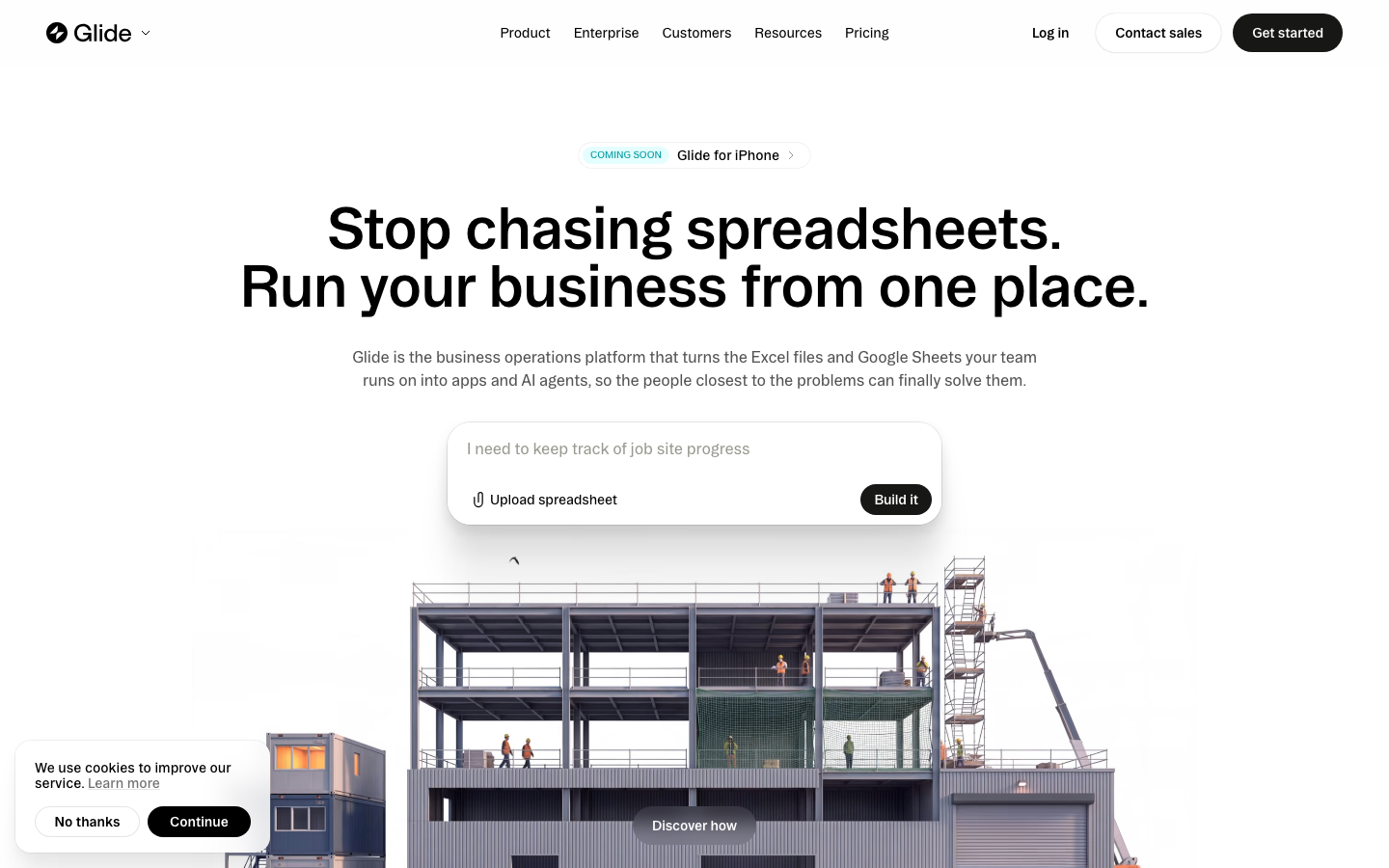
That is the appeal of Glide. Its app-builder approach turns structured information into interfaces and workflows without making every business hire a mobile developer. But the choice between a quick prototype and a dependable company tool depends on published app limits, GlideOS team member limits, integrations and, under the new GlideOS plans, credits.
This Glide review 2026 examines the current Free, Basic, Plus, Pro and Enterprise plans. We consider data-backed workflows, user permissions and recurring automation costs, with a fictional field-service tracker as an evaluation example. No claim of a hands-on production test is made.
📊 Review Summary
| Criterion | Finding |
|---|---|
| Product | No-code business apps and workflows in GlideOS |
| Free | $0/month; build and explore, but zero published apps |
| Basic | $25/month; two published apps, 100 credits and one enabled workflow |
| Plus | $50/month; five published apps, 250 credits and five workflows |
| Pro | $125/month starting price; unlimited published apps and workflows |
| Enterprise | Custom plan and security terms |
| Best-fit work | Directories, internal service trackers, shared field and ops workflows |
| Key constraint | Credits, published apps, team members and available integrations |
| Research status | Official website and support documentation review only |
🎯 Best-Fit Teams and Wrong-Fit Scenarios
Operations managers who want fewer spreadsheets. A readable customer list, a task status and a secure action button can remove a surprising amount of daily friction. Glide is attractive when the source data has clear owners and the team can explain exactly what each screen should show.
Small field teams. A technician may need a simple mobile browser-based workflow, not a public app-store release. A well-designed Glide interface can prioritize usable forms and records. Check offline requirements, photo retention and how connectivity problems are handled before relying on it in the field.
Sales and customer success. A lightweight portal can surface accounts, activities and next steps without asking colleagues to edit a complicated master spreadsheet. The important test is whether the right person sees the right record and updates flow consistently.
When to choose another platform. If the work requires an extensively customized consumer marketplace, a visual application framework such as Bubble may fit better. If the primary task is a back-office screen joining SQL queries and APIs, Retool may suit a technically staffed company. Glide’s simplicity is an advantage only when the workflow stays within its model.
💰 Pricing Plans in 2026
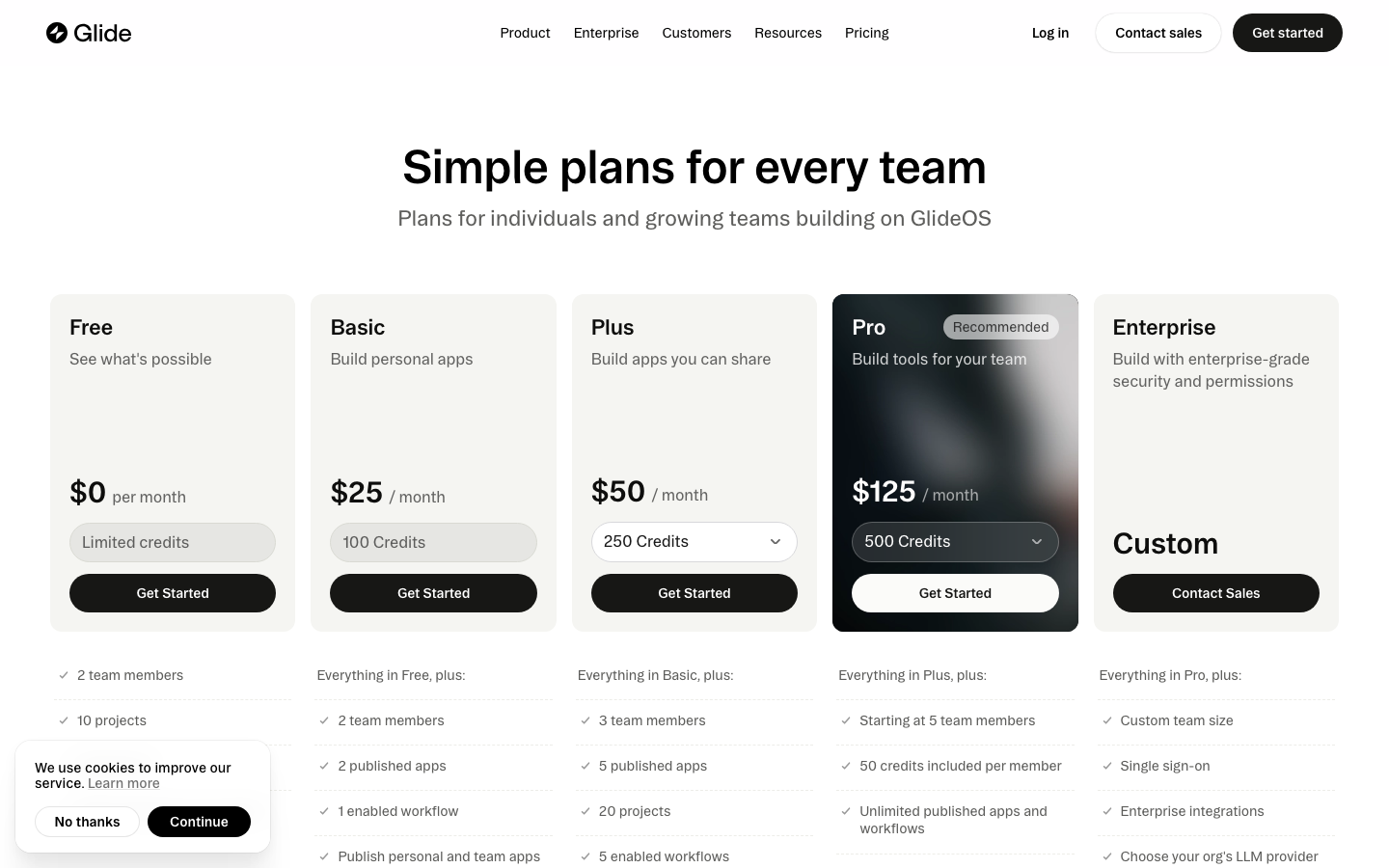
The current Glide pricing 2026 page has a different structure from many older articles on the web. In October 2026 it presents Free, Basic, Plus, Pro and Enterprise as GlideOS plans. Comparing an old Maker plan with the current Pro tier without acknowledging the change is misleading.
Basic starts at $25 per month, includes two team members, two published apps, one enabled workflow and 100 credits. Plus is $50 per month with three team members, five published apps and five workflows. Pro begins at $125/month with team controls, premium integrations and the ability to publish unlimited apps and workflows. Check the exact number of included credits, since Pro’s published card and full comparison detail show per-member allowances that depend on configuration.
The live pricing cards do not establish a universal annual discount in the excerpts used for this review. For the yearly estimate, we multiply the current monthly rate by twelve; we do not assume an annual discount.
| GlideOS plan | Displayed starting price | Published apps / team members | Included usage |
|---|---|---|---|
| Free | $0/month | 0 published apps / 2 team members | Limited credits; 10 projects |
| Basic | $25/month | 2 apps / 2 members | 100 credits; 1 enabled workflow |
| Plus | $50/month | 5 apps / 3 members | 250 credits; 5 enabled workflows |
| Pro | From $125/month | Unlimited published apps / starting at 5 members | 500-credit headline; per-member credit details apply |
| Enterprise | Custom | Contract-defined | SSO, enterprise integrations, service terms |
Glide’s page mentions credit top-ups on paid plans. A project that consumes AI actions or workflow credits can move beyond its base allowance even with few users. Conversely, a static read-only directory may have a lighter operational cost. Before upgrading, request the rate chart that maps your specific actions to credits and confirm top-up pricing. Source: official Glide pricing.
🧮 Illustrative Annual Cost Examples
The Glide app builder cost below is deliberately narrow: a twelve-month subscription reference without variable credits, additional members, taxes or implementation work. It is useful for comparing starting commitments, but not sufficient for a purchase order.
| Scenario | Reference calculation | Year-one price |
|---|---|---|
| One Basic workspace | $25 × 12 | $300 |
| One Plus workspace | $50 × 12 | $600 |
| One Pro workspace starting level | $125 × 12 | $1,500 |
| Two independent Basic subscriptions | 2 × $25 × 12 | $600 |
| Plus + $20 of hypothetical extra usage per month | ($50 + $20) × 12 | $840 illustrative only |
The $20 excess-usage line is an editorial hypothetical, not Glide’s published credit-pack price. A legitimate quote would substitute the vendor’s actual rate for the required credits and integrations. It is also important to compare plan capacity rather than buy two Basic workspaces if permissions or user access would be more economical in one larger team.
🧩 Features and Real-World Buying Criteria
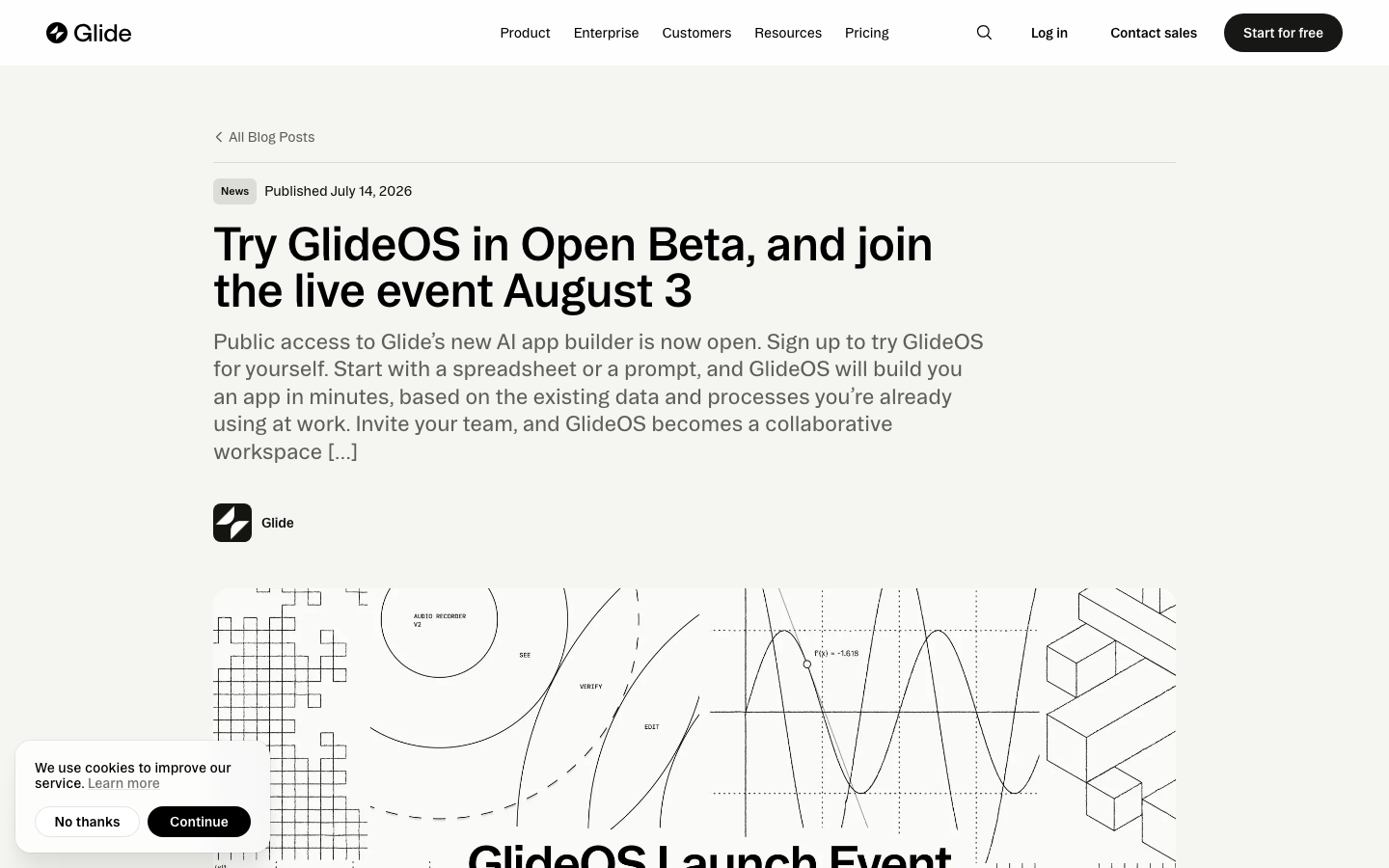
Visual app composition. Glide assembles layouts, components, lists, forms and detail screens from structured data. For a maintenance team, the winning interface may be three screens: Assigned Jobs, Job Details and Complete Visit. Resist adding a complex dashboard just because the builder supports it.
Data sources and model. An application is only as reliable as its source data. If a customer name is stored three different ways, adding a no-code interface will not repair it. Before building, define the unique ID, the people who can edit each field and the source of truth for all important records. Confirm which data connections are supported by the chosen subscription.
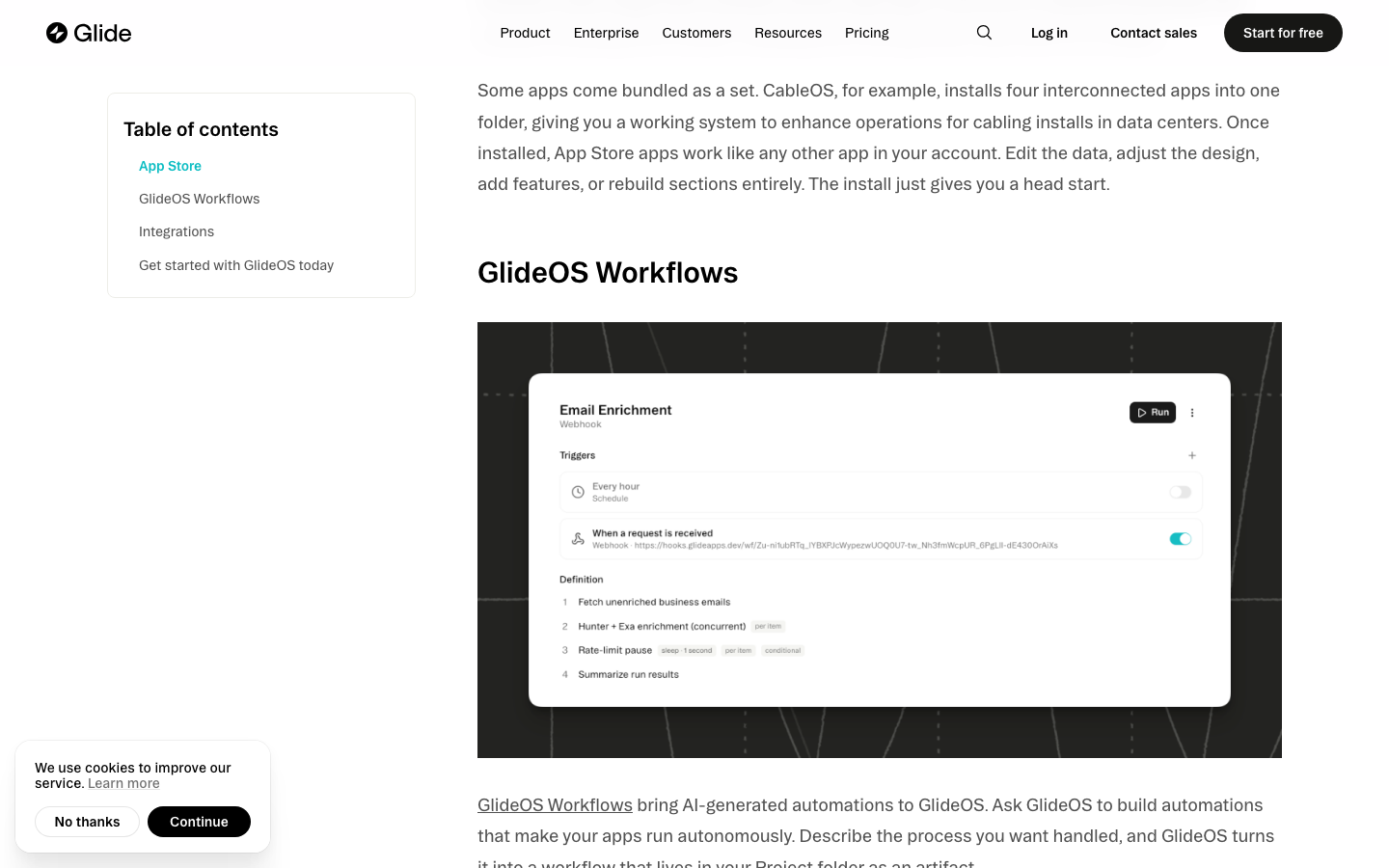
Actions and automation. Glide can attach actions to components and support enabled workflows, with counts and credit usage differing by plan. In a service tracker, a completed job might update status, write a timestamp and notify a supervisor. Verify if a retried action can cause a duplicate notification or inconsistent log entry.
Sharing and publication. Free is useful for exploration but shows zero published apps in the current comparison. Basic supports personal and team apps, while Plus supports public app publication. The distinction matters for public catalogs and client access. Test what a user sees without login as well as after authentication.
Team and organization governance. Pro is where organization-level roles and permissions appear prominently, together with premium integrations. An internal tool that handles payroll notes or sensitive customer details needs those controls more urgently than a hobby tracking app.
🛠️ Workflow to Test Before Paying
For an internal inventory app with Glide, try a hypothetical equipment checkout system. The goal is to test whether the product can run a daily process without turning the spreadsheet into an uncontrolled shared database.
- Prepare a sample equipment table: unique asset ID, condition, owner, photo reference and current checkout status.
- Create employee and manager roles and decide which fields each can view or edit.
- Build a list of available equipment and a simple check-out form; test on a narrow phone screen.
- Make the checkout action update asset status once, rather than each time someone refreshes the screen.
- Add a supervisor view for overdue returns and an audit-friendly activity log where supported.
- Simulate an employee viewing another person’s private note and verify that backend permissions, not hidden buttons, prevent it.
- Count usage credits from repeated edits, workflows and AI actions before choosing a paid tier.
This is a proposed acceptance test, not a report of activities completed in a private Glide workspace. Record whether users can complete the job without instructions, how data sync behaves on weak networks and which steps require an upgrade. If an offline-first mobile app is necessary, independently verify Glide’s capabilities for that particular mode.
🤖 AI, Integrations and Usage Limits
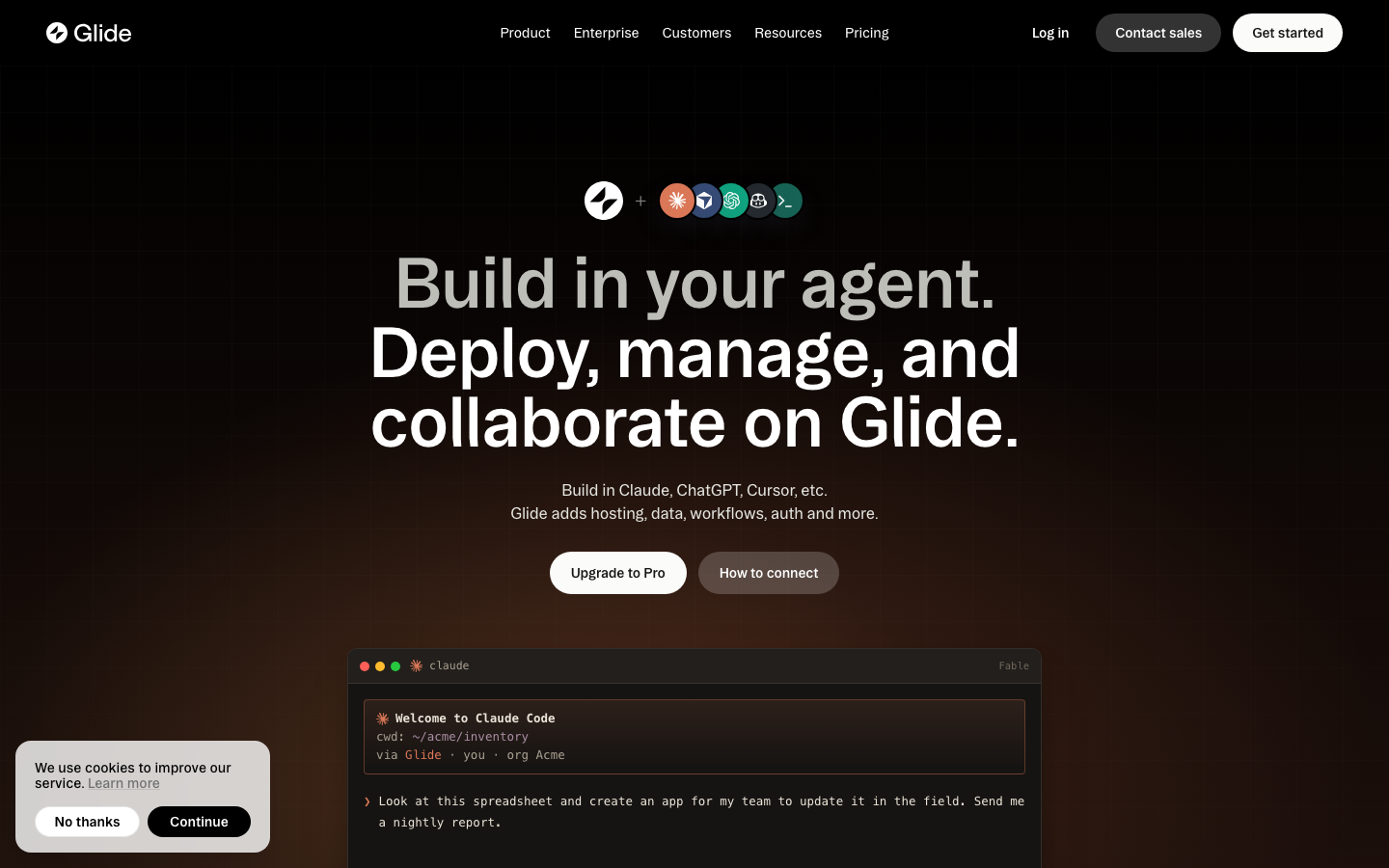
GlideOS promotes the ability to build AI features in apps, and the current pricing model displays credit allowances. The Glide AI credits budget therefore matters at two levels: which plan includes the feature, and what repetitive calls will cost at actual usage. Do not assume that 100 credits means 100 prompts or 100 users; the action-to-credit mapping must be checked.
Pro advertises the ability to work with an external agent through MCP. This is a capability, not permission for an unsupervised agent to edit every customer record. Restrict credentials, log actions and require human approval for financially meaningful changes.
A Glide app may connect with other services, but connectors do not eliminate their own API limits, charges or consent rules. A CRM-to-Glide sync should be tested in both directions and with a record that has been deleted or unsubscribed.
🔐 Permissions, Data Governance and Reliability
No-code permissions need to be evaluated at the data layer. If one employee can guess a record ID, will the service still stop them from viewing it? Test unrelated sample accounts in the published app and confirm role-based restrictions actually apply. After a worker leaves the company, test whether old shared links still reveal customer visits.
For a Glide team permissions assessment, name a responsible administrator, document the onboarding and offboarding procedure, enforce authentication where needed and check whether Enterprise SSO is mandatory under your company policy. Keep recovery exports of underlying data.
A typical Glide project connects to operational records. Decide how long uploaded photos and employee notes should persist and what happens when a connected data source is unavailable. Test restoration rather than assuming a promised backup feature applies to every plan.
⚠️ Trade-Offs and Operational Risks
Plan-lineup confusion. Old Glide Maker or Business reviews are not reliable substitutes for the current GlideOS Basic/Plus/Pro pricing page. Verify the account’s actual billing plan.
Credit consumption. AI and workflows can make a low seat count a misleading predictor of cost. Estimate usage using a representative sample rather than extrapolating from one button click.
Publishing limits. A beautiful prototype is not public-ready on Free. Basic and Plus also cap the number of published apps and workflows.
Source data design. Poor field definitions or shared editing permissions become visible as inconsistent user experiences. Data stewardship is part of the implementation.
Customization limits. Glide deliberately emphasizes structured business interfaces. Unusual interactive behavior or advanced mobile-native requirements may push a project into another tool or custom development.
⚖️ Alternatives Compared
Editorial comparison: GlideOS should not be confused with older Glide Classic plans. Its present focus is AI-assisted internal business apps, so comparing it with Bubble, Softr and Retool is more useful when the same dataset, access rules and recurring workload are tested.
| Platform | Who should shortlist it | Build pattern | Budget drivers | Main limitation |
|---|---|---|---|---|
| GlideOS | Operations team modernizing spreadsheets | AI-assisted app and shared project | Published apps and credits | Plan quotas and customization |
| Bubble | Founder building a custom product | Visual UI, data, workflows | Workload units and plan | More complex modeling |
| Softr | Team launching a simple portal | Templates linked to data | Users and advanced features | Custom app logic narrower |
| Retool | Developers building database consoles | Queries, components, APIs | Builder and user seats | Engineering owner required |
Buyer decision matrix
| Evaluation task | GlideOS | Bubble | Softr | Retool |
|---|---|---|---|---|
| Turn spreadsheet into team app | Core value proposition | Possible with modeling | Good for familiar portal | Possible with setup |
| Custom consumer marketplace | Limited fit | Deep customization | Mostly portal patterns | Not primary fit |
| SQL/API operations console | Integrations subject to tier | API workflows | Connected data sources | Strong fit |
| Publishing decision | 0 on Free; plan caps | Paid launch plan | Plan-defined | Application user roles |
| Cost volatility | AI/workflow credits | Workload units | Users/tiers | Seats and workflows |
Glide vs Bubble
Choose Glide when the first job is presenting data and enabling simple action-taking for colleagues. Bubble becomes more compelling when the app is a product with highly custom relationships, booking states or payments. Both require tests for permissions and failed updates; calculate GlideOS credits and Bubble workload units using distinct sample actions.
Glide vs Softr
A Softr portal can be a quicker choice when the interface follows an established directory or membership pattern. GlideOS is oriented toward business projects built with an AI agent and collaborative data/workflow context. Before paying, verify your exact data source, required published-app count and whether customers must access public pages.
Glide vs Retool
Retool fits a technical operations team that needs secure database queries and API-backed admin actions. Glide is typically a more approachable starting point for an operations manager with structured records but no dedicated developer. If the tool needs SQL-level control or audited privileged writes, test Retool's governance tier before choosing.
DigiOffly’s published Softr and Airtable reviews offer useful reference cases. For more customizable customer applications, see our Bubble review. For SQL-backed internal dashboards, explore the Retool review.
🗂️ From Spreadsheet to Application: What Changes First?
Many Glide projects start with an existing spreadsheet. The columns look familiar: employee, date, project, assigned asset and status. Building an interface over that table can be straightforward; deciding who is allowed to change each record is the actual application design challenge. A shared spreadsheet assumes that editors can often see and alter the whole sheet. An operational app must make narrower promises. A field technician can update a visit, a dispatcher can reassign work, and a manager can inspect all outstanding tasks without giving every person the same powers.
Begin by identifying the record that acts as the unique business entity. In a service application this could be a Job ID rather than the customer’s name, because different jobs may belong to the same customer. A Job record may refer to a Customer, an Assigned Worker and an ordered collection of status changes. If every update overwrites a single free-text status cell, the team loses the ability to explain who changed what and when. A separate activity record can make audit and troubleshooting more practical.
Do not import the entire spreadsheet immediately. Create twenty fictitious records representing new, scheduled, completed and disputed jobs. Add a customer with two visits, an employee who changes team and an asset that is out of service. These cases reveal whether the source data can represent reality without special manual exceptions. The Glide app is the interface; a coherent data model is the foundation.
A user role is more than a screen layout
A manager may see a filter showing every job, while a technician sees only their assigned jobs. That visible difference is convenient, but it should be backed by permission controls appropriate to the underlying source. Evaluate whether the installed plan can prevent unauthorized access to records, not merely hide their navigation. A no-code platform can simplify interface building while still requiring the buyer to understand data exposure.
Some tools permit a column to be visible conditionally without guaranteeing that sensitive data is never sent to an unauthorized client. Test with two unrelated sample accounts. Test record access after reassignment and offboarding, including previously shared visit links. Run the same check after reassignment: does the old worker retain access to a customer photo or private comment? This matters for field-service apps, client portals and HR-related workflows alike.
⚡ Understanding GlideOS Credits Without Guesswork
The current GlideOS pricing page makes credits part of the purchasing decision. Free offers limited access for exploration; Basic begins at 100 included credits and Plus at 250; Pro presents a larger configurable allowance with a per-member element. GlideOS credits are associated with its agentic development and AI-powered operations, and the vendor publishes separate options for obtaining more. A credit is not inherently one app login, one database row or one finished business process.
The safest method is empirical. Create an inventory of interactions expected during a week: opening a record, generating a summary, refining an app through an agent, performing an integration action and running a workflow. The actual billable credit impact can differ by action and plan. Record the starting credit balance, perform a controlled batch and inspect the result. Repeat for a busier scenario before expanding access to fifty employees.
Suppose an operations manager plans to have six employees update ten jobs each day. That is sixty daily job interactions in the hypothetical workload, not proof that sixty credits will be charged. A job update may consume no credits under one operation model and trigger multiple credit-consuming AI or agent activities under another. The useful forecast is a table of distinct actions and measured debits, not multiplication of users by a guessed credit cost.
What do credits mean for a small business budget?
The GlideOS Basic plan costs $25 per month at the displayed starting level. A simple annual comparison is $300 for twelve months, but GlideOS states that annual plans are not yet available. This is twelve months of hypothetical monthly subscription spend, not an annual contract discount. The GlideOS Plus plan at $50/month works out to $600 for twelve months before additions. Neither baseline includes an assumed cost for a credit top-up.
In the current plan comparison, the number of available credit-top-up purchases can also vary by tier. This matters for a business that occasionally needs a large one-off AI development session. If a cheaper tier cannot purchase enough credits to complete planned work, the headline price is not the entire answer. Evaluate whether app counts, team members, workflows and credit availability all fit at once.
There is also a product-generation issue. Glide explicitly describes GlideOS as separate from Glide Classic, with its own subscription. A business using a legacy Glide application should not assume that moving to GlideOS is a routine plan upgrade with identical behavior or data access. Read the migration and billing terms, and test a copy of the app before making the transition.
🧰 Three Practical Glide App Ideas Worth Prototyping
Consider an asset checkout system for a small company. Each device has a serial number, model, storage location and condition. An employee requests a device, a supervisor approves the checkout and a return action records condition changes. Build separate statuses for Requested, Checked Out, Returned and Needs Repair. That prevents a single ambiguous checkbox from simultaneously describing ownership and physical condition.
Next, consider a sales handoff tracker. One colleague researches a prospect, another handles the demonstration and a third prepares the commercial proposal. The app should make next action and owner visible while limiting unrelated employee notes. If the organization’s CRM is authoritative, Glide should not create a second competing set of customer records without a synchronization policy. Test whether editing a source field in one system immediately or eventually updates the other, and document what happens on conflicts.
A third use case is supplier onboarding. A supplier provides documents and an internal reviewer marks verification steps as complete. That process may involve personally identifiable information, bank account details or contracts. Before storing anything sensitive in a low-cost app, verify the relevant data access policies, retention requirements and audit capabilities. The app may be a useful workflow front end while the most sensitive documents remain in a separately governed repository.
Choose the smallest complete workflow
For each prototype, define one beginning, one completion event and one exception. In asset checkout, a request begins the flow, an authorized handover completes it, and a damaged or unreturned device is the exception. In sales handoff, qualification begins the flow, an accepted opportunity is the completion event, and a prospect without an assigned owner is the exception. This framing reveals the minimum data fields and permissions.
Avoid a dashboard packed with metrics before users can complete the underlying job. Count how many screens and taps it takes to perform one common action on a phone. A clean, accessible form with clear feedback can create more value than an animated reporting page. Measure completion time with your own sample users rather than inventing an improvement percentage.
🔄 Workflows, Integrations and Error Recovery
An automation that works once may still be unsuitable for production. Imagine a technician tapping Complete twice when the mobile connection is slow. If each tap sends a customer email, the recipient receives duplicates. An app that changes status should record a stable event identifier and prevent a repeated submission from being interpreted as a new event. Review whether these protections belong inside Glide, the connected data service or an external automation platform.
Integrations introduce additional dependencies. A Glide app might retrieve data from a spreadsheet, a CRM or an external database and call another service to create a notification. Each service has its own credentials, API limits and retry semantics. A practical integration map lists which system owns each field and where a failed update is visible. An apparently successful button click should not show Completed if the backend update was rejected.
For workflows with significant consequences, establish a manual fallback. If a supplier is marked Verified incorrectly, the team should have an authorized method to reopen the record and inspect the prior decision. If an AI-generated document summary is incomplete, a user should be able to view the original document rather than relying solely on generated prose.
🔒 Pro and Enterprise: When Governance Becomes the Reason to Upgrade
GlideOS Pro pricing includes organization-level roles and permissions, premium integrations, unlimited GlideOS published apps and workflows, along with the ability to work through an external agent using MCP. Those features matter to a company whose tool has become part of daily work. A team manager may need access to all regional tasks, while individual workers should see only assignments. Organization-level policy is more valuable here than publishing ten additional experimental apps.
Enterprise adds capabilities such as single sign-on and longer backup retention, alongside custom arrangements and security controls. Do not assume that a plan’s backup description automatically satisfies a regulatory retention obligation. Ask what is backed up, how to restore it, and whether the data source has a separate backup responsibility. A backup should be tested by restoring a synthetic dataset and comparing record counts and relationships.
A buyer should also investigate offboarding. When a contractor leaves, remove their access and associated agent tokens, review shared links and reassign their open tasks. The interface may be simple, but those administrative actions are what make it appropriate for sensitive company work. If the required identity controls cost more than the original project budget, that is useful information before deployment, not an unexpected failure later.
📊 An Evaluation Scorecard That Fits Glide
A fair Glide vs Bubble vs Softr comparison should score practical outcomes. Give each finalist the same fictional dataset and tasks. Evaluate whether an employee can locate their assigned records, submit one update without duplicate effects, and recover from a failed network request. Then evaluate whether a manager can inspect the workflow and remove a user’s access cleanly.
Add separate cost and governance rows: number of published apps needed, number of editors, GlideOS workflow limits, credit budget, source-data costs, SSO requirement and documentation ownership. A platform can be the cheapest for a one-person prototype and a poor fit for an organization that needs strict data isolation. Conversely, paying for a highly configurable application builder can waste time when the use case is simply presenting a structured checklist.
Glide is strongest when its interface model matches the team’s actual day-to-day work. Prove that match with a small trial, measure credit consumption and verify the chosen plan’s security controls. Only then invite the entire organization or replace an established operational spreadsheet.
✅ What We Love / Where It Falls Short
✅ What We Love
- Useful for quick structured-data app prototypes
- Current pricing makes publishing limits explicit
- Forms and lists fit many day-to-day operations tasks
- Pro offers organization-level controls and integrations
- AI features can be connected to established workflows
⚠️ Where It Falls Short
- Free no longer means a published public app
- Credit-driven usage needs a separate forecast
- App and workflow quotas limit low tiers
- Complex custom product logic may exceed the intended model
- Legacy pricing articles can be misleading
🧪 Research Methodology and What Was Not Tested
We inspected the live official GlideOS pricing page dated by our October 24, 2026 editorial check, focusing on the current plan names and published-app counts. We also examined how credit allowances appear on the pricing comparison. We did not purchase Glide Pro, run a private workspace or measure execution speed.
A proper user test would involve a synthetic equipment table, two permission roles, a recorded credit baseline and a mobile screen inspection. Until those steps are completed, this article makes purchasing recommendations based on documented entitlements, not personal benchmark claims.

Frequently Asked Questions
Is Glide free in 2026?
Yes, the current Free plan costs $0, supports exploration, and lists zero published apps.
How much does Glide Basic cost?
The displayed starting price is $25/month with two published apps, two team members and 100 credits.
What is included in Glide Plus?
Plus is shown at $50/month and includes five published apps, three team members and 250 credits.
How much is Glide Pro?
The current GlideOS pricing page lists Pro starting at $125/month, with team-member and credit details to verify.
What happened to Glide Maker and Business?
The current official GlideOS page uses different plan names. Buyers should check their legacy account and migration terms separately.
Can Glide make public apps?
The current Plus page explicitly lists public-app publishing; check the access and seat rules for your project.
Can I build an internal app from spreadsheet data?
Yes, structured data is a natural Glide use case, subject to supported sources and data-access permissions.
What are Glide credits?
They are a usage allowance for eligible app and AI/workflow activity. Check the precise debit rules rather than equating credits to app users.
Is Glide better than Bubble?
Glide is often simpler for structured internal tools; Bubble provides more custom application logic but also requires more design and cost control.
Does Glide offer SSO?
The current Enterprise plan advertises single sign-on. Verify security requirements and plan eligibility directly.
What should I test before subscribing?
Test one real workflow with sample records, private role access, mobile usability and credit consumption.
🏁 Final Verdict
Glide is most persuasive when a team’s information is already well structured and the missing ingredient is a practical interface. It reduces the distance between a spreadsheet and a useful mobile-friendly operations tool.
Do not choose Glide by looking only at the first monthly number. Check how many apps must be published, how many colleagues will use or maintain them and what actions consume credits. For basic needs, start with a synthetic Free prototype; for deployment, compare Basic and Plus limits carefully. More sensitive, larger team workflows may warrant Pro or a different platform.
📚 Official Sources
Five dated screenshots of official public vendor pages are included above with their sources. This draft makes no claim to include private-account screenshots or paid product test results.
EXPLORE NEXT ON DIGIOFFLY
Explore Software That Fits Your Workflow
Use the guides below to compare Glide with existing solutions, calculate subscription costs and build a reliable stack.
Automation & No-Code
Compare objectively
More tools & savings
- Software Directory
- n8n review
- Zapier review
- Software deals
- Baserow — Relational no-code databases and custom apps
Independent editorial recommendations; verify eligibility and current vendor pricing before purchasing.