

Last editorial fact check: October 24, 2026. US-dollar prices shown below exclude tax; the listed subscriptions are billed annually and must not be confused with rights that come bundled with qualifying Microsoft 365 plans. This is a researched comparison of public specifications, not a claim of private account testing or a contract quote.
At 4:57 p.m., a sales manager receives an approval request that should have been resolved before a customer meeting. The request is buried in Teams, the source document sits in SharePoint, and the approval trail exists only as someone’s memory. That is a good example of where Microsoft Power Automate belongs: between the applications people already use, moving records, sending notifications, and making decisions traceable.
A workflow editor can make that process appear trivial. Drag a trigger onto a canvas, add an approval, and send a Teams message. The cost and reliability questions arrive later: which identity owns the connection, does the workflow use a premium connector, what happens when an approver leaves, and must a robot run on a desktop nobody is watching?
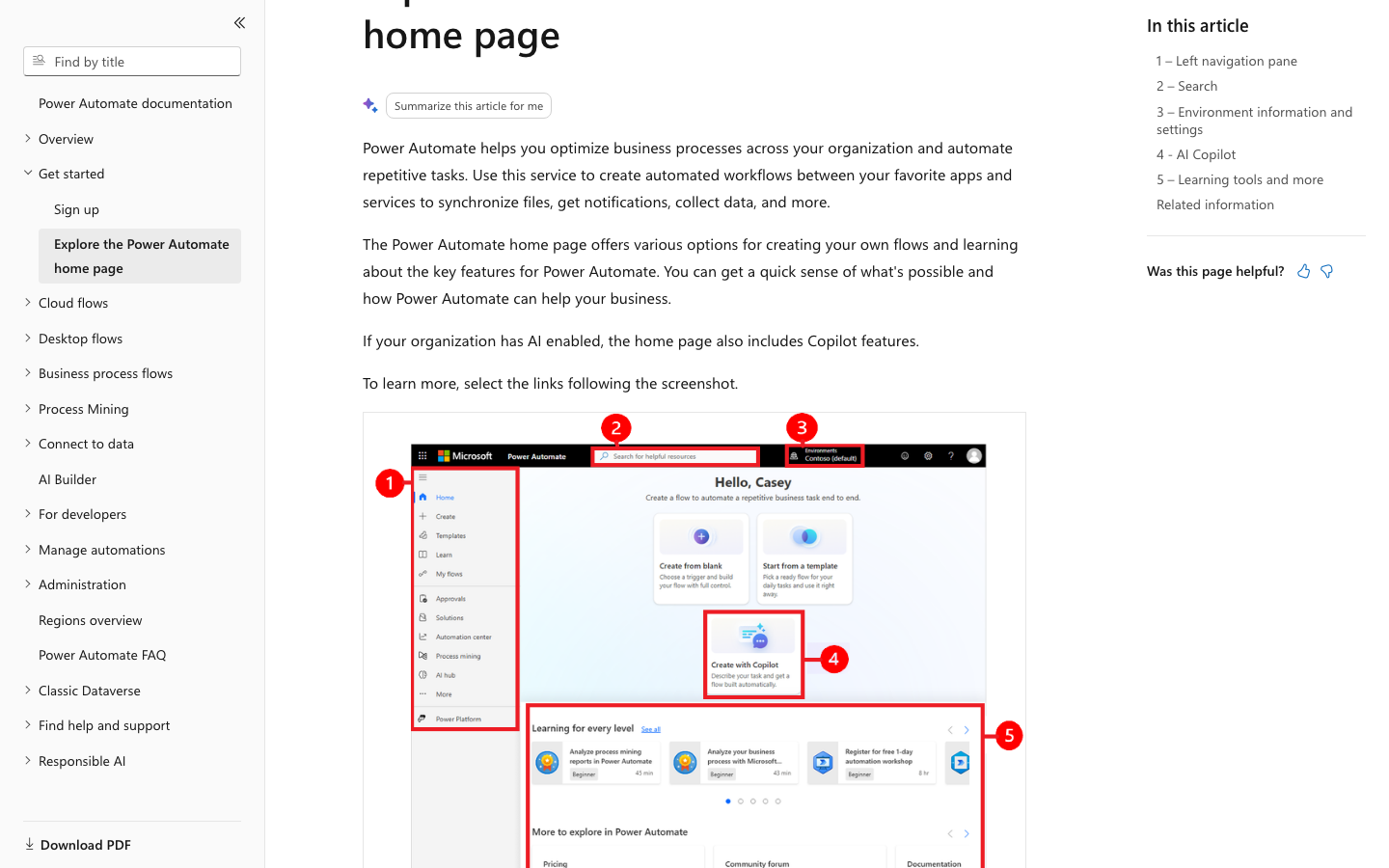
This Microsoft Power Automate review 2026 covers cloud flows, desktop robotic process automation, premium connectors, Process licensing and the differences between a Microsoft 365 entitlement and a standalone paid license. We use a Power Automate approval workflow for finance as our running example rather than claiming to have measured time savings in a paid tenant.
📊 Product at a Glance
| Buying criterion | Editorial finding |
|---|---|
| Core product | Cloud digital process automation plus desktop robotic process automation |
| Best for | Microsoft-centric organizations with repeatable approvals, file and data workflows |
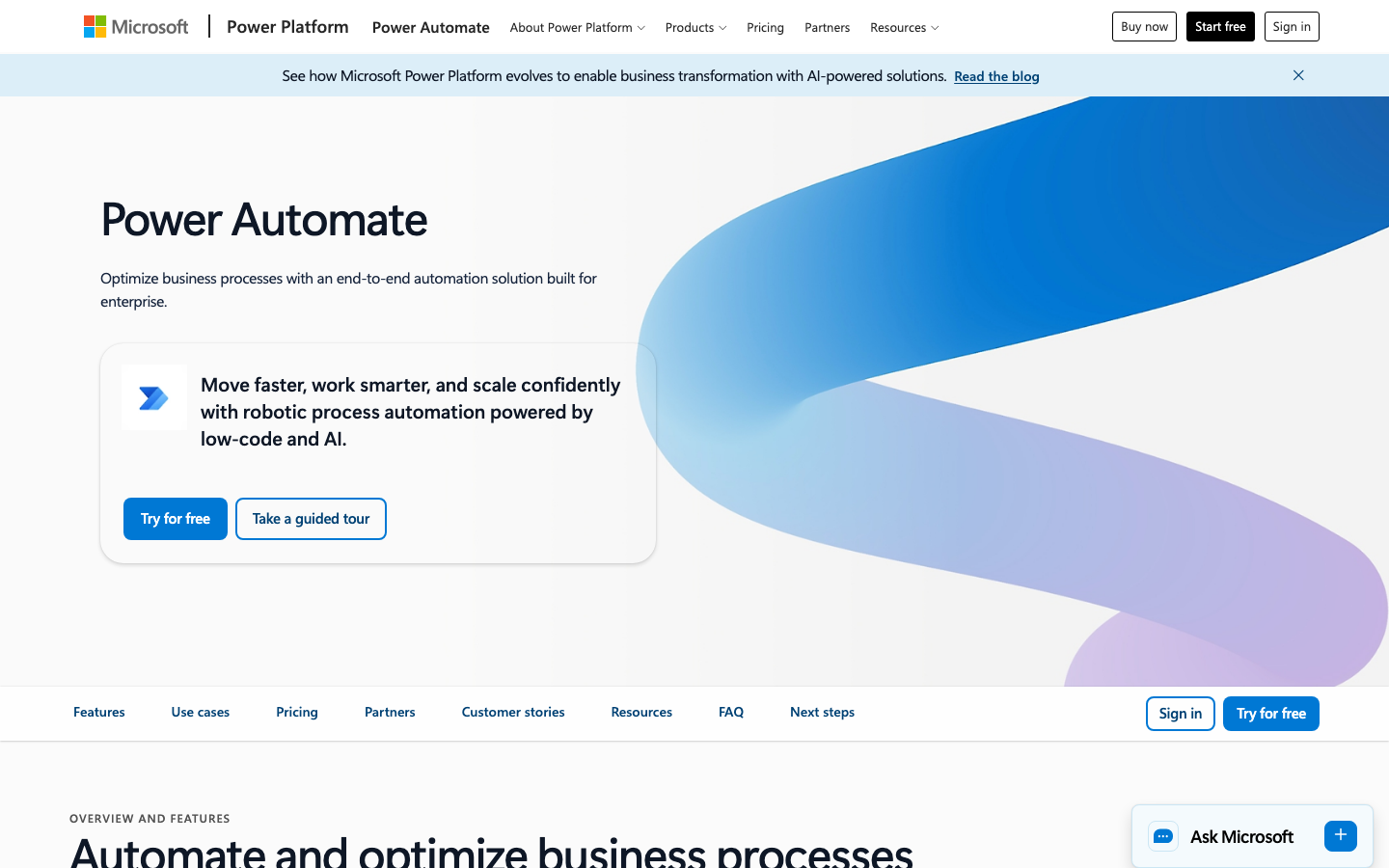
| Starting paid user license | Power Automate Premium: $15/user/month, paid yearly |
| Unattended option | Power Automate Process: $150/bot/month, paid yearly |
| Microsoft-hosted unattended option | Hosted Process: $215/bot/month, paid yearly |
| Trial | 30-day trial; trial rights and expiration should be verified |
| Important distinction | Standard vs premium/custom connectors, attended vs unattended Power Automate desktop flows |
| Primary risk | Flow ownership, licensing context, approvals, governance and operating costs |
| Testing status | Official documentation and licensing research; no personal production benchmark |
🎯 Who Should Use It — and Who Should Not
Teams living inside Microsoft 365. If an employee already collaborates in Outlook, Excel, SharePoint and Teams, it is usually more economical to examine the automation rights in the existing subscription before purchasing another platform. A routine approval or file notification may need only standard connectors.
Operations departments with legacy applications. A desktop automation may help when the target application offers no usable API. But a robotic process that clicks through windows can break when a screen changes. Define an exception queue and the person responsible for maintenance rather than treating the robot as permanent infrastructure.
IT and process owners. Governed environments, connection ownership and auditing matter once several teams depend on the same flow. Business-critical automations need continuity when one original creator leaves the company. Power Automate can serve this environment, provided IT sets policy deliberately.
When not to choose it. An early-stage team whose stack consists of a few cloud services may prefer Make, Zapier or n8n. Those choices have their own limits, but may avoid Microsoft-specific licensing and administration complexity.
💰 Power Automate Pricing and Licensing Explained

The headline Power Automate Premium pricing is $15 per user per month with yearly payment. It covers licensed-user cloud automation and attended desktop automation with premium and custom connectors. It does not mean an employee can deploy unlimited unattended desktop robots. The Process license is applied to a bot or designated process, while Hosted Process includes a Microsoft-hosted machine. Under Microsoft documentation the daily action limits are 40,000 for a Premium user and 250,000 for a Process or Hosted Process allocation, subject to policy and transition details.
Microsoft also sells process mining capacity separately. The product’s page lists a $5,000 per tenant per month Process Mining add-on, paid yearly, for organizations with materially larger process-mining needs. This is not a typical entry-level purchase. Always inspect the exact features of the existing tenant and country before applying a publicly displayed US figure.
| Offer | US reference price | Billing basis | What it enables |
|---|---|---|---|
| Free trial | $0 during eligible 30-day trial | Time-limited | Test flow concepts and eligible features |
| Existing qualifying Microsoft 365 rights | Included, but limited | Dependent on existing subscription | Standard-connector flows within applicable use rights |
| Power Automate Premium | $15/user/month | Paid annually ($180/user/year) | Premium connectors and attended desktop flows |
| Power Automate Process | $150/bot/month | Paid annually ($1,800/year) | Unattended desktop or process-based cloud automation |
| Power Automate Hosted Process | $215/bot/month | Paid annually ($2,580/year) | Hosted machine plus unattended automation |
| Process Mining add-on | $5,000/tenant/month | Paid annually ($60,000/year) | Additional process-mining capacity; separate add-on |
A Power Automate licensing guide should begin with the owner of the flow, its trigger type and the connectors used. Microsoft’s own FAQ distinguishes an automated or scheduled flow that uses the owner’s entitlement from an instant flow that runs in the invoking user’s license context. A dedicated Process license changes that model. Official figures and details: Power Automate pricing and Microsoft licensing FAQ.
🧮 Power Automate First-Year Cost Scenarios
The following examples make the pricing model concrete. They are illustrative subscription calculations, not quotes, and do not account for taxes, supplemental AI consumption, employee time, on-premises infrastructure or implementation.
| Illustrative choice | Calculation | First-year reference cost |
|---|---|---|
| Five Premium users | 5 × $15 × 12 | $900 |
| Ten Premium users | 10 × $15 × 12 | $1,800 |
| One Process bot | 1 × $150 × 12 | $1,800 |
| One Hosted Process bot | 1 × $215 × 12 | $2,580 |
| Ten Premium users + one Process bot | $1,800 + $1,800 | $3,600 |
The $1,800 Process-bot line is not necessarily cheaper than ten individual Premium licenses; it solves a different operational problem. For a process with fifty occasional participants, consult Microsoft’s license assignment rules rather than multiplying fifty by $15 or assuming one shared login is allowed. Separately budget for connector fees, Dataverse capacity, failures and support.
⚙️ Main Capabilities: What Actually Matters

Cloud flows and triggers. Power Automate can listen for a newly created SharePoint file, an Outlook event, an HTTP or application trigger where licensed, or a scheduled time. Its actions can write records, request approvals and inform a Teams channel. For an ordinary document-routing flow, predictable ownership and helpful exception messages are more important than the number of connector icons.
Approval workflows. The strongest use case is often not automation of a decision, but automation of its path: send the right person a request, preserve comments, and stop follow-on activity until the request is approved. Create a separate reject branch. Ask whether the request is legally or commercially sensitive before inserting AI summarization into it.
Desktop RPA: attended versus unattended. Attended automation runs with a human present; unattended automation requires a different licensing and execution arrangement. The distinction is essential when the workflow uses a Windows application without a supported API. A ten-minute test with the correct desktop user can hide a broken overnight production plan.
Connections and service accounts. A workflow may depend on OAuth tokens and user credentials. Document the connection owner and reauthorization procedure. If a person changes departments, shared business processes should not disappear silently. Use organizational service-identity patterns supported by policy rather than hiding passwords in flow steps.
Errors and monitoring. A robust flow has retry handling, a known timeout, an alert destination and a manual fallback. Verify whether retries can create duplicate invoices, repeated emails or multiple approvals. Idempotency, not just a green success indicator, defines a trustworthy automation.
🛠️ A Practical Workflow to Evaluate

For a practical Power Automate SharePoint approval workflow, consider a procurement request received through a Microsoft form. The purpose of this experiment is to test permission behavior as well as the happy path.
- Create a sample request with an invented supplier and a fixed amount; store it in a test SharePoint library.
- Trigger a cloud flow only when a new eligible document appears, and prevent a later metadata edit from launching a second approval.
- Assign the reviewer from a maintained role or lookup table, not from one employee’s personal email.
- Present the record reference and decision buttons in Teams or Outlook, with a deadline and escalation destination.
- On approval, update status and notify the request owner; on rejection, record a reason and block downstream payment activity.
- Repeat with a missing attachment, unavailable reviewer, expired connection and duplicate request. Keep evidence of the expected and actual result.
This is a suggested test plan. We have not executed it in a customer tenant and make no claim about measured automation speed. A small business should be able to answer who repairs the flow if it stops at midnight before buying a more expensive license.
🔐 Security, Access and Data Governance
A Power Platform environment crosses administrative and data boundaries. Review Microsoft Entra identity, tenant permissions, data-loss prevention policies, connector access, service principals, environment separation and audit requirements before production launch. An approval that looks harmless may disclose customer names or regulated attachments through a connection.
For Power Automate data loss prevention, classify connectors by allowed business data handling. Review Power Platform data loss prevention policies before allowing finance records to flow into a personal mailbox. Test the permitted users’ rights by signing in as those users; maker access and runtime access are not equivalent.
Back up the workflow definition and document its connections, not just screenshots of the canvas. For a business-critical process, rehearse how to restore an environment and rebind services when credentials are rotated.
🤖 AI, Integrations and Automation Limits
Power Automate AI Builder credits appear in Microsoft’s entitlement comparison for certain paid plans, with 5,000 monthly credits shown in the licensing table for Premium, Process and Hosted Process. This is not a guarantee of unlimited document processing or generative AI. Microsoft is changing aspects of AI credit licensing, so evaluate the current tenant’s balances and terms before making a purchase.
A data extraction step might read invoice fields before a human reviews the document; it should never silently authorize payment because an OCR or AI service recognized a figure. Record confidence, exception rules and a retained original attachment. Microsoft Copilot Studio is a related product, not a free unlimited expansion of every Power Automate subscription.
An integration assessment should distinguish a standard Microsoft 365 connector from premium connectors such as SQL Server, Azure services and custom APIs. A workflow that was affordable with Outlook and SharePoint may require new licensing when a database integration is added.
⚠️ Limitations, Hidden Costs and Migration Risks
Connector surprises. Teams often discover a premium connector after building the first proof of concept. Check every step of a flow rather than using a product-level label of “included with Microsoft 365.”
Robotic fragility. A desktop flow that depends on window coordinates or UI text is more susceptible to app updates, session problems and permission changes than a supported API. Budget for monitoring and process ownership.
Licensing complexity. Cloud flows, attended RPA, unattended bots, machine hosting, AI processing and special app contexts do not share a single simple price unit. A sales quote should list each object to be licensed.
Operational debt. Repeated failed automations generate noise unless alerts are routed to someone who can act. Implement names, environments, test data and change approval before dozens of unmaintained flows accumulate.
⚖️ Alternatives and Side-by-Side Comparison
Editorial comparison: These four platforms can all automate cloud work, but only Power Automate brings Microsoft’s native desktop RPA and tenant-governed approvals into the same purchasing conversation. Compare the same workflow, including failures and ownership, before choosing a subscription.
| Platform | Best-fit workload | Commercial model | Main advantage | Main caution |
|---|---|---|---|---|
| Power Automate | Microsoft 365 approvals and Windows RPA | Premium user; Process or Hosted Process bot | Microsoft connectors and RPA | Complex trigger and bot licensing |
| Zapier | Fast SaaS-trigger automation | Plans and task usage | Accessible onboarding | Task consumption and feature limits |
| Make | Branching, visual multi-step automations | Plan and credit/operation usage | Flexible visual logic | Scenario maintenance complexity |
| n8n | Technical and self-hosted workflows | Execution or self-managed hosting | Control and extensibility | Engineering and support responsibility |
Buyer decision matrix
| Buying test | Power Automate | Zapier | Make | n8n |
|---|---|---|---|---|
| Microsoft-native approvals | Strong contextual fit | App integration | App integration | Connector and setup work |
| Windows desktop RPA | Native attended/unattended options | Not core product | Not core product | External RPA needed |
| Visual branching | Cloud-flow actions | Straightforward steps | Scenario routes | Nodes and code options |
| Hosting control | Microsoft-managed tenant | Vendor cloud | Vendor-hosted | Self-host option |
| First failure to test | Expired connection | Task quota | Route duplication | Worker restart |
Power Automate vs Zapier
For a Teams-and-SharePoint approval path, examine Power Automate first because of its Microsoft identity context and approval actions. For independent SaaS tools that only need a few triggers, Zapier may be easier to operate. Calculate the license required for every premium connection, and separately estimate Zapier task consumption.
Power Automate vs Make
Make's scenario canvas can be convenient for branching cloud integrations; Power Automate is more compelling when approvals, governance and Windows desktop flows are requirements. Build the same rejection path and duplicate-request test in both products. Compare not just execution price but the maintenance effort for someone unfamiliar with the scenario.
Power Automate vs n8n
n8n appeals to developers who want flexible nodes, code and sometimes self-managed deployment. Power Automate fits organizations already governed through Microsoft services and licensing. A team with no infrastructure support may prefer the managed path; a technical team might value n8n's control. Document credentials and error recovery either way.
Relevant published analyses: Zapier, Make and n8n. Prices should be checked directly for the intended region and workload.
🧭 Choosing the Right License by Workflow, Not by Department
The most useful way to understand Microsoft Power Automate pricing is to begin with the process rather than the number of employees. Imagine that a company has forty staff members, but only three people design flows. Some processes simply send a Teams notification when a SharePoint document appears. Others run a custom API call, extract invoice data or control a Windows application after business hours. These jobs may sit in the same Power Platform environment while requiring very different entitlements. Buying Premium for every employee before identifying the trigger and connector model can be unnecessarily expensive; assuming the three authors’ licenses cover every action can be equally wrong.
Begin with an inventory containing the flow name, purpose, owner, trigger, connectors, run mode, participants, estimated daily executions and desired recovery objective. Mark whether a connector is standard, premium or custom. Then distinguish automated flows, scheduled flows and flows invoked instantly by another person or application. In Microsoft’s Power Automate licensing FAQ, the execution context affects how licensing is evaluated. The apparent simplicity of a canvas should never override those rules.
Consider two illustrative flows. The first alerts an internal channel whenever an approved file is uploaded. It may fit within existing qualifying Microsoft 365 use rights if all connectors and other conditions qualify. The second uses the Power Automate SQL Server connector to read a database and update an external order system. That SQL connection can trigger a Premium licensing requirement even if the flow looks simple. A third flow driving a desktop interface without an attended user introduces an unattended RPA requirement. These are distinct purchasing decisions, even if all three ultimately write to the same approval log.
Premium user, Process bot or Hosted Process?
A Power Automate Premium license is a user entitlement relevant to licensed cloud flows, premium connectors and attended RPA. A Process license, by contrast, can be applied to qualifying flows or unattended bot automation in an organization. Hosted Process addresses the compute side as well as unattended execution. The Process license does not automatically include a Microsoft-hosted desktop machine, and a premium user seat does not transform a workflow into a permitted unattended robot.
For a customer comparing Power Automate Process license cost with user-based licensing, the break-even question is not merely the arithmetic difference between $15 and $150. Ask who can trigger or maintain each workflow, what processing environment it uses, and whether the rights attach to individuals, processes or bots. Confirm that the selected license also accommodates peak execution demand, machine prerequisites and relevant connectors. A buyer should request a written license mapping for each production flow before paying.
🏗️ Designing Automations That Survive Employee Changes
A proof-of-concept is often created in one employee’s personal environment, under a connection linked to that employee’s mailbox. It works in a demonstration and then fails months later when their account is disabled. That failure mode is more important than the difference between two connector buttons. Production Power Automate governance should identify a business process owner, an administrative maintainer, a technical connection owner and a contact who receives failure notices.
Document each dependency in ordinary language. For example: “When a vendor approval is accepted, change the SharePoint item to Approved, call the finance endpoint once and notify Procurement.” A maintainer should be able to locate the source list, find the run history and understand the expected state without reverse-engineering thirty unlabeled conditions. Meaningful action names and consistent environment variables reduce repair time.
Separate development, testing and production where an organization’s licensing and configuration permit it. Instead of changing a live purchase-approval flow on Friday afternoon, clone the logic into a controlled test environment with fictional invoices. Validate connection references, environment variables and the event schema before release. Run a rollback exercise: if a new version creates duplicate requests, can the team restore the previous one and reconcile messages already sent?
Idempotency and compensating actions
Retries are necessary when a service responds slowly, but retries are also a source of duplicate transactions. A flow that fails after creating a purchase order but before recording its success may create another purchase order when the run restarts. A useful design assigns a stable external reference to every logical request. The destination system checks the reference and returns the existing result rather than performing the action twice.
Not every action can be rolled back automatically. An email may already be delivered, a customer may have seen a status change and a payment request may already have been submitted. In those situations, write a compensating process with a human approver: locate the original transaction, mark it for reconciliation and contact the responsible team. This is a better reliability strategy than building a flow that quietly retries forever.
📋 Worked Example: From Supplier Request to Auditable Decision
Imagine a small procurement department approving equipment purchases. A request contains a supplier, department, description, business justification and proposed cost. A requester should not be able to approve their own request. An ordinary reviewer may approve purchases within a certain internal threshold, while larger amounts are routed to a second approver. The thresholds below are hypothetical business policy, not Power Automate product limits.
Start with a decision table rather than a diagram. For requests up to a hypothetical $500, assign the department reviewer. For requests between $500 and $2,000, include a finance review. Above $2,000, require designated management approval. Invalid amounts and missing cost centers go back to the requester. This helps reveal a common flaw: people assume a flow is reliable because it handles the path in which everyone clicks Approve immediately.
Next, consider absence and timing. A request submitted on Friday evening should not vanish because its reviewer is away until Tuesday. Give it a defined escalation window and a fallback owner. Reassignments should be recorded so a later auditor can see the original reviewer, delegated reviewer, comments and decision timestamp. If approvals are configured to notify through Teams, verify what happens to the same request when a reviewer opens the email notification instead.
Finally, agree on the financial handoff. The approval result should not by itself mean “money transferred.” It is an authorization to proceed to a separate purchasing operation, ideally through a controlled system with its own validation. Keep the original document and a unique request identifier together. This separation makes the workflow easier to audit, and limits the damage if a trigger misfires.
🛡️ Failure Modes Worth Testing Before Deployment
A robust Microsoft Power Automate review should cover more than a successful example in the designer. Test an expired OAuth connection, a deleted SharePoint field, an attachment that exceeds downstream limits, an HTTP timeout, a request whose owner has left and a service that temporarily returns too many requests. For each scenario, define the expected result in advance. If a request is delayed, it should show an actionable status instead of appearing to have been approved.
Watch for pagination and batch processing. An automation that queries the first page of records may silently miss later pages. A daily scheduled flow may run twice after manual restart. A file with the same name but different contents may be incorrectly treated as an old file. A manual rerun may reuse stale data if values were captured earlier in the flow. Record which step handles each case and how a user is told what happened.
Operational metrics should be simple enough to improve the process. Track the number of completed requests, failures requiring human action, average approval latency, repeat requests and flows without a named owner. A low failure percentage can hide a serious problem when the rare failure involves a large payment or regulated record. Classify incidents by their business consequence as well as technical exception type.
When desktop RPA is the wrong tool
Desktop RPA may be the only practical route for software without an API, but it introduces a fragile dependency on the interface. Changes in screen resolution, window labels, dialog order or authentication prompts can invalidate an automation. Before licensing a bot, ask the software vendor about supported APIs, scheduled exports or a controlled integration service. A supported API can be less expensive to maintain than an RPA script that breaks whenever a desktop screen changes.
If RPA is unavoidable, create a representative test machine, define what happens when a session locks and monitor completion from outside the desktop itself. Avoid storing credentials in scripts or screenshots. Treat the machine as a managed production asset with patching, recoverability and security responsibilities, not an invisible free extension of a user license.
💼 Procurement Checklist and Total Cost of Ownership
A final estimate should include license charges, administration, testing, failure investigation, integration ownership, machine costs where relevant and future edits. Suppose an automation saves four hours of clerical work weekly in an illustrative department. That is a hypothesis to test, not a validated savings figure. Compare the time saved with the time required to maintain connector credentials, respond to failed runs and train new approvers. Count the cost of an incorrect action as well as the cost of staff time.
Ask the vendor or licensing partner to specify the premium connector requirements, service principal options, license assignment method, permitted unattended execution, capacity limits and renewal terms. Confirm whether data protection or audit obligations require higher-level Power Platform administration. For automated customer messages, add a manual approval boundary where incorrect data could create financial or legal consequences.
Power Automate can make a Microsoft-heavy business more efficient, but the best deployment starts small and stays understandable. Build one production-quality process, prove that it recovers from mistakes and document who owns it. Only then replicate the operating pattern across departments. This approach provides a more defensible answer to the question of Power Automate vs Zapier or Make than a side-by-side count of advertised app integrations.
✅ Pros and Cons
✅ What We Love
- Naturally connects popular Microsoft collaboration tools
- Supports cloud workflows and desktop RPA
- Approval and notification use cases are practical
- Process licenses support selected unattended scenarios
- Organization-level environment and connector governance
⚠️ Where It Falls Short
- Licensing depends on trigger, owner and connector context
- Desktop automation can be fragile when interfaces change
- Dedicated unattended execution costs more than entry-level automation
- Premium and custom connectors may increase expense
- Governance and failure handling require ongoing ownership
🧪 How We Evaluated This Software
We inspected official Microsoft public pricing, licensing guidance and license comparison as of October 24, 2026. We cross-checked the distinction between Premium, Process and Hosted Process and examined the Microsoft 365 connector restrictions. We did not run unattended bots, buy process-mining capacity or benchmark an enterprise deployment.
The evaluation recipe is available to the reader: use synthetic records, document the flow-owner entitlement, collect run history and test an error path. A genuine review should clearly distinguish a tested tenant from a published product specification. We avoid inventing outcomes or commercial savings.

Frequently Asked Questions
Is Power Automate free with Microsoft 365?
Some Microsoft 365 subscriptions include limited automation use rights and standard connectors. Premium connectors and enterprise scenarios can require standalone paid licenses.
How much is Power Automate Premium?
The public US reference is $15 per user per month, paid annually, before taxes and any add-ons.
What does Power Automate Process cost?
The US reference is $150 per bot per month with annual payment, subject to applicable license terms.
What is Hosted Process?
It adds a Microsoft-hosted machine to an unattended process entitlement. The listed US reference is $215 per bot/month, paid annually.
Do I need Premium for SQL Server connectors?
SQL Server is classified as a premium connector in Microsoft’s licensing material; verify the exact flow’s entitlement.
Does one Premium user license cover everyone?
No universal assumption is safe. Flow ownership, trigger type and licensing context determine the entitlement; consult Microsoft’s FAQ.
Can it run unattended desktop robots?
Yes, with Process or Hosted Process licensing and the correct execution environment. Premium’s desktop allowance is attended.
What happens when a flow owner leaves?
Connections or permissions can fail. Assign a business owner and document transfer, reauthorization and restore procedures.
Does Power Automate use AI Builder credits?
Eligible licenses may include credits, with feature and credit restrictions that should be checked in the current tenant.
Is Power Automate better than Zapier?
For Microsoft-heavy workflows and desktop RPA it may fit better; Zapier can be simpler for basic cloud-app automations.
What should I test first?
Test one approval flow end to end, including rejection, duplicate requests, connection failure and user-permission boundaries.
🏁 Final Verdict
The right reason to buy Power Automate is not that it comes from Microsoft, nor that its canvas can be used without writing much code. It is that a specific workflow becomes reliable and auditable without creating a disproportionate licensing or maintenance burden.
For a Microsoft 365 team, check the existing standard-connector rights first. When premium connections or attended RPA are essential, estimate the Premium user licenses. When automation must run without a person at a desktop, investigate Process and Hosted Process separately. Use DigiOffly’s calculator to model the first-year total rather than comparing mismatched price labels.
📚 Official Sources and Disclosures
- Official Power Automate pricing
- Microsoft Power Automate licensing FAQ
- Types of Power Automate licenses
- Microsoft Power Platform licensing guidance
- Microsoft connector and license FAQ
Five screenshots of official public vendor pages were captured on October 24, 2026, and placed in relevant sections with source captions. No private-account screenshots or independently run performance results are represented in this draft.
EXPLORE NEXT ON DIGIOFFLY
Find the Right Software, Not Just the Next Subscription
Compare Microsoft Power Automate with the tools that already support your workflow. Start with requirements, then look at annual costs and practical alternatives.
Explore automation
- Automation & No-Code reviews
- Make automation review
- Zapier review
- n8n workflows review
- Development & DevOps — Explore reviews of code, APIs, app backends and deployments
- Postman — API request testing and team collections
Compare your options
Build a practical stack
- Software Directory
- Airtable review
- Softr app builder
- Verified software deals
- Workato — Governed integrations, cross-app workflows and API orchestration
Editorial comparisons are independent. Confirm prices and access permissions before changing your subscriptions.