

📊 Cursor Review 2026 Summary
A developer opens Cursor to change a TypeScript service, not to read another list of AI-editor promises. The test is whether the assistant finds the real handler, edits the right modules and leaves a diff a teammate can approve. This review examines that workflow alongside the October 2026 X Subscription prices and separate third-party model charges. The free entry tier and the $8 Plus tier look accessible, but a demanding agent workflow can require Premium or additional model spending. Our evidence is official documentation and published pages, not a claimed paid coding benchmark.
⚡ Quick Verdict: Cursor
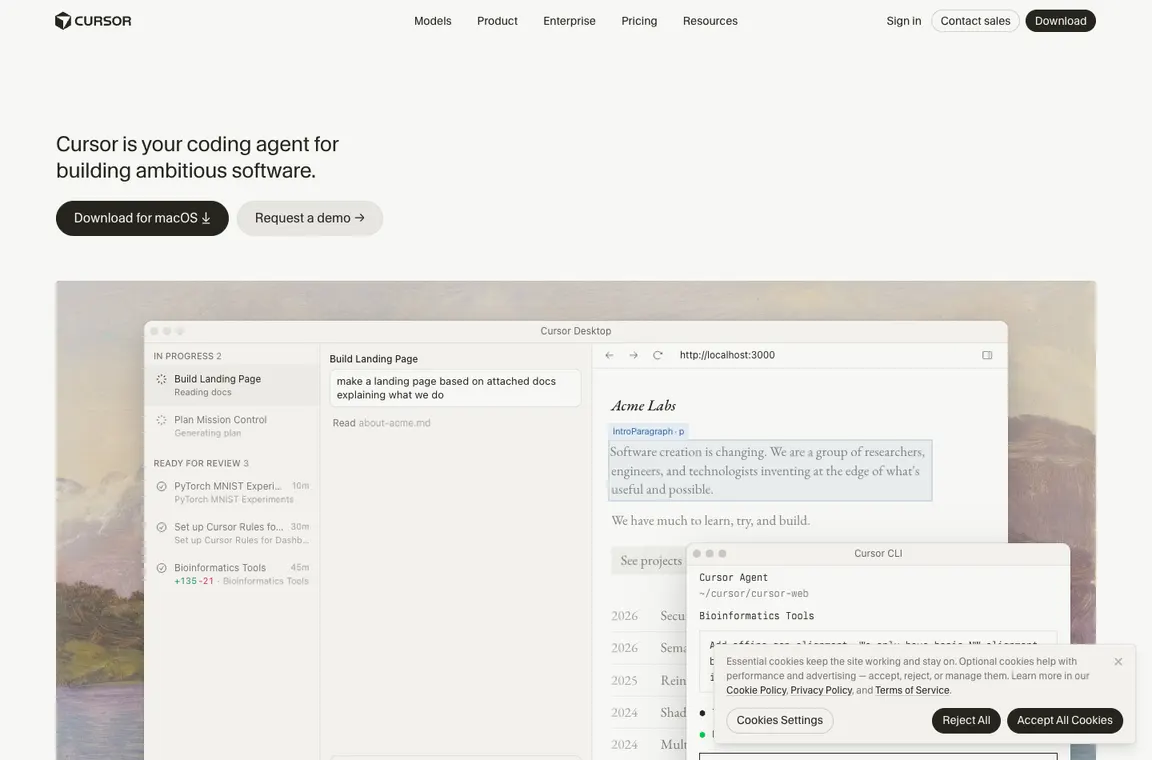
Cursor is a credible shortlist choice for engineers who want agent-led changes inside an editor. Its practical selling point is a proposed, reviewable patch spanning several files. That benefit disappears if the agent edits a generated client instead of its source schema, bypasses tests or calls models the team has not budgeted for. Start with a reproducible bug and inspect the entire diff. I would prioritize clear agent permissions and predictable weekly usage over the largest theoretical context window. Teams unwilling to inspect generated code should not treat Cursor as an autonomous developer.
👍 What We Love
- ✅ Repository-aware suggestions
- ✅ cloud agent tasks
- ✅ code review integrations
- ✅ editor familiarity
- ✅ and policy controls for eligible Teams accounts.
👎 Where It Falls Short
- ❌ API-priced third-party models
- ❌ evolving subscription nomenclature
- ❌ model-dependent spend
- ❌ hallucinated APIs
- ❌ and code exposure if privacy settings are misconfigured.
🏆 EDITORIAL VERDICT: Cursor
For developers who need an editor-native agent and are prepared to inspect each proposed code change.
💰 Cursor Pricing 2026: The X Subscription and legacy Cursor Pro plans
| Plan | Reference price | Published allowance or distinction | Buyer context |
|---|---|---|---|
| Free | $0 | Limited | Occasional tests |
| Plus | $8/month | Basic shared weekly usage, Grok-only models | Entry-level individual |
| Premium | $30/month | 4× Plus usage, third-party models separately charged | Frequent coding |
| Super | $100/month | 15× Plus use, higher priority | Daily agents |
| Ultra | $200/month | 50× Plus use | Heavy workloads |
| Teams | From $30/seat/month | Centralized policy and billing | Managed development |
Older Pro at $20/month and Pro+ at $60/month are still supported for existing eligible subscriptions; do not present them as the only new-purchase choices. The October 2026 official docs explain a move to weekly shared Cursor/Grok usage pools and separate model API spending.
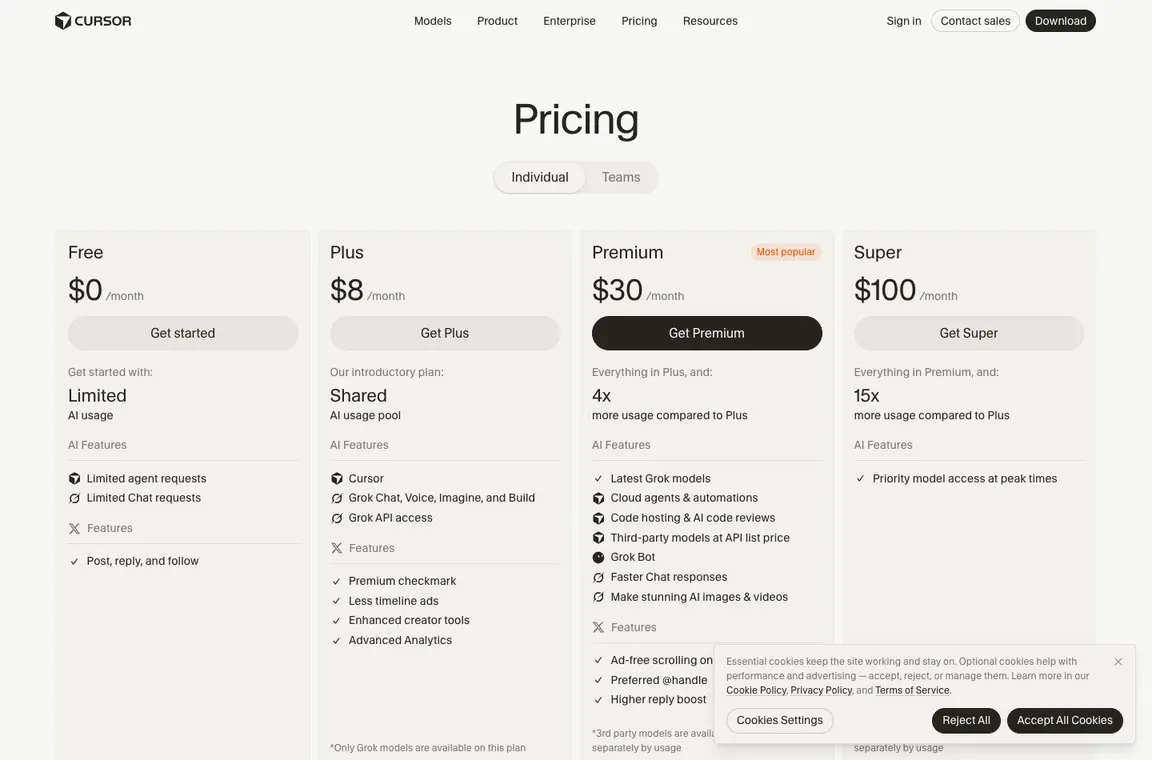
Cursor’s current checkout combines a base X Subscription tier with distinct choices for model usage. Plus is a different purchase from Premium because eligible third-party models are charged separately from the shared allowance, and Free remains a limited entry point. An engineer budgeting for agents should check the weekly usage reset and the selected model before deciding whether a higher plan is needed. If a legacy Pro or Pro+ seat is still active, inspect that account’s actual terms rather than assigning the new public limits to it.
🎯 Who Cursor Is Best For
The strongest fit is a developer maintaining a live repository with repeatable tests and time to review changes. A solo engineer can trial the free tier on a disposable feature branch. A team dealing with restricted code must first establish privacy settings, allowed models and branch protection. Someone who simply wants occasional inline completion should compare Copilot in an existing IDE before migrating. A developer whose work involves specialized build systems needs to verify that Cursor can run the relevant tests. These are distinct buying situations, not one universal recommendation.
| Buyer situation | Recommended starting point | Decision to verify |
|---|---|---|
| Solo developer fixing a real bug | Free or Plus for entry testing | Can the editor find the actual handler and pass your unit tests? |
| Full-time engineer using agents | Premium with a model spending budget | Are third-party model costs separate from subscription? |
| Small engineering team | Managed Teams seats | Who approves cloud-agent branches and adjusts permissions? |
| Security-sensitive repository | Only after the organization’s privacy review | What code reaches cloud workers and model providers? |
🧩 Editor capabilities and documented limitations
Cursor editor workflow and codebase context
Cursor should be evaluated as a coding workspace rather than a magic source of finished software. Project rules, indexed files, agent permissions and selected models shape suggestions. When a repository contains generated files, obsolete tests or secrets, the quality of the context map matters more than prompt elegance. Start with a small issue that spans two modules and ask Cursor to explain the dependency before it edits. Compare the explanation with actual repository references.
Cursor cloud agents and task delegation
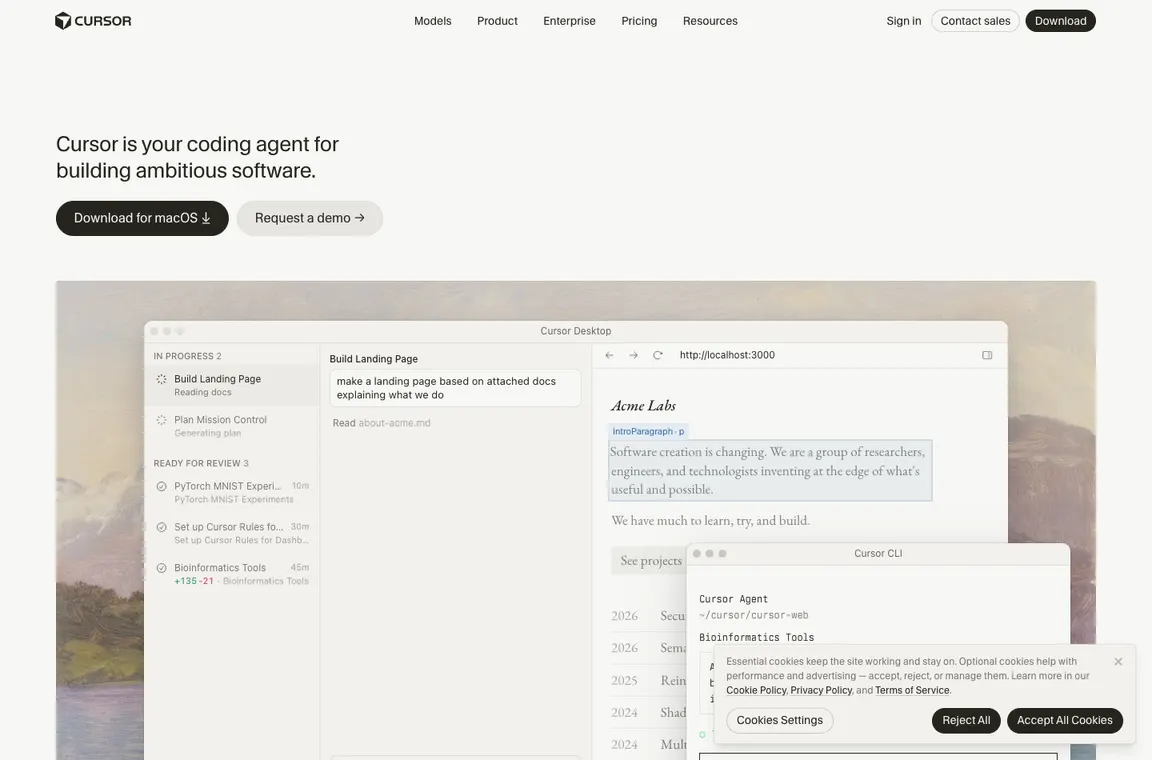
Cloud agents can take work outside an immediate editor interaction, but that changes the trust boundary: where does code execute, how are credentials scoped and where does the resulting diff appear? A useful pilot lets an agent draft tests or a migration with no deployment permission. Keep branch protections and human review mandatory. Agents should not be granted production credentials merely because they can open a pull request.
Cursor agent tasks should be evaluated within ordinary Cursor software development controls: separate branches, restricted credentials and reviewable changes. Keep the final merge decision with a person responsible for the repository.
Cursor pricing 2026 explained
The price difference matters when an agent uses models outside the shared Cursor pool. Take two engineers considering Premium at $30 per person: their subscription baseline is $60 a month before separately billed third-party models. If one runs long-context refactors with those models while the other mostly uses included Cursor models, their additional spending could be very different. The team should record the actual model selected for a representative bug fix, count reviewable patches rather than requests and set a separate cap for API-rate consumption. Legacy Pro seats follow different monthly pool rules, so this comparison should not be applied to grandfathered subscriptions. Cursor pricing 2026 needs to be read from the actual account plan and checkout, not an outdated affiliate table.
For Cursor Free vs Plus, compare actual agent allowances before upgrading. Cursor weekly usage limits can matter more than a headline monthly rate, while Cursor Pro legacy pricing applies to existing eligible subscriptions rather than every new customer.
Model selection and AI code quality
Different models can produce different architectures from the same ticket. Evaluate quality on a fixed acceptance test instead of subjective fluency. Ask for a short design proposal, specify boundaries, then insist on a patch and a reproducible test run. Watch for references to nonexistent library methods or guessed versions. A model that writes less code but passes more tests may be the better value.
Cursor model selection affects both accuracy and spend. Cursor third-party models are charged separately on eligible tiers, so a Cursor code quality evaluation should log model names, test outcomes and the cost of rejected patches.
Cursor privacy and security controls
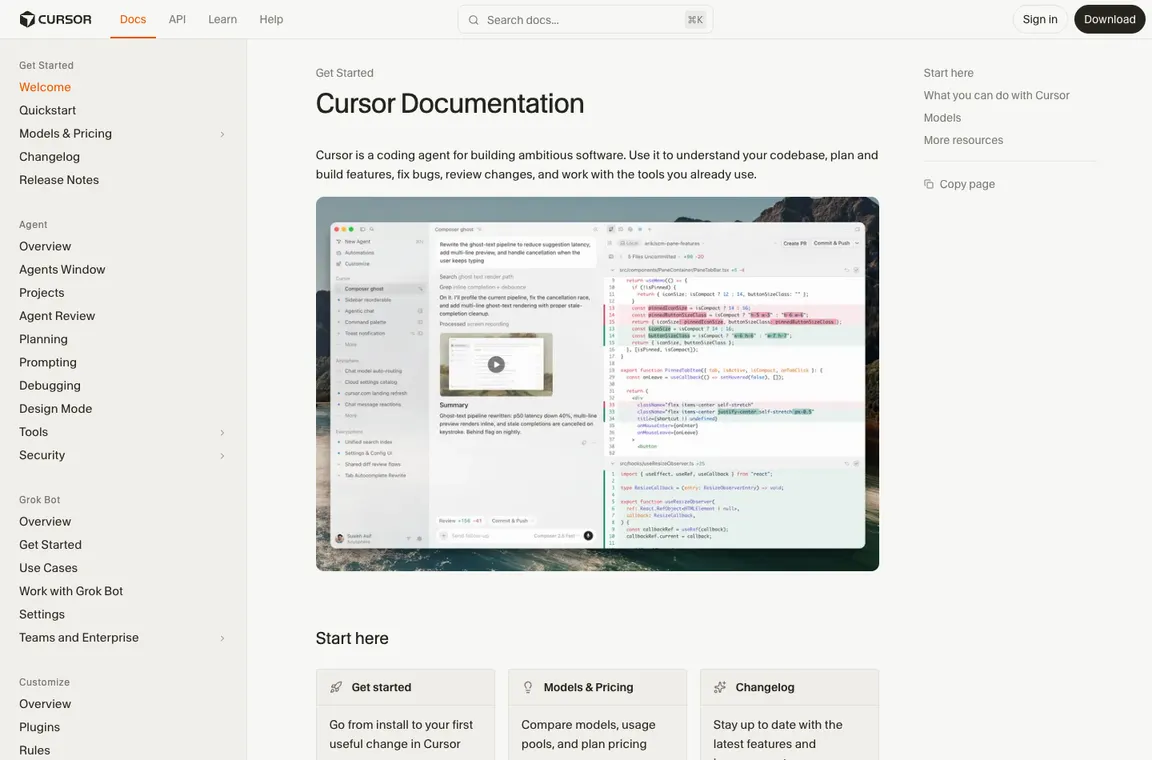
Cursor offers privacy-related settings and policy administration, but users must confirm the settings actually deployed to their own organization. Separate the editor’s telemetry, prompts sent to model providers and code retained by cloud workers. An enterprise security review should include third-party subprocessors, retention windows, identity controls and deletion procedures. Never include authentication secrets in a prompt or trust a suggested edit that modifies authorization code without inspection.
Cursor for solo developers and teams
An independent developer may value a fast multi-file edit more than SSO or audit logs. A regulated team has the opposite priority: standard model selection, budget limits and demonstrable access controls. Cursor Teams introduces centralized administration, but simply buying licenses is not the same as implementing a review process. Pilot with a representative codebase, not a toy demo optimized for a promotional video.
How to test Cursor before paying
Pick three tasks: a failing unit test, a refactor touching multiple modules and an unfamiliar API integration. Run each with the same initial repository state and note the generated diff, actual test result, review time and credits consumed. Do not count an agent message saying it finished as completion. The code must build, the tests must pass and another engineer must understand the changes.
Cursor vs GitHub Copilot and alternatives
Cursor places the agent and editor workflow at the center of the experience. GitHub Copilot spreads its capabilities through GitHub and supported IDEs, which may reduce switching friction for teams already standardized on those tools. Look at repository permissions, GitHub Actions cost, premium credit policy, PR review ergonomics and migration overhead. Choose the workflow with the lower verified rework cost, not the most impressive demo clip.
📋 Cursor Features: What Needs Verification
| Capability | Vendor fact or evaluation method | Evidence to collect |
|---|---|---|
| Multi-file context | Review the list of files before Cursor edits; exclude outdated generated clients | Repository map |
| Cloud agents | Issue-to-branch handoff with no production credentials | Pull request and command log |
| Model economics | Weekly Cursor-model pool plus separately paid eligible third-party models | Usage dashboard and itemized charges |
| Privacy settings | Review the actual Privacy Mode and admin policy settings | Documented tenant configuration |
🛠️ Practical coding trials and engineering decisions
Repository mapping before the first agent edit
Consider a TypeScript project with a React frontend, a shared API package and a set of integration tests. Cursor can inspect connected source context, but that context might contain an outdated generated client or examples targeting a previous backend version. A careful first instruction identifies the real workspace packages, the runtime used in production and the interfaces that cannot change. Ask for a dependency map and proposed file list before permitting modifications. Compare the proposal with package manifests and source imports. If an agent starts editing the generated API client rather than its schema, it has misunderstood the maintenance boundary. This kind of mistake is easier to prevent in a brief plan than to repair after a broad refactor.
The test is especially useful for teams adopting Cursor because it distinguishes relevant context from merely available context. A user can give the assistant access to dozens of files without making them authoritative. Keep a project rules document explaining package ownership, deployment constraints and test commands, then observe whether the assistant follows it on a new task. Review the final diff for changes outside the agreed files. Good repository awareness should reduce surprise edits, not simply increase the amount of code an agent reads.
An AI-assisted bug fix with a reproducible failure
Start with a defect that has a demonstrable failing test, such as a checkout total changing when a user switches currency or a session timeout that mishandles daylight saving time. The first deliverable should be a minimal reproduction, not a guessed patch. Have Cursor explain the current control flow, locate the relevant condition and propose a change that can be checked by the same test. A patch which merely changes the expected test value without correcting behavior must be rejected. That is why acceptance criteria matter more than fluent explanations. A good AI coding assistant should help narrow investigation while leaving a reliable evidence trail.
Ask Cursor to separate three artifacts: the reason for the defect, the proposed change and the result of the test suite. A human reviewer should be able to run the same commands outside the AI workspace. Include a negative test showing that nearby valid behavior was not broken. If the tool introduces unrelated formatting or package upgrades, revert those changes before merging. A disciplined pilot turns AI assistance into reviewable engineering rather than another source of hidden regressions.
Cloud agents, branch boundaries and pull requests
A cloud agent that tackles a ticket while the developer works elsewhere can be genuinely useful. Its value, however, depends on a controlled handoff. Give it an isolated branch and a task that does not require production secrets, such as adding regression tests for a parser or refactoring an internal data adapter. The work product should be a diff or pull request with an explanation of decisions and test evidence. An automated completion message is not a substitute for an engineer checking those files. Teams should decide in advance whether the agent may install dependencies, open network connections or write generated artifacts.
Branch protection, required checks and code ownership should remain in place. If a cloud agent attempts to bypass a failing test or modify CI policy, the result is a warning about task scope rather than initiative to celebrate. Log the agent model, approximate credit consumption, commands run and reviewer correction time. Over several tickets, those records show whether Cursor cloud agents deliver accepted work faster than local editor use. The effective cost includes the review and infrastructure overhead that follows each run.
Comparing Free, Plus and Premium under weekly usage
Cursor now combines coding use with wider X Subscription entitlements, which makes older one-price descriptions unreliable. Free is an introduction, Plus currently lists an $8 monthly entry and restricts model choice, and Premium begins at $30 with a larger shared pool and separate charges for eligible third-party models. The allowance can refresh weekly, so a developer who sends many expensive requests on Monday may see a different practical limit from someone using short completions throughout the week. Treat the listed price as a subscription baseline rather than a guarantee that every chosen model is covered.
For a buying decision, simulate a normal sprint rather than a single spectacular prompt. Record agent sessions, manually approved diffs and requests to third-party models. If Premium models are billed at API list rates, create a spending ceiling before enabling them. Existing legacy subscriptions may have different limits, and organizations should not change plans on the assumption that a new public table describes grandfathered accounts. The useful comparison is cost per accepted engineering task after code review and testing.
Privacy Mode and sensitive repositories
A repository can contain credentials in test fixtures, customer identifiers in migration scripts or commercially sensitive logic in the source itself. Before using Cursor on that code, inspect Privacy Mode, team policy controls and the current vendor documentation. Determine which prompts and source snippets reach model providers and whether cloud agents handle data differently from local editor suggestions. A promise that code is not used for training under specified settings does not answer every question about processing location or retention. Security review should include who can change those settings and which users can connect external models.
Create a sanitized repository for the first evaluation and verify the settings from an administrator account, not just a developer screenshot. Do not place live `.env` files in the working tree or ask an agent to echo API credentials as debugging output. Test a deliberately forbidden file path and confirm that access controls operate as intended. After the trial, document the approved models, privacy options and incident-response owner. Source access is a company security decision as well as an editor preference.
Reviewing a multi-file refactor without losing behavior
One common use for Cursor is moving a shared utility into a new package or replacing repetitive request handlers. That is where a large diff can conceal small semantic changes. Before starting, identify function signatures that must remain stable, modules that should not move and the tests covering public behavior. Let Cursor prepare a migration plan and implement one representative change. Inspect it before scaling across the codebase. Bulk edits that compile successfully can still mishandle subtle error codes, localization strings or permission checks, especially when the agent infers intent from nearby patterns.
A practical review compares the old and new call graphs and checks edge cases with real fixtures. Use dependency search tools and static analysis in addition to AI explanations. Where the agent alters authorization logic, insist on explicit negative tests. The expected productivity improvement is less manual navigation and fewer repetitive edits; it should not come from loosening engineering standards. If a reviewer has to re-derive every change from scratch, the large AI-generated patch may have cost more than a staged manual refactor.
Team deployment and ownership of generated changes
A development manager evaluating Cursor Teams should look past the price per seat and ask how users are added, which models are permitted, and what happens when an employee leaves. Shared rules, agent permissions and spending controls should be tested on a small group before licenses are distributed widely. Give the pilot team different tasks: code comprehension, tests, a small feature and a release-note draft. Compare acceptance rates rather than counting how often the editor displays a suggestion. Teamwide enthusiasm does not automatically imply reduced defects or faster delivery.
Decide who owns a change written largely by an agent. In a conventional workflow, the engineer who approves a pull request remains accountable for its tests and maintainability. Cursor should fit those existing responsibilities. Create a lightweight escalation path for hallucinated APIs, secret exposure, licensing concerns and unexpected costs. Record whether a proposed patch remained understandable after the original developer stepped away. Sustainable collaboration depends on reproducibility and a clear handoff, not on how convincingly an assistant narrates its actions.
Editor switching costs versus GitHub Copilot
A team already using VS Code or JetBrains may find it easier to deploy GitHub Copilot within familiar tooling than to switch its primary editor. Cursor has an AI-first interaction model, but the switch still affects debugging habits, extension dependencies, keyboard shortcuts and accessibility preferences. A comparison should put the same issue, commit state and acceptance tests in both environments. Count setup time and source-navigation effort as well as completion speed. When the task requires a cloud agent, compare the full pull request review path, not only the initial coding chat.
GitHub organization policies and license assignments may make Copilot appealing to established GitHub users, whereas Cursor’s project context and editor-centered design may better suit another team. Neither choice is universally superior. Ask each developer to finish a task in the alternative tool and maintain it a week later. The delay reveals whether the generated code was understandable and whether the workflow created dependency on a particular prompt history. A good purchase produces portable work, not just a satisfying demo.
A responsible 30-day Cursor adoption decision
After a month, the useful questions are concrete: how many issues were solved, how many patches were accepted after review, what did agent usage cost, and did defect rates change? Separate easy completions from changes that required architectural judgment. An attractive subscription may be a poor fit for a codebase with specialized hardware dependencies or strict offline requirements. Conversely, a disciplined team may save meaningful review preparation time on routine maintenance. The evaluation should also capture developer frustration, because repeated prompt correction and model switching have costs not visible on an invoice.
Choose a continuation plan with three outcomes: renew at the tier that matches measured usage, restrict Cursor to lower-risk tasks, or stop using it and retain the exported work. Reconfirm Privacy Mode and third-party-model billing when product terms change. Make no broad claim about coding speed from an uncontrolled handful of trials. The responsible verdict is conditional: Cursor is worth considering when its context handling and agent workflow improve accepted, maintainable engineering under the team’s actual security and budget constraints.
Repository scale and context exclusions
A monorepo with several years of history may include archived prototypes that look similar to current production modules. Before treating Cursor’s repository understanding as reliable, give it an explicit path to the active app, current dependencies and test fixtures. Then ask the agent to list the files that inform its proposed change. If its reasoning relies on an abandoned implementation or a generated client with outdated fields, correct the context before any edits. The exercise should also verify ignore rules and whether sensitive paths are excluded from agent access. Large context windows reduce navigation work only when the right files are selected. The practical advantage is fewer irrelevant searches and a more reviewable change, not the ability to put every repository file into one prompt.
Evaluating security-sensitive code changes
A login flow or billing endpoint is a poor place for unquestioned code generation. If Cursor proposes a new authentication helper, compare it with existing token validation, error handling and audit requirements. Require a negative test for unauthorized access and verify session expiration against the project’s real configuration. Keep secrets out of debugging transcripts and reject patches that relax a security control to make a test pass. This does not mean AI coding assistants cannot help with security-sensitive code; they can assist in exploration and test coverage. The rule is that their outputs receive at least the same independent review as a human-written patch, with clear ownership of the final merge decision.
⚖️ Cursor vs Alternatives: Head-to-Head
| Alternative | What it emphasizes | Decision criterion |
|---|---|---|
| GitHub Copilot | Broader ecosystem of IDE integrations, individual/organization billing | Compare GitHub-native review and license controls |
| Claude Code | Terminal-oriented development agent | Compare diff transparency, task budgets and context |
| VS Code with extensions | Manual control and existing plugins | Compare switch cost and privacy requirements |
GitHub Copilot may be easier for a GitHub-heavy team that needs AI assistance in an existing editor and a familiar pull request process. Cursor is worth comparing where a developer wants an editor-centered agent that can propose a multi-file change using project context. Use one bug with a failing test and measure accepted diffs, review time and cloud-agent spending in both systems. Do not compare a simple Copilot completion with a complex Cursor refactor and call the outcome a product benchmark.
Claude Code is organized more around command-line development and agent interaction than the familiar Cursor editor surface. A team should compare control over shell commands, clarity of proposed changes and reproducibility of tests. For a repository with a strict change-management process, the question is whether each agent clearly separates its intended work from actions it has actually executed. Keep file permissions narrow and review the diff before any merge. Either tool can help, but success depends on developer supervision.
A team can also continue using VS Code with existing extensions and manual workflows. This option may have no added AI model fee, but could involve more navigation and repetitive editing. Try to measure the cost of preserving current habits rather than assuming switching is always productive. The proper test covers the codebase’s debugging tools, lint configuration, keyboard shortcuts and accessibility features. Cursor should win only when its context and agent features save meaningful approved engineering effort beyond the disruption of moving editors.
📋 Cursor Procurement Checklist
- Identify the repository’s actual build, lint and regression-test commands.
- Create a task limited to one feature branch and a documented code-owner.
- Exclude secrets, customer data and generated clients from unnecessary context.
- Compare Free/Plus allowance with Premium’s additional model charges.
- Reject edits that change authorization policy without a security review.
- Record the agent’s model, changed paths and failed tests before merging.
- Have another developer reproduce the final result on a clean checkout.
- Revisit subscription tier after a full sprint of accepted tasks.
| Decision test | Evidence to retain | Pass condition |
|---|---|---|
| Bug fix | Failing test, patch and passing test output | Fixes behavior without changing unrelated modules |
| Multi-file refactor | File plan and reviewed diff | No accidental API contract changes |
| Cloud agent security | Isolated branch and permission log | No unexpected writes or secrets |
| Cost control | Weekly usage and model charges | Spending within the approved budget |
| Exit | Branch merged and locally buildable | Work remains maintainable without the agent |
🏆 Final Verdict on Cursor
Cursor earns consideration when its agent shortens the path from an actual issue to an accepted pull request. A trial should count the changed files reviewed, tests passed, missed edge cases, rejected suggestions and third-party model charges. If the model regularly changes unrelated modules or forces long debugging sessions, even an affordable subscription is poor value. Keep repository rules and acceptance tests independent of the tool. I would begin with the lowest tier that supports the needed model, restrict cloud-agent permissions and decide on renewal from completed engineering work rather than generated lines of code.

Frequently Asked Questions
Is Cursor free, and what can the Free plan actually do?
The Free tier includes limited AI use. It’s suitable for evaluating editor behavior on a small project, but it shouldn’t be treated as an unlimited cloud-agent subscription. Check the account’s current usage display before assuming a task will fit.
What’s the difference between Cursor Plus and Premium in 2026?
Plus costs $8 a month with a basic shared usage pool and Cursor/Grok models. Premium is $30 with four times the Plus allocation and optional third-party models billed separately at API rates. That second charge is easy to miss in older comparisons.
Are Cursor Pro and Pro+ still available?
Cursor’s documentation treats Pro and Pro+ as legacy plans for eligible existing subscriptions. They have different usage pools from The X Subscription. If you’re already paying for one, read the allowances shown in your account before changing tiers.
Do Cursor’s AI usage limits reset monthly or weekly?
The X Subscription uses a weekly shared usage pool for eligible Cursor models. Legacy subscriptions use monthly pools with different rules. Heavy agent sessions can exhaust an allowance faster than short completions, so a full week’s normal coding is a more useful test than one prompt.
Does Cursor charge extra for Claude or other third-party models?
Eligible Premium-and-above users can access supported third-party models billed separately at API list prices from prepaid credit. They are not automatically covered by the base subscription. Track actual consumption before delegating large refactors.
Can Cursor change several files in one task?
Yes, multi-file editing is a core workflow. The challenge is controlling scope: specify which packages may change, inspect the proposed diff and run relevant tests. A successful agent message isn’t evidence that the patch is safe to merge.
What are Cursor cloud agents good for?
A contained issue with acceptance tests is a reasonable starting point. Agents can propose work on an isolated branch, but branch protection and a named human reviewer should remain in place. Avoid handing over production credentials during evaluation.
How should I protect a private repository while using Cursor?
Check the currently enabled privacy controls and how chosen models process context. Keep tokens and sensitive fixtures outside prompts, minimize agent permissions and review any cloud-worker data handling with your organization.
Is Cursor better than GitHub Copilot for a team?
It depends on whether the team prefers an editor-centric agent experience or GitHub Copilot inside existing IDEs and pull-request processes. Use the same bug, tests and review rules in both. Switching costs and model charges belong in that comparison.
How can I evaluate code quality without a paid benchmark?
Run three controlled exercises: locate a failing test, make a small multi-file change and explain an unfamiliar module. Review file selection, runnable results, security changes and review time. Don’t extrapolate a success percentage from a demo.
Where can I verify today’s Cursor subscription prices?
Use cursor.com/pricing and Cursor’s Models & Pricing and Usage & Limits documentation. Prices exclude applicable taxes, and third-party-model spend can be additional. Confirm renewal terms on the checkout page.
EXPLORE NEXT ON DIGIOFFLY
🔍 Compare AI Tools & Software
Validate features, plans and workflow fit for Cursor before committing to another subscription.
Find AI & Tech reviews
- AI & Tech Offers — Explore the full category.
- Midjourney review — Image-generation alternative.
- ChatGPT review — General-purpose AI workflows.
- GitHub Copilot review — Compare IDE integration, agent workflows and AI Credit billing.
- Claude review — Review general-purpose coding assistance outside an editor.
- Development & DevOps — Explore reviews of code, APIs, app backends and deployments
- GitHub — Source hosting and repository governance
- GitLab — Merge requests and CI/CD workflow
Compare verified options
- Software Directory — Find tools and plans.
- Compare — Compare products directly.
- AI Software Finder — Match features to a task.
Plan what to buy
- Cost Calculator — Work out first-year spending.
- Best Value Advisor — Explore price and capabilities.
- Deals Hub — Check verified offers and terms.
Pricing and product capabilities can change after publication. Confirm subscription terms, regional tax and account eligibility with the provider.