

📊 GitHub Copilot Review 2026 Summary
GitHub Copilot is no longer only an autocomplete feature in a code editor. It can help propose pull requests, review changes and assign bounded work to cloud agents. That makes GitHub organization policy as important as suggestion quality. This review looks at what developers gain in their existing IDEs and how 2026 AI Credits alter the real cost of delegated tasks. The advertised individual plans start with Free and move through Pro, Pro+ and Max, but the economics differ from a simple per-seat subscription. We rely on current vendor materials rather than claiming measured coding-speed improvements.
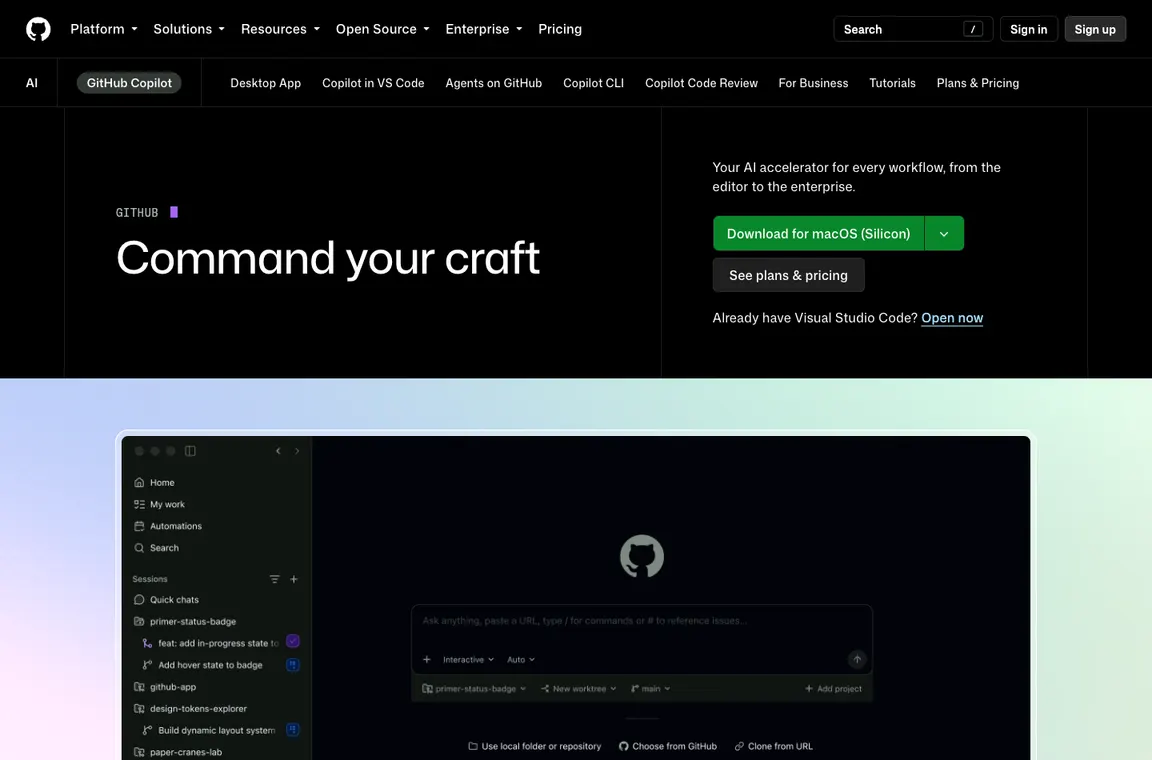
⚡ Quick Verdict: GitHub Copilot
Copilot’s strongest argument is integration with tools a development team already uses. A developer can accept a completion in VS Code, while a reviewer examines an agent-created PR in GitHub under existing branch rules. Those are very different levels of delegated responsibility. The AI Credits system also means heavy agent users can cost more than occasional completion users. Begin with an issue that has a failing test, keep required reviewers enabled and record how much of the proposed diff actually survives review. Avoid the assumption that every GitHub engineer needs the largest license.
👍 What We Love
- ✅ Wide editor ecosystem
- ✅ GitHub-native review
- ✅ free tier
- ✅ pooled enterprise billing
- ✅ access to multiple coding agents.
👎 Where It Falls Short
- ❌ Usage-based credit accounting
- ❌ model limits
- ❌ organization-specific policy changes and an ongoing requirement for human review of generated code.
🏆 EDITORIAL VERDICT: GitHub Copilot
For GitHub-centered developers who want AI assistance in their existing code review process.
💰 GitHub Copilot Pricing 2026: Individual plans and business licenses with AI Credits
| Plan | Reference price | Published allowance or distinction | Buyer context |
|---|---|---|---|
| Free | $0 | 2,000 code completions monthly | Occasional coding |
| Pro | $10/user/month | $15 total monthly AI Credits | Individual developer |
| Pro+ | $39/user/month | $70 total monthly AI Credits | Premium models |
| Max | $100/user/month | $200 total monthly AI Credits | Heavy agent usage |
| Business | $19/user/month | Pooled AI Credits and admin controls | Teams |
| Enterprise | $39/user/month | Larger pooled credit allowance and governance | Large organizations |
GitHub moved Copilot from premium requests to an AI Credits model during 2026. Included credit displays mix base allotments and flexible components on certain individual plans; the total advertised credits are not a guarantee of unlimited agent work. For Business and Enterprise, credits are pooled and overages can be charged.
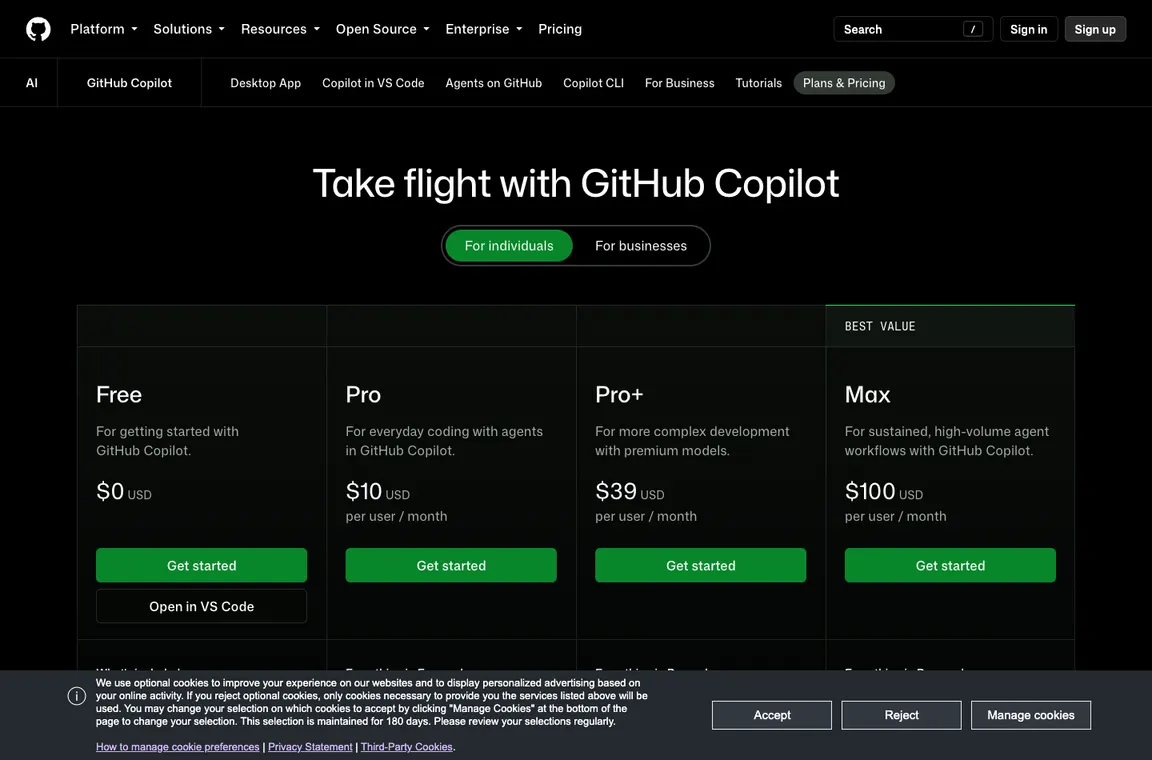
GitHub Copilot’s prices should be read together with AI Credit totals and the separate policies for managed organization subscriptions. Pro, Pro+ and Max use different monthly seat fees and total credit allowances, while Business and Enterprise involve administrative rules and pooling. A development manager should record the cost of cloud-agent tasks as well as completions, then check whether additional credits can be purchased or are blocked by policy. The amount consumed during a realistic sprint is more useful than treating an advertised credit total as a universal number of agent actions.
🎯 Who GitHub Copilot Is Best For
Choose Copilot for teams that maintain source and review work in GitHub, especially when changing editors would disrupt established extensions or debugging practices. The free or Pro tier can make sense for an individual writing routine code; organizations need Business or Enterprise controls matched to repository sensitivity. A team hoping to eliminate engineers from code review is not a responsible target customer. Developers who prefer a fully agent-centered editor should compare Cursor on the same task. The decision depends on branch policies, model allowances and the hours spent inspecting generated work.
| Buyer situation | Recommended starting point | Decision to verify |
|---|---|---|
| Developer who codes in VS Code | Pro after a Free pilot | Are accepted completions stable after review? |
| Engineer delegating GitHub issues | Pro+ or Max only if required by measured usage | How many AI Credits does a useful agent PR consume? |
| Team already using GitHub | Business with managed licenses | Can admins enforce repository and review permissions? |
| Large regulated organization | Enterprise after contract and policy review | Do logging, identity and data obligations meet requirements? |
🧩 Copilot features across editors and GitHub
GitHub Copilot code completion and next edits
Inline completion is the lowest-friction part of GitHub Copilot. It can predict boilerplate or repetitive transformations without a full conversation, but it inherits the same risk as any suggestion: plausible code may be incorrect. Evaluate on languages and frameworks used in real repos. An acceptance test should measure accepted suggestions that survive code review, not the raw number of characters inserted.
GitHub Copilot cloud coding agents
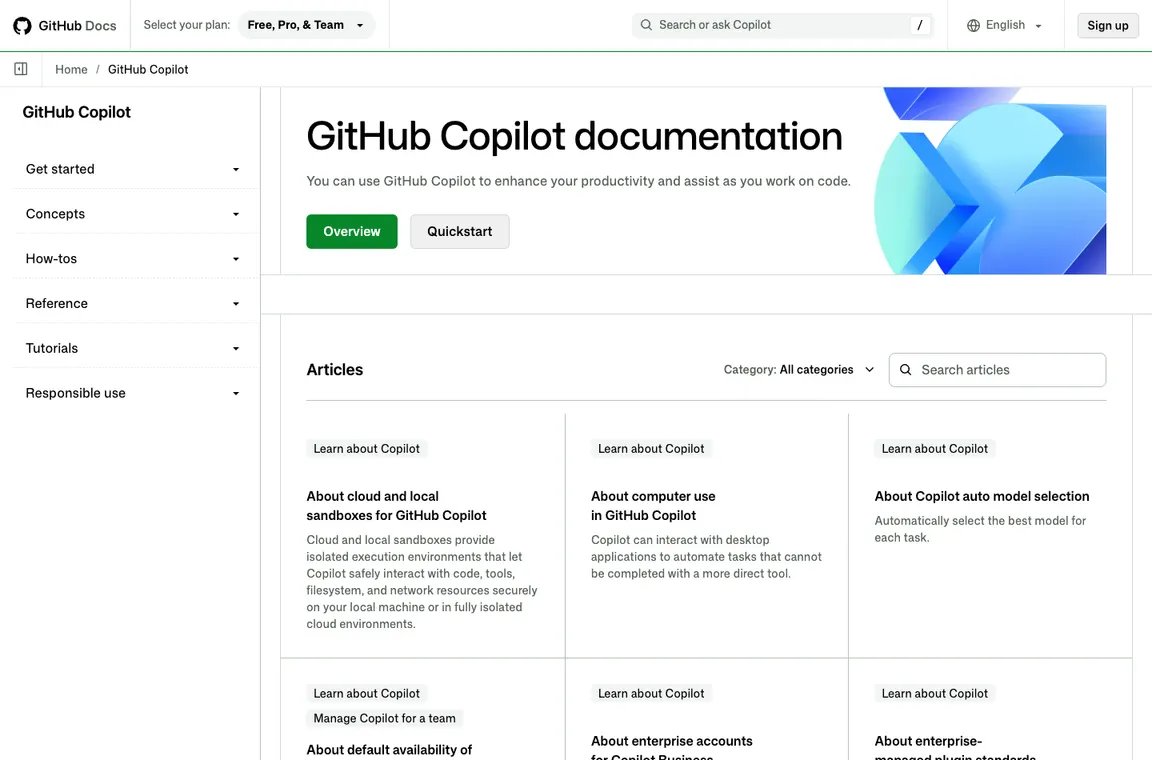
Cloud agents can work from an issue and propose a change in GitHub. This is closer to delegated development than autocomplete, so permissions, credential boundaries and repository policies become essential. Ask an agent to improve tests on a branch with protections enabled. Review the PR description against the diff. A ticket being marked complete is not evidence the implementation is deployable.
GitHub Copilot pricing and AI Credits
A small engineering department with eight Copilot Business seats pays a $152 monthly seat baseline at the published $19 per-user rate, before any separately billable usage or other GitHub services. That’s a useful starting budget, but it doesn’t establish how many cloud-agent issues the team can complete. Compare one week of ordinary completions with a week containing two delegated tickets, and inspect pooled AI Credits, failed CI attempts and reviewer time. GitHub Copilot pricing has become easier to misread because individual Pro, Pro+ and Max plans advertise total credits while organizations have different account controls. A per-seat spreadsheet therefore needs at least two columns: license obligation and metered usage. Don’t interpret advertised credits as cash refunds or as a guaranteed count of agent runs.
GitHub Copilot AI Credits require budgeting beyond seat fees. GitHub Copilot Pro+ and GitHub Copilot Max include different total credits; compare realized agent workload rather than assuming that a higher allowance means unlimited execution.
Copilot in VS Code, JetBrains and command line
GitHub Copilot supports multiple IDE ecosystems and a CLI, which helps teams avoid a forced editor change. However availability, model choices and agent behavior can differ by host. A developer relying on JetBrains refactoring tools should test interaction between IDE inspections and Copilot modifications. For terminal actions, inspect commands before execution and avoid giving agents unrestricted access to development secrets.
Test Copilot in JetBrains on the same project as VS Code. Copilot agents can behave differently across hosts and workflows, so record which commands and repository files each interaction can access.
Copilot pull request review
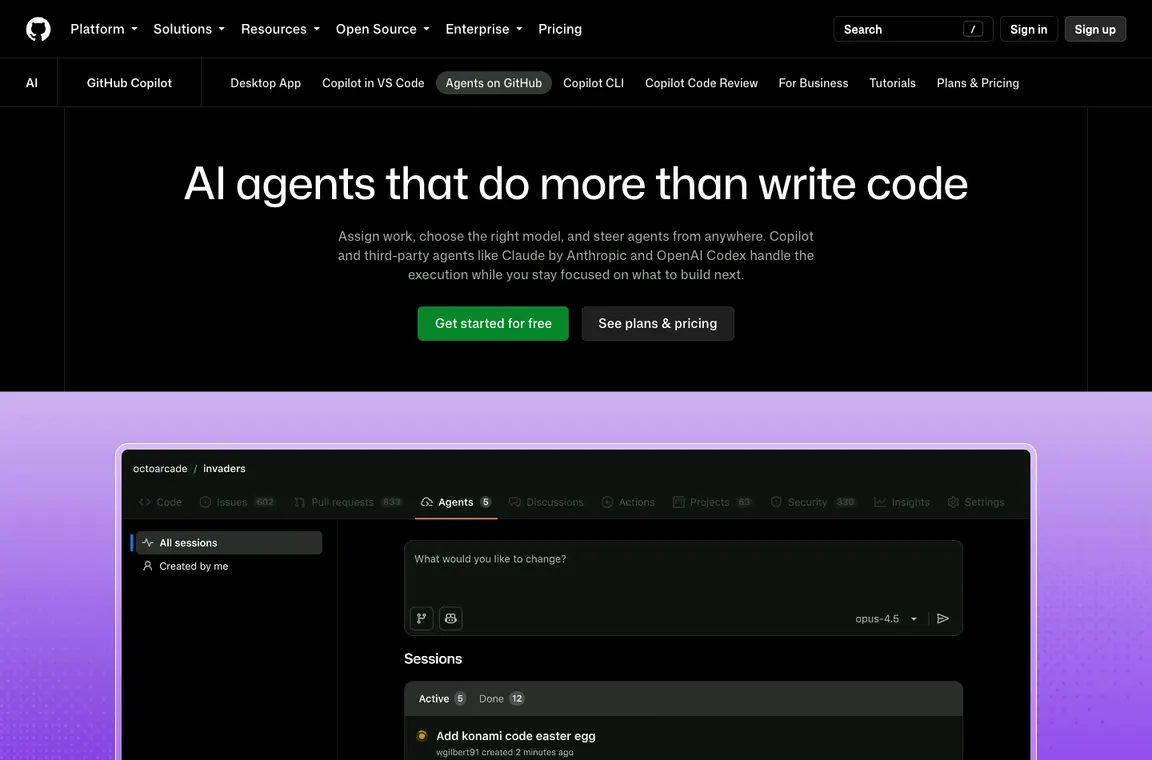
An AI review comment is not a substitute for a security or architectural review. It can spot obvious risks or summarize code changes, but may miss critical assumptions outside the patch. Introduce Copilot review for low-risk changes first, measure actionable findings and record false positives. Repository policies should still require required human reviewers, test status checks and documented approvals.
AI Credit budgeting for teams
Monthly budgets can fail when a few heavy users generate large clouds of agent requests. GitHub’s 2026 pooled credit approach reduces unused individual balances, but it can obscure which workload is creating spend. A finance-minded rollout needs a per-seat baseline plus a measured AI-credit allowance. Monitor production repository size, agent runtime and code review activity to estimate realistic usage.
Data governance and security
Source code, issue text and pull request comments may contain confidential material. Check GitHub Copilot settings, allowed models, access rules and organization policies before enabling broad access. For regulated repositories, confirm data handling details with official GitHub documentation and organizational agreements. Generated patches need software composition checks, secret scanning, vulnerability tests and license review.
Copilot data governance matters whenever repositories contain regulated information. A GitHub Copilot enterprise evaluation should confirm organization policies, code retention and approved agent permissions before enabling broad development access.
GitHub Copilot vs Cursor
Both tools propose code changes and increasingly act as agents, but their integration points differ. Copilot aligns with GitHub-centric engineering and many IDEs; Cursor focuses on its editor-native experience and context management. Pilot both on the same task set. Measure review time, tests passed, security findings and incremental agent charges. A cheaper monthly license does not necessarily mean a cheaper feature delivery.
📋 GitHub Copilot Features: What Needs Verification
| Capability | Vendor fact or evaluation method | Evidence to collect |
|---|---|---|
| Inline completion | Measure accepted suggestions that survive the final commit | Diff review |
| Cloud coding agent | Issue and acceptance test lead to a protected pull request | CI and reviewer sign-off |
| AI Credits | Base-plus-flex total differs by individual plan; business credits can be pooled | Actual usage billing |
| IDE coverage | Validate VS Code and JetBrains behavior separately | Pilot per environment |
🛠️ Engineering trials, credit accounting and code review
GitHub Copilot code completion versus delegated coding work
GitHub Copilot is often evaluated first through inline suggestions because they appear directly inside an editor. That is useful for repetitive mapping code, straightforward tests and familiar language constructs. But code completion and cloud-agent work are different products from a risk perspective. A completion generally enters a developer-controlled file; a cloud agent may work on a branch, inspect repository content and produce a pull request. An organization should assign different acceptance criteria to these workflows. Measuring keystrokes saved does not explain whether the agent correctly understood an issue or whether a suggested change passed a security review.
Create separate trial scorecards. For completions, count accepted suggestions that survive the final commit, and note when the assistant steers toward obsolete APIs. For agents, capture the starting issue, changed files, build results, reviewer findings and total elapsed time. If an agent claims success while CI fails, record that as unfinished work. This distinction prevents an impressive typing demo from hiding the real cost of large automated changes.
How Copilot cloud agents should receive an issue
A well-scoped GitHub issue gives an agent a reproducible failure, a definition of done and constraints on the code it may touch. Suppose a service incorrectly retries a request after a permanent authentication error. The agent can receive a failing test and instructions not to modify logging or authorization settings. It should describe the chosen approach, make a minimal code change and produce a PR for review. A poorly scoped ticket such as ‘make error handling better’ invites broad edits that are hard to test or estimate.
Cloud agents should not receive uncontrolled production access. Limit the repository, branch and external services available to a task. If the assignment involves CI changes, require a second reviewer who understands build and deployment permissions. The right question is not whether Copilot can generate a patch; it is whether the patch is reproducible, comprehensible to teammates and safe to merge. Document the agent’s actions so another developer can continue the ticket without relying on an opaque conversation transcript.
GitHub Copilot AI Credits and a realistic spending model
GitHub’s 2026 individual subscriptions include different total monthly AI Credit allowances. The current US references list Pro at $10 per user per month with $15 in total credits, Pro+ at $39 with $70, and Max at $100 with $200. Those figures mix base and flexible components and should not be treated as cash rebates or unlimited computation. Organization plans use pooled credits and administrative settings. A team comparing the plans needs to track the credits consumed by chat, agent actions and code review separately from simple code completion.
Estimate the cost of a normal release cycle: the number of engineers, issues assigned to agents, likely review iterations and model choices. Configure budget controls before rollout. A heavy user can consume more than an even distribution would suggest, while a low-usage seat might not justify the premium tier. Remember that cloud builds and other GitHub services may add separate costs. The right denominator is accepted work in the repository, not the number of AI interactions.
GitHub Copilot in VS Code, JetBrains and terminal workflows
GitHub Copilot supports multiple development environments, but the same label does not guarantee identical controls in each. In VS Code, a developer may rely on an interactive editor agent; a JetBrains user may retain a different debugger and refactoring flow. In a terminal, command execution introduces another approval surface. A fair comparison asks each environment to implement a small change in an existing project with the same source state and tests. Record missing commands, model availability and the difficulty of inspecting diffs.
Do not let a terminal-generated command run merely because the assistant presents it as routine. Package installation, permission changes and recursive file operations are especially sensitive. An experienced developer should read the command, check its working directory and decide whether it needs a disposable environment. Cross-editor integration is valuable precisely when it preserves the team’s familiar testing and review practices instead of forcing a new workflow around the assistant.
GitHub Copilot pull request review and CI remain separate checks
An automated review can help summarize a diff or highlight a suspicious pattern. It can also miss business assumptions that are invisible in the changed lines. For example, a payment function might use the correct language syntax while applying a discount in the wrong order. GitHub Copilot review should complement integration tests, dependency scanning and the humans responsible for behavior. A useful pilot compares the issues AI review identifies with defects later found in the same pull request by colleagues.
Keep required reviewers and status checks enabled during testing. Record false positives alongside legitimate findings, because a noisy review can make developers ignore important warnings. Ask for the reasoning behind a flagged issue and verify it with a runnable example. If Copilot recommends removing a check to make CI green, that is evidence of an unsafe suggestion. Approval authority must stay with the people accountable for production outcomes.
Permissions and proprietary source code
A private repository may include customer identifiers, unpublished product logic, internal tickets and security-sensitive configuration. Before enabling Copilot broadly, administrators should map what data different Copilot features can access and how model policies apply. Issue comments can contain secrets just as readily as code. Check GitHub’s current enterprise documentation and contractual settings, then choose allowed models and repository scope. An AI Credits plan is not itself a privacy-policy decision.
Test the service against a sanitized repository before allowing sensitive work. Verify that revoked users lose appropriate access and that third-party agent integrations do not inherit more rights than intended. Review branch permissions, token lifetimes and audit logging. Secret scanners and human code review remain necessary even when source handling complies with documented vendor terms. Governance should be an operating process rather than a promise in the procurement slide deck.
Copilot for a ten-person engineering department
Imagine a small product team with ten developers, mixed experience and a queue of maintenance tickets. Giving every engineer the highest Copilot tier may seem simple but could waste budget. Instead, observe which tasks produce accepted time savings. Some developers may benefit from a standard Pro license for daily completion and occasional chat; a release engineer working with cloud agents may need a larger allowance. The team should decide how pooled or individual credits are reviewed and who approves exceptions.
Use a monthly report that separates license cost, AI Credit consumption, and any cloud pipeline costs. Avoid ranking developers by prompt volume. A thoughtful workflow records defect rates, review burden and actual output, because a concise human-authored patch can be more valuable than hundreds of generated lines. Make an explicit decision on which tasks should never be delegated, including production access changes and critical security controls without independent review.
When Cursor or another assistant is a better fit
GitHub Copilot benefits from working close to GitHub issues, pull requests and supported IDEs. A team considering Cursor should compare whether the AI-first editor’s context and cloud agents provide a better experience on multi-file development. Another team may prefer an assistant integrated directly into an existing JetBrains or command-line setup. There is no fair result from giving one product a small bug fix and the other a complex architecture task. The evaluation needs the same commit, ticket, test suite and reviewer.
Include organizational switching costs. Moving editors can disrupt extensions, shortcuts, accessibility tooling and security approvals. Conversely, standardizing on an existing GitHub subscription may simplify administration but still leave developers doing too much manual context assembly. Keep the measure focused on finished code that a colleague can understand next week. Avoid using ‘more models’ or ‘more credits’ as substitutes for measured quality.
A deployment checklist that outlasts the trial
The practical last step is creating a short internal Copilot policy. Specify where the assistant may be used, which repositories and data types are excluded, and how generated changes are reviewed. Include the current owner of spending controls and a procedure for investigating unexpectedly expensive or unsafe agent runs. A new employee should be able to understand the policy without watching an administrator demonstrate the tool. That matters as Copilot evolves from completion into several agent-driven product surfaces.
At the end of the evaluation, check whether the workflow still works without Copilot. All code, tests and docs should remain accessible through normal repository tools. Record the baseline engineering effort, approved pull requests and review time, not a marketing estimate of productivity. A durable benefit is a repeatable process with fewer mechanical tasks and no weaker release controls. Keep the subscription tier that supports that result and reconsider it when credit pricing changes.
Working with GitHub issues containing customer details
An issue may include a stack trace, customer example or private URL that should not be copied into every coding assistant. Before assigning Copilot a cloud-agent task, sanitize unnecessary identifiers and separate the reproduction steps from customer-specific context. The agent should need the minimum repository permissions to produce a reviewable patch. If the issue links to a private service, check whether the agent can access it and what the resulting logs retain. The test can begin on a synthetic bug report using the same workflow. A successful trial proves that issue-to-PR handling is auditable without requiring sensitive customer records to be exposed.
Credit overruns and reviewer fatigue
A busy sprint can create a second cost beyond GitHub AI Credits: reviewers may receive large batches of mechanically generated code. Set an upper bound on task scope and ask agents to submit logically separated changes rather than enormous pull requests. Monitor whether reviewers spend more time understanding the diff than they would have spent making the fix. Pair spending alerts with quality alerts such as repeated failed CI jobs, unused imports and regressions. The goal is not to minimize every agent request but to improve throughput without hiding rework. If a lower-cost plan covers ordinary completions while occasional agent work is separately budgeted, that may be more sustainable than Max seats for everyone.
⚖️ GitHub Copilot vs Alternatives: Head-to-Head
| Alternative | What it emphasizes | Decision criterion |
|---|---|---|
| Cursor | AI-first editor and cloud workers | Compare migration cost and agent context |
| Tabnine | Different approaches to deployment and model choice | Check exact data-control tier |
| Manual editor workflow | No agent-credit cost | Compare measured hours rather than just subscription price |
Cursor prioritizes an AI-centered editor and repository-aware workflows, whereas GitHub Copilot can fit into developers’ current IDEs and GitHub pull request process. An engineering team should test the same issue in both products, with identical acceptance tests and equal review expectations. Compare branch handling, context gathering and incremental charges, not just the first suggested patch. Switching editors may make sense for some developers but can disrupt extensions and debugging conventions for others. The right result depends on the existing delivery pipeline.
Tabnine may appeal to organizations comparing AI completion products with different deployment and data-governance needs. That is a more focused comparison than claiming every assistant offers identical autonomous agents. First confirm which Tabnine features and deployment modes are actually included in a proposed contract. Then use routine coding examples to compare suggestion usefulness and review overhead. GitHub Copilot’s value should include its issue, PR and GitHub administration integrations where relevant, rather than a raw completion contest alone.
Manual editor workflows have no Copilot subscription charge, but experienced developers can still spend time on boilerplate and repeated code navigation. A realistic comparison should not give the assistant an artificial advantage by selecting tasks designed for autocomplete. Include difficult debugging, test-writing and security review alongside simple transformations. If Copilot creates incorrect code that must be reworked, include that time. The best value may be a standard license for daily suggestions while more expensive agents are enabled only for suitable reviewed tasks.
📋 GitHub Copilot Procurement Checklist
- Test Copilot Free with code completion on an ordinary maintenance ticket.
- Give an agent a failing regression test and narrowly scoped issue.
- Keep required GitHub reviewers and branch protection enabled.
- Check whether Pro, Pro+ or Max AI Credit limits cover actual activity.
- Evaluate AI-generated code for guessed APIs, license issues and secrets.
- Check CLI permissions before running suggested terminal commands.
- Record false positives in AI code review alongside genuine findings.
- Budget credits, seats and unrelated GitHub infrastructure separately.
| Decision test | Evidence to retain | Pass condition |
|---|---|---|
| Completion | Accepted suggestions and final commit diff | No new lint or behavioral regressions |
| Cloud agent | Issue, PR, CI checks and review thread | Reproducible fix accepted by human owner |
| Security | Repository/role policy screenshots | Only authorized source and commands accessible |
| Budget | Seat plus AI Credit use | Cost per approved task is defensible |
| Portability | Standard GitHub history | No dependency on inaccessible agent chat |
🏆 Final Verdict on GitHub Copilot
GitHub Copilot is useful when it improves the team’s normal issue-to-PR process without reducing release discipline. Review the concrete result: did the patch preserve behavior, did CI pass, and did a human understand the change? Track cloud-agent credit consumption separately from autocomplete and consider the existing cost of GitHub services. A rollout with modest licenses for routine assistance and restricted premium usage for selected tasks may outperform blanket high-tier purchasing. The tool should make accepted work easier, not make it possible to submit more unreviewed code.

Frequently Asked Questions
Does GitHub Copilot still offer a free plan?
Yes. The current individual Free tier lists 2,000 code completions a month and limited agent/chat use. It’s useful for trying suggestions in your editor, but cloud coding-agent assignments and reviews can require a paid tier.
How much are GitHub Copilot Pro, Pro+ and Max?
Official US individual pricing lists Pro at $10, Pro+ at $39 and Max at $100 per user monthly. Their total monthly AI Credit allocations are $15, $70 and $200 respectively. The credit figures are usage allowances, not cash discounts.
What are GitHub Copilot AI Credits?
They’re GitHub’s accounting mechanism for eligible AI features including chat, agent tasks and code review. Model choice and workflow affect usage. A team should monitor actual consumption rather than assuming every request costs the same.
Is GitHub Copilot Business priced per seat?
Yes. Business and Enterprise are managed organizational plans with their own license fees and credit policies. Confirm the current pricing tab, pooled-credit rules and overage settings before purchasing seats for a team.
Can GitHub Copilot work from an issue to a pull request?
Eligible cloud-agent features can take scoped tasks and prepare changes for review. Provide clear acceptance criteria and a failing test where possible. Keep branch restrictions, continuous integration and human approval enabled.
Does GitHub Copilot replace pull-request reviewers?
No. AI review can draw attention to likely problems, but it can also miss business logic and security assumptions. A merge decision should still rely on required human reviewers, tests and repository ownership rules.
Does GitHub Copilot work in JetBrains as well as VS Code?
GitHub documents support across several development environments, including VS Code and JetBrains IDEs. Available interactions may differ, so test the editor and feature combination your developers actually use.
Can GitHub Copilot run commands in a terminal?
Copilot CLI supports terminal-oriented assistance, but suggested commands should be inspected before execution. Package installation, filesystem edits and authentication changes should not be treated as automatically safe.
Is GitHub Copilot the same as Microsoft Copilot?
No. GitHub Copilot is aimed at software development, while Microsoft 365 Copilot is integrated with work applications and organizational documents. One subscription doesn’t automatically unlock the other.
What should organizations check before enabling coding agents?
Review repository access, model policies, secrets exposure, audit logs and AI Credit budgets. Start with a sanitized repository or narrowly scoped branch. Document which actions can be performed without additional approval.
Where should I verify Copilot pricing and feature access?
GitHub’s current Copilot Plans & Pricing page is the primary reference. Check the Individuals and Businesses tabs separately because included agent and administrative features differ.
EXPLORE NEXT ON DIGIOFFLY
🔍 Compare AI Tools & Software
Validate features, plans and workflow fit for GitHub Copilot before committing to another subscription.
Find AI & Tech reviews
- AI & Tech Offers — Explore the full category.
- Midjourney review — Image-generation alternative.
- ChatGPT review — General-purpose AI workflows.
- Cursor review — Compare an AI-first editor with GitHub's pull-request workflow.
- Microsoft Copilot review — Understand why the office assistant is a separate license.
- Development & DevOps — Explore reviews of code, APIs, app backends and deployments
- GitHub — Source hosting and repository governance
- GitLab — Merge requests and CI/CD workflow
Compare verified options
- Software Directory — Find tools and plans.
- Compare — Compare products directly.
- AI Software Finder — Match features to a task.
Plan what to buy
- Cost Calculator — Work out first-year spending.
- Best Value Advisor — Explore price and capabilities.
- Deals Hub — Check verified offers and terms.
Pricing and product capabilities can change after publication. Confirm subscription terms, regional tax and account eligibility with the provider.