

Brevo research update, October 30, 2026: Vendor pricing and product references were consulted for this article about Brevo. The illustrated public pages are not evidence of private-account testing. Check the current vendor documentation for Brevo before making a purchase.
Brevo makes the most sense when a team sends a predictable volume of marketing email but wants to store more contacts than it mails every week. Its mix of marketing campaigns, transactional messaging and CRM is different from a classic per-subscriber newsletter platform. The decision is not whether the dashboard can send a promotional email; it is whether the volume limits, automation tiers and contact hygiene fit your actual customer journey.
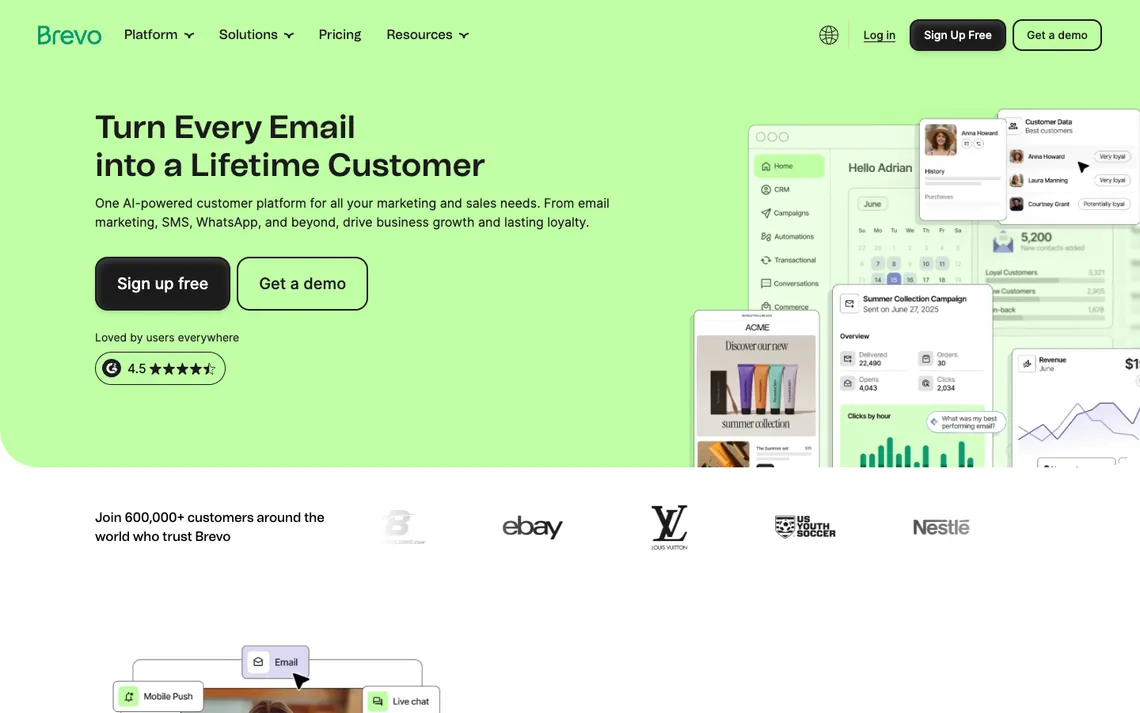
Brevo sits between a simple newsletter tool and a broader customer-messaging system. This Brevo review addresses practical questions: how its daily Free allowance compares with a busy campaign, when Starter or Standard becomes necessary, and how marketing contacts, automation and transactional email fit together. The pricing examples refer to published vendor terms; the workflow checks are recommendations for readers, not results from a private account.
DigiOffly may earn a commission from qualifying links about Brevo, at no additional cost to the reader. Confirm all current vendor terms before buying.
📊 Brevo Review Summary
Brevo suits an email program where the number of stored contacts is substantially larger than the audience sent each week. Compare monthly sending bands, the Free plan’s 300-message daily limit, and the automation actions available on Starter versus Standard before importing an existing database.
- Best fit: Teams with a sizable contact database, selective marketing sends and a need to coordinate transactional messages.
- Budget: Verify the applicable usage and seat tier in the detailed pricing section
- Strength: Separate email-volume and contact-storage considerations
- Trade-off: Daily cap can constrain Free campaigns
- Evidence: Pricing and product claims checked against official sources, not a private account benchmark.
⚡ Quick Verdict: Is Brevo Worth It?
Choose Brevo when contact storage, transactional email and marketing campaigns need to share reliable data. For a 1,200-person launch list, the Free allowance of 300 daily sends is a material scheduling limit; it says nothing by itself about inbox placement. Check contact hygiene, sender-domain authentication, the actual send band and which automation conditions the planned subscription includes.
🧭 Contents and Navigation
🧠 What Is Brevo?
🛠️ Features, Workflows and Practical Limits
Contact database architecture
A retailer may keep thousands of past customers on file while emailing only a fraction of them in a typical week. That is the situation in which Brevo’s email-volume model deserves a closer look. Distinguish a stored contact from a recipient in a campaign, then estimate how often the same people appear across automated flows and broadcasts. A low subscription price means little without the expected sending pattern.
A Brevo contact is not the same thing as a recipient in this month’s campaign. Consider a repair shop with 18,000 historic customer records, a 1,100-person maintenance-reminder audience and only a few hundred new enquiries each month. An attribute for vehicle type may help targeting, while a separate consent field determines whether a marketing message can be sent at all. Keep those decisions separate. Combining every service customer into a promotional list would make the database look large without making the mailing programme either useful or compliant. The Brevo CRM view can be useful for the service team’s contact context, but sales stage and email consent still need distinct fields.
Before importing your full customer base, you should compare the raw count of stored contacts against your actual sendable subscribers to verify your operational scope. Check whether your current CRM exports map cleanly into the expected attribute fields without creating duplicate profiles or losing historical metadata. This initial audit prevents unexpected contact bloat and ensures you understand how Brevo classifies your audience before committing to a specific pricing tier.
Campaign builder and templates
Constructing a branded newsletter or a one-time promotional blast relies on a visual drag-and-drop editor paired with reusable content sections and responsive preview tools. Rather than coding emails from scratch every single week, your marketing team can save custom headers, footers, and product blocks to maintain a consistent visual identity across every campaign. These layout utilities speed up production times significantly while keeping design standards uniform for all outgoing brand communications.
Email templates are particularly easy to overrate during a platform demonstration. For Brevo, the first design question is whether a reusable section survives a real campaign edit: does the price still fit on a narrow phone screen, and is the offer understandable when images are blocked? A promotion with the discount embedded only in an image fails that second test. Preview the subject line, preheader, body text and unsubscribe area as one experience; a beautiful drag-and-drop canvas is not the recipient’s inbox. Readers using older Sendinblue email marketing materials should check current Brevo settings before importing a legacy template.
Always send comprehensive plain-text and mobile previews featuring real active links and functional unsubscribe controls before hitting the final broadcast button. Testing the recipient experience across various screen sizes ensures that buttons remain tappable and layout columns stack correctly without awkward wrapping. Taking these precautionary steps protects your sender reputation and gives subscribers a seamless reading experience.
Free-tier send ceiling
Evaluating the financial feasibility of a product launch announcement requires looking closely at the strict daily limits imposed on lower usage tiers. The free arrangement caps output at three hundred emails per day with absolutely no rollover of unused volume from one day to the next. This means you cannot accumulate spare quota during quiet weeks to bank for a sudden promotional push, forcing teams to plan their outreach schedules around rigid daily ceilings.
Here is the awkward arithmetic behind Brevo Free: a single announcement addressed to 1,200 recipients exceeds its 300-emails-per-day allowance by 900. The vendor documents a Requeue mechanism for the remaining campaign recipients; it does not mean that the whole audience receives the announcement on its scheduled day. That distinction matters for a 24-hour registration deadline or a stock clearance. If simultaneous delivery is essential, the Free tier is a poor fit even when all 1,200 addresses are legitimate and within the account’s contact-storage capacity. For a Brevo Free plan comparison, keep the difference between contact storage and daily campaign delivery visible in the budget.
You should simulate your busiest forty-eight-hour campaign window rather than calculating your needs against an average month of steady messaging. Map out the exact number of launch emails, follow-up reminders, and transactional receipts you expect to generate during peak traffic periods. Matching those peak requirements directly against Brevo limits will reveal whether you can launch on the free tier or if you need to upgrade immediately.
Starter and Standard upgrades
Suppose a small business sends two promotional emails a month but also wants an automatic welcome sequence. Its first upgrade question is not simply ‘Starter or Standard?’ It is which workflow actions are included and how many messages will be triggered when subscribers join. Brevo’s plans have different allowances and feature gates, so a reasonable comparison uses a real monthly volume estimate and the specific automation steps the team needs.
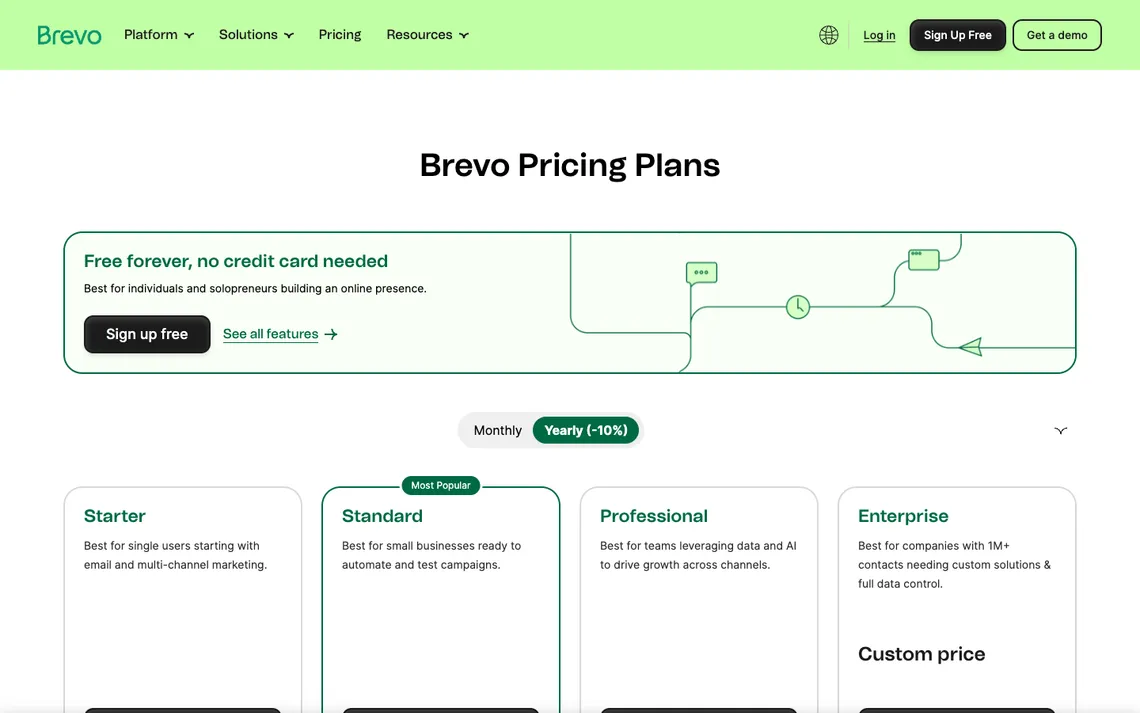
Be aware that a low headline price like the Starter starting from nine dollars per month or the Standard starting from eighteen dollars per month may exclude the specific send band, contact limit, or specialist feature your project requires. As your database grows or your automation needs become more sophisticated, your monthly invoice can climb based on the exact combination of contacts and volume you select. Always verify how feature restrictions align with your actual operational roadmap before selecting a tier. Older articles labelled Sendinblue pricing can mislead buyers comparing current Starter, Standard and Professional allowances.
Separate the line items in a Brevo budget before deciding that the entry price is attractive. Write down the selected monthly email band, the corresponding stored-contact allowance, required automation features, user seats and any branding-removal or SMS charges. Then price a normal month and a launch month. The vendor’s published starting prices are points on a pricing grid, not a quotation for an unlimited account. This exercise is also useful when comparing Brevo with per-contact competitors: identical subscriber counts can hide very different sending workloads.
Marketing automations
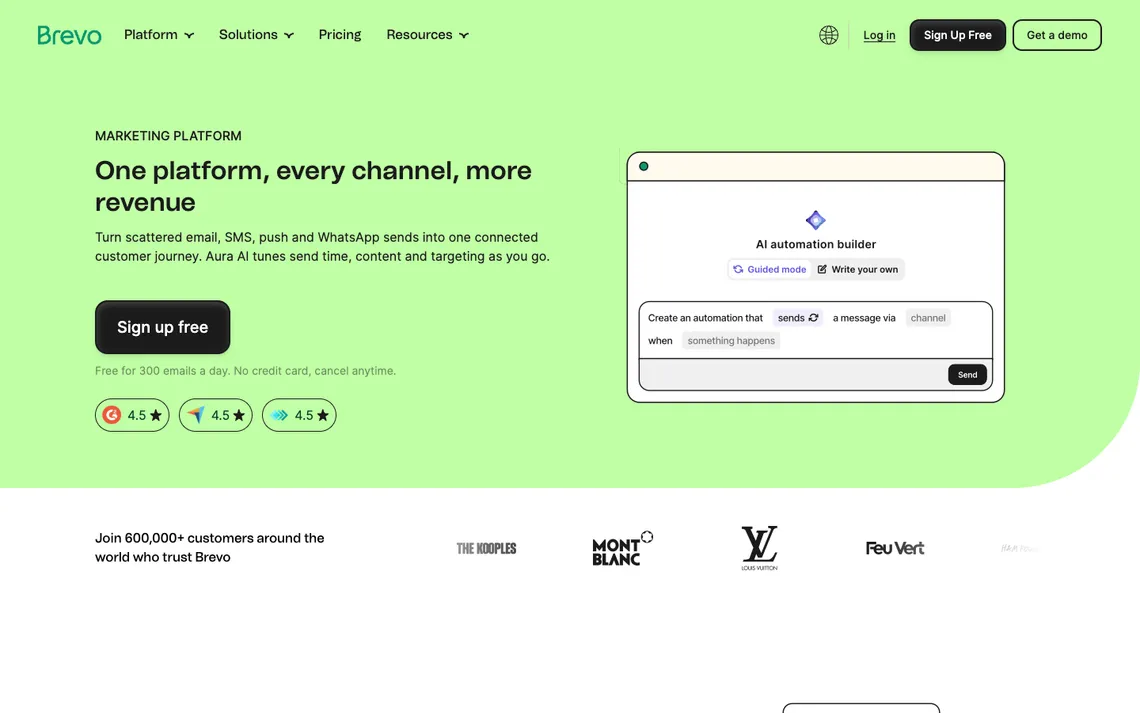
Deploying behavior-driven welcome sequences and automated follow-up journeys requires configuring specific contact conditions, trigger events, workflow entry points, and branching logic. You can set up workflows that react instantly when a user makes a purchase, clicks a specific link, or visits a designated landing page on your website. These automated pathways ensure that your subscribers receive relevant, timely content based entirely on their own demonstrated interests and actions.
Complex automation maps carry inherent risks; a workflow can restart unexpectedly or message an opted-out contact if your underlying entry rules and suppression lists are configured incorrectly. Such errors can frustrate recipients and potentially violate email compliance regulations by sending duplicate or unwanted communications. Reviewing every conditional branch and exit rule carefully is essential to maintaining a smooth and respectful subscriber experience. For Brevo automation, test whether the proposed entry trigger and branch conditions are covered by the selected subscription.
A small test matrix is easier to debug than a sprawling Brevo automation chart. Use one newly subscribed contact, one existing buyer, one unsubscribed address and one person whose event arrives twice. Record which event starts each workflow and which condition ends it. For the unsubscribed address the expected outcome is no promotional send, not merely a different email subject. For the duplicate event, look for repeated entry into the sequence. These are proposed acceptance tests; the article does not claim that such accounts were run during our research.
Segments versus lists
Targeting a specific reactivation campaign at inactive buyers requires a clear understanding of how dynamic segments differ from static lists within the platform. Segments use rule sets that recalculate membership automatically as user data changes, whereas static lists preserve fixed organizational groupings chosen by your team. This distinction lets you build evergreen filters that pull in cold leads based on their recent inactivity without requiring manual list maintenance.
Relying solely on automated engagement scoring can sometimes introduce blind spots, especially if your scoring model fails to account for offline purchases or external customer interactions. If a buyer purchases items through a physical retail location or an external point-of-sale system that does not sync properly, Brevo might still misclassify them as inactive. Keeping these offline gaps in mind helps prevent you from sending awkward ‘we miss you’ emails to loyal customers. If a guide mentions Sendinblue CRM integration, confirm its current Brevo equivalent and how contact fields transfer between systems.
An ‘inactive customer’ segment needs a definition the business can defend. In Brevo, last email engagement and last recorded purchase are different measures, particularly if point-of-sale purchases never reach the marketing database. Define the time window first, then list which events qualify for reactivation and which events exclude a person. Inspect the segment’s membership on a short sample of real, consented records. A filter returning 700 contacts is not evidence of accuracy until somebody checks why those contacts, and not the other 4,000, appeared.
Transactional email separation
When your application needs to deliver password resets and receipts separately from promotional campaigns, separating these traffic channels prevents marketing delays from blocking urgent user notifications. Brevo provides an email API and transactional messaging tools that sit alongside standard marketing features, allowing developers to route operational alerts through dedicated pathways. This structural division ensures that time-sensitive system communications reach customers immediately without waiting behind bulk newsletters or seasonal discount broadcasts queued up in the main marketing interface.
A key caution to keep in mind is that mixing transactional and promotional reputation can harm critical mail delivery rates if your marketing broadcasts trigger spam complaints or high bounce numbers. By keeping your operational notices isolated, you protect your primary sending domain’s sender score from being dragged down by unengaged subscribers who ignore promotional blasts. This separation requires careful configuration during initial setup, ensuring that API-driven receipts and automated account alerts utilize specific routing rules distinct from your daily marketing campaigns. A Brevo API integration needs its own credential and error-handling review, especially when marketing data feeds transactional messages.
Brevo’s transactional API deserves a separate acceptance checklist from campaign email. A password-reset request needs a timely response, a stable sending domain and an observable failure path; a seasonal promotion can tolerate a different schedule. If the application retries a request after a timeout, the engineering team should establish whether its own code might generate duplicates. Record message IDs and failure responses where the integration exposes them. The operational question is not simply whether the dashboard advertises SMTP and API access, but whether the application can diagnose a missed receipt.
Sender authentication and deliverability
Before sending from a new domain, check whether SPF, DKIM and DMARC are configured and whether Brevo recognizes the sending identity. These records address authentication; they do not promise that a particular message will land in the inbox. Keep promotional and transactional traffic requirements distinct, especially if the same company sends both newsletters and password resets. A test should include bounce and suppression handling, not merely a successful template preview.
Prospective buyers must remember that a vendor-branded deliverability percentage does not predict your own audience’s inbox rate, as overall platform metrics combine billions of diverse messages from unrelated senders. Your actual placement depends heavily on list hygiene, recipient engagement, and the specific content of your messages rather than any generalized platform guarantee. Relying on aggregate vendor statistics can create a false sense of security regarding how your particular subscriber base will receive your upcoming product announcements or newsletter updates. Brevo SMTP settings belong to the transactional delivery workflow, where authentication and retry policies matter more than template styling.
Treat sender authentication as a configuration problem, not a deliverability trophy. A Brevo domain can have DNS records in place and still send unwanted or poorly targeted mail. Check the published SPF and DKIM instructions for the actual sending domain and establish a DMARC policy appropriate to that domain’s deployment. Then examine bounces and suppressions at the message level. The outcome to document is the configuration and the observed test logs; a generic ‘98% deliverability’ claim would not be defensible without its measurement method.
| Operational checkpoint | Evidence to request | What could go wrong |
|---|---|---|
| Input | SPF, DKIM, DMARC, suppression and bounce reporting | Unreliable or incomplete inputs |
| Control | inspect authentication and monitor domain-specific bounces | No tested exception process |
| Owner | Named account or project administrator | No one can repair an unexpected change |
| Outcome | Repeatable result and documented limits | a vendor-branded deliverability percentage does not predict your own audience’s inbox rate |
SMS and cross-channel workflows
Implementing cross-channel workflows allows marketing teams to follow up a consented customer after an abandoned booking by combining email touches with mobile messaging. Brevo supports text and mobile communication features, though these capabilities vary significantly by geographic region, chosen pricing plan, and available credit balances. Designing these automated sequences helps bridge the gap between initial website browsing and final purchase completion, keeping your brand top-of-mind when users leave items in their cart without checking out.
Organizations must exercise caution because SMS consent is strictly channel-specific and credit costs are not email costs, meaning text campaigns draw from a separate, often more expensive financial pool. Assuming that an email opt-in grants blanket permission to send promotional text messages can lead to severe compliance violations and carrier penalties. Furthermore, text message pricing fluctuates based on destination country and message length, requiring careful budget monitoring to prevent unexpected charges from draining your auxiliary communication reserves prematurely. Brevo SMS is not included in an email-send quota; check consent, destinations and credits before making it part of a customer flow.
When Brevo email and SMS appear in the same customer journey, there are two independent permission and cost decisions. An address collected for shipping notifications does not establish permission for promotional text messages. A team should identify the country of each recipient, the applicable messaging route and the opt-out language before designing a cross-channel campaign. A reasonable pilot sends only to staff-owned test numbers with appropriate permissions. The SMS credit balance also belongs in the budget separately from the email-send allowance.
Reporting and attribution
An open-rate chart may be the first thing a campaign manager checks, but it is rarely the outcome the business cares about. For Brevo, choose a measurable event such as a completed checkout or a booked appointment and trace its source back to a campaign. The available reports vary by plan and by integration. If the ecommerce platform and the email dashboard disagree, document the attribution window before declaring either figure correct.
A crucial caution for analysts is that email opens are not a trustworthy conversion metric on their own, especially given modern privacy protections and automated image loading behaviors. Relying solely on open rates can paint a misleading picture of campaign success, as pixels loaded by automated security filters often inflate engagement figures without reflecting genuine human interest. True commercial impact must be measured through downstream user actions, such as website visits, form submissions, and completed financial transactions. Old references to Sendinblue deliverability should be checked against current Brevo authentication guidance and your actual sender-domain data.
A marketing report can describe attributed conversions while the checkout system tells a different story. To investigate a Brevo campaign, choose one event such as a paid booking, apply a consistent campaign identifier to its links and compare the resulting order record with the report’s attribution window. If the purchase is refunded, decide whether the internal performance report should count it as revenue. This comparison explains more than a screenshot of a high open rate. It also prevents the copy from suggesting that reporting features alone caused additional sales.
Team permissions and CRM
Growing organizations often need to hand off a qualified enquiry from marketing to sales seamlessly without losing context about the customer’s initial engagement history. Brevo addresses this operational requirement through contact ownership settings, accessible record management, and optional paid sales features designed to bridge departmental silos. Organizing user roles correctly ensures that sales representatives receive prompt notifications and complete interaction logs whenever a lead crosses the threshold from passive subscriber to active prospect.
When planning your user structure, keep in mind that a low-tier seat limit can force shared logins or trigger hidden collaboration charges as your department expands. Restrictive team permissions on entry plans might compel multiple staff members to share a single credential, creating security vulnerabilities and erasing individual accountability for campaign edits or contact updates. Evaluating your long-term staffing needs early helps you anticipate when you will need to upgrade to higher tiers to accommodate growing departmental collaboration.
To prevent administrative bottlenecks, purchasers should map out precisely who edits campaigns, who views contacts, and who owns renewals within their organizational hierarchy. Documenting these responsibilities beforehand clarifies workflow boundaries and prevents unauthorized modifications to critical marketing assets or customer databases. Testing permission levels during the evaluation period ensures that marketing staff, sales representatives, and administrative supervisors each retain appropriate access without compromising sensitive client information or database security.
Migration and exit
Transitioning to a new platform requires careful planning when you need to move 10,000 contacts into a clean sending program without importing legacy disengagement or data errors. Brevo facilitates this process through structured data imports, custom attribute mapping, consent timestamps, suppression list management, and developer webhooks. Ensuring that your historical subscriber data is properly formatted before upload protects your new account infrastructure from immediate deliverability degradation and maintains high standards of data integrity from day one.
A vital caution during data migration is that legacy lists may contain mixed consent states and duplicates accumulated over years of inactive list management. Importing unverified contacts or outdated email addresses without a rigorous scrubbing phase invites high bounce rates and spam reports that can damage your sender reputation instantly. Cleaning your database thoroughly before synchronization is an absolute prerequisite to ensure that only actively engaged subscribers make the transition into your new communication environment.
As part of your migration testing, you should export a reversible sample and verify that unsubscribed contacts stay blocked throughout the transfer process. Running test batches allows your technical team to confirm that suppression flags and custom preference tags carry over correctly without exposing opted-out users to fresh marketing broadcasts. Verifying these exit and import safety measures guarantees operational compliance and protects your brand reputation against accidental policy breaches right from the start of your deployment.
💰 Brevo Pricing, Plans and Real Cost
The vendor lists Free at $0 with up to 300 email sends a day; Starter from $9 per month; Standard from $18 per month; Professional from $499 per month; Enterprise requires a quote. Entry prices correspond to particular send and contact bands, and add-ons or SMS can change the invoice.
| Decision item | Current evidence | Procurement check |
|---|---|---|
| Official pricing basis | Current official plan documentation linked in this review | Verify selected tier, country, billing and seat count |
| Free plan or trial | Refer to the vendor source; eligibility and quotas differ | Confirm sender, recipient, profile, crawl or credit limits |
| Operational add-ons | Some functions, usage or seats may be charged separately | List every required function before checkout |
| Migration and support | Data export, support and permissions vary | Test a sample import and rollback |
⚖️ Brevo vs Alternatives
| Product | Primary comparison angle | Important question |
|---|---|---|
| Brevo | Teams with a sizable contact database, selective marketing sends and a need to coordinate transactional messages. | compare counts of stored contacts and actual sendable subscribers before importing |
| Mailchimp | Alternative scope and integration fit | Does Mailchimp price the intended volume of monthly sends differently from contact storage? |
| ActiveCampaign | Alternative scope and integration fit | Which ActiveCampaign tier includes the desired multi-step customer journey? |
| MailerLite | Alternative scope and integration fit | Would MailerLite cover the newsletter workflow without transactional messaging? |
✅ Pros, Cons and Who Should Choose It
- Advantage: Separate email-volume and contact-storage considerations
- Advantage: Marketing and transactional message workflows
- Advantage: Segmentation and multichannel options
- Limitation: Daily cap can constrain Free campaigns
- Limitation: Automation, seats and analytics differ by tier
- Limitation: SMS and extra send volume require separate attention
To assess Brevo with a small but realistic audience, create four consented test contacts with different event histories. Check the welcome workflow’s entry and exit rules and whether a contact who opts out is excluded from subsequent marketing sends. Then consider a busy launch day: the Free tier’s 300-email daily cap may require a different sending plan. For a larger team, map who can edit contact attributes, approve campaigns and manage transactional email credentials. The best upgrade is the one that resolves a demonstrated requirement, such as an automation condition or sending allowance, without introducing avoidable complexity.
🧪 Evaluation Method and Evidence Boundaries
Brevo’s public plan pages distinguish daily sending allowances from account-level contact management, and that distinction shapes this review. Screenshots document the public website, not activity in a real marketing account. The checks on authentication, suppressions and transactional delivery are recommendations for a buyer with legitimate test data. This review cannot claim measured inbox placement or actual campaign ROI from those sources.
A meaningful Brevo trial would send a controlled welcome message and then simulate a larger launch audience against the 300-email Free daily allowance. Inspect sender authentication, opt-out handling and what happens to messages above that ceiling. Export a record of accepted, rejected and suppressed recipients; without such observations, a delivery percentage would be speculation.
🏆 Final Verdict
Brevo is appealing to teams that hold a substantial contact database but do not mail every record regularly. Its Free sending cap and paid automation gates demand careful checking, especially before scheduling a large announcement. If contact hygiene and sender-domain authentication are manageable, compare the required monthly send allowance against Starter and Standard at checkout rather than treating the lowest advertised starting price as universal.

Frequently Asked Questions
What is Brevo best suited for?
Teams with a sizable contact database, selective marketing sends and a need to coordinate transactional messages.
Does Brevo offer a free plan?
Brevo Free allows up to 300 email sends per day. That is a sending cap, not proof of inbox placement or access to every automation feature.
How does Brevo pricing work in 2026?
Budget the specific activity described under sms and cross-channel workflows, including relevant seats, usage and add-ons. See the pricing section for the plan structure checked for this review; verify current checkout currency, allowances and renewal terms with the provider.
Can small teams use Brevo?
Yes, for a focused first project. Start by checking whether your team can store contacts without sending to every person, then confirm that the chosen plan covers the actions, permissions and expected volume.
Which Brevo features should I check first?
Prioritize campaign builder and templates, starter and standard upgrades and segments versus lists. Test whether the features operate as expected together rather than reading a feature grid as a promise of results.
What is the biggest limitation of Brevo?
The practical risk is that a low headline price may exclude the send band, contacts or specialist features needed. A second concern is that email opens are not a trustworthy conversion metric on their own. Those are reasons for explicit safeguards, not proof the product always fails.
How should I migrate data into Brevo?
Begin with a small, reversible sample. Preserve identifiers, consent or access records, and a rollback path. As a practical check, export a reversible sample and verify unsubscribed contacts stay blocked. Keep the original workflow available until the new system handles both normal and exceptional cases.
What should I compare against Brevo?
Compare Mailchimp, ActiveCampaign, MailerLite for the same specific job. Price, product scope, deployment effort and data ownership matter more than a broad generic feature count.
Is Brevo suitable for agencies?
It depends on whether separate client accounts, permission boundaries, exports and billing match the agency model. An agency should prototype a representative client instead of assuming that a single-workspace trial covers multi-client work.
How can I evaluate Brevo without a misleading test?
Choose one workflow, document its starting state and verify the expected output. For example, confirm opt-in evidence, geographic rates and unsubscribe behavior. Record what you can independently confirm and what is a vendor-documented claim.
Where can I verify the latest Brevo limits?
Use the official pricing page and vendor documentation. Screenshots in this review are dated and may not match a later checkout.
Primary sources: Official pricing · Product / plan documentation. Screenshots in this review are dated October 30, 2026.
EXPLORE NEXT ON DIGIOFFLY
🔍 Explore More on DigiOffly
Continue exploring published Growth software reviews and choose complementary tools for your workflow.
Explore categories
- Growth & Marketing — Browse email, SEO, outreach and retention tools
- Software Directory — Find related published software reviews
- Software Stacks — Choose a minimal set of complementary tools
- ActiveCampaign — Lifecycle email workflows and CRM-connected automation
- Klaviyo — Ecommerce email, SMS and order-triggered flows
- beehiiv — Newsletter publishing, growth and subscriptions
Compare your shortlist
- Compare Software — Compare documented features and plan differences
- AI Software Finder — Build a task-specific shortlist
- Cost Calculator — Separate per-seat and usage-based costs