

Pricing and specifications checked 2026-11-21 against vendor primary sources. Conditions, billing cycles and regions may change.
A trading journal should answer a specific question: what did you do, what did it cost, and what behavior should change next time? TradesViz tries to answer all three with imports, a calendar, more than 600 advertised statistics, an AI Coach, and—on the appropriate plan—replay and simulation. This TradesViz review looks beyond the feature count to the data quality, real plan boundaries and workflow trade-offs. It is documentation-led, not a claim that we connected a brokerage or proved the product improves returns.
DigiOffly currently uses direct non-affiliate product links. Vendor claims are distinguished from independently observed tests. No investment or trading advice is provided.
📊 TradesViz Review Summary
TradesViz sits between a straightforward journal and a broader trading research workspace. Its Basic plan gives stock traders a usable free route into importing executions, annotating positions and reading calendar and performance reports. Pro moves into multi-asset imports, extended analytics and AI review features. Platinum adds the full replay and simulation environment, exit analysis and research tools.
The advertised breadth is a strength if you already know which question you want answered. The same breadth can be a weakness for a novice who expects an import to produce a reliable trading edge. TradesViz analytics depend on complete source files, correct commissions, trading account assignments, timestamps, currency conversions and consistently applied setup tags.
Our recommendation is to choose the least expensive tier that demonstrably improves a recurring review routine. For a stock-only trader, test the free account first. A futures or forex trader needs to examine the Pro feature gate, not assume Basic imports everything. A free trading journal app can establish a stock-trading routine before paid features make sense.
⚡ Quick Verdict: Is TradesViz Worth It?
TradesViz is compelling for analytical traders willing to invest time in clean imports and consistent tagging. Free Basic can be enough to establish a daily stock-journaling habit; Pro is the meaningful jump for multi-asset traders and AI-assisted post-trade review; Platinum makes sense when simulation, replay and exit diagnostics will be used repeatedly. It is not an automatic strategy validator, an execution broker or a shortcut to profitable decisions. The right buying question is whether it helps you audit your own trades better than a simpler journal.
🏆 VERIFIED PRODUCT OVERVIEW — TradesViz
An analytical journal, AI Coach and replay platform — but which paid features justify the complexity?
Best for: Active stock, options, futures and forex traders who want to audit their own executions and routines
🧠 What Is TradesViz?
TradesViz is a web-based trading journal app and analysis platform. Rather than route orders, it receives trades from supported brokers and exported files, rebuilds entries and exits, and attaches charts, tags, notes and performance breakdowns. The most useful way to think about the platform is as a research layer after execution. If one trader has a broker statement, an Excel journal and scattered screenshots, TradesViz attempts to bring those records into one consistent view. The journal can then answer questions like whether particular sessions underperform, whether commissions erase small winners, whether a setup has negative expectancy, and whether a trader follows a predefined rule. TradesViz also has two very different kinds of practice. The free Daily Drill presents one hidden historical market session each day, while the full Platinum simulator supports broader symbol and date selection and additional replay modes. A fair review should never collapse those into one unlimited free backtesting tool. A further distinction is price. The permanent Basic tier is a real free plan, whereas Pro and Platinum are paid subscriptions with annual equivalents and monthly billing options. The TradesViz trading journal remains the center of this workflow even when research tools are added.
🖥️ Ease of Use & The User Interface
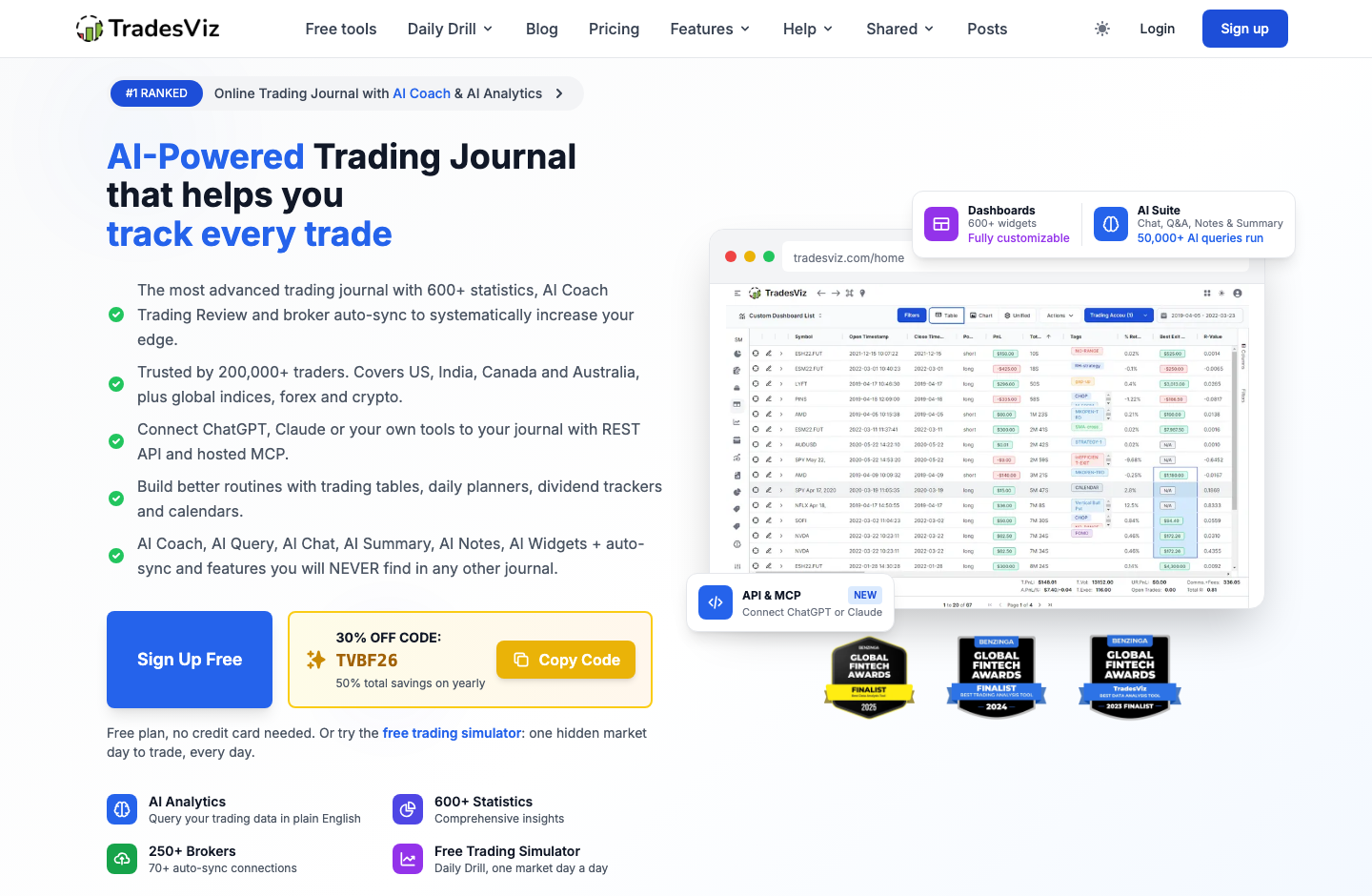
TradesViz has to accommodate the difference between a swing trader's weekly review and an intraday trader's hundreds of fills. Its interface therefore includes a trade table, calendar, day views, symbol filters, charts, notes, tag groups and account-level reporting. The critical early step is import verification. A platform that groups multiple executions into one trade can produce misleading values if the time zone or grouping rule is wrong. Cross-check the source statement and decide whether your journal should represent fills, positions or a trading idea. Public marketing screenshots demonstrate the interface layout, not how fast a subscriber's imported account performs. DigiOffly has captured those public pages, but we did not operate a private account or establish independent latency figures.
🧭 How to Use TradesViz for Beginners
A conservative onboarding sequence helps separate feature discovery from data validation. The following steps are derived from vendor documentation; no DigiOffly brokerage account was linked for this article. If you choose broker auto-sync or REST/MCP access, read the permissions and make sure they match the information you actually intend to share.
1. Define one question before importing
Start by writing down the practical result you want from a journal: fewer unplanned exits, an accurate net profit measure, or a weekly comparison of setups. Keep this question visible. A TradesViz dashboard with hundreds of charts can distract from a simple flaw like forgetting commissions. Choose a small date window and one brokerage account. Archive the original statement before sending a copy to any outside service. The archived statement remains the authoritative record if you later change a grouping option or import rule.
2. Choose the right import route and plan
Find your broker on the supported-platform list. Some integrations use a file, some use a connected account and some use a platform-specific extension. TradesViz describes more than 250 supported broker or platform formats, with fewer automated connections than supported import formats. If your market is forex, futures, options, crypto or event contracts, inspect the Pro or Platinum eligibility before assuming the free plan accepts those executions. Use least-privileged permissions where offered, and do not assume API keys are required for every broker. TradesViz broker sync is an import route, not proof that every future execution arrives.
3. Reconcile fills, times, commissions and currencies
After importing a sample, compare the number of fills and completed trades against the original record. Check partial exits, rollover dates, commission, swap and currency conversion. A futures trade with the wrong contract multiplier and a forex trade assigned to the wrong time zone can both generate convincing but false summaries. Fix the source mapping before drawing conclusions from win rate or average R. When the journal and brokerage disagree, preserve that discrepancy in notes until it is resolved.
4. Create a small review taxonomy
Use a few repeatable fields: strategy, setup condition, session, plan followed, mistake category and planned stop. Add a note or screenshot explaining each meaningful exception. These fields become useful when TradesViz analytics compare similar trades over time. Avoid applying a new tag retroactively only to winners; that can contaminate your analysis. Weekly reviews should focus on one or two process measures alongside PnL, rather than interpreting a large dashboard as a vote on the next market direction.
5. Run a weekly review and choose whether to upgrade
Review a finished week after commissions, deposits and withdrawals have been reconciled. Look at net expectancy, drawdown and the same setup across comparable conditions. If a report suggests overtrading, open the underlying trades to verify the pattern. Then decide whether an AI Coach check, custom dashboard or Platinum simulator would improve that routine enough to justify its fee. Take advantage of the paid trial only with a defined test plan, and check cancellation and renewal terms before converting to a subscription.
🛠️ Key Features That Actually Matter
TradesViz advertises an unusually broad set of modules. We grouped the relevant features by the specific analytical question they can address, and we distinguish vendor-documented capability from an independently confirmed execution test. Features can also be plan-limited and broker-dependent; never treat a screenshot as evidence that every account will display the same dataset.
Import, auto-sync and multi-asset trade history
TradesViz offers manual trade entry, file-based import and several automated routes. The advertised list includes more than 250 broker and platform formats, while a smaller group of connections supports automatic synchronization. The distinction matters: supporting a CSV format does not guarantee unattended future imports. The company documents flows involving Interactive Brokers, TradingView, cTrader and other platforms, plus format-specific instructions.
For an options trader, the platform may group legs into a spread; for a futures trader, contract size and rollover logic matter; for forex, exchange rates and timestamps can change the reported distribution. Not every instrument or account type is available on Basic.
Journaling, tags, calendars and rule tracking
A journal becomes useful when it records both what happened and why the trader acted. TradesViz supplies notes, screenshots, tags and calendar views alongside numerical fields, and higher-tier planning tools can describe expected setup conditions or trading rules. Daily calendars quickly reveal clusters of activity, but they should not be confused with evidence of causation.
The strongest use case is a consistent routine. Tag planned versus unplanned entries, check whether the broker record contains complete execution history and compare similar trades across enough observations. A journal with high-quality annotations is often more valuable than another unfiltered performance chart.
600+ statistics, pivot grids and custom dashboards
TradesViz advertises hundreds of statistics and analysis widgets across trade, day, symbol, account and strategy views. Pivot grids can break down a subset by hour, side, setup or tag. You can explore net results, drawdown, win rate, risk multiple, MAE/MFE and other distributions rather than relying on a single overall total.
For example, a strategy might have strong headline expectancy only because one rare day dominates the sample. Compare medians, outliers and commission impact rather than using the average alone. A chart also cannot repair selection bias: manually tagging only memorable trades will distort the results.
AI Coach, AI Query and assisted post-trade review
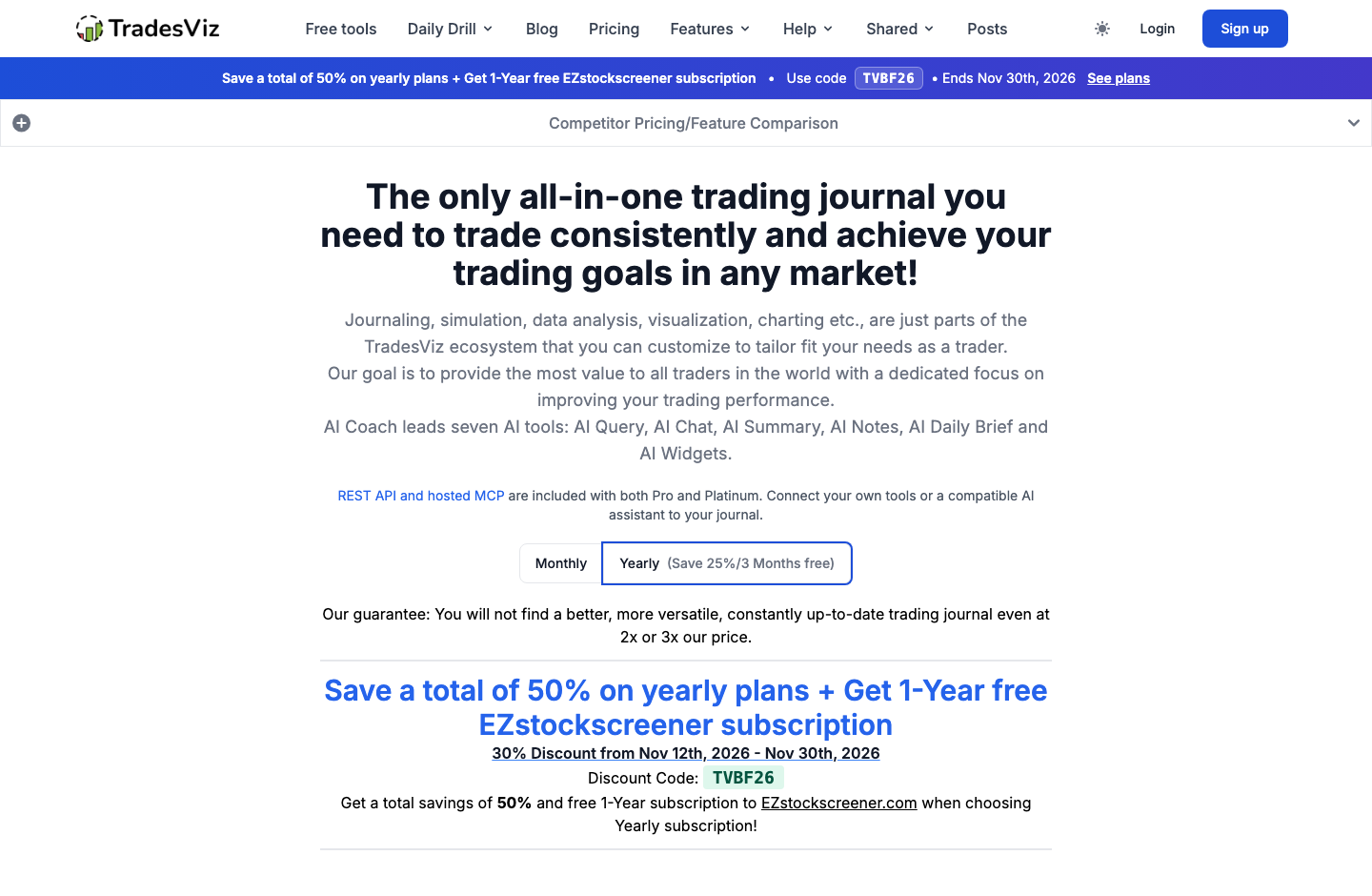
The TradesViz AI Coach is described as a proactive journal-analysis feature that ranks patterns by their potential impact. The vendor says Pro runs sixteen main deterministic checks, while Platinum adds further positive and adherence-related checks.
A sensible use case is exploratory: ask whether losses cluster by hour, then inspect the actual set of trades and the definition of 'loss' used in the chart. An AI description can miss the reason a strategy was inactive during certain sessions or overstate significance from a tiny sample. Treat it as an analyst's suggestion, not a permission to widen your stop or increase leverage.
Free Daily Drill and full Platinum simulator
TradesViz offers the Daily Drill to free accounts: one real historical futures, stock or forex market session each day with the date initially hidden. That can create a short habit of deliberate practice without paying for a full historical research workstation. The broader full simulator, available on Platinum, permits choosing dates and symbols and supports more extensive replay, multiple charts and certain prop-firm practice workflows.
Simulation also differs from broker execution. Market replay can help practice a rule set, but fills, slippage, commissions and the psychological pressure of live risk may not be reproduced exactly. The TradesViz simulator on Platinum offers broader date selection than the Daily Drill.
REST API, hosted MCP and permissioned AI integrations
TradesViz now publishes REST API and hosted MCP documentation for Pro and Platinum. These tools allow authorized clients to read journal accounts and trades and, with additional permissions, manage certain journal information. The API is about journal records, not sending live orders through the account.
Before connecting an external model or application, review the specific permission scope, whether a key can edit data, and whether the external provider retains information. The vendor's published privacy and terms pages warn that third-party assistants may process the data under their own policies. TradesViz API MCP permissions should be reviewed before connecting a third-party model.
✅ Pros & Cons of TradesViz
Pros
- Meaningful permanent free stock-journal entry point
- Supported import ecosystem with file and automated options
- Deep analytics and configurable workflow when data is clean
- AI and rule-based review features on paid plans
- Daily Drill for free historical practice
- Full simulation and replay for users who need Platinum
Cons
- Plan boundaries for non-stock assets require attention
- Complex feature set can create a learning burden
- Advanced simulator requires Platinum even though Daily Drill is free
- Broker imports need reconciliation of fees, time zones and grouping
- Model-generated interpretations can mislead with small or biased samples
- Subscriptions and AI integrations add recurring cost and data-sharing decisions
👾 Limitations & Reality Check
TradesViz cannot validate an incomplete broker statement or make a tiny sample statistically convincing. Its advertised chart count does not guarantee that every statistic adds useful independent information. A connection that imports transactions may be read-only, while API/MCP permissions and journal-editing tools can expose different data; check the exact integration rather than assuming blanket safety. An imported record is not audited proof that a trader followed a strategy in real time.
The trade journal should not be mistaken for a brokerage order-entry system. Its simulators are hypothetical exercises with their own data assumptions and may not match future liquidity, spreads, fees or fills. Pro and Platinum features, broker support, API entitlements, geographic availability and promotional discounts may change.
💰 Pricing Plans & Real Costs
The pricing hierarchy is straightforward once the word 'simulator' is unpacked. Basic is a genuine no-card free tier for stock-trade journaling: the current product page lists a 3,000-executions monthly allowance, one account and the Daily Drill. Pro lists $14.99 per month on an annual commitment, with $19.99 for month-to-month billing per the vendor's comparison material.
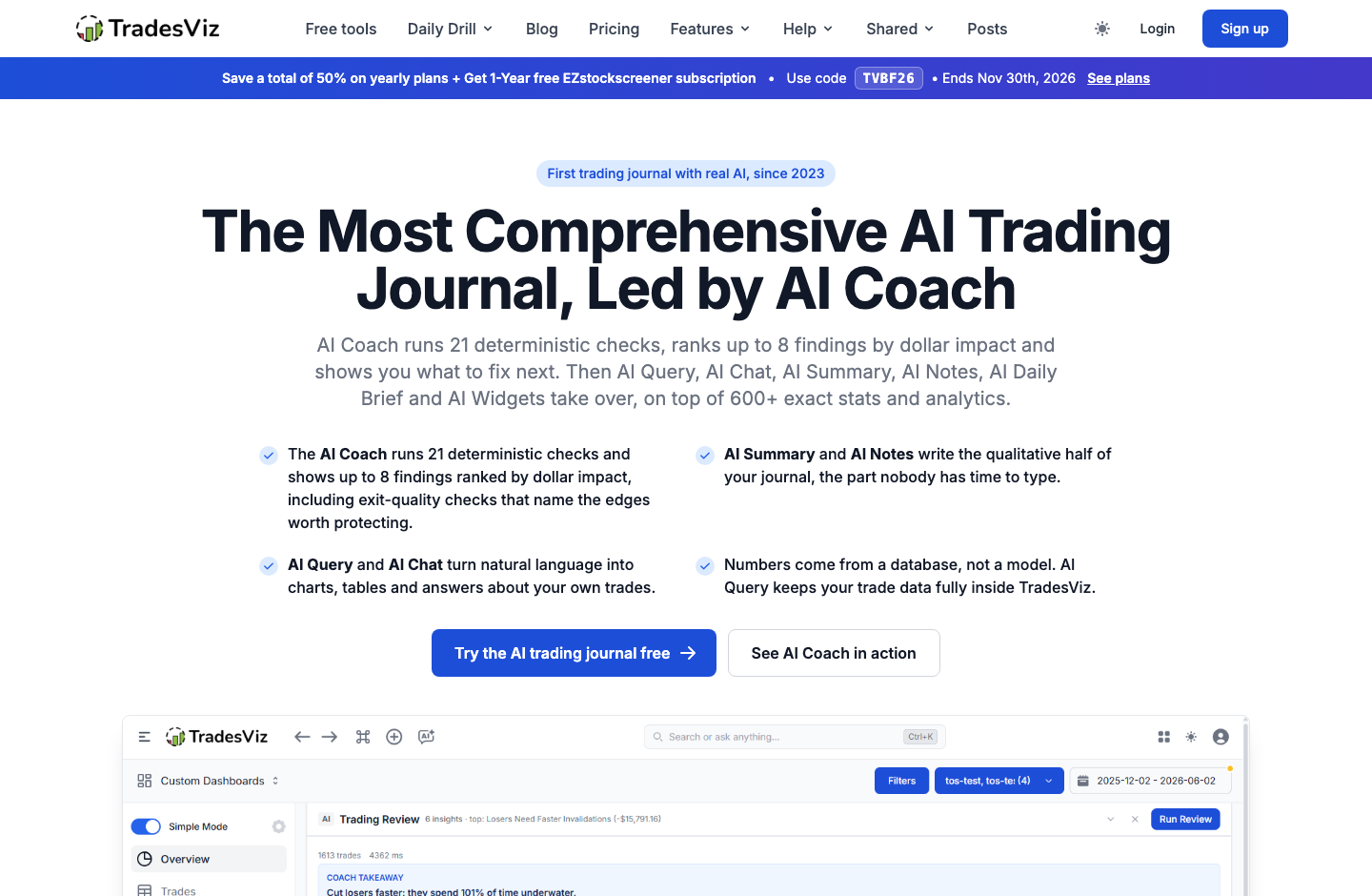
On November 21, 2026, the vendor advertises a TradesViz promo code, TVBF26, for 30% off from November 12 through November 30. Its pricing page temporarily displays about $10.49 for Pro and $15.74 for Platinum as monthly equivalents on annual billing. Those are not permanent list prices.
Searches for "trading journal software free" can hide plan limits; Basic mainly covers stock imports. Compare a twelve-month cost at normal rates and decide whether Platinum replay replaces another tool. Broker market-data subscriptions, execution fees and external integrations are separate costs. A cheaper journal that cannot import your broker's report reliably may be the more expensive choice in time spent correcting records.
| Plan | Cost / billing model | Region / billing period | Vendor source checked |
| Basic (Free) | $0; stock-trade imports, 3,000 executions/month, one account; free Daily Drill | US; Free perpetual tier; no card required | https://www.tradesviz.com/pricing/ (2026-11-21) |
| Pro | $14.99/month equivalent billed yearly ($19.99 if paying month-to-month, per vendor comparison); promo code TVBF26 currently advertises $10.49/month equivalent annually | US; Yearly plan or optional monthly; promo valid Nov 12–30 2026, verify checkout | https://www.tradesviz.com/pricing/ (2026-11-21) |
| Platinum | $22.49/month equivalent billed yearly ($29.99 if paying month-to-month, per vendor comparison); promo code TVBF26 currently advertises $15.74/month equivalent annually | US; Yearly plan or optional monthly; promo valid Nov 12–30 2026, verify checkout | https://www.tradesviz.com/pricing/ (2026-11-21) |
🎯 Who Should Use TradesViz?
TradesViz is most relevant to traders who are serious about reviewing executed trades over time. A stock-only beginner can learn the habit on Basic without buying an elaborate workflow.
A prop-firm applicant may find simulated challenge features relevant; that does not make the software a compliance guarantee for any firm's changing rules. A user who needs only a public summary of forex history might get more value from FX Blue; a trader primarily studying historical charts may prefer a dedicated replay product. Someone who dislikes categorizing trades or correcting data will not automatically benefit from hundreds of extra widgets.
Before committing, use a defined sample dataset, compare it with the broker statement and make sure the journal answers one repeated question you care about. Treat TradesViz as a decision-review aid, not the decision-maker. An options trading journal, or option trade journal, also depends on accurate spread grouping, fees and expiration dates.
⚖️ TradesViz Alternatives
The best trading journal is the one that solves your actual workflow, not the one with the longest feature list. A search for the best trade journaling software should start with import accuracy. TraderSync emphasizes reviewing trade behavior and journal organization; TradeZella competes in polished routines and replay-oriented workflows; FX Replay focuses on historical practice. FX Blue is an additional reference when the main task is forex account reporting. Each offers overlapping functions, but they are not interchangeable merely because all display performance graphs. Evaluate imports, privacy, recurring cost and the one specific workflow you actually intend to repeat. A TradesViz vs Tradervue decision also warrants a side-by-side import check rather than a feature tally.
TraderSync vs TradesViz
TraderSync is a relevant comparison for active traders who want structured post-trade notes, strategy tags and behavior reviews. The real decision is whether TradesViz's extensive analytics and AI tools add value over a focused journaling interface. Compare broker support, support for your asset class, record grouping, mobile workflow and the amount of setup required to reach a weekly review. A TradesViz vs TraderSync comparison should use the same imported executions.
TradeZella vs TradesViz
The TradesViz vs TradeZella choice is about workflow depth and presentation. TradeZella emphasizes a guided trading-journal experience, while TradesViz combines journaling with a broad array of pivot analytics, AI functions and—on Platinum—simulators. Traders who favor a highly directed process may prefer the former; researchers who routinely analyze custom subsets may prefer the latter.
FX Replay vs TradesViz
FX Replay is more directly specialized for historical market replay. TradesViz offers a limited Daily Drill at no charge and much broader simulator controls on Platinum, with a connected journal for tracking the resulting practice. If replay is the only missing capability, compare chart controls, markets, data coverage and simulation costs rather than paying for journal features you will not use.
Comparison: TradesViz vs Alternatives
We compare each platform by the user problem it solves, not by a vendor's unsupported claim to be 'best.' The table is a functional map based on public documentation, not a hands-on benchmark. Both brokerage data and simulation assumptions should be checked separately from product screenshots or testimonials.
| Consideration | TradesViz | Alternatives |
| Central purpose | Performance journal, analytics, AI and advanced simulation | TraderSync/TradeZella: journaling focus; FX Replay: replay focus |
| Genuine free tier | Stock-only Basic with 3,000 executions per month | Free availability varies by service and plan |
| Non-stock journals | Pro/Platinum according to asset class | Check each provider’s market and broker support |
| AI assisted analysis | AI Coach and AI Query in paid workflow | Different coaching and summarization scopes |
| Historical simulation | Free Daily Drill; full simulator on Platinum | Replay-first products may offer different date controls |
| Integration/API | REST API and hosted MCP on Pro and Platinum | Check vendor-specific export and API permissions |
| Data integrity | Import reconciliation essential for accurate statistics | Every journal depends on the imported source record |
| Best evaluation | Trial import then weekly review with same trades | Compare time to useful insight, not raw widget count |
📌 Why import accuracy matters more than 600 charts
The first danger in a trading journal is false precision. Suppose a trader scales into a position in three fills and scales out twice. Depending on settings, a system may show one trade, five executions or several partial positions.
Transaction fees are another source of distortion. A scalping system may look attractive on gross wins but fail after spreads, exchange fees and commissions. A multi-currency account can create apparent gains simply because different currency values were combined incorrectly.
After that, the analytics layer becomes meaningful. Ask whether losses after a rule violation differ from comparable planned losses. Examine risk units, not just dollar totals, when position sizing changes.
🧩 A weekly review workflow that does not become busywork
One practical approach is to hold the journal to a fifteen-minute weekly routine. Start with a data-health pass: missing accounts, unsynced dates, unusual commissions and any trades that do not reconcile.
A TradesViz calendar can identify which sessions deserve inspection, while tags and screenshots provide context for the decision. Use the AI Coach to generate hypotheses, not rulings.
The routine ends with a single measurable follow-up, such as 'did I wait for my planned entry?' rather than 'did I make more money?' Process measures can be reviewed without implying that every profitable day represents a good trading decision. TradesViz is at its best when its depth serves that restraint instead of replacing it.
🧮 Pro versus Platinum: when the extra tier becomes useful
The question is not whether Platinum contains more features; the official feature matrix makes that obvious. The question is whether the extra capability changes the next month of work.
Platinum is more defensible for a researcher who regularly practices execution on historical data, studies exit alternatives or relies on specialized options analytics. The full simulator's date and symbol selection goes beyond the free Daily Drill, which intentionally reveals one historical session per day.
The additional cost can be modeled like any other subscription. Compare the standard annual totals—roughly $180 Pro and $270 Platinum before tax and temporary promotions—to the number of times the advanced tool will be used. The TradesViz Pro vs Platinum choice is ultimately about whether replay becomes part of your regular work.
🔐 Security, privacy and connecting external AI clients
A trading journal stores sensitive behavioral and financial information, even when it cannot directly move money. Broker account identifiers, execution history, position size and personal notes can reveal more than a casual export suggests.
REST API keys and hosted MCP clients can extend the journal to scripts or AI assistants, but the vendor's documentation distinguishes permissions to read trades from supported management actions. Authorizing an outside model means the data you share may also be processed by that model provider under its own terms.
For a cautious first test, import an anonymized or demo dataset if the available workflow supports it. Export a backup, verify account settings and check whether you can revoke access afterward.
📈 Simulation and predictive claims: what evidence cannot establish
A historical simulator can reveal how a trader might have reacted to a past market, but it cannot recreate the entire live decision environment. Market conditions are known to change, and repeated experimentation on the same historical period can lead to overfitting.
The free Daily Drill is particularly useful as a training habit because the date is hidden. That reduces one simple form of hindsight bias, but it does not turn simulated executions into verified live performance.
For any bot or strategy claim, demand broker-executed records, clear fees, drawdown context, the test period and whether results were achieved live or in simulation.
🗂️ Trade logs for futures, forex, options and event contracts
For a trader comparing the best options trading journal choices, market-specific record accuracy matters more than a product ranking. Futures trading involves contract multipliers and rollover issues; forex adds pair conventions, swaps and currency conversion; listed options bring multiple legs, expirations and greeks; event contracts have settlement rules and platforms that may structure records differently. TradesViz documents broad market support, but its permanent free tier focuses on stocks.
A TradesViz futures journal should record the contract and its size, not merely the symbol. A TradesViz forex journal should verify the time zone, pip and lot representation, plus actual spread or commission effects.
In 2026, official import documentation also covers certain event-contract platforms and other newer markets.
🧪 How We Evaluated TradesViz
DigiOffly prepared this TradesViz review from publicly accessible official vendor pricing, product documentation, technical and privacy pages and genuine screenshots of those public webpages. We did not connect a personal trading account, pay for Pro or Platinum, run a private AI Coach session, place broker orders, benchmark execution latency or independently test a paid simulator. We therefore identify feature numbers and user counts as vendor-reported rather than verified under controlled conditions.
Prices and promotions are checked as of November 21, 2026 and may expire or differ by region. The comparison does not make any claim about profitability. We also do not treat vendor testimonials as evidence of returns.
Method: documentation-based analysis of published vendor sources; no independent product access or benchmark is claimed.
🏆 Final Verdict: TradesViz Review
TradesViz is one of the more extensive trading-journal ecosystems we have researched, but breadth does not settle the buying question. If you trade stocks and need discipline, the free Basic plan is a sensible place to begin. Its limitations—especially asset type and execution allowance—are clear enough to evaluate against your records.
Platinum is a more specialized decision. Traders who genuinely use multi-date, multi-symbol replay, technical backtesting or deep exit analysis may find the integrated environment efficient.
Our conclusion is conditional rather than promotional. TradesViz provides tools to ask better questions about your own executions, but imports must be reconciled, model findings verified and simulated results kept separate from broker statements.
For Digioffly readers, start with the free plan or a documented trial, compare at least one full trading week against a source statement, and decide whether the software changes your process. If it does, choose the cheapest plan that enables the repeatable job.

Frequently Asked Questions
Is TradesViz free in 2026?
Yes. TradesViz Basic is a permanent free stock-journaling tier with a stated 3,000-executions monthly limit and one trading account. It includes Daily Drill, but full simulator access and broader asset imports are not the same as the free plan. A trade journal app free of charge does not necessarily support futures, forex or options imports.
What does TradesViz Pro cost?
As checked November 21, 2026, Pro lists $14.99 per month equivalent billed yearly, or $19.99 month-to-month in vendor comparisons. A temporary code TVBF26 is advertised for Nov 12–30. Verify final checkout and renewal terms.
What is the difference between TradesViz Pro and Platinum?
Pro adds multi-asset imports, deeper analytics, AI Coach and API/MCP. Platinum extends that with full simulation and replay, more advanced analysis, options tools and other research features. Compare the exact current vendor matrix before upgrading.
Does TradesViz support futures and forex trading journals?
Yes on appropriate paid plans, subject to broker file and connection support. Verify contract multipliers, swap or commissions, time zones and data completeness. The permanent free plan focuses on stock-trade imports.
Can TradesViz import trades automatically?
It advertises over 250 supported brokers and platform formats, with more than 70 auto-sync connections. Not every supported format is automatic, so check your specific broker and its current import or sync instructions.
Does TradesViz AI Coach place trades?
No. AI Coach is a journal-analysis feature that examines recorded trades and proposes areas for review. The documented REST API and MCP functions are about journal data, and do not turn the journal into a brokerage execution service.
Can I use TradesViz as a trading simulator for free?
The Daily Drill offers one hidden historical market session per day on every plan, including Basic. The full multi-symbol, date-selectable simulator and additional practice features require Platinum. TradesViz Daily Drill offers practice rather than evidence of live broker performance.
Is TradesViz good for options trading journals?
The product documents multi-leg options trade analysis, spreads and related greeks and simulations on paid plans. Verify how your broker exports legs, commissions and expiries before trusting a chart or an aggregate risk value.
Can I connect an AI assistant using TradesViz API or MCP?
The vendor offers REST API and hosted MCP capabilities on Pro and Platinum. Grant only required permissions, review the connected provider privacy policy and never share broker passwords or access secrets in prompts.
What are the best TradesViz alternatives?
TraderSync and TradeZella are direct journaling comparisons, while FX Replay specializes more in historical practice. FX Blue is worth considering when free forex account reporting is the primary need. The best fit depends on broker imports and workflow.
Are TradesViz screenshots and profitability claims independently verified here?
Our images are genuine screenshots of official public webpages, not a logged-in brokerage or funded account. We did not run a private paid simulation or establish that using the journal improves profitability. Vendor metrics are identified as such.
EXPLORE NEXT ON DIGIOFFLY
🔍 Explore More on DigiOffly
Myfxbook review
Compare connected forex account statistics and documented strategy-verification checks.
Read Myfxbook reviewTradeZella review
Compare paid journal plans, AI review, trade replay and historical practice
Read TradeZella reviewPrimary sources and verification dates
- Official TradesViz homepage — verified 2026-11-21
- TradesViz live pricing and plan comparison — verified 2026-11-21
- Free stock trading journal limits — verified 2026-11-21
- Official AI trading journal capabilities — verified 2026-11-21
- Trading simulator features and plan availability — verified 2026-11-21
- Product FAQ — import and broker connections — verified 2026-11-21
- Official TradesViz about page — verified 2026-11-21
- Trading journal API and MCP permission guide — verified 2026-11-21
- TradesViz API and MCP technical documentation — verified 2026-11-21
- TradesViz privacy statement — verified 2026-11-21
- Free Daily Drill simulator details — verified 2026-11-21
- Broker and platform support list — verified 2026-11-21
- Published comparison library — verified 2026-11-21
- TradesViz terms of use — verified 2026-11-21