

Editorial research date: October 24, 2026. This VEED review examines public product pages, support documentation and the vendor’s August 2026 AI launch. We inspected official feature and pricing pages, not a signed-in paid editor. We have not run paid exports, measured transcription accuracy, generated billable AI clips or benchmarked upload speed. Screenshots below are from accessible official VEED pages, not simulated workspaces. Prices and credits can vary by checkout region, plan and term.
A short product interview rarely stays in one format. The editor needs a clean master, a colleague needs accurate captions, and the social team wants short vertical cuts. A full professional nonlinear editor can do all of it, but handing that project between occasional editors introduces unnecessary complexity. VEED aims to keep the work in a browser: upload, trim, caption, create a few branded variations and share the result.
The attraction is obvious. The difficult part is understanding where its free editor ends and paid exports, AI generation credits and multi-seat workspaces begin. This VEED review 2026 weighs those trade-offs against realistic video-production tasks rather than presenting every AI tool as unlimited.
📊 VEED Review Summary and Quick Verdict
| Question | Answer |
|---|---|
| Core product | Browser-based video editor and AI video creation platform |
| Ideal user | Creators, social teams, educators and marketing staff producing short-form videos |
| Entry option | Free tier, with watermark and export limitations |
| Paid product tiers | Creator, Pro, Studio and Enterprise, as identified in VEED support documentation |
| Price caveat | VEED uses region, billing term and workspace-based pricing; consult current checkout |
| AI offering | Prompt-to-video flow, avatars, voice features, subtitle and cleanup tools |
| Biggest drawback | Credit and seat entitlements complicate comparison with desktop editors |
| Independent testing | No paid account export or AI credit consumption test performed |
Verdict: VEED suits teams that value fast subtitles, templated edits and browser collaboration more than deep color grading or highly customized timelines. The free plan is useful for trying the workflow, but the watermark and resolution limits can make it unsuitable for client delivery. A paid tier is worthwhile only after you calculate both human seats and AI credits.
🎯 What Is VEED and Who Is It For?
VEED is not simply a browser-based replacement for Adobe Premiere. It combines a conventional online video editor with templates, speech-related tools and a growing generative creation interface. The vendor describes its main VEED product as working on the web, iOS and Android, with projects on the same account. That makes its workflow attractive to a person who captures a clip on a phone and finishes the social version in a browser.
An agency producing fifty client videos each month cares about repeatable brand elements and review cycles. A course creator instead cares about readable captions, audio clarity and whether a lesson can be exported without confusion. A freelance filmmaker who needs advanced multi-camera workflows and color management should begin by comparing desktop software rather than paying for cloud convenience they rarely use.
🧩 VEED Online Video Editor Workflow
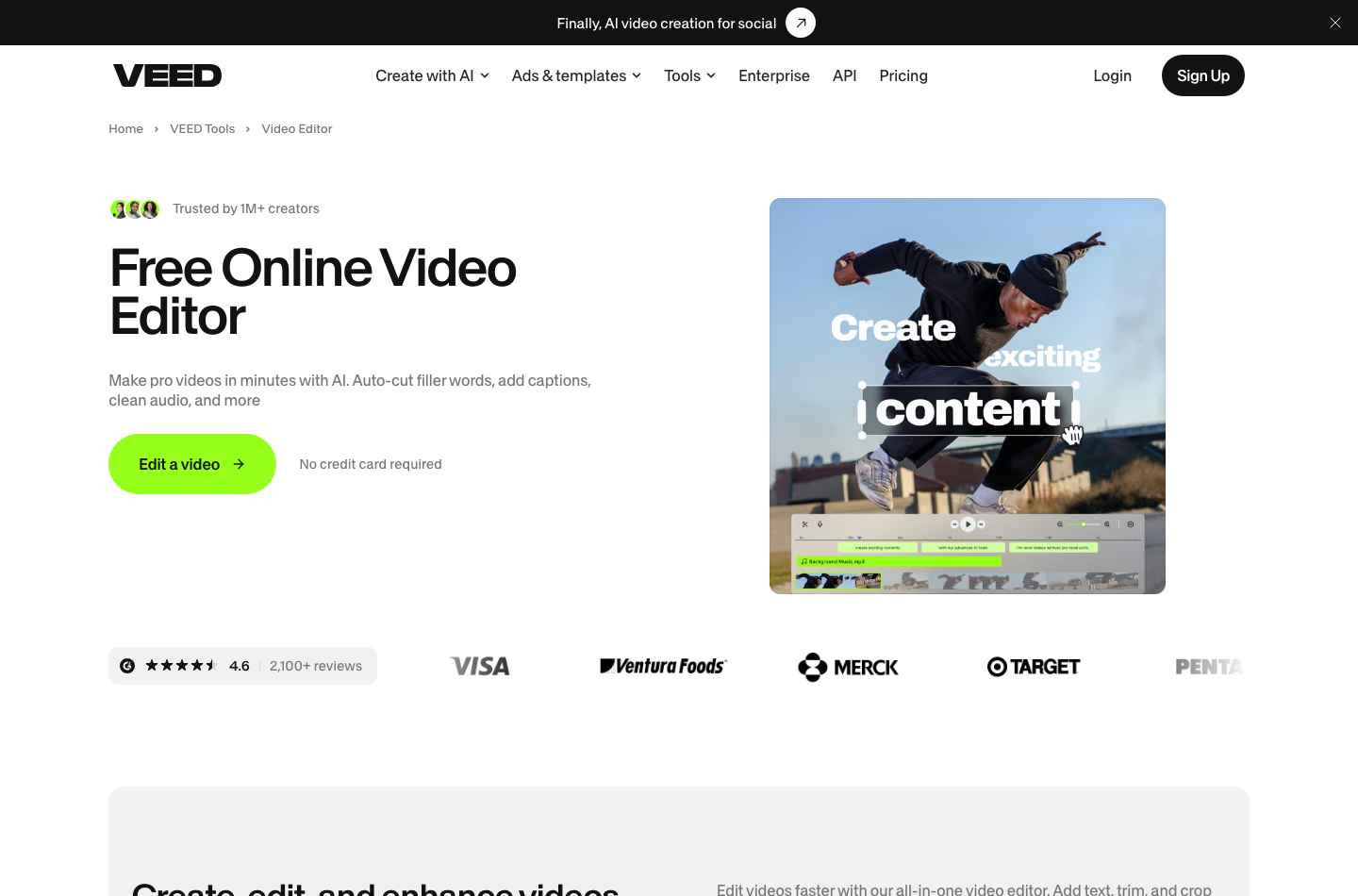
One practical sequence is to work in VEED: crop video edges until the subject is centered, then in VEED, resize video exports for the intended channel. Check the crop again with captions enabled; neither operation guarantees that text stays inside a mobile safe area.
A sensible VEED online video editor evaluation starts with one representative clip rather than a colorful template. Use footage with a jump cut, background noise and a clearly spoken sentence containing a technical term. Import it, trim a false start, generate captions, correct the unusual word and export two aspect ratios. Track which steps require paid features.
The browser format removes installation friction but creates another dependency: upload speed. A large original camera file might take longer to transfer than a local editor takes to ingest. For proprietary client footage, ask where the media is processed, who owns sharing permissions and how long files remain after a project is deleted.
🎯 VEED for Social Media Teams
VEED fits a common content job: turning one landscape interview into short vertical edits without passing the files between several applications. Caption position, safe areas and branding have to be checked for each destination; automatically resizing a video does not guarantee the speaker stays framed correctly. A team should decide who approves the final text before publication.
A studio with one primary editor and six casual reviewers should review the difference between collaborators and paid workspace seats. VEED’s support material explains that everyone counted as a workspace member on a paid plan may create a charge. Do not estimate a team’s cost by multiplying only the number of people who export videos.
💰 VEED Pricing 2026: Free, Creator, Pro, Studio and Enterprise
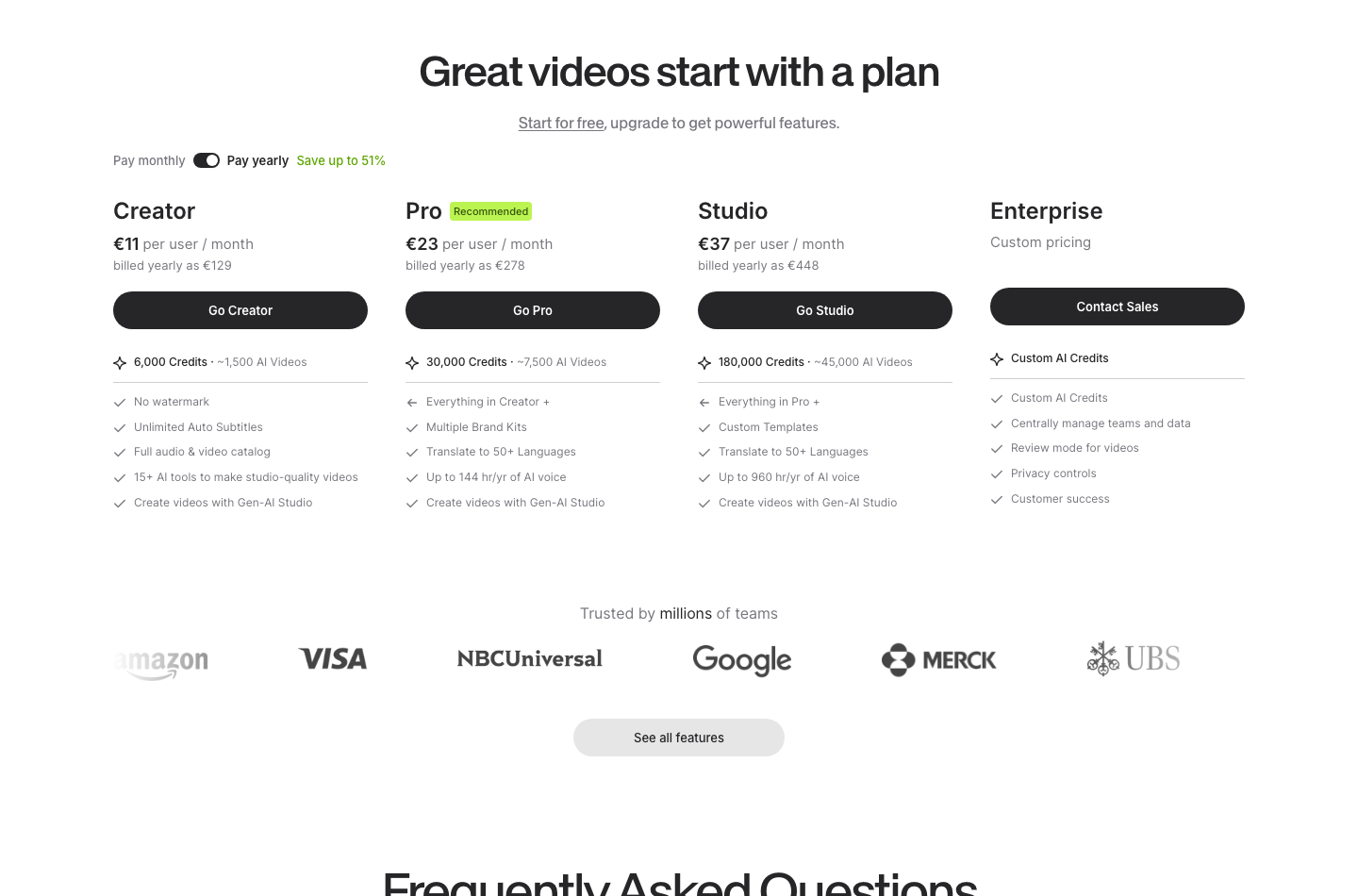
VEED documents a Free tier and paid Creator, Pro, Studio and Enterprise plans. Its public product pages show plan-starting offers but do not provide a reliable universal, static price for every tier and country in machine-readable text. For that reason, this review does not invent a full fixed-price matrix. Check the live VEED pricing page with your actual currency and number of workspace seats.
| Plan | Listed purpose | Main purchasing caveat |
|---|---|---|
| Free | Trial of core editor and basic exports | Watermark, resolution and AI usage limitations |
| Creator | Individual content creation and watermark-free work | Actual billing interval and credit allowance need checkout |
| Pro | More advanced workflows and AI features | Do not assume unrestricted AI usage |
| Studio | Shared team production | Every billable member and collaboration entitlement matters |
| Enterprise | Custom organizational setup | Quote required; trial may need a minimum team size |
VEED’s August 2026 launch announcement states that paid offerings start at $20 per month for the new AI experience and that Creator begins with 500 AI credits monthly, equivalent to roughly 125 videos under the particular illustrated workflow. That is neither a guaranteed price for every editor seat nor a guarantee that every generated video uses four credits. The app shows credit cost before generation. https://www.veed.io/newsroom/veed-ai-is-live
💳 Is VEED Free Really Usable?
The VEED free video editor is a useful starting point, but a third-party VEED watermark remover is not a substitute for an export licensed by VEED. Look at VEED.io pricing for the actual billing term, then compare the full yearly total with a flexible monthly purchase.
VEED’s editor page says the free editor can export at 720p with a watermark. Limited one-time trials of tools such as AI B-roll and cleanup are available. That is enough to test a student assignment or internal draft but is a poor fit when the client contract requires unbranded 1080p or 4K deliverables.
Consider a three-minute product explainer for a paying client. If it must carry the customer’s identity without another vendor’s logo, a watermark-free plan is a production requirement rather than a luxury. Run one export on the free tier first so you know how many limitations affect the actual delivery.
🎥 VEED AI Credits and Real Production Cost
An AI credit allowance is not the same as unlimited videos. Generation can involve script drafting, an AI avatar or character, synthesized speech and several retries to correct a mistake. Confirm whether each step costs credits, and whether unused credits roll over. The vendor’s credit preview is helpful, but actual costs depend on model choice and generation length.
| Illustrative scenario | Quantity | What to verify |
|---|---|---|
| Weekly social clips | 4 per week | Manual exports and subtitles may require few AI generation credits |
| Monthly AI campaign experiments | 20 initial generations | Regeneration and different models can raise usage |
| Four-person workspace | 4 potential paid seats | Billing may apply to each workspace member |
| Annual commitment | 12 billing months | Savings versus flexibility and renewal terms |
A marketing team should budget credit consumption per accepted output, not merely per button click. If five draft generations are needed to produce one usable clip, a nominal allowance may shrink quickly. This is a planning illustration, not a benchmark of VEED’s AI model.
🎬 VEED AI Video Generator and New 2026 Workflow
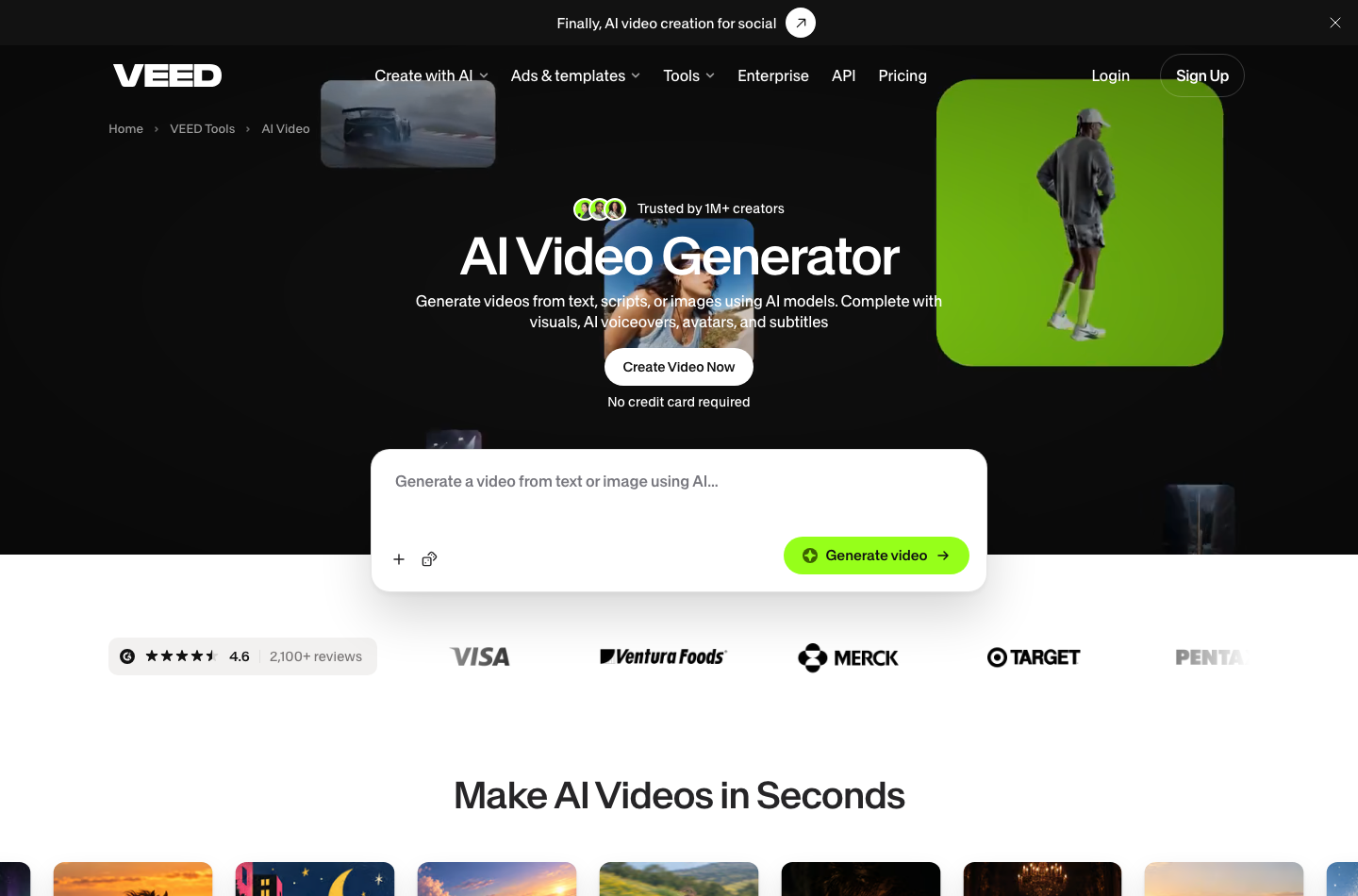
VEED’s 2026 AI video workflow takes a prompt, offers a script to revise and generates a video after the user approves the text. Official material describes 30 supported languages for scripts and voices and says the cost is displayed before the generation request. It is designed to shorten the distance from idea to a usable social clip, not to replace a human review of brand claims.
A useful test prompt is a simple instructional concept with three factual steps. Before generating, review whether the script attributes product capabilities accurately, avoids unsupported performance promises and includes the correct brand name. After generation, check continuity, pronunciation, logos and calls to action. A polished-looking AI clip can still communicate an inaccurate claim.
✨ VEED AI Avatars and Voice Features
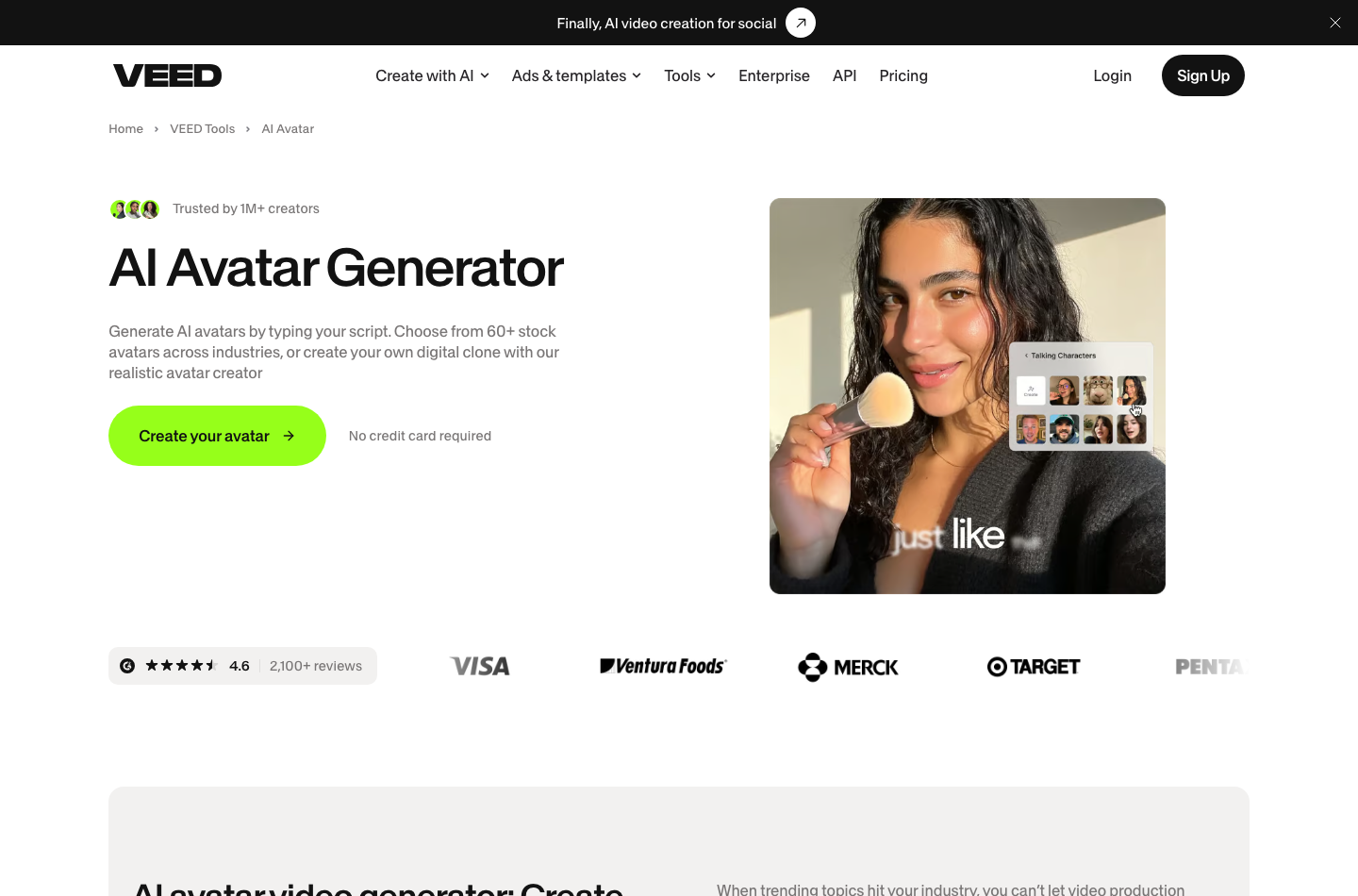
Avatar and voice tools can be convenient for repetitive training materials or localized product explainers. They also require careful consent policies. Obtain rights to use a person’s likeness or voice, and don’t use AI-generated endorsements that imply an individual’s approval without it. Review the vendor’s commercial terms for the exact avatar or voice tool used.
A team might create a reusable presenter for onboarding videos, but that doesn’t guarantee consistent facial expression, lip synchronization or pronunciation across languages. Include time for editorial checks and fallback narration. The value is lower when the organization already has a good camera-based workflow.
🎙️ VEED Auto Subtitle Generator: Accuracy Before Speed
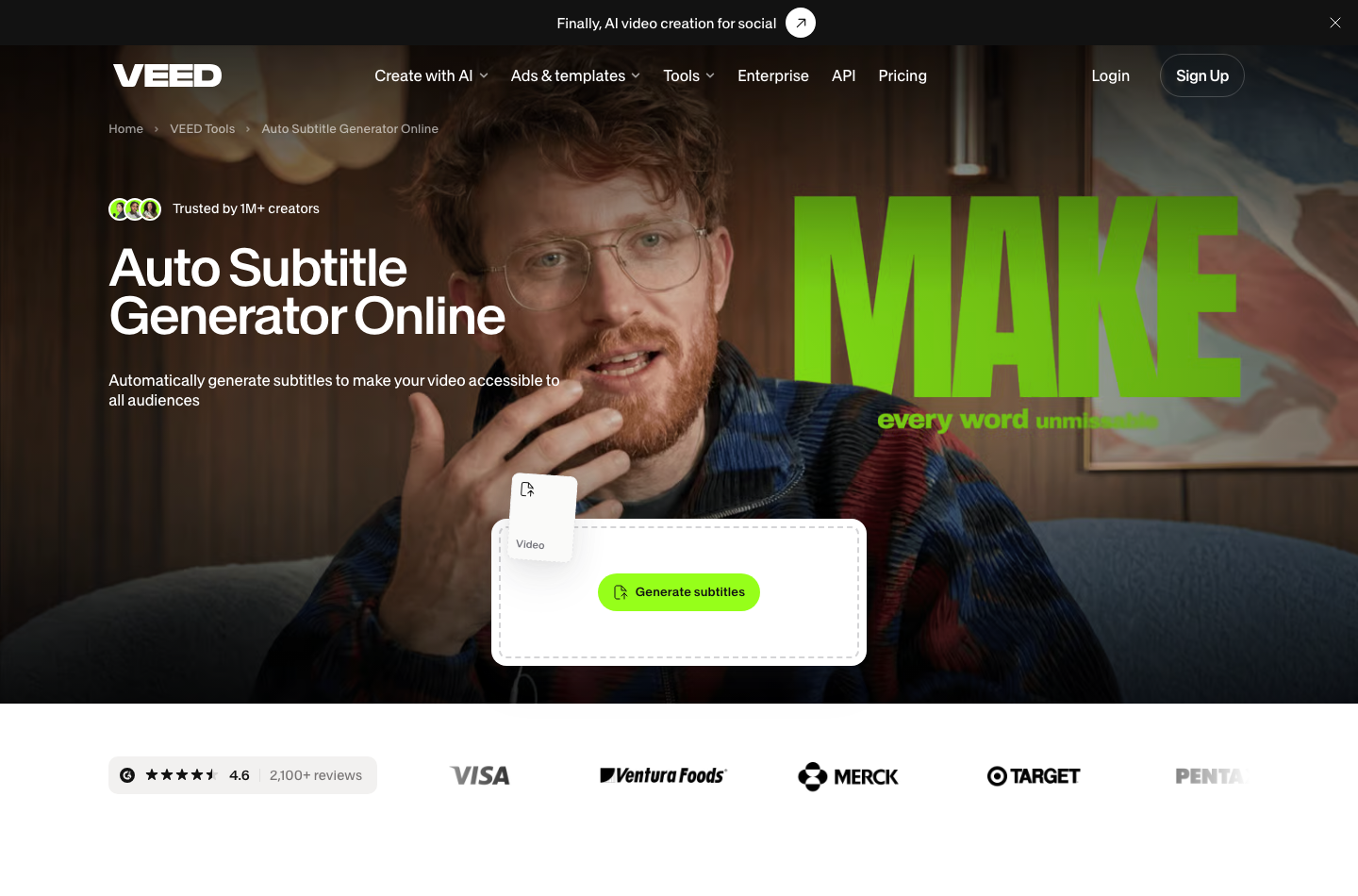
VEED.io subtitles can accelerate a first transcript, not replace the final review. In VEED, export subtitles separately when a client or publishing platform requires an editable captions file rather than burned-in text.
The VEED subtitle product page describes automatically producing and styling captions. Time savings depend on the content. Clean studio dialogue with one speaker is a different challenge from noisy group discussion or a conversation full of product names.
For accessibility, captions need more than accurate words: punctuation, speaker changes, timing and contrast matter. Run the same test clip through VEED and another captioning service, then have a human compare errors. Don’t advertise subtitles as legally compliant in every country simply because the editor has an Auto Subtitle button.
🤖 VEED Editing, Templates and Collaboration
A brand template can help marketers create consistent intros, colors and subtitles without opening an advanced motion-graphics timeline. The downside is false consistency: a template reused across landscape and portrait layouts may hide important text or crop the subject. Always check the output in a mobile-sized preview.
For a collaborative VEED workspace, clarify who can alter templates, invite members and publish or download videos. A shared folder without explicit roles can accidentally expose unreleased campaign material. Test an external review link with an account that is not part of the team before relying on a permission label.
📱 VEED Web, iOS, Android and VEED Lite Differences
VEED’s August 2026 support article makes an important distinction. The main editor uses the same account across web and its corresponding mobile apps. VEED Lite is a different iOS application with separate projects and, if purchased directly through Lite, a subscription that does not unlock the main web product.
This is easy to miss when someone sees a similarly branded icon in an app store. A web subscription can include Lite functionality, according to VEED, but the reverse does not follow. Before paying through iOS, identify the exact app, billing owner and cancellation method. Mobile and desktop workflows should not be assumed interchangeable.
🔊 VEED vs Adobe Premiere Pro, DaVinci Resolve, CapCut and Loom
| Tool | Primary strength | Where VEED may fit better |
|---|---|---|
| VEED | Browser editing, captions, templates, AI creation | Teams seeking rapid short-form publishing without workstation setup |
| Adobe Premiere Pro | Deep timeline control, format and Adobe ecosystem tools | VEED is simpler for light caption and social-output workloads |
| DaVinci Resolve | Color, Fairlight audio, Fusion visual effects and free desktop editor | VEED avoids a heavyweight local editing workstation |
| CapCut | Social-oriented editing and mobile effects | VEED may align better with browser-first team review |
| Loom | Screen recording, asynchronous explanations and video messages | VEED is a better choice for edited marketing clips than instant messages |
| OBS Studio | Live video capture, scenes, broadcasting | VEED suits postproduction; OBS suits recording and live streaming |
🧠 VEED vs Premiere Pro for Agency Videos
Premiere becomes more attractive as a project accumulates many camera angles, color correction requirements or complex handoffs. VEED can be the faster choice for a marketing colleague changing captions on a thirty-second video. Do not compare a month of VEED credits with a Premiere subscription as though they buy identical capabilities. For an editor-by-editor comparison, see our DaVinci Resolve review and Adobe Premiere Pro review.
A useful proof-of-concept uses the same source material, exports and approval criteria in both products. Evaluate the time needed to produce the accepted final video, including revisions, rather than comparing the number of advertised AI badges.
🛠️ VEED vs Loom for Internal Communications
Loom is built around recording and sharing a screen-and-camera explanation. VEED starts to pay off when the raw recording must be substantially edited, re-captioned and packaged for customers. A company may need both, but should first check whether Loom’s basic trim and sharing features are enough for internal documentation.
The subscription overlap is worth investigating. If most recordings are internal status updates, paying for an additional full video editor for every employee may be wasteful. Reserve the VEED seats for people who actually create polished content.
⚖️ VEED Production Playbook: Practical Workflows and Hidden Costs
⚙️ Repurposing One Webinar into Six Short Videos
Imagine a thirty-minute webinar with a host, a guest, a slide deck and a few customer questions. A marketing team may want a ninety-second recap for its website, three vertical clips for social channels, one square version for a community feed and a subtitled excerpt for an email landing page. VEED’s main appeal is that a non-specialist can perform many of these jobs in a browser without configuring a traditional postproduction suite. That does not mean a single automated action reliably produces six publication-ready videos.
Start by selecting the moments worth showing. An engaging sentence without the surrounding setup can become misleading when detached from its original conversation. For each clip, write a one-line editorial intention: the problem it explains, the audience it serves and the next action a viewer should understand. Only then choose the footage, aspect ratio and template. Review portrait crops whenever two speakers, software windows or large captions compete for space. A cropped diagram can make a technically accurate explanation useless.
One dependable production sequence starts with the unedited source: preserve the source recording, produce a short transcript, mark candidate segments, assemble one master cut, generate captions, check spelling and timing, apply brand elements and export a review copy. Ask the subject-matter owner to confirm claims before making additional aspect-ratio versions. Finally, watch each exported file outside the editor with sound both on and off. This catches clipped subtitles, end cards that vanish too quickly and words that become unreadable on a phone.
If an edit requires multi-camera synchronization, specialized audio mixing or frame-accurate finishing, hand it to a more capable nonlinear editor instead of forcing a browser workflow to do everything. For teams turning around straightforward social videos several times a week, that shorter path from rough footage to an approved export is where VEED earns its place.
📁 Captions, Translation and Accessibility Quality Control
Automatic subtitles reduce transcription labor, but they are not a guarantee of accessible or trustworthy captions. Names, software commands, accented speech, numerical figures and acronyms deserve manual inspection. A single missed negative can reverse the meaning of a tutorial: ‘do not delete’ and ‘delete’ are not interchangeable. The importance of correction increases in legal, financial, medical and technical material, even when the underlying video is short.
Check captions as carefully as the video itself. First compare the transcript against the audio, then break long sentences at natural pauses and confirm the caption remains legible after cropping to the final video ratio. Do not rely on desktop previews alone. Large phones and tiny embedded players render text differently, while social platforms may overlay their own buttons along the bottom edge. Keep critical text inside a conservative safe area and check high-contrast readability with the actual background footage.
Translated subtitles introduce an additional step. A translation may be fluent but alter a product name, tone or regulated statement. Establish a short glossary for recurring terms, especially when a campaign spans several languages. Have a competent reviewer inspect at least the opening, the call to action and any factual claims; for consequential content, review the entire translation. Also verify whether the plan includes sufficient translation allowance, because subtitle generation and translation may have different entitlements.
If accessibility is a requirement, assess whether the delivery platform needs a separate editable captions file, whether the file can be corrected later and how captions appear when the video is embedded. Burned-in captions are visually convenient for social media, but they cannot substitute for every accessibility workflow. Test what recipients actually receive, not only what an editor shows.
🔗 Forecasting AI Credits Rather Than Counting Generated Clips
VEED’s newer prompt-to-video tools make it tempting to estimate the subscription from the number of finished social posts. The more useful unit is total generation attempts. A team planning twenty finished clips might create several scripts, preview different characters, regenerate rejected versions and replace individual shots. This consumes more AI capacity than a simple twenty-video forecast suggests. VEED says the estimated credit charge is displayed before generation; the displayed estimate should be part of the approval process. Official VEED AI release notes.
Build the credit budget around the work that triggers a charge, not just the number of videos a client sees. Count planned finished assets, expected candidate generations per asset, revisions and any translation or synthetic-voice steps. Then compare the resulting workload with the actual credit allowance on the current plan. The vendor’s example of a certain number of videos from a credit allocation describes one workflow, not a universal conversion rate. Real costs depend on the selected feature and generation length.
Record each completed campaign in a simple ledger: requested deliverables, successful exports, discarded generations, human editing time and client revisions. After a month, calculate total subscription and incremental AI charges divided by approved publishable videos. Compare that with the same exercise using a desktop editor plus a separate transcription service. The apparently cheapest seat can be the more expensive production method if the team repeatedly regenerates work or requires several paid collaborators.
Credit limits are also a scheduling issue. If the team finishes its quota before a product launch, somebody may need to defer work, buy an eligible add-on or replace synthetic footage with regular editing. Establish a fallback plan before the deadline rather than assuming credits are unlimited.
🔎 Collaboration, Brand Safety and Export Governance
A shared workspace is helpful only if the team knows who owns the project, who can change the brand kit and who approves release. For a small creator agency, a workable policy assigns one editor, one factual reviewer and one person accountable for delivery. Save a source copy and an approved export outside the vendor account in storage that the client or business controls. This lowers the risk that a deleted workspace or changed subscription leaves the campaign without usable files.
Organize names so colleagues can distinguish masters from drafts. For example, product-campaign_channel_ratio_v03_review is clearer than final-video-new2. Keep separate versions when an export has licensed music, synthetic narration or an AI avatar. Document consent to any real person’s likeness and confirm commercial-use terms for generated or stock assets on the plan actually purchased. A tool’s ability to create a realistic character is not itself permission to impersonate someone.
For teams using VEED, build a release checklist with output resolution, watermark status, aspect ratio, loudness, caption accuracy, client approval, music rights, external links and final archive location. Test whether collaborators are billable seats and whether guest reviewers can comment without upgrading. Access and billing rules can differ between named members and external viewers, so read the account’s actual workspace terms.
The strongest case for VEED remains a high-frequency editorial workflow that values speed and simplicity over deep finishing control. A production company delivering broadcast masters, color-managed documentaries or complex sound mixes should treat VEED as a complementary repurposing surface rather than its sole editing environment.
🔐 VEED Pros and Cons
| Advantages | Limitations |
|---|---|
| Browser-first production and mobile access to main app | Large source files and connectivity introduce upload dependency |
| Quick subtitles and accessible basic editing | Free exports are watermarked and limited |
| AI scripts, avatars and voice creation | Credit allowance and eligible models require careful budgeting |
| Templates can improve repeatability | Template exports still need manual crop and caption QA |
| Useful workflows for nonprofessional editors | Less precise than established desktop editors for complex postproduction |
| Team collaboration options | Workspace membership and seat billing can be surprising |
✅ How to Test VEED Before Buying
Our proposed evaluation is a workflow plan, not a claim that DigiOffly completed these steps in a paid account.
First, assemble three authorized media assets: a horizontal talking-head clip, a vertical phone clip and a short audio track with background noise. Ensure the project does not contain sensitive client information.
Second, make subtitles for the talking-head clip and correct every proper noun. Verify timing and visible contrast on a phone-sized display, then export a draft. Record whether removing the watermark or using a particular format requires an upgrade.
Third, create one branded vertical variation using the same intro and font. Verify the safe area and compare the output with your style guide rather than assuming an AI layout is correct.
Fourth, if testing generative creation, inspect the quoted credit usage before each step. Keep a ledger of the number of draft generations, accepted outputs and total credits.
Finally, test access controls and export ownership with one collaborator who does not have administrator rights. Document how to recover media and cancel subscriptions.
🧪 Privacy, Commercial Rights and Limitations
Uploading video to a cloud editor may mean transferring recorded faces, employee speech or customer information to a third-party processor. Organizations with confidentiality obligations should examine VEED’s current data-protection terms, storage location and deletion controls. An export or project deletion button does not by itself prove every backup was erased immediately.
Commercial usage of generated avatars, synthetic voices, stock media and templates is not automatically governed by the same license. Review asset-specific restrictions, especially where the video contains a trademark, a real person’s likeness or copyrighted music. Get written client permission before using confidential campaign footage in a generative workflow.
🏁 Final Verdict: Is VEED Worth It in 2026?
VEED is a sensible shortlist choice for caption-heavy social publishing, quick promos and teams that prefer browser collaboration. The key questions are whether the production requires more advanced timeline tools and whether paid credits and collaborator seats create costs that the free editor does not reveal.
Use the free tier to verify the actual export workflow, then budget with current regional checkout terms. Compare VEED with desktop editors when camera-original image quality, color management or complex audio postproduction become the priority.
🚀 Official Sources Used
VEED pricing · Video editor · AI video announcement · Auto subtitles · Web/mobile subscription rules · Plans guide.

Frequently Asked Questions
Is VEED free in 2026?
Yes, VEED offers a free editor tier. Export limitations include a watermark and lower resolution; paid and AI features have separate entitlements.
How much does VEED cost?
VEED has Creator, Pro, Studio and Enterprise tiers with regional and billing-term differences. Its August 2026 AI announcement describes entry offerings starting at $20 monthly, not a universal fixed cost for every tier.
Does VEED remove the watermark?
Watermark-free export is associated with eligible paid tiers; the free editor includes VEED branding in exports.
What is VEED AI credit pricing?
A credit allowance depends on the purchased plan and model. VEED says its generation interface shows the estimated credit cost before submission.
Is VEED suitable for professional video editing?
It can suit frequent social, captioning and short marketing productions. Deep color, camera-original finishing and multitrack projects may be better in a desktop editor.
Does VEED automatically generate subtitles?
Yes, VEED offers automatic subtitle generation and styling, but names, timing and accessibility still require human review.
Can VEED create AI avatar videos?
VEED markets AI avatars and voice-related generation. Confirm the current plan, credits, licensing and permissions to use a real person’s likeness.
Does VEED work on Android and iPhone?
VEED identifies main-product apps for web, iOS and Android. Its standalone VEED Lite app has distinct subscription and project behavior.
Can a VEED Lite subscription unlock the web editor?
No. VEED says subscribing directly inside its separate Lite app does not unlock the full main web product.
Is VEED better than Adobe Premiere Pro?
VEED emphasizes browser convenience, templates and captions; Premiere emphasizes professional nonlinear editing and ecosystem workflows. The better fit depends on the deliverable.
Is VEED the same as Loom?
No. Loom focuses on recording and sharing asynchronous screen messages, while VEED focuses on editing, repurposing and producing finished videos.
EXPLORE NEXT ON DIGIOFFLY
Compare Creator & Streaming Tools
Compare VEED with streaming, creator and editing software while preserving meaningful cost and feature distinctions.
Explore creator software
- Creator & Streaming — See the published production and streaming categories.
- OBS Studio review — Compare free recording and live production.
- Streamlabs review — Check overlays, live alerts and streaming workflows.
- Runway review — Explore AI footage creation before editing.
- Synthesia review — Compare scripted avatar production with browser editing.
- ElevenLabs review — Compare AI voice generation, speech quality and voice-cloning limits for creator workflows.
Choose the right tools
- Software Directory — Browse confirmed software categories and plans.
- AI Software Finder — Filter tools by verified production needs.
- Compare software — Compare published capabilities and costs.
Plan a practical stack
- Software Cost Calculator — Model monthly costs, seats and annual payments.
- Best Value Advisor — Shortlist products for the work you actually do.
- Ready-Made Software Stacks — See ways to avoid duplicating creator subscriptions.
- Miro review — Plan collaborative storyboards before recording and editing video.
- Ecamm Live — Mac-focused live video, interviews, scenes and isolated recording
- TubeBuddy — YouTube topic research, metadata workflows and thumbnail evaluation
Public software pricing and features change. Verify regional licensing, usage credits and invoice terms on the vendor site before buying.