

Research and pricing checked October 26, 2026. This independent editorial review uses vendor documentation and publicly accessible screenshots. We did not log into a private merchant account, conduct a live paid-order benchmark or verify a particular customer conversion rate.
A WooCommerce store needs someone responsible for hosting, extensions, security and checkout failures, even when the shop has just a handful of products. The following analysis distinguishes documented capabilities from assumptions that a buyer should test before committing.
📊 WooCommerce Review 2026: Summary
An open-source WordPress store engine where platform ownership comes with infrastructure and plugin maintenance.
🏆 EDITORIAL FIT: WORDPRESS-BASED COMMERCE
Best for: Merchants with an established WordPress site and the resources to manage hosting and extensions. The core plugin is free; store maintenance, security, plugins and processing are not.
| Decision question | Editorial assessment |
|---|---|
| Best fit | A publisher, content-first retailer or developer-supported merchant who wants WordPress control and custom workflows |
| Poor fit | A team without capacity to administer hosting, extensions, backups, checkout updates and security |
| Ownership trade-off | No platform subscription for the core plugin; you manage the operating stack and integrations |
| Research basis | WooCommerce official pricing and advanced settings documentation; no authenticated store testing |
Pros
- Open-source core and WordPress integration
- Control over hosting, themes and extension selection
- No platform revenue-share charge from core WooCommerce
Cons / Caveats
- Security patches, staging and backups need an owner
- Paid extension renewals and compatibility costs vary
- Processor rates and developer support increase real spend
⚡ Quick Verdict: Is WooCommerce Worth It in 2026?
Self-hosted commerce on WordPress represents a choice to manage your own store rather than rent a fully hosted checkout. Operating a production store on WooCommerce in 2026 requires balancing the architectural advantages of complete data ownership against the ongoing maintenance overhead of a decoupled software stack. The core software plugin remains free and open-source under the GNU General Public License, but running a performant store involves mandatory operating expenses. Hosting infrastructure typically ranges from approximately $25 to $350 per month for most growing stores, while premium functional extensions generally cost between $29 and $299 per year each. Payment processors introduce separate transaction percentage fees that scale directly with top-line revenue.
For an established niche parts retailer maintaining an existing WordPress content site alongside a transactional catalog, WooCommerce eliminates the friction of running two disconnected digital properties. Content marketing articles, technical teardowns, and blog commentary live in the same database and template ecosystem as the product inventory. However, this unification introduces architectural vulnerability. Database bloat from high-frequency order transients, post revisions, and transient logs can degrade site speed if optimization routines are neglected. Content management security practices must extend to inventory tables, requiring strict permission boundaries and rigorous backup hygiene.
Evaluating this platform requires distinguishing native core features from optional add-ons and experimental controls. WooCommerce 11.x incorporates High-Performance Order Storage (HPOS) as a standard operational feature, moving order data out of standard WordPress posts tables into dedicated, optimized custom tables. This database decoupling significantly improves backend query performance and checkout throughput under high concurrent traffic loads. Administrators must configure advanced system settings, such as checkout rate limiting and analytics tracking intervals, through official documentation pathways found at WooCommerce Advanced Settings Documentation.
Selecting WooCommerce is a strategic decision for businesses with internal technical competence or reliable agency partners who can manage server configurations, PHP versions, and extension compatibility matrices. Organizations lacking technical resources frequently find that the hidden costs of troubleshooting server timeouts, staging updates, and fixing broken extension dependencies outweigh the initial savings of a free core platform. The platform rewards meticulous architects who treat their e-commerce environment as an enterprise application rather than a simple website builder.
🎯 Who Should Use WooCommerce?
WooCommerce serves specific organizational archetypes particularly well while posing unnecessary operational hurdles for others. The ideal adopter is an enterprise or growing merchant with existing content-driven web assets, specialized catalog structures, and a dedicated administrator comfortable with server-side adjustments.
Content-First Publishers Transitioning to Commerce: Organizations that have built substantial organic search traffic through educational blogs, technical guides, or enthusiast media and now want to sell physical or digital goods directly to that audience. Keeping the content management system unified avoids cross-domain authentication issues and preserves established internal link equity. WooCommerce for WordPress publishers can be attractive where buying guides and product pages already live on an established editorial site.
Merchants Requiring Granular Data Sovereignty: Businesses operating in strict regulatory environments or regions with stringent data residency mandates where customer records, transaction logs, and inventory data must remain strictly on private, company-controlled servers without third-party platform lock-in.
Niche Catalog Operators with Complex Taxonomy: Retailers managing thousands of heavily filtered product variations, custom attributes, and specialized manufacturer part numbers who need total control over database queries, indexing, and front-end rendering logic without being constrained by SaaS platform schema limits.
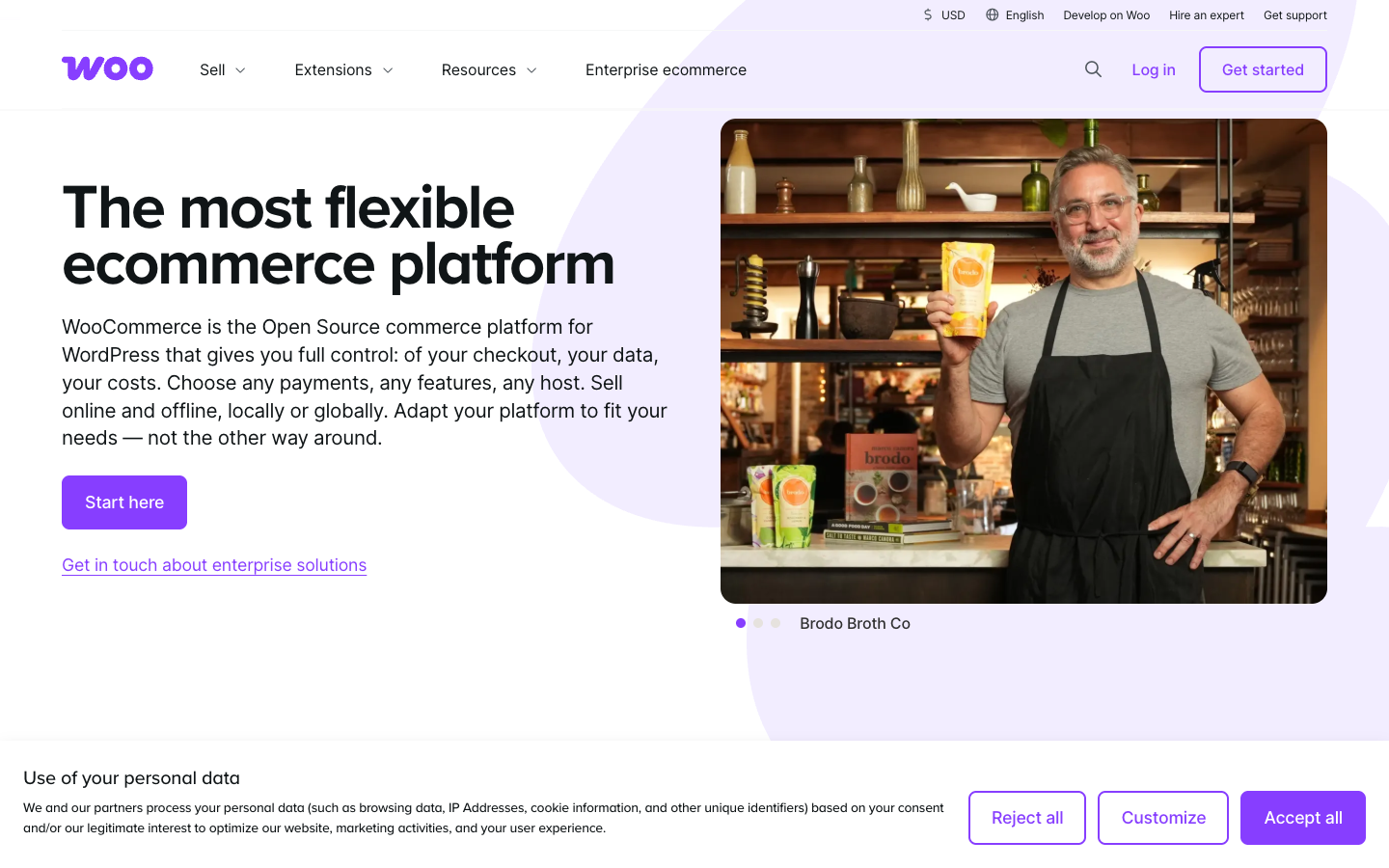
Official public webpage screenshot, captured October 26, 2026. This is not a merchant account or a checkout test.
The merchant this platform could help
Another scenario involves a specialized medical equipment distributor that must comply with strict regional privacy frameworks. By utilizing a self-hosted WooCommerce architecture deployed on dedicated cloud infrastructure, the company ensures that customer purchasing histories and institutional account details never leave their private database instance. They maintain absolute control over encryption keys, backup rotations, and server access logs, fulfilling enterprise compliance audits that reject multi-tenant software-as-a-service architectures.
A third application involves a regional artisanal food distributor with multiple physical warehouses and unique local delivery rules. They require customized checkout validation logic that checks postal codes against regional cold-chain delivery schedules before allowing payment submission. With full access to the underlying PHP codebase and hook system, their developers can write custom validation routines that integrate directly with third-party logistics APIs, ensuring orders are only accepted if delivery parameters are fully met.
Misfit warning: when another option may work better
Underestimating Total Cost of Ownership: Buyers often focus exclusively on the zero-dollar core plugin download, ignoring the cumulative subscription costs of necessary premium extensions for subscriptions, advanced shipping rules, dynamic pricing, and transactional email delivery services.
Neglecting Staging Environment Protocols: Deploying core updates, PHP version upgrades, or plugin patches directly to a live production environment frequently results in fatal database errors, broken checkout flows, and immediate revenue loss.
Ignoring Database Maintenance Requirements: Failing to prune expired transients, session logs, and post-revision histories leads to bloated MySQL tables, sluggish admin dashboard response times, and slow front-end product search queries.
🧱 Storefront Setup & Product Catalog
Configuring a WooCommerce storefront requires a disciplined approach to theme selection, block-based layout design, and database indexing for complex catalogs. Unlike proprietary hosted platforms that enforce strict structural boundaries, WooCommerce allows complete freedom over product data models, but this freedom demands careful organization to maintain site performance.
[Customer Request] │ ▼ [Layered Navigation Filters] (Global Attributes: Year / Make / Model) │ ▼ [Optimized Database Query] (High-Performance Order Storage & Indexed Tables) │ ▼ [Filtered Product Catalog Display] (< 1.5s Load Time Target)
The presentation layer relies heavily on modern block themes or optimized e-commerce frameworks that minimize JavaScript execution overhead. Excessive visual plugins and unoptimized page builders can severely impact Core Web Vitals, leading to poor mobile conversion rates and diminished search visibility. Administrators should review official guidance on system configurations and experimental controls via the WooCommerce Advanced Settings Documentation to ensure optimal handling of template rendering caches and transients. WooCommerce product variation management deserves its own load test for catalogs with many option combinations.
Try a challenging real-world product catalog
A third scenario centers on a digital asset marketplace operating on the same WordPress core as physical merchandise. The catalog combines downloadable firmware updates with physical electronic enclosures. The administrator utilizes conditional product data tabs, ensuring that digital products prompt users for license key generation upon payment completion, while physical items immediately trigger warehouse fulfillment workflows without displaying unnecessary shipping calculation fields for digital downloads. The WordPress ecommerce plugin is free to install.
Catalog choices that raise maintenance costs
Over-Reliance on Heavy Page Builders: Constructing product pages with overly complex visual builders introduces massive DOM trees and excessive script execution times, degrading mobile user experience and inflating page load latencies.
Poorly Structured Product Variations: Creating excessive or redundant attribute combinations for simple product options can exceed server memory limits during catalog index regeneration and slow down administrative product editing screens.
Ignoring Search Indexing Performance: Relying on default WordPress database search for large, complex parts catalogs instead of implementing dedicated search solutions results in slow queries that strain database CPU utilization under moderate traffic spikes.
💳 Checkout, Payments & Customer Experience
The checkout funnel represents the critical revenue conversion point for any e-commerce operation, making stability, speed, and security paramount. WooCommerce 11.x supports streamlined checkout configurations, but merchants must carefully choose and configure their payment gateway integrations to balance authorization success rates with fraud prevention.
Implementing High-Performance Order Storage (HPOS) is essential for modern checkout reliability. By storing orders in custom database tables rather than the standard WordPress post tables, checkout processing speeds increase and administrative order management ceases to conflict with blog post revisions. Merchants should also review checkout rate limiting settings in the core configuration panel to protect against card-testing bot attacks that can overwhelm merchant accounts with fraudulent micro-transactions. Detailed configuration parameters are outlined in the WooCommerce Advanced Settings Documentation. WooCommerce checkout block compatibility is equally important when selecting payment gateways and promotional add-ons.
Payment processor selection directly impacts operational overhead. While major gateways like Stripe and PayPal integrate seamlessly via official extensions, transaction fees, chargeback dispute management, and multi-currency conversion costs require careful financial modeling. Furthermore, checkout fields should be kept minimal; forcing account creation before purchase or presenting confusing address validation errors frequently causes cart abandonment. Replicate the entire checkout path in staging rather than assuming that every extension supports your specific WordPress configuration.
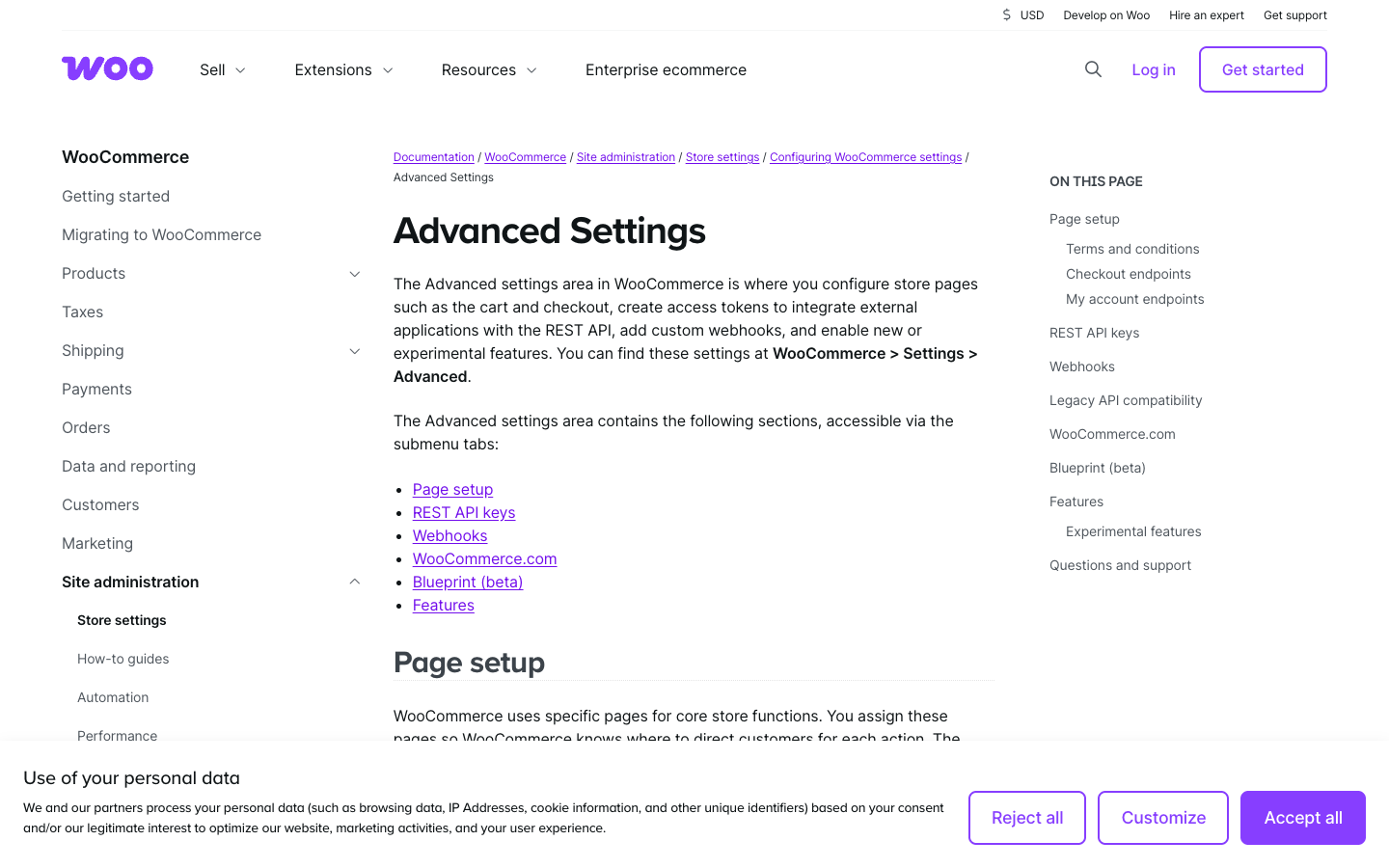
Official public webpage screenshot, captured October 26, 2026. This is not a merchant account or a checkout test.
Checkout scenario: taxes, discounts and a refund
An international auto parts distributor experiences high cart abandonment rates during peak promotional windows due to slow payment gateway redirects. The store administrator migrates the checkout experience to an embedded payment element powered by an official gateway extension, keeping customers on-site during card authorization. Simultaneously, they enable HPOS to ensure that order creation queries execute instantly in dedicated database tables, dropping checkout completion latency below one second.
Another scenario involves a niche hardware retailer targeted by automated bot scripts executing rapid credit card testing attacks. The store manager accesses the advanced settings panel to configure strict checkout rate limiting rules based on client IP addresses and submission frequencies. This intervention blocks abusive scripts at the application gateway level without impacting legitimate human shoppers attempting to purchase replacement fasteners.
A third scenario features a regional merchant expanding cross-border sales to neighboring countries. They configure multi-currency display rules alongside automated tax calculation extensions that evaluate customer geolocation at checkout. The system dynamically updates currency symbols and applies correct regional value-added tax rates transparently before the final payment submission button is rendered.
Checkout pitfalls that impact revenue
Failing to Implement Checkout Rate Limiting: Leaving default security settings unadjusted exposes the store to automated card-testing bots that can result in heavy gateway penalty fees and merchant account suspension.
Neglecting Mobile Checkout Usability: Designing checkout forms with tiny input fields, unoptimized numeric keyboards for postal codes, or intrusive upsell pop-ups severely degrades smartphone conversion performance.
Relying on Unverified Third-Party Payment Plugins: Installing unvetted payment gateway extensions from disreputable marketplaces introduces severe security vulnerabilities and potential compliance failures regarding payment card industry standards.
📦 Inventory, Shipping & Fulfillment
Efficient inventory management and streamlined fulfillment workflows prevent costly stockouts, shipping delays, and administrative bottlenecks. For a niche parts retailer managing complex supplier relationships and warehouse locations, WooCommerce provides robust foundational inventory tools that can be extended with specialized warehouse management plugins.
Operational accuracy depends on maintaining real-time synchronization between online orders, physical warehouse counts, and enterprise resource planning (ERP) software. When an order reaches completion status, automated inventory reduction rules must update stock levels across all active sales channels. Merchants operating physical storefronts alongside their digital platform often utilize barcode scanning extensions that interface directly with WooCommerce order management screens to expedite pick, pack, and ship cycles. WooCommerce High-Performance Order Storage (HPOS) can improve order-data management, but extensions must be compatible.
Fulfillment workflows also require careful communication protocols with customers. Automated tracking number generation, carrier dispatch notifications, and returns management portals reduce customer service inquiry volume. Administrators should consult official documentation for configuring background processing and scheduled action handlers to ensure that automated emails and inventory sync tasks run reliably without timing out during heavy sales periods.
Follow an order from stock to delivery
A heavy equipment parts supplier manages inventory distributed across two regional warehouses and a physical showroom floor. They implement a multi-location inventory extension that ties into their WooCommerce catalog. When a customer in the western region orders a hydraulic pump, the system automatically assigns fulfillment to the western warehouse, deducting stock from that specific location's inventory count while displaying accurate delivery estimates on the product page.
Another scenario involves a specialist tool retailer experiencing frequent overselling during flash sales. The store administrator configures WooCommerce inventory management to hold stock upon cart addition for a strict fifteen-minute window, preventing simultaneous checkouts from purchasing items that have already sold out. Scheduled background actions clean up expired cart holds automatically, returning unsold inventory back to the active catalog pool.
A third scenario centers on an auto restoration shop that processes numerous custom parts orders requiring external plating or machining before final boxing. The fulfillment team utilizes custom order statuses—such as "Awaiting Machining" and "At Plater"—to track internal workflow stages within the WooCommerce admin dashboard. Automated notification triggers email the customer updates whenever their specialty part transitions to a new production phase.
Fulfillment and inventory failure points
Relying Solely on Manual Inventory Updates: Failing to automate stock synchronization between WooCommerce and physical warehouse systems leads to overselling, customer disappointment, and costly order cancellations.
Ignoring Background Processing Failures: Neglecting WordPress cron job configuration can cause scheduled inventory syncs, automated email queues, and data export tasks to stall silently, disrupting backend operations.
Overcomplicating Fulfillment Workflows: Implementing overly intricate custom order statuses and redundant approval layers without adequate staff training creates administrative bottlenecks and slows down daily shipping output.
🌍 SEO, Content & International Selling
Search engine optimization, content integration, and international scaling represent powerful growth levers for self-hosted commerce platforms. Because WooCommerce shares its underlying database and architecture with WordPress, merchants possess unique advantages in executing content-led organic acquisition strategies compared to closed SaaS storefronts.
International selling introduces structural complexity regarding currency conversion, multilingual translation, regional tax compliance, and localized shipping rules. Self-hosted platforms allow merchants to deploy multilingual plugins that duplicate product taxonomies, categories, and descriptions across distinct language subfolders or subdomains. However, managing translations and currency fluctuations requires rigorous oversight to prevent pricing discrepancies or broken localized links. WooCommerce multilingual store SEO requires careful language URLs, product-canonical strategy and translated checkout messages.
Try a real cross-border customer journey
Another scenario involves a specialized hardware merchant expanding their sales into European markets. They implement a multilingual plugin alongside a multi-currency conversion extension. The system automatically detects visitor IP addresses, presenting product catalogs in German or French with local currency pricing. Meanwhile, automated geo-IP tax calculation rules ensure that European value-added tax is applied correctly at checkout according to the buyer's destination country.
A third scenario focuses on technical SEO optimization for a massive catalog of mechanical fasteners. The site administrator configures advanced schema markup extensions to output JSON-LD product data containing manufacturer part numbers, stock availability, and aggregate customer review ratings directly in search engine result pages. This enhanced visibility drives higher click-through rates from engineering professionals searching for exact hardware specifications.
International SEO and localization mistakes
Generating Duplicate Content via Filter Pagination: Failing to configure proper canonical tags and robots meta directives for layered navigation filter URLs leads to massive index bloat and search engine penalties for duplicate content.
Neglecting Multilingual Translation Maintenance: Relying entirely on unverified automated machine translation without human review for technical product specifications can result in confusing or legally inaccurate part descriptions for international buyers.
Overlooking Structured Data Validation Errors: Implementing schema markup plugins without regularly testing output using validation tools can result in broken structured data, stripping the store of rich snippet search visibility.
💰 WooCommerce Pricing Plans & Real Ownership Cost
WooCommerce's core plugin costs nothing to download, but a production store costs money to operate. Hosting, a domain, processing fees, backups, updates, professional support and potentially paid extensions belong in the same forecast. WooCommerce's official pricing explanation gives a broad illustrative hosting range of roughly $25–$350 per month for many stores and suggests that paid extensions often cost $29–$299 annually apiece. These are broad cost examples, not fixed rates or a tailored hosting quote. A store using only the free plugin on insufficient infrastructure is not an economical substitute for a functioning commerce service. A review of WooCommerce store hosting costs should begin with traffic, peak order volume, backup frequency and the support response time you require.
Consider a hypothetical niche-parts retailer with twelve thousand monthly visitors, complex variations and a stock link to a warehouse database. Its costs might include managed hosting, image and database optimization, a premium search or filtering tool, a payment provider, fraud controls, a backup solution and scheduled developer maintenance. The merchant should keep the recurring cash costs separate from one-time migration, design and integration work. A cheap subscription that requires five hours of technical intervention every week can be more expensive than a managed commerce plan with a higher sticker price. WooCommerce payment gateway fees are distinct from the free core plugin.
Extensions create another procurement problem: renewals happen on different dates, compatibility depends on the installed WooCommerce version, and multiple plugins may alter the same checkout or order data. Make an inventory of every paid dependency, including who owns the license and whether support continues after a subscription expires. Test the purchase, refund and order-email flows on staging after representative updates. Before choosing hosting, ask how restoration works when orders continue arriving throughout the day. WooCommerce shipping extension costs and renewal terms can materially affect the first-year budget of a store shipping large or fragile goods.

Official public webpage screenshot, captured October 26, 2026. This is not a merchant account or a checkout test.
🔐 Security, Reliability & Staff Permissions
High-Performance Order Storage changes the way order data is stored and accessed, with compatibility implications for extensions. The official WooCommerce advanced settings documentation discusses HPOS, compatibility mode and optional features including checkout rate limiting and analytics. A migration to or from a storage mode should not be treated as a cosmetic toggle. Confirm gateway, fulfillment and reporting-extension compatibility; take a recoverable backup and validate representative order history in staging. Experimental features should remain outside production until their risks are understood. WooCommerce plugin updates and backups become a measurable business risk if a new extension version breaks the payment path, so test the restoration procedure before making the store public.
Permissions need to follow the actual jobs staff perform. Customer service may need to view orders and create authorized refunds but should not have the same server or financial credentials as the store owner. Content editors can update product descriptions without receiving unrestricted access to payment settings. Contractor accounts should have expiration or offboarding procedures. Test role access with separate accounts rather than assuming that a list of WordPress capabilities describes the final permissions after several plugins have been installed. A WooCommerce security maintenance checklist should include privileged accounts, patch ownership, checkout monitoring and tested rollback instructions.
A reliable store also needs monitoring that covers more than uptime. The homepage can remain available while the checkout is failing or shipping labels are stuck in a queue. Measure whether critical order emails are dispatched and whether automated tasks complete. Establish a recovery point objective for order data and practice restoring a backup that includes both files and database changes. That rehearsal should include reconciliation of any orders accepted between the backup and the recovery moment.
🔄 Migrating to or Leaving WooCommerce
The appeal of data ownership is real, but it is not a guarantee of frictionless migration. WooCommerce product exports, customer records, tax rules, discount codes and media assets still need field mappings. A subscription extension may store renewal metadata in its own tables; a shipping plugin may keep configuration outside the familiar product records. Before migrating from a hosted platform, list every feature with a data dependency and determine how you will reproduce it on WordPress. A WooCommerce migration from Shopify is not simply a CSV import.
Search visibility deserves its own migration plan. Maintain a map of product and category URLs, redirects, canonical choices and structured data. WordPress offers control over content and URLs, but that freedom also makes it possible to create conflicting SEO plugins, redirect chains and duplicate filtered pages. Record a baseline of organic landing pages, then check it after the switch. The goal is to preserve useful indexed content while changing the transaction engine, not to redesign the entire site and hope search engines infer the new relationships. Preserve product identifiers, images, order references, redirects, subscription renewals and customer permissions.
An exit test should be conducted before committing significant custom work. Export a representative catalog and several historical order scenarios; confirm that you can reconstruct them elsewhere without relying on an undocumented developer script. Keep domain and hosting credentials under organizational ownership. Test how subscriptions, refunds and customer access would behave during a future move. The more custom code a store accumulates, the more important its architecture documentation becomes. Build a controlled transaction and refund checklist after import to make sure that the new environment supports the old store’s operational requirements.
⚖️ WooCommerce Alternatives & Trade-Offs
Shopify is usually the clearest contrasting choice. The Shopify subscription covers a hosted store environment with integrated checkout and platform support, while WooCommerce shifts flexibility and infrastructure decisions onto the merchant or their service providers. A store with a strong WordPress development team may prefer direct database and theme access; a merchant without that team may reasonably prefer fewer technical dependencies. The correct comparison includes support hours, extensions, processing and migration work on both sides. A WooCommerce vs Shopify comparison should count the infrastructure and staff required to operate the store.
BigCommerce offers another managed-platform option. Its 2026 Core, Growth and Scale pricing introduces GMV-linked thresholds and provider-specific fees, which is a different calculation from WooCommerce's self-hosted operating stack. A fast-growing parts supplier should model its transaction volumes and integrations under both arrangements rather than compare the free core plugin with the cheapest hosted tier. Neither approach is automatically less expensive under every workload.
🧪 How to Evaluate WooCommerce in 30 Days
In week two, set up the actual order workflow using test or sandbox payment credentials. Cover declined transactions, a refund, a partial shipment and a coupon that changes tax or shipping treatment. Observe order emails, stock changes and the export expected by accounting. Repeat a test after updating at least one extension in staging. The result should be a documented process that ordinary support staff can operate.
In week three, introduce the integrations that usually create risk: warehouse synchronization, marketing attribution, external search, subscriptions or multilingual catalogs if those are requirements. Inspect logs and task queues, and try a failure that can be safely simulated, such as stopping the test shipping integration. A working happy-path demo is not enough; the team needs to know whether failures are visible and recoverable without corrupting orders.
Use week four for a restore drill, security review and budget. Count hosting, extension renewals, development support and the cost of responding to incidents. Export catalog and order samples as an exit check, verify redirects and confirm which employee can administer the system when the technical contractor is away. Only then compare WooCommerce with a fully priced hosted alternative using the same requirements.
✅ WooCommerce Pros & Cons
The core strengths are flexibility, WordPress content integration, the freedom to choose hosting and extensions, and avoiding a mandatory platform subscription for the core plugin. Those advantages can be substantial when a merchant already has content, SEO infrastructure and a technical team that understands the business. A well-maintained WooCommerce store can support distinctive product presentation and specialized workflows without surrendering the underlying code.
The liabilities stem from the same flexibility. Extensions may conflict, renewals and upgrades require coordination, and the merchant bears more responsibility for backups, server health and checkout recovery. The true budget can be unpredictable when custom functionality depends on developers. Technical ownership should be chosen as a business strategy, not as an assumption that 'free' software reduces every cost.
🏆 Final Verdict: Is WooCommerce Worth It in 2026?
This review is based on public documentation rather than verified account-level tests. The next step is not an immediate migration; it is a reproducible pilot with explicit failure conditions, recovery procedures and a line-item ownership budget. If the organization cannot support those tasks, a more managed platform may produce a better outcome even at a higher subscription price.
💰 WooCommerce Pricing & Plan Comparison (October 2026)
These figures are published by the vendor; your actual bill depends on the country, hosting provider and services you choose. Taxes, currency, feature tiers, gateway charges, annual-term obligations and negotiated contracts can affect a merchant’s checkout cost. Follow the official pricing source to confirm the amount you will actually pay.
| Cost component | Official reference | Billing basis | What changes your bill |
|---|---|---|---|
| WooCommerce core | Free | $0 platform subscription | Core is open source; not a finished hosted store |
| Store hosting | $25–$350 / month | Vendor illustrative most-store range | Traffic, uptime, security and management scope |
| Paid extensions | $29–$299 / year each | Vendor illustrative extension range | Number and renewal terms of extensions |
| Payment processor | Provider-specific | Per transaction and dispute fees | Country, card type and gateway eligibility |
🧭 Buyer Checklist: Questions Before Subscribing
Before committing, verify how the selected plan handles the whole order journey, including failures and refunds.
- Test a purchase and refund.
- Validate shipping, taxes and permissions.
- Reconcile all recurring costs.
- Plan exports and rollback.
⚖️ WooCommerce vs. Competing Store Platforms
| Platform | Operating model | Typical cost drivers | Buyer fit |
|---|---|---|---|
| WooCommerce | Self-hosted WordPress; deep customization | Hosting + plugins + labor + gateway fees | Useful when the merchant can own the infrastructure |
| Shopify | Hosted checkout and integrated operational tooling | Plan + apps + gateway + potential POS | Useful when maintenance is a burden |
| BigCommerce | Hosted B2C and integration options | GMV tier + classified payment fees | Useful for multi-channel merchants |
| Ecwid | Hosted store embedded in existing site | Catalog-tier + extensions + payment processing | Useful for light storefront additions |
This is a qualitative operating-model comparison, not a performance benchmark or a substitute for a quote from each vendor.
🔎 Sources, Fact-Checking & Research Boundaries
Vendor pages reviewed on October 26, 2026. A public website screenshot shows the information available to visitors; it cannot establish the behavior of an authenticated production store or performance of a test purchase. We recommend a controlled pilot before procurement.
woocommerce.com — official source
Frequently Asked Questions
Is WooCommerce really free?
The core plugin is free and open source. Hosting, domains, backups, payment processing, optional premium extensions, developer work and ongoing maintenance are separate. A zero platform fee is not the same as a zero-cost production store.
How much does a WooCommerce store cost monthly?
WooCommerce provides an illustrative hosting range of $25–$350 per month for many stores and estimates premium extensions often at $29–$299 annually each. Actual budgets also include payment fees, specialist development and operations.
Can WooCommerce run on any WordPress host?
It can run on compatible WordPress hosting subject to PHP, database, HTTPS and resource requirements, but service quality differs. Confirm server specifications, caching, backups and support for your expected order volume.
Does WooCommerce charge a platform transaction fee?
WooCommerce does not impose a core platform revenue share. Payment processors and third-party solutions can charge transaction, currency conversion, dispute or subscription fees. Match fee assumptions to your merchant country.
What is High-Performance Order Storage?
HPOS is WooCommerce’s dedicated order-data storage architecture. Extensions must support it; compatibility mode can synchronize order data in some configurations. Test extensions and backups on staging before changing storage settings.
Will WordPress plugins break checkout?
They can. A theme, security plugin, cache layer, payment gateway or extension update can create checkout incompatibilities. A staging site, maintenance plan and monitored test purchase are important safeguards.
Is WooCommerce good for large product catalogs?
It can support substantial catalogs with appropriate architecture, hosting and extension choices. Large variation counts, filters and imports can strain poor configurations. Benchmark your actual product and order shape, not marketing labels.
What is the difference between WooCommerce and Shopify?
WooCommerce is self-managed WordPress commerce with high customization freedom; Shopify is a hosted platform with integrated operations. Choose based on ownership, available technical support and lifetime costs.
Does WooCommerce support subscriptions?
Subscriptions can be implemented through compatible extensions and gateways, but they are not universally part of the free core. Check renewal mechanics, failed payments, migration and cancellation rights before purchasing an add-on.
How do I back up WooCommerce?
Back up both the database and uploads/files, coordinate restore points with orders in flight, and test recovery. An untested backup is not evidence that live transactions can be restored consistently.
How should I evaluate WooCommerce?
Set up staging, reproduce your catalog, payment and shipping rules, then deliberately test updates, checkout and recovery. Keep a complete list of paid extensions and verify each vendor’s support and renewal terms.
Browse our E-commerce & Online Selling category for related guidance on storefront setup, payment methods and store operations.
EXPLORE NEXT ON DIGIOFFLY
Explore Your Online Selling Stack
Use related DigiOffly categories and tools to plan a storefront, payments and business operations. Product-specific e-commerce reviews have not been published here yet.
▸ Plan the storefront
- Hosting & Websites — Plan infrastructure, domains and performance.
- Software Directory — Browse currently published software information.
- Growth software — Explore acquisition, email and conversion workflows.
- E-commerce & Online Selling — Compare hosted, creator and self-hosted commerce.
- Gorgias review — Review commerce-specific support after checkout.
- Crisp review — Compare shared website conversations.
- Klaviyo — Ecommerce email and order-triggered retention
▸ Price the entire operation
- Software Cost Calculator — Model subscription commitments and team costs.
- Compare Software — Test overlapping tools side by side.
- Best Value Advisor — Match documented capabilities to your requirements.
▸ Explore related software
- Finance Software — Understand accounting and payment operations.
- Automation & No-Code — Connect order handling and repetitive tasks.
- Software Deals — Check documented plans without assuming discounts.
- PrestaShop review — Compare another open-source store with different hosting responsibilities.
- Analytics & Product Insights — Compare store analytics and event tracking.
- Matomo review — Consider owned web analytics for a WooCommerce shop.
- Paddle — Merchant of Record, software checkout and SaaS billing
- Tally — Flexible forms, conditional intake and integrations
- DreamHost — WordPress shared hosting, DreamPress and renewal-price comparison
- Namecheap — domain registration, Stellar cPanel hosting and 2026 renewals